



HP vs Dell Laptops: Key Differences You Need to Know in 2026
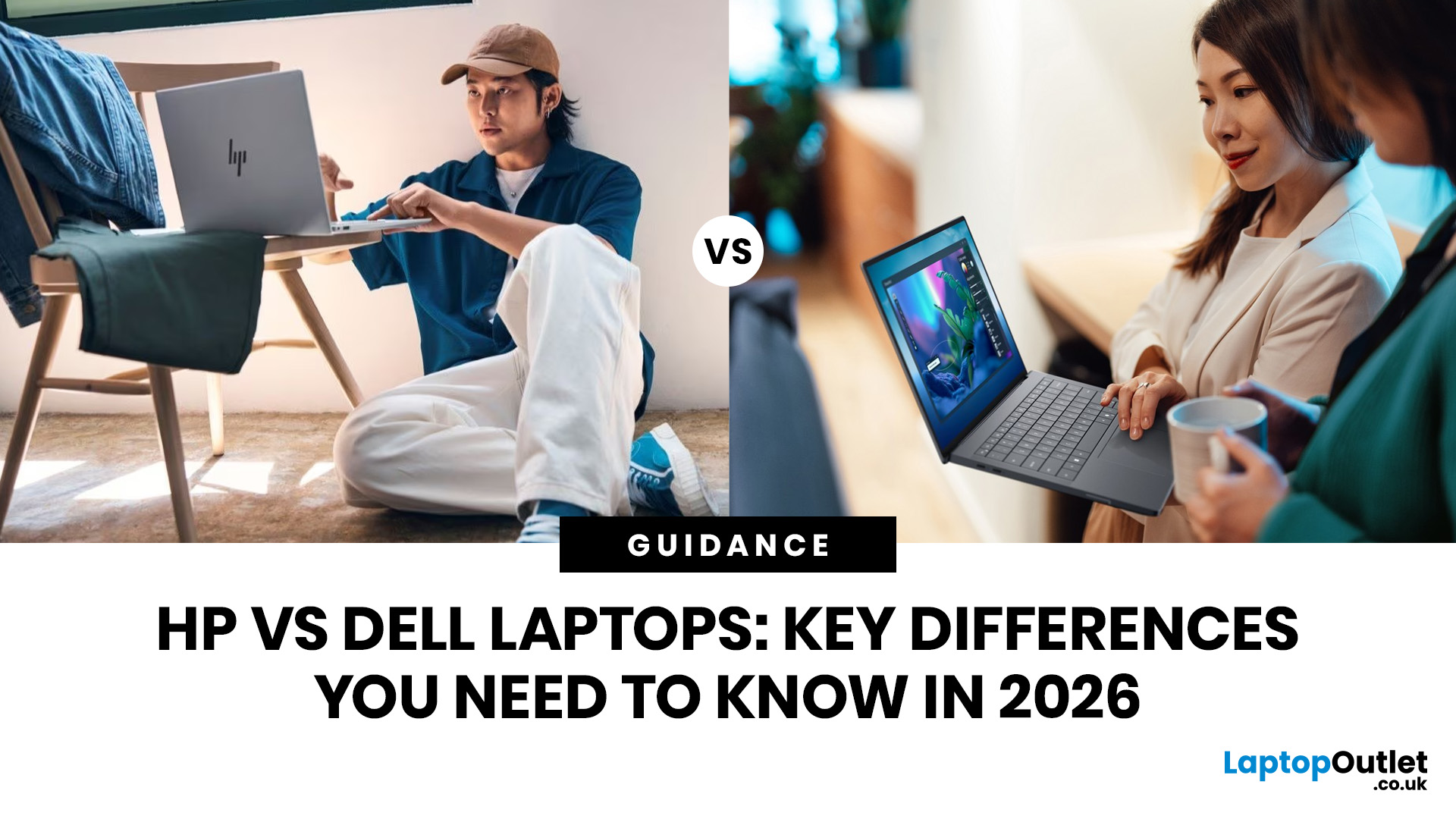
In the HP vs Dell laptops debate for 2026, HP wins on value, stylish design, and accessibility, making it ideal for students and home users. Dell wins on build quality, battery endurance, enterprise-grade support, and long-term durability, making it the stronger pick for professionals and power users. Neither brand is universally better; the right choice depends entirely on your budget, use case, and how long you plan to keep the device.
This guide cuts through the noise and gives you a proper, head-to-head Dell vs HP comparison across every major category so you can shop with confidence.
What Are HP and Dell Each Known For in 2026?
Before diving into the specs, it helps to understand the design philosophy behind each brand. HP and Dell both make excellent laptops, but they approach the market from noticeably different angles, and that shapes every product decision they make.
HP: Design, Value, and Accessibility
HP positions itself around choice, modern aesthetics, and broad accessibility. From its budget-friendly Pavilion range through to the premium Spectre and the newly reorganised OmniBook laptops family, HP serves students, home users, creatives, and professionals who want capable hardware without paying over the odds.
In 2026, HP has unified much of its consumer lineup under the OmniBook brand, replacing the older Pavilion, Envy, and Spectre naming in many ranges. The tier structure runs from OmniBook 3 (entry-level) up to OmniBook Ultra (flagship), making it cleaner to navigate than before. The company also continues to invest heavily in AI PC features, with Copilot+ support baked into most new models.
Dell: Reliability, Durability, and Long-Term Value
Dell's reputation is built on consistency and build quality. Where HP refreshes frequently, Dell iterates carefully. Its XPS range is one of the most respected premium laptop lines in the world, and its Latitude business laptops are a fixture in offices and enterprise IT fleets across the UK.
At CES 2026, Dell made headlines by bringing back the iconic XPS brand after briefly retiring it, relaunching the XPS 13, XPS 14, and XPS 16 with thinner chassis, better battery life, and the very latest Intel Core Ultra and Snapdragon X Elite processors. Dell is also doubling its Alienware gaming laptop lineup in 2026 to reach more price points.
| Good to Know: Dell is also in the middle of a broader rebrand, consolidating Inspiron into simply "Dell" and business Latitude/Precision lines into "Dell Pro" and "Dell Pro Max". You'll still see the old names used widely in UK retail throughout 2026. |
How Do the HP and Dell Laptop Ranges Compare?
Understanding which laptop series maps to which use case saves you a lot of time when shopping. Both brands offer wide ranges, but they structure them differently. Here's a clear breakdown of the current 2026 lineups, so you know exactly what you're looking at.
| HP Laptop Ranges 2026 | Dell Laptop Ranges 2026 |
| OmniBook 3 / Pavilion Entry-level everyday use, students, light tasks |
Dell (Inspiron) Everyday use, home, students, budget-friendly |
| OmniBook 5 / Envy Mid-range, students & professionals, 2-in-1 options |
Dell Plus (Inspiron Plus) Mid-range step up, better build and display |
| OmniBook 7 / OmniBook X Premium productivity, AI features, Copilot+ PCs |
XPS 13 / XPS 14 / XPS 16 Premium ultrabooks, professionals, creatives |
| Spectre x360 / OmniBook Ultra Flagship, creatives, executives, premium 2-in-1 |
Dell Pro / Pro Max (Latitude) Business & enterprise, security, durability |
|
EliteBook / ProBook |
Precision Workstations; engineers, data scientists, CAD |
| Omen / Victus Gaming; Omen = high-end, Victus = value gaming |
Alienware High-end gaming, RGB, hardcore enthusiasts |
| Verdict: HP offers a broader range with more options at every budget tier. Dell's range is more streamlined and purpose-built, which makes it easier to match a model to a specific use case. If variety matters, go HP. If clarity matters, go Dell. |
Which Brand Delivers Better Laptop Performance in 2026?

When it comes to laptop performance comparison, both HP and Dell use the same chip vendors, namely Intel, AMD, and Qualcomm's Snapdragon, but they tune their devices differently. The chips are only part of the story; thermal management, power limits, and RAM configuration all play a major role in real-world speed.
Processors: A Level Playing Field
In 2026, both brands ship with Intel Core Ultra Series 2, AMD Ryzen AI 300 series, and Qualcomm Snapdragon X Elite across their mid-to-premium ranges. You'll find these inside everything from the Dell XPS 13 to the HP OmniBook X. At the flagship level, both brands support Copilot+ PC experiences with NPU performance of 40+ TOPS.
Where Dell has an edge is in its willingness to set higher sustained power limits, particularly in the XPS and Alienware ranges. That means under sustained workloads such as video rendering or large code compilations, a Dell will often squeeze more performance out of the same chip generation compared to a slimmer HP counterpart.
RAM and Storage Configurations
HP tends to standardise configurations more than Dell, which makes their laptops slightly less customisable at checkout. Dell, particularly through its direct sales model, allows you to configure CPU, RAM, GPU, and storage at purchase, giving you more flexibility to spec exactly what you need. For power users, this matters.
|
Spec Category |
HP |
Dell |
Winner |
|
Processor Options |
Intel Core Ultra, AMD Ryzen AI, Snapdragon X |
Intel Core Ultra, AMD Ryzen AI, Snapdragon X |
Tie |
|
AI / NPU Performance |
Up to 55 TOPS (OmniBook Ultra) |
Up to 45 TOPS (XPS Copilot+ range) |
HP Edge |
|
Configurability at Purchase |
Standard presets, limited custom options |
Wide CPU/RAM/GPU/storage customisation |
Dell Wins |
|
Sustained Power Limits |
Prioritises efficiency in slim designs |
Higher TDP allowed in XPS & Alienware |
Dell Edge |
|
RAM Max (Consumer) |
Up to 64GB LPDDR5X |
Up to 64GB DDR5 |
Tie |
|
Thermal Stability Under Load |
Mixed; can throttle in slim HP models |
Generally more stable cooling |
Dell Edge |
| Verdict: For raw, sustained performance and configurability, Dell edges ahead, especially in the XPS and Alienware lines. HP matches or leads on AI NPU capability in its top-tier OmniBook Ultra, and holds its own for everyday tasks. If you push your laptop hard, Dell is the safer bet for thermal stability. |
Which Has Better Battery Life, HP or Dell?
Battery life is one of the most practical and frequently misunderstood differences between these two brands. Advertised figures rarely match real-world use, so it's worth knowing what to expect across each series. Both brands have improved significantly in 2026, but they prioritise different things.
Dell Battery Life in 2026
Dell has made battery performance a centrepiece of its 2026 XPS relaunch. The new XPS 14 and XPS 16, tested by Dell Labs in January 2026, claimed up to 31 hours of Netflix streaming playback under controlled conditions. The XPS 13 with Snapdragon X Elite also claims impressive all-day endurance. Dell's ExpressCharge technology can recharge the battery to 80% in approximately one hour, which is faster than HP's standard fast-charge on most consumer models.
Business-focused Dell Pro models (the successors to Latitude) have historically offered some of the longest battery figures in their class, with certain configurations quoted at well over 20 hours for lighter workloads.
HP Battery Life in 2026
HP prioritises battery efficiency in its Envy and OmniBook ranges, and the results are solid for most users. The Spectre and Envy series typically deliver between 10 and 14 hours of real-world use. The HP OmniBook 5, built around AMD's Ryzen AI platform, is optimised for efficiency and suits longer working sessions between charges.
It is worth noting that HP Omen and Victus gaming laptops, like most gaming machines, sacrifice battery endurance for peak performance. Expect 4 to 6 hours from a gaming HP laptop under everyday use, and significantly less under gaming loads.
|
Don't Be Fooled by Headline Figures |
|
Model Range |
Typical Battery Life |
Fast Charge |
|
Dell XPS 14 / 16 (2026) |
Up to 31 hrs (streamed video); ~12–16 hrs mixed use |
80% in ~1 hour (ExpressCharge) |
|
Dell Pro / Latitude (business) |
20+ hrs (light workloads) |
ExpressCharge available |
|
HP Spectre x360 / Envy |
10–14 hrs mixed use |
50% in ~45 minutes (select models) |
|
HP OmniBook 5 (Ryzen AI) |
Up to 34 hrs (OmniBook 5 claimed); ~10–12 hrs mixed |
Available on select models |
|
HP Omen / Victus (gaming) |
4–6 hrs general use; less under gaming load |
Fast charge available |
|
Dell Alienware (gaming) |
3–5 hrs; primarily designed for plugged-in use |
Rapid charge on Max models |
| Verdict: Dell leads clearly in battery endurance, particularly with its 2026 XPS lineup claiming industry-leading figures. HP is perfectly adequate for most users and the OmniBook 5 competes well on paper. If all-day battery without a charger matters most, pick Dell. For typical 8-hour workdays, HP is more than sufficient. |
Which Brand Has Better Build Quality and Design?
Physical build quality directly affects how long your laptop lasts and how it feels to use every day. This is an area where HP and Dell diverge meaningfully across their ranges, with each brand stronger in different segments of the market.
HP Build Quality and Materials
HP's premium models, the Spectre x360 and OmniBook Ultra, use CNC-machined aluminium with clean, understated designs. MIL-STD-810 durability certifications appear across the Envy and EliteBook ranges. HP has also invested in sustainable materials in recent years, incorporating recycled aluminium into several OmniBook models.
The trade-off is that HP's mid-range and budget models, such as the Pavilion and base-tier HP Laptop models, use significantly more plastic. Build quality can feel noticeably less solid at under £500. The premium feel is genuinely there at the top of HP's range; it just doesn't filter down as consistently as Dell's does.
Dell Build Quality and Materials
Dell is widely regarded as having more consistent build quality across its range. The XPS series uses a CNC-machined aluminium chassis with a carbon fibre palm rest and ultra-thin InfinityEdge display bezels. Screen-to-body ratios on the XPS regularly exceed 93%. Even Dell's mainstream Inspiron models feel more robust than HP's equivalent Pavilion laptops at similar price points.
Dell's business range, the Pro and Pro Max (formerly Latitude and Precision), is built to MIL-STD-810H standards as standard, and many models offer optional spill-resistant keyboards and reinforced hinges. For those who travel frequently or work in varied environments, Dell's durability track record is stronger.
|
HP Design Strengths More colour and finish options across ranges Slimmer and lighter mid-range models Excellent premium aesthetics on Spectre & OmniBook Ultra Good selection of 2-in-1 convertible designs Bang & Olufsen audio on premium models |
HP Design Weaknesses Mid-range build quality less consistent Budget models feel plasticky Keyboard travel can feel soft/shallow Fewer port options on slim models (USB-C only) Thermal management weaker in slim chassis |
|
Dell Design Strengths Consistent build quality across all price tiers InfinityEdge displays on XPS are outstanding Firmer, more tactile keyboard on most models Better thermal management under load More USB-A ports retained on mid-range models |
Dell Design Weaknesses More conservative colour palette, fewer finishes Some ranges feel heavier than HP equivalents Direct sales model means less in-store availability Premium feel mostly confined to XPS & Pro ranges Alienware design is bold and divisive |
| Verdict: HP wins on style and variety. Dell wins on consistent durability and keyboard quality. If you care about how a laptop looks and feels in a modern, stylish sense, HP has the edge. If you're after something that'll still feel solid three or four years from now, Dell is the safer long-term investment. |
HP vs Dell Laptops: Whose Displays Are Better?
Display quality has improved dramatically across both brands in 2026, with OLED panels, high refresh rates, and exceptional colour accuracy now available well into the mid-range. That said, there are meaningful differences in how each brand distributes its best displays across its lineup.
HP Displays: OLED Access Across More Price Points
HP has been more aggressive about bringing OLED displays to mid-range models. The OmniBook X and several Envy x360 configurations now ship with OLED panels offering deep blacks, wide colour gamuts, and vibrant visuals. HP's gaming Omen Max 16, announced at CES 2026, features a 2.5K 240Hz OLED display, which is exceptional for gaming and content creation alike.
The HP Spectre x360 and OmniBook Ultra 14 also feature OLED options with 3K resolution and excellent colour coverage. If you want OLED at a reasonable price, HP gives you more routes to get there.
Dell Displays: Precision Accuracy on XPS and Pro Models
Dell's XPS display panels are among the most colour-accurate on any Windows laptop. The XPS 14 and XPS 16 (2026) offer OLED options with 100% DCI-P3 coverage and Delta E less than 1, making them a genuine tool for photo and video professionals who need faithful colour reproduction. Dell's UltraSharp monitor technology philosophy carries over into its premium laptop displays.
Dell's mainstream range, the standard Dell and Dell Plus laptops, tends to use Full HD IPS panels that are perfectly adequate for everyday use but not exceptional. Premium panels are mostly reserved for the XPS and Pro Max tiers, whereas HP distributes them more broadly.
|
Display Feature |
HP |
Dell |
Winner |
|
OLED Availability |
Broad; mid-range and premium (OmniBook, Envy, Omen) |
Premium only (XPS, Pro Max) |
HP Wins |
|
Colour Accuracy (Premium) |
Excellent on OLED Spectre / OmniBook Ultra |
Outstanding; Delta E <1, 100% DCI-P3 on XPS |
Dell Edge |
|
Max Refresh Rate (Gaming) |
Up to 240Hz (Omen Max 16 OLED) |
Up to 300Hz (Alienware 18 Area-51) |
Dell Edge |
|
Screen-to-Body Ratio |
Good; some bezels retained on mid-range |
Excellent; 93%+ on XPS InfinityEdge |
Dell Edge |
|
Brightness (Peak) |
Up to 500 nits (Omen Max OLED) |
Up to 500 nits (Alienware OLED / XPS) |
Tie |
|
Budget Display Quality |
Brighter, more colour-accurate budget panels |
Functional but basic on entry Dell models |
HP Edge |
| Verdict: HP wins for display accessibility across the range. Dell wins for the very best colour accuracy and screen-to-body ratio at the premium tier. Creatives who need professional-grade accuracy should look at the Dell XPS. Everyone else will likely be very happy with an HP OLED at a lower price point. |
HP vs Dell for Gaming Laptops: Which Brand Should You Choose?
Gaming is an area where both brands have dedicated, well-developed product lines. This isn't just about raw GPU power; cooling, display quality, keyboard response, and long-term thermal performance all matter if you're gaming seriously. Let's look at how both stack up on gaming laptops in 2026.
HP Gaming Laptops: Omen and Victus

HP's gaming lineup is split into two clear tiers. The Omen range sits at the higher end, with the flagship Omen Max 16 featuring RTX 5090 laptop GPU options, Intel Core Ultra 200HX or AMD Ryzen AI HX processors, and a 240Hz WQXGA OLED display. HP has also reworked the Omen Tempest Cooling Pro system, adding a third fan and an automatic airflow reversal feature to manage heat and dust over long gaming sessions.
The Victus range is HP's value gaming option, starting from a more accessible price point with RTX 2050 through to RTX 4060 graphics. It's a solid choice for casual and mid-level gamers who want decent frame rates without breaking the bank.
Dell Gaming Laptops: Alienware and G-Series
Dell's Alienware brand is its hardcore gaming division. At CES 2026, Dell announced it was doubling the Alienware laptop lineup. The Alienware 18 Area-51, with RTX 5090 graphics and a 300Hz G-SYNC display, is a serious machine aimed at enthusiasts who want the absolute best. Alienware laptops use full, uncapped power limits rather than the Max-Q throttling seen on some rivals, meaning you get genuine desktop-class GPU performance in a laptop chassis.
Dell's G-Series laptops offer a more affordable gaming entry point, similar in spirit to HP's Victus. These are practical gaming machines without Alienware's premium price or distinctive aesthetic.
|
Gaming Factor |
HP Omen / Victus |
Dell Alienware / G-Series |
Winner |
|
Peak GPU Option (2026) |
RTX 5090 (Omen Max 16) |
RTX 5090 (Alienware 18 Area-51) |
Tie |
|
Max Display Refresh |
240Hz OLED (Omen Max 16) |
300Hz G-SYNC (Alienware 18) |
Dell Edge |
|
Power Limits / Throttling |
Good; up to 300W (Omen Max) |
Excellent; full uncapped TDP (Alienware) |
Dell Edge |
|
Cooling Architecture |
Tempest Cooling Pro (3 fans + reversal) |
Advanced vapour chamber (Alienware) |
Tie |
|
Value for Money |
Victus series very competitive at mid-range |
G-Series competitive; Alienware commands premium |
HP Edge |
|
UK Starting Price (Value Gaming) |
Victus 15 from approx. £799 |
G-Series from approx. £849 |
HP Edge |
|
Design Aesthetic |
Subtle, understated gaming look |
Bold, RGB-forward, aggressive styling |
Personal Preference |
| Verdict: For absolute peak gaming performance, Dell's Alienware edges ahead with uncapped power limits and the highest refresh rate displays. For value-conscious gamers who want strong RTX performance without the Alienware premium, HP's Victus and mid-tier Omen represent the better deal. Hardcore gamers on a budget: go HP Victus. No-compromise enthusiasts: go Alienware. |
HP vs Dell for Business Laptops: Which Is the Safer Choice?
For business buyers, the laptop decision carries more weight than it does for consumers. You're thinking about fleet management, long-term support contracts, security features, and total cost of ownership over three to five years. This is where the Dell vs HP comparison takes a quite different shape.
Dell Business Laptops: Latitude / Dell Pro Range
Dell's business laptops lineup, now officially rebranded to Dell Pro and Dell Pro Max, has long been the backbone of enterprise IT departments across the UK and worldwide. The Dell Pro range (formerly Latitude) brings MIL-STD-810H durability, enterprise security features including optional smart card readers and fingerprint sensors, and excellent fleet management compatibility through Dell Optimizer software.
Dell's ProSupport service is particularly well regarded. It offers next-business-day on-site repair, proactive hardware monitoring through SupportAssist, and clear escalation paths for IT managers. Business customers can extend Dell warranties up to five years, and ProSupport Plus adds accidental damage cover. For companies managing dozens or hundreds of laptops, that predictability is genuinely valuable.
HP Business Laptops: EliteBook and ProBook
HP's EliteBook range is a serious business contender. EliteBook models frequently ship with three-year warranties as standard, outperforming Dell's default one-year offering on consumer-focused lines. HP's Wolf Security platform, built into EliteBook and higher-end OmniBook models, offers hardware-level security protection that is particularly valued in regulated industries and government sectors.
HP's Care Pack system provides consumer and business customers with extended coverage options, though it is typically purchased at the time of device acquisition and is less flexible than Dell's ProSupport tiers. HP also offers strong self-service tools through the HP Support Assistant, which is useful for IT teams managing a mixed fleet.
| Tip for UK Business Buyers Both HP EliteBook and Dell Pro models are available with next-day on-site support, though the terms and SLAs vary by contract. Always clarify your specific support tier before purchasing for business deployment. Both brands offer a sustainability angle, important for UK corporate ESG reporting. |
| Verdict: Dell's ProSupport reputation, combined with its predictable repair timelines and long-established IT fleet compatibility, gives it a slight edge for larger businesses and enterprise IT departments. HP's EliteBook is an excellent alternative, particularly where Wolf Security features are a priority. For SMEs and smaller teams, either brand is a strong choice. |
Is HP or Dell the Better Choice for Students in the UK?
Students have a specific set of requirements: they need something reliable, portable, capable enough for coursework, and priced fairly. The question of HP or Dell for students comes up constantly, and the answer in 2026 is fairly clear, with some nuance depending on your subject area.
Why HP Usually Wins for Students
HP offers better value at entry and mid-range price points, plain and simple. The Pavilion and OmniBook 5 ranges give students a modern design, solid performance, adequate RAM and storage, and Copilot+ AI features at prices that are noticeably more accessible than Dell's equivalent entry models. For A-Level students, undergraduates studying humanities, business, or social sciences, or anyone doing general coursework, the HP Pavilion or OmniBook 5 is more than capable.
HP laptops also tend to be slimmer and lighter in the budget-to-mid range, which matters if you're lugging a laptop between lectures, libraries, and home every day.
When Dell Makes More Sense for Students
If you're studying engineering, computer science, architecture, data science, or any field requiring heavy software such as MATLAB, AutoCAD, or machine learning tools, Dell's superior thermal stability and higher sustained performance limits give you a more reliable tool for demanding workloads. Dell Inspiron and Dell Plus models are a bit pricier but hold up better under intensive use over a three or four-year course.
|
Student Need |
Best Pick |
Recommended Range |
Approx. UK Price |
|
General coursework & essays |
HP |
HP Pavilion / OmniBook 5 |
£449–£699 |
|
Design & creative subjects |
HP |
HP Envy / OmniBook X (OLED) |
£699–£999 |
|
Engineering / STEM / heavy software |
Dell |
Dell Plus / Dell XPS 14 |
£799–£1,299 |
|
Student on a tight budget |
HP |
HP 15 Laptop / OmniBook 3 |
£299–£449 |
|
Portability as top priority |
HP |
HP OmniBook 7 Aero 13 |
£599–£849 |
|
Premium student laptop |
Either |
HP Spectre x360 or Dell XPS 13 |
£1,199–£1,499 |
| Verdict: HP is the stronger student choice for most UK buyers. Better pricing, lighter designs, and sufficient performance for the majority of courses make it the more practical recommendation. STEM students doing intensive computing work should consider Dell for its superior thermal consistency and configurability. |
How Do HP and Dell Compare for Warranty and After-Sales Support?
Support and warranty coverage is one of the most underrated factors when buying a laptop, yet it can save you hundreds of pounds and significant stress if something goes wrong. Both brands offer multiple tiers of support, but the experience and coverage differ in important ways.
Dell Warranty and Support
Dell's standard consumer laptops ship with a one-year limited warranty covering hardware defects, with mail-in repair as standard. Upgrading to Dell Care Plus adds 24/7 support, one-to-two business-day on-site repair, and SupportAssist health monitoring, which proactively flags potential hardware issues before they become failures.
For business buyers, Dell ProSupport adds direct access to specialist technicians and next-business-day on-site repair. ProSupport Plus layers in accidental damage coverage and automated issue detection. Dell business warranties can be extended up to five years, giving IT managers genuine long-term planning confidence. Dell's response times and case tracking are broadly considered best in class among Windows PC manufacturers.
HP Warranty and Support
HP's standard consumer laptops also come with a one-year limited warranty. The HP Care Pack extends coverage and adds accidental protection, though it must be purchased at the point of buying the device in most cases, which is less flexible than Dell's approach. HP Premium Care adds on-site service and priority phone support.
A notable advantage of HP's business laptops is that EliteBook models often ship with a three-year warranty as standard, which beats Dell's one-year default. HP's Wolf Security platform, available across EliteBook and select OmniBook models, also offers hardware-embedded security features that appeal strongly to regulated industries such as finance, healthcare, and government.
|
Support Tier |
HP |
Dell |
|
Standard Warranty (Consumer) |
1-year limited; mail-in repair |
1-year limited; mail-in repair |
|
Standard Warranty (Business) |
EliteBook: 3 years standard; ProBook: 1 year |
Dell Pro: 1 year standard (upgrades available) |
|
Accidental Damage Cover |
Available via Care Pack (at-purchase only) |
Available via Dell Care Plus / ProSupport Plus |
|
On-Site Repair |
HP Premium Care / Care Pack higher tiers |
Dell Care Plus; next-business-day on-site |
|
Max Warranty Extension |
Up to 3 years (most consumer lines) |
Up to 5 years (business lines) |
|
Remote Diagnostics |
HP Support Assistant (preinstalled) |
SupportAssist with proactive monitoring |
|
Business Support Reputation |
Strong; Wolf Security distinctive advantage |
Excellent; ProSupport is industry benchmark |
| Verdict: Dell leads overall, particularly for business and enterprise buyers, with faster on-site response times, deeper ProSupport tiers, and five-year extension options. HP's EliteBook three-year default warranty and Wolf Security features make it a genuine competitor in regulated business environments. For consumers, both offer similar baseline coverage. |
Which Brand Offers Better Value for Money in 2026?
Price is often the deciding factor, and this is where HP has a consistent advantage across most budget brackets in the UK. Let's be clear about what "value" actually means here because the cheapest option isn't always the best value when you factor in longevity, support, and total cost of ownership.
HP: Better Value at Entry and Mid-Range
HP's Pavilion and OmniBook 5 ranges undercut Dell's comparable models at the budget and mid-range tier. You can pick up a competent HP laptop with 16GB RAM, an AMD Ryzen AI processor, and a decent Full HD display for under £650, which is genuinely good value for the specification. HP also runs promotions and sales more frequently than Dell, particularly through UK retail channels.
Dell: Better Value Over the Long Term
Dell laptops come with higher starting prices, especially in premium and business lines. However, that premium often pays off over time. Stronger build quality means fewer repairs. Better thermal management reduces the likelihood of performance degradation. More robust warranties reduce unexpected costs. For buyers who plan to keep their laptop for four or five years, Dell's slightly higher upfront cost can translate to a lower total cost of ownership.
|
Price Tier |
HP Options |
Dell Options |
Better Value |
|
Under £500 |
Pavilion, OmniBook 3, HP 15 Laptop |
Standard Dell (entry Inspiron) |
HP Wins |
|
£500–£800 |
OmniBook 5, Envy x360, Pavilion Plus |
Dell Plus (Inspiron Plus) |
HP Edge |
|
£800–£1,200 |
OmniBook X, Envy 16, Spectre x360 |
Dell XPS 13, XPS 14 |
Comparable |
|
£1,200–£1,800 |
OmniBook Ultra, EliteBook, Spectre top configs |
Dell XPS 16, Dell Pro Max |
Comparable |
|
Gaming £800–£1,500 |
Victus 15, Omen 16 |
Dell G-Series, lower Alienware |
HP Edge |
|
Gaming £1,500+ |
Omen Max 16 |
Alienware 16 / 18 Area-51 |
Dell Wins |
| Verdict: HP wins on upfront value, especially at budget and mid-range tiers. Dell wins on long-term value for buyers planning a longer ownership period. If you're on a tight budget or shopping for a student, go HP. If you're buying a laptop that needs to last five years in a business environment, the Dell premium is worth it. |
HP or Dell: Which Laptop Should You Buy Based on Your Needs?
Rather than making a single blanket recommendation, the most useful thing we can do is match each use case to the brand that genuinely serves it best in 2026. Use this quick reference table as your final decision guide for the HP vs Dell laptops debate.
|
Use Case |
Best Pick |
Why |
|
Student (general coursework) |
HP |
More affordable, lighter, modern OmniBook / Pavilion range |
|
Student (STEM / engineering) |
Dell |
Better thermal stability for sustained workloads |
|
Creative work (design, video) |
HP |
OLED access at mid-range, vibrant displays, faster H-series GPUs |
|
Professional photography / colour-critical |
Dell |
XPS displays lead on Delta E accuracy and DCI-P3 coverage |
|
Business / enterprise (large fleet) |
Dell |
ProSupport, 5-year warranties, IT manageability tools |
|
SME / small business |
Either |
HP EliteBook (Wolf Security) or Dell Pro both excellent |
|
Budget gaming (under £1,000) |
HP |
Victus 15 offers better GPU value at lower price points |
|
Hardcore / no-compromise gaming |
Dell |
Alienware's full TDP, 300Hz display, vapour chamber cooling |
|
Frequent traveller (portability focus) |
HP
|
OmniBook 7 Aero 13 is lightweight; HP slimmer at mid-range |
|
All-day battery without a charger |
Dell
|
Dell XPS 2026 leads; XPS 14/16 claims 31+ hrs streaming |
|
Budget buyer under £500 |
HP |
More capable HP models available at this price in the UK |
|
Long-term ownership (5+ years) |
Dell
|
Stronger build durability and longer support cycle |

HP vs Dell Laptops in 2026
The HP vs Dell laptops debate in 2026 doesn't have a single winner. HP is the stronger choice for students, budget buyers, creative workers who want OLED displays without spending a fortune, and anyone who values sleek design and broader variety. Dell is the stronger choice for professionals who need long-lasting reliability, sustained performance under heavy workloads, all-day battery life, and enterprise-grade support.
At Laptop Outlet, we stock a broad range of both brands across all price tiers. Whether you're after an HP Pavilion for under £500 or a Dell XPS 16 for demanding professional work, you'll find competitive UK pricing.

In Case You Were Wondering...
Which is better, HP or Dell, for everyday use?
HP is generally better for everyday use, offering accessible pricing, stylish modern designs, and solid performance across the Pavilion and OmniBook ranges for most users.
Is HP or Dell better for students in the UK?
HP is usually the better student pick in the UK, with competitive pricing, lighter designs, and strong performance in the Pavilion and OmniBook 5 ranges for coursework.
Which brand has better battery life, HP or Dell?
Dell leads on battery life, with the 2026 XPS 14 and 16 claiming up to 31 hours. HP Envy and Spectre offer a solid 10 to 14 hours for typical daily use.
Are Dell laptops more reliable than HP laptops?
Dell generally edges ahead for long-term durability and build consistency, particularly across the XPS and Pro ranges. HP is reliable but varies more across budget tiers.
Which is better for gaming, HP or Dell?
HP's Victus offers better value for budget gaming. Dell's Alienware wins for no-compromise performance with uncapped GPU power limits and higher refresh rate displays.
Is Dell or HP better for business use?
Dell is widely preferred for business, owing to its ProSupport reputation, five-year warranty options, and strong Latitude fleet management tools for enterprise IT teams.
Related Articles

Last Updated: September 02, 2026
Did you know that the very first laptop to ever make it onto a space shuttle mission was a Toshiba? That legacy continues today under the Dynabook brand, which has quietly built a reputation for lightweight, business-ready machines. On the other side of the spectrum, Dell has grown into a household name, its Latitude and XPS lines often being the go-to choice for professionals and large enterprises alike.
When it comes to choosing a laptop for business, it isn’t just about sleek design or raw power. Professionals need reliability, security, and the kind of performance that won’t let them down in the middle of a client call or when running heavy spreadsheets. That’s where the comparison between Dynabook vs Dell laptops gets really interesting. One brings space-age durability, the other offers enterprise-level scalability. The real question is, which one truly delivers on what business users need most?
TL;DR – Dynabook vs Dell Laptops for Business
- Dynabook = Portability & Durability
- Ultra-lightweight

Last Updated: October 08, 2025
In today’s world of hybrid work, digital threats are more sophisticated than ever. That’s why businesses and professionals turn to HP EliteBook laptops security, a suite of features designed to keep sensitive data safe, reduce cyber risks, and ensure peace of mind. EliteBooks are not only built with premium materials and powerful processors, but also with security as a core principle.
This guide will break down the advanced protections that make HP EliteBook laptops some of the most secure devices on the market. From HP Wolf Security and Sure Click to advanced threat containment and credential protection, we’ll explain how these laptops safeguard your work, your data, and your identity.
Why Choose HP EliteBook Laptops for Security?
EliteBooks go beyond traditional antivirus software by building security into every layer,firmware, operating system, and even hardware. Unlike consumer-grade laptops, they offer enterprise-grade security tools that protect against malware, phishing, and firmware-level
Last Updated: April 28, 2026
Struggling to find HP laptop deals that don’t feel overpriced, outdated, or just not worth it? Yeah — scrolling through endless specs, inflated prices, and “fake” discounts can be frustrating, especially when you just need a laptop that actually works for study, work, or everyday life.
The problem? Too many laptops either cost way too much or cut corners where it matters. Slow performance, tiny storage, poor screens, not the vibe. And when you’re on a budget, finding reliable HP laptops UK shoppers can trust shouldn’t feel like a gamble.
That’s where Laptop Outlet comes in. We’ve rounded up some of the best HP laptops on sale in the UK, with prices starting from just £149.99. From cheap HP laptops for everyday use to powerful business-ready machines, our handpicked HP laptop offers give you serious value without compromising on quality.
HP 15-fc0045na – Everyday Power for You
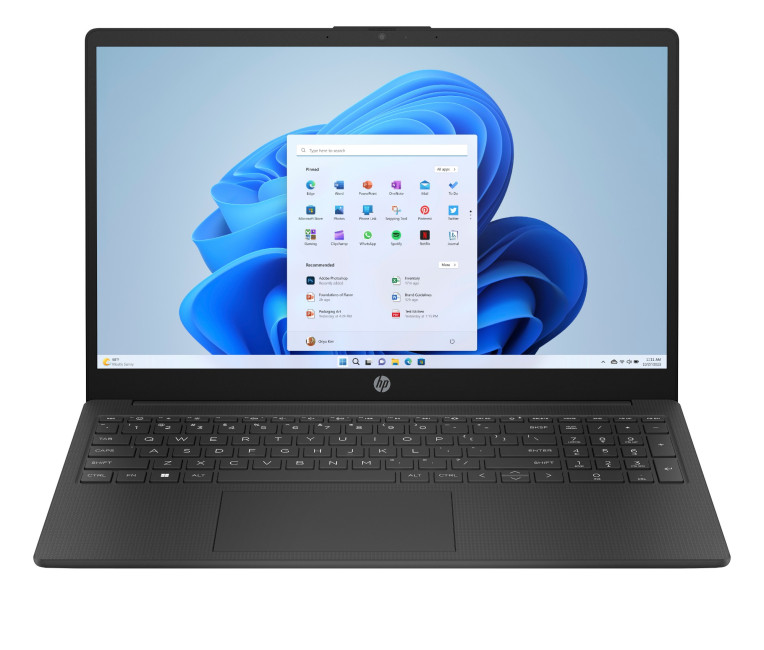
- The HP 15-fc0045na is a well-balanced 15.6-inch laptop that perfectly blends performance with everyday
Last Updated: September 04, 2026
If you’re shopping for a new laptop this year, HP continues to be one of the most reliable and exciting brands to watch. From premium Ultrabooks and powerful gaming machines to flexible 2-in-1 devices built for modern work and study, the latest releases bring something for everyone.
In this guide, we’ll explore the latest HP laptops you shouldn’t miss in 2026, highlighting what makes them stand out, which users they suit best, and why HP remains a top choice for shoppers across the UK. Whether you’re upgrading your home setup, buying for university, or looking for a performance machine that keeps up with your workload, these HP laptop models are worth considering.
Top HP Laptop Models You Can Choose in 2026
The latest HP laptops in 2026 are redefining versatility, performance and AI-enabled productivity across the board. Let’s explore few of them:
HP OmniBook X FlipNGAI 14-fm0005na – Compact AI-Ready Performance
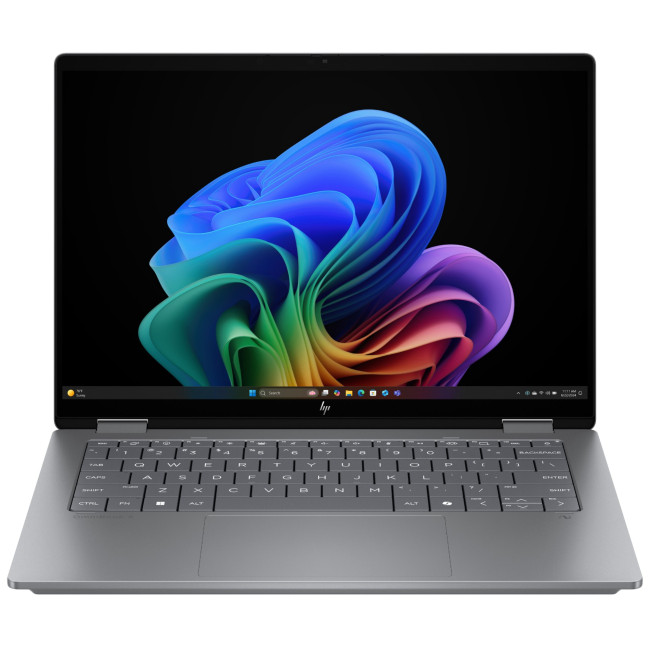
The HP OmniBook X FlipNGAI 14-fm0005na Intel® Core™ Ultra 5 226V
Last Updated: June 18, 2026
If you are searching for Core i5 Lenovo laptops, you are likely looking for a balance of performance, price, and reliability. And that is exactly where Lenovo stands out in 2026. From affordable everyday machines to durable business devices, Lenovo’s Core i5 lineup covers a wide range of use cases. Whether you need a laptop for work, study, or general productivity, there is a model that fits without pushing into premium pricing.
This guide breaks down the best options available right now, with a focus on real-world usability, value, and what each model is good for.
Why Choose a Lenovo Core i5 Laptop in 2026?
Lenovo continues to be one of the most consistent brands when it comes to mid-range laptops. Its Core i5 models are particularly popular because they offer:
- Reliable everyday performance
- Strong build quality across price ranges
- Good keyboard and typing experience
- Wide choice across business and budget segments
For most users, a Core i5 processor is more than enough for:
- Office work
Last Updated: May 01, 2026
By the end of 2025, buying a laptop had become a bigger decision than ever. Global PC shipments climbed to more than 270 million units in 2025, with the final quarter alone reaching 71.5 million units.
On the surface, that sounds like good news: more innovation, more models, more choice. But for buyers, it also means more noise. Bigger spec sheets, bolder marketing claims, AI-ready labels everywhere, and a growing chance of paying for power you do not need or missing the features you actually do.
That is what makes choosing a laptop in 2026 tricky. The best option is not always the most expensive, the most powerful, or the newest on the page. It is the one that fits the way you work, study, stream, create, or game without compromise.
This guide cuts through the clutter and helps you choose with confidence. So, get yourself ready to buy the laptop you are looking for.
How to Choose the Right Laptop in 2026
If you want the quick answer, here’s how to choose the right laptop without overthinking

Last Updated: June 11, 2026
Choosing the best laptops for teachers in the UK is not about chasing the highest specs or the most expensive model. It is about finding a device that aligns with the realities of teaching. That means smooth multitasking for lesson planning, marking, presentations, browser-based platforms, video calls, and the everyday admin that comes with school life. A good teacher's laptop should feel reliable from the first lesson of the day to the last task in the evening.
In 2026, teachers need more from their laptops than ever. Hybrid working, online meetings, digital classroom tools, and resource-heavy workflows have made performance, portability, and practicality far more important than they used to be. For most buyers, the right choice comes down to a balance of speed, battery life, screen size, webcam quality, and the ports that still matter in real classrooms.
This guide focuses on laptops that make sense for teachers in the UK today. Whether you need a lightweight everyday device for commuting,
Last Updated: May 19, 2026
Staying connected wherever you go is no longer a luxury, it’s a necessity. Whether you’re working remotely, travelling frequently, or simply want a more reliable connection than public Wi-Fi, laptops with sim card slot capabilities are becoming an increasingly popular choice in 2026. If you’re considering making the switch to a laptop with built-in mobile internet, this guide will walk you through everything you need to know, from how they work to the key differences between 4G and 5G models, and who should be using them.
What are Laptops with SIM Card Slots?
A laptop with sim card functionality allows you to insert a SIM card directly into your device, giving you access to mobile data networks, just like your smartphone. These are often referred to as laptops with built-in mobile internet or cellular laptops.
Instead of relying solely on Wi-Fi, these devices connect to 4G LTE or 5G networks, ensuring you stay online wherever there’s mobile coverage. You’ll commonly find this feature

Last Updated: May 01, 2026
Finding the best laptop for CAD in 2026 means looking beyond a decent spec sheet. AutoCAD, Fusion 360, SolidWorks, and similar tools push processors, RAM, and graphics to their absolute limits. Whether you are a working engineer, an architect, or a design student, this guide covers everything you need to make the right call.
What Makes a Laptop Good for CAD Work?
Not every high-performance laptop is cut out for CAD. The right machine needs a specific combination of components working together, and getting even one wrong can cost you hours of frustration on a deadline.
Processor: The Core of CAD Performance
CAD software is heavily reliant on single-core CPU speed for most tasks, though multi-core performance matters for rendering. Look for at least an Intel Core i7 or AMD Ryzen 7 series as a minimum. For demanding 3D work, Intel Core Ultra 9 or AMD Ryzen AI 9 processors are the gold standard in 2026.
Turbo clock speeds above 4.5GHz keep viewport navigation snappy and simulation times down.
Published: April 14, 2026
Remote work is no longer a temporary perk. In 2026, it has become a steady work pattern for many UK employees, and the laptop has effectively turned into the main workplace tool, meeting room, and travel companion rolled into one.
That shift is changing what people prioritise when they buy. Price still matters, but buyers are more likely to pay for reliability, better video-call hardware, stronger security, and a setup that works just as well at home as on the train.
Hybrid Work is Pushing Standards Up, Not Down
UK hybrid working is best understood as a long-term rebalancing rather than a short-lived trend. In Great Britain, the Office for National Statistics has shown how hybrid working varies across demographic groups, reinforcing that it is embedded unevenly but persistently across the workforce rather than disappearing.
Employer practice points in the same direction. The CIPD’s research on flexible and hybrid working practices reports that a large share of organisations have hybrid

