



Google Pixel Watch 3 vs Apple Watch Series 9: Which Should You Buy?
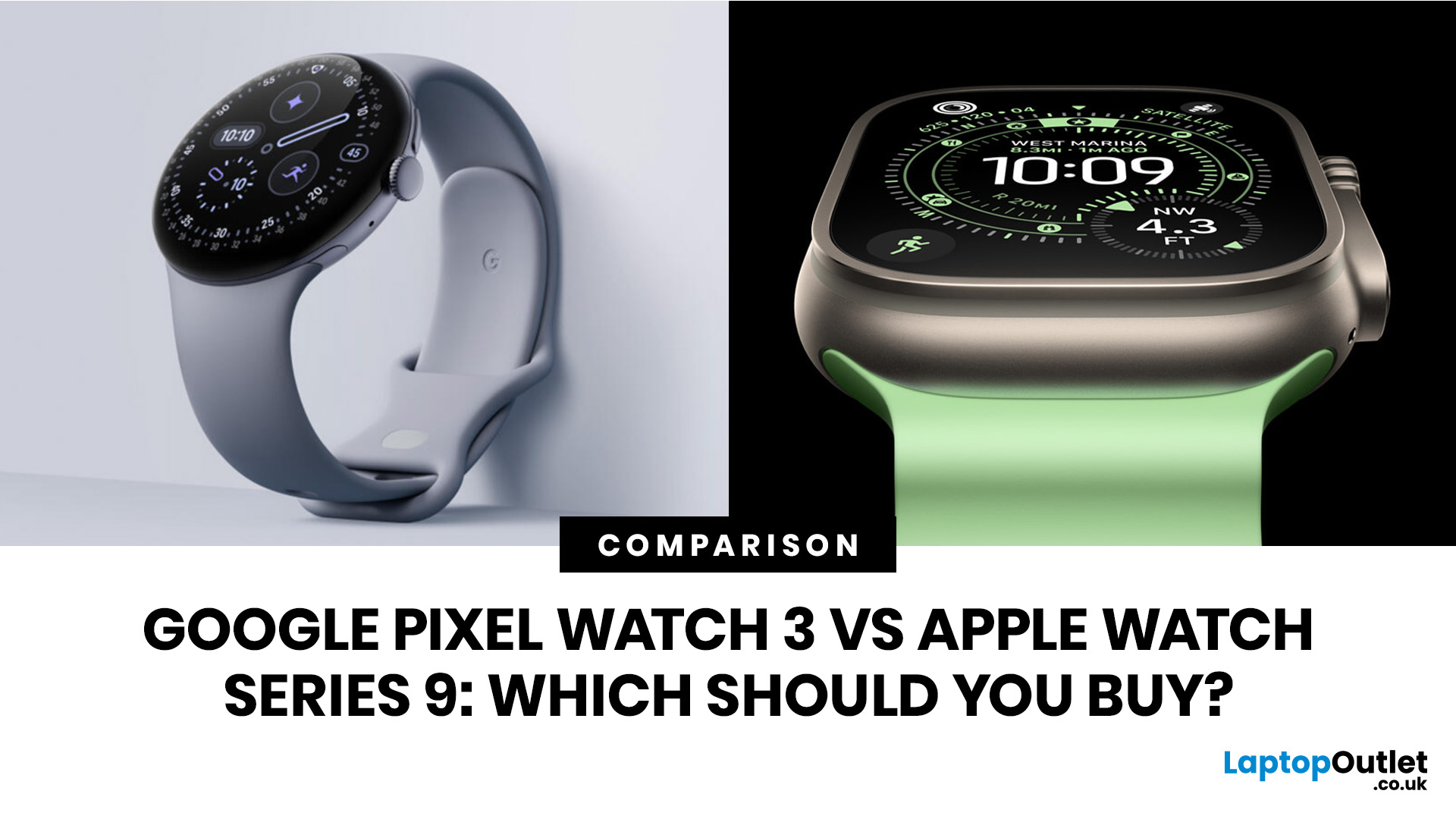
The Google Pixel Watch 3 vs Apple Watch Series 9 debate is really about your phone, your fitness habits and how much you want your watch to do without feeling complicated. Both are among the latest smartwatches worth considering, but they are not made for the same buyer. The Pixel Watch 3 is built for Android users who want Google apps, Fitbit health tracking and a round watch design. The Apple Watch Series 9 is built for iPhone users who want smooth Apple integration, strong health features and one of the most polished smartwatch experiences available.
If you are choosing between Pixel Watch vs Apple Watch, the first question is simple: do you use Android or iPhone? Once that is clear, battery life, fitness tracking, colours, price and refurbished value become much easier to compare.
Quick answer: should you buy the Google Pixel Watch 3 or Apple Watch Series 9?
- You should buy the Google Pixel Watch 3 if you use an Android phone, especially a Google Pixel, and you want a clean Wear OS watch with Fitbit health tracking, a round design and better standard battery life on paper.
- You should buy the Apple Watch Series 9 if you use an iPhone and want the most complete smartwatch experience for iOS, including strong app support, Apple Pay, excellent safety features, polished fitness tools and tight iPhone integration.
The simplest answer is this: your phone decides the winner before the spec sheet does.
|
Best choice |
Who it suits most |
Why |
|---|---|---|
|
Google Pixel Watch 3 |
Android users, Pixel phone users, Fitbit users |
Better Android fit, Fitbit health features, round design, useful Google apps |
|
Apple Watch Series 9 |
iPhone users |
Best iPhone integration, mature apps, Apple health and safety features |
|
Neither, if cross-platform |
Anyone planning to switch between Android and iPhone |
Both watches are tied closely to their own phone ecosystem |
Google Pixel Watch 3 vs Apple Watch Series 9: what is the main difference?
The main difference is ecosystem compatibility: the Google Pixel Watch 3 is built for Android, while the Apple Watch Series 9 is built for iPhone.
That single point matters more than display brightness, case size, colours or battery life. A smartwatch is not just a watch. It is an extension of your phone. It handles calls, messages, notifications, payments, health data, apps and voice assistant features through your mobile ecosystem.
The Google Pixel Watch 3 runs Wear OS and connects through the Pixel Watch app on Android. It works best with Google services such as Google Maps, Google Wallet, Gmail, Calendar, Nest devices and Pixel phone features.
The Apple Watch Series 9 runs watchOS and works with iPhone. It is strongest when used with Apple services such as iMessage, FaceTime Audio, Apple Pay, Apple Health, Apple Fitness+, Siri, Find My, and the wider Apple ecosystem.
So, if you are comparing Pixel Watch vs Apple Watch, start with this question: which phone do you use every day?
Is the Google Pixel Watch 3 better for Android users?
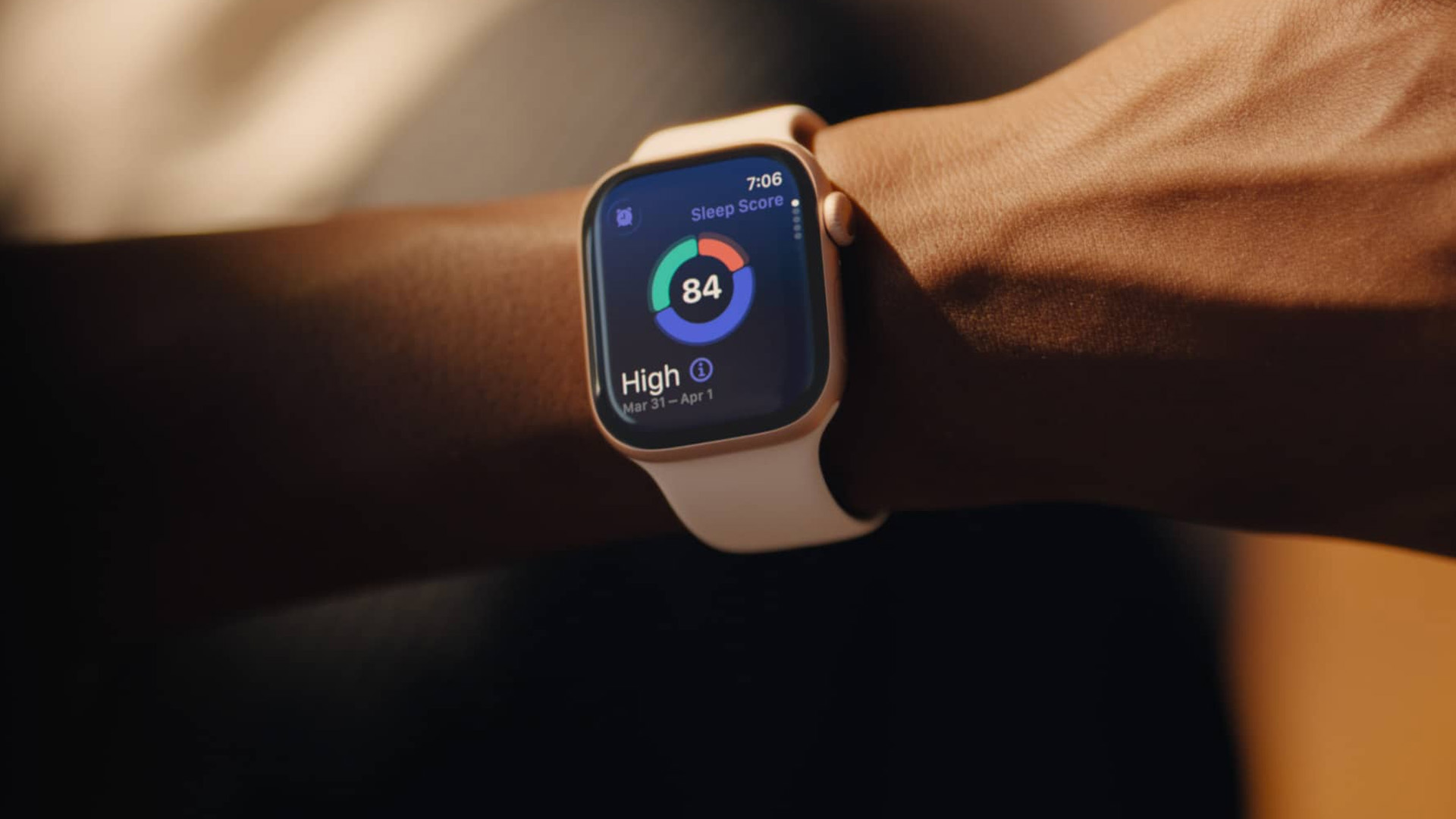
Yes, the Google Pixel Watch 3 is the better choice for Android users because it is designed to pair with Android phones and gives the most complete Google smartwatch experience.
The watch is especially appealing if you already use a Pixel phone. You get a smooth Google-style interface, Fitbit health tracking, Google Wallet payments, Google Maps, notifications, calls, voice controls and Pixel-focused extras.
The Google Pixel Watch 3 is also the first Pixel Watch generation to feel more complete for a wider range of wrists because it comes in 41mm and 45mm sizes. Earlier Pixel Watch models only came in one size, which made them feel too small for some buyers.
For Android users who want one of the latest smartwatches without moving to Samsung or Garmin, the Pixel Watch 3 is a strong everyday option. If you already use Android and want to compare models before choosing, it makes sense to shop Google watches in the UK and check size, condition, battery expectations and warranty.
Is the Apple Watch Series 9 better for iPhone users?
Yes, the Apple Watch Series 9 is the better choice for iPhone users because it offers the most complete smartwatch experience inside Apple’s ecosystem.
The Apple Watch Series 9 handles iPhone notifications, calls, messages, Apple Pay, Siri, Apple Health, Find My, music controls and app support extremely well. It also has a mature watchOS experience that feels polished in daily use.
The Apple Watch Series 9 features include the S9 chip, double-tap gesture, on-device Siri for some requests, an always-on Retina display, ECG support, irregular rhythm notifications, fall detection, crash detection, sleep stages, workout tracking and a wide accessory ecosystem.
For most iPhone users, the Apple Watch Series 9 still feels like a modern smartwatch, even though it is no longer Apple’s newest watch. The key is price. If you find a clean, refurbished model at the right price, it can still make sense. Planning to upgrade your phone as well? Make sure you compare compatible options before you buy iPhones for Apple Watch use.
Google Pixel Watch 3 vs Apple Watch Series 9: What are the key specs compared?
The key specs are close in some areas, but the watches differ in software, battery claims, health approach and design.
|
FEATURE |
GOOGLE PIXEL WATCH 3 |
APPLE WATCH SERIES 9 |
|---|---|---|
|
Release generation |
2024 Pixel Watch generation |
2023 Apple Watch generation |
|
Sizes |
41mm and 45mm |
41mm and 45mm |
|
Shape |
Round |
Rounded rectangle |
|
Display |
AMOLED LTPO, always-on |
Retina LTPO OLED, always-on |
|
Peak brightness |
Up to 2,000 nits |
Up to 2,000 nits |
|
Standard battery claim |
Up to 24 hours with always-on display |
Up to 18 hours normal use |
|
Low-power battery claim |
Up to 36 hours Battery Saver |
Up to 36 hours Low Power Mode |
|
Storage |
32GB |
64GB |
|
Main chip |
Snapdragon W5 Gen 1 with co-processor |
Apple S9 SiP |
|
Water resistance |
5 ATM, IP68 |
50m swimproof, IP6X dust resistance |
|
Payments |
Google Wallet |
Apple Pay |
|
Best phone match |
Android, especially Pixel |
iPhone |
On paper, the Pixel Watch 3 battery life looks stronger for normal use. The Apple Watch Series 9 offers more storage and remains very strong across iPhone features, app quality, and fitness tools.
Which watch has better battery life?
The Google Pixel Watch 3 has better battery life on paper for typical use, while both watches can last up to 36 hours in power-saving modes.
Pixel Watch 3 battery life is rated at up to 24 hours with the always-on display and up to 36 hours with Battery Saver mode. The 45mm model has a larger battery than the 41mm model, so it is usually the better pick if battery life matters and you are comfortable with a larger watch.
Apple Watch Series 9 battery life is rated at up to 18 hours of normal use and up to 36 hours in Low Power Mode. In everyday life, that often means many users charge it daily, especially if they track workouts, use sleep tracking or keep the always-on display enabled.
The honest answer is that neither watch is ideal if you want several days between charges. If battery life is your top priority, you may also want to compare Garmin, the OnePlus Watch or fitness-focused wearables. But between these two, the Pixel Watch 3 has the edge for typical battery expectations.
Which watch is better for fitness tracking?
For casual fitness, both are more than good enough. For iPhone users, the Apple Watch Series 9 is the obvious choice. For Android users, the Pixel Watch 3 gives you one of the cleanest Fitbit-powered smartwatch experiences.
The Apple Watch Series 9 is better for iPhone-based fitness tracking, while the Google Pixel Watch 3 is better for Android users who like Fitbit’s health and recovery insights.
The Apple Watch Series 9 has a mature Workout app with strong support for running, cycling, swimming, HIIT, strength training, walking, hiking and more. It also supports useful metrics such as heart rate zones, custom workouts, running dynamics, cycling accessory connections and activity rings. For iPhone users, it is simple, reliable and easy to understand.
The Google Pixel Watch 3 leans heavily on Fitbit. That gives it a different feel. Instead of only tracking activity, it focuses more on readiness, cardio load, sleep, stress and recovery. It also added stronger running tools compared with earlier Pixel Watch models.
Which watch has better health features?
Both watches have strong health features, but they present them differently: Apple focuses on polished health and safety tools, while Google combines smartwatch health sensors with Fitbit-style wellness insights.
Apple Watch Series 9 health features include ECG, irregular rhythm notifications, high- and low-heart rate notifications, temperature sensing, cycle tracking, sleep stages, mindfulness, noise monitoring, fall detection, and crash detection.
Google Pixel Watch 3 includes heart rate tracking, ECG-compatible electrical sensors, SpO2 monitoring, a skin temperature sensor, a cEDA sensor for body response tracking, sleep tracking, stress insights, readiness tools, and cardio load features through Fitbit.
One important point:
smartwatch health features are useful, but they are not a replacement for medical advice. ECG, irregular rhythm alerts, temperature tracking, and loss-of-pulse-style safety features all have limits. They can support awareness, but they cannot diagnose every condition.Which watch is better for safety features?
The Apple Watch Series 9 has a broader, more established safety feature set, while the Google Pixel Watch 3 offers an important emergency-focused feature in supported regions.
Apple’s safety tools include Emergency SOS, international emergency calling on cellular models, Fall Detection and Crash Detection. These are easy to understand and well integrated with the iPhone.
The Google Pixel Watch 3 includes safety and emergency features, and its Loss of Pulse Detection is one of its most serious health and safety additions in supported countries, including the UK. This feature is designed to contact emergency services if the watch detects that the wearer has lost their pulse and does not respond.
For most buyers, Apple still has the broader everyday safety package. For Android users, the Pixel Watch 3 is much stronger than earlier Pixel Watch models and deserves attention for its emergency features.
Which watch has the better display?
Both watches have excellent displays with up to 2,000 nits peak brightness, so the better display depends more on shape and usability than brightness.
The Pixel Watch 3 uses a round AMOLED LTPO display with an always-on option. It looks more like a traditional watch, and the 45mm version provides more space for text, tiles, and workout data.
The Apple Watch Series 9 uses Apple’s familiar rounded-rectangle Retina LTPO OLED display. It may look less like a classic watch, but the shape is very practical. Messages, menus, buttons, maps and app screens often fit better on a rectangular display.
If you care about traditional watch style, the Pixel Watch 3 looks cleaner. If you care about reading information quickly, the Apple Watch Series 9 shape is easier to use.
Which design is more comfortable?
The Pixel Watch 3 feels softer and more watch-like thanks to its round case, while the Apple Watch Series 9 feels more practical and familiar thanks to its slim rectangular design.
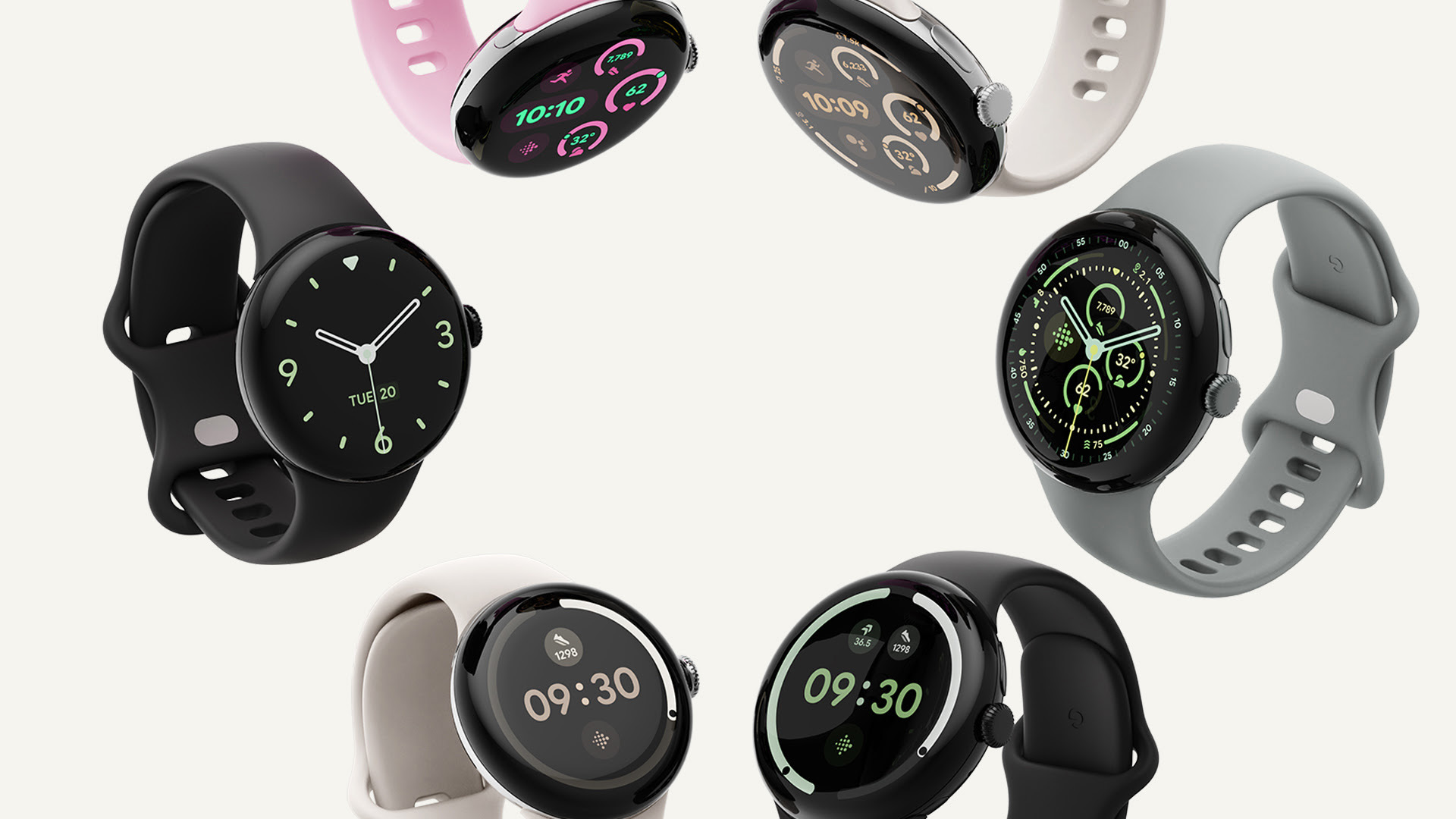
The Pixel Watch 3 comes in 41mm and 45mm sizes. The 41mm version suits smaller wrists, while the 45mm version is better if you want a larger display and a stronger battery. The domed glass gives it a sleek look, but some users may prefer a flatter screen for durability.
The Apple Watch Series 9 also comes in 41mm and 45mm sizes. It is thinner than the Pixel Watch 3 and offers a wide range of straps and accessories. Its shape is less traditional, but it is very comfortable for many users and easy to control with the Digital Crown and side button.
For style, choose the Pixel Watch 3. For practical screen space and accessory choice, choose the Apple Watch Series 9.
What colours are available?
Apple Watch Series 9 colours are broader than Pixel Watch 3 colours, especially if you include aluminium and stainless-steel finishes.
Apple Watch Series 9 aluminium colours include Pink, Midnight, Starlight, Silver and Product Red. Stainless steel options include Gold, Silver and Graphite. Availability can vary because the Series 9 is now commonly found through refurbished or remaining-stock listings.
Google Pixel Watch 3 colours vary by size and configuration, but common UK options include combinations such as Polished Silver with Porcelain, Champagne Gold with Hazel, Matte Black with Obsidian, Matte Hazel with Hazel and Polished Silver with Rose Quartz.
If colour choice is important, Apple offers more case finish options. If you prefer a minimalist round watch, Google’s colour options look clean and modern.
Which watch is better for apps and smart features?
The Apple Watch Series 9 has a stronger app ecosystem for iPhone users, while the Google Pixel Watch 3 has a better Google experience for Android users.
Apple Watch apps are generally more mature. You get strong support for messages, calls, maps, payments, music, workouts, smart home controls, travel apps and productivity tools. The Series 9 also benefits from Apple’s tight control over hardware and software.
The Pixel Watch 3 is strongest with Google services. Google Maps, Google Wallet, Gmail, Calendar, Assistant features, Nest controls and Pixel phone tools feel natural. It is also a good choice if you already use Fitbit and want those insights on a more complete smartwatch.
The best smart features are the ones you will actually use. For iPhone, that is the Apple Watch. For Android, that is the Pixel Watch.
Which watch is a better value in the UK?
The better value depends on current UK pricing: the Pixel Watch 3 can be a strong Android deal, while the Apple Watch Series 9 can be a strong refurbished iPhone deal.
If you are searching for the best Pixel Watch 3 deals, check the size, connectivity and warranty before judging the price. A cheap 41mm Wi-Fi model is not the same as a 45mm LTE model. Also, check whether you are buying new, refurbished or renewed.
If you are searching for Apple Watch Series 9 deals, the condition matters a lot. Apple-certified refurbished models usually cost more than marketplace listings, but they also tend to offer stronger reassurance. Third-party refurbished options can be cheaper, but you should check battery health, warranty, return policy, strap condition and whether the charger is included.
For an Apple Series 9 Watch buyer in the UK, refurbished pricing is often the deciding factor. For an Android buyer, an affordable Google Pixel Watch 3 deal may be better than paying more for a newer model if you do not need the latest features.
Should you buy new or refurbished?
Yes, you should consider refurbished if the savings are meaningful and the seller gives clear warranty, return and condition information.
A refurbished Apple Watch Series 9 can make sense, as Apple Watches often remain useful for years, especially when paired with a supported iPhone. It is also a good way to reduce cost if you want the Apple Watch experience without paying for the latest model.
A refurbished or discounted Pixel Watch 3 can also be worth considering for Android users, but check the battery condition and charger carefully. Smartwatch batteries age faster than many people expect because they are charged so often.
For any refurbished smartwatch, check these points before buying:
|
WHAT TO CHECK |
WHY IT MATTERS |
|---|---|
|
Battery health or battery performance |
Worn batteries reduce daily reliability |
|
Warranty length |
Protects you if the watch fails early |
|
Return window |
Gives you time to test comfort and battery |
|
Strap condition |
Used straps may need replacing |
|
Charger included |
Official or compatible charging matters |
|
LTE or Wi-Fi model |
Cellular models cost more and may need a plan |
|
Activation lock removed |
Essential for Apple Watch resale devices |
Important:
Before choosing the cheapest listing, compare warranty, condition notes and return options across refurbished tech accessories deals.Is the Apple Watch Series 9 still worth buying in 2026?
Yes, the Apple Watch Series 9 can still be worth buying in 2026 if you use an iPhone and find it at a good price, whether refurbished or discounted.
It is not Apple’s newest model, so you should not pay flagship pricing for it. But it still has a bright always-on display, the S9 chip, strong health tools, Apple Pay, safety features, watchOS support and excellent iPhone integration.
The best Apple Watch 9 Series option for most people is a clean aluminium GPS model if you keep your iPhone nearby. Choose GPS plus Cellular only if you genuinely want calls, messages and data when your iPhone is not with you.
Is the Google Pixel Watch 3 still worth buying in 2026?
Yes, the Google Pixel Watch 3 can still be worth buying in 2026 if you use Android and find it at a fair price.
It is no longer the latest Pixel Watch generation, so compare it with newer models before buying. Still, the Pixel Watch 3 remains a useful smartwatch with a bright display, two sizes, Fitbit health features, Wear OS apps, and strong Google integration.
For many Android buyers, the Pixel Watch 3 is a smart middle-ground choice: newer and more complete than earlier Pixel Watch models, but potentially cheaper than the latest model. If your current Android phone is ageing, it may be worth comparing affordable Google smartphones before buying a Pixel Watch 3
Which one should you buy for battery life?
You should buy the Google Pixel Watch 3 if battery life is more important and you use Android.
The Pixel Watch 3's battery life claim is stronger for typical use, especially compared with the Apple Watch Series 9's. The 45mm Pixel Watch 3 is the better choice if you want the best battery potential in this comparison.
However, do not expect week-long battery life from either watch. These are full smartwatches with bright displays, app support, sensors and phone-style features. Daily or near-daily charging is still part of ownership.
Which one should you buy for health and fitness?
You should buy the Apple Watch Series 9 for iPhone fitness tracking and the Google Pixel Watch 3 for Android fitness tracking with Fitbit insights.
The Apple Watch Series 9 is excellent for daily activity, workouts, safety and iPhone-friendly health data. It is easy to recommend to people who want a polished, reliable fitness watch without learning a complicated system.
The Google Pixel Watch 3 is better if you prefer Fitbit’s approach to showing recovery, readiness, sleep, and cardio load. It gives Android users a more joined-up health experience than older Pixel Watch models.
Which one should you buy for style?
You should buy the Pixel Watch 3 if you want a round, minimal smartwatch, and the Apple Watch Series 9 if you want the most recognisable smartwatch design with more straps and accessories.
The Pixel Watch 3 looks more like a modern lifestyle watch. It is simple, smooth and less techy at first glance.
The Apple Watch Series 9 looks like an Apple Watch, which is either a benefit or a drawback depending on your taste. It is not subtle, but it is practical, widely supported and easy to personalise.
Which one should students or budget buyers choose?
Students and budget buyers should choose based on phone compatibility first, then look for the safest deal rather than the lowest headline price.
For Android users, an affordable Google Pixel Watch 3 can be a sensible buy if it comes with a warranty and good battery performance. For iPhone users, a refurbished Apple Watch Series 9 can be a better value than buying the newest Apple Watch if the price gap is large.
Avoid listings with vague condition descriptions, missing chargers, no returns or unclear warranty terms. A slightly higher price from a more reliable seller is often better than a cheap listing that becomes a problem later.
Which one is better for long-term use?
The Apple Watch Series 9 is likely to feel stronger in the long term for iPhone users because Apple’s watch ecosystem is mature, while the Pixel Watch 3 is a better long-term fit only if you plan to stay with Android.
Long-term value is not only about the watch. It is about your next phone. If you plan to switch from Android to iPhone soon, do not buy a Pixel Watch. If you plan to switch from iPhone to Android soon, do not buy an Apple Watch.
You should also consider straps, apps, chargers, subscriptions, and resale value. Apple generally has a stronger ecosystem for accessories and resale. Google is improving, but the Pixel Watch line is still younger.
What are the disadvantages of the Google Pixel Watch 3?
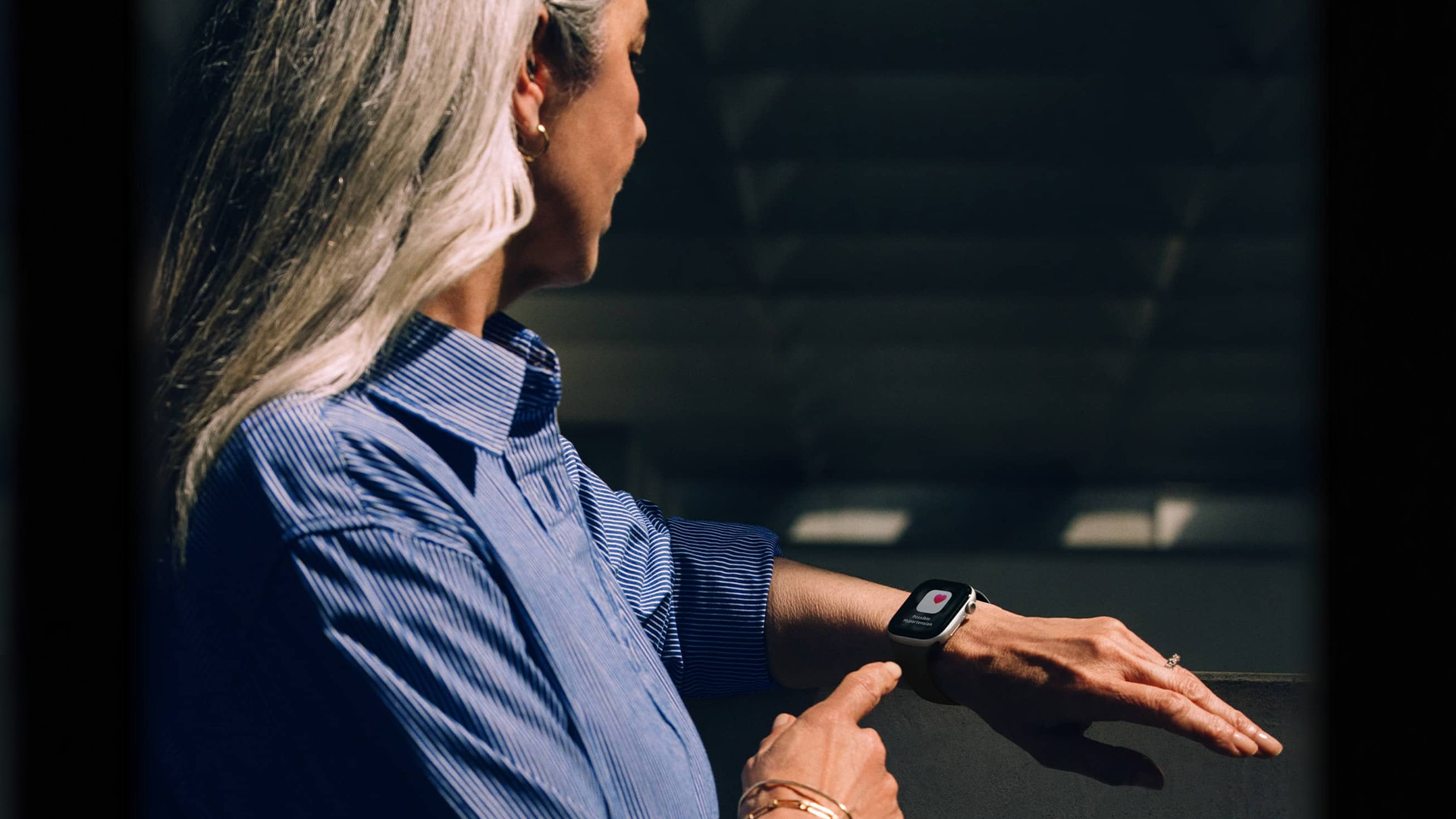
The main disadvantages of the Google Pixel Watch 3 are iPhone incompatibility, limited multi-day battery life, Fitbit subscription considerations and a smaller accessory ecosystem than Apple Watch.
Some Fitbit features may be more useful with Fitbit Premium, so buyers should think beyond the first few months of ownership. The design is attractive, but the domed glass may worry buyers who are rough on watches. It is also not the best choice if you want the longest battery life in any smartwatch category.
What are the disadvantages of the Apple Watch Series 9?
The main disadvantages of the Apple Watch Series 9 are Android incompatibility, a shorter standard battery life, and the fact that it is no longer Apple’s newest model.
It is still a very capable watch, but UK buyers should be cautious about the price. If a Series 9 costs too close to a newer Apple Watch, the newer model may be a better buy. If the Series 9 is refurbished at a clear saving, it becomes much more attractive.

Final verdict: Google Pixel Watch 3 vs Apple Watch Series 9
The Google Pixel Watch 3 vs Apple Watch Series 9 decision is simple for most people: buy the watch that matches your phone.
Choose the Google Pixel Watch 3 if you use Android, want a round design, like Fitbit health tracking and prefer Google services. It is the better choice for Pixel phone owners and Android users who want a stylish, everyday smartwatch.
Choose the Apple Watch Series 9 if you use an iPhone, want the smoothest smartwatch experience, need strong app support and value Apple’s health, safety and fitness features. It remains a strong option if the price is right, especially refurbished.
Do not buy either watch just because it's on sale. Buy the one that works properly with the phone you already use.

Buying Questions: Pixel Watch 3 vs Apple Watch Series 9
Does the Google Pixel Watch 3 work with iPhone?
No, the Google Pixel Watch 3 is not a good choice for iPhone users. It is designed for Android phones and needs the Pixel Watch app and Google account setup.
Does the Apple Watch Series 9 work with Android?
No, the Apple Watch Series 9 is not designed to work with Android phones. It needs an iPhone for setup and full daily use.
Which has better battery life, the Pixel Watch 3 or the Apple Watch Series 9?
The Pixel Watch 3 has better standard battery life on paper, with up to 24 hours of use with the always-on display. The Apple Watch Series 9 is rated for up to 18 hours of normal use. Both can reach up to 36 hours in their low-power modes.
Is the Pixel Watch 3 better than the Apple Watch Series 9?
The Pixel Watch 3 is better for Android users. The Apple Watch Series 9 is better for iPhone users. There is no universal winner because each watch is tied to a different phone ecosystem.
Is the Apple Watch Series 9 still good?
Yes, the Apple Watch Series 9 is still good if you use an iPhone and find it at a sensible price. It has a bright display, strong health tools, safety features and excellent iPhone integration.
Is the Google Pixel Watch 3 still good?
Yes, the Google Pixel Watch 3 is still good for Android users, especially if you want Fitbit health tracking and Google apps on your wrist. It is worth comparing with newer Pixel Watch models before paying full price.
Which is better for fitness tracking?
The Apple Watch Series 9 is better for iPhone users who want polished workout tracking. The Pixel Watch 3 is better for Android users who want Fitbit-style recovery, sleep and readiness insights.
Which watch is better for sleep tracking?
The Pixel Watch 3 is strong in sleep tracking thanks to Fitbit’s sleep insights. The Apple Watch Series 9 also tracks sleep stages, but many users find Fitbit’s sleep presentation easier to understand.
Which watch has better colours?
The Apple Watch Series 9 offers more case finishes, including aluminium and stainless steel. The Pixel Watch 3 has fewer but stylish colour combinations.
Should I buy the LTE or Wi-Fi version?
Buy LTE only if you want calls, messages and data when your phone is not nearby. For most people, the Wi-Fi or GPS model is a better value because it avoids extra network plan costs.
What does an affordable Google Pixel 3 watch mean?
Most people searching for an affordable Google Pixel 3 watch mean an affordable Google Pixel Watch 3. The correct product name is Google Pixel Watch 3.
What should I check before buying Apple Watch Series 9 deals?
Check condition, battery performance, warranty, return policy, charger, strap size and whether Activation Lock has been removed. This is especially important when buying refurbished or used.
What should I check before buying the best Pixel Watch 3 deals?
Check the size, connectivity, warranty, seller reputation, charger, return window and whether it is new, renewed or refurbished. The cheapest listing is not always the best deal.
Which watch should I buy overall?
Buy the Pixel Watch 3 if you use Android. Buy the Apple Watch Series 9 if you use an iPhone. That is the most reliable buying rule for this comparison.
| Read More |
| How to Pair Apple Watch to a New Phone? |
| How to Connect Apple Pencil to iPad |
| How to Disable Safe Mode on Android |
Related Articles


Last Updated: December 24, 2025
Technology never stands still, and if the past few years have taught us anything, it’s that innovation moves fast. As we look ahead, tech trends 2026 are shaping up to be smarter, faster and more user-focused than ever before. From AI-powered laptops to next-level PCs and sustainable tech, the future is all about performance with purpose. So, whether you’re upgrading your setup, planning ahead, or just love staying in the know, here’s a breakdown of the biggest tech trends set to define 2026.
AI Everywhere: Smarter Devices, Smarter Decisions
Artificial Intelligence is no longer a “nice to have” by 2026, it’s expected to be built into almost every device we use. We’re talking about laptops that learn your preferences, PCs that optimise performance in real time, and software that adapts to how you work or play.
AI-driven features such as predictive battery management, real-time security monitoring and intelligent multitasking will become standard. For users, this means less time managing
Last Updated: December 31, 2025
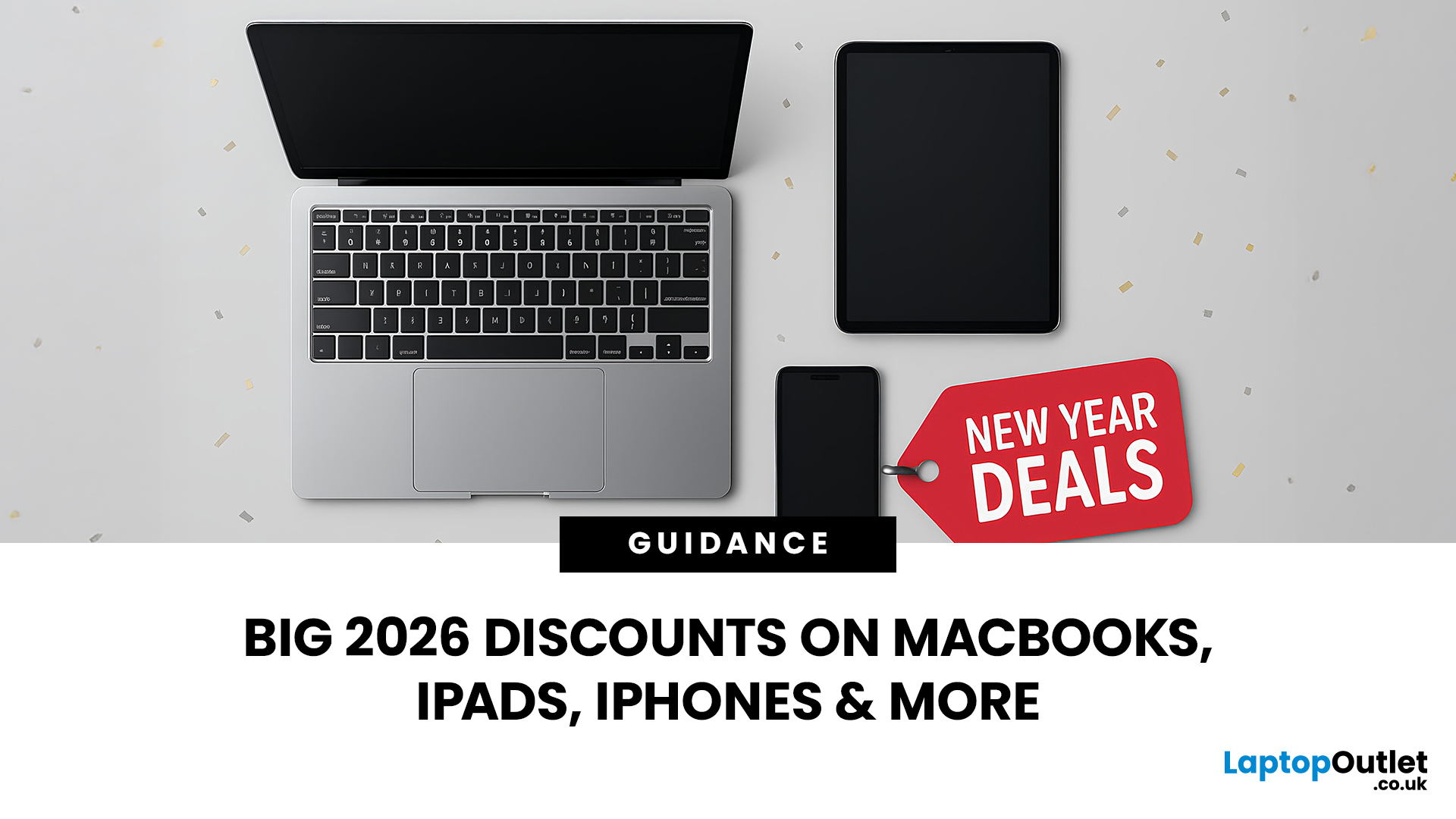
With the right timing and the right specs, you can land an upgrade that feels genuinely transformative: faster performance, longer battery life, sharper screens, and smoother workflows for work, study, and downtime. New Year promotions are also one of the easiest moments to buy smarter. Stock moves quickly, retailers rotate lines, and discounts get sharper as people reset budgets and goals, meaning the best-value Apple kit often sells out first. That’s why this guide focuses on what to look for, what to prioritise, and how to choose the right Apple device for your needs.
Why New Year is the Best Time to Buy Apple Tech
Apple gear holds value well, which is great when you own it, but it also means discounts can feel harder to find at other times of the year. Around New Year, pricing tends to loosen up across multiple categories, making it easier to upgrade without compromising on model quality. Here’s why New Year shopping is ideal:
- Retail Stock Rotation: end-of-year inventory clears,
Last Updated: March 09, 2026
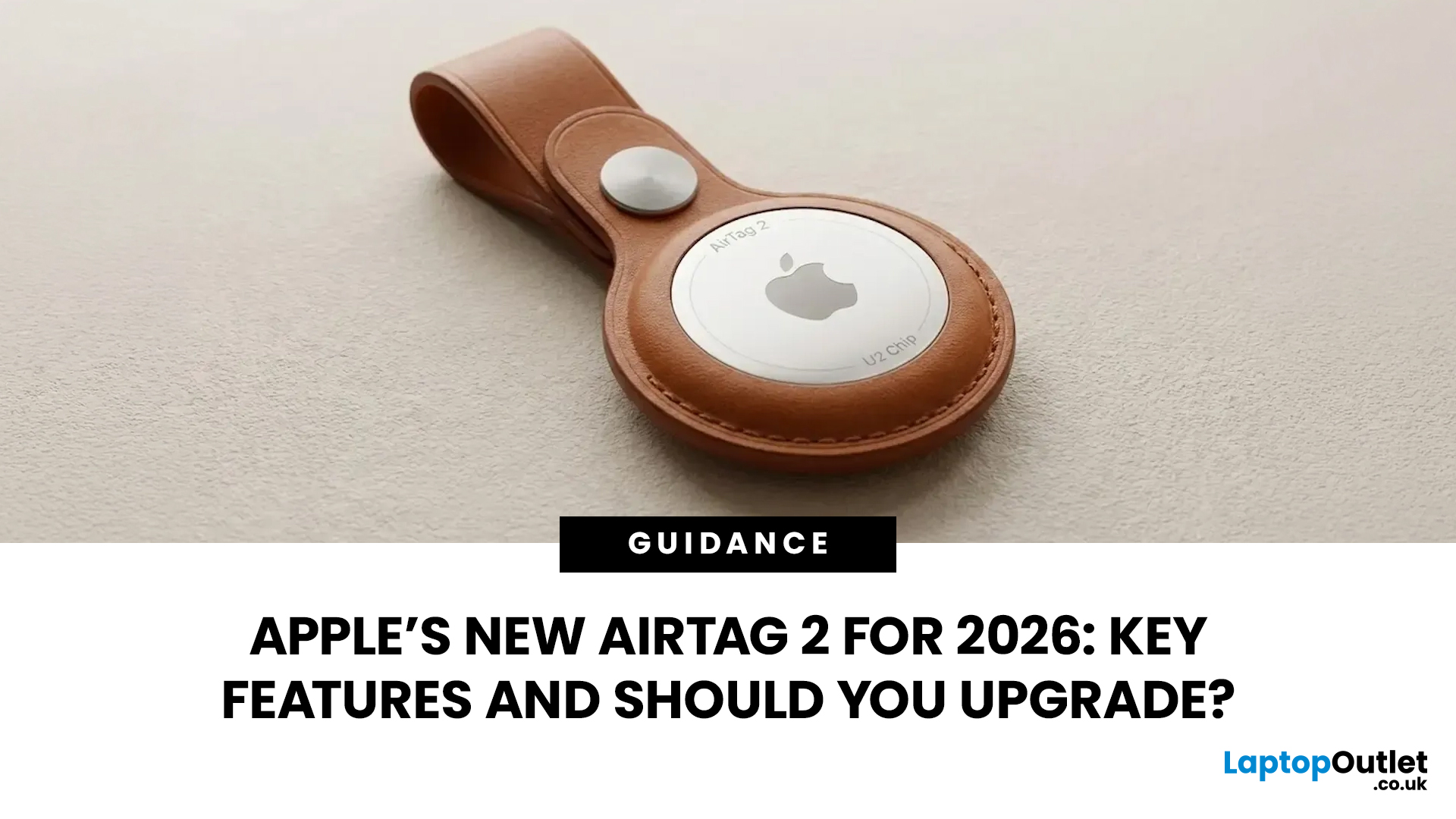
If you use AirTags for keys, luggage, a bike, or a backpack, AirTag 2 is a simple but meaningful upgrade. It does not change the AirTag idea. It improves the two moments that matter most: how quickly your iPhone can lock onto the tag when you are nearby, and how easily you can hear it when it is hiding in a sofa, bag, or coat pocket.
Below is a buyer-friendly breakdown of what’s new, what stayed the same, and the easiest way to decide if you should upgrade in 2026.
Should You Upgrade to AirTag 2? 10-Second Answer Box
Upgrade to AirTag 2 if:
- You use Precision Finding often and want a wider range and faster guidance.
- You lose things in noisy places and want a louder speaker that is easier to hear.
- You want Precision Finding from your Apple Watch (with a compatible watch).
Keep your current AirTags if:
- You mostly use AirTags as a safety net for luggage, and you rarely use Precision Finding.
- Your current AirTags already help you find things quickly enough.
What is Apple AirTag 2 (2026)?

Last Updated: March 09, 2026
After four years without a display refresh, Apple has unveiled a brand-new Apple Studio Display alongside the all-new Studio Display XDR. Announced on 3rd March 2026 and available from 11th March 2026, this latest addition to Apple's display lineup is a serious upgrade for Mac users who demand more from their workspace.
Whether you are a creative professional, a developer, or simply someone who wants a top-tier external monitor, this guide covers everything you need to know.
What Is the Apple Studio Display?
The Apple Studio Display is a 27-inch 5K Retina external monitor designed to pair seamlessly with Apple Silicon MacBooks and select iPad models. It replaces the original 2022 Studio Display with meaningful upgrades across connectivity, camera, audio, and overall performance.
It is not just a monitor. It is an all-in-one productivity hub with a built-in camera, microphone array, and speaker system that rivals dedicated audio equipment.
Apple Studio Display: Key Specs at a Glance
Here
Published: March 10, 2026
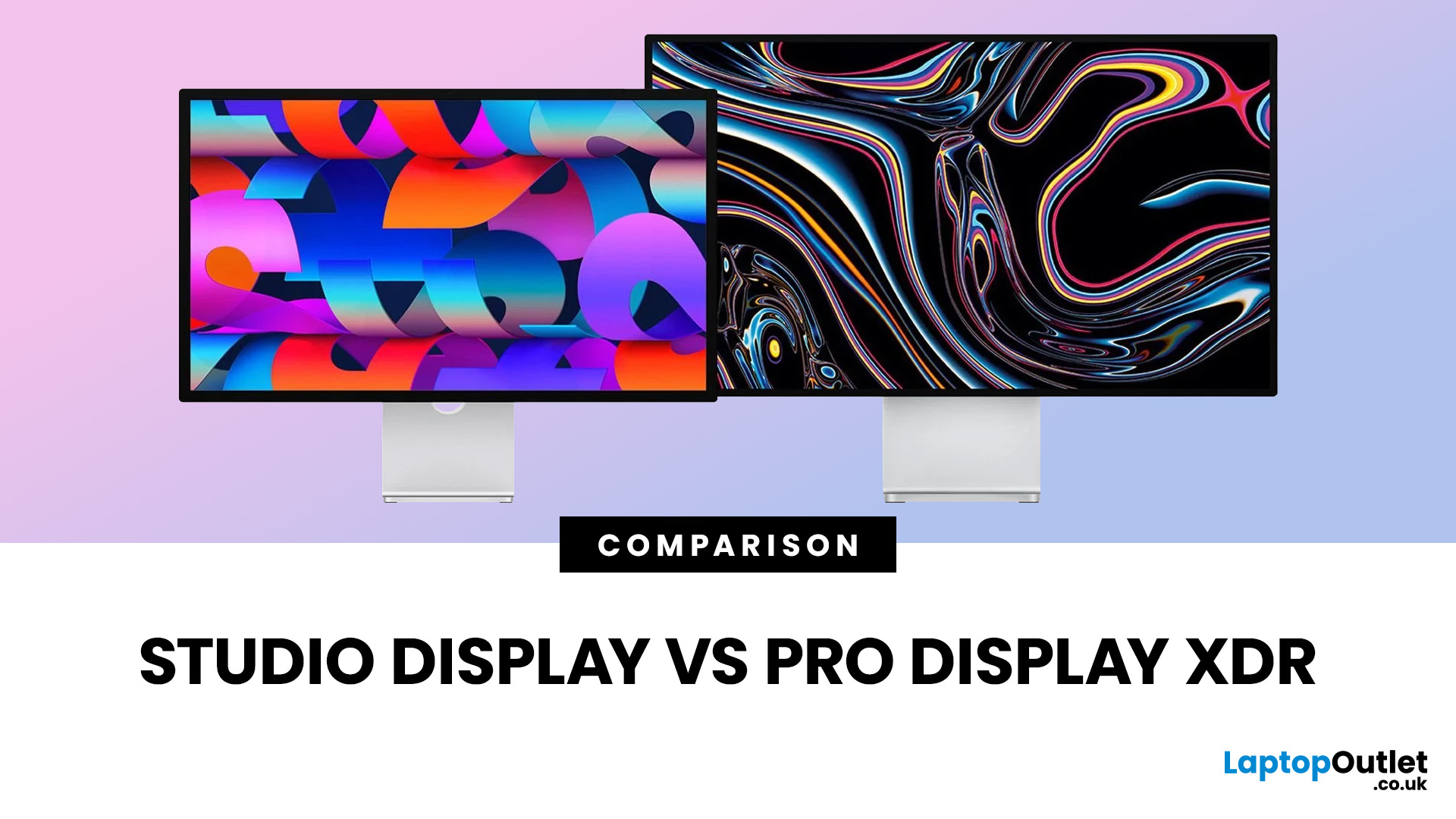
If you are comparing Apple Studio Display XDR vs Studio Display in 2026, the main thing to understand is simple: Apple’s monitor lineup is now split into two clearer tiers than before. The Studio Display is the mainstream option for creators, professionals, and general Mac users, while the Studio Display XDR is the higher-end model for people who need stronger HDR, higher brightness, wider colour support, smoother motion, and more specialised reference modes. Apple announced both as part of its current display family in March 2026, with the standard Studio Display starting at £1,499 and the Studio Display XDR starting at £2,999.
That means this is no longer a messy comparison between a regular Apple monitor and an older niche flagship. Apple now sells two current 27-inch 5K displays with the same broad design language, the same camera and speaker system, and the same Thunderbolt 5-based connectivity. The difference is what sits underneath the panel. Studio Display is the better fit for

Published: March 13, 2026
Apple is entering a new era of product strategy. For years, the company has dominated the premium tech market with devices like the iPhone Pro and MacBook Pro. But now Apple appears to be expanding its ecosystem in two directions at once: more affordable devices and ultra-premium hardware.
The recent MacBook Neo release indicates that Apple has a budget-friendly laptop to attract students and first-time Mac users. At the same time, industry reports indicate Apple is building a lineup of Ultra devices that will sit above its current Pro models.
This shift highlights what many analysts now call the Apple Ultra strategy, a long-term plan to stretch Apple’s ecosystem from entry-level devices all the way to cutting-edge luxury hardware. From the MacBook Neo at the affordable end to devices like iPhone Ultra, MacBook Ultra, and AirPods Ultra, Apple’s premium device roadmap is becoming more ambitious than ever.
MacBook Neo: Apple’s New Entry-Level Laptop
The MacBook Neo is expected to become
Published: March 13, 2026
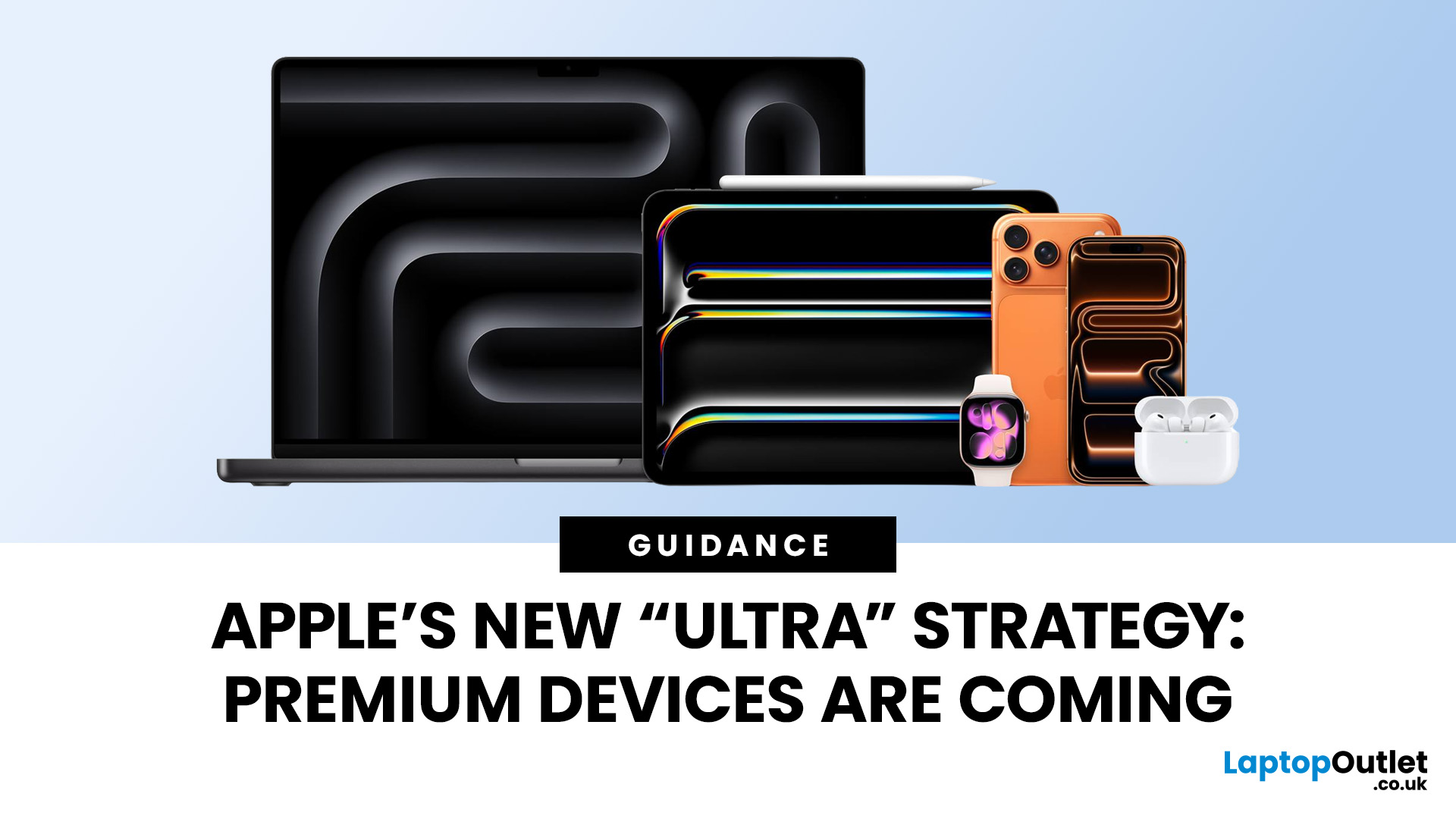
Apple has always been known for premium tech. But now the company is pushing things even further. Reports suggest Apple is introducing a brand-new ultra-premium tier of products, with devices that sit above the current “Pro” lineup.
From the iPhone Ultra and Apple Fold to AirPods Ultra and MacBook Ultra, Apple’s next wave of hardware could redefine what “flagship” means. And with Apple’s 50th anniversary approaching in 2026, the company appears to be preparing some of its most ambitious devices yet.
Apple Ultra Devices Strategy: A New Super-Premium Tier
For years, Apple’s product hierarchy was simple:
- Standard models (iPhone, iPad, MacBook Air)
- Pro devices for professionals
- Occasional high-end models like the Apple Watch Ultra
But Apple is now reportedly creating a new “Ultra” category above Pro, focused on extreme performance, premium materials, and experimental tech. Analysts say Apple is planning Ultra-tier devices across the iPhone, Mac, and AirPods lineup, expanding the concept
Published: March 16, 2026
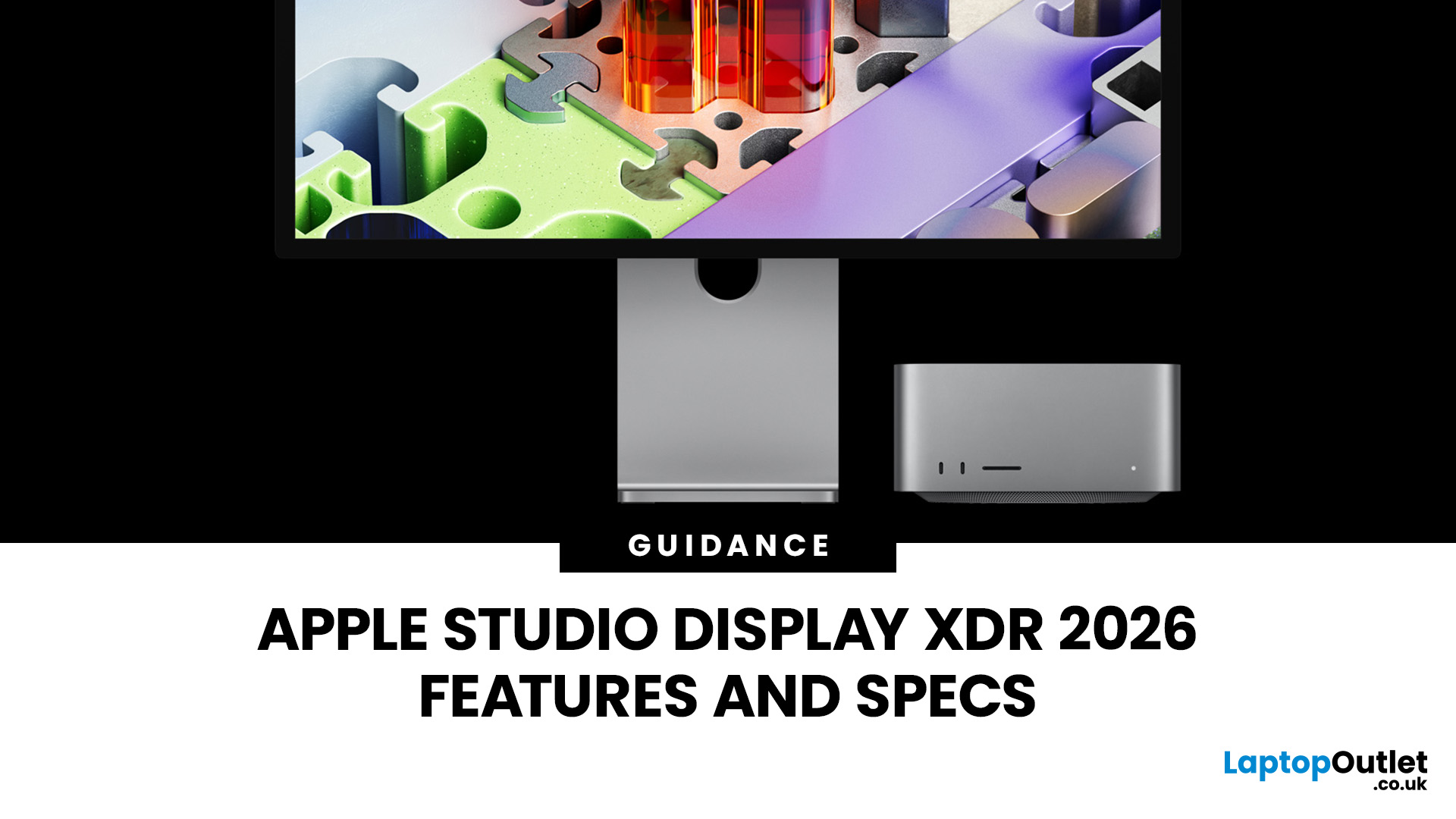
The Apple Studio Display XDR has finally arrived, and it is genuinely something special. Announced on 3rd March 2026 and available from 11th March 2026, this is Apple's answer to professionals who demand the very best from a desktop display.
It replaces the long-discontinued Pro Display XDR and sits at the top of Apple's new two-tier monitor lineup. Whether you are a video editor, 3D artist, or creative professional, this guide covers everything you need to know, from specs and performance to price and who it is actually for.
What Is the Apple Studio Display XDR?
The Apple Studio Display XDR is a 27-inch professional monitor with a 5K Retina XDR panel, mini-LED backlighting, and a 120Hz refresh rate. It is designed for workflows like HDR video editing, 3D rendering, colour grading, and even diagnostic radiology.
It replaces the older Pro Display XDR, which had been Apple's flagship monitor since 2019. The new model is smaller at 27 inches (down from 32 inches)
Published: March 31, 2026
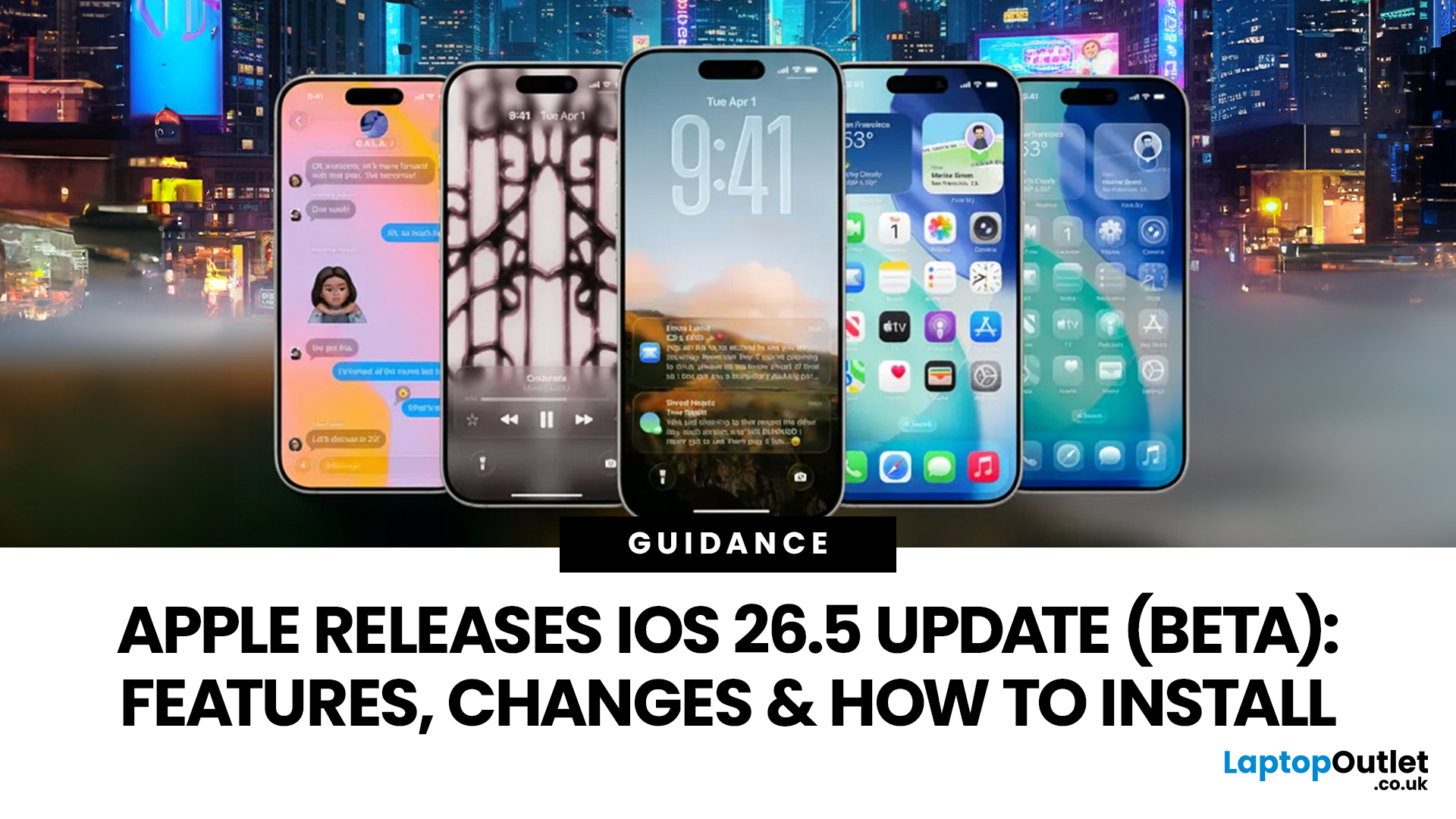
Apple has rolled out iOS 26.5 beta, giving developers and early testers a first look at the next iPhone software update. While this is not Apple's biggest beta release this year, it still brings a number of important changes worth paying attention to. From improvements in Messages to new additions in Apple Maps, the latest iOS beta shows that Apple is continuing to refine the iPhone experience ahead of a wider rollout.
For anyone searching for what’s new in the iOS 26.5 update, the early answer is simple. This update is more focused on practical improvements than headline-grabbing changes. The biggest talking points so far include the return of RCS end-to-end encryption, new Apple Maps features, smaller system updates, and the continued absence of the major Siri improvements many users have been waiting for.
If you want a full breakdown of the iOS 26.5 beta features, the key changes, and how to install the update on your iPhone, here is everything you need to know.
Apple iOS 26.5 Beta

Last Updated: May 01, 2026
Streaming accounted for over 38% of total TV and video consumption globally last year, overtaking traditional viewing for the first time. That means more people are now watching films on laptops, tablets, and personal screens than ever before, not TVs.
But here’s the problem: most laptops aren’t actually built for a good viewing experience.
You can open the same film on two different laptops and get completely different results. On one, colours look rich, scenes feel immersive, and everything flows smoothly. On another, the image feels dull, brightness struggles in daylight, and the whole experience falls flat - even if the specs look similar on paper.
That’s where most buyers get caught out. Terms like “Full HD,” “OLED,” or “high brightness” sound impressive, but they don’t always translate into a better streaming experience. Many people end up choosing based on performance or price, while overlooking what actually matters for watching films.
This guide breaks that down clearly - focusing

