



Energy-Efficient PCs: How Much Can You Save Per Year?
If your PC is on for hours every day, it is absolutely part of your electricity bill story. Not in a dramatic “this one desktop is ruining your life” way, but enough that efficiency matters. That is why energy-efficient PCs are getting more attention from UK buyers who want solid performance without wasting power.
And honestly, fair enough. Nobody wants a machine that runs hot, pulls extra watts for no reason, and quietly adds more to the bill every month. This guide breaks down what energy efficient computers mean, how much you could realistically save in a year, and where the biggest differences show up between everyday desktops and a power efficient gaming PC.
What Counts as an Energy-Efficient PC?
An energy-efficient PC is simply a desktop that delivers the performance you need without drawing more power than necessary. That can come from better components, smarter power management, or both. A more efficient system usually has a few things going for it:
- newer processors that do more work per watt
- SSD storage instead of older hard drives
- lower idle power draw
- better cooling, so components are not constantly working harder than they need to
That does not mean every low-power machine is automatically better. A super cheap desktop with weak performance is not “efficient” if it wastes your time. The real win is a system that gives you enough speed while keeping power use in check. That is where low power consumption PC buying becomes more interesting. You are not just chasing lower energy use. You are looking for better performance per watt.
How to Calculate PC Electricity Cost

The basic formula is very simple:
Watts ÷ 1000 × hours used = kWh used
kWh used × electricity unit rate = cost
Using 24.67p per kWh average electricity rate as a reference point, every 100 kWh of annual electricity use costs about £24.67. So, if one desktop setup uses 300 kWh a year and another uses 180 kWh a year, the difference is 120 kWh. At 24.67p per kWh, that works out to around £29.60 saved per year.
Not life-changing on its own, but very real.
How Much Can You Save Per Year With Energy-Efficient PCs?
Here is the part most people care about.
The exact saving depends on what kind of PC you are replacing, how many hours you use it, and whether you game, work, stream, or leave it idling all day. There is no one-size-fits-all figure, but realistic yearly savings often land somewhere between £20 and £90+ per year for a desktop user moving to a more efficient setup. That is an estimate based on common desktop power draw scenarios using current average electricity unit rate, not a fixed national average.
Example 1: Everyday Home or Office Desktop
Let’s say your older desktop averages around 120W during normal use, while a newer efficient system averages 65W doing the same kind of work. If you use the PC for 8 hours a day:
- Older desktop: 0.12 kW × 8 × 365 = 350.4 kWh
- Efficient desktop: 0.065 kW × 8 × 365 = 189.8 kWh
- Difference: 160.6 kWh
At 24.67p per kWh, that is about £39.62 saved per year.
Example 2: Mid-Range Gaming Setup
Now let’s say you are comparing an older gaming tower averaging 250W in mixed use against a newer, more optimised system averaging 160W. Used for 4 hours a day:
- Older system: 0.25 kW × 4 × 365 = 365 kWh
- Efficient system: 0.16 kW × 4 × 365 = 233.6 kWh
- Difference: 131.4 kWh
That works out to roughly £32.42 saved per year.
Example 3: Heavy Daily User or Creator Setup
If your desktop is on for long stretches, savings go up faster. Let’s say a higher-draw PC averages 220W and an efficient alternative averages 100W, used 10 hours a day:
- Older system: 0.22 kW × 10 × 365 = 803 kWh
- Efficient system: 0.10 kW × 10 × 365 = 365 kWh
- Difference: 438 kWh
That is about £108.05 per year saved.
So the short version is this: if your current desktop is old, inefficient, or overpowered for what you do, the savings can be more than just pocket change.
The Biggest Factors That Affect PC Power Use
A lot of people assume the processor is the whole story. It is not. Several parts affect whether you end up with a low power consumption PC or a system that casually chews through electricity.
Processor Efficiency
Modern CPUs are far better at balancing performance and power draw than older generations. Newer chips can complete tasks faster and drop back to lower power states more effectively.
Graphics Card
This is often the biggest difference between a standard desktop and a power efficient gaming PC. A high-end GPU can dramatically increase electricity use, especially if you game often or leave the system running between sessions.
Power Supply Efficiency
A more efficient PSU wastes less electricity as heat. That means more of the power drawn from the wall goes into running the PC rather than disappearing into thermal nonsense.
Storage
SSDs use less power than traditional hard drives and also make the system feel much faster. That is one of the easiest wins.
Cooling and Airflow
Bad airflow can make parts run hotter, which can push fans harder and reduce efficiency. It is not the biggest factor, but it matters.
Idle Power Draw
This one gets ignored way too often. Many desktops spend a lot of time doing almost nothing. If your PC idles at a high wattage, that wasted power adds up over months.
Energy Efficient Computers vs Cheap Desktops

This is where some buyers get caught out.
A cheap desktop is not always one of the better eco friendly desktop computers on the market. In fact, older budget systems can be less efficient because they use outdated components, weak power supplies, and slower storage that keeps the machine active for longer.
A genuinely efficient computer is usually built around newer architecture, better thermal design, and smarter power management. So while the purchase price might be a little higher, the long-term running cost can be lower.
That does not mean you should overspend for the sake of being “green.” It just means efficiency should be part of value, not treated as a separate extra.
Can You Reduce Electricity Bill With PC Upgrades Alone?
Yes, but with a small reality check.
If your desktop is ancient, switching to a newer machine can absolutely help you reduce electricity bill with PC usage. But if your current setup is already fairly modern, the saving from replacing it may be modest unless you also change how you use it. The biggest gains often come from a combination of:
- a more efficient desktop
- lower idle time
- smarter sleep settings
- a more efficient monitor
- avoiding unnecessary high-power components
So, the answer is yes, but the best results usually come from both hardware and habits.
Windows Settings Matter More Than People Think
Microsoft includes energy-saving tools in Windows 11 that can help reduce power use by changing sleep timings, display behaviour, brightness, and background activity. Microsoft specifically recommends settings like Best Power Efficiency mode, shorter screen-off times, and sleep settings to lower consumption.
That means even before replacing your desktop, you can cut waste by setting the system up properly. A few easy wins:
- use sleep mode instead of leaving the PC on
- shorten display timeout
- reduce screen brightness where possible
- switch to energy recommendations in Windows 11
- stop unnecessary background apps loading on startup
This will not magically turn a power-hungry tower into one of the best energy-efficient PCs, but it does stop avoidable waste. If you want to understand where modern desktop buying is heading, AI-Ready Desktop PCs: What Does It Actually Mean? breaks down what AI-ready hardware offers and whether it matters for everyday users.
What About a Power Efficient Gaming PC?
This is probably the most interesting category, because gaming PCs are usually where energy use jumps.
A power efficient gaming PC is not a weak gaming PC. It is a setup that avoids unnecessary overhead. That usually means pairing components more sensibly rather than chasing the most extreme spec sheet possible.
For example, if you mostly play esports titles, indie games, or mainstream AAA at 1080p or 1440p, you may not need a giant high-wattage GPU. A well-balanced system can still deliver strong frame rates while using noticeably less power. A power-efficient gaming build usually focuses on:
- an efficient CPU rather than an overkill one
- a graphics card that matches your actual resolution and frame rate target
- a high-efficiency power supply
- smart airflow and cooling
- sensible power settings when gaming is done
This is where gaming buyers can save more than they expect. Not always enough to justify a full upgrade on electricity savings alone, but enough to make a more efficient build the smarter long-term move. For buyers comparing performance-focused setups, Gaming Desktop PC Breakdown: AMD, Intel & RTX Tech explains how core components affect speed, graphics, and overall desktop efficiency.
Are Eco Friendly Desktop Computers Worth It?
For a lot of buyers, yes.
The phrase eco friendly desktop computers can sound a bit marketing-heavy, but the idea is valid. A desktop that uses less electricity, runs cooler, and lasts longer is generally better for both your budget and your footprint. The value shows up in a few different ways:
- lower running costs over time
- less heat output in your room
- potentially quieter operation
- better efficiency during everyday use
- less wasted power when idle
It is not about pretending your desktop alone will transform the planet. It is about making a smarter choice when you already need to buy or replace a PC.
Who Benefits Most from Energy Saving PCs in the UK?
Not every buyer saves the same amount.
Home Office Users
If your PC is on most of the day for work, a more efficient system can cut annual electricity use in a noticeable way.
Families With Shared Desktops
A household desktop used for school, streaming, browsing, and admin often racks up more hours than people realise.
Gamers
If you game regularly, especially on older or less efficient hardware, the savings can be stronger.
Students
Students using a desktop in halls or shared accommodation may not always pay the bill directly, but lower power use still matters, especially in longer-term home setups.
In short, energy saving PCs UK shoppers should care most if their desktop gets used a lot. The more hours involved, the more efficiency pays off. In addition, if your budget is tight, you can buy refurbished desktop PCs.
How to Choose Energy-Efficient PCs Without Ending Up with a Boring One
You do not need to buy the most basic system on the shelf. A good energy-efficient desktop should still match your workload. The trick is avoiding waste, not avoiding performance. When shopping, look for:
- newer-generation CPUs with strong efficiency
- SSD storage as standard
- 80 Plus rated power supplies where relevant
- realistic GPU choices for your needs
- systems built for your actual workload, not fantasy usage
If you browse desktops this way, you are much more likely to end up with one of the better energy efficient computers rather than just the cheapest tower available. If you are also weighing cost against long-term value, our guide on Are Refurbished Desktop PCs Worth Buying in 2026? explores when a refurbished desktop makes sense and what to check before buying.
Top 5 Affordable Energy Efficient PCs Available at Laptop Outlet
Here are top 5 affordable energy efficient PCs available at Laptop Outlet:
1. Lenovo ThinkCentre M70q Gen 5 Tiny
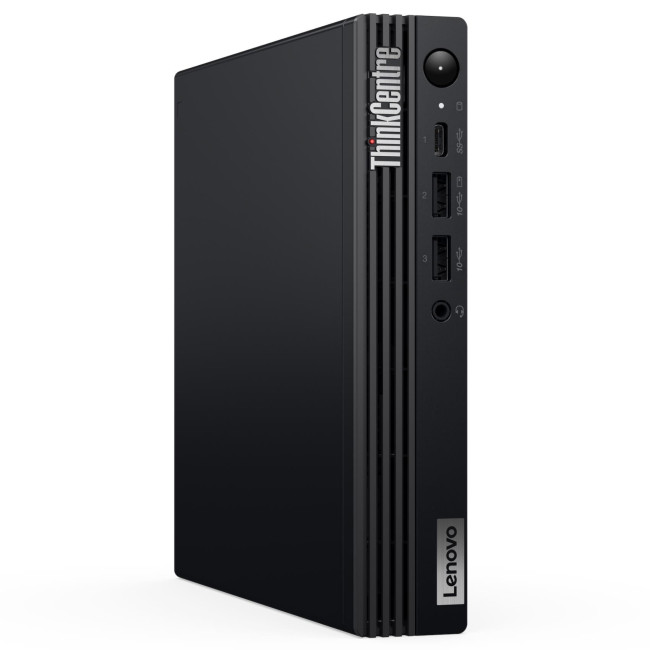
The Lenovo ThinkCentre M70q Gen 5 Tiny keeps things compact without feeling limited in day-to-day use. With an Intel Core i5-14400T, 16GB RAM and a 512GB SSD, it is well suited to office work, multitasking and general productivity. Its energy-efficient edge comes from the Tiny form factor and the low-power Intel T-series processor, which is designed to deliver solid desktop performance while using less power than a standard full-size setup.
2. DELL Pro QCM1250
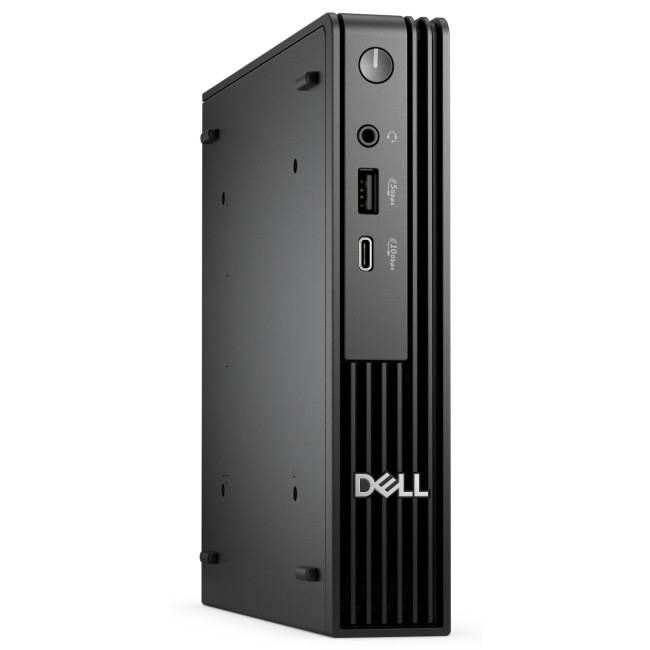
The DELL Pro QCM1250 follows a similar approach, pairing an Intel Core i5-14500T with a compact Mini PC design. It is a practical choice for users who want dependable performance for business tasks, admin work and everyday desktop use without the bulk of a traditional tower. Because it uses a power-optimised T-series chip and a smaller overall system design, it is better positioned for lower energy use than a larger desktop with higher-wattage components.
3. ASUS NUC 15 Pro
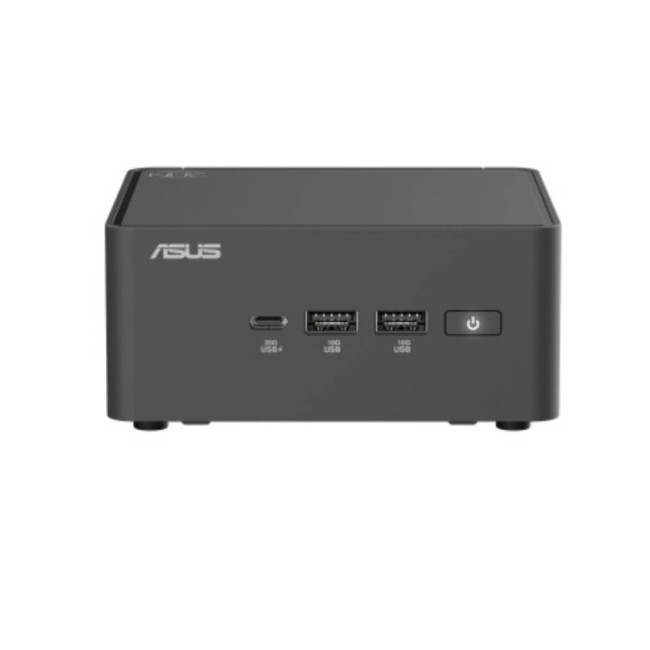
The ASUS NUC 15 Pro is a more flexible mini desktop option for buyers who want a compact system they can configure to their own needs. As a barebone unit, it gives users control over memory, storage and operating system choices, which can also help shape how power-efficient the final setup becomes. Its small footprint already supports a lower-power desktop approach, and when paired with efficient modern components, it can become a very tidy low-consumption PC for professional or light creative workloads.
4. Apple iMac with M4 chip

The Apple iMac with M4 chip blends strong everyday performance with excellent power efficiency in a very clean all-in-one format. With 24GB RAM, a 1TB SSD and a 24-inch 4.5K display, it is clearly aimed at users who want a premium desktop experience for work, creative tasks and home use. The energy efficiency comes from Apple silicon itself, which is known for delivering impressive performance per watt, as well as the all-in-one design that avoids the extra power draw and clutter of a separate tower-and-monitor setup.
5. Lenovo IdeaCentre AIO 24ARR9
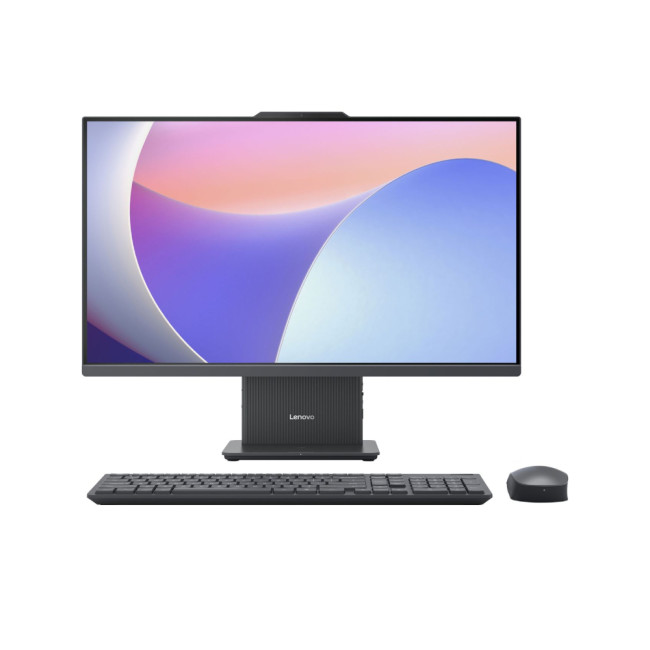
The Lenovo IdeaCentre AIO 24ARR9 offers a balanced all-in-one option with an AMD Ryzen 5 7535HS, 16GB RAM and 512GB SSD. It is a good fit for users who want a family desktop or home office machine with enough speed for everyday multitasking, streaming and productivity. Its efficiency comes from combining modern AMD processing with an all-in-one layout, which keeps the setup simpler and generally more power-conscious than a conventional desktop paired with separate peripherals.

Final Verdict: How Much Can You Save Per Year?
Here is the honest answer.
With energy-efficient PCs, many UK users can realistically save around £20 to £90 a year, while heavier users with older, more power-hungry systems may save even more. That estimate depends on usage hours, system wattage, and the electricity price you pay, but current average Direct Debit electricity rate gives a useful reference point for working it out.
So no, switching PCs is not usually the same as slashing your energy bill in half.
But yes, it can absolutely make a worthwhile difference over time, especially if your current setup is inefficient, left on too often, or packed with parts you do not really need.
The smartest move is to think bigger than raw performance. A desktop that gives you enough power while using less electricity is just a better buy. And in 2026, that is increasingly what good value looks like.

Still Got Questions?
What are energy-efficient PCs?
Energy-efficient PCs are desktops designed to deliver good performance while using less electricity through efficient components, smarter power management, and lower idle consumption.
How much can I save with energy efficient computers?
For many users, annual savings can land between £20 and £90, though heavier users with older desktops may save more. The exact figure depends on usage and electricity cost.
Can a low power consumption PC still be fast?
Yes. A low power consumption PC can still be fast if it uses modern components that offer better performance per watt.
Do energy saving PCs UK buyers should consider cost more?
Sometimes the upfront cost is slightly higher, but the better efficiency, newer hardware, and lower running cost can improve long-term value.
Is a power efficient gaming PC worth it?
Yes, especially if you game regularly. Apower efficient gaming PC can still offer strong performance while using less electricity than an older or badly balanced gaming tower.
Can I reduce electricity bill with PC settings alone?
You can reduce wasted energy with sleep settings, power mode adjustments, and display controls in Windows 11, though hardware efficiency still plays a major role.
Related Articles


Last Updated: February 03, 2026
Choosing a new processor used to be a simple choice between raw power and budget value. However, as we move through 2026, the landscape has shifted.
The rivalry of Intel vs AMD desktop processors has reached a fever pitch, with both "Team Blue" and "Team Red" offering incredible technology that caters to very specific types of users.
This guide breaks down everything you need to know about the current market to help you decide which brand deserves a spot in your desktop PC.
The State of the Market in 2026
As we move through 2026, both manufacturers have moved beyond simple core-count wars.
Intel has doubled down on its "Arrow Lake" and "Nova Lake" architectures, focusing heavily on integrated AI NPUs (Neural Processing Units) and a refined tiled architecture.
Meanwhile, AMD continues to dominate the enthusiast market with its Zen 5 architecture, led by the legendary 3D V-Cache technology.
Intel’s Current Strategy: The AI PC Era
Intel has successfully transitioned to its LGA 1851 socket.

Published: February 04, 2026
Your desktop PC is a key part of daily life. It handles work, gaming, and more. But how long can it last? Many users worry about desktop PC lifespan.
The good news is you can extend it to five years or beyond. With smart choices and simple habits, your setup stays reliable. This guide shares practical steps. It covers everything from processor picks to daily care.
Understanding Desktop PC Lifespan
Desktop PCs don't have a fixed expiry date. Their lifespan depends on build quality, usage, and maintenance. On average, a well-kept desktop lasts 5-8 years. But push it right, and you can hit 10 years or more. Why care? A longer desktop computer lifespan saves money and reduces waste.
Key Factors Affecting Longevity
Several elements play a role in how long your desktop endures. First, hardware quality matters most. Cheap parts wear out fast. Second, heat buildup shortens life—poor cooling is a killer. Third, software updates keep things secure and efficient. Finally, your habits, like overworking

Last Updated: February 11, 2026
Buying a desktop PC can quickly become frustrating. Endless specs, unfamiliar terms, and conflicting advice make it hard to know what really matters, and easy to waste money on the wrong setup. But here’s the solution: once you understand what desktop PC specifications actually do, choosing the right machine becomes simple. In this desktop PC specs explained guide, we break down every key component in plain English, showing you exactly what you need for work, home or gaming, and what you can safely ignore. No jargon, no guesswork, just confident buying decisions.
Processor (CPU): The Brain of Your Desktop
The processor, or CPU, is one of the most important parts of any desktop PC. It handles instructions and calculations, directly affecting how fast your system feels.
What to look for:
- Cores & Threads: More cores help with multitasking and demanding software
- Clock Speed (GHz): Higher speeds generally mean faster performance
What you actually

Last Updated: February 10, 2026
Buying a desktop PC is a big decision, especially when prices can range from a few hundred pounds to several thousand. The right choice depends not just on your budget, but on how you plan to use your PC now and in the future.
Let us help you understand exactly what you get at different price points, what specifications really matter, and how to avoid common mistakes. Whether you’re buying your first desktop or upgrading an older system, this guide will walk you through everything you need to know.
Why Choose a Desktop PC Instead of a Laptop?

Before diving into budgets, it’s worth understanding why many UK buyers still choose desktops:
- Better performance for the price
- Easier and cheaper upgrades
- Longer lifespan
- Improved cooling and sustained performance
- More connectivity options
For home offices, gaming setups, and creative work, desktops almost always offer better long-term value.
Understanding Desktop PC Specifications (Quick Primer)
If you’re not technical, these are the core components
Last Updated: May 05, 2026
Let’s call this out early: “AI-Ready” is one of those phrases that sounds important but tells you almost nothing by itself.
Every PC brand is using it. Every listing claims it. And most buyers still walk away thinking, “Cool… but what does that actually do for me?”
So instead of selling you a future fantasy, let’s talk about what AI-Ready desktops actually change in 2026, where they matter, and where they really don’t.
First: Why Everyone Is Suddenly Calling Their PCs “AI-Ready”
AI didn’t just become a software thing - it became a hardware conversation.
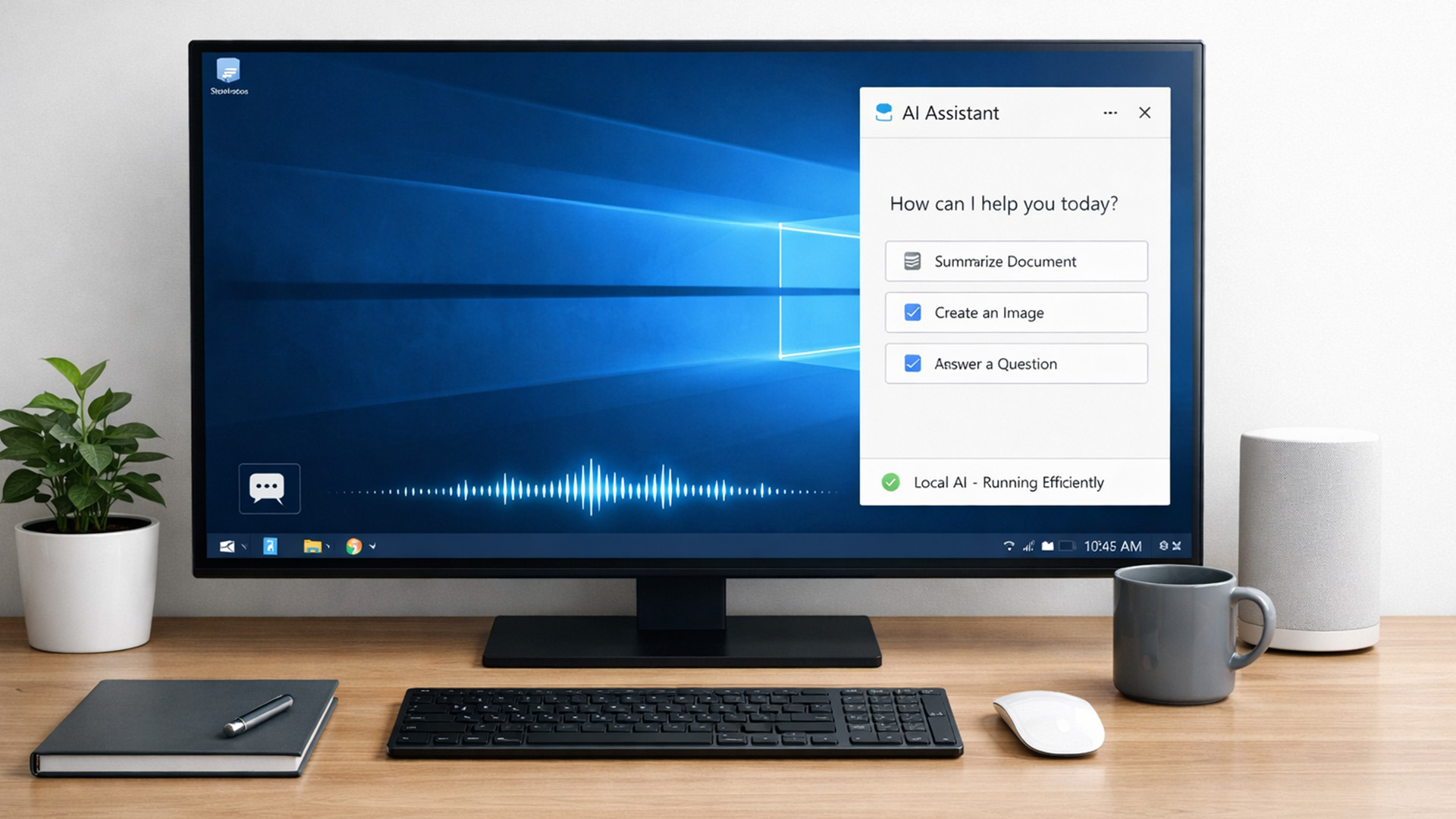
For years, AI lived in the cloud. You typed something, it went to a server, magic happened, and the result came back. Now, operating systems (especially Windows) are pushing AI features onto the device itself. That shift is what triggered the “AI-Ready” wave.
An AI-Ready desktop is basically a PC that can:
- Run certain AI tasks locally
- Do it efficiently
- Without destroying performance or power usage
That’s it. No sentience. No robot takeover.

Last Updated: February 11, 2026
Choosing the right desktop PC can feel a bit like picking a side in a long-running tech rivalry. HP, Dell, and Lenovo are three of the biggest names and for good reason. They all offer reliable, powerful desktops that suit everything from casual home use to hardcore business workloads and creative setups.
But when it comes to HP vs Dell vs Lenovo desktop PCs, which brand actually wins for you?
Why Compare HP, Dell, and Lenovo Desktop PCs?
HP, Dell, and Lenovo are all global heavyweights in the PC world. They each offer a wide range of desktops — from budget-friendly towers to powerful workstations and compact all-in-one PCs.
But here’s the thing:
Not all desktop PCs are built for the same kind of user.
Some are better for productivity, some for gaming, and others for long-term reliability. Understanding the differences is key before you hit “Add to Basket”.
HP Desktop PCs: Style Meets Performance
HP desktops are known for blending solid performance with modern design. If you like your
Published: February 09, 2026
If you have been browsing for a new PC lately, you might have noticed a bit of a price shock. Whether you are looking for a sleek all-in-one for your home office or a powerful gaming rig, the numbers on the price tags in 2026 are noticeably higher than they were just a couple of years ago.
Many UK buyers are left scratching their heads, asking the same question: why are desktop PCs expensive all of a sudden? It is a fair question. In this guide, we will break down exactly what is driving these costs and, more importantly, how you can still find incredible value.
Key Reasons Desktop PC Prices Are Rising
Understanding the "why" behind the price hike helps you time your purchase better. Here are the primary factors driving the market today.
The "AI Squeeze" on Components
The biggest culprit isn't a lack of chips, but a shift in what those chips are used for. Huge data centres are currently buying up almost 70% of the world’s advanced memory (DRAM) and storage (NAND) to power AI models.

Last Updated: September 15, 2026
If you’re asking “are refurbished desktop PCs worth it” in 2026, you’re not alone. Refurb is having a moment in the UK, partly because budgets are tight, and partly because more people want a cheaper, lower-waste way to get solid tech. At the same time, buyers are more hesitant than ever… and that hesitation is not random. A few very 2026-specific changes have raised the stakes.
This guide breaks down the real reasons people hesitate in 2026, and how Laptop Outlet reduces those risks so you can buy refurbished with genuine peace of mind - without losing out on choice or price.
What changed in 2026 that made buyers more cautious?
1) The Windows 10 “cliff edge” is now behind us
Windows 10 support ended on 14th October 2025, which means many older desktops are now in a riskier zone if they can’t upgrade cleanly.
Yes, Microsoft offers Extended Security Updates (ESU), but for consumers it’s a limited runway (through 2026) and comes with requirements that can add friction.
Why this makes refurbished
Published: March 06, 2026
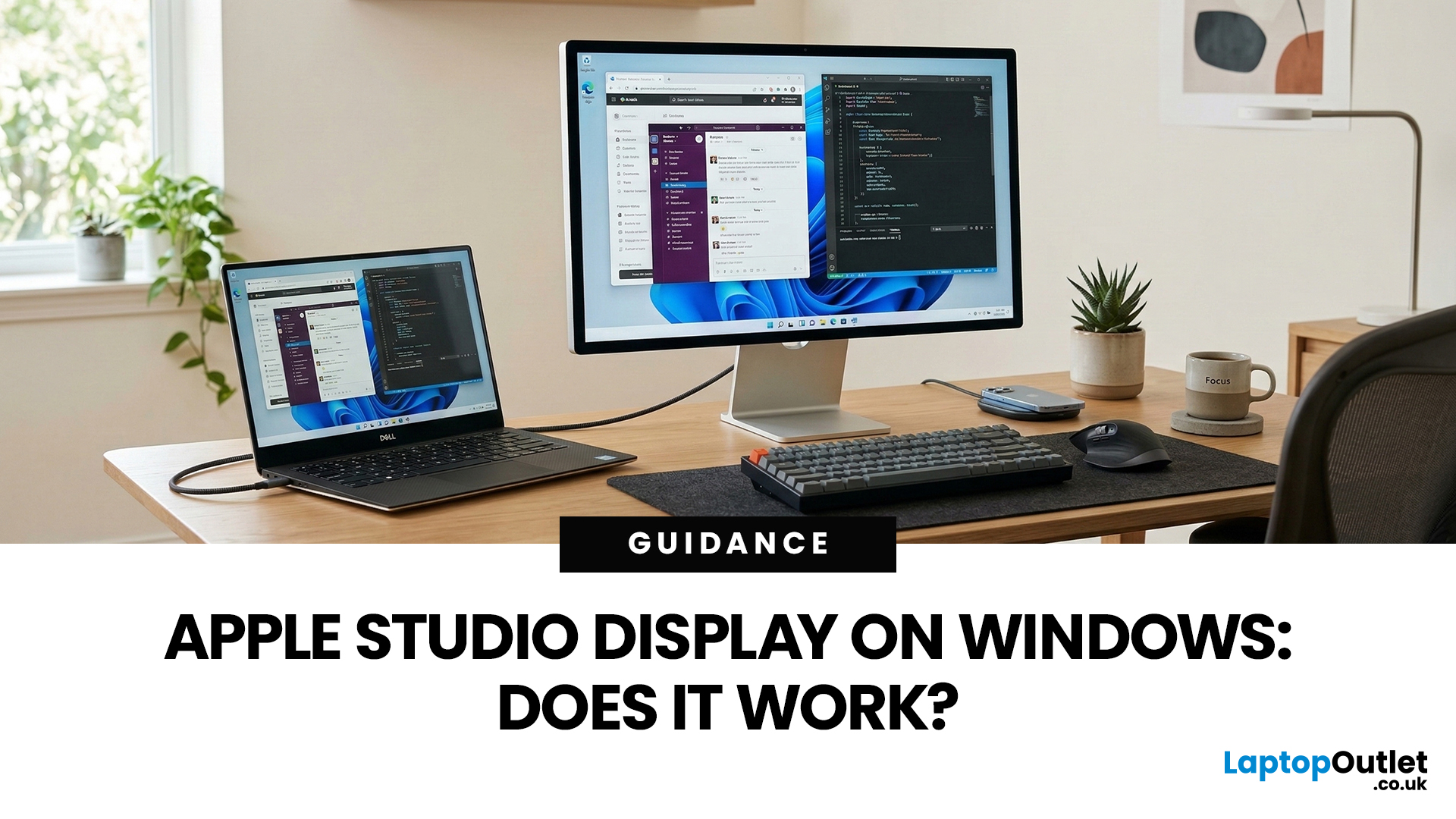
You’ve seen the Apple Studio Display. It’s sleek, stupidly sharp, and it makes your desk look like you’ve got your life together. But you’re on Windows. So, the big question is: Does Apple Studio Display work with Windows PCs? Yes, it can. But you won’t always get the full “Apple magic” experience on Windows.
Apple Studio Display + Windows: What Works vs What Doesn’t
Core Monitor Functions (generally work)
The good news: the basics are solid.
- You’ll get a picture (yep, it’s a monitor)
- Resolution and scaling can be adjusted in Windows settings
- It can act as an audio device (the built-in speakers often show up as an output option)
In other words: for day-to-day “I need a stunning screen”, you’re fine.
Features that May be Limited or Not Supported on Windows
Here’s where the “Apple ecosystem” bit starts showing:
- Center Stage (auto-follow webcam feature): usually not available as intended on Windows
- True Tone (auto colour temperature shifts): Generally not supported
- Firmware updates: typically
Published: March 12, 2026
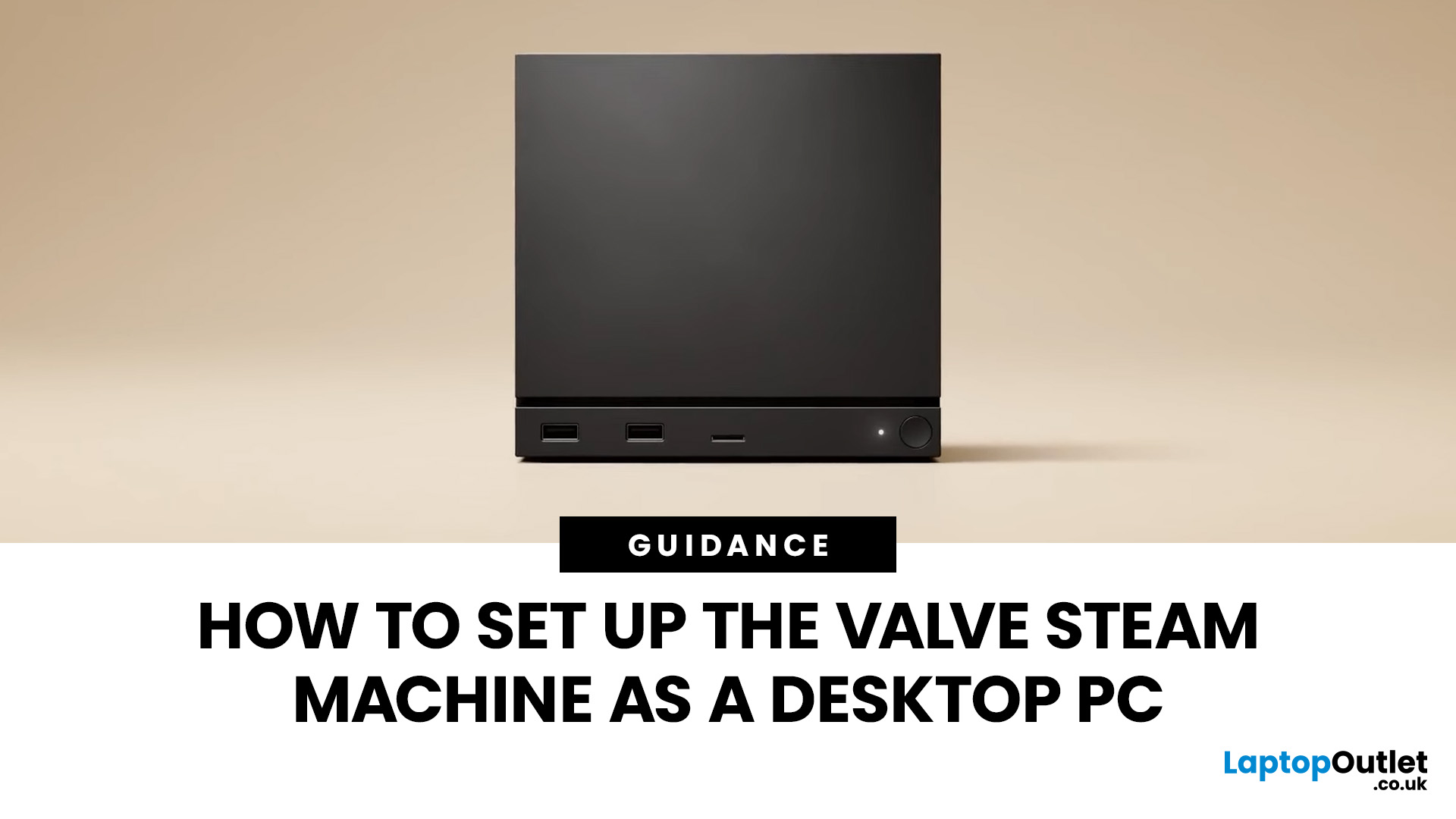
If you have an old Valve Steam Machine tucked away under the telly or on a shelf, you might be wondering whether it can still do more than launch games. The good news is that, with the right setup, it can absolutely pull double duty as a compact desktop computer for everyday use.
This guide walks you through a practical Valve Steam Machine setup for desktop use, from connecting a monitor and peripherals to accessing SteamOS desktop mode and making the system feels more like a standard PC. Whether you want a lightweight machine for web browsing, media streaming, or casual home computing, repurposing a Steam Machine can be a clever and cost-effective option.
What is a Valve Steam Machine?
A Valve Steam Machine was originally designed as a living-room gaming PC. It brought PC gaming closer to the console experience, usually running SteamOS and focusing on controller-friendly play from the sofa.
That said, the hardware inside many Steam Machines is still capable of handling basic desktop

