



ASUS Zenbook Duo 2026 Review: Do You Actually Need Two Screens?

The 2026 edition of the Zenbook Duo is a significant step up from its predecessor. It brings Intel's latest Core Ultra Series 3 processor, a redesigned hinge, brighter OLED panels, and a much larger battery.
But here’s the real question… do you actually need it?
This ASUS Zenbook Duo review breaks it down. You will get the full picture on performance, display quality, battery life, build quality, and most importantly, whether the dual-screen design is worth your money.
Design and Build Quality: Smaller, Stronger, and More Refined
At first glance, the Zenbook Duo looks deceptively ordinary. Closed up, it resembles a slightly chunky premium laptop. Open it, and the picture changes entirely. This section of our ASUS Zenbook Duo review looks at just how well-built this machine really is.
Ceraluminum Chassis
ASUS has built the entire chassis, including the hinge, kickstand, and screen surrounds, from Ceraluminum. This is their proprietary material that is 30% lighter and three times stronger than standard aluminium. It resists scratches, handles everyday knocks, and stays clean without showing smudges.
The Moher Gray colourway is subtle and sophisticated. It takes its inspiration from the cliffs of Ireland, and the texture genuinely feels premium in hand. This is not a laptop that screams for attention. But hold it once and you notice the quality immediately.
A Hinge That Finally Makes Sense
Previous versions of the Zenbook Duo had an awkward gap between the two screens. The 2026 redesign fixes that completely. The new hideaway hinge brings the two displays close together, reducing the gap by 70%. The result is a near-seamless dual-screen experience that looks and feels intentional rather than awkward.
The laptop also lays entirely flat at 180 degrees, which is very useful for sharing content in meetings or collaboration sessions.
Key durability stats at a glance:
|
Component |
Test Result |
|
Hideaway Hinge |
40,000+ open/close cycles |
|
Top Screen Panel |
Withstands 5 kg direct pressure |
|
Bottom Screen Panel |
Withstands 15 kg of force |
|
Bluetooth Keyboard |
1 million keystroke cycles |
|
Kickstand |
40,000+ open/close cycles |
The laptop weighs 1.65 kg and has a 5% smaller footprint than its predecessor. For a machine with two screens, that is genuinely impressive engineering.
Display Quality: Two of the Best Screens You Will Find on a Laptop
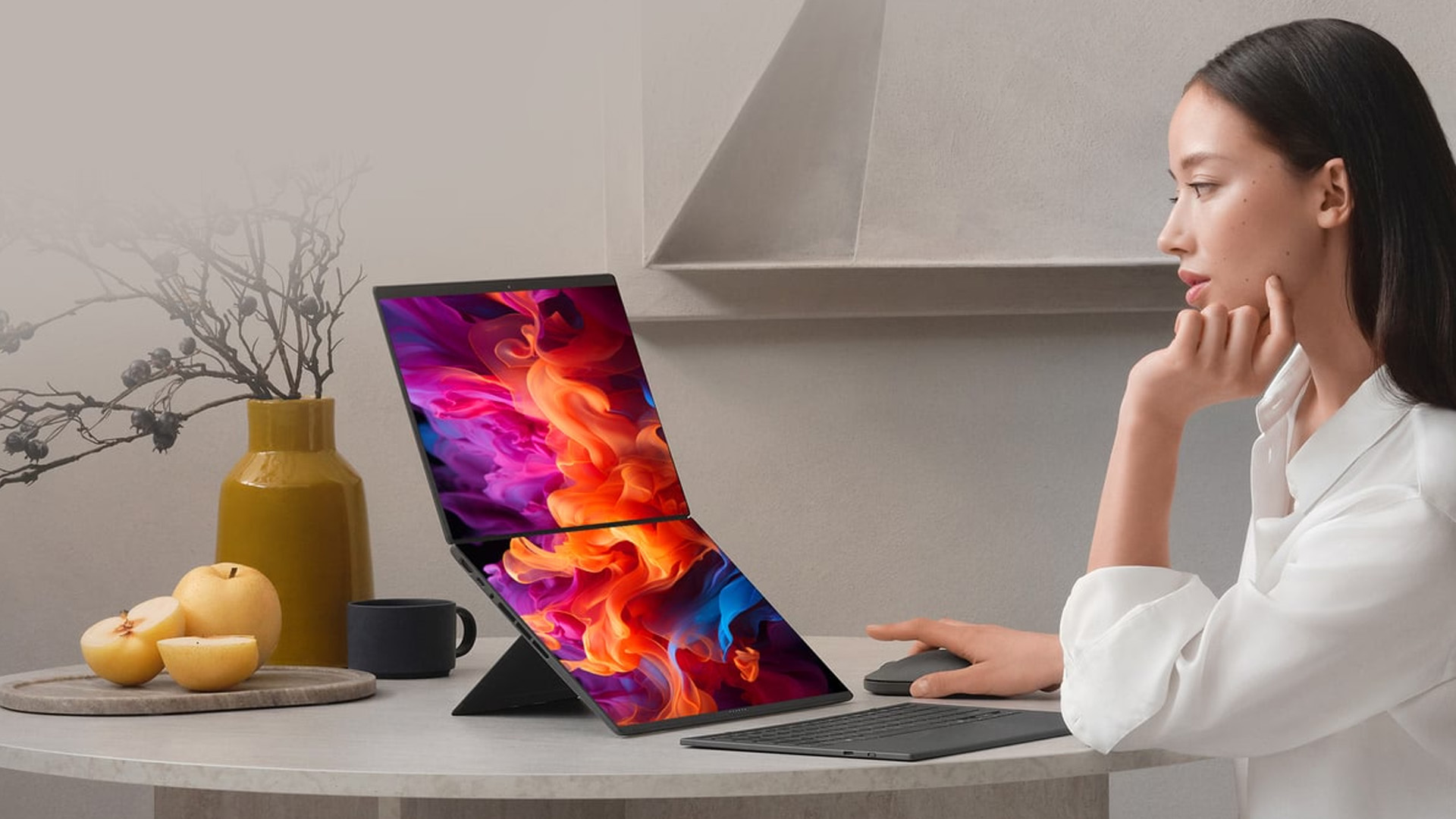
This is where our ASUS Zenbook Duo review gets truly impressive. Both screens are 14-inch 3K (2880 x 1800) ASUS Lumina Pro OLED touchscreens running at a buttery 144Hz refresh rate. Each delivers up to 1,000 nits of peak brightness, which is double what the 2025 model offered.
Why These Displays Stand Out
- Anti-reflection coating reduces glare by 65%, making outdoor use far more practical than before
- 100% DCI-P3 colour gamut with PANTONE validation ensures professional-grade colour accuracy
- VESA True Black 1000 certification means deep, inky blacks and genuine HDR performance
- 0.2ms response time and 144Hz refresh keep motion smooth and crisp
- E-Reading mode switches to high-contrast black and white, reducing eye strain during long reading sessions
- Hardware-certified low blue light reduces fatigue over extended sessions
The six built-in speakers, featuring dedicated tweeters and woofers, deliver surprisingly rich, spatial audio. For a laptop this thin, the sound quality is a genuine bonus.
If you work with colour-sensitive content, edit photos, or simply want the best screen experience available on a portable computer, these displays are extraordinary.
Performance: Powered by Intel's Finest
The 2026 Zenbook Duo runs on Intel's Panther Lake architecture. The top configuration uses the Intel Core Ultra X9 388H, a 16-core processor built on Intel's 18A process node.
What the Numbers Say
Compared to the previous generation, the performance leap is substantial. Our testing found:
- 26% faster multi-threaded CPU performance
- 112% faster gaming frame rates (tested in Cyberpunk 2077 at 1080p)
- 203% faster AI processing via the upgraded NPU
- Up to 45W TDP sustained performance
The integrated Intel Arc B390 GPU with 12 Xe3 graphics cores provides what ASUS calls "discrete-level GPU acceleration". In real terms, that means smooth 4K video editing, capable gaming at 1080p, and reliable performance on AI-heavy creative tasks.
The NPU delivers up to 50 TOPS, qualifying the device as a certified Copilot+ PC. That unlocks Windows 11 AI features including Microsoft Recall, Click to Do, real-time Live Captions with translation, and Windows Studio Effects for video calls.
Thermal Design
Running two screens and a high-powered processor in a slim chassis requires serious cooling. ASUS redesigned the thermal system with a 24% increase in air exhaust capacity, larger intake vents, 97-blade fans, and a graphite nano-insulated film. In practice, this means sustained performance without thermal throttling, even under heavy creative workloads.
Battery Life: All-Day Power for Two Screens
Battery life on dual-screen laptops has historically been a concern. ASUS addresses this head-on with a 99 Wh dual-battery system, strategically split across the chassis for perfect weight balance.
Battery Life Figures
|
Usage Mode |
Battery Life |
|
Dual screen — video playback |
Up to 18 hours |
|
Dual screen — web browsing |
Up to 12 hours |
|
Single screen — video playback |
Up to 32 hours |
|
Single screen — web browsing |
Up to 18 hours |
In real-world conditions, the laptop comfortably lasts through a full working day with both screens active. That is extraordinary for any laptop, let alone one powering two OLED displays simultaneously.
Fast charging brings the battery to 60% in just 49 minutes. The dual-battery design also improves battery longevity by up to 1.2x compared to single-battery configurations.
Usability and Versatility: Multiple Modes, One Device

One of the smartest things about the Zenbook Duo 2026 is how naturally it adapts to different situations. There is no single way to use it, and that flexibility is exactly the point.
Available Usage Modes
- Laptop Mode — keyboard placed on the lower screen, used like a standard laptop
- Dual Screen Mode (horizontal) — keyboard detached, both screens used side by side
- Dual Screen Mode (vertical) — both screens stacked vertically for a tall workspace
- Desktop Mode — propped on kickstand with keyboard in front, like a compact desktop setup
- Sharing Mode — lay flat at 180 degrees; a quick-share menu appears automatically for collaborative viewing
Switching between these modes is intuitive. Smart gesture controls let you use five fingers to expand windows across both displays, six fingers to summon a virtual keyboard on the lower screen, and swipe gestures on the touchpad to control volume, brightness, and media playback.
The Detachable Keyboard
The included Bluetooth keyboard uses magnetic pogo pins for alignment and connection. It charges automatically when placed on the lower screen. The full-size layout has a 19.05mm key pitch, 1.7mm key travel, and contoured keycaps designed to reduce typing fatigue. The keycaps are rated for 50,000 rubbing cycles without wear.
The ErgoSense touchpad is enlarged, hydrophobic, anti-fingerprint, and whisper-quiet. It supports full multitouch gestures in both Windows and ASUS Smart Gesture modes.
Connectivity
The Zenbook Duo 2026 does not compromise on ports:
- 2x Thunderbolt 4 USB-C (40 Gbps, fast charging, supports dual 4K 60Hz or single 8K 60Hz external displays)
- 1x USB 3.2 Gen 2 Type-A
- 1x HDMI 2.1
- 1x Audio combo jack
Security Features
Security is thorough throughout. Windows Hello facial recognition via the infrared camera provides fast, secure login. Microsoft Pluton integration stores passkeys directly in the CPU. Voice Print Technology recognises your voice for personalised AI responses. ASUS Adaptive Lock detects when you step away and locks the screen automatically, which is particularly handy in shared or public environments.
Who is the ASUS Zenbook Duo 2026 For?

This ASUS Zenbook Duo review would not be complete without being clear about who this laptop is built for. It is not a machine for everyone. It is purpose-built for a specific type of user. You will get the most from it if you are:
- A content creator who needs reference panels, timeline views, or colour tools on a second screen
- A developer or analyst who regularly works across multiple windows or datasets simultaneously
- A frequent traveller who wants a dual-monitor setup without carrying two separate devices
- A multitasker who finds switching between windows on a single screen genuinely disruptive
- A student or professional in design, video production, or data-heavy fields
If you primarily browse the web, write documents, and join the occasional video call, a standard premium laptop will serve you just as well at a lower price.
Pros and Cons of the 2026 ASUS Zenbook Duo
Every laptop involves trade-offs. The Zenbook Duo is no different. Here is an honest, straight-to-the-point breakdown of what works well and what you should be prepared for before spending your money.
|
Pros |
Cons |
|
Dual 3K 144Hz OLED displays with 1,000 nits brightness |
Premium price starting at £2,299.99 |
|
Up to 18 hours battery life with both screens active |
Heavier than single-screen premium laptops at 1.65 kg |
|
Ceraluminum chassis is lightweight and extremely durable |
Second screen is only useful if you multitask regularly |
|
Intel Core Ultra X9 with discrete-level Intel Arc B390 GPU |
Keyboard must be detached to fully use dual-screen modes |
|
70% reduced gap between screens thanks to 2026 redesign |
No SD card slot included |
|
Certified Copilot+ PC with up to 50 NPU TOPS |
Demanding 3D workflows may still benefit from an external GPU |
|
Multiple modes: Laptop, Desktop, Sharing, and Dual Screen |
Large footprint when fully opened in desktop mode |
|
Fast charge: 60% battery in just 49 minutes |
Significant investment compared to standard thin-and-light laptops |

Is the ASUS Zenbook Duo 2026 Worth It?
Overall Score: 9/10
This ASUS Zenbook Duo review comes to one clear conclusion: yes, it is worth it, but only if you will actually use the second screen.
The 2026 model fixes everything that held its predecessors back. The hinge gap is gone, the displays are brighter, the processor is more powerful, and the battery life is exceptional. With intuitive mode switching and professional-grade OLED panels, the dual-screen design is no longer a novelty. It is a genuinely productive setup that earns its premium price tag.

In Case You Were Wondering...
Is the ASUS Zenbook Duo good for everyday use?
Yes, it works as a standard laptop too. When you need it, the second screen is there. When you do not, simply fold it away.
Does the second screen drain the battery quickly?
No. With dual screens active, you still get up to 18 hours of video playback thanks to the 99 Wh dual-battery system.
Can you use the ASUS Zenbook Duo without the detachable keyboard?
Yes. A virtual keyboard can be summoned on the lower screen. You can also pair any Bluetooth keyboard separately.
Is the ASUS Zenbook Duo good for video editing and creative work? Absolutely. The dual 3K OLED displays, Intel Arc B390 GPU, and PANTONE-validated colour accuracy make it excellent for creative professionals.
How does the dual-screen laptop compare to carrying two monitors?
It is far more portable. One slim device replaces an entire dual-monitor desk setup, with no cables or stands required.
Is the ASUS Zenbook Duo a Copilot+ PC?
Yes. The Intel NPU delivers up to 50 TOPS, fully qualifying it as a Copilot+ PC with access to all Windows 11 AI features.
Related Articles


Last Updated: December 30, 2025
If your current rig is starting to stutter or you are simply ready to jump into the next generation of visual fidelity, there is no better time to act. The New Year graphics card deals are finally here.
Whether you are a competitive esports player, a 4K gaming enthusiast, or a professional video editor, the right GPU is the heart of your system. This year, we are seeing incredible NVIDIA GPU discounts and an extensive AMD Radeon sale New Year event.
In this guide, we will explore the best graphics cards for gaming and work, ensuring you find the perfect match for your monitor and your budget.
Top New Year Graphics Card Deals for 2026
We have hand-picked eight of the most impressive NVIDIA RTX GPUs and AMD Radeon GPUs currently available. Let’s explore the right card for your setup.
1. MSI GeForce RTX 5060 GAMING 8GB OC Graphics Card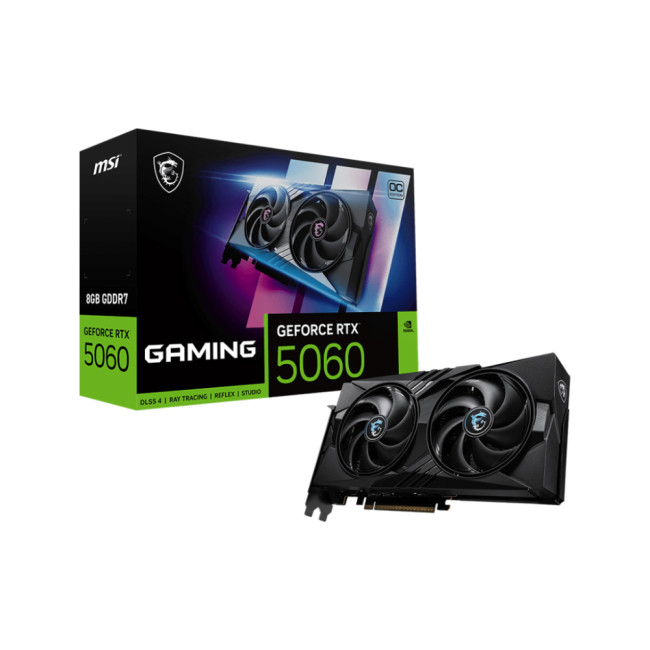
Key Specifications
- GPU: NVIDIA GeForce RTX 5060 (Blackwell Architecture)
- Memory: 8GB GDDR7
- Memory Speed: 28 Gbps
- Memory Interface: 128 bit
- Core

Last Updated: February 19, 2026
New year, new goals and let’s be honest, maybe a laptop that doesn’t sound like it’s about to take off every time you open a browser. If an upgrade is on your 2026 checklist, New Year Laptop Deals are one of the smartest (and calmest) times to buy.
Unlike peak sales seasons where everything disappears in minutes, New Year brings steady, genuinely good discounts across cheap laptops, premium models, gaming machines, and even business-grade devices. Whether you’re shopping for work, study, gaming, or just everyday life, this is where value really shows up.
In this guide, we’ll break down the best laptops New Year deals, highlight savings on ASUS, HP, Lenovo, and explain how to choose the right laptop—without drowning in specs or hype.
Why New Year Is the Best Time to Buy a Laptop

While Black Friday grabs attention, January quietly delivers better long-term value. Retailers clear remaining stock, refresh product lines, and offer strong discounts across multiple categories.
Here’s why New

Last Updated: January 13, 2026
Are you looking to upgrade your PC with cutting-edge performance, reliability, and exceptional gaming visuals? ASUS graphics cards remain one of the most trusted choices in the UK market. We bring you competitive prices, frequent deals, and a wide selection of ASUS GPUs designed for gamers, creators, and professionals alike. From advanced NVIDIA RTX models to efficient AMD Radeon options, ASUS continues to lead the way in innovation, cooling, and long-term durability.
Why Choose ASUS Graphics Cards?
ASUS has built a global reputation for producing premium PC components, and its graphics cards are no exception. Designed with performance, stability, and longevity in mind, ASUS PC graphics cards are trusted by enthusiasts and professionals worldwide.
Proven Engineering and Build Quality
ASUS graphics cards are engineered using high-quality components, reinforced PCBs, and advanced power delivery systems. This ensures consistent performance even under heavy workloads such as 4K gaming, 3D

Last Updated: August 10, 2026
Let’s be real – slow, drop-out Wi-Fi is a nightmare. Buffering mid-stream, lag during games, frozen Zoom calls and smart devices that just won’t connect can turn everyday life into a frustration fest. In a world where everything lives online is the backbone of your day. That’s the problem ASUS routers are built to fix. Known for pushing boundaries in performance, speed and reliability, ASUS creates Wi-Fi that actually keeps up with how we live now.
This guide breaks down how ASUS routers work, what makes their features genuinely worth it, and how to choose the right model for your setup. Whether you’re ditching outdated tech or building a future-proof smart home, ASUS delivers fast, stable Wi-Fi with zero compromises.
How ASUS Routers Work
Understanding how ASUS routers work begins with understanding the role of a router itself. A router connects your home network to the internet via your broadband provider, then distributes that connection wirelessly (or via Ethernet) to all your devices.

Last Updated: June 15, 2026
If you run an esports arena, gaming cafe, university esports lab, or content studio, your monitor choice is not a background decision. It directly affects performance, player satisfaction, brand perception, and long-term ROI. Competitive players notice the refresh rate instantly. Streamers notice colour accuracy. Venue owners notice durability. And everyone notices screen quality.
That’s why ASUS gaming monitors have become a staple across esports stages and gaming venues in the UK. From ultra-premium ASUS ROG gaming monitors built for tournament environments to scalable ASUS TUF gaming monitor options designed for multi-station rollouts, ASUS covers every level of competitive deployment.
If you're building or upgrading a gaming business, here’s what you need to know.
Why Esports & Gaming Businesses Choose ASUS
A single hardware issue during a tournament can damage a reputation fast. ASUS has built a strong position in esports by delivering consistency under pressure.
Brand Reputation

Last Updated: March 13, 2026
Modern workplaces are more screen-based than ever and in the UK, the average office employee now spends over 6 hours a day looking at a monitor. For businesses, that makes display choice more than just a tech detail; it’s a productivity and wellbeing decision.
The right ASUS business monitors can improve workflow efficiency, reduce eye strain, and support hybrid teams with flexible connectivity like USB-C docking. Whether you’re equipping a corporate office, a call centre, or a growing enterprise rolling out hundreds of workstations, choosing the right monitor spec matters.
In this buying framework, we’ll break down what UK organisations should prioritise, from screen size and ergonomics to ASUS Eye Care features, bulk purchasing, and the best monitor options for business use in 2026.
Why ASUS Monitors Work Well for Modern Workplaces

In today’s business environment, monitors are no longer just office accessories, they’re core productivity tools. From finance teams working across spreadsheets
Last Updated: March 13, 2026
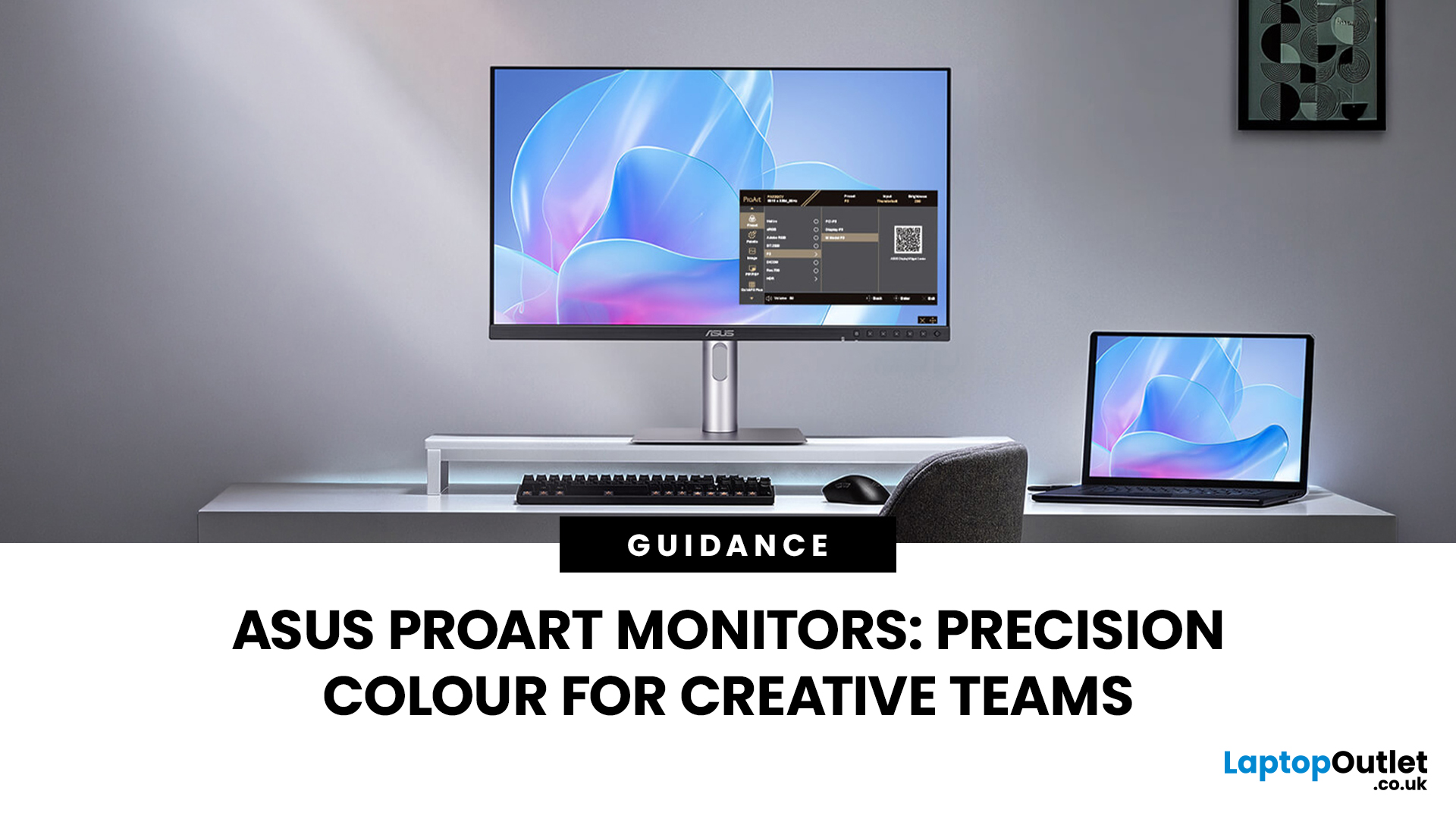
Creative work is more colour-critical than ever and studies show the average designer spends over 7 hours a day staring at a screen. That means your monitor isn’t just a display… it’s basically your studio. If colours are even slightly off, edits don’t match, prints come out wrong, and client work gets messy fast.
That’s where ASUS ProArt monitors come in. Built specifically for creators, they deliver factory-calibrated accuracy, wide colour coverage, and crisp 4K detail that makes photo editing, graphic design, and video workflows feel effortless. Whether you’re running a creative agency, an in-house design team, or a full studio setup, ProArt screens help you work with confidence, not guesswork.
Let’s break down what makes them worth it.
What Creative Teams Need from a Monitor
Not all monitors are built the same and creative teams feel that difference immediately. A standard office screen might be fine for spreadsheets, but when you’re adjusting skin tones, matching brand colours, or
Last Updated: August 28, 2026
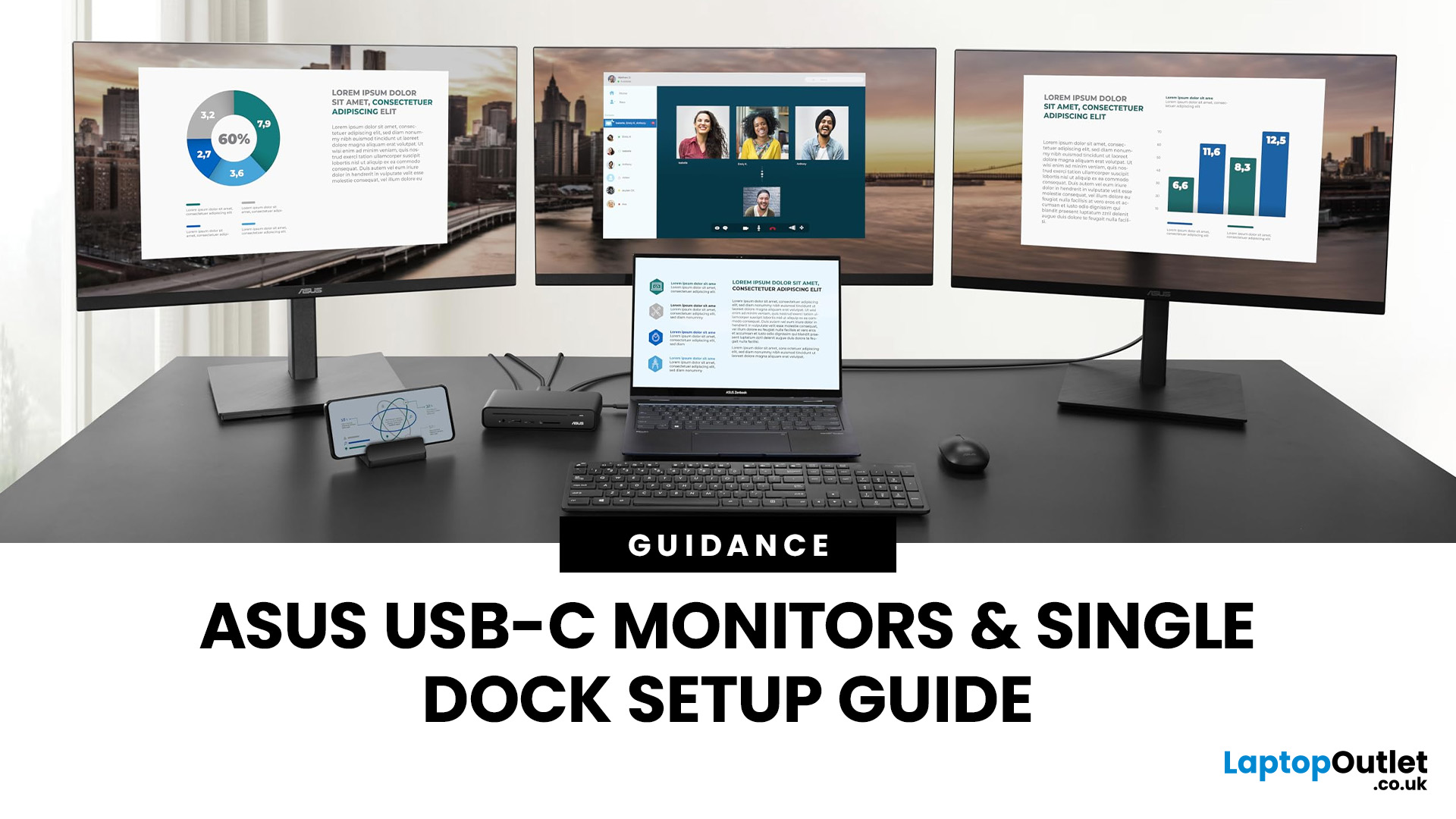
If you’re planning a desk refresh, rolling out new workstations, or managing a hot-desking environment, one question always comes up: how many ASUS USB-C monitors can you realistically run from a single dock? The short answer? It depends.
The long answer? It depends on your laptop’s GPU, the dock’s bandwidth, the monitor resolutions, and whether you’re daisy-chaining or using multiple video outputs.
In this practical IT deployment guide, we’ll break down exactly how ASUS USB-C monitors behave in real-world setups, what limits your configuration, and how to plan a reliable multi-monitor rollout without unpleasant surprises.
How USB-C Video and Power Actually Work
USB-C looks simple. One cable. Power. Video. Data. Done.
But behind that clean setup, there’s a lot happening.
USB-C monitors rely on a feature called DisplayPort Alt Mode. This allows the USB-C cable to carry video signals from your laptop’s GPU directly to the monitor. Many modern docks also use DisplayLink technology, which

Last Updated: March 13, 2026
Choosing the right display in 2026 is about more than just resolution. It is about how a screen fits into your specific lifestyle. ASUS has remained a global leader by creating distinct lanes for every type of user. Whether you are a competitive gamer, a high-end designer, or a remote professional, understanding the core ASUS monitors uses is the first step to a perfect setup.
In this ASUS monitors 2026 guide, we look at how the brand has evolved its technology. From the staggering motion clarity of the latest OLEDs to the sustainable, eye-friendly designs of their business line, ASUS continues to set the benchmark for quality and reliability.
Why ASUS Monitors Are So Popular in 2026
The popularity of ASUS monitors stems from their ability to innovate within niche categories. ASUS does not just make "screens"; they build tools.
In 2026, the brand has focused heavily on "Dual-Mode" technology. This allows a single screen to switch between ultra-high resolution for work and extreme refresh
Last Updated: August 28, 2026
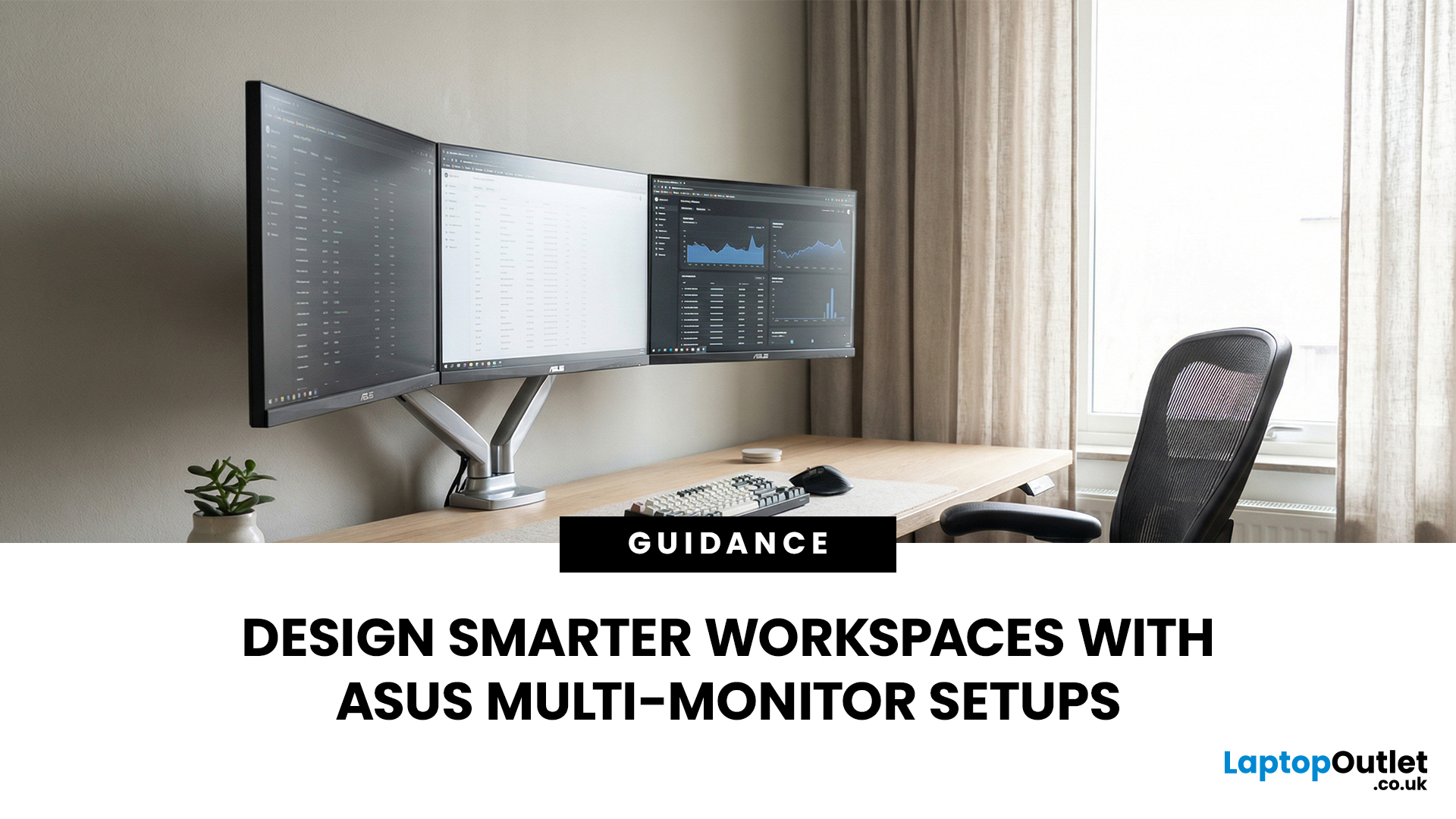
A single screen just does not cut it anymore. Whether you are writing code, managing client accounts, or analysing live market data, a well-built ASUS multi monitor setup can transform how you work. It gives you more room to think, less time switching between tabs, and a setup that genuinely supports your workflow.
This guide walks you through everything — from picking the right monitors to cabling, ergonomics, and ready-to-use layout ideas for teams and individuals alike.
Why Multi-Monitor Setups Boost Productivity
The case for multiple screens is not just about having more space. It is about working smarter. Research consistently shows that extended display setups can cut task-switching time and reduce cognitive load. When your reference document, communication tool, and primary work window each have their own screen, you stay in flow longer.
Suitable Roles: Devs, Finance, Support, Creatives
Not every job benefits equally, but a wide range of professionals gain a clear edge from multi-screen

