



Top Wireless Keyboards and Mice for Work and Gaming in 2026
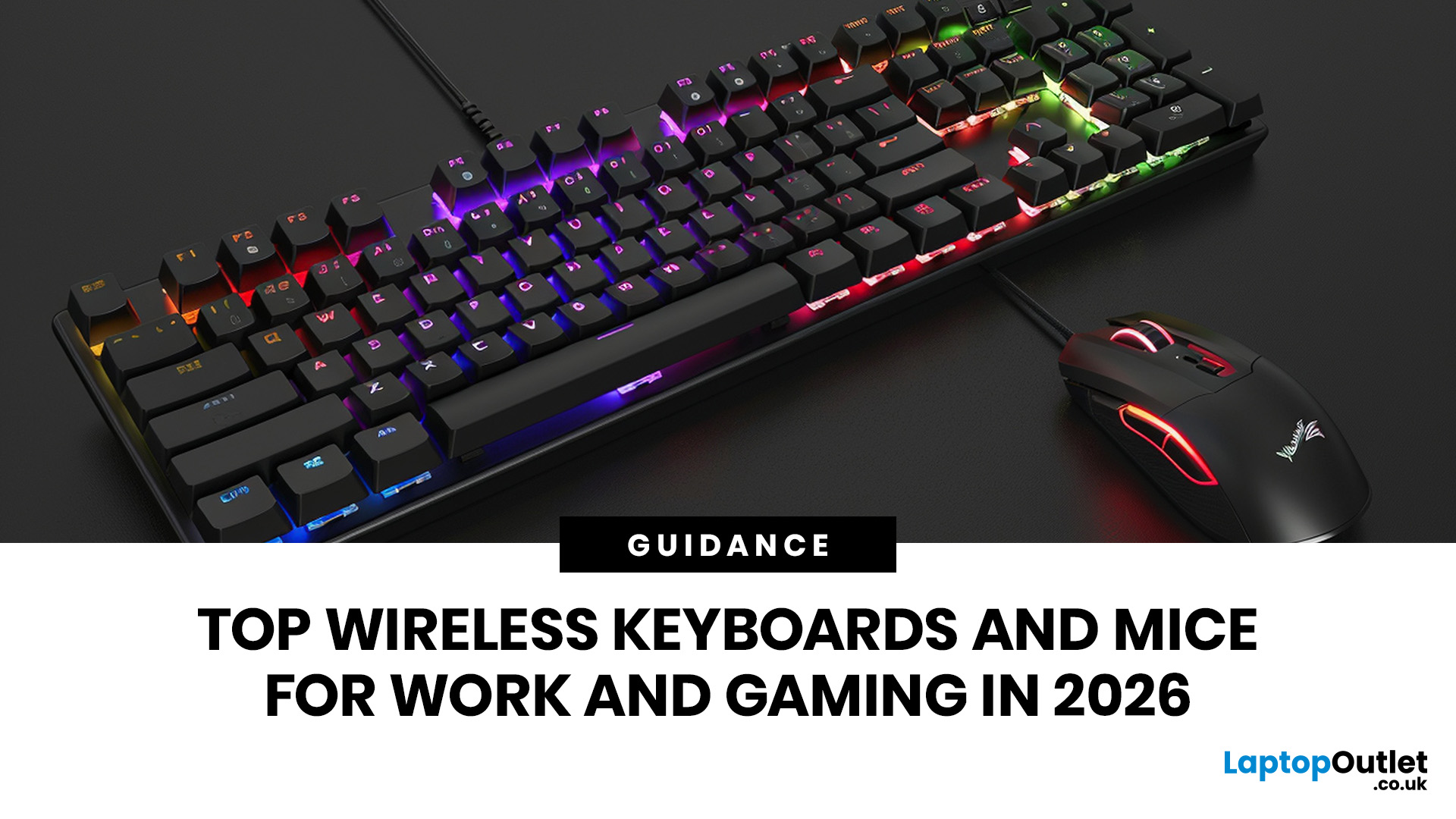
For a clean and minimalist look of your working or gaming setup, choosing the right wireless mouse and keyboard can make a bigger difference than you think.
If you're on a budget, the Logitech Wireless Mouse M235 is a reliable and affordable option.
For UK shoppers in 2026, the best setup is for comfort, connectivity, battery life, accuracy, layout, and daily usability. Some people need a simple keyboard mouse combo for emails and spreadsheets. Others want fast switches, RGB lighting, ultra-light mouse movement, and reliable wireless performance for gaming.
This guide breaks down the best wireless keyboard mouse UK options from Laptop Outlet, covering work-friendly sets, Bluetooth-ready mice, premium gaming keyboards, and travel-friendly picks. You can also explore the wider range of best keyboard and mouse sets if you want to compare more options.
Why Wireless Keyboards and Mice Are Worth It in 2026
Wireless peripherals used to feel like a compromise. You got a cleaner desk, but sometimes had to deal with input delay, battery stress, or random connection drops. That is not really the case anymore. Modern Bluetooth keyboard and mouse options are much more stable, and many gaming models now include low-latency 2.4GHz wireless modes as well.
For hybrid workers, students, creators, and gamers, wireless gear gives you flexibility. You can switch between a laptop, monitor setup, tablet, or mini-PC without rebuilding your desk every time. Also, if you are already upgrading your setup with affordable laptop accessories, a better keyboard and mouse should be high on the list.
So, can wireless mice and keyboards be used at home? Absolutely. In fact, home setups are where they make the most sense. They reduce clutter, make small desks feel bigger, and help you move between work, browsing, gaming, and streaming more comfortably.
If you are planning a full desk refresh, it is also worth checking the best laptop accessories, from keyboards and monitors to everyday add-ons that make work feel smoother.
Best Wireless Keyboard Mouse UK: Top 10 Picks
1. Logitech MK370 Wireless + Bluetooth Keyboard & Mouse Combo
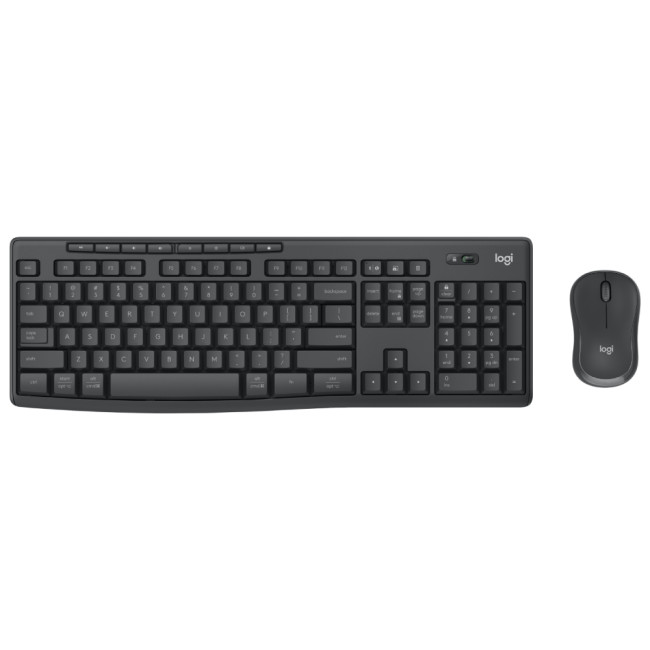
Highlights:
- Keyboard Key Switch: Membrane
- Surface Coloration: Monochromatic
- Full-size (100%) Form Factor
- Wireless
- Graphite Colour
The Logitech MK370 is the safest pick if you want one clean, practical mouse and keyboard combo without overthinking the purchase. It is ideal for people who work from home, study online, manage spreadsheets, write documents, or just want a more comfortable setup than a laptop keyboard and trackpad.
The biggest win here is convenience. You get both devices together, so the keyboard and mouse feel like part of the same setup. The keyboard is full-size, which is useful if you work with numbers, shortcuts, and long documents. Meanwhile, the mouse is compact enough for everyday use without taking over your desk.
This is the kind of keyboard mouse wireless setup that makes sense for most people. It is not trying too hard to be flashy. It just does the job well, keeps your desk tidy, and gives you better control than relying on built-in laptop controls.
|
Why it stands out:
|
2. Logitech Wireless Mouse M235
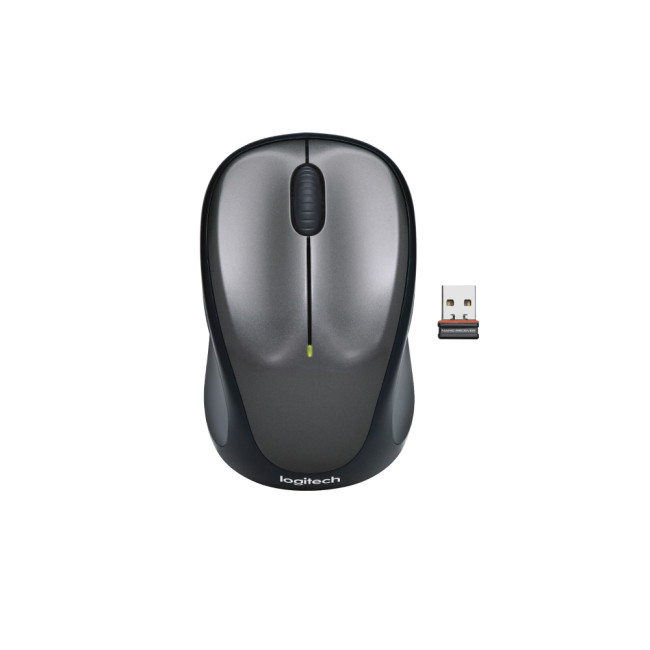
Highlights:
- Ambidextrous Form Factor
- Wireless
- Silver Colour
The Logitech M235 is for anyone who says, “I just need a good wireless mouse that works.” It is affordable, compact, and easy to recommend for laptops, home offices, university work, and casual browsing.
It is also a smart add-on if you already have a keyboard but still use a trackpad every day. A proper mouse improves comfort, especially if you spend hours editing documents, managing tabs, or working across multiple screens.
While it is not a gaming mouse, it is a great example of how simple wireless tech can upgrade your daily routine without costing much. Pair it with one of Laptop Outlet’s wireless keyboards or a full-size office keyboard, and you have a low-cost productivity setup.
|
Why it stands out:
|
3. ASUS ROG STRIX SCOPE II 96 Wireless Mechanical RGB Gaming Keyboard
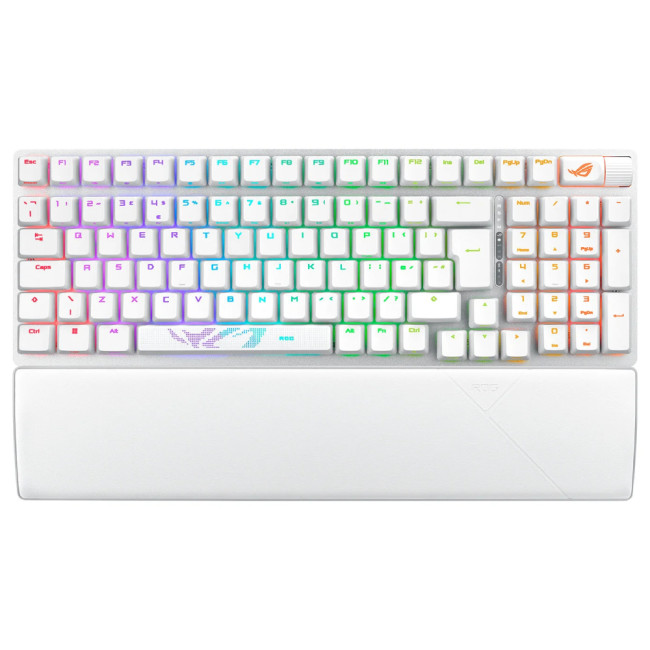
Highlights:
- Tri-mode connection
- hot-swappable pre-lubed ROG NX mechanical switches
- ROG keyboard stabilizers
- 96% Form Factor
- Wired & Wireless
- White Colour
The ASUS ROG STRIX SCOPE II 96 is one of the strongest gaming keyboards in this list because it gives you a compact 96% layout while keeping the keys most gamers and power users actually need. It is a great choice if you want mechanical switches, RGB lighting, and wireless flexibility without going fully tiny.
This keyboard works especially well for people who game at night, work during the day, and want one keyboard that can handle both. The 96% layout saves space for wider mouse movement, which is a big deal if you play FPS or fast-paced games.
For anyone building a gaming setup, this keyboard pairs nicely with gaming mouse pads, especially if you want smoother tracking and more room for low-sensitivity movement.
|
Why it stands out:
|
4. ASUS ROG Harpe Ace Aim Lab Edition Wireless Gaming Mouse
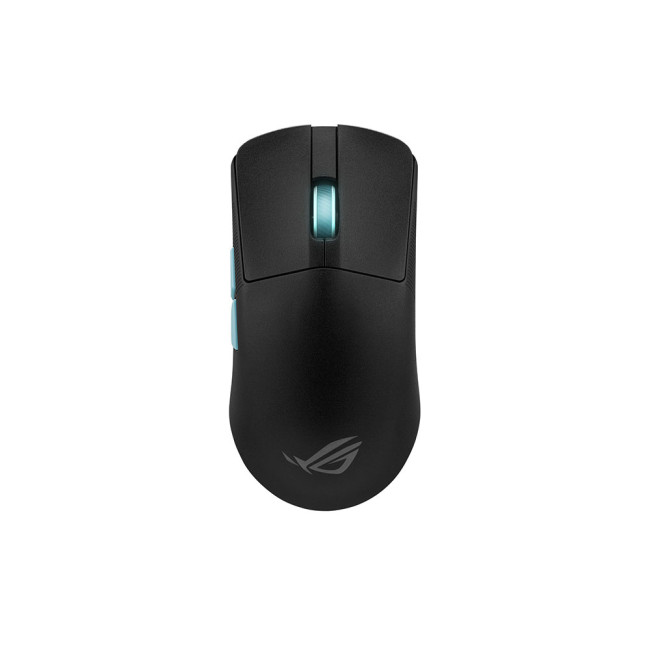
Highlights:
- Ultra-lightweight
- RGB Lighting
- Buttons Quantity: 5
- Ambidextrous Form Factor
- USB 2.0, Bluetooth 5.1, RF 2.4GHz
- Black Colour
The ASUS ROG Harpe Ace Aim Lab Edition is built for speed. If you play shooters, battle royale games, or anything that rewards quick reactions, a lightweight mouse can genuinely change how your setup feels.
This model is aimed at players who care about precision, fast flicks, and low-effort movement. It is also a good pick if you want one of the more premium wireless gaming mice options without going for an oversized design.
The Harpe Ace is the opposite of a basic office mouse. It is made for people who notice sensor feel, weight balance, click response, and glide. If that sounds like you, this is one of the best gaming-focused picks on the list.
|
Why it stands out:
|
5. ASUS ROG Spatha X Wired/Wireless Gaming Mouse
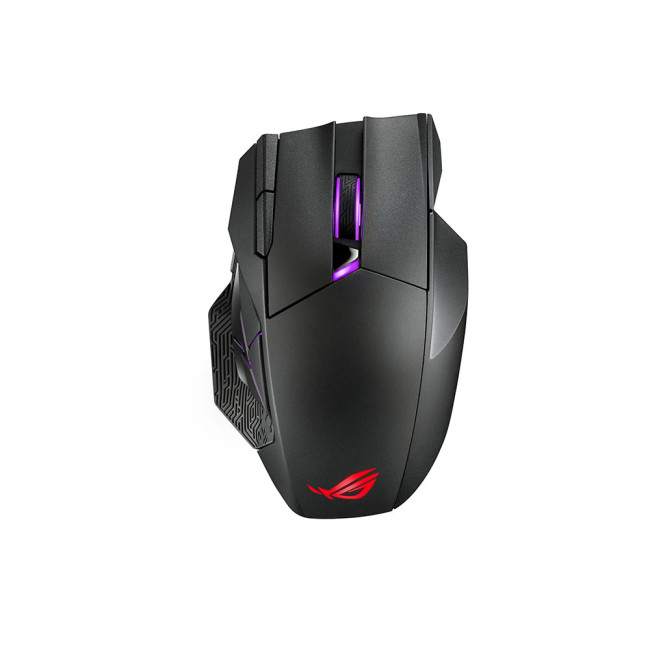
Highlights:
- Optical
- ROG Micro Switches
- 19,000dpi
- Right-hand Form Factor
- RF 2.4 GHz
- Black Colour
The ASUS ROG Spatha X is not trying to be subtle. It is a bold gaming mouse with a serious feature set, including high DPI, programmable buttons, RGB lighting, and wired/wireless flexibility.
This is a strong choice if you play MMOs, MOBAs, RPGs, strategy games, or anything where extra buttons can speed up actions. Instead of reaching across the keyboard for every command, you can map common moves, macros, or shortcuts to the mouse.
It is also a good productivity mouse for advanced users who like custom controls. If you edit video, work with design tools, or use complex software, programmable buttons can save time.
|
Why it stands out:
|
6. ASUS ROG Strix Impact III Wireless Optical Gaming Mouse

Highlights:
- Movement Resolution: 36000 DPI
- Buttons Type: Pressed buttons
- Device Interface: RF Wireless + Bluetooth
- Ambidextrous Form Factor
- Wireless
- Black Colour
The ASUS ROG Strix Impact III Wireless sits in a sweet spot. It is more gaming-focused than a standard mouse, but not as expensive or extreme as some premium models. That makes it a smart choice for casual and serious gamers who want better tracking, higher DPI, and wireless freedom.
Its ambidextrous-style design also makes it more flexible for different grip styles. If you are moving from a basic mouse to your first proper gaming mouse, this is a good upgrade path.
This is the kind of device that proves wireless mice and keyboard setups are no longer just for office users. Wireless gaming gear is now fast enough for everyday competitive play, especially when paired with the right surface and keyboard.
|
Why it stands out:
|
7. ASUS ROG Azoth NX Red Mechanical Wired/Wireless RGB Gaming Keyboard
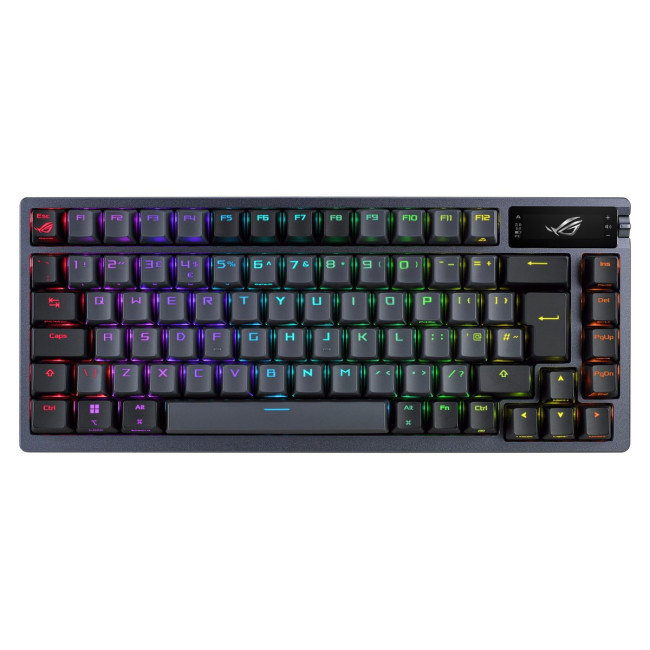
Highlights:
- Setting Indicators
- Audio Visualizations
- Silicone Pad
- USB 2.0, Bluetooth 5.1, RF 2.4GHz
- Black Colour
The ASUS ROG Azoth NX Red is for people who care about keyboard feel. It is a premium mechanical keyboard with wired and wireless modes, RGB lighting, and a compact layout that looks clean on modern desks.
This is not the budget pick. It is the “I want my keyboard to feel amazing every day” pick. The NX Red switches are well-suited to gamers and fast typists who prefer smooth keypresses. It is also compact enough to leave more room for mouse movement, which matters if you game regularly.
If you are comparing premium gaming keyboards, the Azoth deserves a serious look because it blends enthusiast-style design with gaming features.
|
Why it stands out:
|
8. ASUS ROG Azoth 75% OLED RGB Wireless Gaming Keyboard
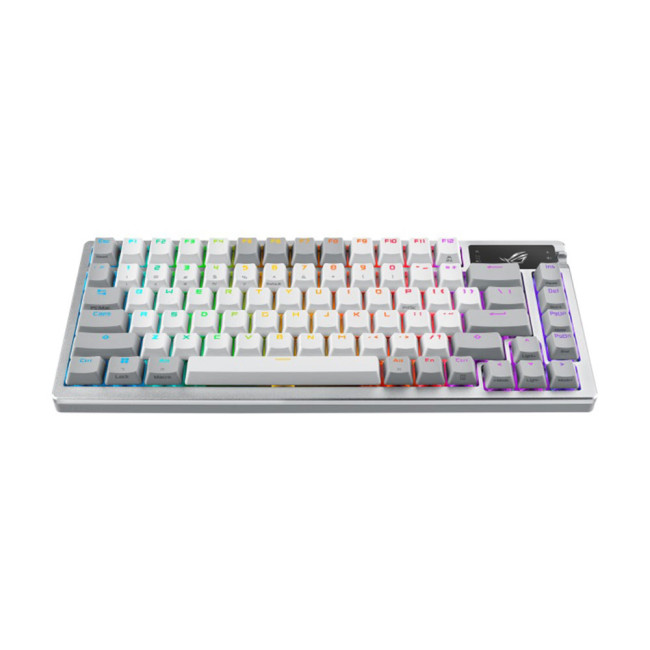
Highlights:
- Ergonomic design
- Switch lube kit
- Enhanced typing experience
- 75% Form Factor
- Wireless
- Gunmetal Colour
The ASUS ROG Azoth 75% OLED RGB Wireless Gaming Keyboard is another premium pick, but this one leans into the compact 75% layout. That makes it ideal for users who want a smaller footprint but still need more keys than a tiny 60% board.
The OLED display and RGB styling give it a more enthusiast feel, while wireless connectivity keeps the setup clean. It is perfect for people who want their desk to look sharp but still perform properly during gaming sessions.
A 75% keyboard is especially useful if you want more mouse space but do not want to give up arrow keys and essential controls. For many gamers, it is the perfect middle ground.
|
Why it stands out:
|
9. Microsoft Arc Mouse Wireless Bluetooth Sage Green
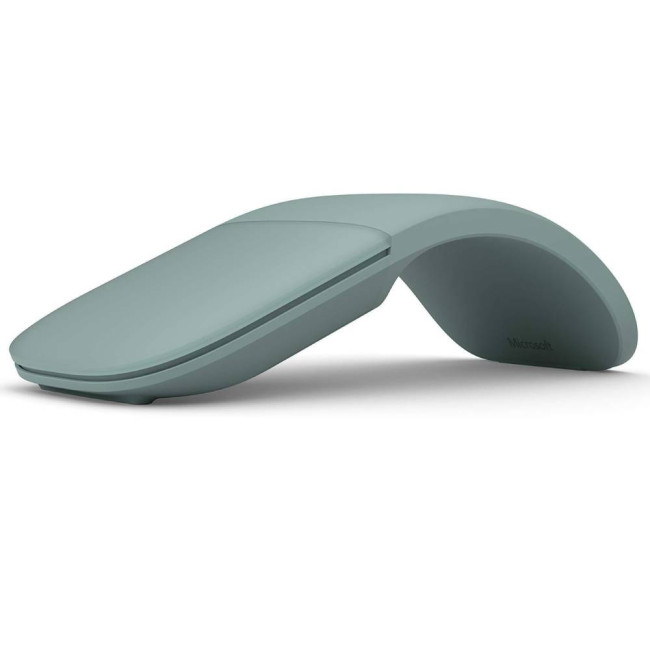
Highlights:
- Flexible tail
- Wireless range: 10 m
- Wireless
- Sage Green Colour
The Microsoft Arc Mouse is one of the most stylish wireless mice on this list. It is slim, portable, and designed for people who move between cafés, offices, lecture halls, and home desks.
The main appeal is the shape. It folds flat, which makes it easier to slip into a laptop bag than a traditional mouse. The Sage Green colour also gives it a softer, more modern look than the usual black or grey accessories.
This is not the best choice for gaming, but it is brilliant for travel and light productivity. If you already use a laptop every day and want something more comfortable than a trackpad, this is a sleek upgrade.
|
Why it stands out:
|
10. Microsoft Ocean Plastic Wireless Mouse
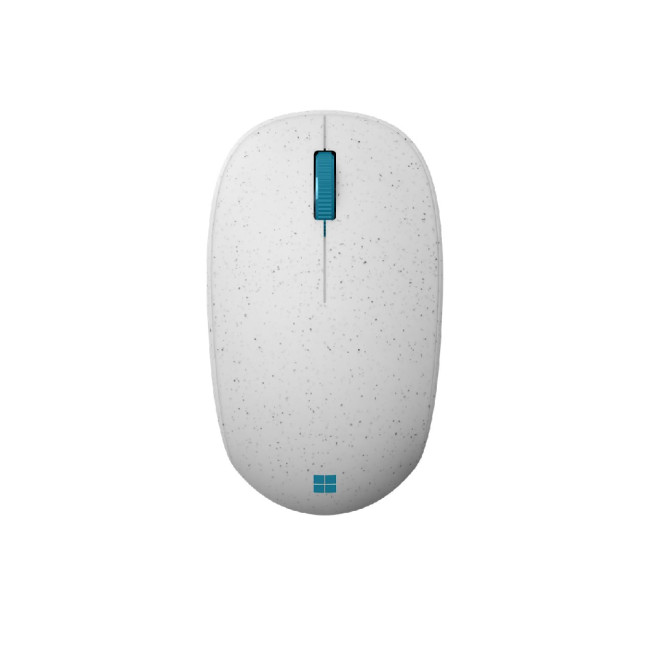
Highlights:
- 10 meters in open area; up to 5 meters in typical office environment
- Scroll type: Wheel
- Bluetooth Low Energy compatible
- Wireless
- White Colour
The Microsoft Ocean Plastic Wireless Mouse is a simple, modern Bluetooth mouse for people who want everyday comfort without a complicated setup. It is a nice fit for home offices, casual laptop users, and anyone who wants a clean-looking desk accessory.
It is also one of the more interesting choices from a design perspective because it uses a more sustainability-focused concept than most standard mice. That gives it a little more personality than the usual basic mouse.
If you want a small, neat, easy-to-use Bluetooth mouse for daily tasks, this is a solid pick. Pair it with a wireless keyboard, and you have a simple, clutter-free setup for work, browsing, and streaming.
|
Why it stands out:
|
How to Choose the Right Wireless Keyboard and Mouse
The right choice depends on what your day actually looks like. A gamer does not need the same setup as someone writing reports all day. A student moving between rooms does not need the same gear as someone building a full desk station.
If you work long hours, prioritise comfort, key spacing, and reliable connectivity. A full-size wireless mouse and keyboard setup like the Logitech MK370 will feel more natural for typing-heavy tasks.
If you game, look for low-latency wireless, high DPI, mechanical switches, and enough desk space for movement. A compact gaming keyboard plus one of the dedicated wireless gaming mice is usually the better combo.
If you travel a lot, go smaller. The Microsoft Arc Mouse is great because it is made for portability. If your setup is mostly at home, you can afford to choose something bigger and more comfortable.
For anyone searching for an ergonomic keyboard and mouse wireless combo, comfort should come first. Look at layout, mouse shape, wrist position, and how naturally your hands sit while typing or clicking. A cheaper product is not always better if it makes your hands feel tired after two hours. For better posture, you can also pair your wireless setup with comfortable laptop stand, which helps lift your screen closer to eye level and makes long work sessions feel less cramped.
Best Picks by User Type
|
USER TYPE |
RECOMMENDED PRODUCT |
WHY IT'S A TOP PICK |
|---|---|---|
|
Hybrid Work |
Practical, affordable, and includes both a keyboard and mouse for a complete productivity setup. |
|
|
Budget Laptop Users |
A low-cost, reliable wireless mouse that makes everyday laptop use more comfortable. |
|
|
Competitive Gaming |
ASUS ROG Harpe Ace Aim Lab Edition Wireless Gaming Mouse + ASUS ROG STRIX SCOPE II 96 Wireless Mechanical RGB Gaming Keyboard |
Delivers precision, speed, and responsive performance for competitive gaming. |
|
Premium Keyboard Setup |
ASUS ROG Azoth NX Red or ASUS ROG Azoth 75% OLED RGB Wireless Gaming Keyboard |
Premium mechanical keyboards with advanced features, wireless connectivity, and exceptional typing and gaming experiences. |
|
Travel Mouse |
Slim, lightweight, and portable, making it ideal for users who work or study on the go. |
Wireless vs Bluetooth: What Is the Difference?
A lot of people use “wireless” and “Bluetooth” like they mean the same thing, but there is a small difference.
A wireless keyboard or mouse may connect using a 2.4GHz USB receiver. This is often fast, stable, and popular for gaming. Bluetooth does not always need a dongle, which is helpful if your laptop has limited ports.
A bluetooth keyboard and mouse setup is great for portability and multi-device use. A 2.4GHz setup is often better for gaming or when you want a stronger dedicated connection. Some premium devices offer both, which gives you the best of both worlds.
Are Wireless Keyboards and Mice Good for Gaming?
Yes, modern wireless gaming gear is absolutely good enough for gaming. In fact, many gamers now prefer wireless because it removes cable drag and keeps the setup cleaner.
The key is choosing gaming-focused products. Standard office mice are fine for browsing and work, but gaming mice offer better sensors, higher DPI, faster response, and more customisation. Gaming keyboards also bring mechanical switches, RGB lighting, compact layouts, and shortcut-friendly designs.
For the strongest gaming setup from this list, pair the ASUS ROG STRIX SCOPE II 96 with either the ASUS ROG Harpe Ace or the ASUS ROG Strix Impact III Wireless.

Final Verdict: Which Wireless Keyboard and Mouse Should You Buy?
If you want the best wireless keyboard and mouse for everyday work, the Logitech MK370 Wireless + Bluetooth Keyboard & Mouse Combo is the best overall choice. It is practical, clean, and ideal for most UK home and office users.
If you are gaming, go for an ASUS ROG setup. The ASUS ROG STRIX SCOPE II 96 is a brilliant wireless mechanical keyboard, while the ASUS ROG Harpe Ace is the best lightweight gaming mouse in this shortlist.
If you are shopping on a tighter budget, the Logitech M235 and Microsoft Ocean Plastic Wireless Mouse are easy wins. They keep things simple, affordable, and useful.
The main thing is to choose based on how you actually use your setup. For work, comfort matters most. For gaming, speed and precision matter more. For travel, portability wins. Once you know that, finding the right wireless setup becomes much easier.

Common Questions Everyone Ask
What is the best wireless keyboard mouse UK option in 2026?
The Logitech MK370 Wireless + Bluetooth Keyboard & Mouse Combo is the best all-round pick for most UK users because it includes both devices, supports wireless use, and works well for home, office, and student setups.
Is a keyboard mouse combo better than buying separately?
A keyboard mouse combo is usually better for value and convenience. Buying separately gives you more control, especially if you want a gaming keyboard with a specific wireless mouse.
Can wireless mice and keyboards be used at home?
Yes, wireless mice and keyboards are ideal for home use. They reduce cable clutter, make small desks cleaner, and work well for remote work, browsing, studying, and gaming.
Is Bluetooth better than a USB wireless receiver?
Bluetooth is better for portability and devices with fewer ports. A USB receiver can be better for stable performance, especially with gaming products. Some premium devices offer both.
What is the best mouse and keyboard combo for work?
The Logitech MK370 is the strongest work-focused mouse and keyboard combo in this list because it gives you a full-size keyboard and a matching wireless mouse in one practical package.
Are wireless gaming mice reliable?
Yes, modern wireless gaming mice are very reliable when you choose a gaming-focused model. ASUS ROG wireless mice, for example, are designed for accuracy, fast response, and serious gaming setups.
What should I buy with a wireless keyboard and mouse?
A good mouse pad, laptop stand, USB hub, and monitor can make your setup feel much better. Gamers should also consider a large gaming mouse pad for smoother tracking and more movement space.
Related Articles

Last Updated: September 09, 2025
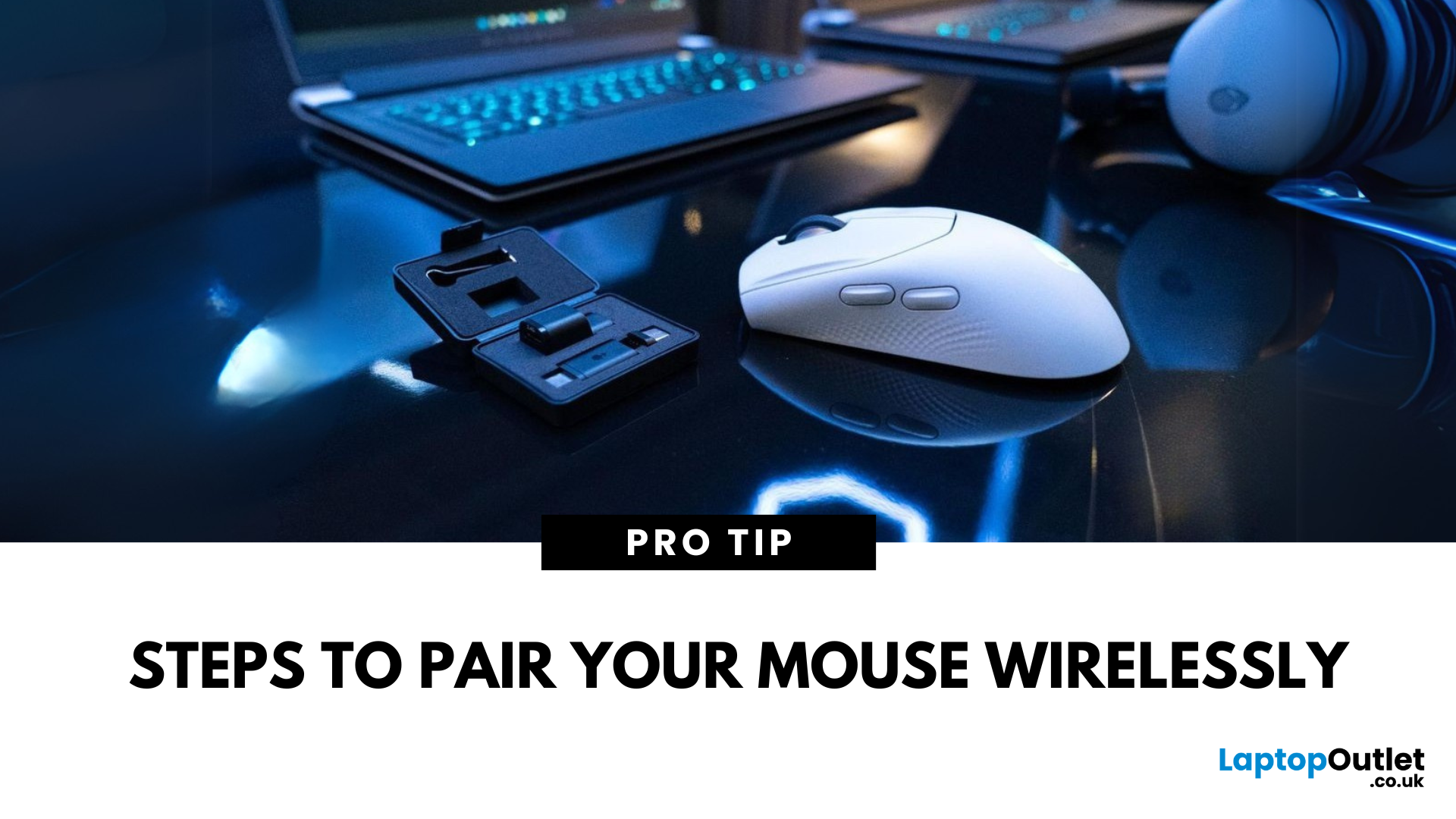
Go Cord-Free in Minutes
Tired of tangled cords? A wireless mouse gives you freedom and a clutter-free workspace. Whether you’re using a USB dongle or Bluetooth, here’s exactly how to connect your wireless mouse to your device.
1. Types of Wireless Mice
- USB Receiver (RF): Comes with a small USB dongle you plug into your computer
- Bluetooth: Connects directly to your device’s built-in Bluetooth—no dongle needed
2. How to Connect a Wireless Mouse with USB Receiver
Steps:
- Plug the USB dongle into an available USB port
- Turn on the mouse using its switch (usually on the bottom)
- Wait a few seconds—your computer should automatically recognise and connect
No additional software is usually needed on Windows or macOS
3. How to Connect a Bluetooth Wireless Mouse
Steps:
- Turn on the mouse and enable pairing mode (usually by holding a button)
- On your device, go to Settings > Bluetooth
- Wait for the mouse to appear in the device list
- Select the mouse and tap Pair
Make sure your device’s
Last Updated: September 04, 2026
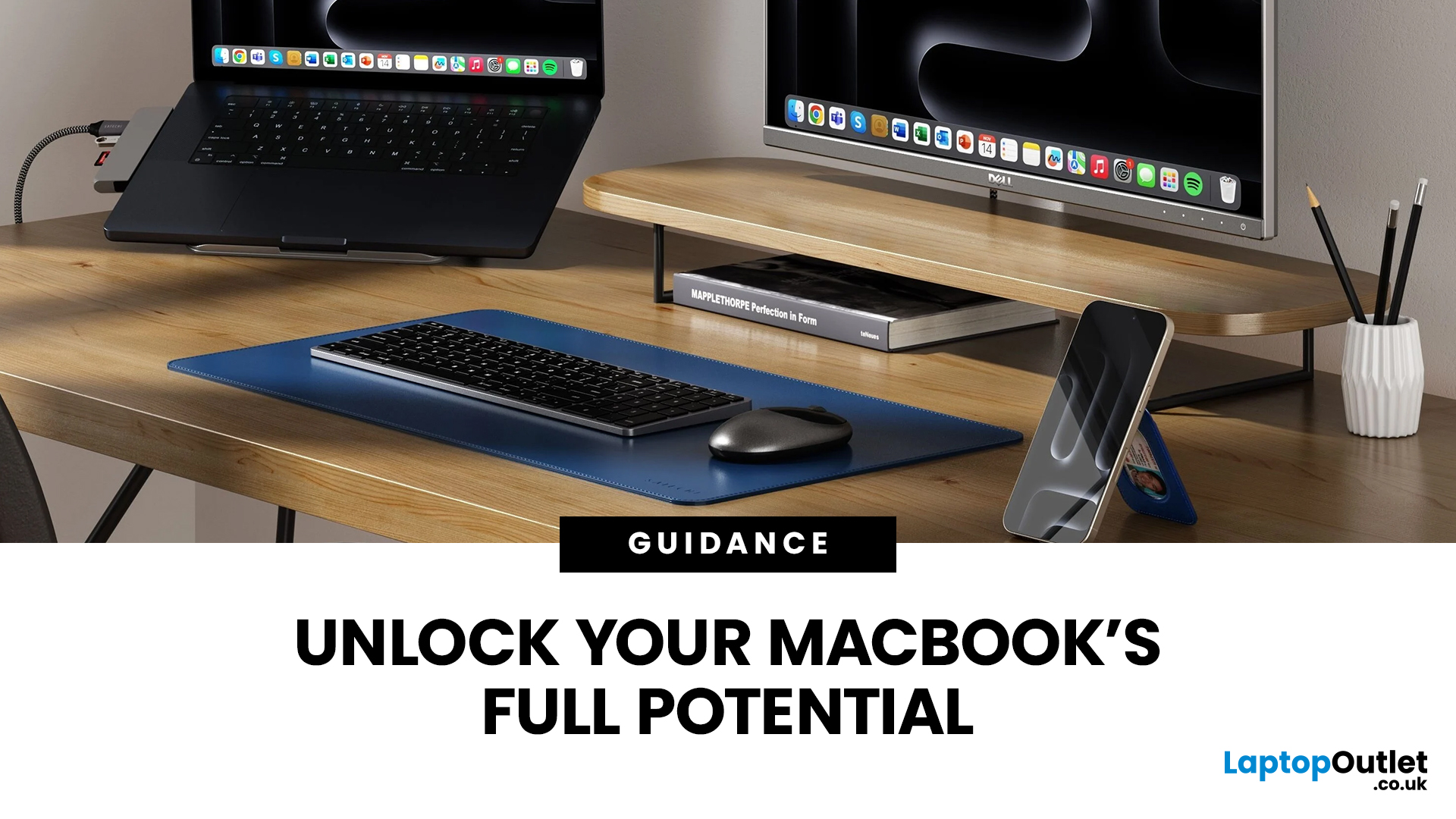
Owning a MacBook already feels like having a premium tool at your fingertips - sleek, powerful, and built for work, study, or creativity. But here’s the truth: on its own, even a MacBook has limits. That’s where accessories step in. The right kit doesn’t just complement Apple’s design; it transforms your MacBook into a full‑on productivity powerhouse.
For students, the right gear means smoother notetaking, better portability, and fewer headaches when deadlines loom. For professionals, accessories bring comfort, efficiency, and a proper setup that makes remote work or long office hours far less draining. Whether it’s a docking station / USB‑C hub to handle multiple screens, a protective sleeve for daily commuting, or noise‑cancelling headphones that save your focus, the right accessories change how you work and study.
Why MacBook Accessories Matter
A MacBook, whether it’s the Air or the Pro, is built to be minimal and stylish - but that also means Apple leaves out a lot of extras. You

Last Updated: December 19, 2025
Emojis have become a language of their own, especially for the Gen Z and Alphas. You’re replying to an email, chatting on WhatsApp Web, creating social posts, or even completing work messages with a little personality, being able to type emojis using your keyboard saves time and makes communication more expressive.
Let’s learn the easiest ways to type emojis on Windows, Mac, Chromebooks, and even mobile keyboards. No more copy-and-paste from emoji websites, you’ll be able to insert any emojy in seconds.
Why Use Keyboard Emojis?
Before we get into shortcuts, here’s why knowing them matters:
- Fast: Add emojis without switching tabs or using your mouse.
- Professional + fun: Modern workplaces increasingly accept emojis for clarity and tone.
- Easy to remember: Once you learn shortcuts, they feel natural.
- Universal: Works across apps - Word, Slack, Teams, Gmail, Instagram, web browsers, and more.
Now let’s jump into the shortcuts for every device. If you enjoy adding creativity to your messages,
Last Updated: January 28, 2026
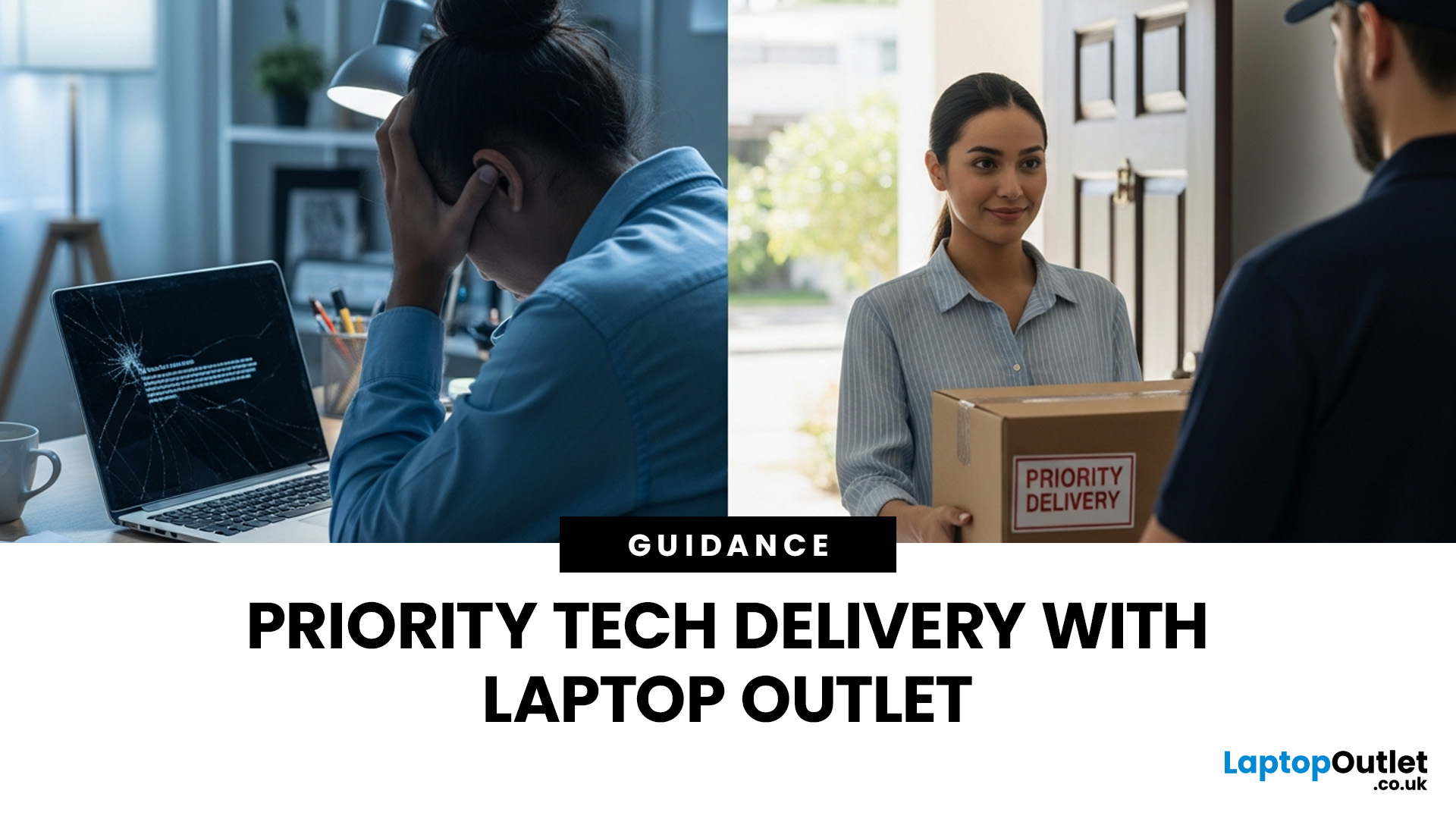
Let’s be honest — when your tech lets you down, waiting is the last option you want. Maybe your laptop stopped working the night before a deadline, your PC failed mid-project, or you’ve just realised you need a new device now, not next week. That’s exactly where Laptop Outlet next-day / priority delivery comes in. If you need fast, reliable tech delivery in the UK, this guide explains how Laptop Outlet’s next-day service works, what you can order, and why it’s the smart choice for urgent tech needs.
Why Speed Matters When Ordering Tech Online
When your laptop or PC breaks, everything slows down — work, study, gaming, even staying connected. Waiting days for a replacement just isn’t practical. With next-day laptop delivery, you don’t have to put life on pause. Laptop Outlet’s express service is built for:
- Last-minute replacements
- Urgent work-from-home setups
- Business and study deadlines
- Time-sensitive gifts or upgrades
If speed matters to you, Laptop Outlet Express shipping delivers when

Last Updated: January 27, 2026
Building or buying a high-end gaming PC is an exciting journey for any enthusiast. The market moves fast, and staying updated on the latest hardware is essential for the best experience.
In this gaming desktop PC breakdown, we will explore the core parts that make a machine powerful. We will look at the latest processors from AMD and Intel, the incredible graphics power of NVIDIA RTX and Radeon RX, alongside other core components.
Whether you want to play the newest AAA titles or compete in esports, understanding these parts is vital. Let us dive into the modern world of gaming PC technologies.
Understanding Gaming Desktop PCs
A gaming desktop PC is a high-performance computer designed specifically to handle demanding video games. Unlike standard PCs, these machines focus on graphical power and fast processing speeds. They use specialised parts that can handle high heat and heavy workloads.
While gaming laptops and consoles are popular, the desktop remains the "gold standard" for several

Last Updated: February 13, 2026
Because nothing kills the vibe faster than a laptop, that suddenly decides your fingers are irrelevant.
You sit down. You open your laptop. You’re mentally prepared to be productive (or at least pretend). And then .....boom... your laptop touchpad is not working. Or your laptop keyboard is not working. Or worse… both.
At this point, your laptop isn’t broken; it’s personally offended by you.
Before you rage-buy a new device or spiral into tech despair, here’s the good news: most laptop keyboard problems and touchpad issues are completely fixable. And no, you don’t need a computer science degree or a sacrifice to the tech gods.
This guide is not one of those vague “restart your device” articles and call it a day. This is a deep-dive, all-reasons, all-solutions, no-BS troubleshooting guide, written in human language, with enough detail to actually solve the problem.
We’ll cover:
- Software vs hardware problems (and how to tell the difference)
- Every common and uncommon reason your laptop input
Published: March 04, 2026
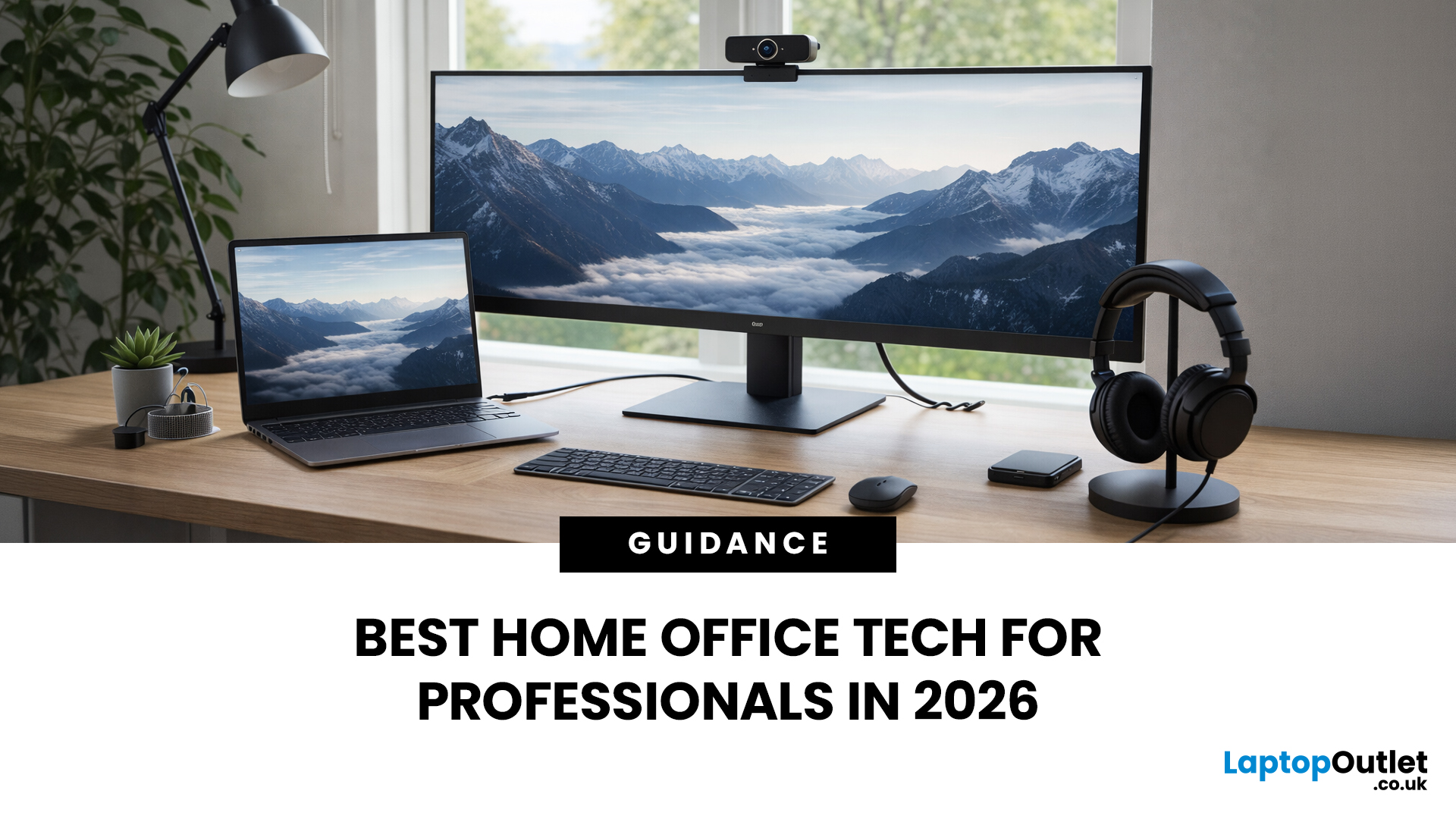
If your remote setup still revolves around “a decent laptop and home Wi-Fi”, you’re behind. In 2026, remote work is judged by output and presence. Your audio quality affects how credible you sound. Your connectivity affects whether clients trust you. Your screen space affects how quickly you work. And your security setup determines whether your business data is actually protected.
Most people still treat home-office tech like: A chair. A webcam. A desk lamp. Useful, yes, but disconnected. What professionals need now is a deliberate tech stack. One that reduces friction, prevents small failures, and works the same way every single day.
That is Remote Work 2.0. It is not about owning more gear. It is about engineering reliability into your workday.
What Remote Work 2.0 Really Means in 2026
For professionals, four elements matter more than anything else:
1. Stable connectivity
If your connection drops mid-presentation, nothing else matters. Wi-Fi 7 and modern mesh systems are no longer
Last Updated: March 09, 2026
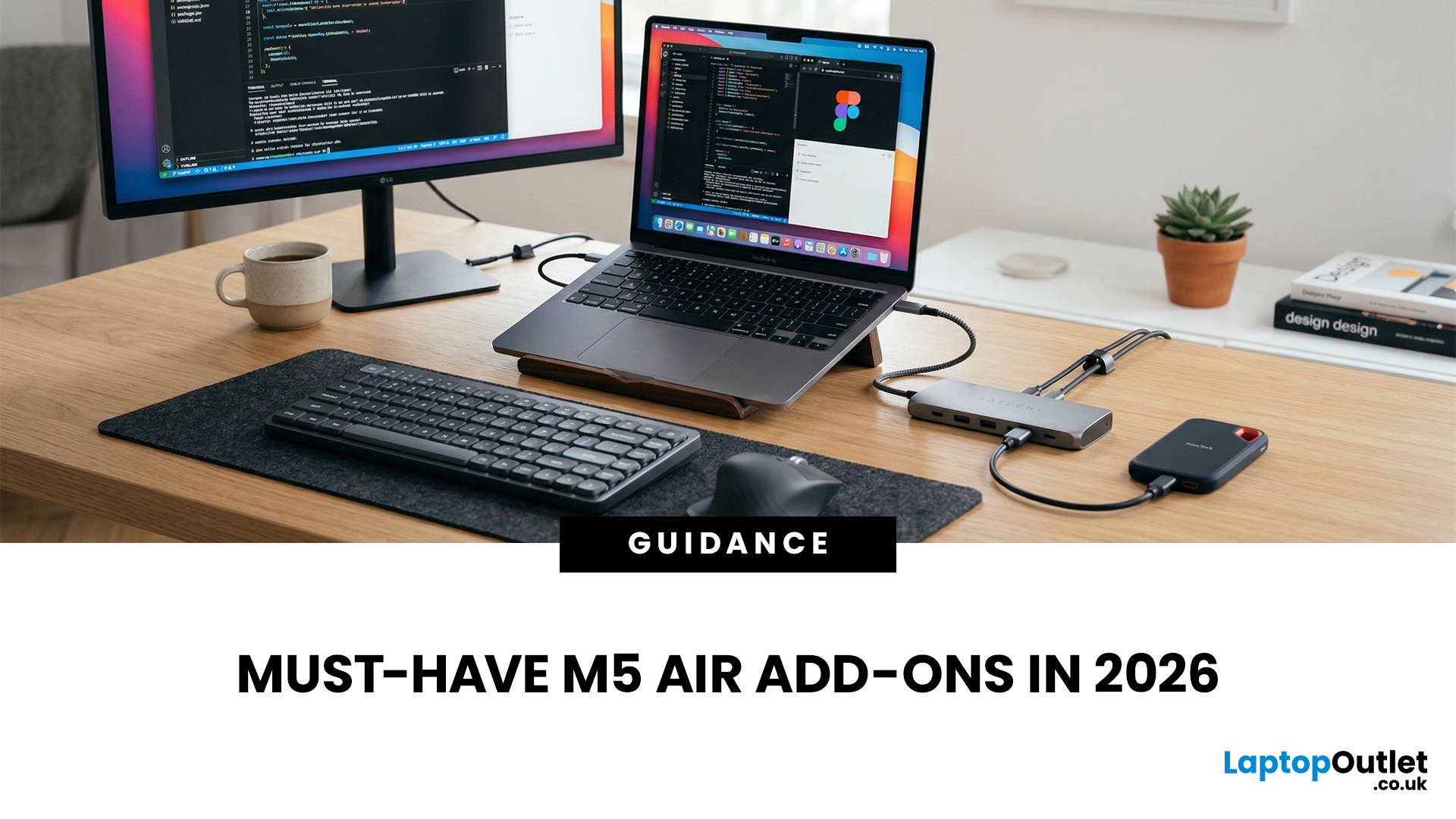
You just got (or are about to get) the M5 MacBook Air. Congrats, your backpack is about to get lighter, and your vibe is about to get cleaner. But here’s the thing: the laptop is the main character… and the right accessories are the supporting cast that makes the whole show hit.
This guide breaks down the best MacBook Air M5 accessories for 2026, what’s worth buying, what’s overhyped, and how to build a setup that fits your life (commuter, student, creator, desk goblin… all valid).
What to Consider Before Buying MacBook Air M5 Accessories
Let’s skip the “add to cart frenzy” and do a 30-second reality check.
1) What ports do you need?
Most people don’t need a spaceship dock, they need a few essentials:
- USB-A for random flash drives or older accessories
- HDMI for monitors/classroom projectors
- SD/microSD if you shoot content
- A pass-through charging port so your hub isn’t stealing your only charging slot
2) Where do you use your MacBook the most?
- On the go: prioritize protection + compact
Last Updated: April 22, 2026
Stop reaching for the mouse every five seconds. Windows keyboard shortcuts are one of the fastest, simplest ways to boost your daily output - whether you're writing reports, navigating spreadsheets, or juggling a dozen open tabs at once.
This complete guide covers every shortcut worth knowing across Windows 10 and Windows 11, from the basics to the more advanced tricks that most people never discover.
Why Keyboard Shortcuts Are Worth Learning
Most people pick up one or two shortcuts by accident and never go any further. Yet the productivity gap between someone who relies on a mouse and someone genuinely fluent in shortcuts is striking - you spend less time clicking, less time searching, and considerably more time actually doing the work.
Here's what mastering shortcuts gives you:
- Speed: Tasks that take three clicks happen in milliseconds
- Concentration: Your hands stay on the keyboard, your eyes on the screen
- Less strain: Reduced repetitive mouse movement means fewer aches over a long
Last Updated: May 06, 2026
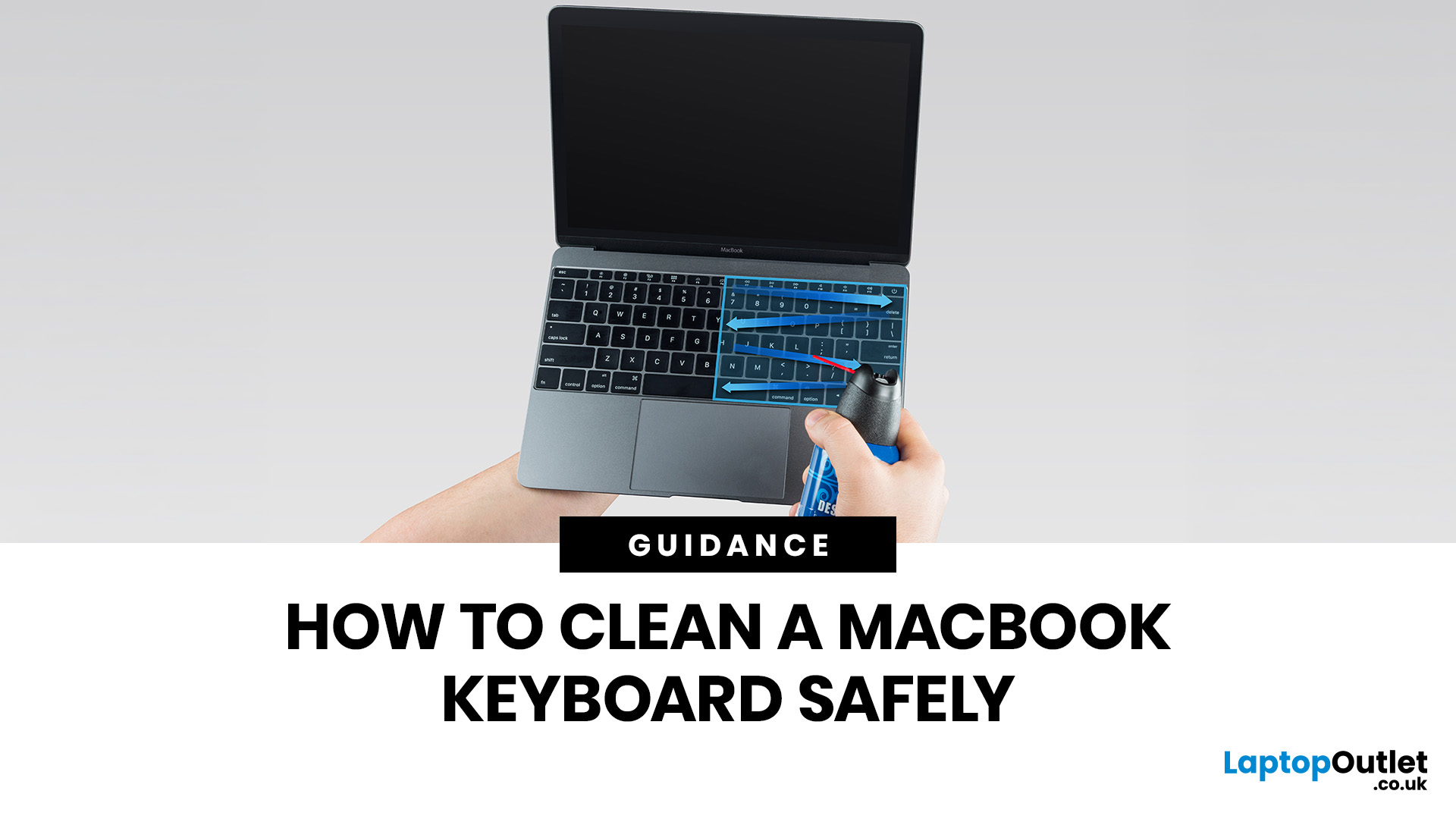
MacBook keyboard cleaning is simple when you do it the Apple-safe way: shut the laptop down, unplug it, use a soft lint-free cloth, keep moisture out of the openings, and never spray cleaner directly onto the keyboard. If you need to disinfect the surface, Apple says you can gently wipe off the hard, non-porous exterior, including the keyboard, with a 70 per cent isopropyl alcohol wipe, a 75 per cent ethyl alcohol wipe, or a disinfectant wipe.
That is the short version. The longer version matters because MacBook keyboards are not built for chaotic cleaning energy. Too much liquid, the wrong cleaner, or one “quick” spray straight onto the keys can turn a dusty keyboard into an expensive repair story. We will discuss today how to clean a Mac keyboard properly, how to remove dirt from MacBook keys, when compressed air makes sense, what not to use, and when a keyboard issue is no longer a cleaning job.
Quick Answer: How Can We Clean a MacBook Keyboard Safely?
The safest way to clean a MacBook

