



Refurbished Laptops for Creators: Can They Handle Design & Video Editing?
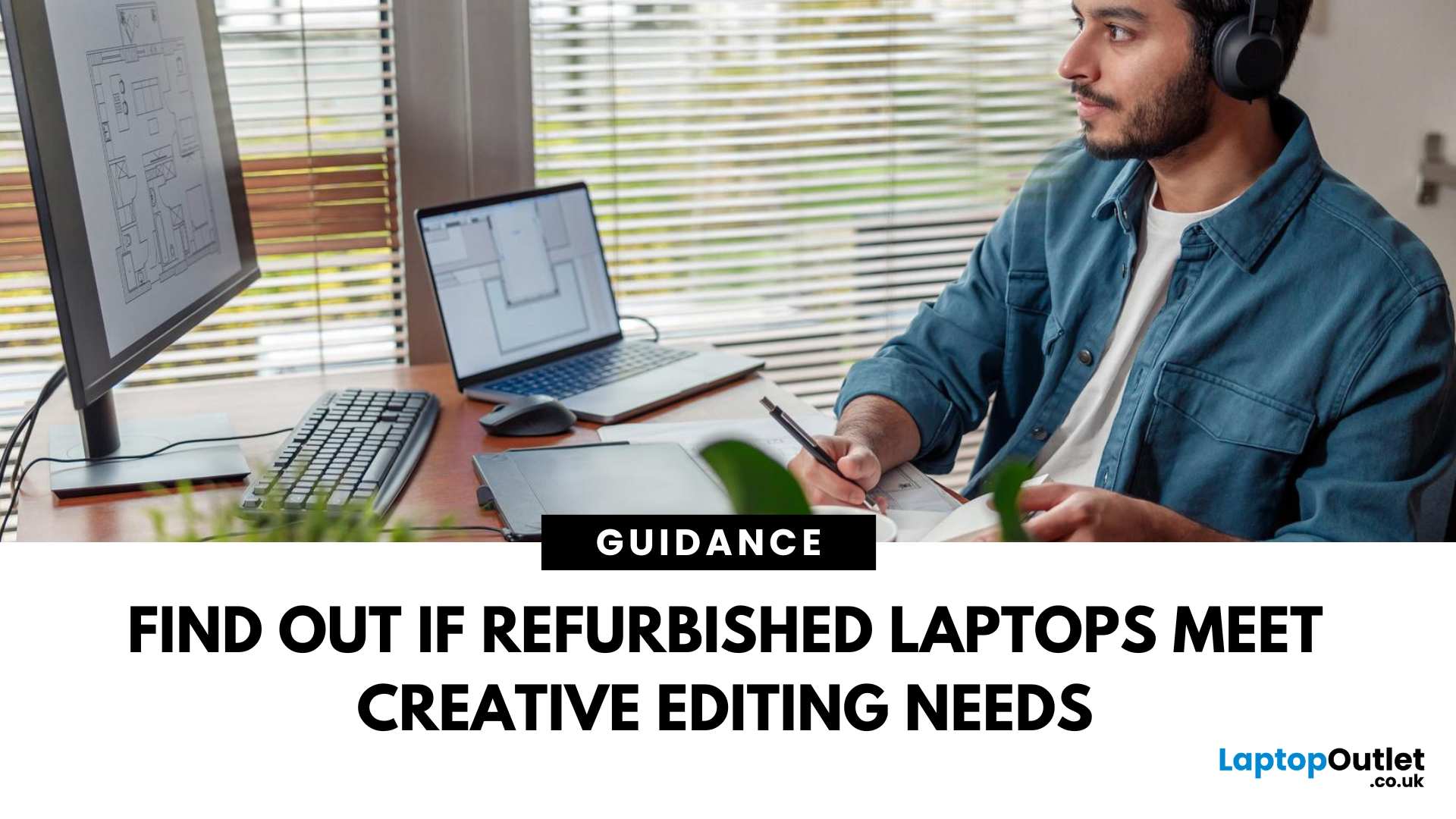
In a world driven by creativity and content, having the right tools can make or break your workflow. Whether you're an aspiring YouTuber, a freelance designer, or a professional video editor, the performance of your laptop matters. But here’s the big question: can refurbished laptops handle design and video editing?
The answer is a resounding yes, if you know what to look for.
Refurbished laptops for creators have come a long way. With powerful specs, tested reliability, and a fraction of the price tag, they offer unbeatable value for modern content creators. In this blog, we'll walk you through why refurbished laptops are a smart choice, what features to prioritise, and which models are worth considering.
Who Are Creative Users & What Do They Need?
Content creators cover a wide range of spectrum. You might be:
- A graphic designer using tools like Adobe Illustrator or Figma
- A video editor working with Premiere Pro or Final Cut Pro
- A 3D artist or animator using Blender or After Effects
- A photographer editing RAW images in Lightroom
- A digital marketer creating branded content and social media visuals
While their crafts differ, they all demand one thing: high-performance laptops. That means:
- A fast processor (CPU) for rendering and multitasking
- A powerful GPU to handle complex visual tasks
- Plenty of RAM (at least 16GB) to run creative software smoothly
- SSD storage for quick load and export times
- A colour-accurate display for professional results
Understanding the Demands of Creative Workflows
Before we determine if refurbished devices are suitable, it’s important to understand what creative software actually requires from hardware.
For Video Editing
Applications like Adobe Premiere Pro, DaVinci Resolve, and Final Cut Pro are resource-intensive, especially when working with 4K footage, complex timelines, or colour grading. These tools demand high CPU and GPU performance, benefit significantly from SSD storage, and require substantial RAM for real-time editing and smooth playback. Dedicated GPU acceleration also drastically reduces rendering and export times, making it a must for professional video editors.
For Graphic Design and Illustration
Design tools such as Adobe Photoshop, Illustrator, and Affinity Designer are generally less demanding than video editors but still require strong CPU capabilities and enough RAM (at least 16GB) for large, high-resolution files. Additionally, a high-resolution, colour-accurate display is essential for producing precise and reliable design work, especially branding, digital illustration, and print projects.
For Motion Graphics and 3D Rendering
Software like Adobe After Effects, Blender, and Cinema 4D puts both your CPU and GPU to the test. These apps require powerful multi-core processors and high-performance graphics cards to manage real-time previews, simulations, and heavy renders. To maintain productivity, you’ll also need a system with a high RAM capacity and efficient cooling, especially when multitasking across large projects.
Why Consider Refurbished Laptops for Creative Work?
Buying refurbished doesn’t mean compromising quality quite the opposite. Here’s why creators should consider going refurbished:
Affordability
You can get flagship specs for a mid-range price. This is perfect if you're just starting out or looking to upgrade without overspending.
Proven Reliability
Refurbished laptops are thoroughly tested, cleaned, and certified to perform just like new. They're often ex-business or premium models with robust builds.
Sustainability
Choosing refurbished helps reduce e-waste and extends the life of electronics. It's a win-win for your wallet and the environment.
Warranty & Support
Refurbished models from top retailers like Laptop Outlet usually come with warranty and UK-based customer service, so you can shop with confidence.
What to Look for in a Refurbished Laptop for Creators
To make the right choice, you need to understand the specs that matter most for creative work:
Processor (CPU)
Look for a recent H-, HS- or HX-series processor, such as an Intel Core i7, Core Ultra 7 or 9, AMD Ryzen 7 or 9, or Ryzen AI 9. Compare the generation, core count and sustained performance rather than relying on the processor tier alone.
Graphics Card (GPU)
A dedicated GPU is highly recommended for video editing, graphic design, and 3D rendering. NVIDIA GTX, RTX, or even Quadro cards are great.
RAM & Storage
16GB RAM is a solid starting point, and 32GB is excellent for heavy tasks. SSDs (preferably NVMe) ensure quick boot, app loading, and file exports. Aim for 512GB or more.
Display Quality
Look for an IPS panel with Full HD or 4K resolution and high colour accuracy (sRGB or AdobeRGB coverage). A 14”–16” screen is ideal for creatives who value both portability and workspace.
Ports & Connectivity
A good creative laptop should include USB-C/Thunderbolt ports, HDMI, SD card reader, and Wi-Fi 6 support for faster connectivity.
Top Picks: Best Refurbished Laptops for Creators (2026 Edition)
Explore our editor's picks of refurbished laptops that deliver professional-level performance at a budget-friendly price, available now at Laptop Outlet:
1. ASUS VivoBook 16X K3605VV – Best for Everyday Design and Video Editing
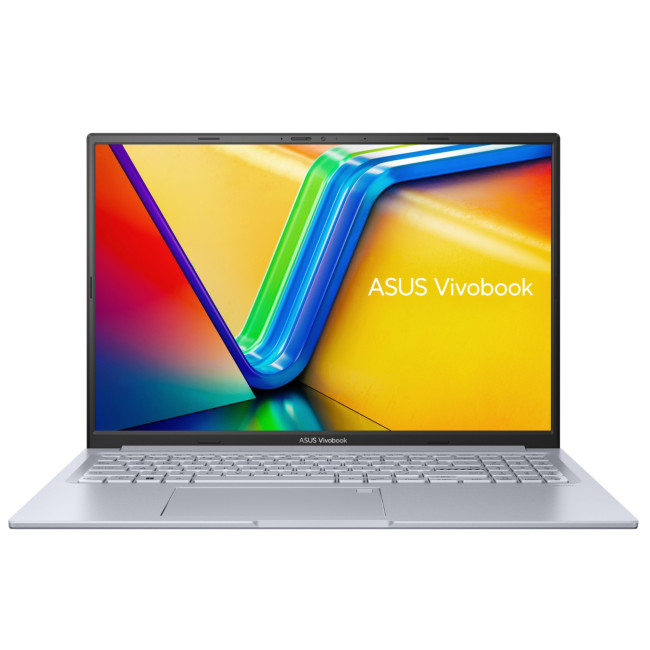
- Processor: Intel Core i7-13700H, 14 cores
- Graphics: NVIDIA GeForce RTX 4060, 8GB GDDR6
- Memory and storage: 16GB RAM and 1TB SSD
- Display: 16-inch WUXGA IPS, 1920 × 1200, 144Hz
- Operating system: Windows 11 Home
- Refurbished grade: Excellent
For creators seeking the best second hand laptop for video editing, the VivoBook 16X balances strong processing with dedicated graphics for photo editing, illustration, layout design and 4K timelines. Its spacious 16-inch display provides more room for creative applications, while 16GB of memory supports multitasking. The RTX 4060 also accelerates effects, encoding and rendering across varied professional projects and workflows.
2. ASUS ROG Flow X13 – Best for Mobile Creators
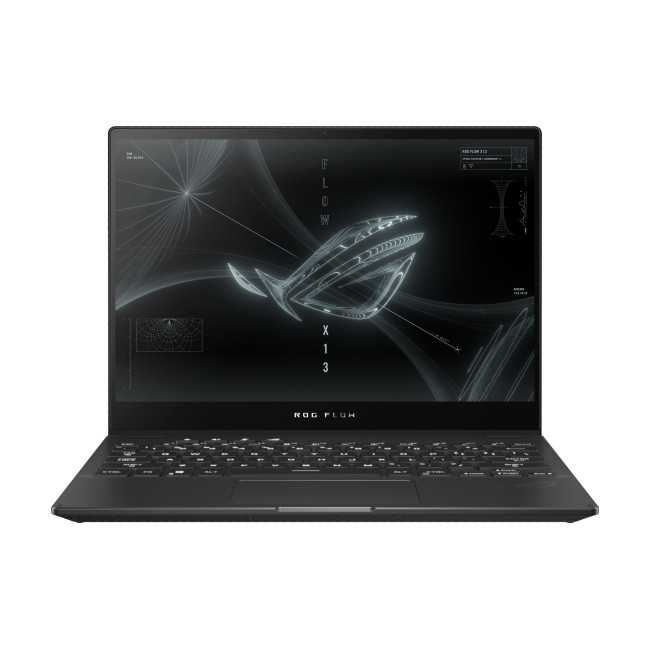
- Processor: AMD Ryzen 9 5980HS, eight cores
- Graphics: NVIDIA GeForce RTX 3050 Ti
- Memory and storage: 16GB RAM and 1TB SSD
- Display: 13.4-inch WQUXGA IPS touchscreen, 3840 × 2400, 60Hz
- Operating system: Windows 10 Pro
- Refurbished grade: Very Good
The ROG Flow X13 is well suited to creators who need a compact system for drawing, photo work and editing while travelling. Its high-resolution touchscreen supports direct, intuitive interaction with artwork and layouts, while the Ryzen 9 processor handles demanding applications. Dedicated RTX graphics assist with previews, effects and exports, and the flexible convertible design adapts easily to creative setups.
3. HP ZBook Studio G11 – Best for Professional Workstation Workflows
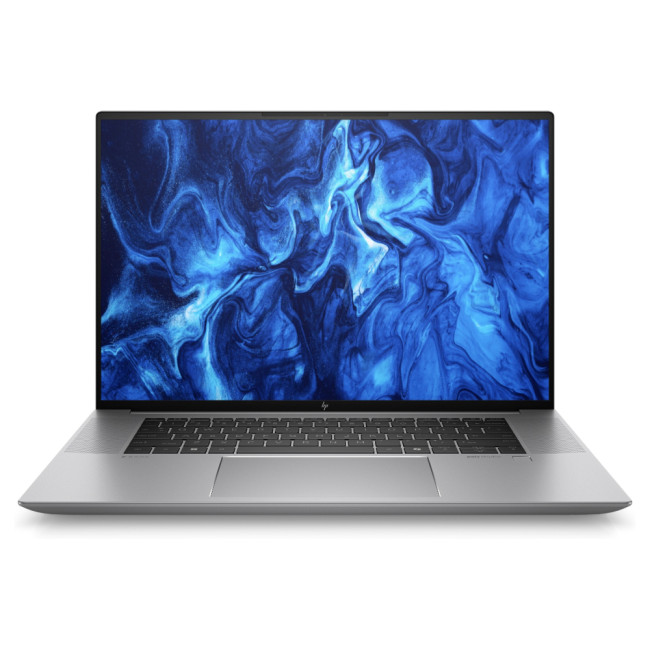
- Processor: Intel Core Ultra 9 185H, 16 cores
- Graphics: NVIDIA GeForce RTX 4070
- Memory and storage: 64GB RAM and 2TB SSD
- Display: 16-inch WQUXGA IPS, 3840 × 2400, 120Hz
- Operating system: Windows 11 Pro
- Refurbished grade: Excellent
The ZBook Studio G11 is a strong contender among the best refurbished laptops for architects, designers and professional editors. Its workstation-level processing, generous memory and RTX graphics handle complex CAD models, layered compositions, colour grading and high-resolution video timelines. The detailed 16-inch display supports precision work, while the large SSD provides ample room for project files, footage and demanding applications.
4. HP OMEN MAX 16 – Best for GPU-Accelerated Video Editing

- Processor: Intel Core Ultra 9 275HX, 24 cores
- Graphics: NVIDIA GeForce RTX 5080, 16GB GDDR7
- Memory and storage: 32GB RAM and 1TB SSD
- Display: 16-inch WQXGA IPS, 2560 × 1600, 240Hz
- Operating system: Windows 11 Home
- Refurbished grade: Excellent
This refurbished video editing laptop delivers the graphics power needed for demanding edits, motion graphics, visual effects and 3D rendering. Its 24-core processor and RTX 5080 help shorten preview, encoding and export times, while 32GB of memory supports large projects and simultaneous applications. The fast, high-resolution display also creates a smooth workspace for timeline navigation, animation and detailed visual content.
5. ASUS ROG Strix SCAR 18 – Best for Large-Screen Editing and 3D Rendering
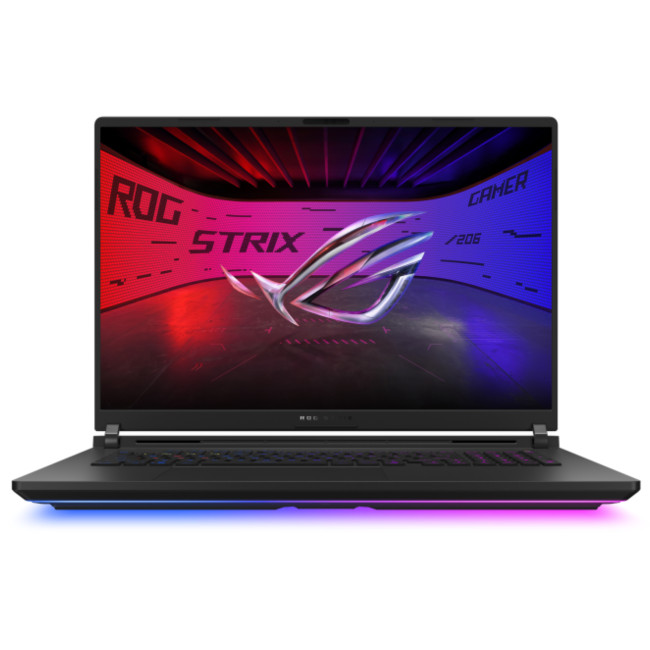
- Processor: Intel Core Ultra 9 275HX, 24 cores
- Graphics: NVIDIA GeForce RTX 5080, 16GB GDDR7
- Memory and storage: 32GB RAM and 2TB SSD
- Display: 18-inch WQXGA Mini LED, 2560 × 1600, 240Hz
- Operating system: Windows 11 Home
- Refurbished grade: Excellent
The ROG Strix SCAR 18 offers a desktop-like creative workspace for editors, animators and 3D artists who value screen space and sustained performance. Its large, high-resolution display makes timelines, panels and detailed assets easier to manage. Powerful RTX graphics accelerate rendering and effects, while the 24-core processor, 32GB of memory and robust cooling support lengthy, resource-intensive production sessions with confidence.
6. ASUS Pro Art P16 – Best for High-End Creative Production
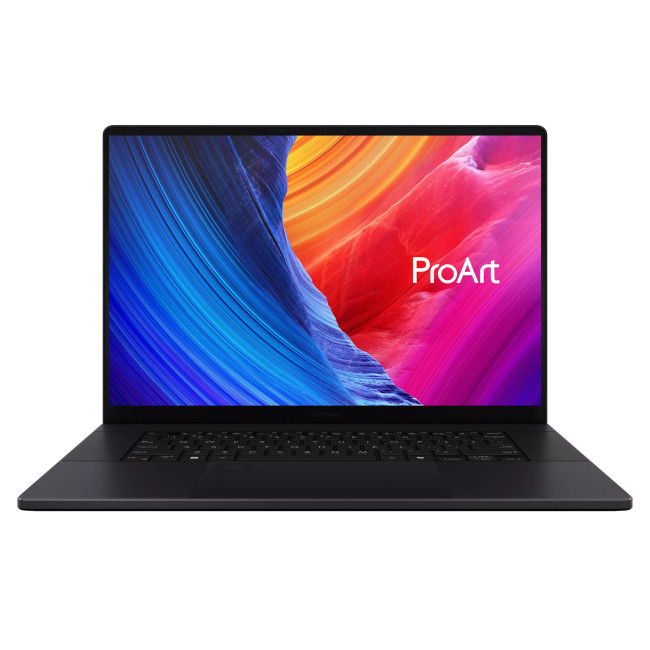
- Processor: AMD Ryzen AI 9 HX 370, 12 cores
- Graphics: NVIDIA GeForce RTX 5090
- Memory and storage: 64GB RAM and 4TB SSD
- Display: 16-inch 4K OLED touchscreen, 3840 × 2400
- Operating system: Windows 11 Home, Copilot+ PC
- Refurbished grade: Excellent
The ProArt P16 is the strongest all-round option for advanced creative production, from professional photo retouching and illustration to 4K video, animation and 3D rendering. Its 4K OLED touchscreen delivers exceptional detail and contrast, while 64GB of memory keeps complex projects responsive. The RTX 5090 and 4TB SSD provide substantial headroom for accelerated workflows, large media libraries and demanding applications.
Can Refurbished Laptops Really Run Creative Software?
Absolutely and in many cases, better than you'd expect. Refurbished laptops that were originally designed for professionals or high-end business use often pack the exact specs needed for demanding creative tasks. As long as you choose a device with a dedicated GPU, sufficient RAM, and a capable processor, you’ll be able to handle modern creative software with ease.
Here’s how refurbished laptops perform across popular creative tools:
- Adobe Photoshop & Illustrator: These applications rely on strong single-core CPU performance and accurate colour reproduction. A refurbished laptop with an Intel i7 processor and IPS display delivers excellent results for digital illustration, branding, and photo retouching.
- Premiere Pro, After Effects & DaVinci Resolve: These video editing and motion graphics tools require both CPU and GPU power, especially when working with 4K footage and multiple video layers. A laptop with at least 16GB RAM and a dedicated graphics card like an NVIDIA RTX or AMD Radeon will handle timelines, effects, and real-time playback smoothly.
- Blender, Autodesk Maya: For 3D modelling, rendering, and animation, GPU acceleration is essential. Refurbished workstations with RTX or Quadro GPUs are well suited for these applications and can run complex projects with stability and speed.
- Final Cut Pro & Logic Pro: Refurbished MacBook Pro models with M-series Apple silicon can provide strong performance in Final Cut Pro and Logic Pro. Check the exact macOS and application compatibility before purchasing an older Intel-based model, as some current features require Apple silicon.
With the right configuration, a refurbished laptop can easily compete with new machines all while saving you money and helping reduce electronic waste.
Tips to Maximise Creative Performance on Refurbished Devices
Optimising your refurbished laptop can significantly enhance your creative workflow. Here are some personalised tips for creators to get the most out of their machines:
- Keep drivers and software updated: Whether you use Adobe, Blender, or Final Cut, always ensure your software and system drivers are up to date. This helps reduce crashes, speeds up rendering, and unlocks the latest features that boost your creative output.
- Use external SSDs for editing large files: Video editors and photographers working with 4K footage or RAW images can benefit from fast, portable SSDs. Not only do they speed up your editing process, but they also free up internal storage for smoother overall performance.
- Calibrate your display for accurate colour: Graphic designers and illustrators rely on colour precision. Use a calibration tool to ensure your screen displays colours accurately; this will help ensure your work looks the same on all devices and in print.
- Close unused background apps: If you're rendering a video or working on multiple design layers, free up RAM by shutting down apps you don't need. This prevents lag and keeps your software running smoothly.
- Use a cooling pad to prevent thermal throttling: Extended creative sessions can cause laptops to heat up, slowing performance. A cooling pad helps maintain speed and stability, especially during high-load tasks like 3D rendering or exporting large video files.
With just a few of these simple tweaks, your refurbished laptop can deliver powerful, professional results that rival even brand-new machines.

Create More, Spend Less!
You don’t need a brand-new laptop to produce studio-level content. With the right specifications, refurbished laptops offer incredible performance, reliability, and unbeatable value.
Whether you're editing 4K videos, designing high-res graphics, or working with animation software, refurbished laptops with GPU support ensures smooth, lag-free performance without the hefty price tag.
Explore our full range of powerful, affordable refurbished laptops for content creators at Laptop Outlet and bring your creative vision to life without compromise.

A Few More Things to Know...
Are refurbished laptops good enough for graphic design and video editing?
Yes, if they have modern hardware. A refurbished laptop with a powerful processor, sufficient RAM, fast SSD storage and a dedicated GPU can comfortably handle graphic design, photo editing and even demanding video editing projects.
What specs should a refurbished laptop have for creative work?
Look for at least an Intel Core i7 or AMD Ryzen 7 processor, 16GB RAM, a 512GB SSD, a colour-accurate Full HD or higher display, and dedicated graphics for video editing workloads.
Can a refurbished laptop run Adobe Photoshop, Premiere Pro, and Illustrator?
Yes. Many refurbished laptops exceed Adobe's recommended requirements. Models with recent Intel Core, AMD Ryzen or Apple silicon processors, paired with 16GB RAM and SSD storage, deliver smooth creative performance.
Is it worth buying a refurbished laptop for content creation?
Yes, especially if you want better value. Refurbished laptops often let you buy higher-end specifications for less money, making them a practical choice for designers, video editors and digital creators on a budget.
Which refurbished laptops are best for designers and video editors?
Popular options include refurbished Apple MacBook Pro models, Dell XPS laptops, Lenovo ThinkPad workstations, HP ZBook mobile workstations and Microsoft Surface Laptop Studio devices with powerful processors and colour-accurate displays.
Related Articles

Last Updated: April 03, 2026
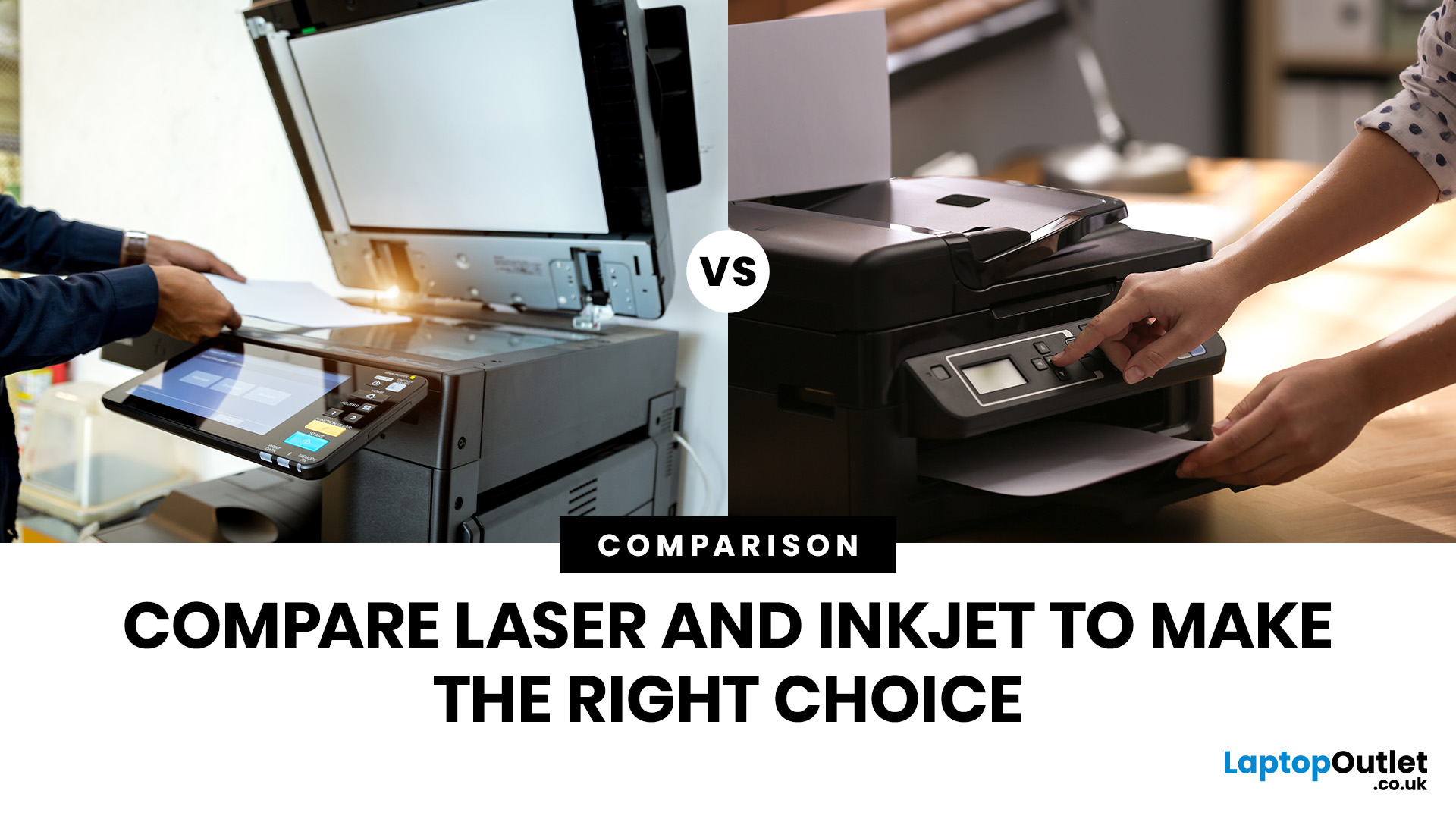
Tired of high printing costs or dealing with slow, unreliable printers? You’re not alone. Choosing the right printer, especially a refurbished one, can be tricky, but it doesn’t have to be.
Whether you're looking for speed, colour quality, or overall value, understanding refurbished laser vs inkjet printers is key. Each has its own strengths, and the best choice depends on how you plan to use it.
In this blog, we’ll break it all down in simple terms helping you find the right printer for your home, office, or study setup, without the stress or confusion.
Let’s dive in.
Understanding the Two Types: Laser vs. Inkjet Printers
Before you decide which refurbished printer is right for you, it helps you to understand how each type works and what they’re best at.
Laser Printers
Laser printers use a completely different method to print pages. Instead of spraying ink, they use a laser beam, heat, and powdered toner to produce text and images. These printers are known for speed, consistency, and
Last Updated: March 31, 2026
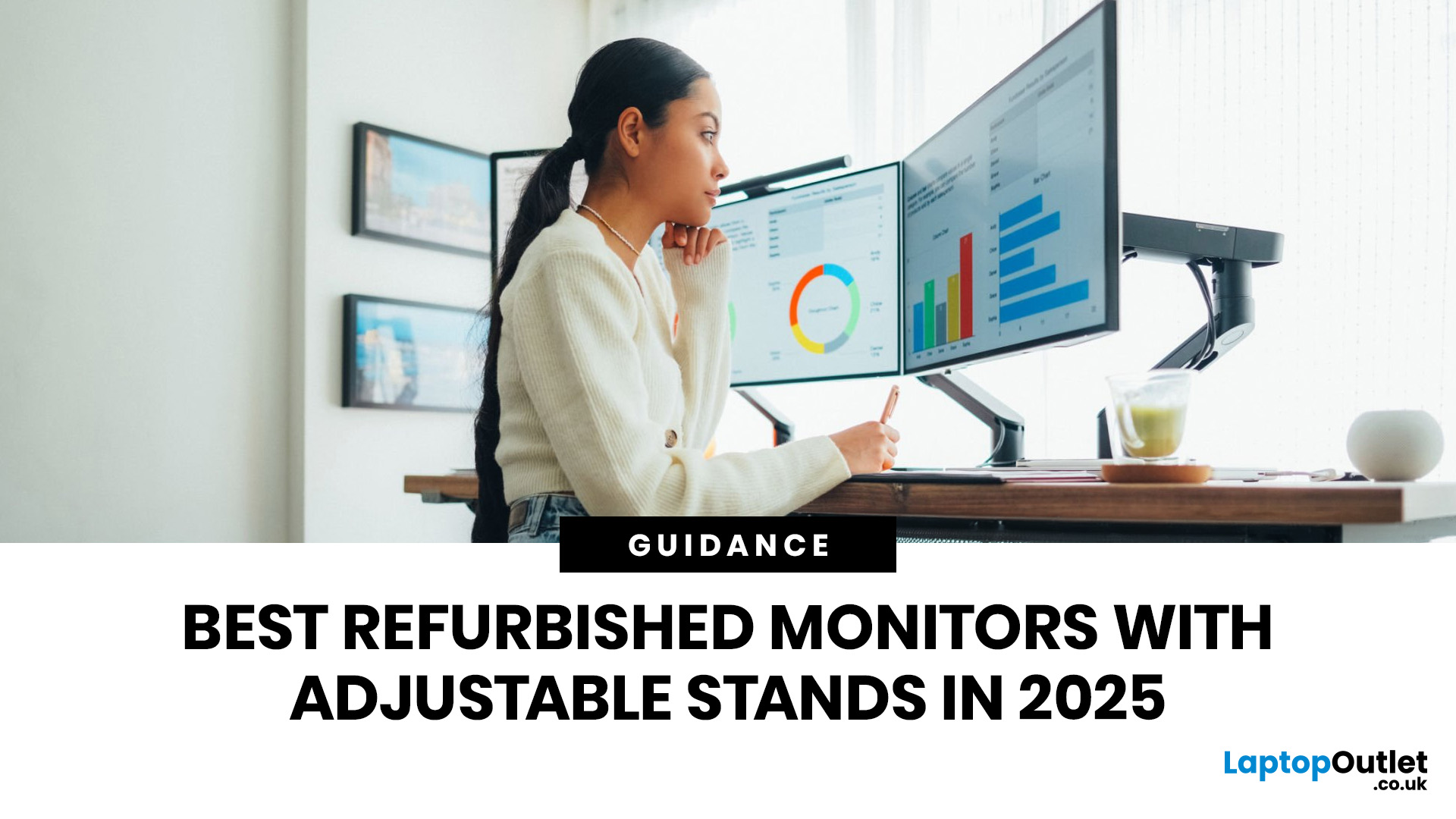
A monitor stand is easy to overlook until you spend a full day hunched over the wrong screen. If you work from home, study for long hours, edit content, or switch between spreadsheets and video calls, an adjustable stand makes a real difference. It lets you set the screen at a more comfortable height, angle it properly, and keep your desk setup working with you instead of against you. It is recommended to keep the monitor directly in front of you, at least 20 inches away, with the top line of the screen at or just below eye level.
That is why refurbished monitors with adjustable stands make so much sense in 2026. You get the ergonomic features people actually use every day, without paying full price for a brand-new display. At Laptop Outlet, refurbished monitors are sold as professionally restored products, and the refurbished range is presented as backed by warranty, which makes the category a strong fit for buyers who want better value without buying blind.
If you are shopping for the
Last Updated: September 09, 2025
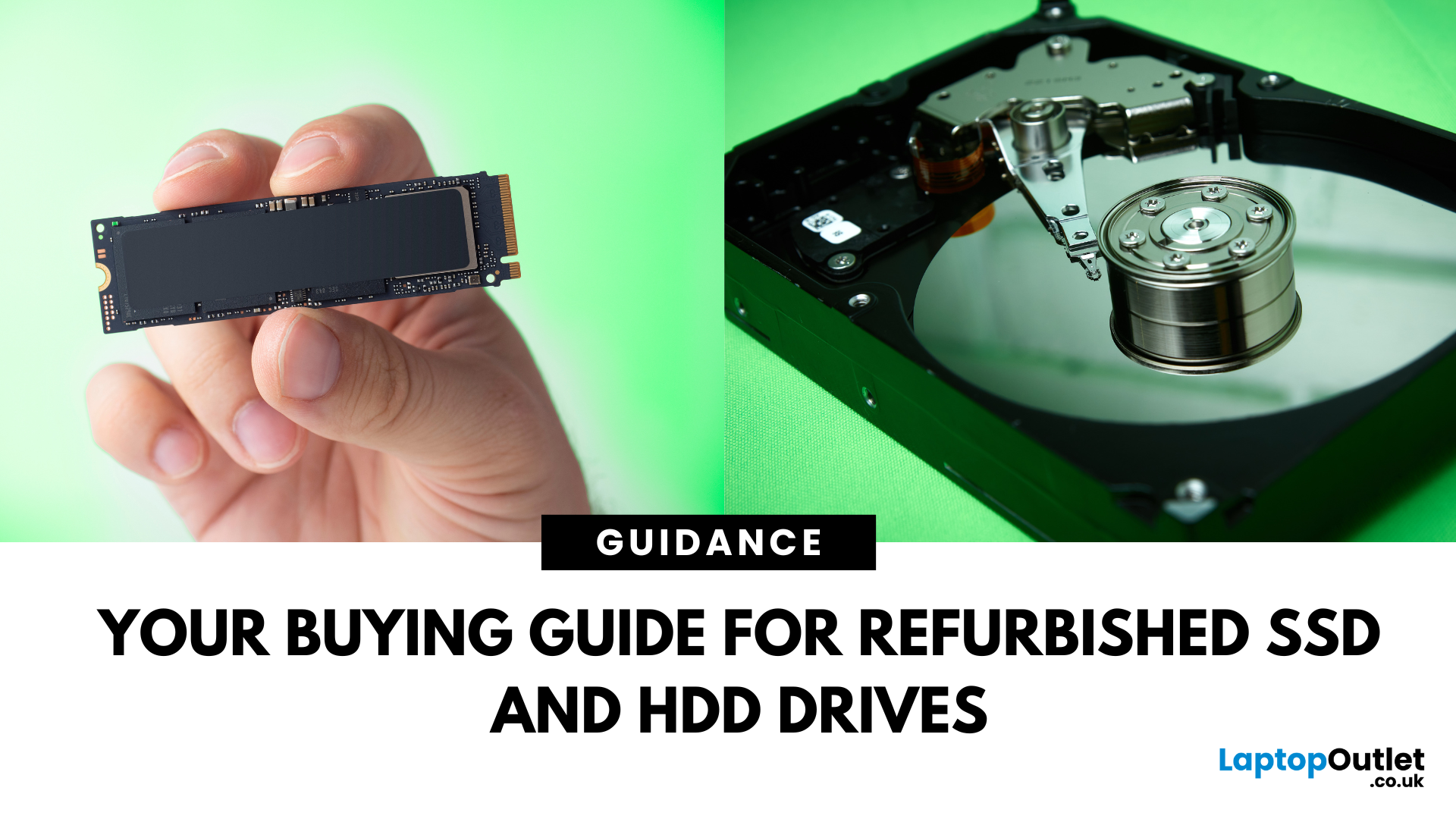
Need more storage or speed but don’t fancy paying full price? Buying a refurbished SSD or HDD could be the budget-friendly solution you’re after. Whether you're upgrading your current device or adding extra space for files, games, or media, refurbished drives offer great value without compromising functionality.
However, not all refurbished storage is created equal. To ensure your investment lasts and performs well, you need to understand the difference between drive types, evaluate their health, and select based on your specific needs, whether it’s for day-to-day use, gaming, or business tasks.
This guide covers everything you should know before buying refurbished SSD or HDD, external refurbished drives, or upgrading your refurbished SSD laptop. It’s your go-to resource for making a smart, informed choice.
Understanding the Difference Between SSD and HDD
When choosing between a refurbished SSD and HDD, it’s important to know how each works and which suits your needs better. Both offer
Last Updated: August 21, 2026
Here’s what to prioritise when comparing your options:
Programming requirements vary considerably. Someone learning Python or JavaScript does not need the same hardware as a developer running multiple containers, databases, virtual machines or demanding development environments.
Choosing refurbished laptops for programmers is therefore about matching the hardware to the work rather than simply buying the newest processor. This guide explains what to look for and compares 10 refurbished laptops suited to different coding, software development and programming workloads.
Refurbished vs Used Laptops: What's the Difference?
A refurbished laptop has usually been inspected, tested and prepared
Last Updated: March 17, 2026
What’s the Difference Between Refurbished and Brand-New Tech?
- Refurbished Tech: Pre-owned devices restored, tested, and certified to work like new. They may have minor cosmetic flaws but are backed by a warranty and sold at discounted prices.
- Brand New Tech: Fresh from the manufacturer, untouched, with full warranty, latest specs, and the confidence of being the very first user.
Feature Comparison Table
| Feature | Refurbished Tech | Brand New Tech |
| Price | Up to 40–60% cheaper than new | Full retail price |
| Condition | Like-new after professional inspection | Factory-sealed, unused |
| Warranty | Limited or retailer-backed (e.g. 6–12 months) | Full manufacturer warranty (1–3 years) |
| Performance | Tested to meet functional standards | Latest specs, untouched hardware |
| Sustainability | Eco-friendly, reduces e-waste | Less eco-friendly (new production impact) |
| Availability | May be older-gen models | Latest models available |
1. Price & Value
- Refurbished: Offers major savings, often 40–60% off. Perfect for buyers who want performance

Last Updated: October 22, 2025
I was skint, to be honest. My old laptop had packed it in mid-way through applying for jobs, and I didn’t have the cash to drop on a brand-new one. You know how it is - bills, rent, travel, it all stacks up.
So, when I spotted a decent-looking ThinkPad on Facebook Marketplace for £220, I thought, go on then.
The listing said it had “just been wiped,” “works perfectly,” and came with the charger and box. Looked tidy in the photos. Not dodgy looking, just a regular bloke selling some old work gear. Said he upgraded and didn’t need it anymore.
I messaged him, asked a few questions, nothing too deep, just the basics. He replied quickly and seemed normal enough. Even said he’d meet me halfway in Stratford to hand it over. Sounded fair.
Now, I know what you’re thinking: I should’ve just bought a refurbished one from a trustworthy retailer like Laptop Outlet. And yeah - I’ve heard that before. But when you’re counting every penny and someone’s offering you a fully working laptop for less than

Last Updated: August 24, 2026
A gaming laptop refurb can be worth buying in 2026, provided you purchase from a reputable UK retailer with a clear grading system and a warranty of at least 12 months. Refurbished gaming laptops typically cost 20–50% less than their brand-new equivalents, and perform the same as new hardware. The key considerations are the seller's grading standards, battery health, and whether the GPU meets your performance needs.
What Does “Refurbished” Actually Mean for a Gaming Laptop?
The word “refurbished” is used broadly, but there are meaningful differences between a professionally refurbished device and something simply listed as “used” on a marketplace. Understanding those differences matters before you spend anything.
A professionally reconditioned gaming laptop has been inspected, tested for hardware and software faults, cleaned, data-wiped to industry standards, and graded according to its cosmetic and functional condition. Reputable UK retailers such as Laptop Outlet follow clearly
Last Updated: May 06, 2026
Buying a certified refurbished monitor can feel like discovering a hidden gem. You get the same premium performance as a brand-new product, but at a fraction of the price. Still, many shoppers wonder, “How do I know it’s really been tested and certified properly?”
At Laptop Outlet, we believe that refurbished does not mean second-best. Our refurbished monitors are carefully tested, restored, and certified to deliver the same level of reliability, performance, and visual quality you would expect from a new device.
Here is a closer look at how our refurbished monitor testing process works, how each unit is certified, and what that certification means for you.
What are Refurbished Monitors?
Refurbished monitors are not “used” in the everyday sense. They’re often returns, display models, or items that have been opened but never actually used. Some may have had minor cosmetic imperfections or packaging damage, while others might simply be surplus stock.
Before these monitors reach our customers,
Published: November 13, 2025
Over 350 million refurbished devices were sold globally in 2024, and that number’s still climbing in 2025. People aren’t just buying refurbished to save money anymore; they’re buying smarter, greener, and more responsibly.
But with refurbished tech booming, one big question remains - who’s actually doing it right? The answer is simple: the R2-certified sellers.
The R2 (Responsible Recycling) standard is recognised globally as the highest benchmark for responsible electronics renewal, covering everything from data security and environmental safety to worker protection and quality testing. As of 2023, there are more than 1,100 R2-certified facilities across 41 countries, all following the same strict sustainability and safety principles. Considering that only about 17.4% of global e-waste is recycled properly, R2 certification isn’t just a badge; it’s a solution.
And here’s the part Laptop Outlet is most proud of, we’re officially R2 certified.
That means every laptop, monitor, or mobile
Last Updated: April 02, 2026
In an age where the next best device seems just around the corner, many consumers and organisations are quietly turning to a smarter alternative: refurbished tech. Whether it's a laptop, smartphone, tablet or monitor, devices that have been renewed, re-certified and resold are no longer the fringe option; they’re becoming mainstream. The global refurbished tech market is surging, driven by cost consciousness, sustainability awareness and improving trust in quality. In this article, we’ll explore why refurbished devices are gaining stock, how the market is evolving, and what this means for buyers and sellers alike in 2025 and beyond.
The Big Picture: Market Growth & Opportunity
The numbers tell a clear story: the UK refurbished electronics market is growing faster than ever. In 2025, it’s valued at roughly £7.6 billion, with projections suggesting it could more than double by 2032 as refurbished laptops, smartphones, and other devices continue to rise in demand. The growth is fuelled by

