



Best Windows 11 Laptops for Students, Creators & Professionals in 2026
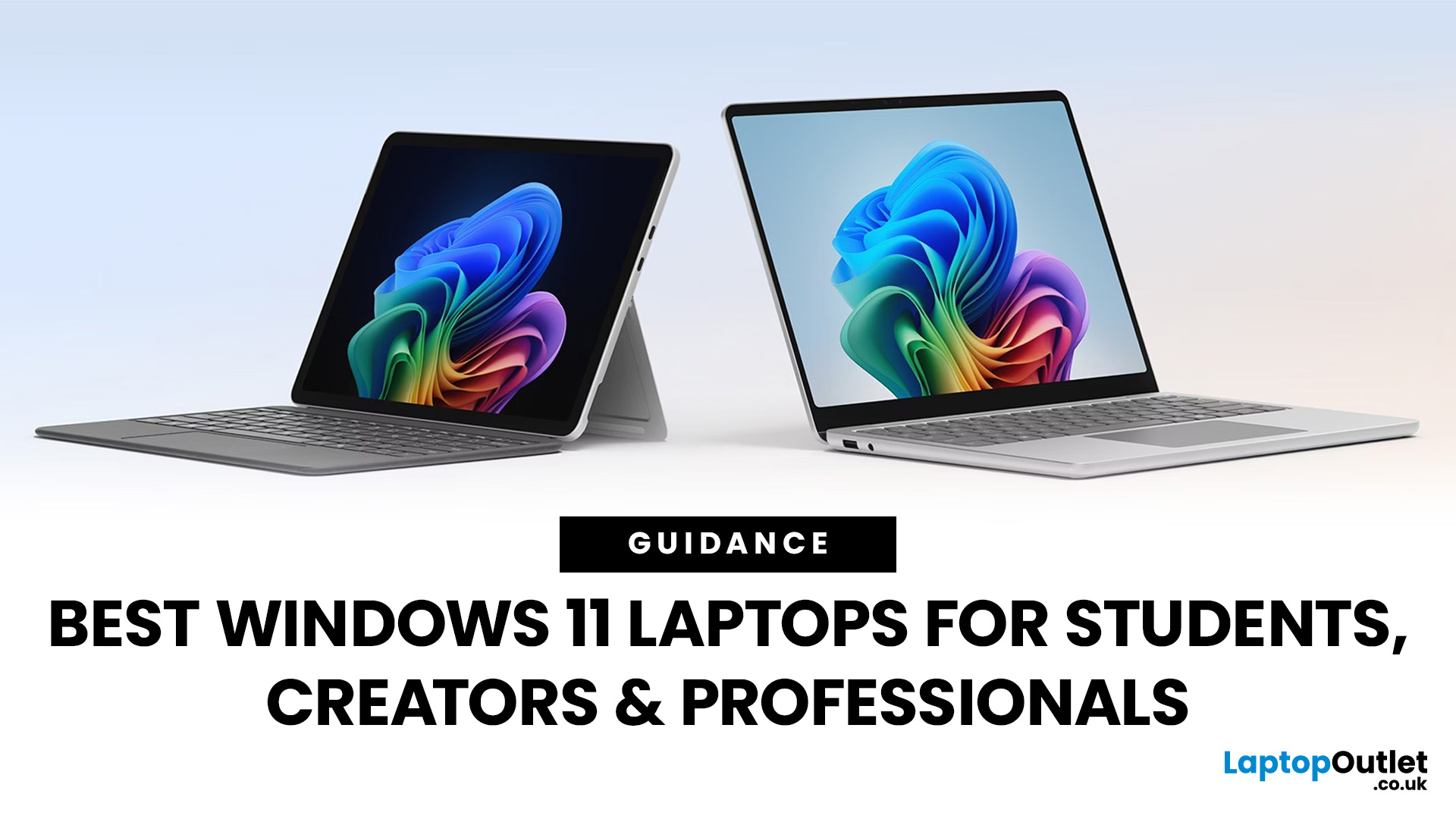
Choosing the right laptop has never been more important. Whether you are studying for exams, editing videos, or managing a full workload from home, the laptop you use makes a real difference. And right now, Windows 11 laptops are setting the standard for what a modern, capable machine should look and feel like.
Windows 11 brings a cleaner interface, better multitasking tools, improved security features, and built-in support for the latest AI-powered workflows. Add to that the wide range of hardware options available — from budget-friendly everyday machines to high-performance creative workstations — and it is clear why Windows 11 remains the go-to platform for most users in 2026.
But with so many options out there, knowing where to start can feel overwhelming. That is exactly why we put together this guide. We have split the best Windows 11 laptops into three clear categories — students, professionals, and creators — so you can find the right fit quickly.
The Best Windows 11 Laptops for Students in 2026
A student laptop is built around one core idea: helping you get work done without getting in your way. It needs to be reliable, portable, affordable, and comfortable to use for long periods. Whether you are attending lectures, writing essays in the library, joining video calls, or doing late-night revision sessions, a good student laptop should handle it all with ease.
That said, not all student laptops are equal. Knowing what specs actually matter can save you money and prevent buyer's remorse. Here is what to look for:
- Processor: While an Intel Core i3 or AMD Ryzen 3 is the bare minimum, an Intel Core i5 or Ryzen 5 is recommended for a smoother multitasking experience.
- RAM: 8GB is the minimum for smooth multitasking. If your budget allows, 16GB RAM laptop gives you more headroom, especially for heavier applications.
- Storage: Aim for at least 256GB SSD. Faster storage means quicker boot times and snappier file access. 512GB or more gives you room to grow.
- Display: A Full HD (1920 x 1080) IPS screen is the sweet spot for clarity without draining the battery. For design or media students, a higher-resolution display is worth considering.
- Battery life: Look for at least 7–10 hours of real-world use. You do not always want to carry a charger everywhere.
- Portability: Under 1.7 kg is ideal. Lighter machines are far easier to carry between lectures and libraries.
- Connectivity: Make sure the laptop has HDMI, USB-A, and USB-C ports, along with Wi-Fi and a webcam for online classes.
- Operating system: Windows 11 Home comes pre-installed on most student laptops and is perfectly suited for academic use.
With those fundamentals in mind, here are our top picks for the best student laptops running Windows 11 in 2026.
1. HP 15s-fq5021na Laptop– Intel® Core™ i5
- Processor: Intel Core i5-1235U 10-Core (3.3GHz Intel Turbo Boost up to 4.4GHz).
- Display: 15.6” Full HD Display, IPS, 1920 x 1080 Max. Resolution.
- Memory (RAM): 8 GB DDR4 RAM.
- Storage: 256 GB SSD.
- Graphics: Integrated Intel Iris Xe Graphics.
- Connectivity: USB Type-C, USB-A, HDMI, Wi-Fi 5, Bluetooth 4.2.
- Operating System: Microsoft Windows 11 Home.
- Colour: Silver.
- Weight: 1.69 kg.
A dependable 15.6-inch machine that suits students who prefer a bigger screen. The 10-core Intel i5 processor handles everyday multitasking smoothly, while the Full HD IPS display makes reading and streaming comfortable. With Windows 11 Home pre-installed and a solid port selection, it ticks most boxes for everyday academic use.
2. HP 14s-dq5014na Laptop– Intel® Core™ i7
- Processor: Intel Core i7-1255U 10-Core (3.5GHz Intel Turbo Boost up to 4.7GHz).
- Display: 14” Full HD Display, 1920 x 1080 Max. Resolution.
- Memory (RAM): 8 GB DDR4.
- Storage: 512 GB SSD.
- Graphics: Integrated Intel Iris Xe Graphics.
- Connectivity: USB Type-C, USB-A, HDMI, Wi-Fi 5, Bluetooth 4.2.
- Operating System: Microsoft Windows 11 Home.
- Colour: Silver.
- Weight: 1.46 kg.
This compact 14-inch HP laptop punches above its weight. Powered by the Core i7-1255U and equipped with 512GB of SSD storage, it handles coursework, video calls, and light content with ease. Weighing just 1.46 kg, it is easy to carry between campus buildings — and the 512GB drive means plenty of space for projects, notes, and media.
3. Acer Swift 14 AI Copilot+ PC
- Processor: Intel Core Ultra 5 226V Octa-Core (3.5GHz, with Intel Turbo Boost up to 4.5GHz).
- Display: 14” OLED display with a 3K resolution (2880 x 1800) and a 90 Hz refresh rate.
- Memory (RAM): 16 GB.
- Storage: 1 TB Solid State Drive (SSD).
- Graphics: Integrated Intel Arc 130V Graphics.
- Connectivity: Wi-Fi 7, Bluetooth 5.4, 2x USB 3.2 Type-A, 2x USB4 (Type-C), HDMI.
- Operating System: Microsoft Windows 11 Home.
- Weight: 1.26 kg.
- Special Features: Backlit keyboard, Copilot+ PC designation.
The Acer Swift 14 AI is something special. As a Copilot+ PC, it is built for the future with AI-powered features, a breathtaking OLED display at 2880 x 1800, and an Intel Core Ultra 5 chip that keeps everything running fast.
At 1.26 kg, it is one of the lightest laptops in its class. Media students and tech-savvy learners will particularly appreciate the vivid screen and the 1TB SSD for storing large creative files.
Professional Windows 11 Laptops for the Modern Workforce
A professional laptop needs to earn its keep every single day. Whether you are drafting reports, jumping between spreadsheets, attending virtual meetings, or working across multiple applications at once, it has to be fast, reliable, and comfortable to use for hours without fatigue.
Unlike student machines, professional laptops often prioritise processing power, RAM, display quality, and build durability. They also need strong connectivity — especially for hybrid workers who move between home offices and meeting rooms. Here is what to prioritise:
- Processor: An AMD Ryzen 7 or Intel Core i7 (or above) is the sweet spot for professionals. These processors handle demanding multitasking without slowdown.
- RAM: 16GB is the professional standard. It gives you the headroom to run multiple apps, browser tabs, and tools at the same time.
- Storage: 512GB SSD at minimum. For those dealing with large files, 1TB is much more comfortable.
- Display: Full HD is the baseline, but OLED or high-resolution displays make a real difference for long working hours — reducing eye strain and improving colour accuracy.
- Build quality and weight: Professionals who travel regularly need something durable and portable. Under 1.7 kg is ideal.
- Connectivity: Look for USB-A, USB-C, HDMI, and ideally Wi-Fi 6E or Wi-Fi 7 for fast, reliable connections.
- Webcam and microphone: Clear video call quality matters. An integrated webcam with a built-in microphone is essential.
- Operating system: Windows 11 Home (or Home Plus) covers everything most professionals need, with built-in productivity and security tools.
Here are our top Windows 11 laptop picks for professionals in 2026.
1. MSI Modern 15 B7M-086UK Laptop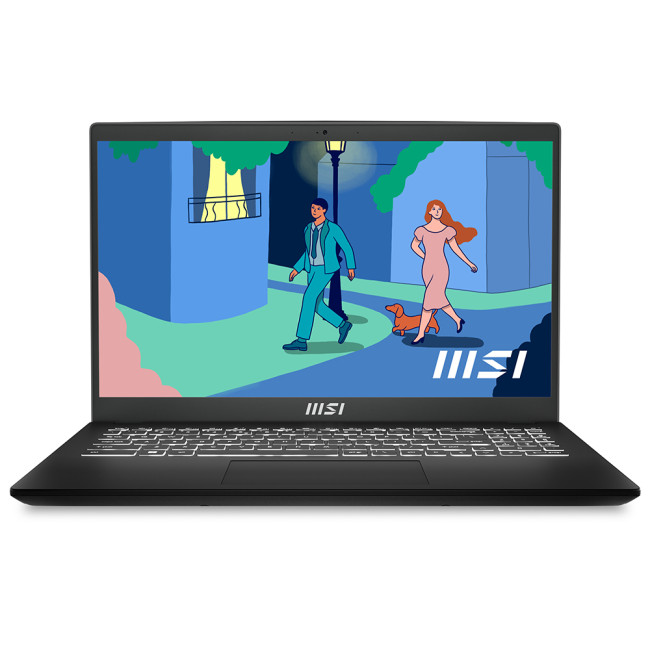
- Processor: AMD Ryzen 7 7730U Octa-Core (2.0GHz, Turbo Boost up to 4.5GHz).
- Display: 15.6" Full HD (1920 x 1080) IPS-level screen.
- Memory (RAM): 8 GB.
- Storage: 512 GB SSD.
- Graphics: Integrated AMD Radeon Graphics.
- Connectivity: Wi-Fi, Bluetooth, HDMI, USB Type-C, USB-A, Card Reader.
- Operating System: Microsoft Windows 11 Home Plus.
- Colour: Black.
- Weight: 1.7 kg.
The MSI Modern 15 is a polished, business-ready machine that runs Windows 11 Home Plus straight out of the box. Its AMD Ryzen 7 7730U processor keeps up with demanding workflows, while the 512GB SSD ensures quick access to files and apps.
The backlit keyboard, integrated webcam, and wide port selection make it a practical choice for professionals who need a dependable daily driver without overspending.
2. ASUS Vivobook 15 M1502YA-NJ033W Laptop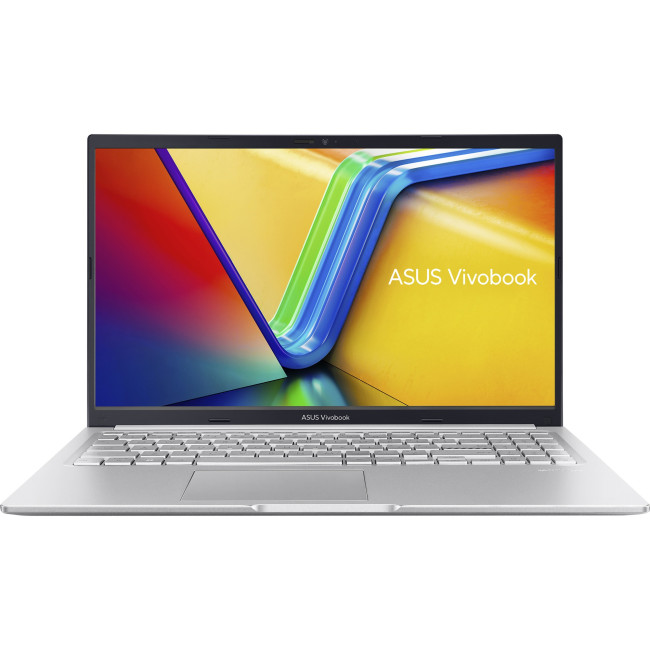
- Processor: AMD Ryzen 7 7730U Octa-Core (2.0GHz, Turbo Boost up to 4.5GHz).
- Display: 15.6" Full HD (1920 x 1080) IPS display.
- Memory (RAM): 16 GB.
- Storage: 512 GB SSD.
- Graphics: Integrated AMD Radeon Graphics.
- Connectivity: Wi-Fi 6E, Bluetooth 5.3, USB 3.2 Type-C, USB 3.2 Type-A, HDMI.
- Operating System: Microsoft Windows 11 Home.
- Colour: Silver.
- Weight: 1.7 kg.
Where this ASUS VivoBook pulls ahead is its 16GB of RAM — a key advantage for professionals who run multiple applications at once. The AMD Ryzen 7 processor is fast and efficient, the Full HD IPS display is comfortable to work on all day, and Wi-Fi 6E ensures speedy, stable internet connections. A capable, well-priced machine for those who prioritise raw performance.
3. HPOmniBook X Flip 14-fk0002na - Copilot+ AI-ready PC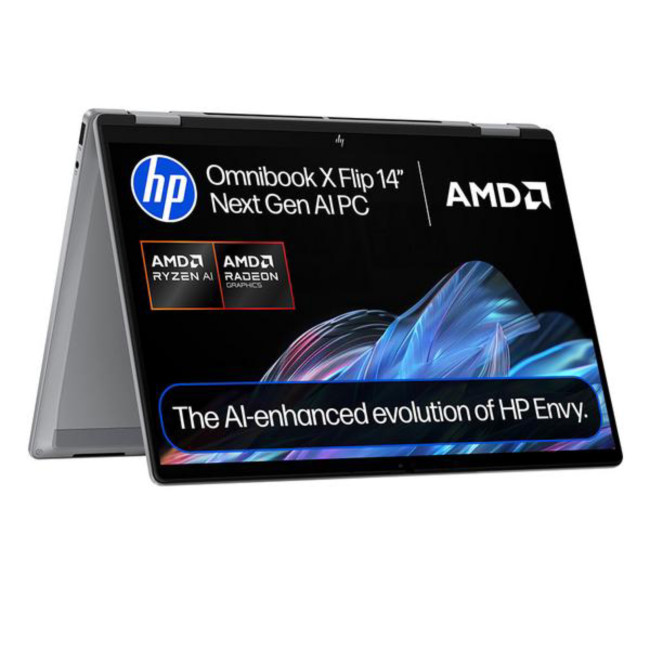
- Processor: AMD Ryzen AI 7 350 Octa-Core (2.0 GHz, Turbo Boost up to 5.0 GHz).
- Display: 14" 3K OLED Touchscreen (2880 x 1800) with a 120 Hz refresh rate.
- Memory (RAM): 16 GB LPDDR5x.
- Storage: 1 TB SSD.
- Graphics: Integrated AMD Radeon 860M Graphics.
- Connectivity: Wi-Fi 7, Bluetooth 5.4, 1x HDMI, 2x USB 3.2 Type-A, 1x USB 3.2 Type-C, 1x USB4.
- Operating System: Microsoft Windows 11 Home.
- Weight: 1.39 kg.
- Special Features: 2-in-1 convertible design, backlit keyboard, 360-degree flip.
This is the premium option for professionals who need versatility as well as power. The HP OmniBook X Flip is a 2-in-1 Copilot+ laptop — meaning it flips into tablet mode and runs AMD's AI-ready Ryzen AI 7 chip.
The 3K OLED touchscreen at 120Hz is stunning. At just 1.39 kg, it is highly portable, and Wi-Fi 7 ensures blazing-fast connectivity. It is the kind of laptop that works as hard as you do.
Powerhouse Windows 11 Laptops for Creators
Creators have very different demands from both students and office professionals. Whether you are editing 4K footage, working in Premiere Pro, designing graphics in Photoshop, live-streaming, or producing music, your laptop needs raw processing power, a dedicated GPU, and a display that shows colours accurately.
A creator laptop is a performance machine. But it also needs to be versatile enough for everyday tasks without turning into a portable furnace. Here is what matters most:
- Dedicated GPU: This is non-negotiable for serious creators. NVIDIA RTX cards (like the RTX 5050 or RTX 5060) handle video rendering, GPU-accelerated effects, and 3D tasks far better than integrated graphics.
- Processor: Intel Core i7 or Core Ultra 7 (and above) gives you the multi-core muscle needed for rendering, encoding, and heavy multitasking.
- RAM: 16GB is the minimum for creative workloads. 32GB is ideal if you work with large project files or multiple applications simultaneously.
- Storage: 1TB SSD is the sweet spot. Creative files are large, and you want fast read/write speeds to avoid lag during export or playback.
- Display quality: Look for high resolution (QHD or above), OLED panels, and wide colour gamuts (DCI-P3 coverage). A good screen lets you colour-grade, design, and edit accurately.
- Refresh rate: A 120Hz or 144Hz display makes everything feel smoother — from scrolling through timelines to casual gaming in downtime.
- Thermal performance: Creators push their machines hard. Good cooling matters to maintain performance over long sessions.
- Connectivity: HDMI, USB-C, Thunderbolt, and card readers are all useful for connecting external monitors, storage drives, and cameras.
Here are the best Windows 11 laptops for creators in 2026.
1. Lenovo Legion 5 15IRX10 Laptop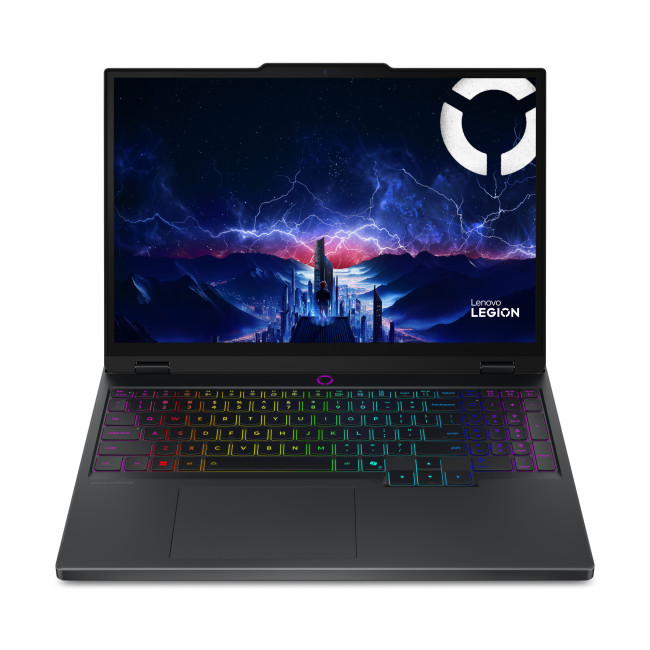
- Processor: Intel Core i7-13650HX 14-Core (3.6GHz, Turbo Boost up to 4.9GHz).
- Display: 15.1" WQXGA OLED (2560 x 1600) with a 165 Hz refresh rate.
- Memory (RAM): 16 GB.
- Storage: 1 TB SSD.
- Graphics: Dedicated NVIDIA RTX 5050 with 8 GB GDDR7 memory.
- Connectivity: Wi-Fi 7, Bluetooth 5.4, HDMI, USB-C.
- Operating System: Microsoft Windows 11 Home.
- Weight: 1.9 kg.
The Lenovo Legion 5 is built for performance. Its 14-core i7 processor and dedicated RTX 5050 with 8GB of GDDR7 memory make short work of video rendering, graphic design, and content creation tasks.
The 15.1-inch OLED display at 2560 x 1600 and 165Hz is a treat to work on — sharp, vivid, and incredibly smooth. It is equally at home editing a YouTube video or running demanding games, making it a brilliant all-rounder for creative users.
2. Lenovo LOQ 15IRX10 Laptop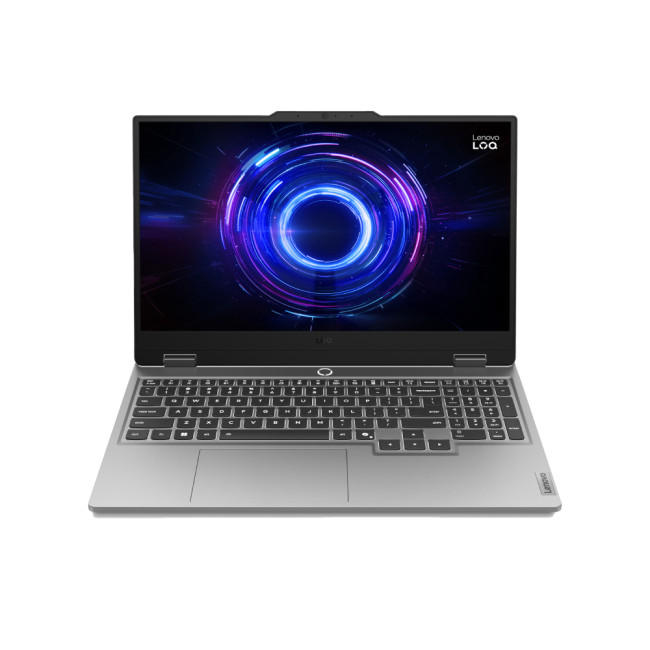
- Processor: Intel Core i5-13450HX 10-Core (13th Gen).
- Display: 15.6" Full HD (1920 x 1080) IPS display with a 144 Hz refresh rate.
- Memory (RAM): 24 GB.
- Storage: 1 TB SSD.
- Graphics: Dedicated NVIDIA GeForce RTX 5060 with 8 GB GDDR7 memory.
- Connectivity: Wi-Fi, Bluetooth 5.2, 1 x HDMI, 1 x USB-C, 3 x USB ports, Ethernet.
- Operating System: Microsoft Windows 11 Home.
- Weight: 2.4 kg.
The Lenovo LOQ 15IRX10 is a serious creative machine thanks to its RTX 5060 GPU — one of NVIDIA's latest generation cards with 8GB of GDDR7 memory. Paired with a generous 24GB of RAM and a 1TB SSD, it handles heavy video editing, 3D rendering, and GPU-accelerated workflows with confidence.
The 144Hz display keeps things fluid, and the large RAM capacity is a standout feature for creators who run multiple demanding apps at once.
3. ASUSVivobook 16 Flip TP3607SH - Copilot+ PC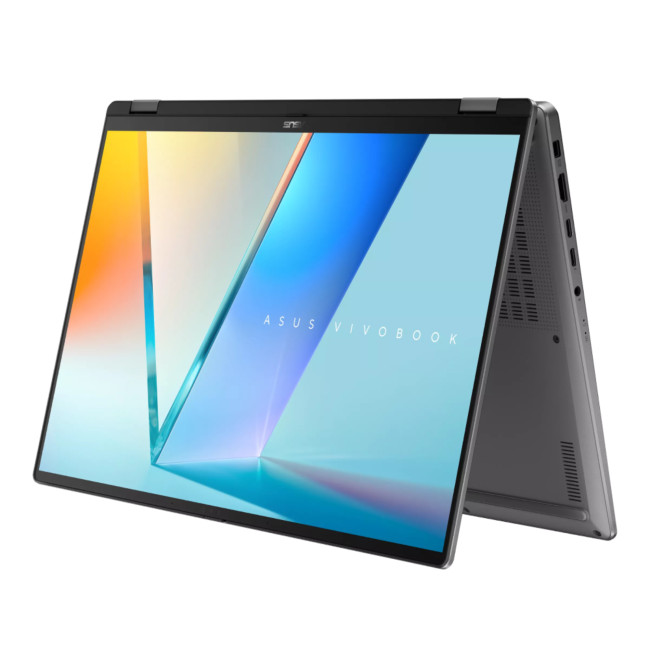
- Processor: Intel Core Ultra 7 258V 8-Core (up to 4.8 GHz) with Intel AI Boost NPU.
- Display: 16" 3K (2880 x 1800) OLED Touchscreen, 120Hz, 100% DCI-P3 colour gamut.
- Memory (RAM): 16 GB LPDDR5x.
- Storage: 512 GB M.2 NVMe PCIe 4.0 SSD.
- Graphics: Dedicated NVIDIA GeForce RTX 5050 with 8GB GDDR7 memory.
- Connectivity: Wi-Fi 7, Bluetooth 5.4, Thunderbolt 4, HDMI 2.1, Micro SD card reader.
- Operating System: Microsoft Windows 11 Home.
- Weight: 1.85 kg.
The ASUS Vivobook 16 Flip is the most well-rounded creative laptop on this list. The Intel Core Ultra 7 258V processor, paired with the RTX 5050 GPU and a jaw-dropping 16-inch 3K OLED touchscreen at 120Hz, creates an immersive workspace for designers, video editors, and digital artists.
The Thunderbolt port, Wi-Fi 7, and microSD reader add further versatility. As a Copilot+ PC, it is also ready for the next wave of AI-powered creative tools.

Finding Your Ideal Match
There has never been a better time to buy a Windows 11 laptop. From affordable student machines to cutting-edge creative workstations, the options in 2026 cover every need and budget.
- If you are a student, prioritise battery life, portability, and enough RAM and storage to get through your coursework.
- If you are a professional, focus on processor power, RAM, and a comfortable display for long working days.
- If you are a creator, do not compromise on GPU performance and display quality — these will make a real difference to the quality of your work.
Each laptop on this list has been picked based on real specs, genuine value, and clear use-case fit. Take your time, match the specs to your needs, and you will find the right Windows 11 laptop for 2026.

A Few More Things to Know...
Do I need a dedicated GPU for office work?
Generally, no. Integrated graphics like Intel Iris Xe or AMD Radeon are plenty for spreadsheets and video calls. Dedicated GPUs are mostly for gaming and creative tasks.
Can I play games on a creator laptop?
Absolutely. Laptops like the Lenovo Legion 5 feature powerful NVIDIA RTX graphics, making them excellent for both high-end content creation and modern gaming.
How much storage do I really need?
For students, 256GB is usually enough. Professionals and creators should aim for 512GB or 1TB to accommodate large documents, high-resolution photos, and video files.
Is 8GB of RAM enough for a student laptop in 2026?
Yes, 8GB remains sufficient for general study, web browsing, and writing reports. However, 16GB is recommended if you plan on keeping the laptop for many years.
What display resolution is best for a 15-inch laptop?
Full HD (1080p) is the standard and offers great battery life. However, for creators or those working with large spreadsheets, a QHD or 3K resolution provides much-needed extra clarity.
Can I run Android apps on these Windows 11 laptops?
Yes, Windows 11 supports Android applications through the Amazon Appstore, allowing you to use many of your favourite mobile apps directly on your laptop screen.
Related Articles

Last Updated: June 05, 2026
Football Manager 26 is finally here, built on a new Unity-powered 3D match engine with richer lighting, animations and stadium detail.
The good news? Sports Interactive has kept the minimum specs low, so older systems can still load up the game. The less good news is that the new engine leans more heavily on both CPU and GPU, especially during 3D matches and busy transfer windows.
If you want fast simulations, big databases and smooth 3D on high settings, you need the right hardware. This guide walks through Football Manager 26 recommended specs, then highlights the best gaming laptops and PCs for Football Manager 26 available from Laptop Outlet – from budget-friendly picks to powerhouse rigs.
Which Hardware Matters More for Football Manager 26?
Before choosing your machine, it is vital to understand what Football Manager 26 actually is. It is a detailed management simulation, not a graphics-intensive action game.
When you hit the 'Continue' button, the game is not just rendering a stadium.

Last Updated: June 10, 2026
Hades II has arrived, and it’s already proving itself as one of the most stylish, addictive, and fast-paced roguelikes of the year. Supergiant Games has taken everything players loved from the first title and given it more flair, more depth, more chaos, and far more visual punch. And with all that comes the question many players are quietly asking: what are the best gaming PCs and laptops for Hades II?
Whether you're upgrading your battlestation, grabbing a powerful yet portable gaming laptop, or hunting a cheap refurbished gaming laptop for Hades 2, this guide breaks down real, current system requirements, recommended modern hardware, and the best deals you can jump on right now.
Let’s dig in.
Why Gaming PCs and Laptops for Hades II Matters?
Although Hades II is beautifully optimised, it is still more demanding than the original game. More spell effects, more enemies on screen, more layered environments, higher-resolution assets and a broader range of animations mean your hardware needs

Last Updated: February 24, 2026
Looking for the best budget gaming laptops and PCs for Sonic Rumble? You’re in the right place. At Laptop Outlet, we’ve scoured our range of powerful yet affordable gaming laptops, so you can find the perfect gear to jump into Sonic’s newest adventure without breaking the bank. Whether you’re after cheap gaming PC deals Sonic, gaming laptops with entry-level GPUs, or compact rigs that punch above their weight, we’ve got you covered. Let’s dive into the best options that’ll give you smooth gameplay, popping visuals, and long-lasting performance.
Recommended Specs to Play Sonic Rumble
By balancing these core specs, you’ll enjoy Sonic Rumble with the performance it deserves:
Processor (CPU)
A modern multi-core processor (such as Intel Core i5/i7 or AMD Ryzen 5/7) is great for entry-to-mid-range gaming. For high-end gaming, you would need an i9 or AMD Ryzen 9.
Graphics (GPU)
To play Sonic Rumble smoothly, aim for at least an entry-level dedicated GPU, something like NVIDIA’s RTX 4070 or
Last Updated: July 10, 2026
If you’re gearing up to explore the beautifully crafted, action-packed world of Where Winds Meet, choosing the right hardware is just as important as mastering your combat skills. This visually rich open-world action RPG blends fast-paced combat, sweeping landscapes and cinematic storytelling, all of which demand capable, well-balanced hardware.
In this guide, we’ll break down the recommended specs for Where Winds Meet, explain what really matters when it comes to performance, and highlight excellent-value options, including gaming deals for Where Winds Meet that won’t stretch your budget.
Recommended Specs for Where Winds Meet
Before diving into specific systems, let’s outline the core specifications you should be aiming for.
Processor (CPU)
Open-world RPGs rely heavily on CPU performance for AI, physics and world simulation. A modern Intel Core i5 / i7 or AMD Ryzen 5 / 7 is ideal. This ensures stable performance during exploration and combat-heavy sequences.
Graphics Card (GPU)
A dedicated

Last Updated: December 24, 2025
Technology never stands still, and if the past few years have taught us anything, it’s that innovation moves fast. As we look ahead, tech trends 2026 are shaping up to be smarter, faster and more user-focused than ever before. From AI-powered laptops to next-level PCs and sustainable tech, the future is all about performance with purpose. So, whether you’re upgrading your setup, planning ahead, or just love staying in the know, here’s a breakdown of the biggest tech trends set to define 2026.
AI Everywhere: Smarter Devices, Smarter Decisions
Artificial Intelligence is no longer a “nice to have” by 2026, it’s expected to be built into almost every device we use. We’re talking about laptops that learn your preferences, PCs that optimise performance in real time, and software that adapts to how you work or play.
AI-driven features such as predictive battery management, real-time security monitoring and intelligent multitasking will become standard. For users, this means less time managing
Published: December 24, 2025
Heading into 2026, the student laptop vibe is basically: lightweight enough to carry all day, fast enough to handle 27 Chrome tabs + a Zoom call, and affordable enough that you can still buy snacks. Whether you’re doing GCSE homework, uni essays, coding projects, or just living in Google Docs, this blog on Student Laptops 2026 breaks down what matters (and what’s just marketing fluff).
What to look for in Student Laptops 2026 (aka the “don’t get scammed” checklist)

1) RAM (memory):
- 8GB = the realistic minimum for 2026 if you want smooth multitasking.
- 16GB = the “I’m serious about this degree” upgrade (especially for creative apps, coding, or heavy research).
2) Storage:
- 256GB is okay, but 512GB is comfy if you keep lots of files, downloads, photos, and videos.
- If you see 128GB, it can work for light use - but you’ll want cloud storage habits.
3) Screen size:
- 14" laptop = the sweet spot (portable, still comfy for essays).
- 15" laptop = bigger and nicer for split-screen, but less “throw-it-in-your-bag”
Last Updated: April 21, 2026
The world of computing is changing fast. We are no longer just looking for faster processors or thinner designs. Today, the focus has shifted to intelligence.
To understand this shift, we need to look at a new category of devices: Copilot+ Laptops. These are not just standard computers; they are AI-powered laptops designed to think, learn, and assist you in real-time.
Whether you are a busy professional, a digital artist, or a student, Windows Copilot+ PCs offer a new way to interact with technology. By integrating hardware and software more tightly than ever before, these machines handle complex tasks with ease.
In this guide, we will explore why these next-generation Windows laptops are the ultimate choice for your next upgrade.
What are Copilot+ Laptops?
Copilot+ Laptops are a new class of Windows 11 laptops with dedicated hardware for advanced Artificial Intelligence (AI) tasks. They offer enhanced performance, security, and unique features that run locally on the device.
Unlike

Last Updated: January 21, 2026
Let’s be honest - most of us don’t work (or study, or relax) in just one way anymore. One minute you’re typing notes, the next you’re scrolling, watching something, sketching ideas, or replying to emails from the sofa.
That’s exactly why convertible tablets exist.
Also called 2-in-1 laptops, laptop tablets, or the very literal notebook two-in-one, these devices are designed to adapt to how you use tech throughout the day - not force you into one setup.
But choosing the right 2 in 1 laptop convertible isn’t always straightforward. Some lean more laptop. Some feel more like tablets. And some just… try to do everything and don’t quite nail it.
This guide breaks it all down in a way that actually makes sense.
What Is a Convertible Tablet (And Why Do People Buy Them)?
A convertible tablet is a hybrid device that combines:
- A laptop’s power (keyboard, trackpad, desktop software)
- A tablet’s flexibility (touchscreen, pen input, portability)
Most convertible tablets run Windows, which means you’re
Last Updated: April 28, 2026
Struggling to find HP laptop deals that don’t feel overpriced, outdated, or just not worth it? Yeah — scrolling through endless specs, inflated prices, and “fake” discounts can be frustrating, especially when you just need a laptop that actually works for study, work, or everyday life.
The problem? Too many laptops either cost way too much or cut corners where it matters. Slow performance, tiny storage, poor screens, not the vibe. And when you’re on a budget, finding reliable HP laptops UK shoppers can trust shouldn’t feel like a gamble.
That’s where Laptop Outlet comes in. We’ve rounded up some of the best HP laptops on sale in the UK, with prices starting from just £149.99. From cheap HP laptops for everyday use to powerful business-ready machines, our handpicked HP laptop offers give you serious value without compromising on quality.
HP 15-fc0045na – Everyday Power for You
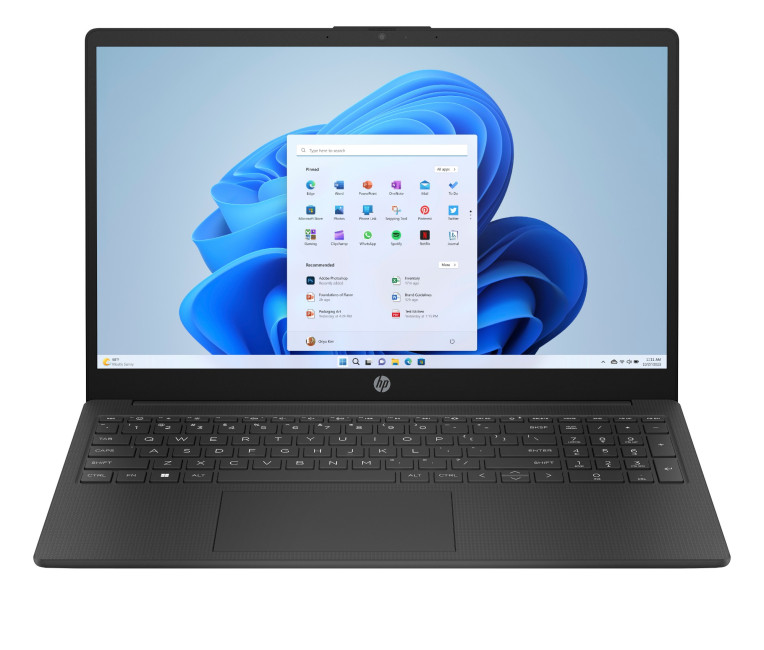
- The HP 15-fc0045na is a well-balanced 15.6-inch laptop that perfectly blends performance with everyday
Last Updated: September 04, 2026
If you’re shopping for a new laptop this year, HP continues to be one of the most reliable and exciting brands to watch. From premium Ultrabooks and powerful gaming machines to flexible 2-in-1 devices built for modern work and study, the latest releases bring something for everyone.
In this guide, we’ll explore the latest HP laptops you shouldn’t miss in 2026, highlighting what makes them stand out, which users they suit best, and why HP remains a top choice for shoppers across the UK. Whether you’re upgrading your home setup, buying for university, or looking for a performance machine that keeps up with your workload, these HP laptop models are worth considering.
Top HP Laptop Models You Can Choose in 2026
The latest HP laptops in 2026 are redefining versatility, performance and AI-enabled productivity across the board. Let’s explore few of them:
HP OmniBook X FlipNGAI 14-fm0005na – Compact AI-Ready Performance
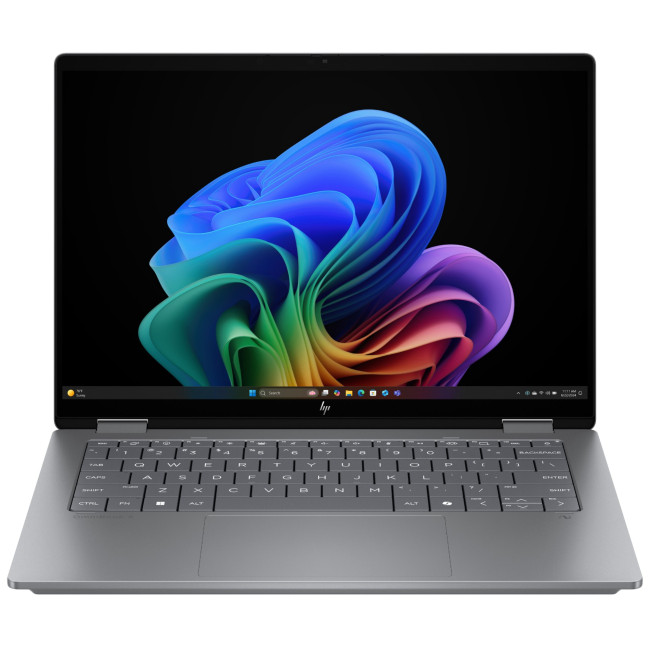
The HP OmniBook X FlipNGAI 14-fm0005na Intel® Core™ Ultra 5 226V

