



The 10 Best Refurbished Laptops for Programming in 2026
Here’s what to prioritise when comparing your options:
Programming requirements vary considerably. Someone learning Python or JavaScript does not need the same hardware as a developer running multiple containers, databases, virtual machines or demanding development environments.
Choosing refurbished laptops for programmers is therefore about matching the hardware to the work rather than simply buying the newest processor. This guide explains what to look for and compares 10 refurbished laptops suited to different coding, software development and programming workloads.
Refurbished vs Used Laptops: What's the Difference?
A refurbished laptop has usually been inspected, tested and prepared for resale, and may have had faulty components repaired or replaced. A used laptop is generally sold in its existing condition after previous ownership.
The exact refurbishment process varies between sellers, so buyers should always check the condition grade, warranty, included accessories and product specifications.
|
Factor |
Refurbished Laptop |
Used Laptop |
|
Condition |
Usually inspected, cleaned and assigned a condition grade before resale |
Typically sold in the condition left by the previous owner |
|
Testing |
Core functions such as the display, keyboard, ports, storage and connectivity are generally checked |
Testing varies by seller and may be limited |
|
Repairs |
Faulty or worn components may be repaired or replaced during refurbishment |
Components are normally unchanged unless previously repaired |
|
Battery |
Battery condition may be assessed and replaced where necessary, depending on the refurbishment process |
Battery health depends largely on age and previous usage |
|
Specifications |
Processor, RAM, storage and operating system are usually clearly stated |
Hardware details may be less complete or harder to verify |
|
Warranty |
Often supplied with a retailer or refurbisher warranty for added reassurance |
Warranty may be shorter, limited or unavailable |
|
Overall Assurance |
Offers a more structured purchase with testing, grading and clearer condition information |
Greater reliance is placed on the seller's description and the laptop's previous history |
For programmers, this additional clarity matters when the laptop will be used regularly for coding, testing and development work.
What to Consider When Choosing a Refurbished Laptop for Programming
The best laptop for coding depends on the languages, applications and development environments you use. Consider the following areas before choosing a machine.
Processor
The processor affects compilation, application responsiveness, local servers and multitasking. Check the exact CPU model and generation, not simply whether a laptop carries a Core i5, Core i7, Ryzen 5 or Ryzen 7 badge.
Developers working on complex software projects may need powerful laptop processors with strong multi-core performance, whereas web development and scripting generally place lighter demands on the CPU.
RAM
16GB RAM is a practical amount for many programmers using an IDE, browser, Git, local server and everyday productivity software.
Consider 24GB or 32GB of laptop RAM for faster performance, particularly if your work regularly involves:
- Docker containers
- Virtual machines
- Android emulators
- Large IDEs
- Local databases
- Several development services running together
- Heavy multitasking
More RAM does not automatically make every programming task faster, but it prevents memory becoming a bottleneck when many tools are open.

SSD Storage
Choose a fast internal SSD instead of a traditional HDD. It provides faster boot times, application loading and file access than traditional mechanical storage.
512GB SSD storage is suitable for many developers, while 1TB or more provides extra room for large repositories, SDKs, virtual machines, Docker images, local databases and multiple development environments.
Graphics Card
Integrated graphics are sufficient for most coding, web development, IDE and cloud AI-assisted workflows. Consider a dedicated GPU if you work with game engines, 3D applications, GPU-accelerated development or local AI models that can benefit from graphics processing.
Operating System
Choose an operating system that supports the development tools and platforms you plan to use.
Windows suits Visual Studio, .NET and general software development, while Linux is widely used for server-side development, DevOps and open-source workflows. macOS is a strong choice for web development and is required for building iOS, iPadOS and macOS apps with Xcode.
Also check whether the refurbished laptop comes with an operating system installed before buying.
Display and Keyboard
A Full HD or higher-resolution display makes code, terminals and documentation easier to work with.
A 16:10 aspect ratio provides more vertical workspace than a traditional 16:9 screen. Larger displays suit desk-based development, while 14-inch laptops are easier to carry.
Keyboard layout and comfort also matter when coding for several hours. Check whether a refurbished model has a UK or international keyboard before buying.
Ports and Connectivity
Consider how the laptop will connect to your development setup. Useful connections can include:
- USB-A
- USB-C
- HDMI
- DisplayPort support through USB-C
- Ethernet
- Audio connections
- Docking support
Developers using external displays should verify how many monitors the laptop can support.
Battery Life and Portability
Students, remote developers and hybrid workers may benefit from a lighter machine with better mobility. Developers working mainly at a desk may prefer a larger screen, stronger processor or broader connectivity instead.
Condition, Battery and Warranty
Before buying any refurbished laptop for coding, check:
- Refurbishment grade
- Battery condition or available battery information
- Warranty
- Charger and included accessories
- Exact RAM and storage configuration
- Keyboard layout
- Operating system
- Upgradeability
- Return terms
The 10 Best Refurbished Laptops for Programming in 2026
Here are 10 refurbished laptops, available at Laptop Outlet, that suit programmers, developers and students working across coding, testing, automation and AI-assisted development.
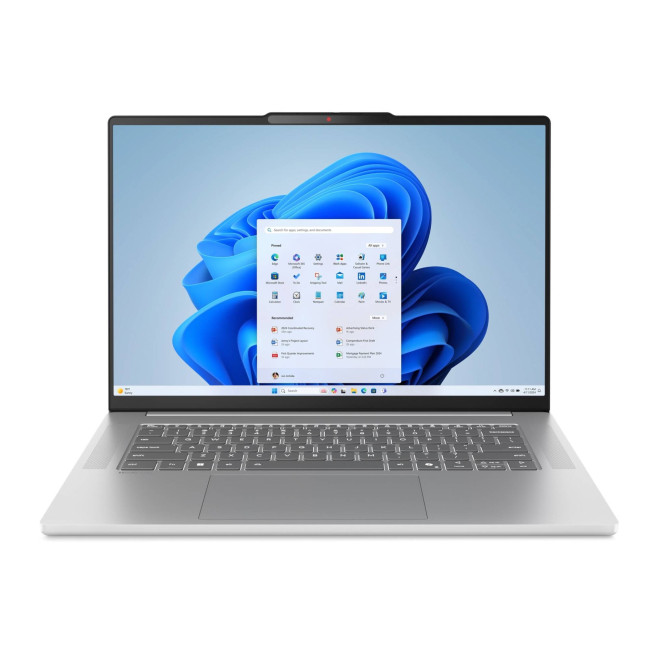
1. Lenovo IdeaPad Slim 5 15ARP10 – Best Overall for Programming
- Processor: AMD Ryzen 7 7735HS, 8 cores
- RAM: 32GB
- Storage: 512GB SSD
- Display: 15-inch, 2560 × 1600 OLED
- Graphics: Integrated AMD graphics
- Operating System: Windows 11 Home
- Best For: Full-stack development, containers, AI-assisted coding and heavy multitasking
The Lenovo IdeaPad Slim 5 15ARP10 combines an eight-core Ryzen 7 processor with 32GB RAM, giving developers plenty of headroom for an IDE, local server, database, Docker containers, browser tabs and AI coding tools running together.
It suits Visual Studio, VS Code, PyCharm, IntelliJ IDEA, Python, Java, Node.js and Docker, while its additional memory is valuable for automated testing and larger development environments. The OLED display also provides a sharp workspace for code, terminals and documentation.
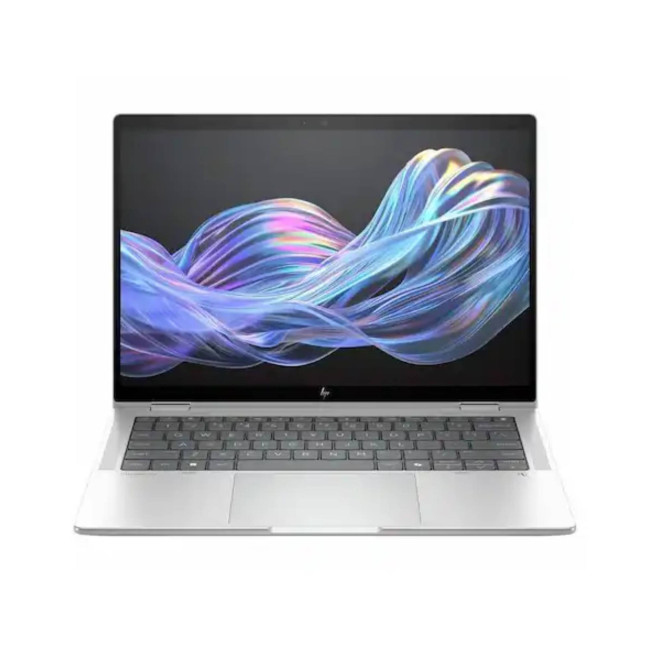
2. HP EliteBook X G1i – Best for Professional Developers
- Processor: Intel Core Ultra 7 268V
- RAM: 32GB
- Storage: 512GB SSD
- Display: 14-inch, 1920 × 1200
- Graphics: Intel Arc 140V
- Operating System: Windows 11 Pro
- Best For: Professional coding, AI-assisted workflows and business development
The HP EliteBook X G1i brings together 32GB RAM, a Core Ultra 7 processor, Intel Arc graphics and Windows 11 Pro. It is also a Copilot+ PC, adding dedicated AI-capable hardware alongside its conventional development performance.
For developers, it is well matched to Visual Studio, .NET, VS Code, WSL, SQL tools and AI-assisted coding. The 32GB memory capacity gives professional users room for Docker, test automation, larger projects and multiple business applications without making memory an early bottleneck.
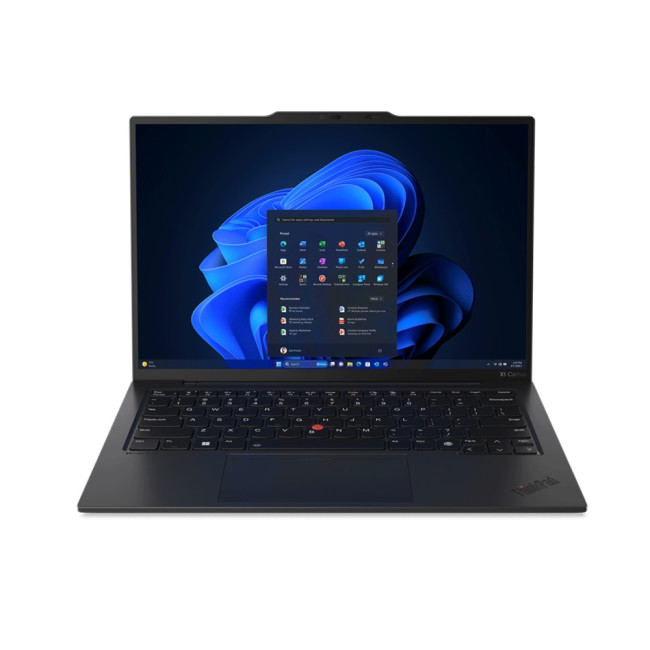
3. Lenovo ThinkPad X1 Carbon Gen 12 – Best for Custom Development Environments
- Processor: Intel Core Ultra 7 155H, 16 cores
- RAM: 32GB
- Storage: 2TB SSD
- Display: 14-inch, 1920 × 1200
- Graphics: Intel Arc
- Operating System: No OS
- Keyboard: US International
- Best For: Linux/Windows custom setups, containers, VMs and large repositories
The Lenovo ThinkPad X1 Carbon Gen 12 offers a Core Ultra 7 155H, 32GB RAM and a 2TB SSD. That capacity is particularly useful for developers storing multiple SDKs, repositories, Docker images, virtual machines, test environments and local development databases.
It ships with no operating system, making it best suited to experienced developers who want to create their own Windows or Linux environment. The US International keyboard layout should also be considered before choosing it for everyday coding.
4. ASUS VivoBook 16X – Best for GPU-Assisted Development
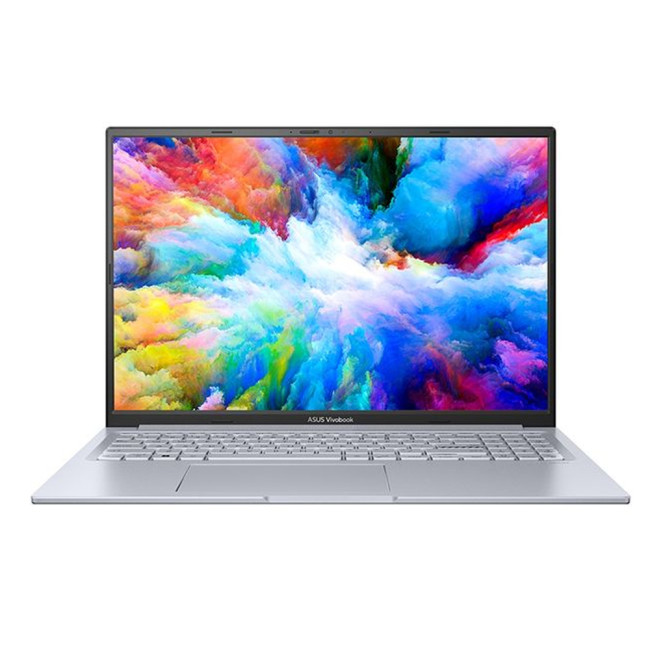
- Processor: Intel Core i5-12450H
- RAM: 16GB
- Storage: 512GB SSD
- Display: 16-inch, 1920 × 1200 IPS
- Graphics: NVIDIA GeForce RTX 2050
- Operating System: Windows 11 Home
- Best For: Game development, graphics programming and lighter local AI experiments
The ASUS VivoBook 16X is distinctive because it combines an H-series processor with a dedicated GeForce RTX 2050 GPU. That gives it an advantage for development tasks that can make practical use of GPU acceleration.
It suits Unity, entry-level game development, graphics programming and conventional Visual Studio or VS Code projects. The GPU can also support lighter local AI experimentation, although the RTX 2050 and 16GB RAM should not be treated as workstation-class hardware for large local models.
5. HP 255R G10 – Best for Full-Stack Development and Automation
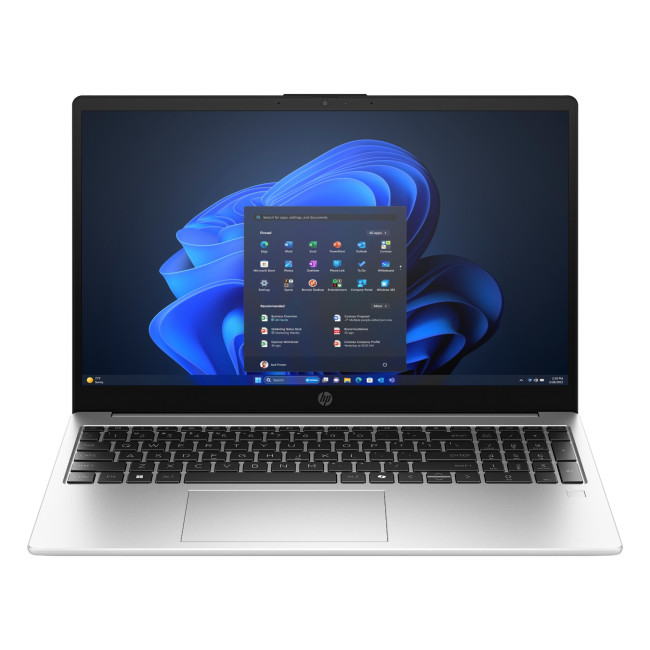
- Processor: AMD Ryzen 5 7535U, 6 cores
- RAM: 24GB
- Storage: 512GB SSD
- Display: 15.6-inch Full HD IPS
- Graphics: AMD Radeon 660M
- Operating System: Windows 11 Pro
- Best For: Full-stack coding, Docker, API testing and browser automation
The HP 255R G10 provides 24GB RAM, giving it useful extra headroom over conventional 16GB coding laptops. Its six-core Ryzen processor supports the mixed workloads common in full-stack development.
It can comfortably combine VS Code, Node.js, Python, databases, API tools, Docker and AI coding assistants. The additional memory is also useful for QA workflows involving automated browser tests, several browser tabs and local development services running at the same time.
6. ASUS ZenBook 14 – Best for Front-End Development
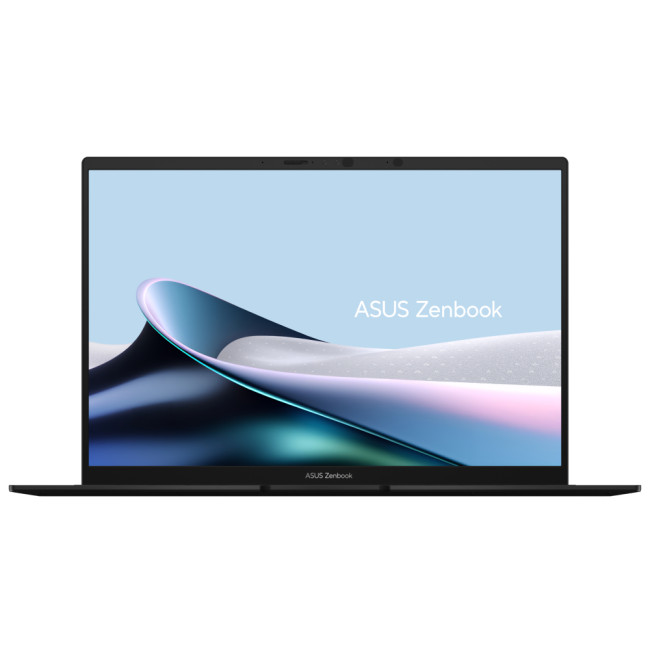
- Processor: AMD Ryzen AI 5 340
- RAM: 16GB
- Storage: 1TB SSD
- Display: 14-inch 3K OLED
- Graphics: AMD Radeon 840M
- Operating System: Windows 11 Home
- Best For: Front-end coding, UI debugging and browser-based workflows
The ASUS ZenBook 14 combines a Ryzen AI processor with 16GB RAM, 1TB SSD storage and a 3K OLED display. Its 16:10 screen gives front-end developers useful vertical space for editors, browser previews and developer tools.
It is well suited to HTML, CSS, JavaScript, React, Node.js, VS Code and AI-assisted web development. The 1TB SSD also leaves more space for projects, package caches and browser-testing environments, while its portable format suits developers moving between workspaces.
7. HP OmniBook X Flip 14 – Best Convertible for Development and Prototyping
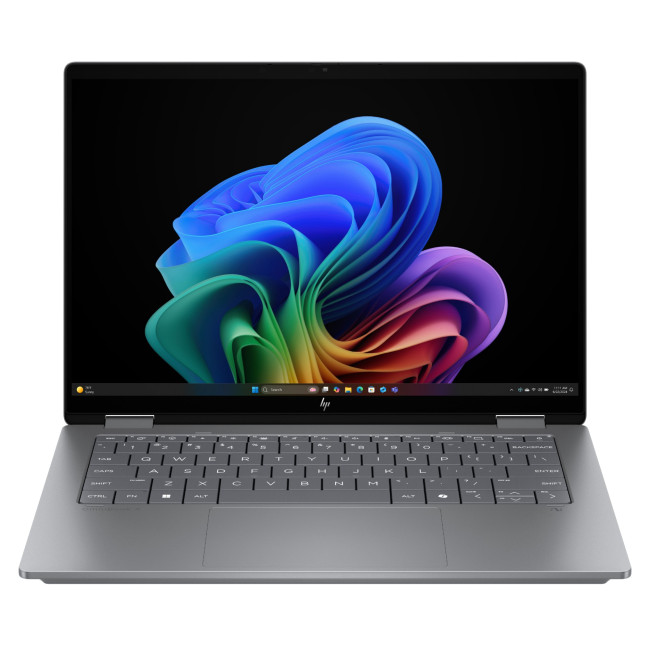
- Processor: AMD Ryzen AI 7 350
- RAM: 16GB
- Storage: 1TB SSD
- Display: 14-inch 3K OLED touchscreen
- Graphics: AMD Radeon 860M
- Operating System: Windows 11 Home
- Best For: UI development, prototyping, flexible development and supported on-device AI workflows
The HP OmniBook X Flip 14 uses an eight-core Ryzen AI 7 processor and includes an NPU rated at up to 50 TOPS. Combined with 16GB RAM and 1TB storage, it is well positioned for modern AI-enabled Windows workflows.
Developers can use it for VS Code, Visual Studio, Python, JavaScript, AI coding tools and mainstream automation. Its convertible OLED touchscreen is also practical for reviewing interfaces and prototypes, although 16GB RAM makes cloud AI workflows more natural than memory-heavy local models.
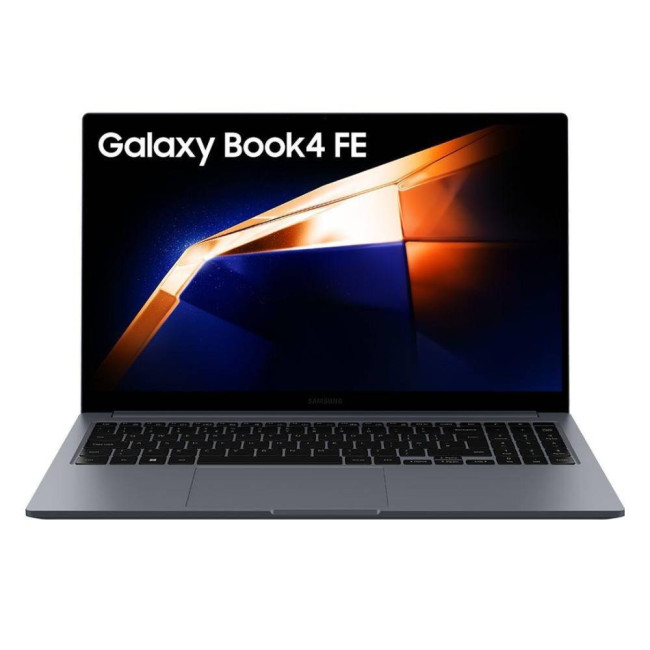
8. Samsung Galaxy Book4 FE – Best for Web Development and QA
Button: Buy Now
- Processor: Intel Core i7-1355U, 10 cores
- RAM: 16GB
- Storage: 512GB SSD
- Display: 15.6-inch Full HD
- Graphics: Intel Iris Xe
- Operating System: Windows 11 Home
- Best For: Web development, AI-assisted coding and everyday QA
The Samsung Galaxy Book4 FE pairs a 13th Gen Core i7 processor with 16GB RAM and 512GB SSD storage, providing a balanced setup for mainstream programming and browser-heavy development.
It suits VS Code, Git, HTML, CSS, JavaScript, Python and cloud AI coding assistants, as well as unit, API and moderate browser-testing workloads. Integrated graphics are sufficient for these tasks, but this is not the model to prioritise for GPU-dependent development or large local AI workloads.
9. ASUS VivoBook S14 – Best for Portable Programming

- Processor: AMD Ryzen 5 220, 6 cores
- RAM: 16GB
- Storage: 512GB SSD
- Display: 14-inch, 1920 × 1200 IPS
- Graphics: AMD Radeon 740M
- Operating System: Windows 11 Home
- Best For: Portable coding, AI assistance and programming study
The ASUS VivoBook S14 combines a six-core processor, 16GB RAM and a 14-inch 16:10 display in a chassis weighing around 1.39kg.
It is a good fit for VS Code, Python, JavaScript, Git, web development, cloud AI assistants and lighter test automation. Its portable design makes it particularly useful for students and hybrid developers, while heavier virtualisation or numerous simultaneous containers are better served by machines with more RAM.
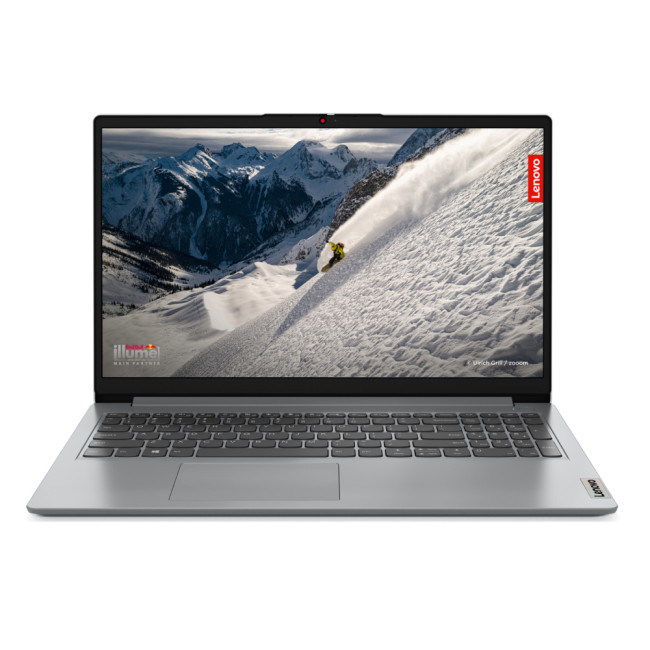
10. Lenovo IdeaPad 1 15AMN7 – Best for Programming Students and Beginners
- Processor: AMD Ryzen 5 7520U, 4 cores
- RAM: 16GB
- Storage: 512GB SSD
- Display: 15.6-inch Full HD IPS
- Graphics: AMD Radeon 610M
- Operating System: Windows 11 Home in S mode
- Best For: Learning coding, web development and beginner AI-assisted workflows
The Lenovo IdeaPad 1 15AMN7 provides 16GB RAM and 512GB SSD storage, giving beginners enough capacity for Python, HTML, CSS, JavaScript, Git and introductory software projects.
It can also support cloud-based AI assistance for explaining code, debugging and learning concepts. However, its quad-core processor is better suited to lighter development, and Windows 11 Home in S mode may need to be switched out of before installing some conventional developer applications.
Benefits of Using Refurbished Laptops for Developers
Choosing refurbished laptops for developers can reduce the cost of getting capable hardware while still providing the performance needed for modern programming, testing and development tools.
Lower Cost Than Buying New
Refurbished laptops generally cost less than equivalent new models, making it easier to access capable hardware without paying for the latest generation. This can be especially useful for students, freelancers and developers working within a limited budget.
Access to Stronger Specifications
The lower cost can also make higher RAM capacities, larger SSDs, dedicated graphics and business-class hardware more accessible than when buying new.
Better Hardware Matching
Programming does not always require flagship specifications. Developers can prioritise the features that directly affect their work, such as more RAM for containers, additional storage for virtual machines or a larger display for multitasking.
Useful Business-Class Options
Refurbished ranges often include enterprise laptops that can offer durable builds, comfortable keyboards, strong connectivity, docking support, enhanced security features and practical servicing options.
Suitable for Learning and Study
Students learning Python, Java, HTML, CSS or JavaScript can use capable refurbished hardware for coursework and personal projects without necessarily needing workstation-level specifications.

How to Maintain Your Refurbished Laptop for Long-Term Use
Good maintenance helps keep any development laptop responsive and reliable.
- Keep the operating system and development software updated.
- Monitor SSD capacity, especially if you use SDKs, package caches, virtual machines or Docker images.
- Remove unused development environments and build files.
- Keep ventilation clear during sustained CPU workloads.
- Back up projects regularly and use version control such as Git.
- Monitor battery health as the laptop ages.
- Check compatibility before upgrading RAM or storage.
- Document important dependencies and software versions so your development environment can be rebuilt if necessary.
For programmers, software maintenance matters as much as physical care. A clean, backed-up and reproducible development environment can prevent considerable disruption if the operating system needs to be restored.

Which Refurbished Laptop Is Best for Programming?
The best refurbished laptop for programming is the one that matches your workload rather than simply offering the highest specification.
- For Full-Stack Development: Lenovo IdeaPad Slim 5 15ARP10 and HP 255R G10 suit IDEs, databases, local servers and containers.
- For Professional and AI-Assisted Development: HP EliteBook X G1i and ThinkPad X1 Carbon Gen 12 offer strong multitasking and development flexibility.
- For GPU-Assisted Development: ASUS VivoBook 16X suits Unity, graphics work and GPU-supported tasks.
- For Web Development: ASUS ZenBook 14, HP OmniBook X Flip 14 and Samsung Galaxy Book4 FE suit browser-heavy workflows.
- For Students and Portable Coding: ASUS VivoBook S14 and Lenovo IdeaPad 1 fit lighter workloads.
Want to compare more options? Explore certified refurbished laptops at Laptop Outlet for coding, software development and everyday workloads.

In Case You Were Wondering...
Are refurbished laptops good enough for programming?
Yes. Refurbished laptops can handle programming well if they have a suitable processor, enough RAM, SSD storage and support for the development tools, operating systems and workloads you use.
Is a second hand laptop good for coding?
Yes. For coding, look for a second-hand laptop with at least a modern quad-core processor, 16GB RAM and a 512GB SSD. A Full HD display is also preferable. For Docker, virtual machines, Android emulators or heavier IDEs, 24GB to 32GB RAM is a better choice.
Which refurbished laptop is best for Python and Java?
For Python and Java, look for a refurbished laptop with a modern multi-core processor, at least 16GB RAM and SSD storage. More memory helps with larger IDEs, databases and multitasking.
Is it safe to buy refurbished laptops for developers?
Yes. Buying from a trusted retailer such as Laptop Outlet can provide greater confidence through clear condition grading, warranty information and detailed specifications. Always check the exact configuration and battery information before buying.
Can refurbished laptops run IDEs like Visual Studio or IntelliJ?
Yes. Refurbished laptops can run Visual Studio, IntelliJ IDEA and other IDEs if they meet the software requirements. For larger projects and heavier multitasking, 16GB or more RAM is preferable.
What’s the difference between a used and refurbished laptop?
A refurbished laptop is usually inspected, tested and prepared for resale, while a used laptop is generally sold in its existing condition. Refurbished models often provide clearer grading and warranty information.
| Read More: |
| The Ultimate Guide to Buying Reliable Refurbished Laptops |
| Refurbished Laptop Grades Decoded: What to Expect at Each Grade Level |
| Where to Look for Refurbished Laptop Deals in 2026 |
Related Articles

Last Updated: March 17, 2026
What’s the Difference Between Refurbished and Brand-New Tech?
- Refurbished Tech: Pre-owned devices restored, tested, and certified to work like new. They may have minor cosmetic flaws but are backed by a warranty and sold at discounted prices.
- Brand New Tech: Fresh from the manufacturer, untouched, with full warranty, latest specs, and the confidence of being the very first user.
Feature Comparison Table
| Feature | Refurbished Tech | Brand New Tech |
| Price | Up to 40–60% cheaper than new | Full retail price |
| Condition | Like-new after professional inspection | Factory-sealed, unused |
| Warranty | Limited or retailer-backed (e.g. 6–12 months) | Full manufacturer warranty (1–3 years) |
| Performance | Tested to meet functional standards | Latest specs, untouched hardware |
| Sustainability | Eco-friendly, reduces e-waste | Less eco-friendly (new production impact) |
| Availability | May be older-gen models | Latest models available |
1. Price & Value
- Refurbished: Offers major savings, often 40–60% off. Perfect for buyers who want performance

Last Updated: October 22, 2025
I was skint, to be honest. My old laptop had packed it in mid-way through applying for jobs, and I didn’t have the cash to drop on a brand-new one. You know how it is - bills, rent, travel, it all stacks up.
So, when I spotted a decent-looking ThinkPad on Facebook Marketplace for £220, I thought, go on then.
The listing said it had “just been wiped,” “works perfectly,” and came with the charger and box. Looked tidy in the photos. Not dodgy looking, just a regular bloke selling some old work gear. Said he upgraded and didn’t need it anymore.
I messaged him, asked a few questions, nothing too deep, just the basics. He replied quickly and seemed normal enough. Even said he’d meet me halfway in Stratford to hand it over. Sounded fair.
Now, I know what you’re thinking: I should’ve just bought a refurbished one from a trustworthy retailer like Laptop Outlet. And yeah - I’ve heard that before. But when you’re counting every penny and someone’s offering you a fully working laptop for less than

Last Updated: August 24, 2026
A gaming laptop refurb can be worth buying in 2026, provided you purchase from a reputable UK retailer with a clear grading system and a warranty of at least 12 months. Refurbished gaming laptops typically cost 20–50% less than their brand-new equivalents, and perform the same as new hardware. The key considerations are the seller's grading standards, battery health, and whether the GPU meets your performance needs.
What Does “Refurbished” Actually Mean for a Gaming Laptop?
The word “refurbished” is used broadly, but there are meaningful differences between a professionally refurbished device and something simply listed as “used” on a marketplace. Understanding those differences matters before you spend anything.
A professionally reconditioned gaming laptop has been inspected, tested for hardware and software faults, cleaned, data-wiped to industry standards, and graded according to its cosmetic and functional condition. Reputable UK retailers such as Laptop Outlet follow clearly
Last Updated: May 06, 2026
Buying a certified refurbished monitor can feel like discovering a hidden gem. You get the same premium performance as a brand-new product, but at a fraction of the price. Still, many shoppers wonder, “How do I know it’s really been tested and certified properly?”
At Laptop Outlet, we believe that refurbished does not mean second-best. Our refurbished monitors are carefully tested, restored, and certified to deliver the same level of reliability, performance, and visual quality you would expect from a new device.
Here is a closer look at how our refurbished monitor testing process works, how each unit is certified, and what that certification means for you.
What are Refurbished Monitors?
Refurbished monitors are not “used” in the everyday sense. They’re often returns, display models, or items that have been opened but never actually used. Some may have had minor cosmetic imperfections or packaging damage, while others might simply be surplus stock.
Before these monitors reach our customers,
Published: November 13, 2025
Over 350 million refurbished devices were sold globally in 2024, and that number’s still climbing in 2025. People aren’t just buying refurbished to save money anymore; they’re buying smarter, greener, and more responsibly.
But with refurbished tech booming, one big question remains - who’s actually doing it right? The answer is simple: the R2-certified sellers.
The R2 (Responsible Recycling) standard is recognised globally as the highest benchmark for responsible electronics renewal, covering everything from data security and environmental safety to worker protection and quality testing. As of 2023, there are more than 1,100 R2-certified facilities across 41 countries, all following the same strict sustainability and safety principles. Considering that only about 17.4% of global e-waste is recycled properly, R2 certification isn’t just a badge; it’s a solution.
And here’s the part Laptop Outlet is most proud of, we’re officially R2 certified.
That means every laptop, monitor, or mobile
Last Updated: April 02, 2026
In an age where the next best device seems just around the corner, many consumers and organisations are quietly turning to a smarter alternative: refurbished tech. Whether it's a laptop, smartphone, tablet or monitor, devices that have been renewed, re-certified and resold are no longer the fringe option; they’re becoming mainstream. The global refurbished tech market is surging, driven by cost consciousness, sustainability awareness and improving trust in quality. In this article, we’ll explore why refurbished devices are gaining stock, how the market is evolving, and what this means for buyers and sellers alike in 2025 and beyond.
The Big Picture: Market Growth & Opportunity
The numbers tell a clear story: the UK refurbished electronics market is growing faster than ever. In 2025, it’s valued at roughly £7.6 billion, with projections suggesting it could more than double by 2032 as refurbished laptops, smartphones, and other devices continue to rise in demand. The growth is fuelled by

Last Updated: December 31, 2025
Upgrading your display is one of the smartest ways to refresh your setup for the year ahead. A better monitor can make work feel smoother, games look sharper, and day-to-day browsing far more comfortable, without needing a whole new PC. The good news? You don’t have to pay full retail to get a premium panel. Choosing refurbished is a practical way to access higher specs (4K, OLED, high refresh rates, USB-C portability) for less, while keeping perfectly usable tech in circulation for longer. That’s especially true during New Year promotions, when clearance pricing and seasonal offers often collide. You’ll see everything from portable screens for hybrid work to big-format displays built for entertainment and collaborative spaces.
Classroom-Ready 4K Touch: Refurbished BenQ Education
If you’re upgrading a classroom, meeting room, training space, or collaborative studio, the BenQ RE8601 is a standout. At 86 inches with 4K clarity and interactive touch, it’s built for hands-on presentations,
Last Updated: December 31, 2025
The New Year is the perfect time to upgrade your tech without overspending, and Laptop Outlet is here to make that easier than ever. Our New Year refurbished laptop deals for 2026 bring unbeatable value, reliability, and performance, all at prices that won’t stretch your budget. If you’re searching for refurbished laptops under £200, this is the smartest way to start the year with dependable technology for work, study, or everyday use.
Refurbished laptops are no longer a compromise. In fact, they are one of the most practical ways to get high-quality devices from trusted brands at a fraction of the original price. Whether you’re looking for cheap refurbished laptops deals this New Year, a device for home working, or a dependable secondary laptop, our New Year sale has something for everyone.
Refurbished Laptops Under £200: What Can You Expect?
Many shoppers are surprised by just how much you can get when browsing refurbished laptops under £200 at Laptop Outlet. While these laptops may

Last Updated: September 15, 2026
If you’re asking “are refurbished desktop PCs worth it” in 2026, you’re not alone. Refurb is having a moment in the UK, partly because budgets are tight, and partly because more people want a cheaper, lower-waste way to get solid tech. At the same time, buyers are more hesitant than ever… and that hesitation is not random. A few very 2026-specific changes have raised the stakes.
This guide breaks down the real reasons people hesitate in 2026, and how Laptop Outlet reduces those risks so you can buy refurbished with genuine peace of mind - without losing out on choice or price.
What changed in 2026 that made buyers more cautious?
1) The Windows 10 “cliff edge” is now behind us
Windows 10 support ended on 14th October 2025, which means many older desktops are now in a riskier zone if they can’t upgrade cleanly.
Yes, Microsoft offers Extended Security Updates (ESU), but for consumers it’s a limited runway (through 2026) and comes with requirements that can add friction.
Why this makes refurbished
Last Updated: April 14, 2026
When you spend hours each day working across spreadsheets, dashboards, documents, or lines of code, your monitor becomes more than just a screen. It becomes the centre of your workflow. The right display can make work feel smoother, reduce fatigue, and help you stay focused for longer.
That’s exactly where BenQ productivity monitors stand out. Designed with knowledge workers, developers, and multitaskers in mind, BenQ offers a range of displays built for modern professional demands. Whether you need pixel-perfect clarity, extra-wide space for multiple apps, or coding-specific features, there’s a BenQ option tailored to the way you work.
Why Productivity-Focused Monitors Matter for Knowledge Work
A standard office monitor can get the job done, but knowledge work has evolved. Today’s workflows often involve multiple applications running side by side, detailed content review, long hours of screen time, and constant context switching. That’s why choosing the right monitor is no longer just

