



Best Bluetooth Noise-Cancelling Headphones in 2026
Noise is one of the biggest distractions in modern life. Whether you are working from a busy home, taking Teams calls in an open office, gaming late at night, travelling by train or trying to focus in a café, good noise cancelling headphones can make a noticeable difference.
| The best noise-cancelling headphones are those that block background noise effectively while offering clear audio, comfort, reliable battery life, and good microphone quality. Whether you need them for work calls, travel, gaming, or music, choosing the right model depends on your budget and daily usage. |
In 2026, the best Bluetooth headphones with noise cancellation are no longer just for music lovers. Many now include adaptive ANC, voice-isolating microphones, multi-device pairing, low-latency gaming modes and long battery life. That makes them useful for work, study, gaming, streaming, commuting and everyday entertainment.
Best Bluetooth Noise-Cancelling Headphones UK: Quick Comparison
|
PRODUCT |
BEST FOR |
CONNECTION TYPE |
KEY STRENGTH |
|
Apple AirPods Max USB-C |
Premium listening and Apple users |
Bluetooth |
Premium ANC and Spatial Audio |
|
Poly Voyager Surround 80 UC |
Business calls and hybrid work |
Wireless / USB / 3.5mm |
Boomless business headset design |
|
Jabra Evolve2 65 Flex Link UC |
Portable hybrid workers |
Bluetooth / USB-C dongle |
Foldable ANC headset with strong mic features |
|
Poly Voyager Focus 2 UC |
Office calls and all-day use |
Bluetooth / USB dongle |
Hybrid ANC and charging stand |
|
Razer BlackShark V3 Pro Black |
PC gaming and streaming |
Bluetooth / USB-C dongle / wired |
Gaming ANC with detachable mic |
|
Razer BlackShark V3 Pro Xbox White |
Xbox and console gaming |
Bluetooth / USB-C dongle / wired |
Console-focused wireless gaming ANC |
|
Poly W8220/A UC |
Desk phones and office users |
Wireless / Bluetooth / USB / RJ |
Office headset with ANC and long wireless range |
|
Lenovo EPOS ADAPT 360 |
Refurbished value for work |
Bluetooth |
ANC, Microsoft Teams support and foldable design |
|
ASUS ROG Cetra True Wireless SpeedNova |
Gaming earbuds and portability |
Bluetooth / 2.4GHz wireless |
Adaptive ANC and low-latency gaming audio |
|
Microsoft Modern USB-C Wired Headset |
Budget Teams calls |
Wired USB-C |
Noise-reducing mic and Teams controls |
| Note: Most picks in this guide are Bluetooth or wireless ANC headsets. The Microsoft Modern USB-C model is included as a strong wired alternative for Teams and office calls, not as a Bluetooth headphone. |
What Are Noise Cancelling Headphones?
Noise cancelling headphones are headphones designed to reduce unwanted background sound. Some rely on physical isolation, such as padded earcups or in-ear tips, while active noise cancellation headphones use built-in microphones and electronics to reduce certain outside sounds.
Active noise cancellation, or ANC, works best against steady low-frequency sounds such as engine noise, air conditioning, train rumble, office hum and background chatter. It is less effective against sudden sharp sounds, such as door slams, alarms or nearby voices.
Consumer ANC headphones are noise reducing headphones, not fully sound proof headphones. They can make your environment quieter, but they will not block every sound completely.
For a more complete desk setup, it is also worth pairing your headphones with the right laptop accessories such as a keyboard, monitor, and docking station.
How Do Noise-Cancelling Headphones Work?

Active noise cancelling headphones use microphones to listen to the sound around you. The headphones then create an opposite sound wave to reduce the unwanted noise before it reaches your ears. Bose explains active noise cancellation as technology that uses microphones and speakers in headphones or earbuds to reduce background noise, while technical testing sites also separate passive isolation from active cancellation because both affect how much outside sound you hear.
In simple terms:
- The microphones detect outside sound. (While many headsets include built-in microphones, content creators and streamers may still prefer a dedicated microphone for PC recording.)
- The headphones process that sound.
- The speakers produce an opposite signal.
- The two sounds reduce each other.
- You hear less background noise.
That is why bluetooth headphones noise cancellation is so useful for travel, work calls, studying and gaming. It creates a more focused listening environment without needing to raise the volume too much.
1. Apple AirPods Max USB-C
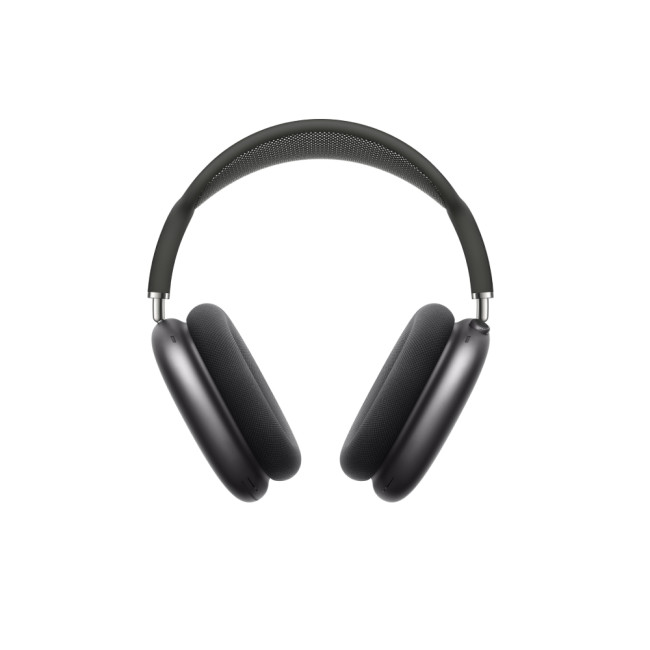
Best Premium Noise-Cancelling Headphones for Apple Users
Highlights:
- A Quick 5-Minute Charge Gives You Up to 1.5 Hours of Playback
- Active Noise Cancellation with Transparency Mode
- Spatial Audio for CinemaLike Sound That Surrounds You
- Bluetooth 5.0
- Noise Cancellation
- Midnight Colour
The Apple AirPods Max USB-C is a premium over-ear option for people who want strong active noise cancellation, high-quality audio and a luxury listening experience. Laptop Outlet lists the AirPods Max USB-C with Active Noise Cancellation, Transparency Mode, Spatial Audio, Bluetooth 5.0 and a 5-minute quick charge that gives up to 1.5 hours of playback.
|
Why they stand out AirPods Max is ideal if you already use an iPhone, iPad or Mac. They are designed for easy pairing, quick device switching, and immersive listening. The over-ear design and memory foam cushions also help create a seal around your ears, which supports both comfort and noise reduction. |
Best for
- Apple users
- Premium music listening
- Travel and commuting
- Video watching
- Everyday ANC use
|
Consider before buying They are not the lightest headphones in this guide, and they are not the cheapest. If your main need is business calls, a Poly or Jabra headset may offer more work-focused microphone features. If you want premium listening and Apple ecosystem convenience, AirPods Max are a strong choice. |
2. Poly Voyager Surround 80 UC
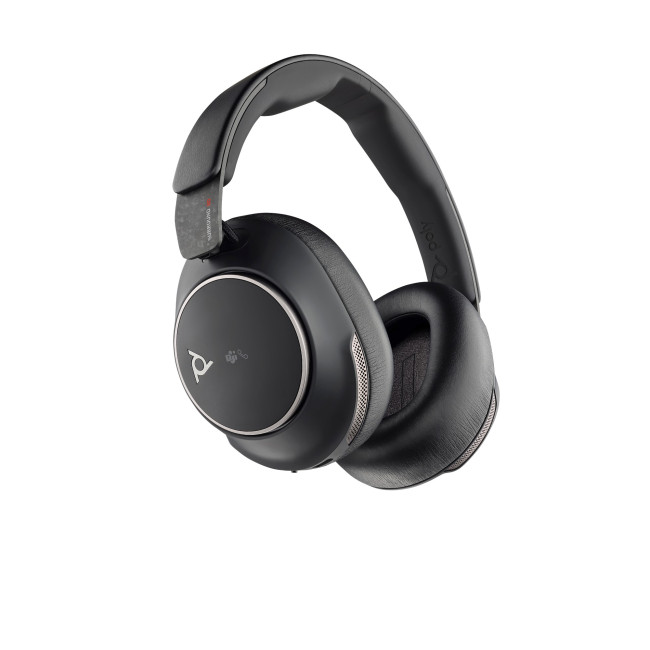
Poly Voyager Surround 80 UC Stereo
Best Premium Business ANC Headset
The Poly Voyager Surround 80 UC is a business-focused wireless headset designed for professional calls, hybrid meetings and focused work. Laptop Outlet lists this model as a Microsoft Teams Certified wireless headset with USB-C, USB-A and 3.5mm connection support, a carry case, BT700 Bluetooth adapter and business-focused design.
HP Poly describes the Voyager Surround series as a stereo Bluetooth headset with soft ear cushions, an adjustable headband and adaptive ANC for focus.
|
Why it stands out This is a good option for people who want a clean, boomless headset for work. Unlike traditional office headsets with long mic arms, the Voyager Surround 80 UC keeps the design more headphone-like while still being aimed at professional communication. |
Best for
- Hybrid workers
- Business meetings
- Microsoft Teams users
- Professional calls
- Users who prefer a boomless design
|
Consider before buying If you want a visible boom mic for very noisy environments, the Poly Voyager Focus 2 or Jabra Evolve2 65 Flex may feel more call focused. The Voyager Surround 80 UC is better for users who want a more premium, modern business headset style. |
3. Jabra Evolve2 65 Flex Link UC
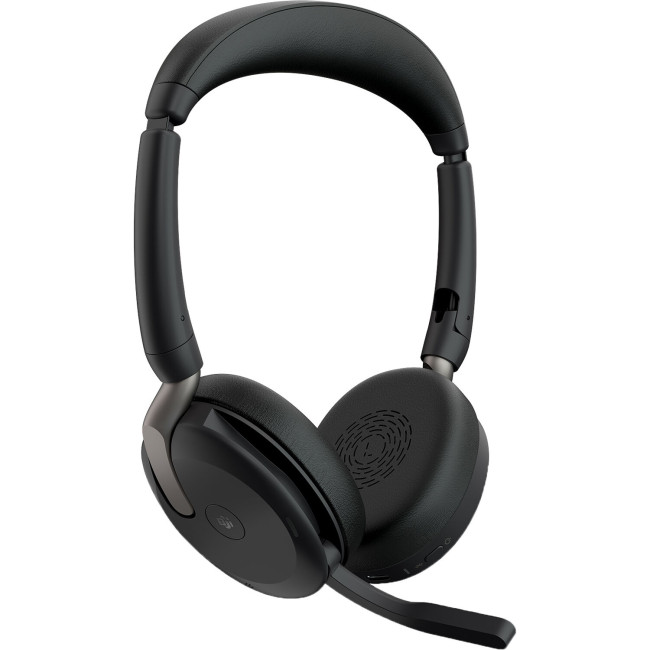
JABRA Evolve2 65 Flex Link UC Stereo
Best Portable Noise-Cancelling Headset for Hybrid Work
Highlights:
- Wireless
- Black Colour
The Jabra Evolve2 65 Flex Link UC is one of the best picks for hybrid professionals who need portability, comfort and strong call quality. Laptop Outlet describes it as a stereo wireless Bluetooth on-ear headset with Hybrid Active Noise Cancellation, noise-cancelling microphones, Jabra Air Comfort technology and a fold-flat design that slips into a protective pouch.
The product page also states that it is certified for leading virtual meeting platforms including Google Meet, Microsoft Teams and Zoom, with up to 30m/100ft wireless range and dual connectivity.
|
Why it stands out This is a practical headset for people who move between home, office, cafés and client meetings. The foldable design makes it more portable than many full-size over-ear headphones, while ANC and noise-cancelling microphones help both you and your callers focus. |
Best for
- Hybrid workers
- Remote workers
- Zoom and Teams meetings
- Travel between workspaces
- Professionals who need a compact headset
|
Consider before buying It is an on-ear headset, not an over-ear model. Some users prefer over-ear headphones for stronger passive isolation, while others prefer on-ear designs because they feel lighter and more breathable. |
4. Poly Voyager Focus 2 UC
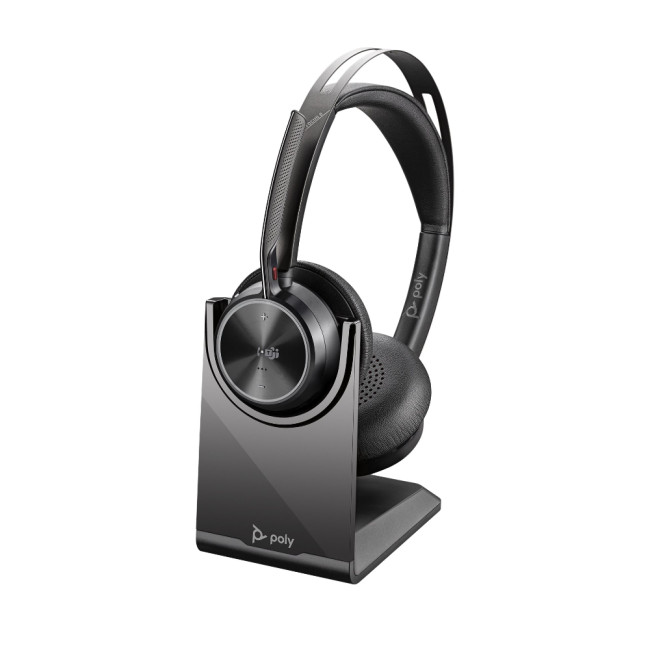
Highlights:
- Audio performance: Adjust the noise cancelling level for your personal preference with three options of Advanced Digital Hybrid active noise cancelling (ANC)-high, low and off.
- Poly Acoustic Fence technology: Advanced multi-microphone noise cancelling so callers hear you and not your surroundings.
- Smart technology: Dynamic Mute Alert tells you if you speak while muted.
- Wireless
- Black Colour
The Poly Voyager Focus 2 UC is built for people who spend much of the day on calls. Laptop Outlet highlights three levels of Advanced Digital Hybrid ANC, Poly Acoustic Fence technology, wireless connectivity, a desktop charging stand and up to 19 hours of talk time.
The product page also says it connects to a computer using the included BT700 USB adapter and to mobile devices via Bluetooth 5.1.
|
Why it stands out This is a strong noise cancelling headphones with a microphone option for call-heavy workers. The boom mic and Acoustic Fence technology are designed to help callers hear your voice rather than your surroundings. |
Best for
- Call centre-style work
- Teams and Zoom meetings
- Office and home-office calls
- Long working days
- Users who want a headset stand
|
Consider before buying This is a work-first headset. It can handle music and media, but if you want more lifestyle-focused headphones for premium music listening, the AirPods Max or ASUS earbuds may suit you better. |
5. RazerBlackSharkV3 Pro Wireless Gaming Headset
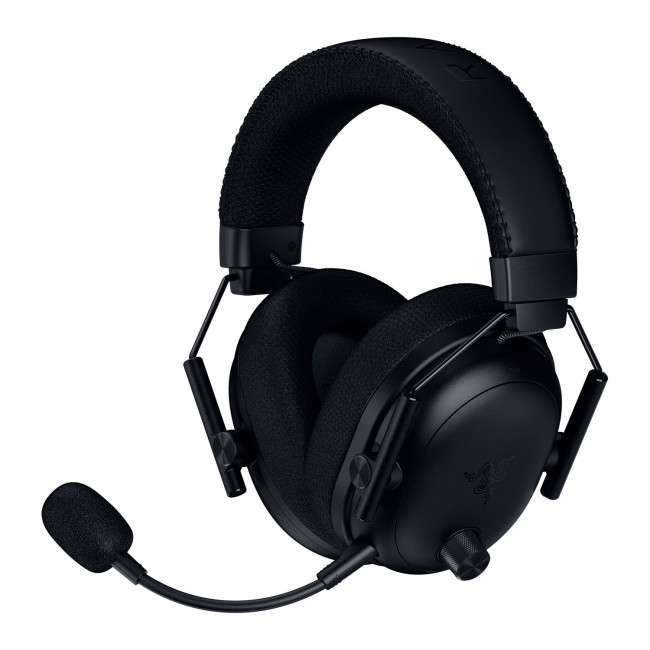
Best ANC Headset for PC Gaming
The Razer BlackShark V3 Pro Wireless Gaming Headset is a gaming-focused ANC headset designed for low-latency performance, clear communication and immersive sound. Laptop Outlet lists the Black model with Active Noise Cancelling, Razer HyperSpeed Wireless Gen-2, Bluetooth 5.3, USB-C dongle wireless, USB and 3.5mm connectivity, plus a detachable Razer HyperClear full-band microphone.
|
Why it stands out This is a gaming headset first, but it can also work for streaming, Discord calls, video meetings and entertainment. The detachable microphone makes it more flexible than many fixed-boom gaming headsets. |
Best for
- PC gamers
- Streamers
- Competitive gaming
- Discord voice chat
- Users who want gaming ANC
|
Consider before buying Gaming ANC is not always the same as traveling ANC. If you mainly want headphones for trains, flights and commuting, a lifestyle or business ANC headset may be more suitable. If you want gaming-first wireless performance, the BlackShark V3 Pro is the better fit. |
6. RazerBlackSharkV3 Pro Xbox Wireless Gaming Headset
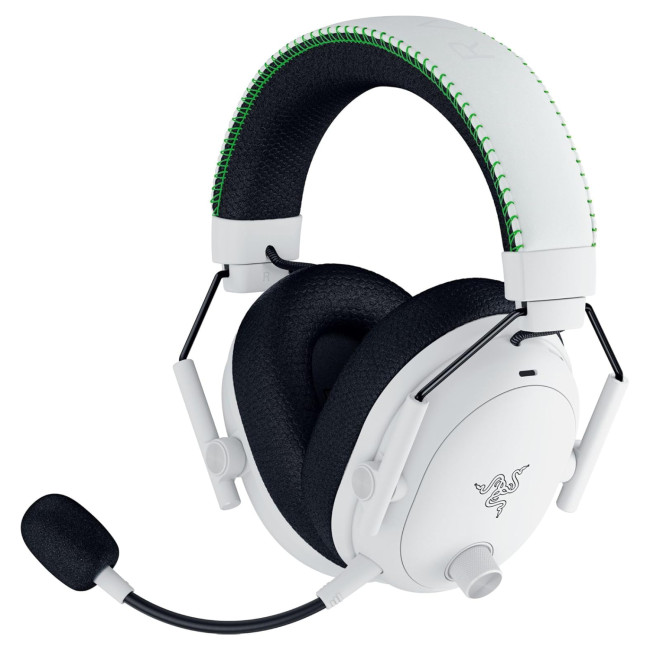
Best ANC Headset for Xbox and Console Gaming
The Razer BlackShark V3 Pro for Xbox is designed for console gamers who want wireless freedom, ANC and a detachable microphone. Laptop Outlet lists the Xbox version with Active Noise Cancelling, HyperSpeed Wireless Gen-2, Bluetooth 5.3, USB-C dongle support and compatibility with Xbox, PC, PlayStation and mobile devices.
|
Why it stands out This is the better Razer pick if Xbox support is your priority. It keeps the same gaming-focused approach as the standard BlackShark V3 Pro but is positioned for console players. |
Best for
- Xbox players
- Console gamers
- Multiplayer gaming
- Gaming and mobile use
- Users who want a white headset design
|
Consider before buying If you only play games on PC, the black standard model may make more sense. If Xbox compatibility matters, this Xbox edition is the most targeted option. |
7. Poly W8220/A UC Wireless Office Headset-
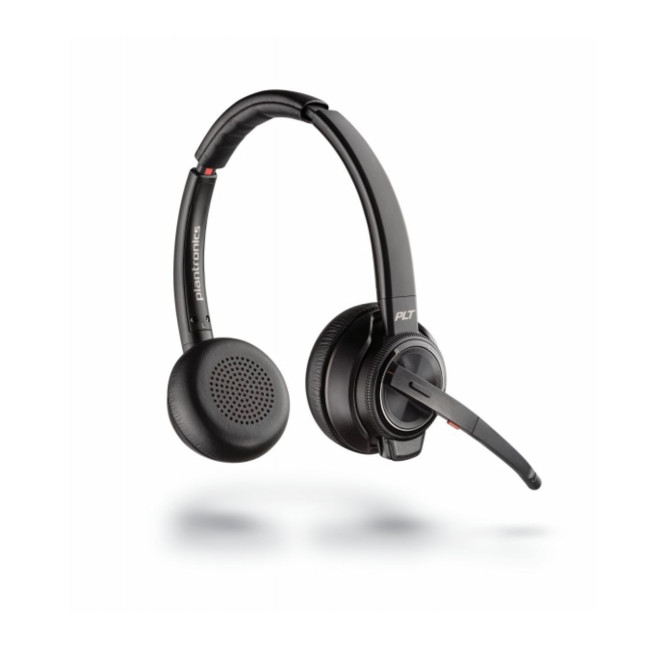
Best for Desk Phones, PC and Mobile Calls
Highlights:
- Comfortable & Durable For All Day Use
- Powerful Noise Cancelling Microphone
- Duo Headset With Active Noise Cancellation (ANC)
- Wireless
- Black Colour
The Poly W8220/A UC is a professional office headset for people who need to switch between desk phone, PC and mobile communication. Laptop Outlet lists it as a wireless office headset with a powerful noise cancelling microphone, duo headset design, Active Noise Cancellation, Bluetooth, USB and RJ connectivity.
The product page also mentions triple connection support across desk phone, mobile via Bluetooth and PC via USB, plus a DECT wireless range of up to 180 meters from the desk.
|
Why it stands out This is one of the most office-focused options in the list. It is especially useful for people who still use a desk phone as well as a computer and mobile. |
Best for
- Office workers
- Reception and support teams
- Desk phone users
- Business calls
- Users who need long wireless range
|
Consider before buying This is less of a lifestyle headphone and more of a professional communication tool. It is not the best choice for casual music listening, but it is highly practical for office calls. |
8. Lenovo EPOS ADAPT 360 ANC Headset-
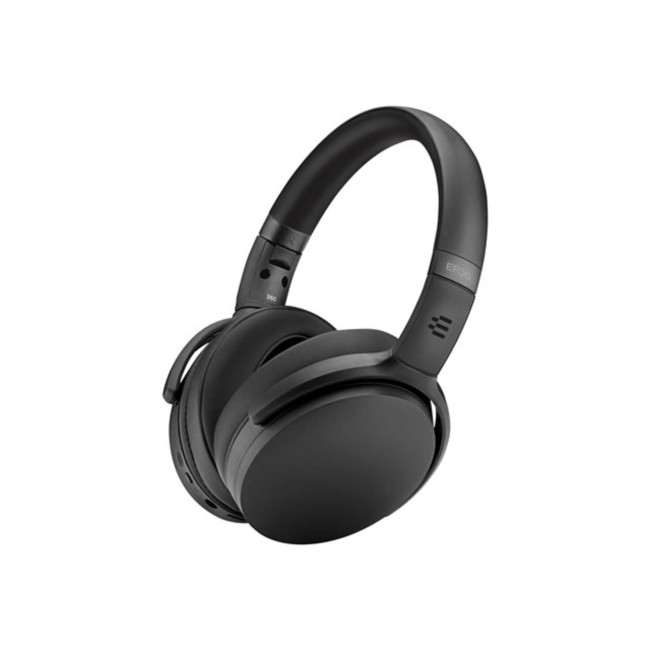
Best Refurbished Value for Work and Calls
Highlights:
- Wireless
- Noise Cancellation
- Black Colour
The Lenovo EPOS ADAPT 360 is a wireless Bluetooth ANC headset that offers strong value, especially a refurbished option. Laptop Outlet lists this model as wireless with noise cancellation, Bluetooth compatibility, and a built-in microphone. The product description also mentions active noise cancelling, Bluetooth 5.0, up to 25m range, Microsoft Teams certification, and foldable design.
Lenovo’s own product information describes the ADAPT 360 as an over-ear Bluetooth headset with Active Noise Cancellation, Microsoft Teams support, multi-point connectivity and two advanced microphones for clearer calls.
|
Why it stands out This is a sensible choice if you want a work-friendly ANC headset without paying premium new-product pricing. It is suitable for office calls, mobile calls, online meetings, and focused work. |
Best for
- Budget-conscious professionals
- Microsoft Teams users
- Refurbished buyers
- Work and leisure
- Portable office setups
|
Consider before buying Because this product is refurbished, check the condition grade before buying. Refurbished can offer great value, but buyers should always review warranty, condition and return details. |
9. ASUS ROGCetraTrue Wireless SpeedNova -

Best Noise-Cancelling Gaming Earbuds
Highlights:
- Dual-mode Wireless Connectivity
- Adaptive ANC with Auto Mode
- Aura RGB Lighting
- Wireless
- Noise Cancellation
- Black Colour
The ASUS ROG Cetra True Wireless SpeedNova is a compact alternative to over-ear ANC headphones. Laptop Outlet lists it with dual-mode wireless connectivity, Adaptive ANC with Auto Mode, Aura RGB lighting, wireless support and noise cancellation. The product page also highlights ROG SpeedNova wireless technology, 2.4GHz low-latency audio, up to 36 hours of battery life in its product copy and AI noise-cancelling beamforming microphones with bone-conduction sensors for clearer voice pickup.
ASUS also describes the ROG Cetra True Wireless SpeedNova as Bluetooth and 2.4GHz wireless gaming earbuds with Adaptive ANC, bone-conduction AI microphones, 24-bit/96kHz audio in 2.4GHz mode and up to 46-hour battery life in Bluetooth mode.
|
Why it stands out These earbuds are ideal if you want something smaller than a full headset. They are especially useful for handheld gaming, mobile gaming, commuting, and quick calls. |
Best for
- Gaming earbuds
- Mobile and handheld gaming
- Portable ANC
- Low-latency wireless audio
- Users who dislike bulky over-ear headphones
|
Consider before buying Earbud fit matters a lot. If the tips do not seal properly, both ANC and bass response can suffer. Over-ear headphones usually feel more stable for long desk sessions, while earbuds are better for portability. |
10. Microsoft Modern USB-C Wired Headset-

Best Wired Alternative for Teams Calls
Highlights:
- Certified for Microsoft Teams
- Superior sound
- USB-C
- Noise Cancellation
- Black Colour
The Microsoft Modern USB-C Wired Headset is not a Bluetooth ANC headphone, but it is still useful for buyers who mainly need clear Teams calls at a lower price. Laptop Outlet lists it as a Microsoft Teams-certified USB-C headset with noise cancellation, a boom microphone, superior sound and a one-year warranty.
Microsoft describes the Modern USB-C Headset for Business as a wired Teams-certified headset with high-quality audio, noise-reducing microphone and intuitive call controls.
|
Why it stands out Wired headsets remove battery anxiety and Bluetooth pairing issues. If you sit at a laptop or desktop all day and mainly need reliable calls, this is a practical alternative. |
Best for
- Microsoft Teams calls
- Budget office setups
- Students
- Remote workers
- Users who prefer wired reliability
|
Consider before buying This is not the right pick if you specifically want wireless noise-cancelling headphones or Bluetooth freedom. Choose it if call clarity and simple USB-C setup matter more than wireless use. |
How to Choose the Best Noise Cancelling Headphones UK Buyers Should Consider
1. Decide What You Need Them For
Different headphones suit different users.
Choose:
- Apple AirPods Max USB-C for premium listening and Apple devices
- Poly Voyager Surround 80 UC for premium business calls
- Jabra Evolve2 65 Flex for portable hybrid work
- Poly Voyager Focus 2 UC for all-day office calls
- Razer BlackShark V3 Pro for gaming and streaming
- Poly W8220/A UC for desk phone, PC and mobile office calls
- Lenovo EPOS ADAPT 360 for refurbished value
- ASUS ROG Cetra SpeedNova for gaming earbuds
- Microsoft Modern USB-C for wired Teams calls
2. Check ANC Type
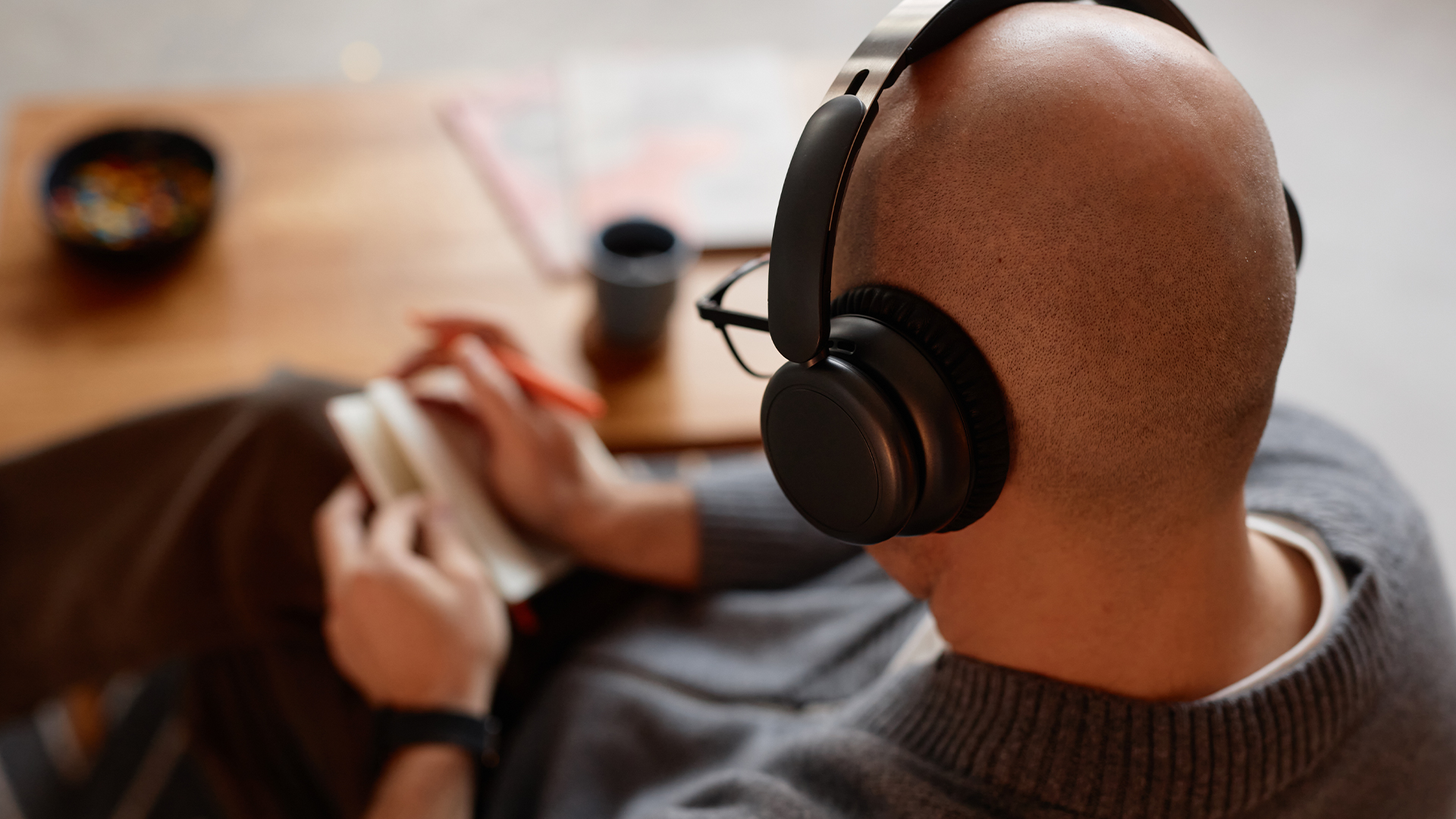
Not all noise cancellation is equal. Some headsets offer basic noise reduction, while others include hybrid ANC or adaptive ANC.
For strong focus, look for:
- Hybrid ANC
- Adaptive ANC
- Good passive earcup seal
- Over-ear design
- Multiple microphones
- App-based control
For office calls, also check microphone noise reduction, not just listening ANC.
3. Look for a Good Microphone
If you take calls often, choose sound cancelling headphones with mic support or a headset with a boom microphone.
Best options from this list for calls:
- Poly Voyager Focus 2 UC
- Jabra Evolve2 65 Flex
- Poly Voyager Surround 80 UC
- Poly W8220/A UC
- Microsoft Modern USB-C Wired Headset
Gaming users should consider the Razer BlackShark V3 Pro models because they include detachable microphones.
4. Think About Battery Life
For long working days, choose long battery life Bluetooth headphones. Battery life depends on volume, ANC setting, Bluetooth mode and whether you are using a dongle or low-latency wireless mode.
For desk users, battery anxiety matters less if the headset includes a charging stand. For commuters and travellers, longer battery life is more important.
5. Check Device Compatibility
Before buying, check whether your headset works with your devices.
Look for compatibility with:
- Windows laptops
- iPhones
- Microsoft Teams
- Zoom
- Google Meet
- MacBooks
- Xbox
- Android phones
- PlayStation
- Nintendo Switch
- USB-C or USB-A ports
For full desk setups, you may also want to browse laptop accessories, docking stations, keyboards and monitors to complete your workspace.
Are Noise Cancelling Headphones Good for Sleeping?
Some people search for noise cancelling headphones for sleeping, but most over-ear ANC headphones are not ideal for bed. They can feel bulky, warm or uncomfortable if you sleep on your side.
For sleep, earbuds or sleep-specific audio products are usually more comfortable. From this list, the ASUS ROG Cetra True Wireless SpeedNova is the most compact option, but it is still designed mainly for gaming and portable listening, not sleep.
For sleeping, avoid large gaming headsets and office boom-mic headsets. They are better for calls, work and gaming than bedtime comfort.
If you are shopping on a tighter budget, there are also plenty of gaming headsets under £100 that work well for both gameplay and music.
Are Noise Cancelling Headphones the Same as Soundproof Headphones?
No. Soundproof headphones are a common search term, but most consumer headphones are not fully soundproof. ANC can reduce certain sounds, and padded earcups can block some sound physically, but you may still hear voices, alarms, knocks or sudden high-pitched noises.
A better phrase is noise reducing headphones or active sound cancelling headphones. These reduce distractions, but they do not create total silence.
Best Headphones by Use Case
Best for premium listening
Choose the Apple AirPods Max USB-C if you want premium audio, ANC and Apple-friendly features.
Best for business calls
Choose the Poly Voyager Surround 80 UC or Poly Voyager Focus 2 UC for professional call quality and work-focused features.
Best for hybrid work
Choose the Jabra Evolve2 65 Flex Link UC if you want a portable, foldable headset for home, office and travel.
Best for gaming
Choose the Razer BlackShark V3 Pro for PC gaming or the Razer BlackShark V3 Pro for Xbox for console gaming.
Best for office phone systems
Choose the Poly W8220/A UC if you use desk phones, PC calling and mobile calls.
Best refurbished value
Choose the Lenovo EPOS ADAPT 360 if you want ANC, Bluetooth and Teams-friendly features at a lower refurbished price.
Best earbuds
Choose the ASUS ROG Cetra True Wireless SpeedNova if you want compact gaming earbuds with ANC and low-latency wireless support.
Best wired alternative
Choose the Microsoft Modern USB-C Wired headset if you want simple, reliable Teams calls without Bluetooth setup.
Extra Accessories to Improve Your Audio Setup
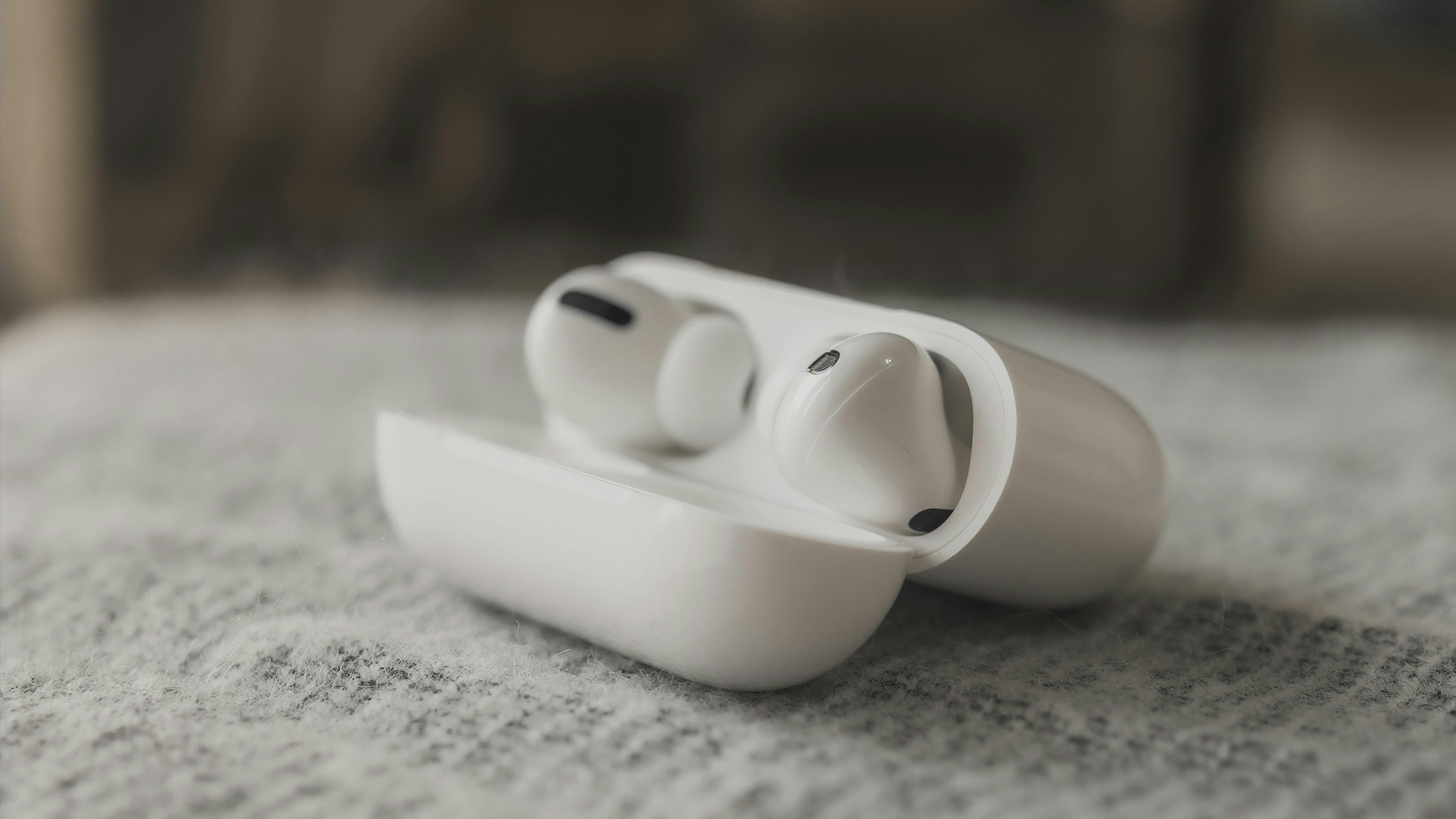
Good headphones are only one part of a better setup. If you are using headphones for work, study, gaming or entertainment, you may also want to check accessories deals for keyboards, mice, webcams, laptop stands, docking stations and other useful add-ons.
For home entertainment, headphones are great for private listening, but Bluetooth speakers may be better when you want room-filling sound for music, films or casual listening.

Final Verdict: Which Noise-Cancelling Headphones Should You Buy in 2026?
The best choice depends on how you plan to use them.
For premium listening, the Apple AirPods Max USB-C are the strongest choice for Apple users. For professional calls, the Poly Voyager Surround 80 UC, Poly Voyager Focus 2 UC and Jabra Evolve2 65 Flex are better business-focused picks. For gaming, the Razer BlackShark V3 Pro models are the most suitable. For office phone systems, the Poly W8220/A UC is the most practical. For refurbished value, the Lenovo EPOS ADAPT 360 is a strong option. For compact gaming earbuds, the ASUS ROG Cetra True Wireless SpeedNova stands out. For simple wired Teams calls, the Microsoft Modern USB-C Wired Headset is the practical alternative.
If you want the best noise cancelling headphones UK shoppers can buy in 2026, focus on three things: how well they reduce noise, how clearly the microphone captures your voice and how comfortably they fit into your daily routine.

FAQs
What are the best noise cancelling headphones in the UK for 2026?
The best noise cancelling headphones UK buyers should consider depend on use case. Apple AirPods Max USB-C are best for premium listening, Poly Voyager Focus 2 UC and Jabra Evolve2 65 Flex are strong for work calls, while Razer BlackShark V3 Pro is better for gaming.
What are noise cancelling headphones?
Noise cancelling headphones are headphones that reduce unwanted background sound. Active noise cancellation uses microphones and electronics to reduce certain external sounds, while passive isolation uses earcups or ear tips to physically block noise.
How do noise cancelling headphones work?
Noise cancelling headphones use built-in microphones to detect outside sound, then produce an opposite sound wave to reduce that noise. This works best on steady sounds such as engine rumble, office hum, or air conditioning.
Are Bluetooth headphones with noise cancellation good for work?
Yes. Bluetooth headphones with noise cancellation are useful for remote work, office calls, online meetings, and hybrid work because they help reduce distractions and improve focus.
What are the best noise cancelling headphones with microphones?
For work calls, the Jabra Evolve2 65 Flex, Poly Voyager Focus 2 UC, Poly Voyager Surround 80 UC and Poly W8220/A UC are strong choices. For gaming, the Razer BlackShark V3 Pro models offer detachable microphones.
Are noise cancelling headphones good for sleeping?
Most over-ear noise cancelling headphones are not ideal for sleeping because they can feel bulky. Earbuds are usually more comfortable, but sleep-specific products are better if sleeping is your main goal.
Are noise cancelling headphones soundproof?
No. Noise cancelling headphones reduce background noise, but they are not fully soundproof. Sudden sounds, nearby voices and alarms may still be heard.
Is a wired headset better than Bluetooth for calls?
A wired headset can be better if you want simple setup, no battery charging and stable call quality. Bluetooth headsets are better if you want freedom to move around.
Which headset is best for Microsoft Teams?
The Poly Voyager Surround 80 UC, Jabra Evolve2 65 Flex, Poly Voyager Focus 2 UC, Lenovo EPOS ADAPT 360 and Microsoft Modern USB-C Wired Headset are all suitable for Teams-style work calls. The Microsoft Modern USB-C is especially simple for wired Teams use.
What should I look for before buying noise cancelling headphones?
Look for ANC quality, microphone clarity, comfort, battery life, Bluetooth version, multi-device pairing, app support, warranty and compatibility with your laptop, phone or gaming console.
Related Articles

Last Updated: June 17, 2026
without stretching your budget. Whether you’re a student juggling coursework, a gamer hungry for high-performance hardware, or a professional needing a reliable work companion, Cyber Monday laptops offer exceptional value across every price point. Start browsing the full range via the Cyber Week hub, where the biggest offers are updated daily.
The Best Cyber Monday Laptop Deals You Can Shop Today
If you’re ready to upgrade, the Cyber Monday laptop sale is where you’ll find everything from budget-friendly notebooks to premium ultrabooks and gaming powerhouses.
Highlights from top laptop brands:
Whether you prefer ultraportable designs, touchscreen devices, or workstation-level power, Cyber Week is the ideal time to buy.
- ASUS Cyber Week Deals – Ideal for creators, students, and hybrid workers. Expect sleek designs paired with powerful performance.
- HP Cyber Week Deals – Known for reliability and business-ready performance.
- Lenovo Cyber Week Deals – A strong choice for productivity and long-lasting
Last Updated: December 05, 2025
Finding the perfect tech gift just got easier, and more affordable.
If you're searching for Christmas laptop deals 2025 to gift, Laptop Outlet has made it easy for you. Whether it’s for students juggling coursework, professionals on the move, or gamers wanting next-level performance, there’s a laptop out there that will make their festive season unforgettable. With the festive deals live at our website, from budget-friendly gifts under £50 to premium gaming machines, there’s something for every recipient. Here’s your ultimate gift guide:
Best Laptops & Tech Gifts to Give This Christmas, By Need & Budget
Best Gifts Under £50
(Stocking Fillers & Small Budget Presents)
Not everyone needs a full laptop, and for secret Santas or stocking fillers, Laptop Outlet’s “Gifts Under £50” range can still delight.
- Think accessories, maybe basic peripherals, small tech gadgets or entry-level tablets, great for students, kids, or anyone just starting out.
- Perfect for Secret Santa, family members, or
Published: December 24, 2025
Heading into 2026, the student laptop vibe is basically: lightweight enough to carry all day, fast enough to handle 27 Chrome tabs + a Zoom call, and affordable enough that you can still buy snacks. Whether you’re doing GCSE homework, uni essays, coding projects, or just living in Google Docs, this blog on Student Laptops 2026 breaks down what matters (and what’s just marketing fluff).
What to look for in Student Laptops 2026 (aka the “don’t get scammed” checklist)

1) RAM (memory):
- 8GB = the realistic minimum for 2026 if you want smooth multitasking.
- 16GB = the “I’m serious about this degree” upgrade (especially for creative apps, coding, or heavy research).
2) Storage:
- 256GB is okay, but 512GB is comfy if you keep lots of files, downloads, photos, and videos.
- If you see 128GB, it can work for light use - but you’ll want cloud storage habits.
3) Screen size:
- 14" laptop = the sweet spot (portable, still comfy for essays).
- 15" laptop = bigger and nicer for split-screen, but less “throw-it-in-your-bag”

Last Updated: December 31, 2025
There’s a certain kind of satisfaction that comes with starting 2026 with a faster, cooler, cleaner PC setup. Maybe you’re planning a full build. Maybe you’re simply trying to fix the two things that quietly ruin daily performance—slow storage and noisy cooling. Either way, the New Year PC components & accessories season is when upgrades feel both exciting and sensible: you can refresh your system without committing to an entirely new machine.
If you’re shopping at Laptop Outlet, it’s worth starting by simply browsing and filtering the wider sale selection, think of it as your “big picture” view, so you can spot bundle-worthy deals across categories. It’s the fastest way to explore New Year tech discounts while keeping an eye on the parts you actually need.
The “smart upgrade order” for 2026 (what to buy first)
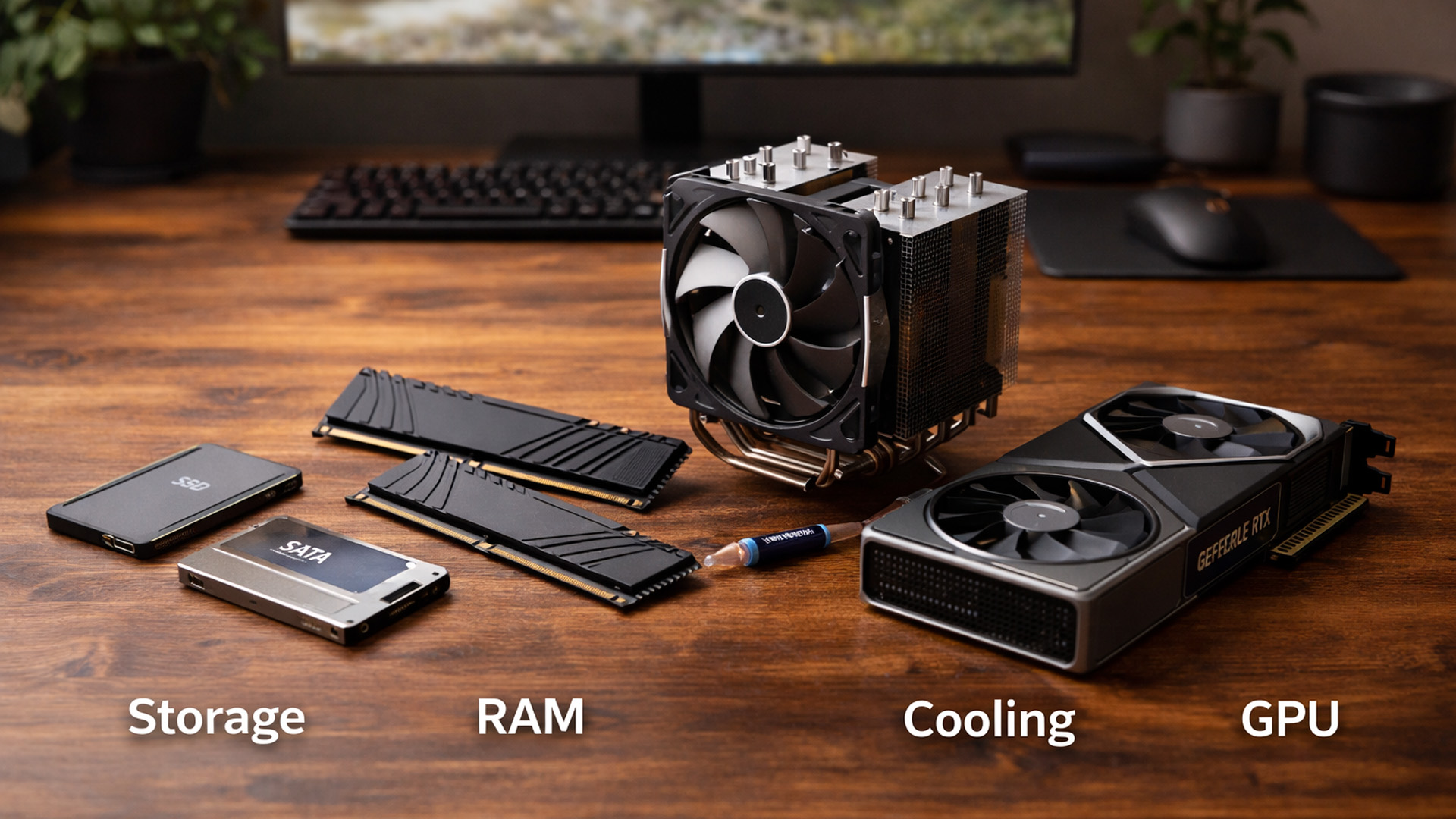
When you’re surrounded by deals, it’s easy to buy what looks exciting rather than what fixes your bottlenecks. A better approach is to upgrade in the order you’ll actually notice:
Last Updated: March 13, 2026
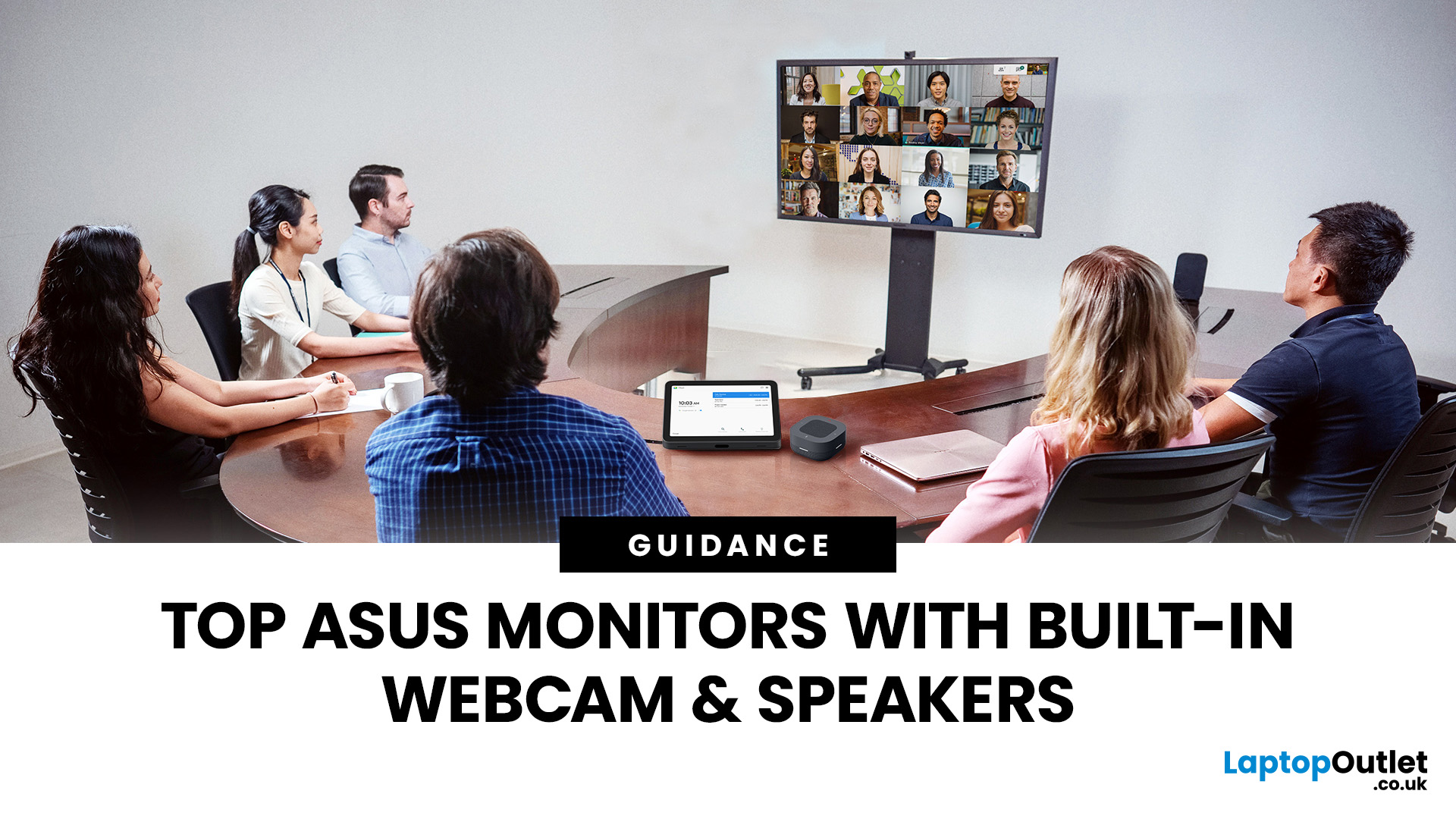
Choosing the right ASUS monitor with a webcam can significantly simplify how modern meeting rooms operate. As hybrid work becomes the norm, businesses are looking for cleaner, more efficient conferencing setups that don’t rely on multiple external peripherals. An integrated solution that combines display, camera, microphone, and speakers into one device makes deployment faster and more cost-effective. For small meeting spaces and huddle rooms in particular, an ASUS business monitor with speakers and a built-in webcam offers a practical alternative to a full conferencing kit.
What to Know About Microsoft Teams Rooms Compatibility
It’s important to clarify how an ASUS monitor with webcam fits into a Microsoft Teams Rooms environment.
Microsoft Teams Rooms (MTR) systems are typically powered by a dedicated PC or collaboration bar. The monitor itself is not the Teams Rooms system, instead, it acts as the display and USB conferencing endpoint. When paired with a Teams-enabled PC, many ASUS
Last Updated: April 03, 2026
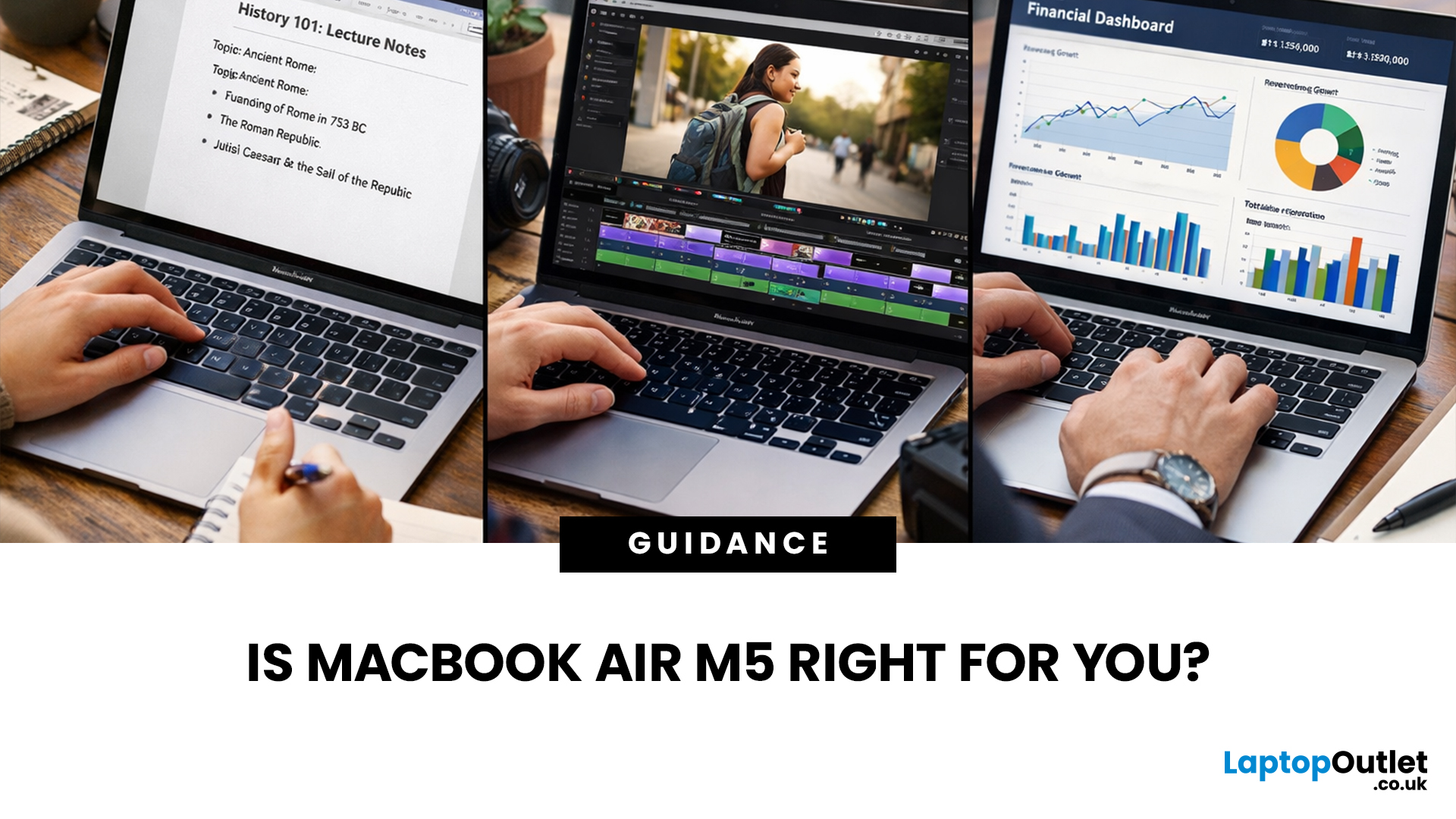
If you’re eyeing the MacBook Air M5 for students (or for your work era), you’re not alone. The MacBook Air is basically the “does-everything-without-being-annoying” laptop, portable, quiet, and powerful enough for most real-life tasks. But the big question is: is it the right buy for you in 2026, or are you about to spend money on features you’ll never use?
What’s New with the MacBook Air M5 in 2026 (Quick Recap)
Without turning this into a specs spreadsheet, here’s what matters in the latest model vibes:
Performance
Think: faster app launches, smoother multitasking, fewer “why is everything lagging?” moments when you have 42 tabs open. For most people, the M5 Air will feel effortlessly quick for years.
Battery + Portability (the Air’s whole personality)
The MacBook Air is built for life on the move, classes, cafes, commutes, and travel days. Expect strong battery performance in real usage and a laptop that doesn’t make your bag feel like a gym session.
Display, Camera, Speakers (the
Last Updated: March 10, 2026
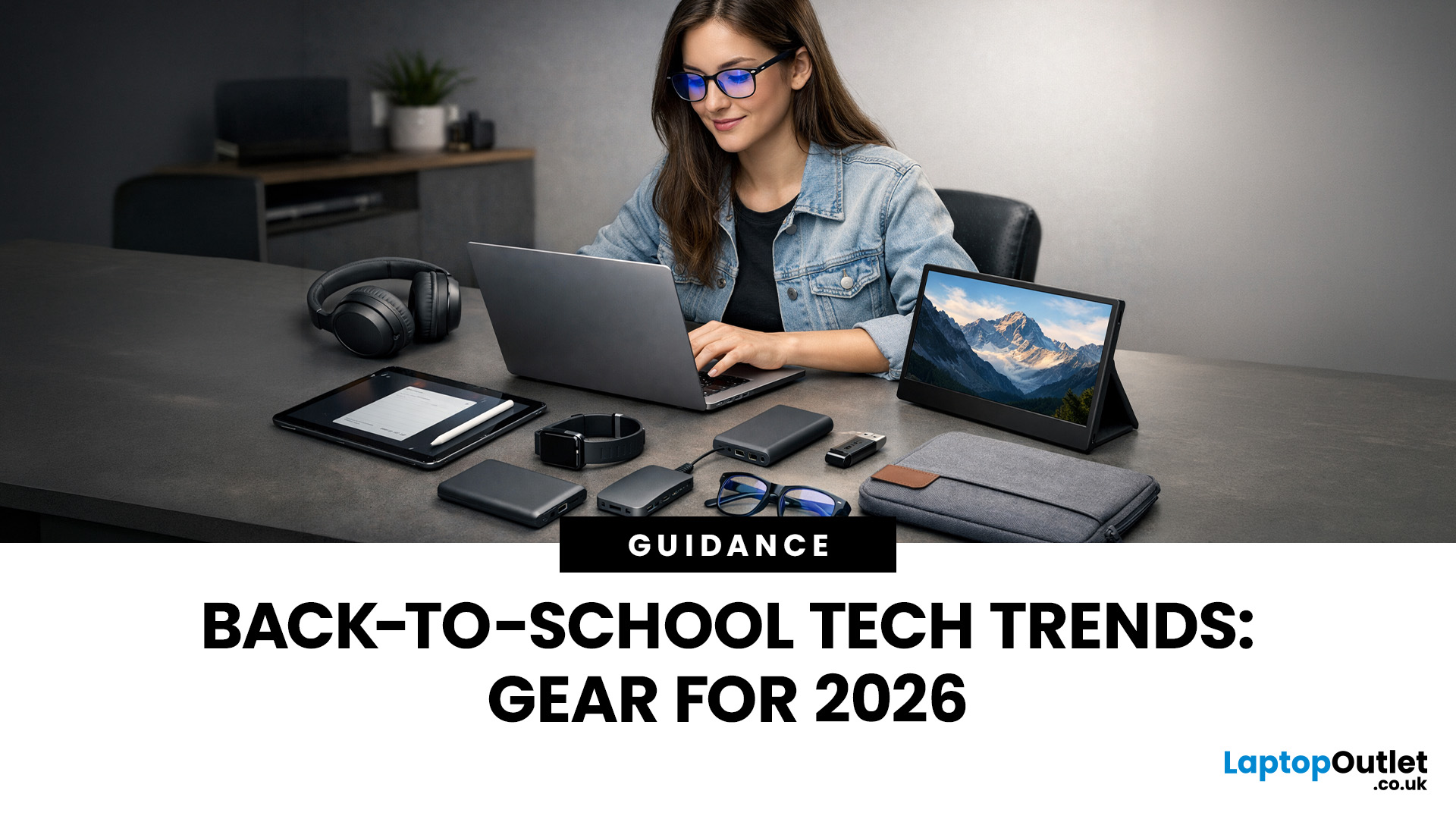
Every year, the back-to-school season brings a rush of shopping. But in 2026, it is not just about stationery and backpacks. Tech has become one of the biggest spending categories on every student's list.
Whether you are a parent, a student, or simply trying to stay informed, knowing the latest back-to-school tech trends can save you time, money, and a few headaches.
So, what are students actually buying this year? Let's break it down.
Why Tech Is Now a Back-to-School Essential
Learning has changed. Most schools and universities across the UK now expect students to have access to their own devices. Hybrid learning, digital coursework, and online collaboration tools have made tech a necessity rather than a luxury.
In fact, a growing number of UK schools have moved to fully digital classrooms. This means students need reliable, capable devices from day one.
Parents and students are also more tech-savvy than ever. They know what to look for. And they are not just buying cheap.
Last Updated: June 17, 2026
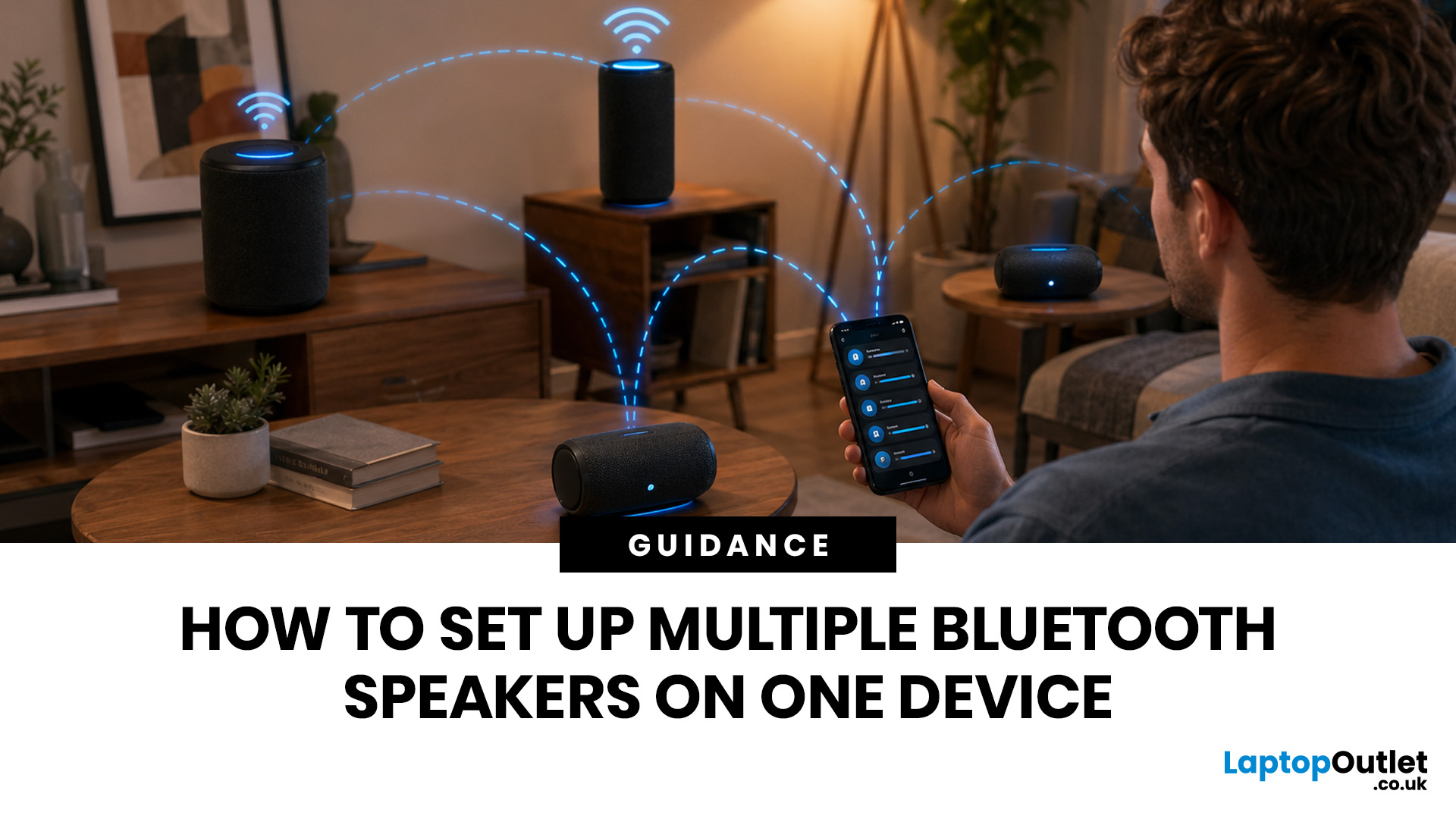
Quick Answer: You can set up multiple Bluetooth speakers on one device when your phone, laptop, tablet, or speakers support multi-speaker audio. The easiest method is to use compatible speakers from the same range and link them via the speaker’s party mode, stereo pair mode, the connect button, or the companion app.
Standard Bluetooth pairing does not always let you play sound through multiple Bluetooth speakers simultaneously. Your device may remember several speakers yet only send audio to one. For two-speaker playback, Samsung Galaxy Dual Audio, AirPlay-compatible speakers, Bluetooth LE Audio, Auracast, same-brand speaker pairing, or a Bluetooth transmitter are usually the best routes.
Introduction
You can connect multiple Bluetooth speakers, but the right setup depends on your device and the compatibility of your speakers. A Samsung Galaxy phone, an iPhone, an Android phone, a Windows laptop, a MacBook, or a TV may all need a slightly different method.
The main thing to know is
Last Updated: July 15, 2026
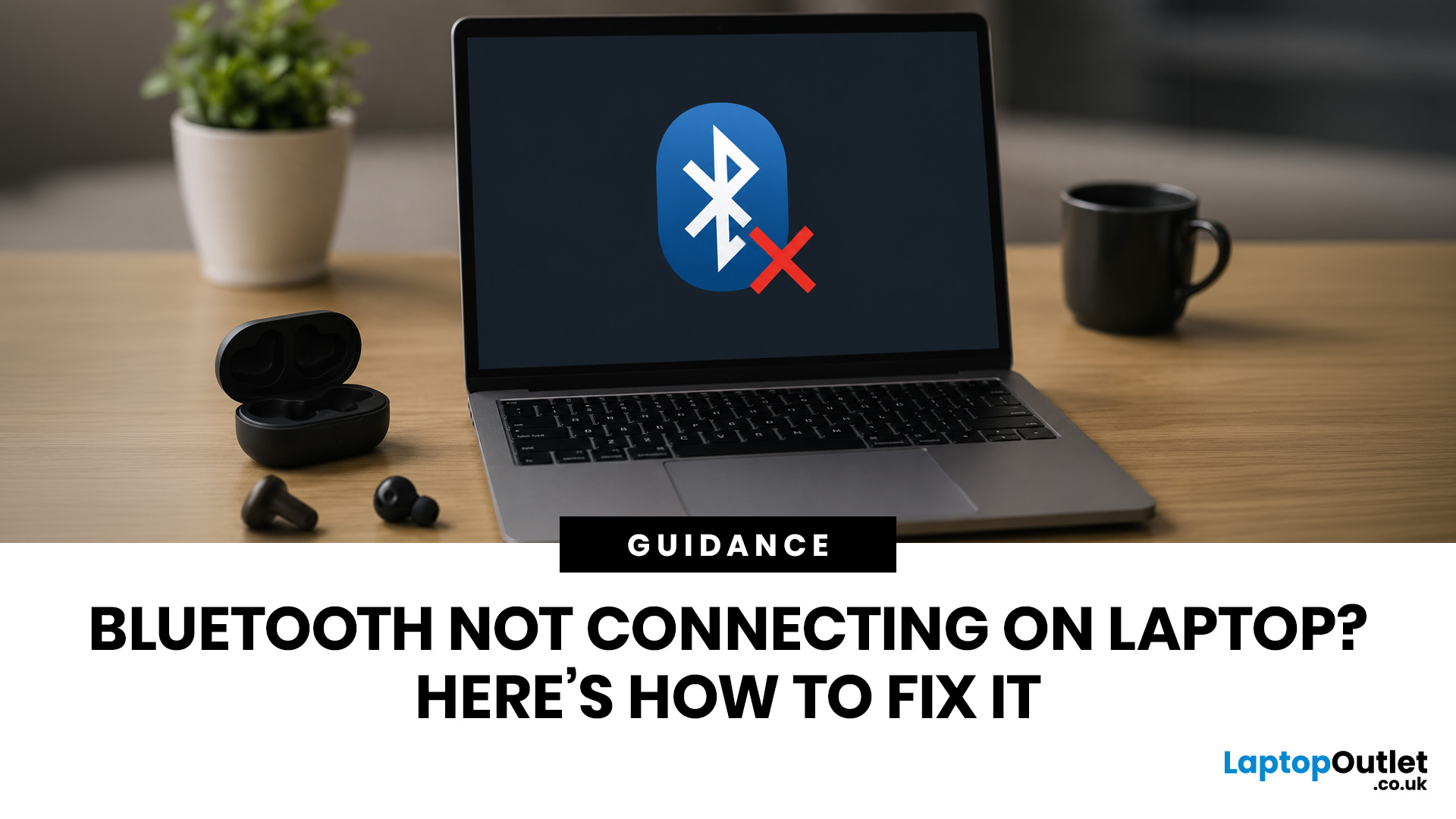
To fix Bluetooth connection issues on your laptop, start by turning Bluetooth off and on, restarting your laptop, removing the problem device, and pairing it again. If that fails, update or reinstall your Bluetooth driver on Windows, or forget and reconnect the device on macOS.
A “Bluetooth not connecting laptop fix” is one of the most searched tech support queries, and it is easy to see why. One minute your wireless mouse, keyboard, or headphones are working fine, and the next they simply will not pair. It is frustrating, especially when you have work to get done.
The good news? Most Bluetooth issues can be resolved at home without spending a penny. This guide will walk you through every step to get you back online.
Why Is Bluetooth Not Connecting on Your Laptop?
The question “why is my Bluetooth not working” has more than one answer. Bluetooth connection problems can stem from a wide range of causes, both software and hardware related.
The Most Common Causes
- Bluetooth is switched
Last Updated: June 10, 2026
The best work from home webcam in 2026 depends on how you use video calls. For premium business conferencing, the Poly Video Room Kit is a strong overall choice. For everyday Zoom meetings, the ViewSonic UMB202 Conferencing Camera is a practical pick, while the Logitech C925e Webcam is ideal for Teams and hybrid work. Streamers and content creators should consider the ASUS ROG Eye S Webcam for smooth Full HD video and AI-powered noise-cancelling microphones.
Working from home now demands clear video, sharp audio and a professional setup for Zoom, Teams, interviews and client calls. Choosing one of the best webcams UK 2026 buyers can get helps you look clearer, sound better and upgrade your home office. This guide compares top webcams for video calls, remote work, streaming and everyday meetings.
Quick Picks: Best Webcams for Working From Home in 2026
| Category | Best Webcam Pick | Best For |
| Best overall work from home webcam | Poly Video Room Kit | Premium business conferencing |
| Best webcam for Zoom |

