



iOS 26.4 Update: New Features and Changes You Should Know

Apple’s iOS updates often follow a predictable pattern: major annual releases introduce headline features, while mid-cycle updates refine the experience. The iOS 26.4 update fits firmly into the latter category, but that does not make it insignificant. In fact, it introduces a range of improvements that directly impact everyday usage, from battery efficiency to system stability and feature enhancements.
For users in the UK, where iPhone usage remains consistently high across both premium and older models, updates like iOS 26.4 can make a noticeable difference in performance and usability. This guide provides a complete breakdown of what’s new in iOS 26.4, including features, changes, improvements, and whether it is worth installing.
What Is the iOS 26.4 Update?
The iOS 26.4 update is a mid-cycle software release designed to improve the overall performance and reliability of devices running iOS 26. Unlike major updates, it does not introduce a redesigned interface or radical new systems. Instead, it focuses on refinement, optimisation, and incremental feature additions.
This type of update typically includes:
- Performance enhancements to improve speed and responsiveness
- Security patches addressing newly identified vulnerabilities
- Minor feature upgrades based on user feedback and testing phases
- Bug fixes that resolve issues present in earlier versions
These updates are essential because they stabilise the operating system after the broader changes introduced in iOS 26. For many users, especially those with devices that are not the latest generation, these refinements can significantly improve day-to-day performance. For the user who wants to shift to something cooler in the Apple line must keep an eye on Appel ultra devices release.
iOS 26.4 Release Date in the UK
Apple generally releases its .4 updates in March, following several weeks of beta testing. The iOS 26.4 update follows this established schedule.
The release timeline typically includes:
- Developer and public beta phases for testing
- Release candidate (RC) version shortly before public rollout
- Official public release in mid to late March
For UK users, updates are usually available on the same day as the global rollout, often in the early evening. Apple tends to release updates around 6 PM GMT, although this can vary slightly.
Users can check availability by navigating to Settings, then General, and selecting Software Update.
10 New Features in iOS 26.4
The iOS 26.4 update introduces several new features that enhance both functionality and user experience. While none of these changes are individually groundbreaking, together they represent a meaningful improvement in iPads and iPhones.
1. Enhanced Apple MusicPersonalisation
Apple Music receives a noticeable upgrade in recommendation accuracy. The system now uses more advanced behavioural data to generate playlists and suggestions that better reflect listening habits.
Users may notice:
- More accurate daily mixes
- Improved genre-based recommendations
- Better discovery of emerging artists
For UK users, there is also improved localisation in music recommendations, making it easier to discover regionally relevant content.
2. Siri Performance Improvements
Siri continues to evolve incrementally, and iOS 26.4 introduces refinements rather than a complete overhaul.
Key improvements include:
- Faster response times
- Improved understanding of follow-up queries
- More natural conversational flow
While Siri is not yet fully transformed into the next-generation assistant Apple has hinted at, these updates make it more reliable for everyday tasks such as setting reminders, sending messages, and controlling smart home devices.
3. Battery LifeOptimisation
Battery performance is one of the most important aspects of any update, and iOS 26.4 delivers measurable improvements in this area.
Changes include:
- More efficient background app activity management
- Reduced power consumption during idle periods
- Improved battery stability during extended usage
Users with older devices are likely to notice the most benefit, as Apple continues to optimise performance for ageing hardware.
4. New Emoji Additions
iOS 26.4 introduces a new set of emojis, expanding the existing library.
These additions include:
- New facial expressions
- Updated symbols
- Expanded representation options
While this emoji and widgets improvement in beta 4 may seem like a minor change, emoji updates consistently drive user engagement across messaging platforms.
5. Strengthened Security Features
Security remains a core focus for Apple, and iOS 26.4 includes several important updates.
Enhancements include:
- Patches for known vulnerabilities
- Improved app permission controls
- Enhanced phishing protection mechanisms
These updates are critical, as they protect users from emerging threats and ensure that devices remain secure over time.
6. Safari Performance and Privacy Improvements
Safari receives updates aimed at both speed and privacy.
Key improvements include:
- Faster page loading times
- Improved tab management efficiency
- Enhanced tracking prevention
For users who rely heavily on mobile browsing, these changes contribute to a smoother and more secure experience.
7. Camera Processing Enhancements
The camera system benefits from subtle but effective improvements.
Updates include:
- Better low-light image processing
- Improved image stabilisation
- Faster capture speeds
These changes may not be immediately obvious but contribute to higher-quality photos, particularly in challenging lighting conditions. Don’t forget to look into what’s new in iPhone 17e camera and performance.
8. Improved Notification Management
Notification handling has been refined to reduce clutter and improve usability.
Changes include:
- Smarter grouping of notifications
- Improved prioritisation of important alerts
- Reduced visual noise on the lock screen
This results in a more organised and less overwhelming notification experience.
9. System Stability and Bug Fixes
A significant portion of the iOS 26.4 update is dedicated to fixing issues present in earlier versions.
These fixes address:
- App crashes
- Interface glitches
- Connectivity issues, including Wi-Fi and Bluetooth
While less visible than new features, these improvements are essential for maintaining a reliable user experience.
10. UK-SpecificOptimisations
Apple often includes regional improvements, and iOS 26.4 introduces several updates relevant to UK users.
These include:
- Improved Apple Maps accuracy in UK locations
- Enhanced Apple Pay compatibility with local banks and services
- Better localisation across system apps
These changes ensure that the operating system performs optimally within the UK ecosystem.
iOS 26.4 Changes Compared to iOS 26.3
When comparing iOS 26.4 to the previous version, the differences are focused on refinement rather than transformation.
iOS 26.3 provided a stable baseline, while iOS 26.4 builds on that foundation by improving performance, adding features, and addressing known issues.
The most notable differences include:
- Better battery efficiency
- Improved system responsiveness
- Enhanced security measures
- Additional features such as updated emojis and improved music recommendations
Overall, iOS 26.4 represents a clear step forward in terms of usability and reliability.
Performance and Speed Improvements
In practical use, iOS 26.4 delivers a smoother experience across a range of devices.
Users can expect:
- Faster app launch times
- Improved multitasking performance
- Reduced lag in system animations
These improvements are particularly noticeable on older devices, where optimisation plays a crucial role in maintaining usability.
Security and Privacy Updates
Security updates are one of the most important aspects of any iOS release.
iOS 26.4 strengthens Apple’s privacy framework through:
- Improved data protection mechanisms
- Enhanced transparency in app tracking
- More secure handling of sensitive information
These updates ensure that users remain protected against both known and emerging threats.
Should You Update to iOS 26.4?
It’s a common ambiguity now: should we update to iOS 26.4?
So, it's recommended according to the scenario
You should update if:
- You want improved battery performance
- You value enhanced security
- You are experiencing bugs or performance issues
You may consider waiting if:
- You prefer to avoid any potential early-release issues
- You rely on specific apps that may require additional compatibility testing
However, for the majority of users, the benefits outweigh any potential drawbacks.
How to Download and Install iOS 26.4
To install the update:
- Open Settings
- Select General
- Tap Software Update
- Choose Download and Install
Before updating, ensure that:
- Your device is connected to Wi-Fi
- Your battery is sufficiently charged
- You have backed up important data

Final Thoughts
The iOS 26.4 update is a strong example of Apple’s approach to iterative improvement. Rather than introducing dramatic changes, it focuses on enhancing the aspects of the operating system that users interact with every day.
From improved battery life and performance to better security and refined features, the update delivers meaningful benefits across the board. For users in the UK, the addition of localised improvements further strengthens its value.
While it may not generate the same level of excitement as a major release, iOS 26.4 plays an important role in maintaining a smooth, secure, and efficient user experience.

Frequently Asked Questions
What’s new in iOS 26.4?
iOS 26.4 introduces improvements in battery performance, security, Siri functionality, Apple Music recommendations, and system stability, along with new emojis and refined notifications.
Is iOS 26.4 safe to install?
Yes, the update includes important security patches and is considered safe for installation.
Does iOS 26.4 improve battery life?
Yes, the update includes optimisations that reduce background activity and improve overall power efficiency.
When is iOS 26.4 available in the UK?
The update is expected to be released in mid to late March 2026, typically in the evening.
Which devices support iOS 26.4?
All devices compatible with iOS 26 will receive the iOS 26.4 update.
| Read More: |
| iPhone 17e Camera & Performance Review: 2026 Comparison |
| Should You Install iOS 26.4 Beta 4? Features, Fixes & Changes |
| Should You Install iOS 26.4 Beta 4? Features, Fixes & Changes |
Related Articles

Last Updated: May 05, 2026
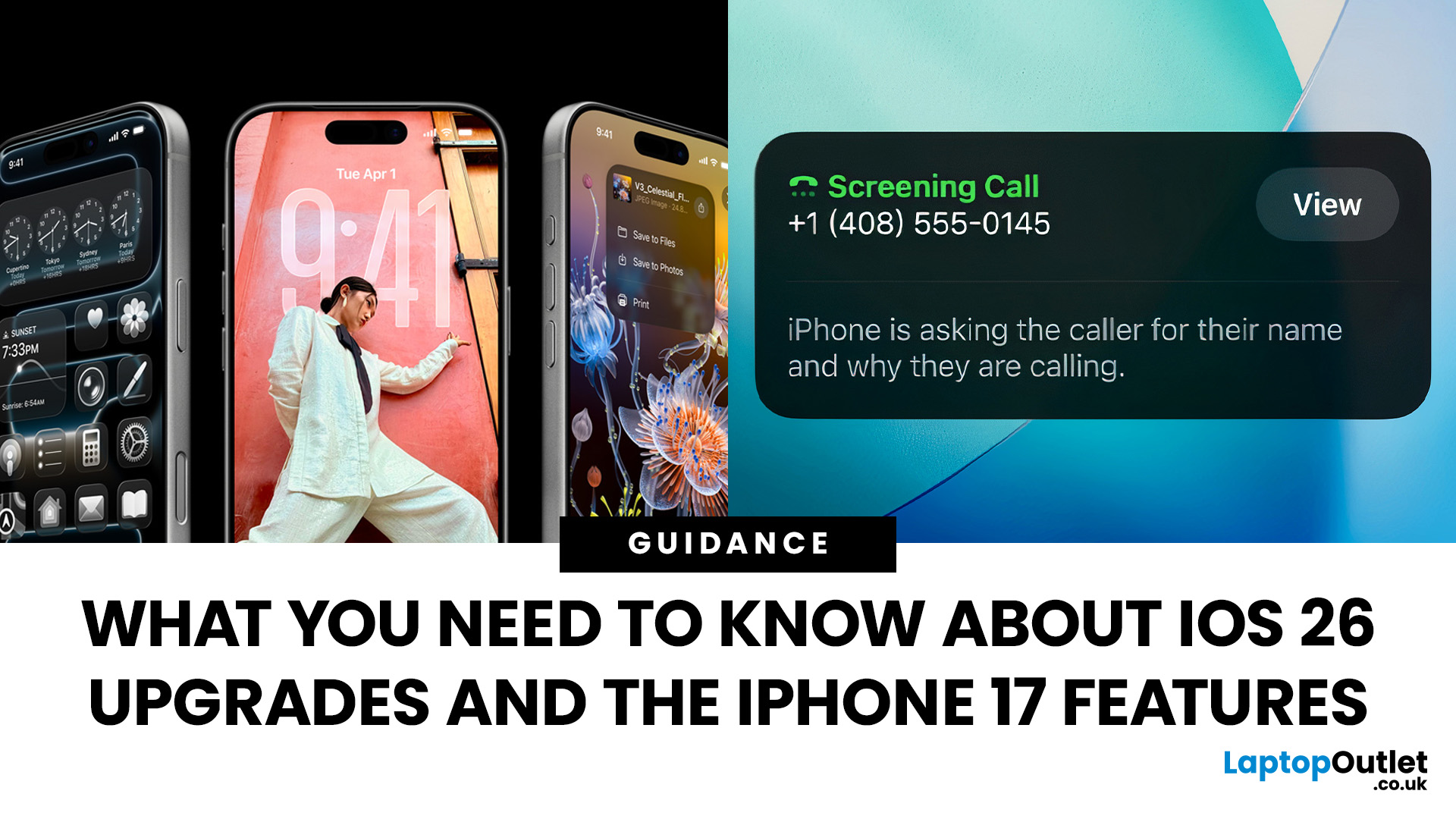
Apple’s 2025 drop is a one-two punch: iOS 26 brings a fresh look and smarter tools, while the iPhone 17 line turns those ideas into everyday wins. If you’re deciding whether to update, upgrade, or both, this guide lays out what’s new, why it’s useful, and how to get the most from it on day one.
iOS 26 At a Glance
Apple describes iOS 26 as a major update centered on a gorgeous new design, intelligent experiences, and daily improvements to the apps you use. In practice, that means a cleaner interface, on-device smarts that actually help, calmer communication, and quality-of-life tweaks across CarPlay, Music, Maps, Wallet and more.
A beautiful new look: Liquid Glass everywhere

The first thing you’ll notice is the design. iOS 26 introduces Liquid Glass, a translucent material that reflects and refracts what’s behind it. It brings a gentle sense of depth to icons, widgets, controls and navigation without making the interface feel busy. The result is expressive and modern, yet instantly familiar.

Last Updated: February 12, 2026
Apple’s latest software update, iOS 26.3, is here, and it brings a solid mix of refinements, fixes, and performance improvements designed to keep your iPhone running smoothly. If you’ve been living in the world of iOS 26.2 and wondering what’s new, what changed on the iOS 26.3 release, and whether it’s worth tapping “Update Now,” you’re in exactly the right spot. Let’s break down everything you need to know about the iOS 26.3 update.
iOS 26.3 Release Date: When Did It Launch?
Apple just dropped iOS 26.3 on 11 February 2026, and while it’s not the headline-stealing overhaul of the year, it’s seriously one of those updates you’ll want on your phone. These mid-version updates typically arrive to address issues discovered after the previous rollout, as well as to improve device performance.
Like most iOS updates, iOS 26.3 was released gradually, meaning some users received it immediately, while others saw it appear over the following days.
If iOS 26.3 is available for your device, you’ll
Published: March 05, 2026
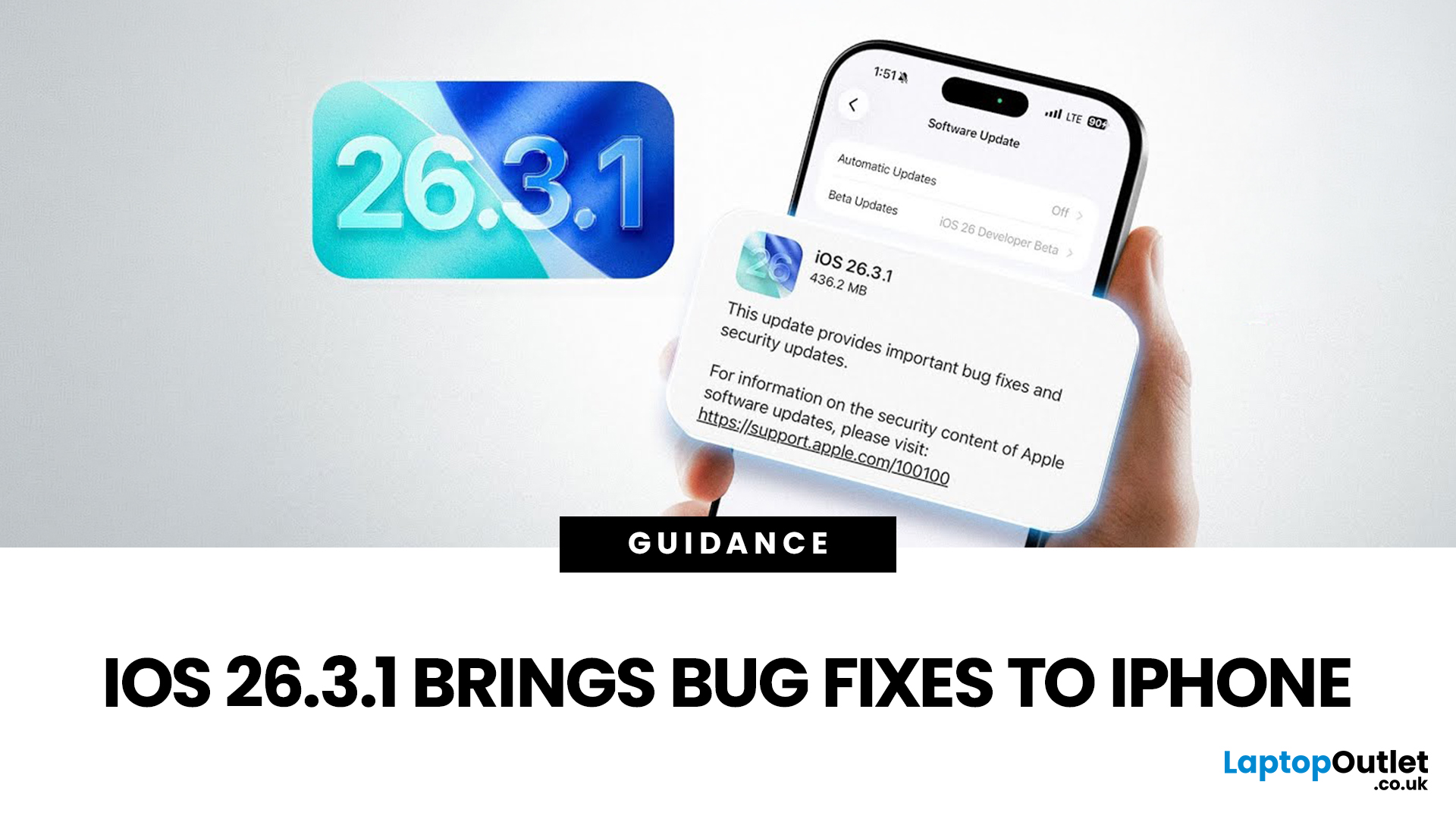
Apple has officially rolled out the iOS 26.3.1 update for iPhone users, bringing several important bug fixes, security patches, and performance improvements. While this is not a major feature update, it focuses on improving system stability and fixing issues reported in the previous iOS 26.3 version.
Minor iOS updates like iOS 26.3.1 are important because they often resolve bugs that affect everyday performance, connectivity, and device security. If you own a compatible iPhone, installing the iOS 26.3.1 update can help ensure smoother performance and better protection against vulnerabilities.
In this guide, we’ll cover the iOS 26.3.1 release date, features, download steps, supported devices, and answer the common question: Should you update to iOS 26.3.1?
iOS 26.3.1 Release Date
Apple released the iOS 26.3.1 update on March 04, 2026, after the launch of iOS 26.3, aiming to fix several issues discovered after the previous version went live.
Typically, Apple rolls out minor updates like

Published: March 05, 2026
AI laptop buying in 2026 is not a trend you have to imagine. It is already changing how people shortlist, compare, and commit to a purchase.
Two shifts are happening at once. The first is behavioural: more people are using AI tools to conduct early research, compress reviews into a few usable insights, and quickly turn a vague requirement into a shortlist. Adyen’s UK retail research finds that 35% of UK consumers use AI to shop, and 56% of those say it influences what they buy.
The second shift is product-led: laptops are now being sold as AI PCs, with new labels and performance claims built around NPUs and TOPS. The problem is that marketing language and real-world value do not always line up. A badge can inflate the price, while the things that make a laptop genuinely pleasant to own are still the basics: screen, keyboard, battery, cooling, ports, and RAM.
So, the practical question in 2026 is not “Should you buy AI?” It is “Where does AI genuinely save time or improve the experience,
Last Updated: March 09, 2026
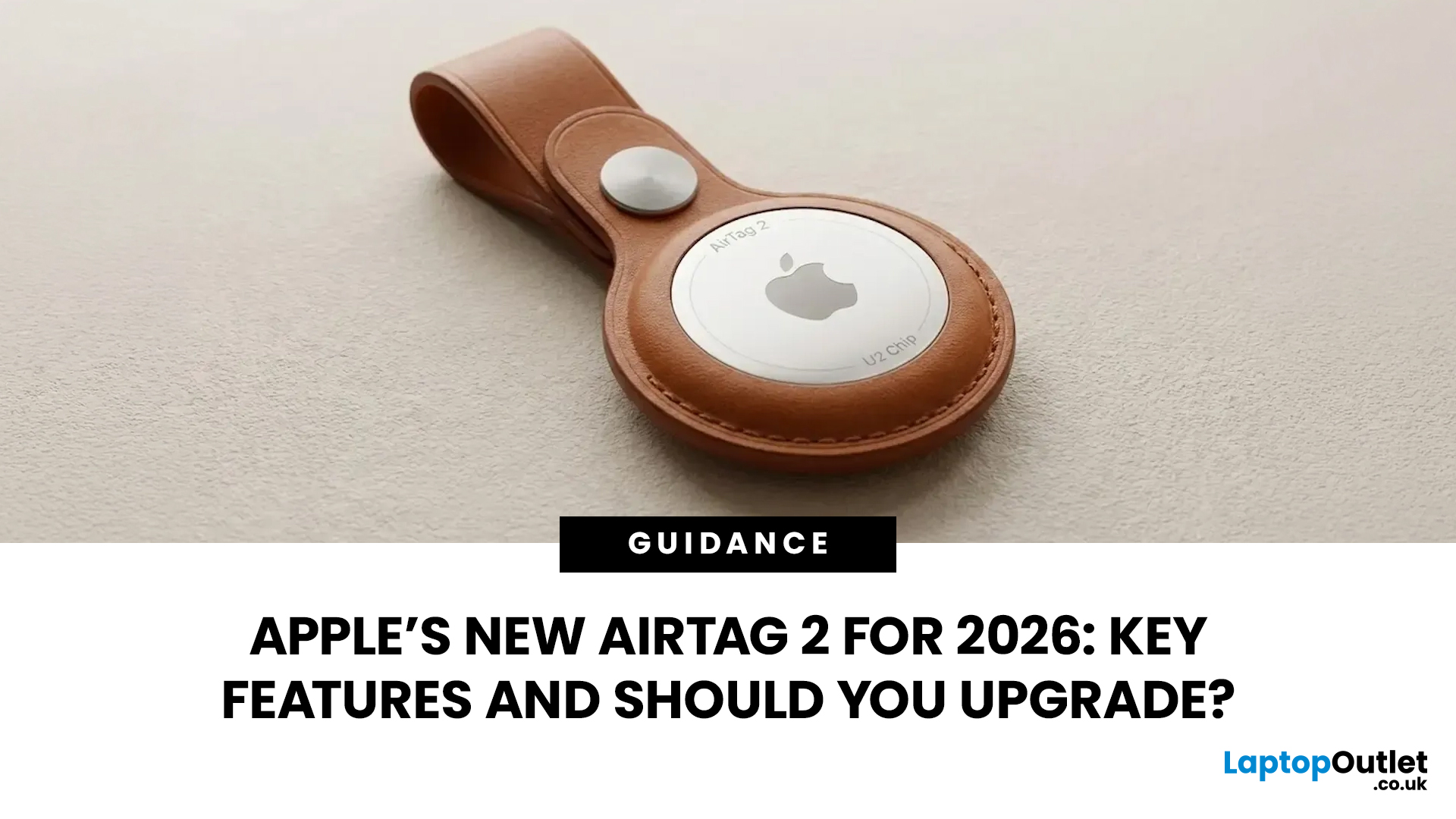
If you use AirTags for keys, luggage, a bike, or a backpack, AirTag 2 is a simple but meaningful upgrade. It does not change the AirTag idea. It improves the two moments that matter most: how quickly your iPhone can lock onto the tag when you are nearby, and how easily you can hear it when it is hiding in a sofa, bag, or coat pocket.
Below is a buyer-friendly breakdown of what’s new, what stayed the same, and the easiest way to decide if you should upgrade in 2026.
Should You Upgrade to AirTag 2? 10-Second Answer Box
Upgrade to AirTag 2 if:
- You use Precision Finding often and want a wider range and faster guidance.
- You lose things in noisy places and want a louder speaker that is easier to hear.
- You want Precision Finding from your Apple Watch (with a compatible watch).
Keep your current AirTags if:
- You mostly use AirTags as a safety net for luggage, and you rarely use Precision Finding.
- Your current AirTags already help you find things quickly enough.
What is Apple AirTag 2 (2026)?

Last Updated: July 06, 2026
AI-powered laptop features matter in 2026 for one reason: they change the everyday feel of a laptop, not just the spec sheet. The key shift is on-device AI. When tasks like search, captions, camera effects, and quick actions run locally on an NPU, they tend to respond faster, waste less battery, and rely less on a perfect internet connection. That is why “AI-ready” is now a real buying category, not a vague label.
If you are upgrading this year, focus less on hype and more on the features that will save time each week: an NPU you can trust, OS-level AI tools that sit inside your workflow, practical call and meeting upgrades, and enough RAM and storage headroom to keep those features running smoothly for years.
Why AI Laptop Features Matter in 2026
Laptop marketing always finds a new headline, but this cycle is different because it is tied to real platform requirements. Microsoft has separated “regular Windows laptops” from Copilot+ PCs by setting expectations around NPU capability, RAM,

Published: March 10, 2026
Buying a graphics card is normally a matter of comparing the models you can actually purchase, checking performance, and deciding how much you want to spend. The current NVIDIA cycle is less straightforward because buyers are weighing a real product line against a possible refresh that has not been officially announced. That is why the question around RTX 50 SUPER vs RTX 50 has become so common.
The GeForce RTX 50 series is already established as NVIDIA’s current graphics cards range. In the UK, that line-up covers the RTX 5090, RTX 5080, RTX 5070 Ti, RTX 5070, RTX 5060 Ti and RTX 5060, with Blackwell architecture, DLSS 4, ray tracing, Reflex 2 and NVIDIA Studio forming the core platform story. RTX 50 SUPER is different. There is no official NVIDIA product page, release date, or confirmed desktop stack for a SUPER refresh at the time of writing.
That matters because this is not a normal side-by-side comparison. One option is official and available now. The other is a rumoured RTX 50 series
Last Updated: March 12, 2026
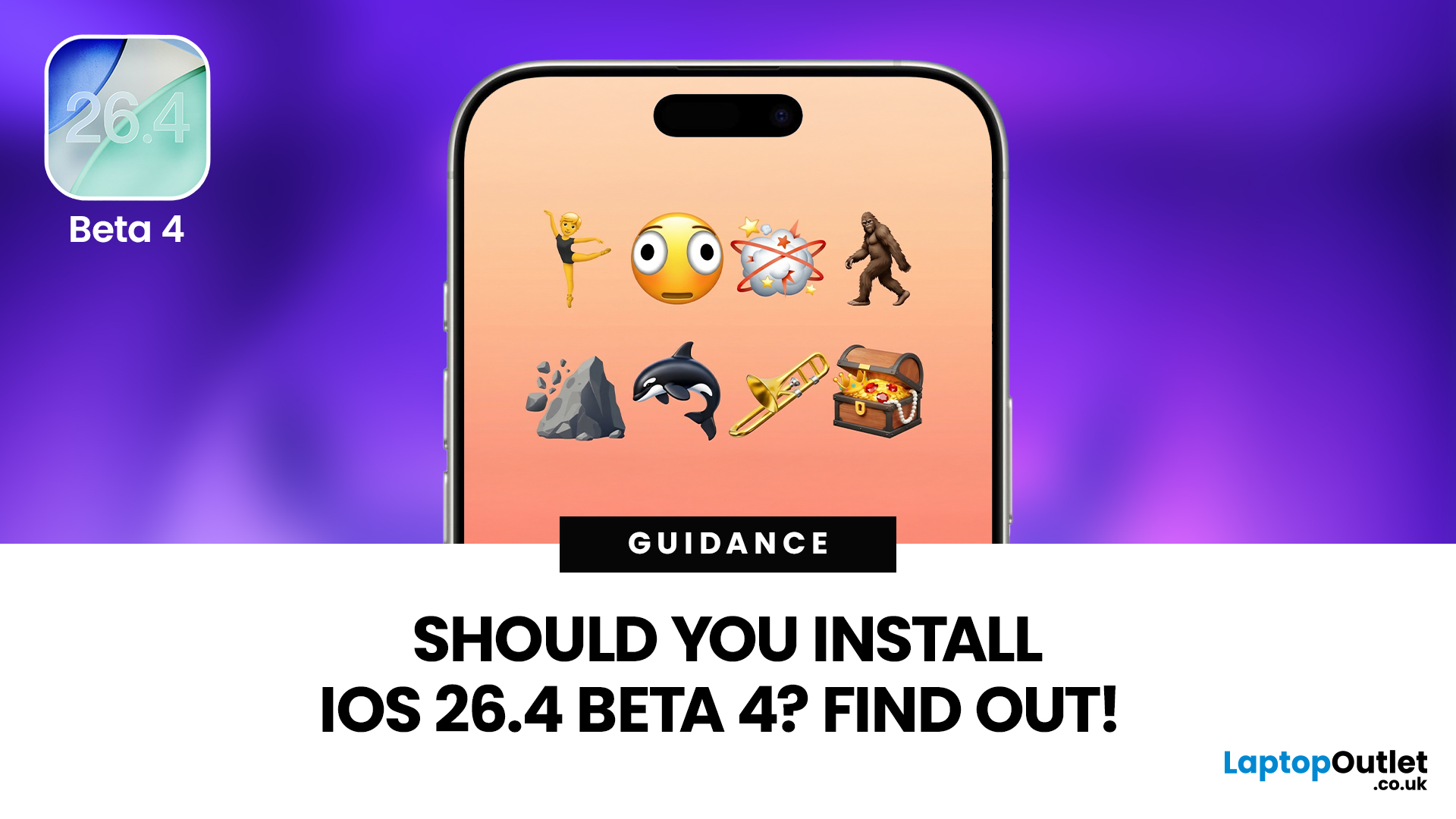
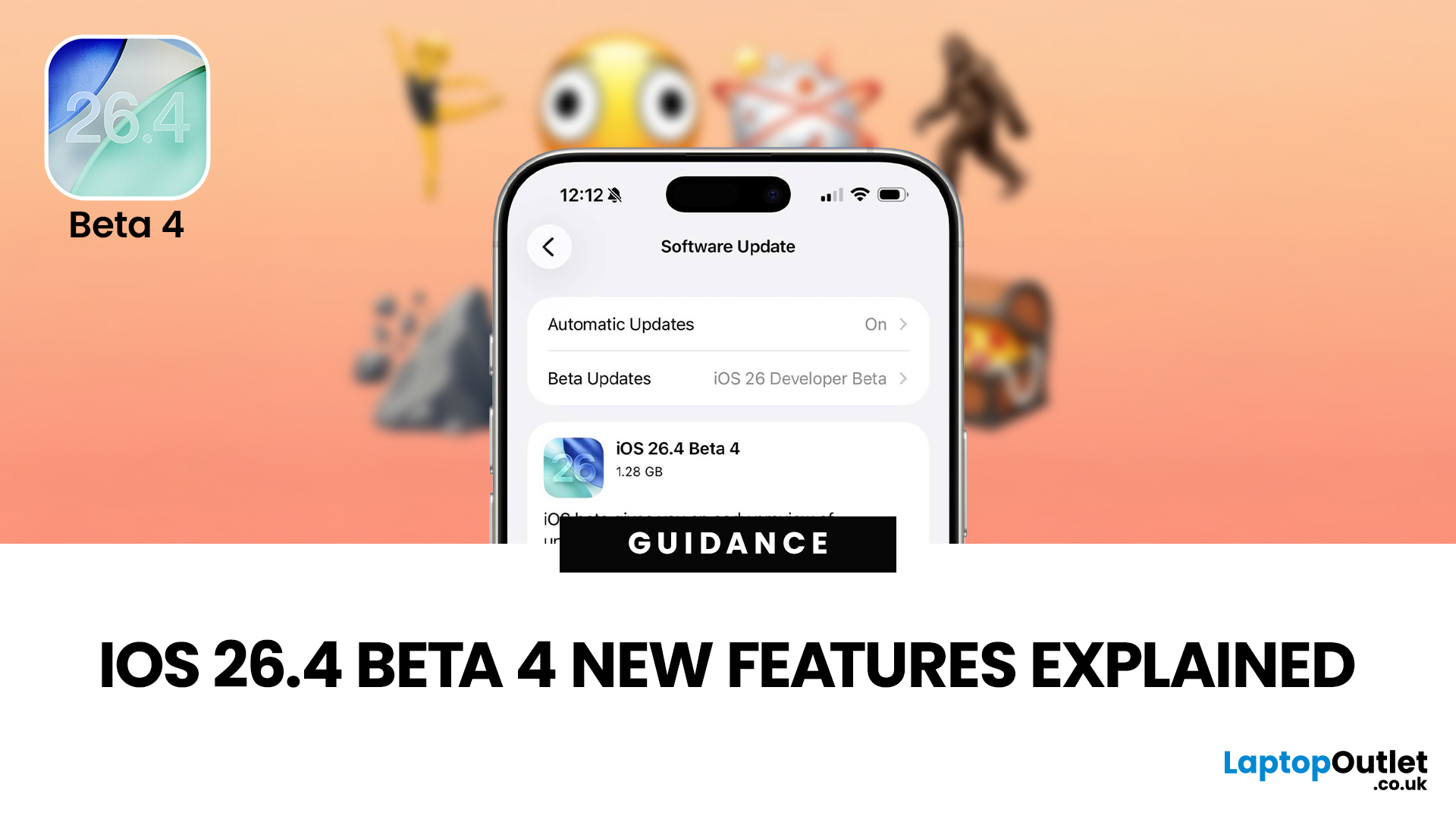
If you've been keeping an eye on your Software Update settings lately, you've probably spotted iOS 26.4 Beta 4 sitting there tempting you.
Released on 9th March 2026, this is the fourth developer beta in Apple's testing cycle for the 26.4 update, and it's bringing some genuinely useful changes alongside the usual round of bug fixes and behind-the-scenes polish. The question is, should you install iOS 26.4 Beta 4, or is it better to sit tight and wait for the stable release?
This guide walks you through everything you need to know, from the new features and bug fixes to performance improvements and whether this beta is actually safe enough for everyday use.
What Is iOS 26.4 Beta 4?
iOS 26.4 Beta 4 is the fourth pre-release build in Apple's current testing cycle, arriving roughly a week after Beta 3 with build number 23E5234a. At this late stage in the beta process, Apple's focus has shifted from new features to polish, bug resolution, and getting the system ready for a mass rollout. The
Last Updated: March 12, 2026
The iOS 26.4 Beta 4 update is now available, offering iPhone users a clearer picture of what Apple is refining ahead of the final release. While this is not the biggest beta in the cycle, it still introduces a number of useful adjustments, visible additions, and background refinements that matter.
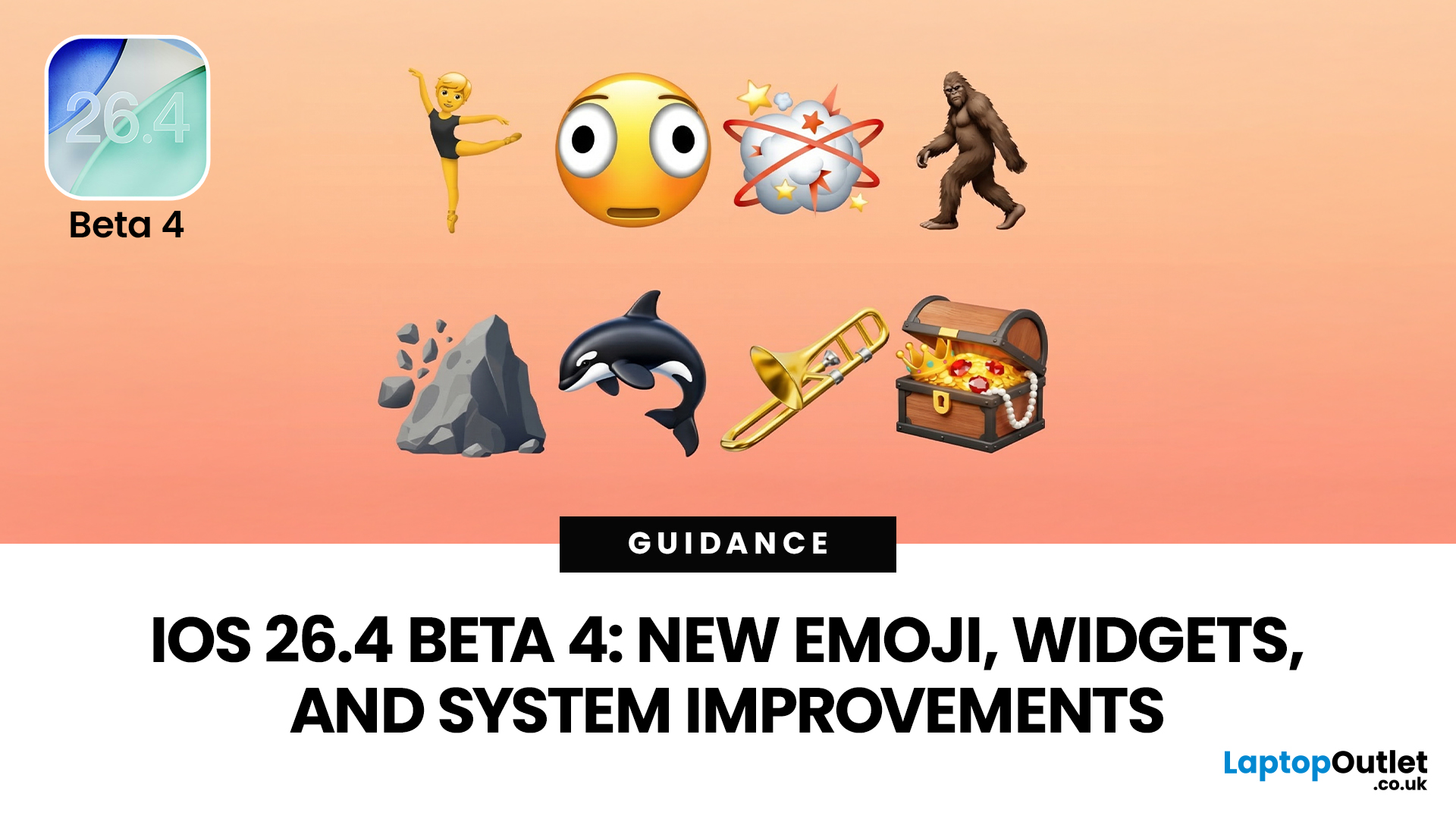
If you have been searching for iOS 26.4 Beta 4 features, this release appears to focus less on dramatic surprises and more on improving the overall experience. That includes user-facing additions like new emoji, interface refinements, accessibility adjustments, and continued work across key parts of the iPhone experience.
So, what is actually new in iOS 26.4 beta 4?
The biggest highlights include new emoji, a change to an accessibility setting, the removal of the earlier RCS encryption beta feature, and support for newer Apple devices. If you are testing the beta or simply trying to keep up with what is coming next for the iPhone, this is the update worth paying attention to.
iOS 26.4 Beta 4
Published: March 12, 2026
Apple dropped the fourth developer beta of iOS 26.4 on 9 March 2026, and it's packed with changes iPhone users will genuinely enjoy. The iOS 26.4 Beta 4 new features cover everything from a fresh set of emoji to home screen widgets and some important security upgrades.
Whether you're a developer testing the build or simply curious about what's heading your way this spring, here's a full breakdown of what's new.
What Is iOS 26.4 Beta 4?
This is Apple's fourth developer-focused build in the iOS 26.4 testing cycle, released roughly a week after Beta 3. The build number 23E5234a typically signals that the software is approaching release candidate status and is very close to a public launch.
As is common at this stage, the iOS 26.4 Beta 4 new features focus more on polish and refinements than entirely new headline additions. That said, there is still plenty arriving in this update that's worth paying attention to.
iOS 26.4 Beta Emoji: New Characters Are Finally Here
One of the most anticipated

