



Which Gaming Keyboard and Mouse Are the Best? Enjoy Wireless Gaming
Gaming has evolved beyond just powerful PCs and sharp monitors. Now, your keyboard and mouse can make or break your gameplay. With modern wireless gaming technology, lag-free performance and ultra-fast response times are no longer exclusive to wired setups.
In this guide, we’ll help you discover the best wireless gaming keyboards and mice available right now; the perfect mix of speed, comfort, and freedom.
Whether you’re a casual player, a competitive esports enthusiast, or someone who just hates cable clutter, we’ve rounded up the top wireless setups that deliver professional-grade precision and style.
5 Best Wireless Gaming Keyboards
These five wireless gaming keyboards cover everything from compact esports layouts to premium custom-style boards.
1. ASUS ROG Falchion RX Low Profile Wired/Wireless RGB Gaming Keyboard – White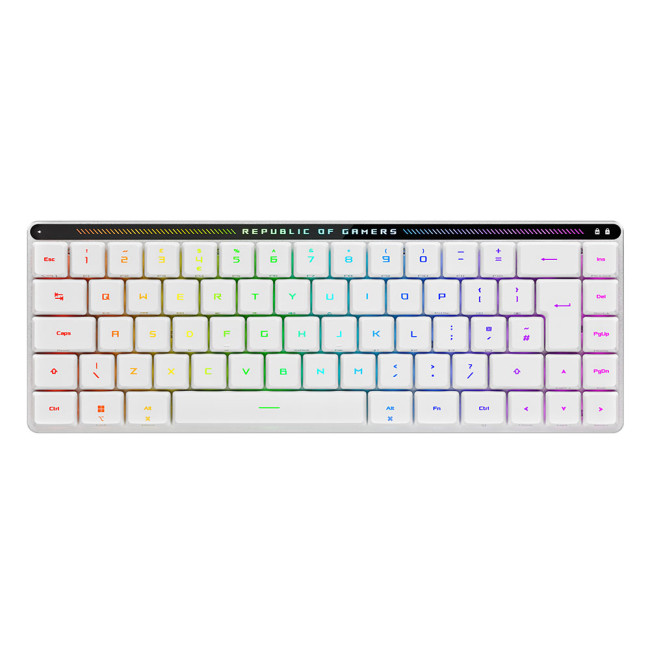
A slim 65% gaming keyboard that gives you full-size power in a backpack-friendly footprint.
Specifications
- Form Factor: 65% compact layout
- Switches: ROG RX low-profile optical switches
- Connectivity: Tri-mode – 2.4 GHz RF (ROG SpeedNova), Bluetooth, USB-C wired
- Extras: Integrated touch panel, detachable protective cover
- Lighting: Wireless Aura Sync per-key RGB
- Battery Life: Up to around 450 hours (lights off, 2.4 GHz)
Features
This is a brilliant pick if you want a minimal desk but still need arrow keys and proper gaming performance. The low-profile optical switches feel snappy and precise, while tri-mode connectivity lets you jump between your gaming PC, laptop, and even a MacBook without swapping cables.
The interactive touch panel is great for quick volume or lighting tweaks, and the included hard cover makes it ideal for LANs or gaming on the go. With strong battery life and per-key RGB, it suits gamers who want a sleek, portable board that still feels seriously premium.
2. ASUS ROG Strix Scope II 96 Wireless Mechanical RGB Gaming Keyboard – White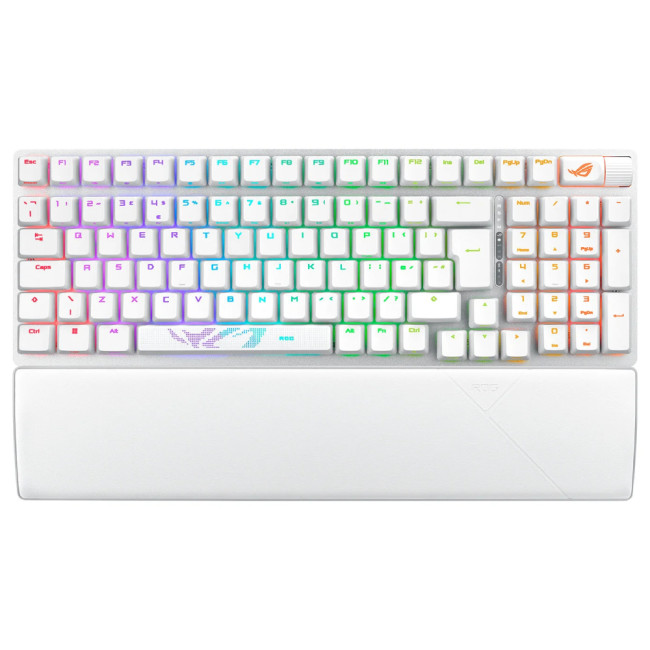
A space-saving 96% keyboard that keeps the numpad for work and offers esports-grade performance for play.
Specifications
- Form Factor: 96% (full functionality in a smaller footprint)
- Switches: Hot-swappable pre-lubed ROG NX mechanical switches
- Connectivity: Tri-mode – Bluetooth (up to 3 devices), 2.4 GHz RF (SpeedNova), USB wired
- Extras: Multi-function wheel & button, Xbox Game Bar hotkeys, ROG Omni Receiver
- Build: PBT doubleshot keycaps, sound-dampening foam, wrist rest
- Lighting: Full RGB backlight
Features
If you can’t live without a numpad but still want more mouse space, the 96% layout strikes a great balance. The tri-mode connection means you can game on low-latency 2.4 GHz, then flip over to Bluetooth for a laptop or tablet without digging around for dongles.
Pre-lubed hot-swappable switches, foam and tuned stabilisers give a surprisingly refined typing feel, whether you’re grinding ranked or answering emails. The media wheel and Xbox Game Bar hotkeys make it easy to control streams, clips and volume mid-game, so it’s ideal for content creators and all-round power users.
3. Cherry MX-LP 2.1 Compact Wired/Wireless Gaming Keyboard – White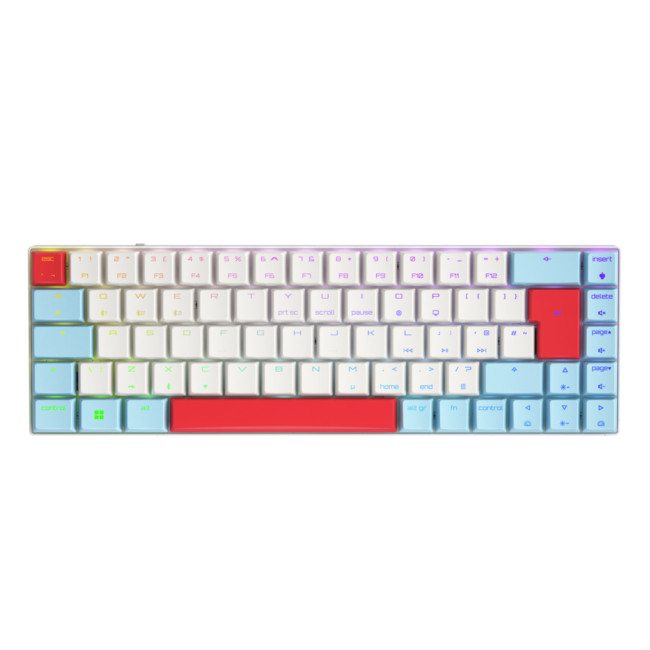
A sleek, low-profile 65% board that mixes pro gaming performance with a clean, modern look.
Specifications
- Form Factor: Compact 65% layout
- Switches: Low-profile Cherry MX mechanical switches (RGB Speed)
- Connectivity: Wired & wireless – Bluetooth 5.2, 2.4 GHz RF, USB
- Features: Anti-ghosting, full key rollover, rechargeable lithium-ion battery, RGB backlight
- Wireless Range: Up to 10 m
Features
This Cherry board is a strong fit if you want something that can move between “home office” and “ranked night” without looking overly aggressive. The low-profile switches feel fast and precise, great for fast key presses in shooters but just as comfortable for typing.
Tri-mode wireless makes it easy to share between a PC, work laptop, and even a tablet, while the compact layout frees mouse room on smaller desks. With full-key rollover and proper anti-ghosting, it can absolutely keep up with clutch moments in competitive games.
4. Cherry MX-LP 2.1 Compact Wired/Wireless Gaming Keyboard – Black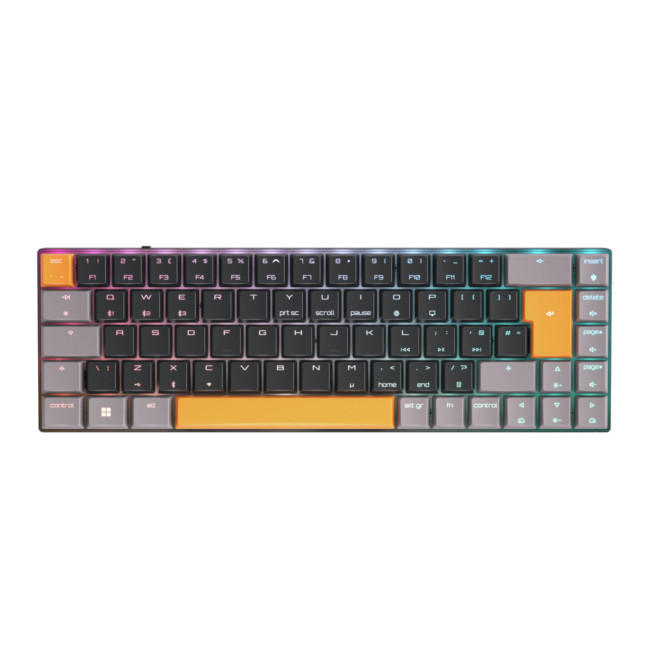
The same compact performance as the white model, in a darker, more understated finish.
Specifications
- Form Factor: Compact 65% layout
- Switches: Cherry MX low-profile mechanical switches
- Connectivity: Bluetooth 5.2, 2.4 GHz RF, USB; wired & wireless modes
- Features: Anti-ghosting, full key rollover, RGB backlighting, built-in rechargeable battery
- Colour: Black, compact footprint
Features
Functionally, this mirrors the white Cherry MX-LP 2.1 but will appeal if you prefer an all-black, stealthy setup. The compact design keeps your shoulders in a more natural position and leaves loads of room for wide mouse swings—helpful if you play at low sensitivities.
Thanks to the same Cherry MX low-profile switches, you still get sharp, reliable actuation and durable build quality. It’s a safe, no-nonsense choice if you want a premium compact wireless board that doesn’t shout “gamer” across your entire desk.
5. ASUS ROG Azoth X 75% Form Factor OLED RGB Wireless Gaming Keyboard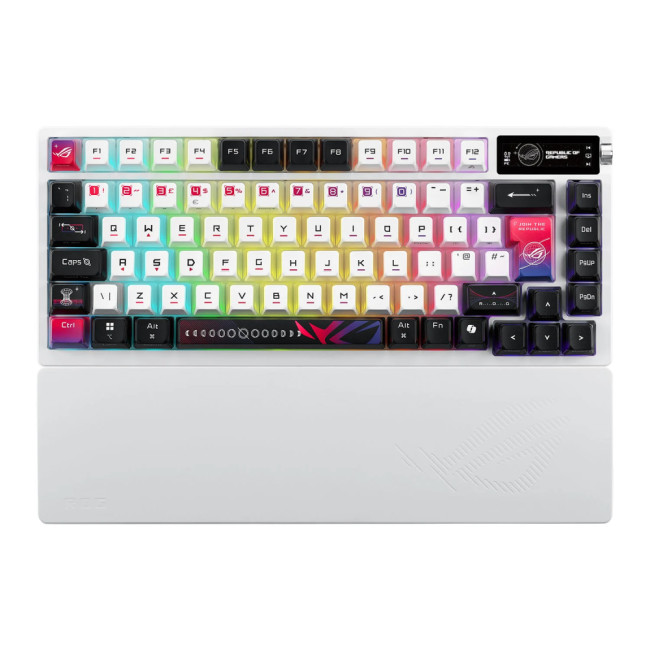
A premium, custom-style 75% board with an OLED display and hot-swappable switches for enthusiasts.
Specifications
- Form Factor: 75% (compact with arrow keys & function row)
- Switches: Hot-swappable ROG NX V2 mechanical switches (linear & clicky options)
- Connectivity: Tri-mode – Bluetooth, 2.4 GHz RF (SpeedNova), USB wired
- Extras: 2" OLED display, three-way control knob, gasket mount, five-layer dampening foam, silicone wrist rest
- Lighting: RGB backlight, “stellar-themed” semi-translucent keycaps
Features
The Azoth X is for gamers who also care about typing feel, sound and aesthetics. The gasket-mount design, layers of dampening foam and tuned stabilisers make it feel much closer to a custom mechanical board than a typical gaming keyboard, while still packing tri-mode wireless and RGB.
The OLED display and side knob are actually practical: you can check volume, battery, profiles and system info at a glance, then tweak settings without tabbing into software. It’s a seriously premium choice if you want your wireless gaming keyboard to double as a flagship daily driver for work and creative tasks.
5 Best Wireless Gaming Mice
Now for the other half of your setup. These five wireless gaming mice give you different weights, shapes, and feature sets so you can pick something that truly matches your grip style and favourite genres.
1. ASUS ROG Keris II Wireless Ace Gaming Mouse – Black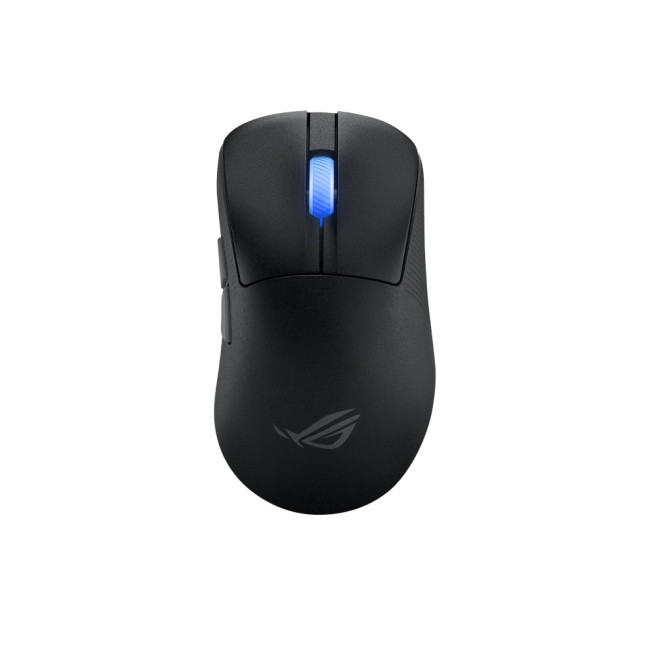
An ultralight, right-handed FPS mouse tuned for speed, precision and low-latency wireless play.
Specifications
- Weight: Around 54 g
- Sensor: ROG AimPoint Pro, up to 42,000 DPI, 750 IPS, 50 G acceleration
- Connectivity: 2.4 GHz RF, Bluetooth, USB-C wired (tri-mode)
- Polling: Up to 4,000 Hz wireless / 8,000 Hz wired with polling booster (optional)
- Shape: Right-hand ergonomic
Features
The Keris II Wireless Ace is built for competitive shooters: it’s extremely light, uses a flagship-class sensor and offers very high polling rates when paired with ASUS’s Polling Rate Booster. That combination makes fast flicks and micro-adjustments feel effortless.
Tri-mode connectivity and strong battery life make it practical for everyday use too. You can game at low-latency over 2.4 GHz, then swap to Bluetooth for a laptop or console in seconds. It’s an excellent choice if you want a single mouse that feels like an esports
2. Razer Cobra Pro Wireless Gaming Mouse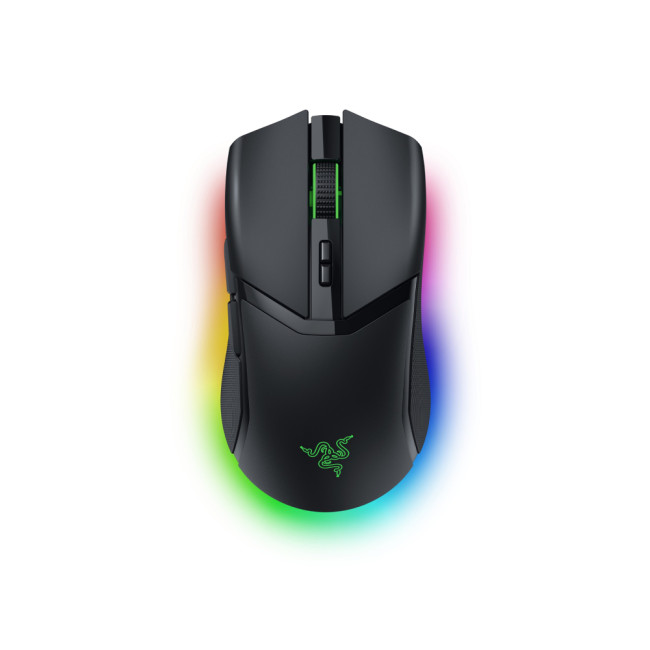
A compact, feature-rich mouse with Razer’s 30K Focus Pro sensor and Chroma RGB underglow.
Specifications
- Sensor: Razer Focus Pro 30K optical sensor (up to 30,000 DPI)
- Connectivity: RF wireless, Bluetooth, USB-C wired
- Buttons: 8 programmable buttons
- Lighting: Multi-zone Chroma RGB with underglow
- Form Factor: Right-handed, compact
Features
Cobra Pro is a great “do-everything” mouse. The 30K Focus Pro sensor and solid wireless implementation are more than enough for competitive games, while the compact right-handed shape suits claw and fingertip grips nicely.
At the same time, 8 programmable buttons and per-key RGB make it fun for RPGs, MOBAs and productivity shortcuts. If you like Razer Synapse and want a single wireless mouse that looks great on a Chroma-lit desk, this is a very easy recommendation.
3. Mad Catz R.A.T. DWS Optical Wireless Gaming Mouse – Black
A highly customisable, modular wireless mouse with the classic Mad Catz sci-fi look.
Specifications
- Sensor: 16,000 DPI optical sensor (PAW3335)
- Connectivity: Dual-mode – 2.4 GHz RF and Bluetooth 5.0
- Response time: Around 1 ms in 2.4 GHz mode (DAKOTA tech)
- Design: Adjustable palm rest and swappable pinkie rests; right-hand form factor
- Durability: Up to ~60 million clicks
Features
If you’ve ever struggled to find a mouse that fits your hand properly, the R.A.T. DWS is worth a look. With adjustable palm and pinkie rests plus that angular shell, you can tune the shape to your grip style and comfort instead of just accepting a “one-size” mouse.
The dual-mode wireless setup is handy if you want long battery life on Bluetooth for work, then snappy 2.4 GHz response for gaming at night. Its 16K sensor and fast DAKOTA switches easily handle FPS and action titles, especially if you like a slightly heavier, more planted feel.
4. ASUS ROG Harpe II Ace Wireless Gaming Mouse – White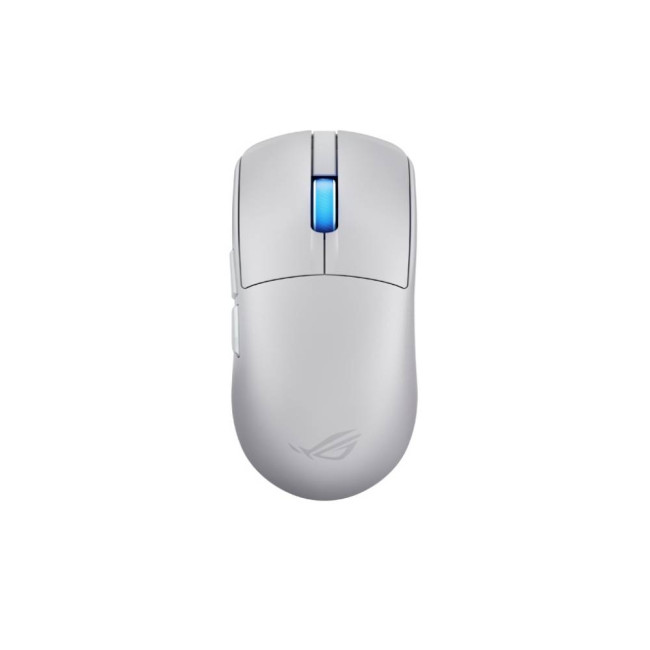
An esports-grade, 48 g ultralight mouse with a 42K sensor and 8K wireless polling.
Specifications
- Weight: Around 48 g
- Sensor: ROG AimPoint Pro, up to 42,000 DPI with track-on-glass
- Connectivity: USB-C, Bluetooth 5.1, 2.4 GHz RF (SpeedNova 8K wireless tech)
- Switches: ROG Optical Micro Switches, rated up to 100M clicks
- Shape: Right-handed, semi-symmetrical esports design
Features
Harpe II Ace is targeted squarely at competitive players who want every gram shaved off. At under 50 g with a 42K sensor and extremely high polling, it’s built to feel effortless for fast flicks and rapid tracking, especially in tactical shooters and arena titles.
Despite that focus, it’s still practical: tri-mode wireless means you can use a single mouse across gaming PC, laptop and even a work machine, while the durable optical switches and clean design make it a long-term companion. The white shell also looks great with lighter, minimalist setups.
5. Razer Basilisk V3 Pro 35K Wireless Ergonomic RGB Gaming Mouse – Black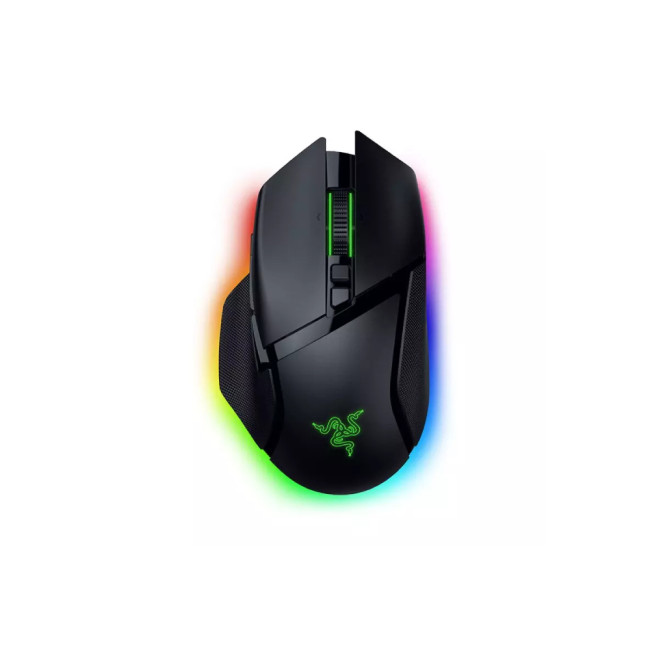
A feature-packed, ergonomic mouse built for customisation, comfort and deep scroll-wheel control.
Specifications
- Sensor: Razer Focus Pro 35K optical sensor (up to 35,000 DPI)
- Connectivity: Razer HyperSpeed wireless, Bluetooth, USB wired (and optional wireless charging dock)
- Scroll Wheel: HyperScroll tilt wheel with multiple modes and smart switching
- Buttons: Highly customisable multi-button layout (ergonomic right-hand design)
- Lighting: Rich RGB with extensive Chroma support
Features
Basilisk V3 Pro is the “everything plus the kitchen sink” option. The 35K sensor and HyperSpeed wireless easily keep up with competitive play, but the real draw is the comfort and control: the sculpted grip, side buttons and advanced scroll wheel are brilliant for games that need lots of abilities or weapon swapping.
The tilt wheel modes and virtual acceleration are also surprisingly useful for productivity—scrolling huge documents or timelines feels much faster and more controllable. If you want one mouse that’s fantastic for MMOs, battle royales, and general day-to-day use, this is the one to highlight.

Finding Your Perfect Wireless Gaming Setup
Choosing the best wireless gaming keyboard and mouse depends on your priorities — whether that’s ultra-light precision for competitive play, ergonomic comfort for long sessions, or a sleek setup that performs as well as it looks.
The good news? Every product listed here combines high-speed wireless tech with the durability and design serious gamers expect.
Before you buy, consider how you play: low-sensitivity FPS players might prefer lightweight designs, while MMO or creative users will benefit from programmable buttons and premium build quality. Whatever your gaming style, the right wireless setup can elevate your experience from good to exceptional.
Ready to upgrade your setup? Explore the latest gaming accessories at Laptop Outlet and enjoy great deals on the gear that keeps you one step ahead.

Here’s What Gamers Ask Most...
What makes a wireless gaming keyboard different from a standard keyboard
Wireless gaming keyboards offer low-latency performance, mechanical or optical switches, and gaming features like RGB lighting, macros, and multi-device connectivity.
Are wireless gaming mice as responsive as wired ones?
Yes. Modern wireless gaming mice use advanced sensors and 2.4 GHz connections that match or even outperform wired response times for most competitive players.
What should I look for when buying a wireless gaming keyboard?
Check battery life, connection modes, switch type, layout size, and build quality — all key for both comfort and performance.
How long do wireless gaming mouse batteries last?
Most last 60–200 hours on a charge, depending on lighting and use. Some support USB-C charging or wireless charging docks.
What payment methods does Laptop Outlet accept?
Laptop Outlet accepts major credit and debit cards, PayPal (Credit & Pay in 3), Klarna, Apple Pay, Google Pay, and more — all secure.
Does Laptop Outlet offer warranty and finance options?
Yes, all new products include a 1-year warranty, and flexible PayPal Credit or Klarna finance plans of up to 36 months are available.
| Read More: |
| What to Look for When Buying a Refurbished Keyboard? |
| How Do You Connect a Wireless Mouse |
| Best Keyboards for Gaming! |
Related Articles

Last Updated: September 03, 2026
There are many solutions of instantly fixing mouse problems on laptops. Whether it’s the crashing app issue, mouse driver problem or system being stuck, we got you with all the troubleshooting steps.
Last Updated: May 23, 2025
Gaming monitors have become increasingly popular in recent years due to advancements in technology and increased demand for competitive or high-end gaming performance. In the current era of fast paced gaming, it is essential for gamers to have the right equipment to make their gaming experience as enjoyable as possible. Different monitors offer different features and specs to enhance game play and can have a big impact on the quality of game play.
Are you looking for the best gaming monitor to enjoy seamless and hypnotic gaming sessions? Look no further! This article will provide an overview of the benefits and features of gaming monitors. Moreover, you will get to know why you should opt for the best gaming monitor if you are a gaming enthusiast. We will discuss the features and specs that make a gaming monitor stand out and provide the best gaming experience. We will also look at some of the best options on the market to help you make an informed decision. So, if you are looking for the
Last Updated: June 19, 2025
Are you an e-sports enthusiast looking to take your gaming experience to another level? If yes, you are in the right place! With thousands of options available on the market, choosing the right gaming laptop can be a daunting task for anyone.
In this article, we have listed the top 5 gaming laptops for e-sports in 2023, all while considering factors such as refresh rate, response time, and screen size. Whether you are a professional esports player or a casual gamer, this guide will help you make an informed decision.
ASUS ROG Zephyrus M16 (2023)(GU604VY-NM001W)
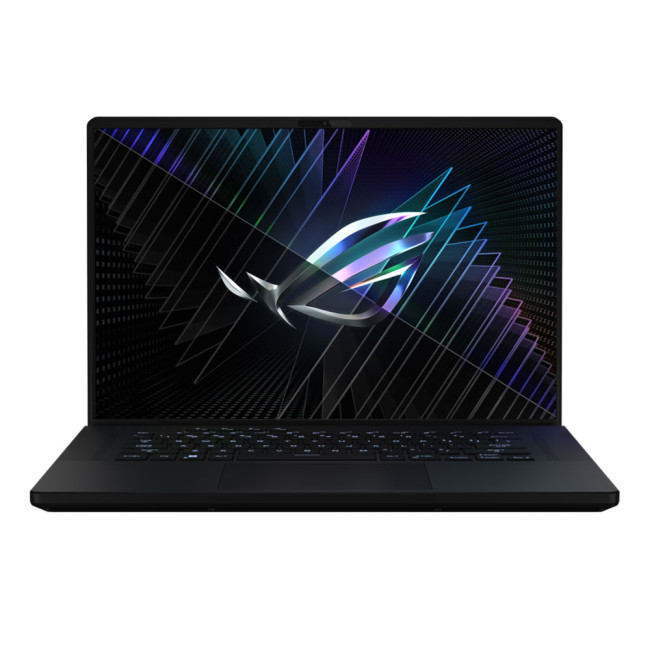
- Intel® Core™ i9 Processor
- 16-inch screen size, 2560 x 1600
- 32 GB RAM, 2 TB SSD
- NVIDIA GeForce RTX 4090 GDDR6 16GB GPU
- Windows 11 Home
The ASUS ROG Zephyrus M16 is a true gaming beast, designed specifically for esports enthusiasts. With its Intel Core i9 processor and 32 GB of DDR5 RAM, it delivers exceptional performance, ensuring smooth gameplay even in demanding esports titles.
As compared to last year’s model,
Last Updated: August 12, 2026
To choose a 4K gaming monitor, start with the device you use, and the frame rates it can realistically deliver. Screen size, refresh rate, panel type, HDR quality, VRR and connectivity matter more than chasing the highest headline specification. PC gamers should check GPU capability, while PS5 and Xbox Series X users should confirm suitable 4K 120Hz support.
A good 4K gaming monitor should suit your hardware, the games you play and your desk rather than simply having the highest numbers on the specification sheet.
That distinction matters more in 2026 because there is now much greater variation between 4K displays. You can find conventional high-refresh IPS screens, OLED and QD-OLED monitors, Mini LED models and dual-mode displays capable of prioritising resolution or refresh rate depending on the game.
Is a 4K Gaming Monitor Right for Your Setup?
A standard 4K UHD monitor has a resolution of 3840 × 2160. That works out at roughly 8.3 million pixels, four times the pixel count of Full HD

Last Updated: May 13, 2025
VR headset is one of the latest and coolest pieces of technology that promises an immersive virtual experience. It is also called a head-mounted display that typically comes equipped with a pair of lenses you will look through, a screen inside the device, and a framework to secure it to the head.
A virtual reality headset will immerse you in the digital world, providing a simulated sensory experience. As for gaming, it would transport you into the realistic digital worlds, allowing you to interact with the surroundings and other players incredibly. They will give you the best-mixed reality experience with ever-improving passthrough technology, which introduces new ways of getting things done, like spatial computing and overlaying your environments with augmented reality holographs.
Besides gaming, VR headsets can be used in various industries, including education, healthcare, training, and entertainment. As technology evolves, so do VR headsets, which will continue to redefine
Last Updated: August 28, 2026
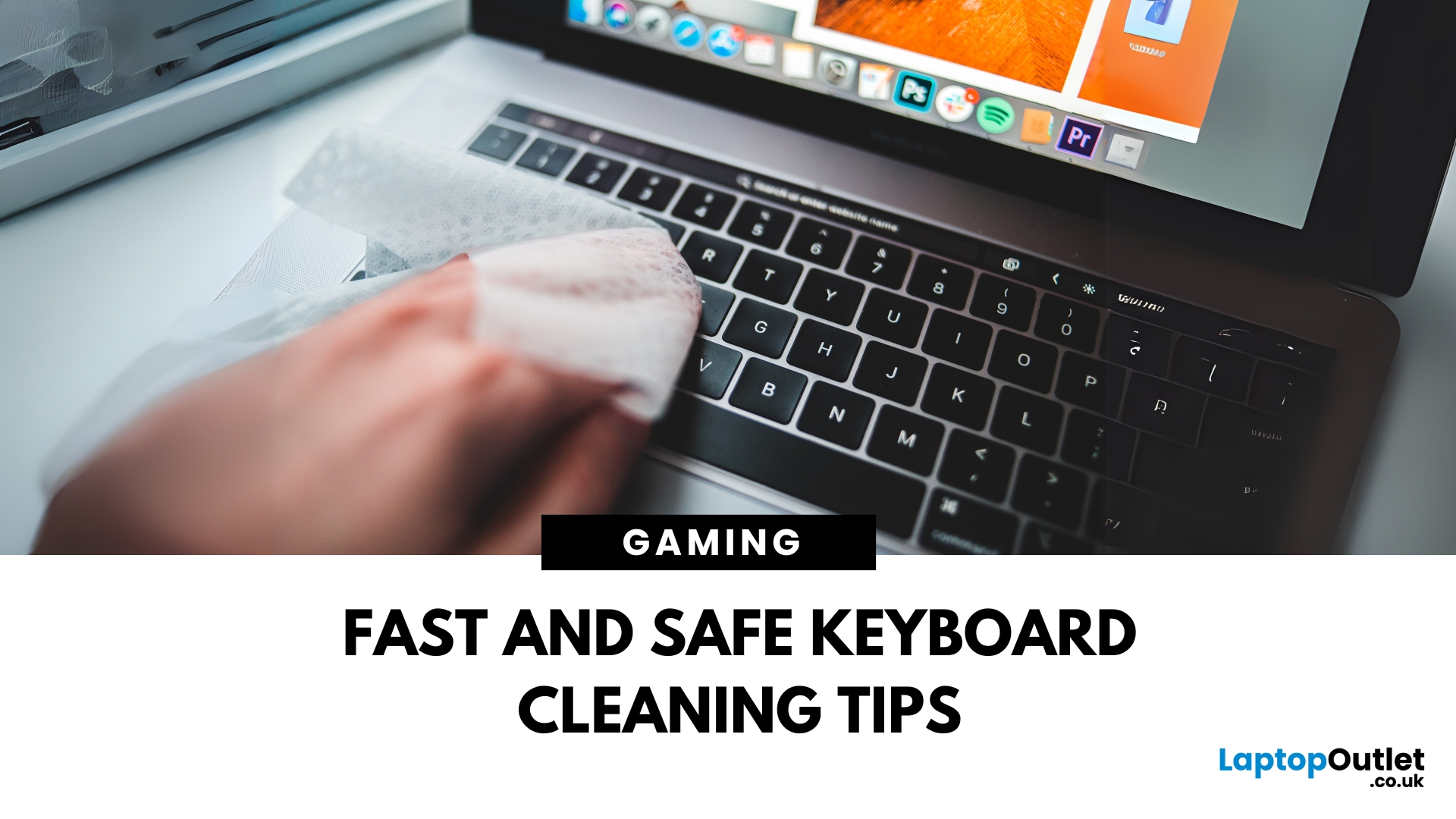
Dust, crumbs, skin oils, and drink residue can make a laptop keyboard look grubby or leave keys slow and sticky. Cleaning it correctly takes only a few minutes, but excess liquid or unsuitable products can damage the key coating and electronics.
How to Clean a Keyboard Safely: Quick Answer
Shut down and unplug the laptop. Remove loose debris with short bursts of compressed air, then wipe the keys with a soft microfibre cloth lightly dampened with 70% isopropyl alcohol. Never spray liquid directly onto the keyboard and let it dry fully before switching it on.
What You Will Need
- Soft microfibre cloth
- Compressed air
- Cotton buds or a soft brush
- 70% isopropyl alcohol
How to Clean a Laptop Keyboard Step by Step
1. Turn Off and Unplug the Laptop
Save your work, shut the laptop down and disconnect the charger and accessories. Cleaning
Last Updated: September 09, 2025
Go Cord-Free in Minutes
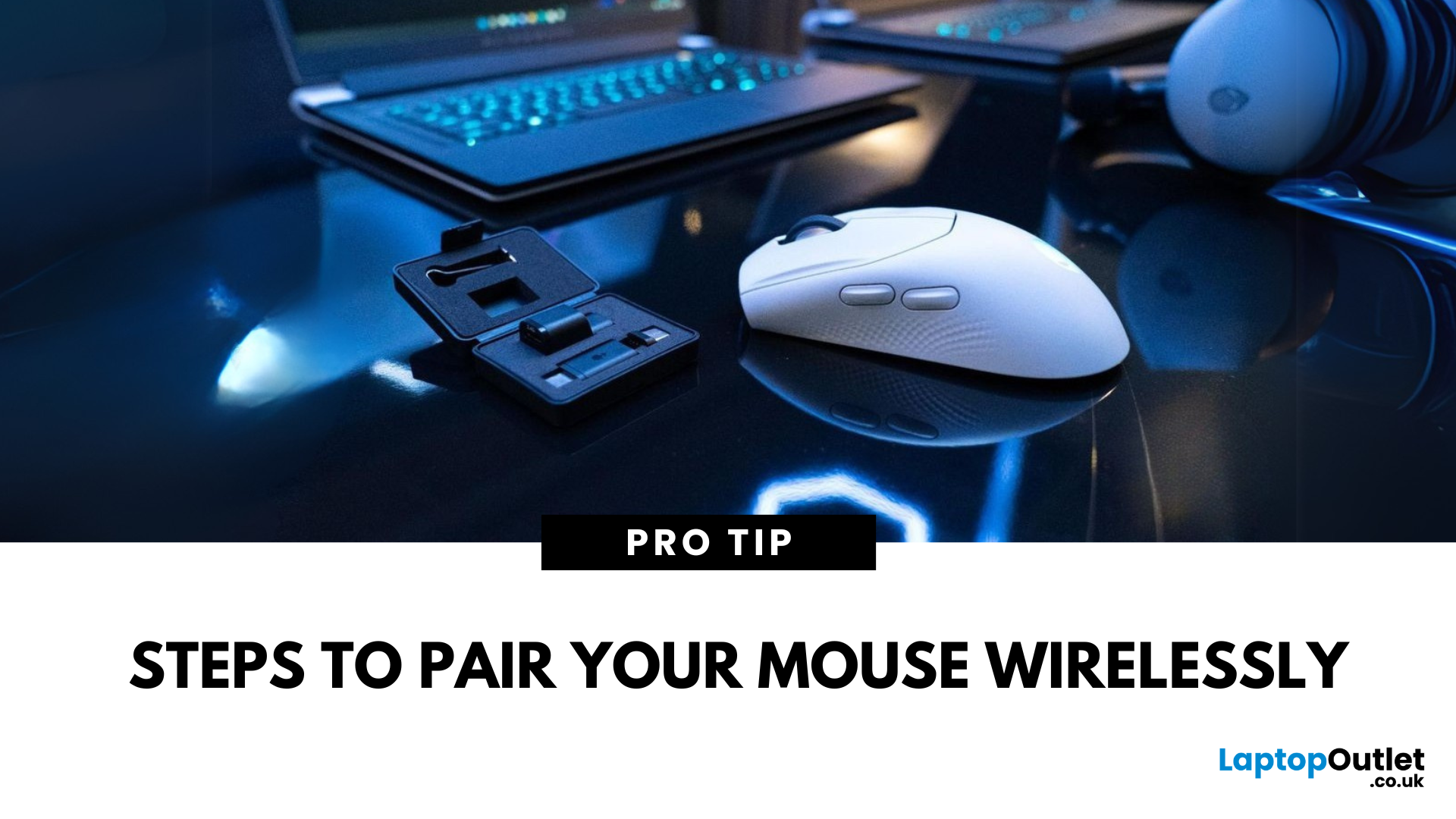
Tired of tangled cords? A wireless mouse gives you freedom and a clutter-free workspace. Whether you’re using a USB dongle or Bluetooth, here’s exactly how to connect your wireless mouse to your device.
1. Types of Wireless Mice
- USB Receiver (RF): Comes with a small USB dongle you plug into your computer
- Bluetooth: Connects directly to your device’s built-in Bluetooth—no dongle needed
2. How to Connect a Wireless Mouse with USB Receiver
Steps:
- Plug the USB dongle into an available USB port
- Turn on the mouse using its switch (usually on the bottom)
- Wait a few seconds—your computer should automatically recognise and connect
No additional software is usually needed on Windows or macOS
3. How to Connect a Bluetooth Wireless Mouse
Steps:
- Turn on the mouse and enable pairing mode (usually by holding a button)
- On your device, go to Settings > Bluetooth
- Wait for the mouse to appear in the device list
- Select the mouse and tap Pair
Make sure your device’s

Last Updated: August 11, 2026
Changing your keyboard language lets you type in different languages, access regional characters, and use a layout that matches your physical keyboard. It is also one of the quickest ways to fix keys that produce the wrong symbols.
The process varies slightly between Windows, macOS, ChromeOS, Android, and iOS. This guide explains how to switch keyboard language on each platform, change a keyboard from US to UK and stop the layout from changing unexpectedly.
Quick Answer: How Do You Switch Keyboard Language?
On Windows, press Windows key + Spacebar. On a Mac, press Control + Spacebar. Chromebook users can press Ctrl + Shift + Space, while phone and tablet users can select the globe or language icon on the on-screen keyboard. These shortcuts only work when more than one keyboard language or layout has been added to the device.
Keyboard Language vs Keyboard Layout
A keyboard language controls features such as autocorrect, spelling suggestions and predictive text. A keyboard layout determines
Last Updated: October 03, 2025
Level Up Your Gameplay
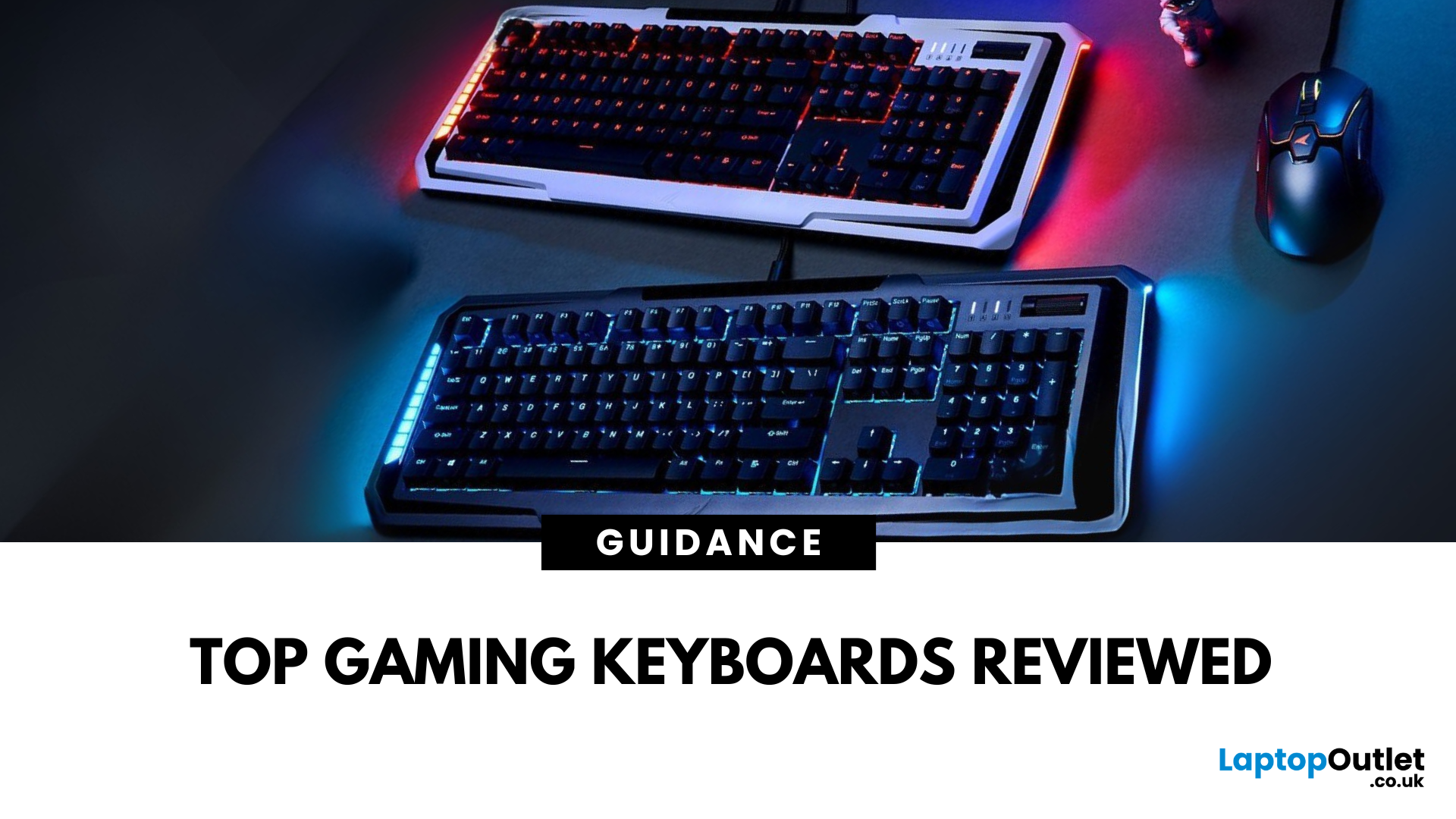
In fast-paced gaming, your keyboard can make or break your performance. But what makes a keyboard truly gaming-ready? Here’s a guide to help you find the best keyboard for gaming, focusing on key features instead of specific products.
Why Your Gaming Keyboard Matters
A good gaming keyboard offers:
Faster response times
Customisable keys for complex commands
Enhanced durability for intense sessions
Mechanical vs Membrane Keyboards
Mechanical Keyboards
Preferred for gaming due to:
Tactile feedback
Faster actuation
Longer lifespan (50M+ keystrokes)
Membrane Keyboards
Budget-friendly and quieter but:
Less responsive for competitive gaming
Shorter lifespan
Tip: Mechanical keyboards with red or silver switches are ideal for fast-paced FPS and MOBA games.
Key Features to Look For in a Gaming Keyboard
1. Switch Type
- Linear switches (Red): Smooth, fast keypresses
- Tactile switches (Brown): Feedback without loud clicks
- Clicky switches
Last Updated: June 16, 2026
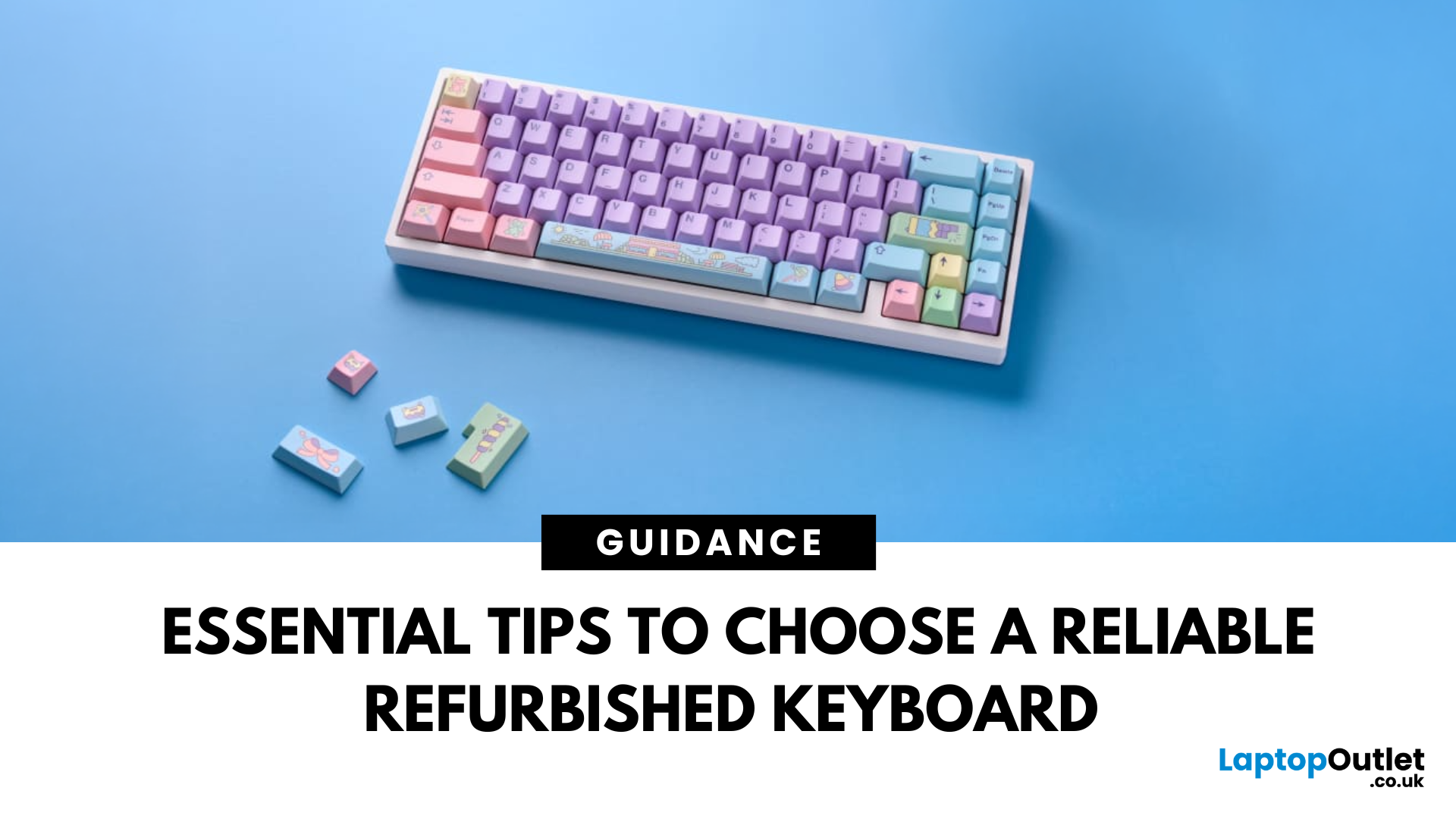
In today’s world of work, study, and gaming, the keyboard has become an essential tool for almost every digital task. But finding the right keyboard, one that feels good to type on, lasts for years, and fits your budget can be a challenge, especially with premium models commanding high prices. That’s why many smart buyers are turning to refurbished keyboards as a practical way to enjoy top-quality performance at a fraction of the cost.
Yet, like any piece of refurbished tech, a second-hand keyboard needs careful consideration before you buy. It’s not just about making sure it works; it’s about finding the right type, switch feel, layout, and condition that suits your daily needs.
This guide will walk you through everything you should look for when buying a refurbished keyboard.
So, let’s get into it!
Understand Your Keyboard Needs Before You Buy
Before diving into specifications and price comparisons, it’s important to identify what you actually need from a keyboard.
Are You a Heavy Typist

