



Save On ASUS Latest Thin and Lightweight Laptops 2025
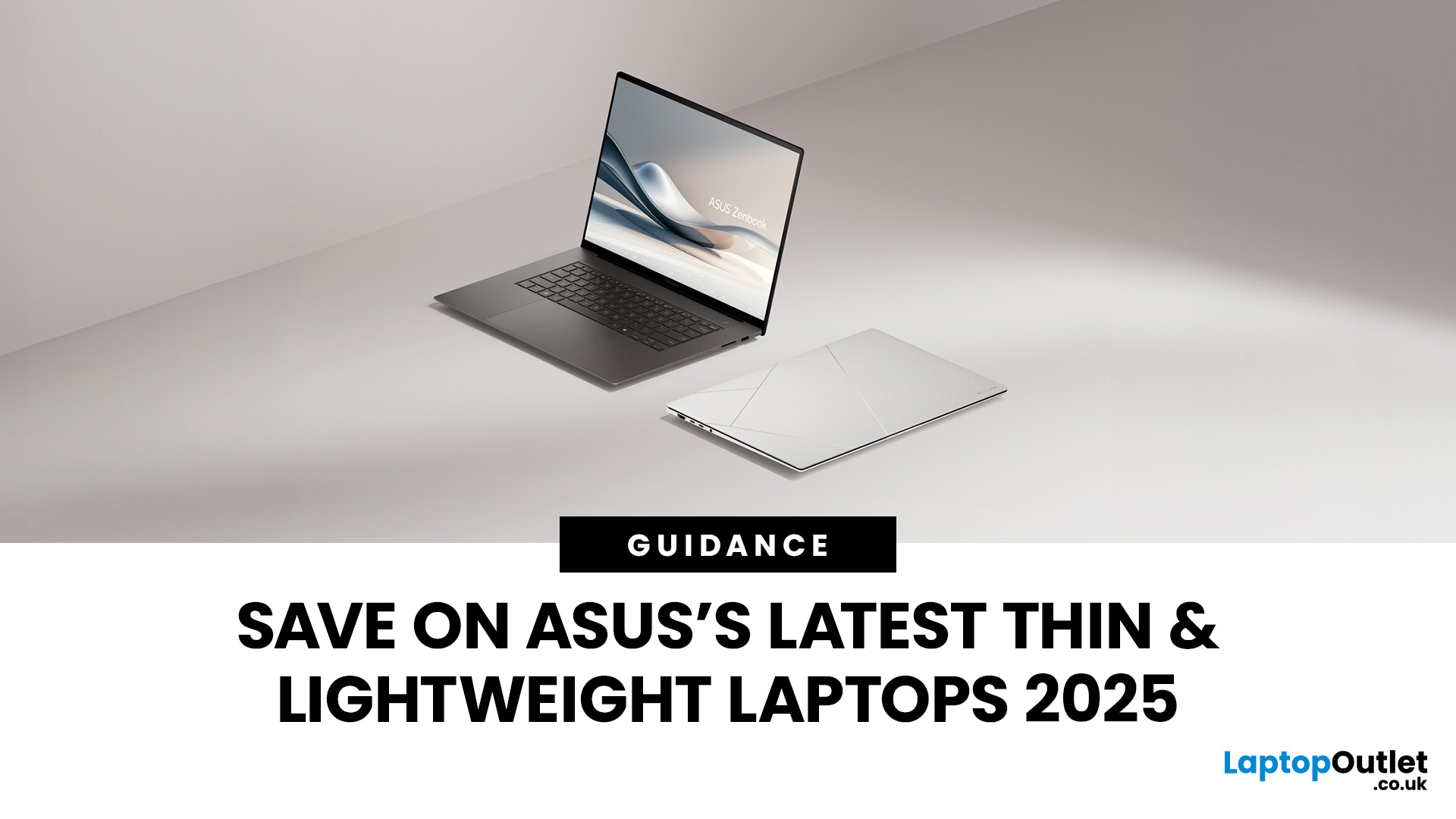
Gone are the days when portability meant sacrificing power!
ASUS, a globally recognised brand, offers a diverse range of laptops known for their portability and cutting-edge features. With a commitment to innovation and quality, ASUS laptops cater to many users, from professionals and students to gamers and creative individuals. Their sleek designs and powerful performance make them a top choice for anyone looking for a reliable and stylish computing solution.
If you're searching for the best deals on ASUS laptops, Laptop Outlet is the best destination. Renowned for its competitive pricing and extensive selection, Laptop Outlet ensures you can get your favourite ASUS laptops without breaking the bank. What could be better than finding top-tier laptops at affordable prices?
Discover how to save on the latest ASUS thin and lightweight laptops in 2025 while enjoying the best technology and design.
What Makes ASUS Laptops Stand Out?
Innovative & High-Built Quality
ASUS is a leader in portable laptop innovation, consistently pushing the boundaries to deliver cutting-edge products. Their dedication to research and development ensures that every laptop is equipped with the latest advancements in hardware and software, providing users with unparalleled performance and efficiency.
Super-Slim & Super-Light!
One critical difference between ASUS laptops is their sleek and lightweight designs. ASUS understands the importance of portability in today's fast-paced world, and they have mastered the art of combining powerful performance with thin, lightweight constructions. The use of premium materials such as aluminium alloys ensures that these laptops are not only light but also robust and stylish.

Performance on the go!
Despite their slim profiles, ASUS laptops have high-performance processors from Intel and AMD. This includes the new Intel Core i7 and i9 processors as well as AMD Ryzen 7 and 9 series, which deliver exceptional speed and efficiency. Coupled with ample RAM and fast SSD storage, these laptops can easily handle demanding tasks, from multitasking to running complex software.
OLED Display: More accurate. More Adaptive. More Reliable
The ASUS thin and lightweight laptops come with stunning high-resolution displays, including options for 4K UHD and OLED screens. These displays offer vibrant colours, deep blacks, and crisp details, making them perfect for creative professionals, entertainment, and everyday use. The narrow bezels and expansive screen real estate enhance the viewing experience, providing more immersive visuals.
Long Battery Life
Battery life is critical for portable laptops, and ASUS has focused on maximising battery efficiency. For users on the go, battery life is crucial. ASUS laptops are engineered to deliver extended battery life, allowing you to work, play, and create for more extended periods without recharge. This focus on energy efficiency ensures that you can remain productive throughout your day, no matter where you are.
Advanced Graphics!
For users who need robust graphics capabilities, such as gamers and designers, ASUS offers models with advanced NVIDIA GeForce RTX graphics cards. These GPUs provide superior gaming, video editing, and 3D rendering performance, ensuring smooth and high-quality visuals.
Value for Money!
ASUS laptops offer excellent value for money, providing high-end features at competitive prices. Their affordability makes them accessible to a wide range of users, ensuring that everyone can benefit from the performance and technology at a low cost.
Improved Security
Security is essential in modern computing, given the increased risk of cyber-attacks and phishing. ASUS has addressed this problem with features such as fingerprint sensors and facial recognition technology.
Eco-Friendly Design!
ASUS is also committed to sustainability, implementing eco-friendly practices in their manufacturing processes and product designs. This commitment ensures that while users enjoy the benefits of advanced technology, they also support a brand that prioritises environmental responsibility. These biometric security options provide quick and secure laptop access, protecting user data and privacy.
Top ASUS Lightweight Laptops
We have curated a list of top ASUS lightweight laptops available at Laptop Outlet, offering exceptional value at affordable prices. These laptops come with significant savings and discounts, ensuring you get the best deals on your favourite devices.
Let's dive into the top-notch ASUS laptops.
1. Refurbished ASUS BR1102F 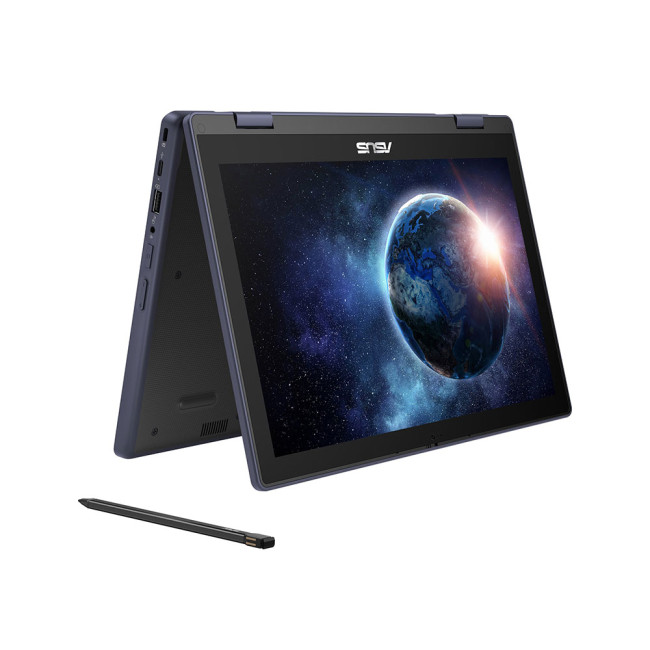
Specifications & Highlights
- Display: 11.6″ multi-touch display (likely HD resolution)
- Processor: Intel N100 (entry-level efficient CPU)
- Memory & Storage: 8 GB RAM + 128 GB UFS (fast embedded flash storage)
- Rugged / durable build: Designed for education / field use: drop resist, rubber bumpers, spill resistance, modular maintenance
- Input: Comes with a stylus (pen) and likely includes a slot or “garage” for the pen
- Operating System: Windows 11 Pro for Education (refurb)
- Connectivity: Standard I/O (likely USB-C, USB-A, HDMI, WiFi, etc.)
- Weight / dimensions: Compact and lightweight given its 11.6″ rugged class
Key Features & Benefits
- Ruggedized build makes this ideal for schools, field deployments, transport, or harsh environments.
- Pen support (stylus) for annotation, notes, sketching in tablet or tent mode.
- Modular design (in many rugged models) allows for field repairs, component swaps (battery, keyboard, display) which extends usable life.
- The embedded UFS storage provides faster sequential and random read/write vs older eMMC in the same class.
- Windows 11 Pro for Education gives enterprise / school-level features (management, policies, security).
Use / Ideal Scenarios
- Perfect for students or professionals who need a rugged, portable, compact device for note-taking, lightweight applications, web, digital textbooks.
- Useful in environments where drops, spills, or rough handling are common (schools, field research, workshops).
- The pen + touch interface is ideal for markup, digital inking, diagrams, or interactive learning.
- As a refurbished unit, it offers cost-effective access to a rugged laptop that might otherwise be expensive new.
Care & Maintenance Tips
- Even rugged laptops have limits, avoid extreme drops or internal shock.
- Keep the pen in its slot/garage so it doesn’t get lost or cause damage.
- When charging, use a proper quality charger (matching voltage / current) and avoid charging in very hot environments (heat speeds battery wear).
- Clean ports, vents, keyboard and surfaces regularly (soft brush, compressed air) to prevent dust build-up, which can block cooling or cause pin damage.
- If the refurbished unit has modular parts, periodically check connectors, battery health (via Windows battery diagnostics), and re-seat modules after transport or stress.
- Use a rugged sleeve or protective case especially when transporting, rugged doesn’t mean invincible.
2. ASUSExpertBookP5405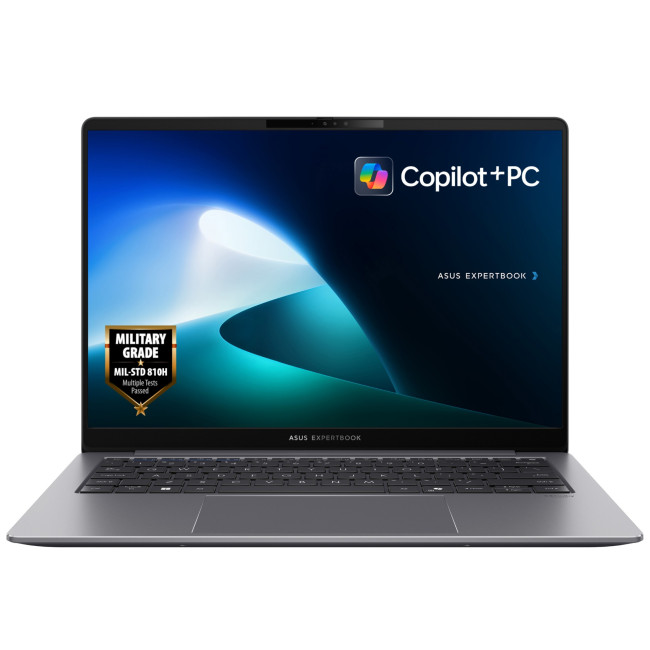
Specifications & Highlights
- Processor: Intel Core Ultra 7 258V (part of Intel’s newer “Ultra” / AI PC series)
- Memory & Storage: 32 GB RAM + 1 TB SSD (PCIe / NVMe)
- Display: 14.0″ IPS / WQXGA (2560×1600) 144 Hz refresh (spec shown in spec listings)
- Battery: 63 Wh battery (integrated) with fast charge support using a 65W USB-C charger
- Connectivity & I/O: WiFi 6E, USB Type-C (with PD / data), other modern ports (HDMI, USB-A, etc.)
- Build & design: Thin, light, business-grade chassis, MIL-STD / durability features likely in business-tier machine
- AI / Copilot features: Marketed as a Copilot+ PC, with AI enhancements and NPU workload assist
Key Features & Benefits
- Strong performance with new Ultra architecture, suitable for multitasking, productivity, creative work.
- High refresh rate display (144 Hz) gives smoother visuals (scrolling, animations) and better responsiveness.
- AI / NPU features and support for Copilot-like tasks make it appealing for future-ready workflows.
- Large SSD + ample memory allow local workloads, virtualization, or large projects.
- Good battery and fast charging keep it mobile-friendly.
- Business / enterprise-grade features (likely TPM, security, manageability) that appeal to professionals.
Use / Ideal Scenarios
- Professionals, creatives, or knowledge workers who need a powerful but portable laptop.
- Developers, architects, content creators, or productivity power users that need to run heavy apps, VMs, data processing.
- Mobile users who need battery longevity and fast backup charging, with performance on demand.
- Offices or managed deployments, the business / security features and managed OS make it suitable in corporate settings.
Care & Best Practices
- Keep ventilation clear; avoid soft surfaces (beds, laps with blanket) that block air intake.
- Use power settings intelligently, don’t always run at max power (unless needed) to manage thermals and battery life.
- If doing heavy workloads (e.g. rendering, compiling), consider occasional use of a cooling pad to reduce sustained internal heat.
- Keep firmware, BIOS, driver updates up to date to benefit from performance or power-efficiency fixes.
- For long-term storage, leave the battery around 40–60% charge (avoid 0% or 100% storage for months).
- Clean keyboard, screen, hinge areas periodically to prevent dust buildup, which can interfere with cooling or hinge wear.
3. ASUSChromeBookCX1405CKA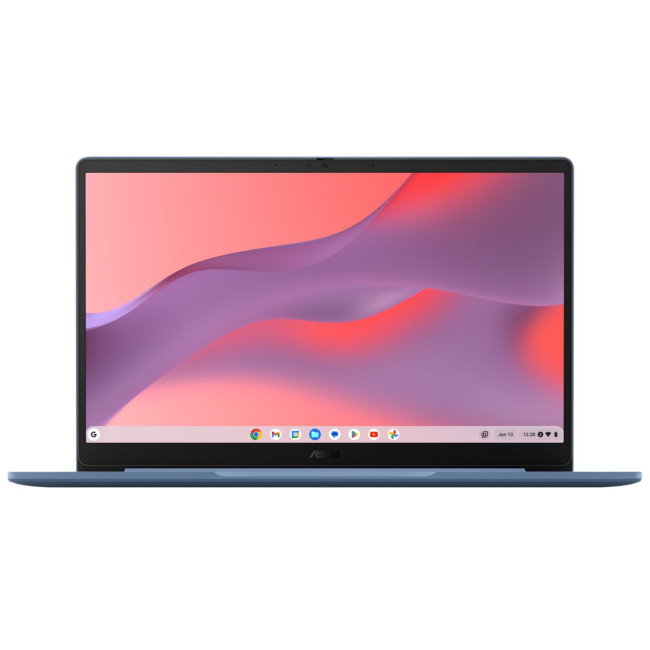
Specifications & Highlights
- Processor: Intel Celeron N4500 (dual-core, efficient low power chip)
- Memory & Storage: 4 GB RAM + 64 GB eMMC embedded flash
- Display: 14″ (likely Full HD / 1080p) — standard for Chromebook class
- Operating System: ChromeOS — lightweight, cloud-centric, fast boot
- Convertible / form factor: Probably a standard clamshell or possibly 2-in-1 (depends on CX1405 series variant)
- Connectivity: Standard modern I/O (USB-C, USB-A, WiFi, etc.)
Key Features & Benefits
- The lightweight ChromeOS system is optimized for web, productivity, Google ecosystem, and is less demanding on hardware — helps battery life.
- eMMC storage is solid-state and reliable (though not as fast or upgradeable as NVMe SSD)
- 14″ screen gives a comfortable workspace while maintaining portability.
- Good for students or general users who work mostly online, use Google Workspace, browse, stream, light productivity.
Use / Ideal Scenarios
- Ideal for students, tablets, light workflows, browsing, document editing, and cloud-based use.
- Good backup / secondary machine for travel or casual use.
- Perfect for users who don’t need heavy Windows or Mac applications, just want stability, simplicity, speed for web tasks.
Care & Best Practices
- Don’t overload with too many offline apps or heavy local workloads, preserve eMMC life and avoid thermal stress.
- Use ChromeOS power settings (sleep, adaptive brightness) to optimize battery life.
- Keep firmware / Chrome updates current to benefit from optimizations.
- Be gentle on the hinge if convertible; don’t force past mechanical limits.
- Regularly clear dust from vents, keyboard, and ports to avoid blockages.
- For longevity, avoid full storage saturation, always keep some free space (eMMC performance degrades as it fills).
4. ASUSExpertBookB5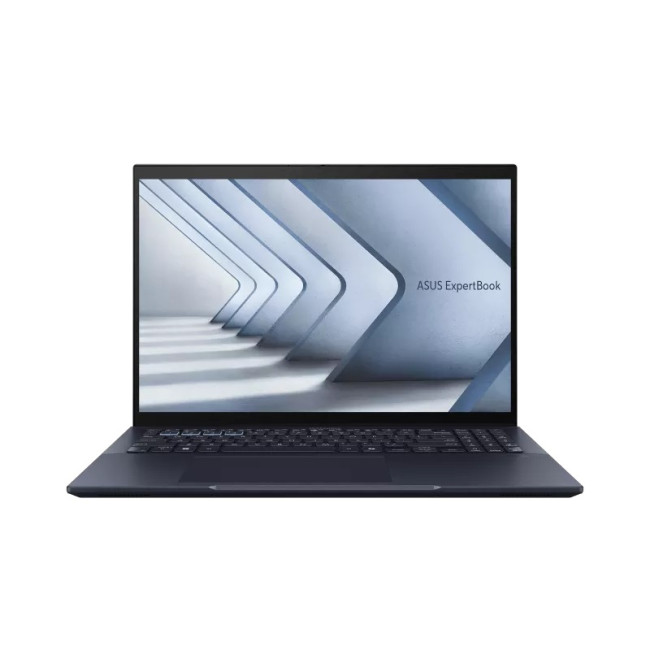
Specifications & Highlights
- Processor: Intel Core Ultra 7 155U (efficient / performance hybrid architecture)
- Memory & Storage: 16 GB RAM + 512 GB SSD (NVMe)
- Display: 14″ WUXGA (probably 1920×1200 or similar), optimized for productivity
- Operating System: Windows 11 Pro
- Business / enterprise design: Likely includes TPM, security, manageability, durable chassis
- I/O & Connectivity: Modern ports (USB-C PD, USB-A, HDMI, WiFi, etc.)
Key Features & Benefits
ASUS ExpertBook B5 has:
- Balanced performance and efficiency for everyday business or professional workloads.
- More than enough memory and storage for office applications, development, light design tasks.
- Slim and portable design with business aesthetics and ruggedness for mobility.
- Windows 11 Pro ensures compatibility, security, and management features for enterprise use.
Use / Ideal Scenarios
- Employees, professionals, executives needing a reliable machine with business features.
- Field work, remote offices, traveling professionals who need reliability plus portability.
- Those who need a balance of performance and battery life, not necessarily extreme graphics or gaming.
Care & Best Practices
- Use power profiles wisely (Balanced, Power Saver when mobile) to avoid unnecessary heat and power draw.
- Avoid throttling by giving airflow to vents (don’t block underside).
- Periodically check SSD health and firmware updates.
- Clean keyboard, ports, and chassis to reduce dust and wear.
- Store in cool, dry places; for long storage, keep battery at ~50%.
- Be gentle with the lid and hinge, especially when traveling in bags with pressure.
5. ASUS ROG Flow Z13 GZ301ZE-LC218W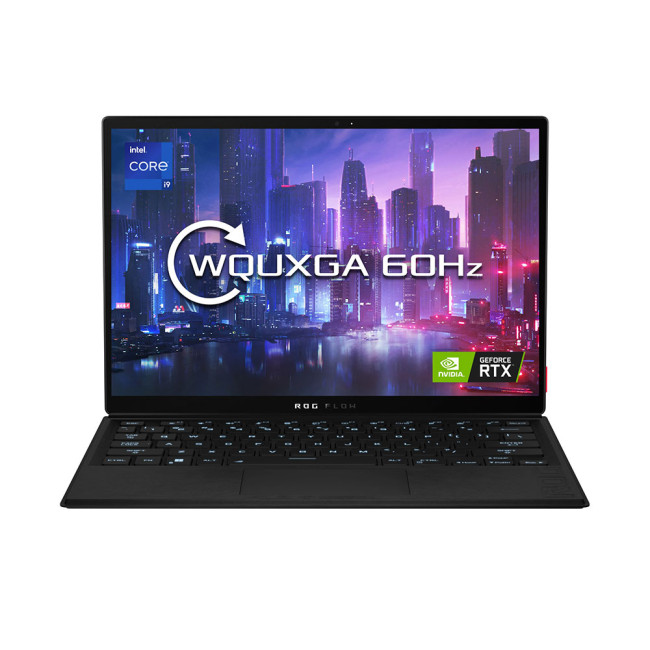
Specifications & Highlights
- Display: 13.4″ WQUXGA (3840×2400) touchscreen with adaptive-sync, Pantone validated, HDR, high fidelity visuals
- Processor: Intel Core i9-12900H (14 cores: 6 Performance + 8 Efficiency)
- Graphics: NVIDIA GeForce RTX 3050 Ti (dedicated GPU)
- Memory & Storage: 16 GB (likely soldered) + 1 TB PCIe SSD
- Battery & Power: 56 Wh battery; 100W adapter 20V 5A (for optimum performance)
- I/O & Ports: USB-C with PD / DisplayPort / Thunderbolt, USB-A, HDMI, microSD, audio jack
- Features: 2-in-1 convertible design (tablet / tent / laptop modes), stylus support, RGB lighting, MUX switch / Optimus, gaming modes, high-end cooling, detachable / rugged design
Key Features & Benefits
- Combines portability (tablet form) with serious gaming / GPU performance for creative work and high-end gaming.
- The dedicated RTX GPU enables advanced graphics, creative workloads (rendering, AI inference, 3D) beyond integrated-only machines.
- MUX / GPU switching allows better power/performance tuning (when GPU is off, power consumption is lower).
- Touch + stylus support in tablet mode is useful for direct pen input, sketches, reviewing creative content.
- Convertible design gives flexibility, use it as tablet, show in tent mode, or laptop.
- Good for gamers who want a hybrid form factor, or creators who also value portability.
Use / Ideal Scenarios
- Power users, creatives, game developers, video editors, 3D artists who want to carry a convertible but need GPU muscle.
- Gamers who want to play AAA titles on the go but also want tablet / pen mode for drawing or annotation.
- Pro users in creative fields who move between studio and presentation / field environments and need both performance and flexibility.
- As a flagship hybrid, it fits well in content-creation workflows: run GPU tasks, demo content, annotate, present, all in one.
Care & Best Practices
ASUS ROG Flow Z13 GZ301ZE-LC218W needs care:
- Because it’s a high-performance device, heat is a primary concern. Use on flat, firm surfaces and avoid blocking vents.
- For gaming or GPU work, plug in the charger to ensure full performance; run battery-only mode only for light tasks.
- Use the GPU / performance profiles to manage thermals and battery when you don’t need full power.
- The convertible hinge and tablet mode impose mechanical stress — avoid carrying with force on the lid or bending too far repeatedly.
- Keep firmware, GPU drivers, BIOS updates current to benefit from thermal / power optimizations.
- Clean internal vents, fans, and dust build-up, especially after use in dusty / outdoor environments.
- Use a good-quality power adapter; avoid undervoltage or cheap chargers.
- If storage is user-accessible, periodically check SSD health and keep some free space for optimal performance.
6. ASUS ROG Flow X13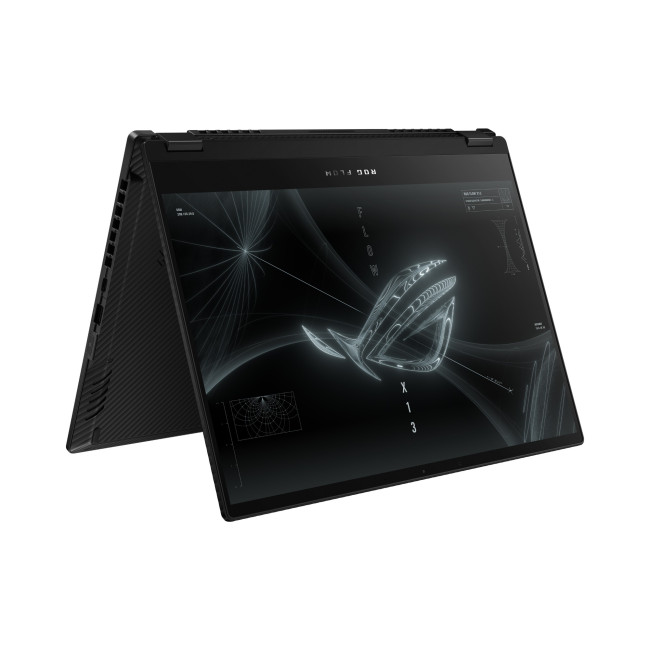
Specifications & Highlights
- Display: 14″ WQUXGA (3840×2400) IPS panel (very high resolution)
- Processor: AMD Ryzen 9 5980HS (Zen 3, 8 cores / 16 threads)
- Graphics: NVIDIA GeForce RTX 3050 Ti (dedicated GPU)
- Memory & Storage: 16 GB + 1 TB SSD
- Design: Convertible / 2-in-1 form factor — flexible in usage
- Operating System: Windows 10 Pro (refurbished)
- I/O: Good port set (likely USB-C PD, USB-A, HDMI, etc.)
Key Features & Benefits
ASUS ROG Flow X13 has:
- Strong performance in CPU + GPU tasks, a rare combo in convertible form.
- High-resolution panel yields excellent sharpness for creative work, design, coding, reading text.
- Convertible design is more versatile than typical gaming laptops, useful for tablet / pen / presentation use.
- Good balance of portability and performance, often appreciated by content creators, engineers, etc.
Use / Ideal Scenarios
- A great choice for users who want serious performance (GPU-accelerated design, video work, 3D) in a convertible chassis.
- Content creators, developers, data scientists, designers that move between creative and presentation modes.
- Those who want a gaming-capable machine but also want tablet/pen usage.
Care & Best Practices
- Fan and thermal management are critical, use on flat, hard surfaces and avoid obstructing vents.
- Use power profiles to scale back GPU usage when not necessary.
- Update GPU, chipset, BIOS, drivers to take advantage of optimizations and fixes.
- Clean vents and internals periodically; convertible hinges are vulnerable to dust ingress and wear.
- Avoid flex stress on hinge; don’t apply lateral pressure on lid when tablet mode is active.
- Use good power adapter; sustain charging when doing heavy GPU work.
- Monitor SSD health and leave some free space to maintain performance.
7. ASUS BR12C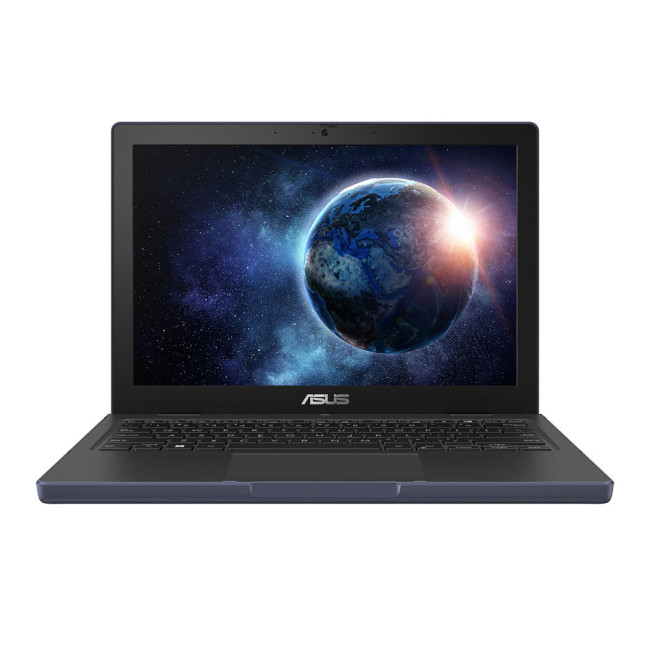
Specifications & Highlights
- Display: 12.2″ WUXGA (1920×1200), more vertical space than typical 16:9 in a compact chassis
- Processor: Intel N100, energy-efficient, entry-level CPU
- Memory & Storage: 8 GB RAM + 128 GB flash / eMMC / fast embedded storage
- Operating System: Windows 11 Pro for Education
- Rugged / mobile design: Likely similar rugged / durable design lineage to BR series (education-grade)
- Compact & lightweight for portability
Key Features & Benefits
ASUS BR12C is:
- More compact than many education laptops, making it more portable and easier to carry for younger students or mobile use.
- WUXGA panel gives extra vertical space, better for documents / reading.
- RAM + flash storage is generous for its class, enabling smoother multitasking and better responsiveness.
- Windows 11 Pro gives flexibility for school / enterprise integration.
Use / Ideal Scenarios
- For students, mobile learning, note-taking, fieldwork, small-form laptop needs, or as secondary device.
- Useful in education environments where ruggedness, portability, and manageability are priorities.
- Good for light productivity, web work, documents, programs, and portable workflows.
Care & Best Practices
- As always, avoid exposing to extreme shock or temperature. Even rugged models have limits.
- Clean regularly (keyboard, chassis, vents) to avoid debris blocking airflow or jamming hinges.
- Use appropriate charger and avoid heat stress during charging.
- Check battery health in Windows and calibrate periodically (charge / discharge cycles) to detect degradation.
- Use a protective sleeve or case when transporting to guard against knocks.
- In tablet or folded modes, be gentle on hinges and avoid twisting or forcing lids beyond design limits.
How to Save More on ASUS Laptops?
Saving on ASUS laptops is easier than you might think. You can enjoy significant savings on your purchase by staying informed and taking advantage of the best deals available. Here are a few tips to help you save more on ASUS laptops:
Look out for the Best Deals:
Start by looking for the best deals available. Laptop Outlet often offers discounts and special promotions, especially during holiday seasons or back-to-school periods. Keeping an eye out for these deals can lead to substantial savings. For example, checking our online website and newsletters can help you find competitive prices.
Visit Retailers’ Websites:
Laptop Outlet is the one-stop shop for finding the best deals on ASUS laptops. We frequently offer amazing discounts and deals on a wide range of ASUS laptops. Visit our website, laptopoutlet.co.uk, to explore different models and find the best laptop for your needs and budget.
Utilise Discount Options:
Laptop Outlet provides various discount options and deals through which you can save a lot. We have special promotions, coupon codes, and seasonal sales that can significantly reduce your desired laptop's price—subscribe to our newsletter or follow us on social media to stay updated on the latest offers.
Consider Refurbished Models:
Another way to save money is to consider refurbished ASUS laptops. These are often available at a fraction of the cost of new models but come with warranties and are thoroughly tested to ensure they meet quality standards. Laptop Outlet has a wide selection of refurbished laptops that offer great value for money.
Student and Educator Discounts:
If you're a student or an educator, look for special discounts tailored for you. Laptop Outlet offers educational discounts that help you save on high-performance laptops suitable for academic use.
Maximise your savings and get the best deals on ASUS laptops. Take advantage of the various discounts and offers to ensure you get the most value for your money.

Bottom Line!
In conclusion, saving on ASUS's latest thin and lightweight laptops in 2025 is about staying informed and making the most of available deals and discounts. With their sleek design, powerful performance, and cutting-edge technology, these laptops are an excellent investment for personal and professional use.
Visit Laptop Outlet to find the best deals and discounts on ASUS laptops. Take advantage of our frequent offers, special promotions, coupon codes, and seasonal sales, making it easier than ever to get a great laptop at a reduced price.
So, take the first step today by exploring the fantastic offers at Laptop Outlet.
Embrace the future of computing with ASUS's ultra-thin and lightweight laptops and enjoy both premium technology and excellent savings. Happy shopping!

Still Confused?
Why choose ASUS thin and lightweight laptops in 2025?
ASUS’s 2025 lineup combines sleek, ultra-portable designs with powerful performance. Models like the ZenBook, Vivobook, and ExpertBook offer fast processors, stunning OLED displays, and all-day battery life—perfect for students and professionals on the go.
Are ASUS lightweight laptops good for multitasking and productivity?
Yes. With Intel Core Ultra and AMD Ryzen 7000 series processors, ASUS’s 2025 models handle multitasking, streaming, and productivity apps smoothly while maintaining excellent energy efficiency.
How much can I save on ASUS thin and light laptops in 2025?
Shoppers can save up to 30–40% during seasonal events like Black Friday, Back-to-School, and Spring Sale at Laptop Outlet UK and other authorised ASUS retailers.
Do ASUS lightweight laptops offer good battery life?
Absolutely. Most ASUS ultrabooks provide up to 14–18 hours of battery life, perfect for long workdays, university use, or travel. Fast-charging support also makes recharging quick and convenient.
Where can I find the best ASUS laptop deals in the UK?
You can find exclusive offers on ASUS ZenBook, Vivobook, and ExpertBook models at Laptop Outlet, with regular student discounts, refurbished options, and bundle savings on accessories.
Related Articles

Last Updated: April 02, 2026
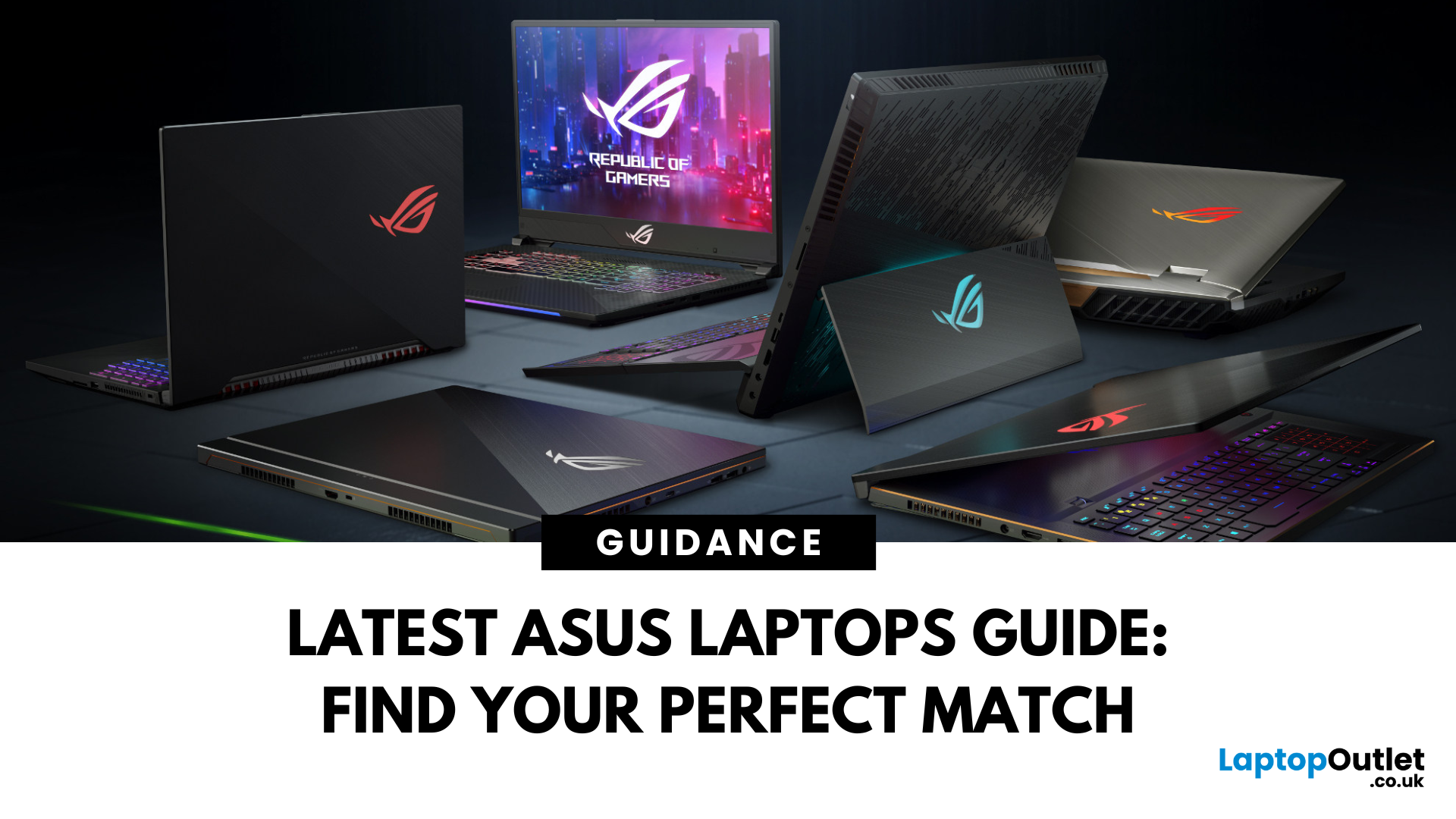
Choosing the right laptop in 2025 is not easy. The market is full of options, and many buyers in the UK struggle to find a device that balances performance, price, and long-term value. This is where ASUS laptops stand out. With a strong reputation for design, reliability, and innovation, ASUS has become a top choice for students, professionals, gamers, and creative users across the UK.
In this latest ASUS Laptops guide, we will take you through every detail you need to know before making a purchase. From ASUS laptop features to a full breakdown of ASUS laptop models, we explain which series works best for your usage.
Whether you are searching for the best ASUS laptops 2025 for gaming, business, or everyday work, this guide has you covered. By the end, you will be able to confidently choose the right laptop for your needs.
Introduction to ASUS Laptops: Innovation, Performance, and Market Presence
Founded in 1989, ASUS has grown from a small hardware manufacturer into one of the most respected
Last Updated: April 02, 2026
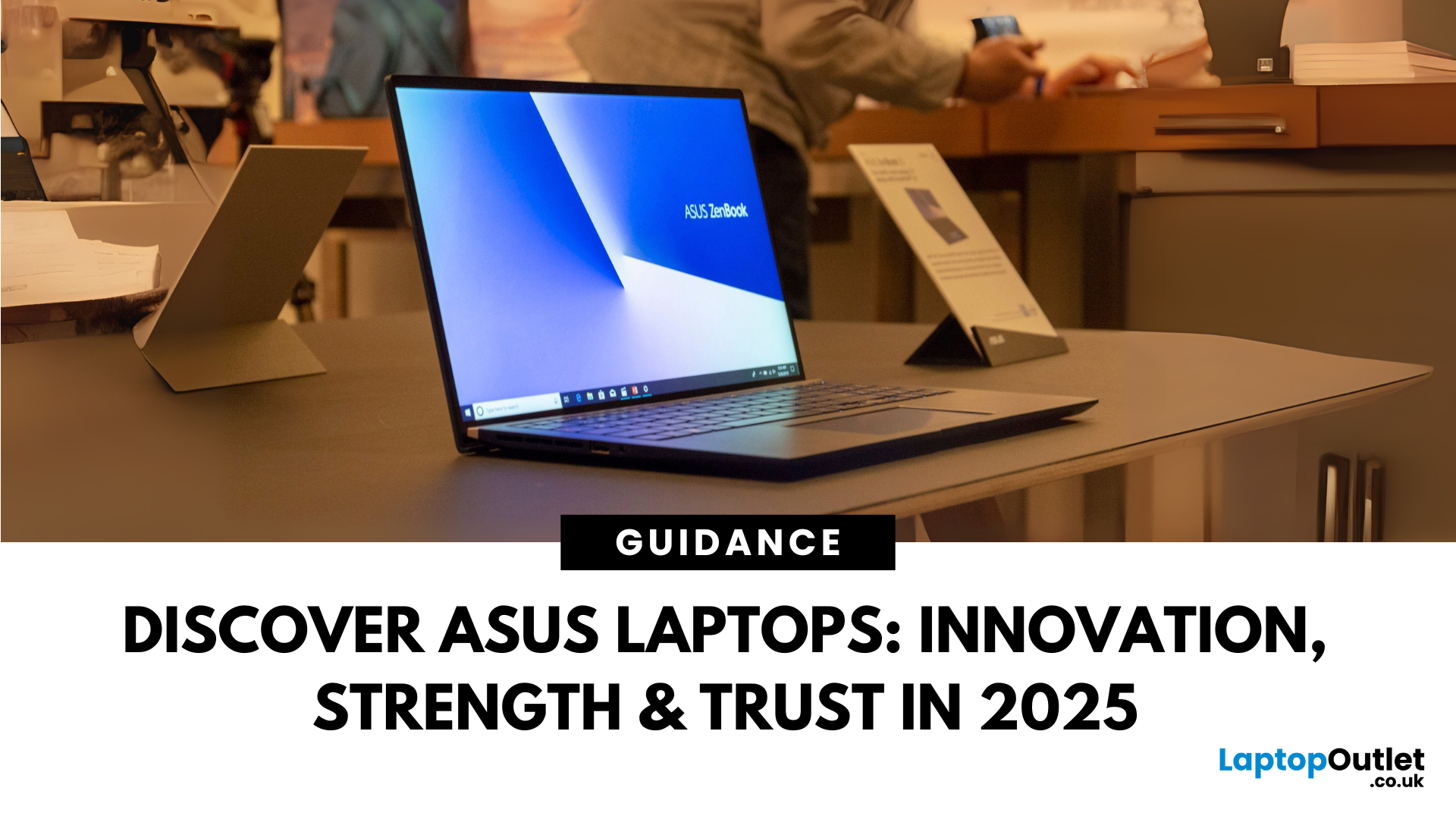
Choosing the right laptop in 2025 can feel like a challenge. With numerous options available in the UK market, it’s easy to get lost in specifications, designs, and price tags. Yet, one brand continues to shine above the rest: ASUS.
From its beginnings in 1989, ASUS has grown into one of the most trusted laptop names worldwide, and its success in the UK is no exception. The brand’s strength lies in its ability to combine innovation, performance, and affordability, making technology accessible for all.
Every user finds a place in the ASUS story. Students rely on the Chromebook by ASUS for simplicity and value. Professionals turn to the sleek ZenBook lineup or reliable ExpertBook business laptops. Gamers embrace the power of ROG laptops and durable TUF series laptops, while creatives choose the ProArt devices for demanding projects.
This blog introduces ASUS laptops, exploring their history, brand strength, innovations, market position, and diverse series.
ASUS History
Founded in 1989 in

Last Updated: September 08, 2026
A laptop can be a study companion, workhorse, creative studio, or gaming rig, so the right choice depends on far more than the logo on the lid. ASUS, Lenovo, HP, Dell, Samsung, LG, and Razer each excel in different areas. ASUS stands out for its broad 2026 range, from portable Zenbooks and everyday Vivobooks to business ExpertBooks, ProArt creator systems, and TUF Gaming and ROG machines. This comparison shows where ASUS fits, and which brand may suit your needs best.
ASUS Laptop Line-up Explained
Before comparing a reliable ASUS laptop with other brands, it helps to understand what ASUS's main families are designed to do.
| ASUS Family | Primarily Suited to | What to Expect |
| Vivobook | Students, home users, everyday work | Broad price range, conventional laptops and Flip models |
| Zenbook | Mobile professionals and premium buyers | Thin designs, OLED options and premium materials |
| ExpertBook | Businesses and organisations | Security, management features, durability and support options |
| ProArt | Creators and visual |
Last Updated: September 09, 2025
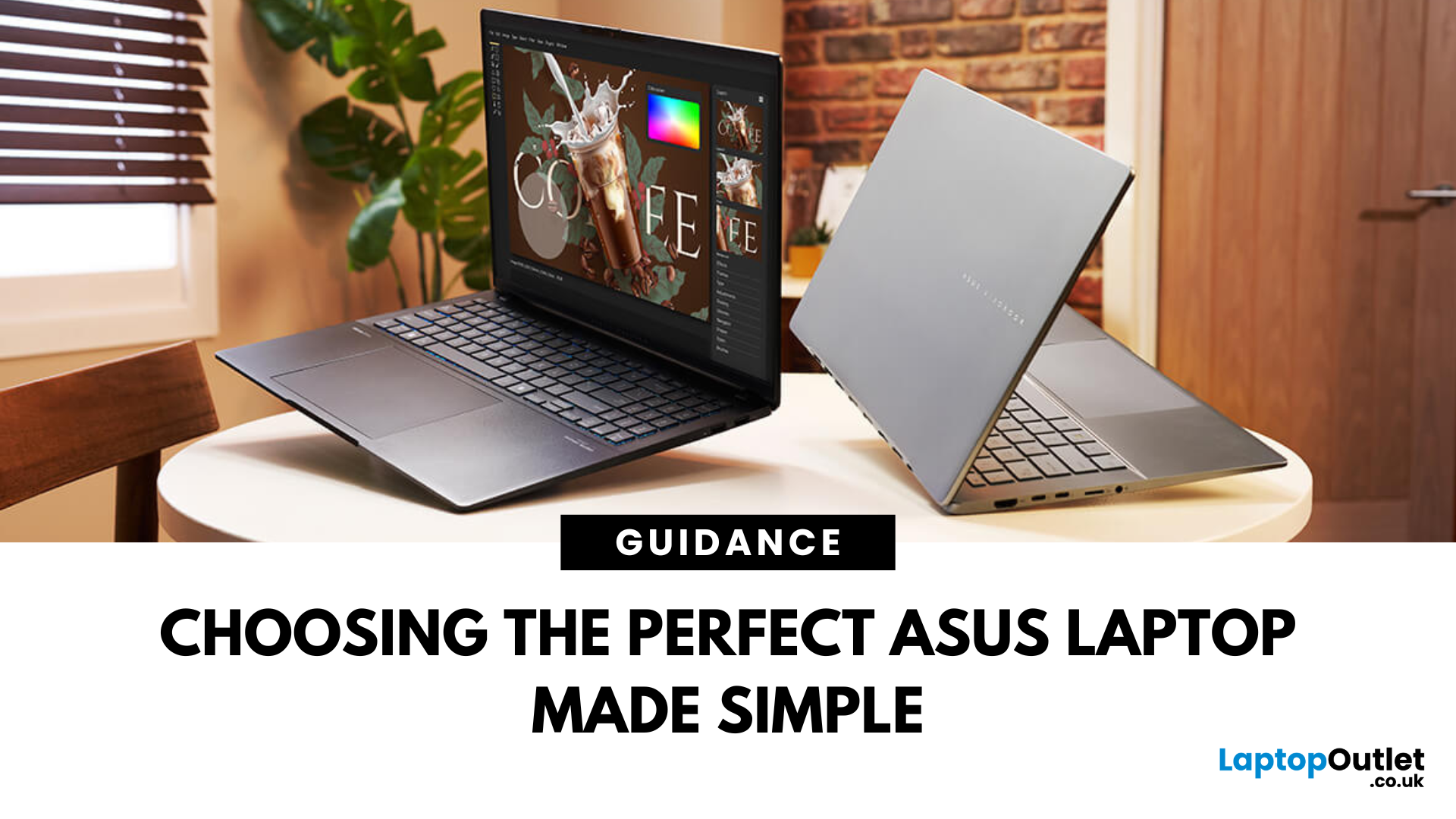
Choosing the right ASUS laptop in the UK can be confusing. ASUS has a wide range of laptops, and each is designed for different needs. Some are perfect for students who want a lightweight device for lectures and assignments. Others are built for business professionals who need strong performance and security features. If you are into gaming, ASUS has powerful models with dedicated graphics. For creative work like video editing or design, ASUS also offers laptops with high-quality displays and fast processors.
This ASUS laptop buying guide will explain the main series, their key features, and the type of users they suit best. We will also highlight some of the latest ASUS laptops available in the UK, including refurbished options that offer excellent value. By the end, you will be able to choose the right ASUS laptop for business or your other needs.
Why ASUS Laptops Stand Out
ASUS has built a strong reputation in the laptop market and continues to be a trusted brand for students, professionals,
Last Updated: October 08, 2025
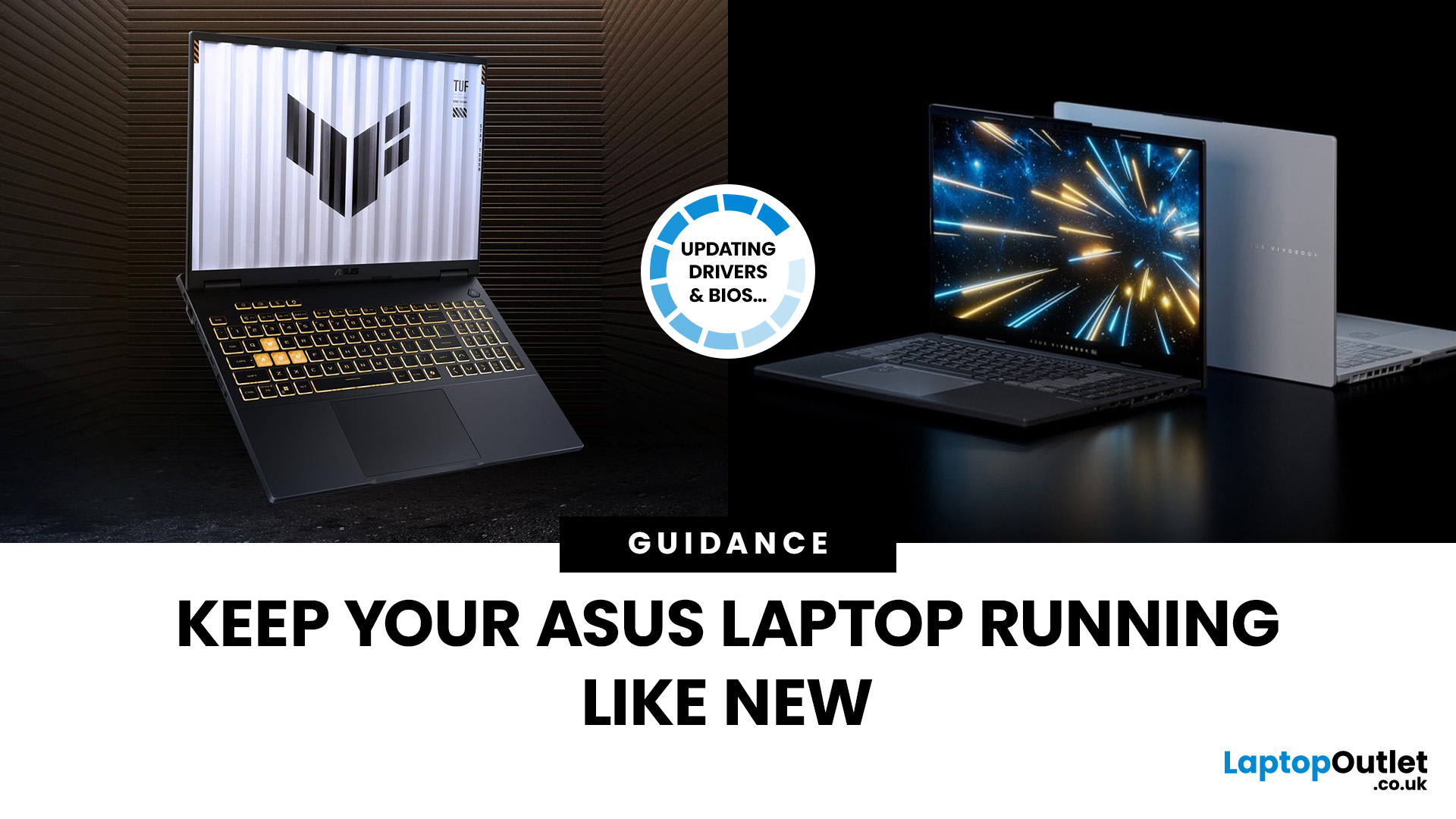
If you’ve ever owned an ASUS laptop - whether it’s a VivoBook for uni work, a TUF machine for gaming, or a Zephyrus for serious creative projects - you’ll know that things don’t always run perfectly forever. Over time, you might notice your battery draining faster, your fans spinning louder, or a game stuttering that used to run smoothly. Nine times out of ten, that’s down to drivers or firmware needing an update.
Updating drivers and the BIOS isn’t glamorous, but it’s one of the most effective ways to keep your ASUS laptop running at its best. The latest drivers squash bugs, improve compatibility with Windows 11, and even unlock new features. A BIOS update can go further still, ironing out stability issues, boosting performance, and extending hardware lifespan.
The good news? ASUS gives you proper tools like MyASUS, Armoury Crate, EZ Flash, and WinFlash, which make updates far less intimidating than they sound. Whether you’re rocking an ASUS VivoBook, TU F, or Zephyrus, this walkthrough

Last Updated: April 08, 2026
Your ASUS laptop was quick when you first got it. Now it stutters, freezes, or takes an age just to open Chrome. Sound familiar? You are not alone, and more importantly, you do not need to splash out on a brand-new machine.
This guide will walk you through exactly what is causing the slowdown and how to fix it. Whether you have an ASUS VivoBook, ZenBook, TUF Gaming, or ROG, there is something here for you.
Why Is Your ASUS Laptop Running Slow?
Before throwing solutions at the problem, it helps to know what you are actually dealing with. Here are the most common culprits:
| Cause | What It Means | How Common? |
| Too many startup apps | Apps launching at boot hog CPU and RAM | Very common |
| Thermal throttling | Laptop overheats and slows the CPU to cool down | Very common |
| HDD (not SSD) | Old spinning hard drive is the bottleneck | Common in older models |
| Low RAM | Not enough memory for your workload | Common |
| Bloatware | Pre-installed software running in the background | Common |
| Outdated drivers/BIOS | Software bugs causing |
Published: October 09, 2025
Battery life is one of the first things people notice on a laptop, and ASUS models are no exception. Whether you’re using a VivoBook for everyday work or a Zephyrus for gaming, performance on the go only matters if the battery can keep up. Over time, though, most users see the same problem - the charge doesn’t last like it used to.
The good news is, you don’t need to settle for short sessions and constant charging. ASUS laptops include built-in features like Battery Health Charging, power modes in MyASUS, and Windows 11 settings that can help extend run time. Add in a few simple tweaks - like managing brightness, limiting background apps, or calibrating the battery - and you can squeeze out noticeably more hours.
This guide covers everything you need to know about ASUS laptop battery optimisation, with practical steps you can apply straight away.
Understanding ASUS Laptop Battery Basics
Before we jump into optimisation, it helps to know how your ASUS laptop battery actually works. Most
Last Updated: October 09, 2025
ASUS laptops are known for their blend of performance, durability, and innovation, but like any device, they need proper care to perform their best, year after year. Whether you own a ZenBook for productivity, a TUF model for durability, or a Zephyrus gaming powerhouse, regular upkeep and the right usage habits can significantly extend your laptop’s life.
This guide provides essential tips to extend ASUS laptop lifespan, covering everything from battery care and cleaning routines to cooling solutions and performance optimisation. With these practical ASUS laptop maintenance tips, you can keep your system fast, reliable, and looking as good as new well into the future.
Why Extending Your ASUS Laptop Lifespan Matters
Long-Term Value
Investing in an ASUS laptop is a long-term commitment, whether for work, study, or gaming. Extending its lifespan saves money by delaying the need for upgrades and maximises your return on investment.
Sustainability Impact
Caring for your device also reduces e-waste.
Published: October 09, 2025
Resetting or restoring your ASUS laptop can often fix persistent software issues, performance slowdowns, or even forgotten passwords. Whether you’re using an ASUS ZenBook, VivoBook, or ROG gaming laptop, knowing how to reset an ASUS laptop safely ensures your device runs smoothly without risking data loss. In this guide, we’ll cover different reset options, including factory reset in Windows 11, resetting without a password, accessing the ASUS recovery partition, and BIOS reset methods.
Why You Might Need to Reset an ASUS Laptop
There are several scenarios, where performing a reset or restore on your ASUS laptop is the smartest and safest solution. In 2025, with laptops running more advanced AI-powered Windows 11 features and heavier apps, resets are not just for fixing major problems but also for ensuring long-term stability.
- Performance Issues & Slowdowns
Even with SSDs and the latest Intel Core Ultra or AMD Ryzen 8000/9000 processors, ASUS laptops can slow down over time due to background

