



NVIDIA Unveils RTX Spark: Here’s Everything You Need to Know About NVIDIA's New AI Computing Platform
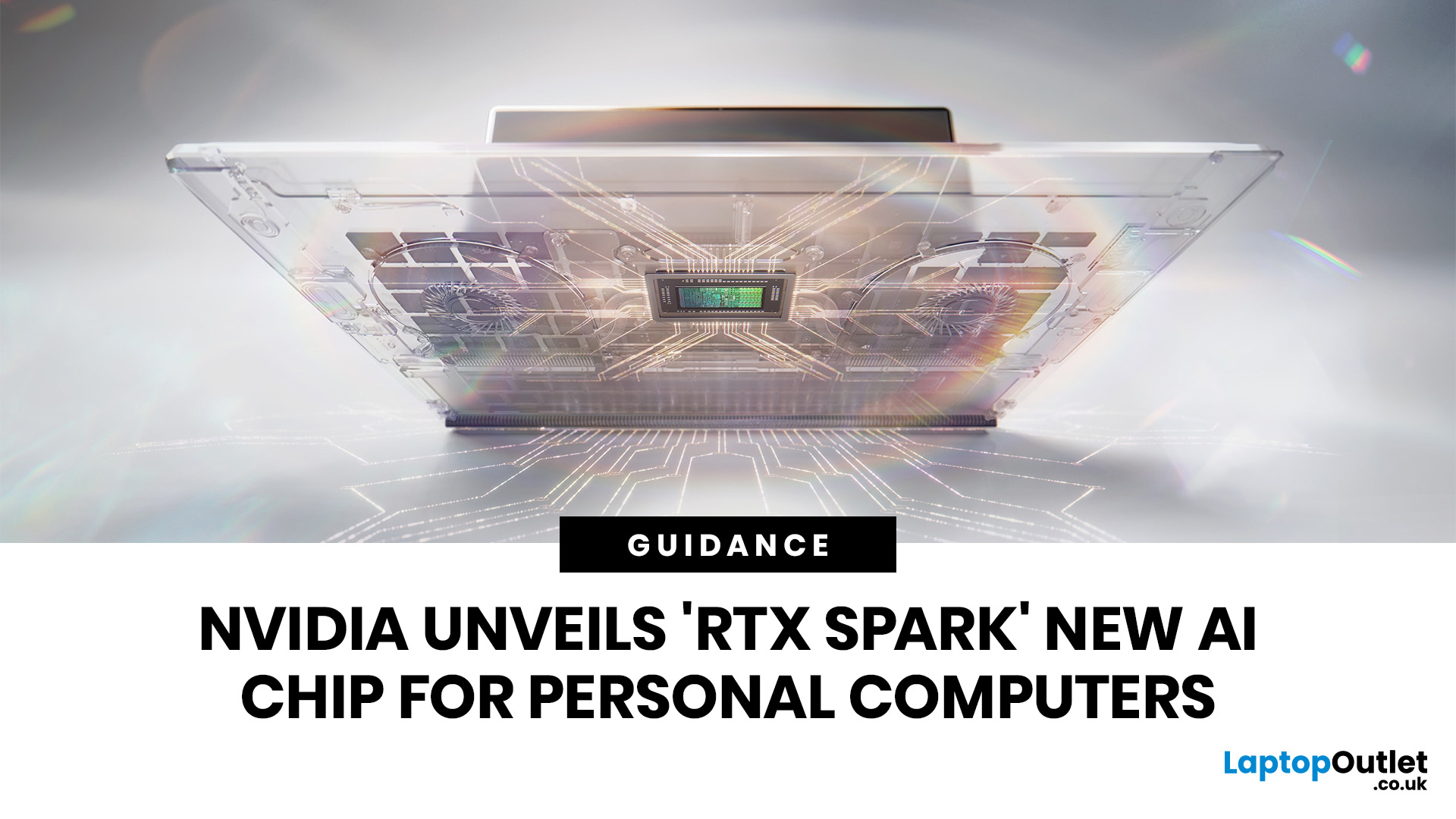
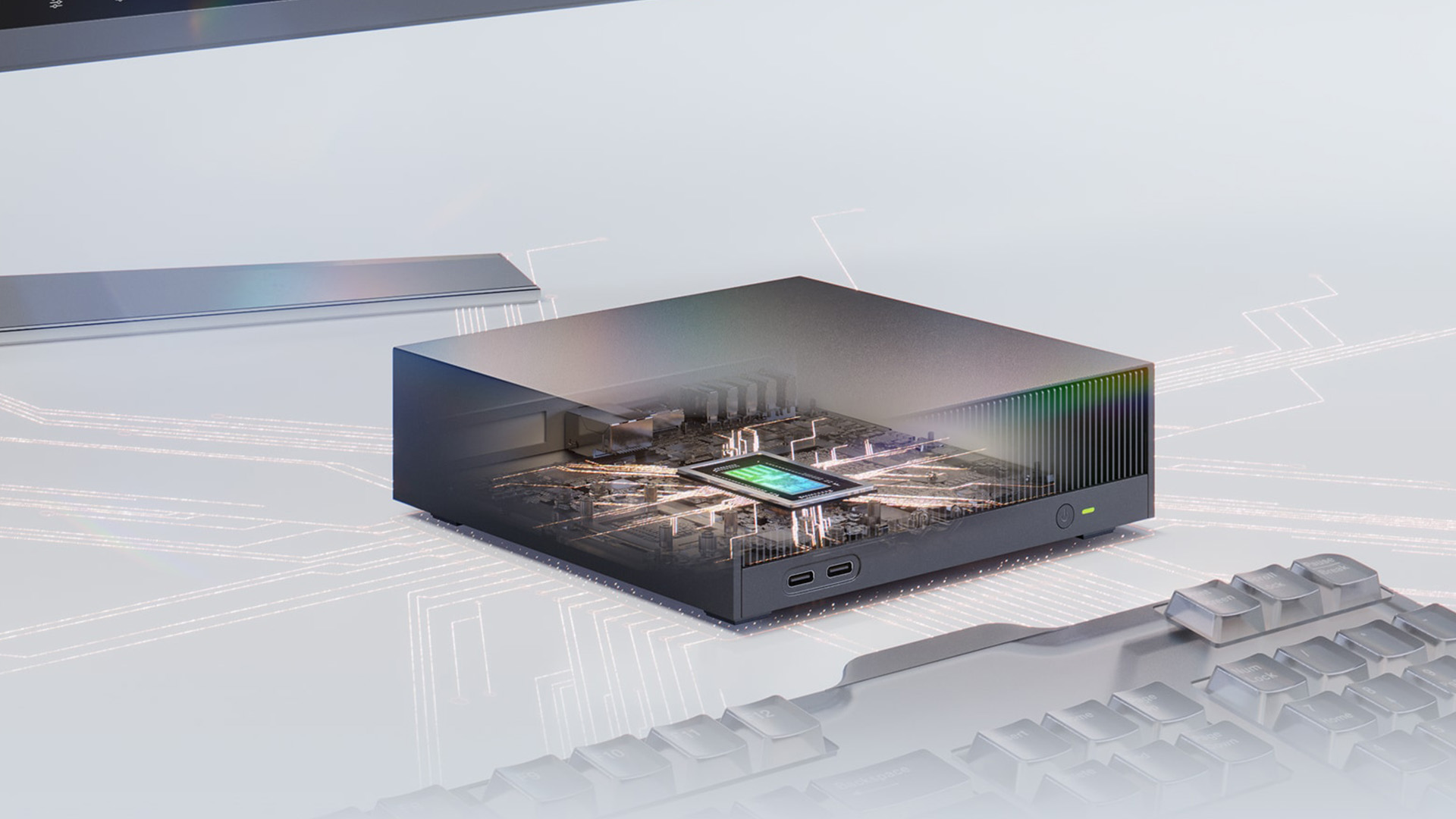
NVIDIA RTX Spark is one of the biggest PC announcements of the AI era. It is NVIDIA’s new AI computing platform for Windows PCs, built to bring local AI agents, RTX graphics, GPU acceleration and high-performance creative work into slim laptops and compact desktop systems.
That matters because personal computing is changing quickly. You are no longer only opening apps, browsing websites or editing documents. The next generation of PCs is being designed to understand your work, run AI models locally, help with coding, create images and videos, search your files, render complex scenes and play demanding games with AI-enhanced graphics.
This is where NVIDIA RTX Spark comes in. According to NVIDIA’s official RTX Spark product page, the platform brings together up to 6,144 Core Blackwell RTX GPUs, a 20-core NVIDIA Grace CPU, up to 128GB unified memory and up to 1 petaflop of AI performance in one platform. In simple words, NVIDIA wants RTX Spark to turn the Windows PC into a personal AI supercomputer.
If you are planning to buy a premium laptop, AI PC, creator workstation or compact desktop in the near future, RTX Spark is worth understanding now.
Quick Answer: What is NVIDIA RTX Spark?
NVIDIA RTX Spark is a new AI computing platform for Windows laptops and compact desktop PCs. It combines NVIDIA RTX graphics, AI acceleration, a Grace Arm-based CPU, CUDA support and unified memory to help users run local AI agents, creative tools, development workloads and games more efficiently.
It is designed for AI developers, creators, gamers, engineers, and power users who need more performance than a standard laptop can provide.
The biggest promise is simple: “more AI and graphics power directly on your own device”, so you don't have to depend on the cloud for every demanding task.
Key NVIDIA RTX Spark Features
| FEATURE | NVIDIA RTX SPARK DETAILS |
|---|---|
| Platform type | AI computing platform for Windows PCs |
| Main purpose | Local AI agents, AI development, creative work and gaming |
| GPU | NVIDIA Blackwell RTX GPU |
| CUDA cores | Up to 6,144 CUDA cores |
| CPU | 20-core NVIDIA Grace CPU |
| Architecture | Arm-based CPU design with NVIDIA RTX graphics |
| AI performance | Up to 1 petaflop of AI compute |
| Memory | Up to 128GB unified memory |
| Key technologies | CUDA, RTX, DLSS, TensorRT, OptiX, Reflex, G-SYNC |
| Device types | Thin laptops and compact desktop PCs |
| Expected users | AI developers, creators, gamers and power users |
| Expected availability | Fall 2026 from major PC brands |
1. NVIDIA RTX Spark is Built for the Personal AI Computer Era
The main reason NVIDIA RTX Spark matters is that it is built for a different kind of PC experience. For years, most computers have worked like toolboxes. You open an app, click around, type something, save a file, and move to the next task.
RTX Spark is designed for a more intelligent workflow. Instead of running only apps, the PC can also run AI agents that understand tasks, work across files, assist with creative projects, help with coding, and perform actions under your control.
This does not mean your AI laptop suddenly replaces every cloud AI tool. Cloud AI will still matter for very large workloads. However, RTX Spark makes local AI more practical. That means your PC can process more tasks directly on the device, improving speed, privacy, and control.
For users, this shift is important because AI is moving from a website you visit to a feature built into the computer itself. RTX Spark is NVIDIA’s attempt to make that shift powerful enough for real creative, technical, and gaming workloads.
2. Why NVIDIA RTX Spark is Different from a Normal AI PC
Many modern laptops are called AI PCs because they include an NPU. An NPU is useful for lightweight AI tasks, such as background blur, image enhancement, voice features, and some local assistant tools.
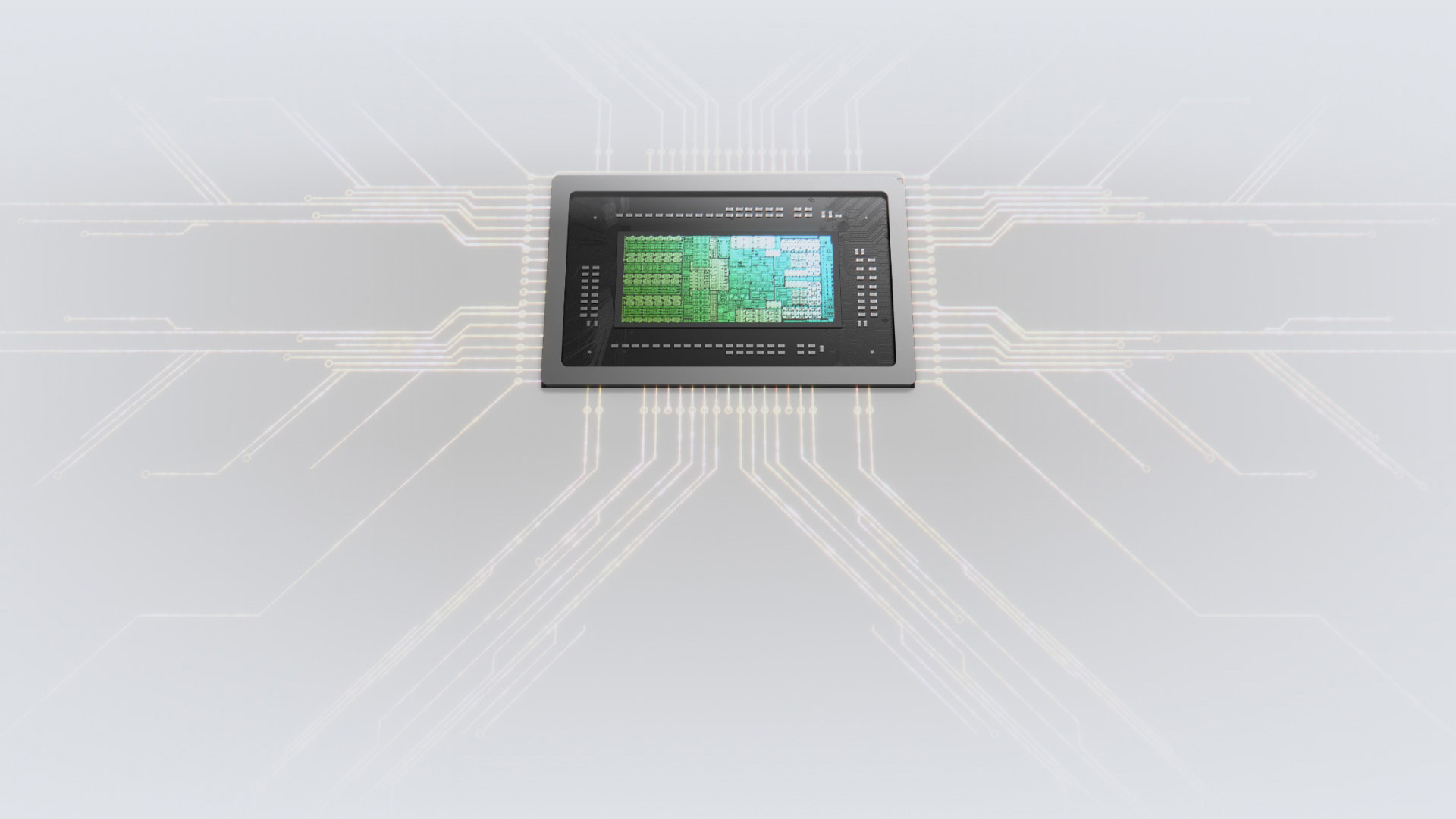
NVIDIA RTX Spark goes further than that. It is not only about adding a small AI processor to a normal laptop. It combines a powerful RTX GPU, AI acceleration, unified memory and a Grace CPU into one platform.
That difference matters because serious AI computing needs more than basic AI features. Running large language models, generating high-resolution images, editing heavy video, rendering large 3D scenes, and building AI applications can all demand strong GPU acceleration and substantial memory.
RTX Spark is designed for those heavier tasks. It is aimed at users who want AI performance that feels closer to a workstation, but in a laptop or compact desktop form.
3. NVIDIA RTX Spark Features a Blackwell RTX GPU
The RTX part of NVIDIA RTX Spark is one of its biggest strengths. RTX Spark includes a Blackwell RTX GPU with up to 6,144 CUDA cores and fifth-generation Tensor Cores.
- The Blackwell GPU serves as the foundation for many of the platform's capabilities. Beyond gaming, it can accelerate rendering, video production, 3D modelling, visual effects, AI image generation, AI-assisted video workflows and a wide range of professional applications.
- CUDA support is another major advantage. CUDA is widely used across AI development, data science, rendering, simulation and GPU-accelerated applications. For developers and technical users, CUDA support means RTX Spark fits into a mature NVIDIA software ecosystem rather than having to start from scratch.
The Blackwell GPU also gives RTX Spark strong potential for ray tracing, AI-enhanced graphics, neural rendering and DLSS-supported gaming. A creator can use it for editing and rendering, a developer can use it for local AI experimentation, and gamers can benefit from NVIDIA's latest graphics technologies. Anyone comparing upcoming RTX Spark systems with existing NVIDIA RTX laptops will likely notice how much more emphasis NVIDIA is placing on AI-focused workloads alongside graphics performance.
4. Up to 128GB Unified Memory Makes RTX Spark More Useful for AI
One of the most important NVIDIA RTX Spark features is unified memory. RTX Spark supports up to 128GB of unified memory, allowing the CPU and GPU to access a shared memory pool.
AI models, large creative projects, and complex datasets often require substantial memory. Traditional systems separate system RAM and GPU memory, which can create bottlenecks when workloads exceed available VRAM.
Unified memory allows larger workloads to access a shared memory pool more efficiently. This approach can benefit large language models, long-context AI agents, detailed 3D environments, high-resolution textures, large video projects and other demanding workloads.
| For AI developers, more unified memory can make local testing more practical. | For creators, it can help with bigger timelines and more complex projects. | For gamers, it may help future AI-enhanced games and graphics workloads use memory more efficiently. |
5. RTX Spark is Designed for Local AI Agents
NVIDIA is clearly positioning RTX Spark around AI agents. An AI agent is different from a simple chatbot. A chatbot usually answers questions. An agent can understand a task, work across tools, follow instructions, use files and help complete a workflow.
For example, a local AI agent could help search your PC for documents, organise project files, generate code, assist with design work, edit media, summarise long reports, or automate repetitive tasks.
RTX Spark is built to make these agents run locally on Windows PCs. Running AI agents on-device can provide faster responses for certain tasks while keeping sensitive files and information under the user's control.
You may not want every business document, codebase, creative asset or private file sent to the cloud. A local AI computing platform gives you more choice over where the work happens. That could be particularly valuable for professionals shopping for business laptops where privacy, security and local processing are becoming increasingly important.
6. RTX Spark Could Be a Big Step for AI Developers
For AI developers, NVIDIA RTX Spark may become one of the most interesting Windows platforms to watch. It is built around local AI development, model testing, agent workflows and GPU acceleration.
If you build AI apps, test large language models, work with local inference, use AI coding tools or experiment with generative AI workflows, RTX Spark gives you a more powerful local environment than a standard laptop.
The big benefit is that you can do more work directly on your own device. You may still use cloud GPUs for large-scale training or production workloads, but RTX Spark can help with prototyping, testing, debugging and local experimentation.
CUDA, TensorRT, unified memory and Windows integration combine to create a platform that aligns closely with NVIDIA's existing AI ecosystem. For developers already using NVIDIA tools, RTX Spark could provide a familiar environment for local AI work. If coding is a major part of your workflow, it's worth keeping an eye on future laptops for programming built around this platform.
7. RTX Spark Gives Creators More Power for Video,3Dand AI Tools
Creators are another major audience for NVIDIA RTX Spark. Modern creative work is becoming heavier every year. Video editors are working with larger files. Designers are using AI tools. 3D artists are handling more complex scenes. Content teams are combining editing, effects, rendering, and generative AI in a single workflow.
RTX Spark is designed for this kind of pressure.
NVIDIA says RTX Spark can support demanding creator workloads, including large 3D scenes, 12K video editing, AI video generation, and GPU-accelerated effects. That makes it especially relevant for video editors, 3D artists, designers, photographers, and creative professionals who need portable performance.
The combination of RTX graphics, AI acceleration, and unified memory makes the platform appealing for creative work. A creator may be editing high-resolution video, applying AI effects, generating assets and rendering output in the same session. RTX Spark is designed to manage these mixed workloads more effectively than many traditional thin-and-light laptops.
If you are mobile creator, this could be a major shift. Instead of choosing between a lightweight laptop and a bulky workstation, RTX Spark laptops may offer a better balance of portability and power. For anyone researching the best video editing laptops, RTX Spark-powered systems could become a category worth watching.
8. RTX Spark is also Built for Gaming
RTX Spark is heavily focused on AI, but gaming is still an important part of the platform. The Blackwell RTX GPU brings support for ray tracing, DLSS, Reflex, G-SYNC and other NVIDIA gaming technologies.
Windows on Arm devices have traditionally faced challenges in gaming due to software compatibility and hardware limitations. RTX Spark introduces a much stronger graphics foundation that could help narrow that gap.
NVIDIA says RTX Spark is built for AAA gaming at 1440p with high frame rates in supported titles. That is a strong claim, but buyers should wait for independent reviews before comparing RTX Spark directly with traditional gaming laptops that use discrete RTX graphics cards.
Gaming performance will depend on the final laptop design, cooling, power limits, drivers, and game compatibility. A slim 14-inch RTX Spark laptop may not perform exactly like a compact desktop or a thicker 16-inch model.
Gaming remains an important part of the overall package. RTX Spark is designed to combine AI computing, creative performance and gaming capabilities within a single Windows platform. If NVIDIA delivers on its promises, future gaming laptops could look very different from what we're used to today.
9. RTX Spark Could Improve Windows on Arm Adoption
Windows on Arm has existed for years, but adoption has been slower than many expected. The biggest issues have usually been app compatibility, performance concerns and limited high-end hardware options.
RTX Spark gives Windows on Arm a stronger performance story.
Instead of focusing solely on battery life or thin designs, RTX Spark brings high-end graphics, local AI performance, unified memory, and NVIDIA’s software ecosystem to Arm-based Windows PCs.
Microsoft is also working on optimisations for RTX Spark, including workload scheduling, power management, unified memory support and Prism emulation for x86 apps. Hardware specifications alone are rarely enough to drive adoption; users also need confidence that their applications and workflows will run smoothly. Microsoft’s work on the Prism emulator is important here because app compatibility will be one of the biggest questions around RTX Spark systems.
If RTX Spark launches with strong native app support and improved emulation, it could make Windows on Arm more attractive to creators, developers and gamers.
10. RTX Spark Laptops and Compact Desktops are Coming from Major Brands
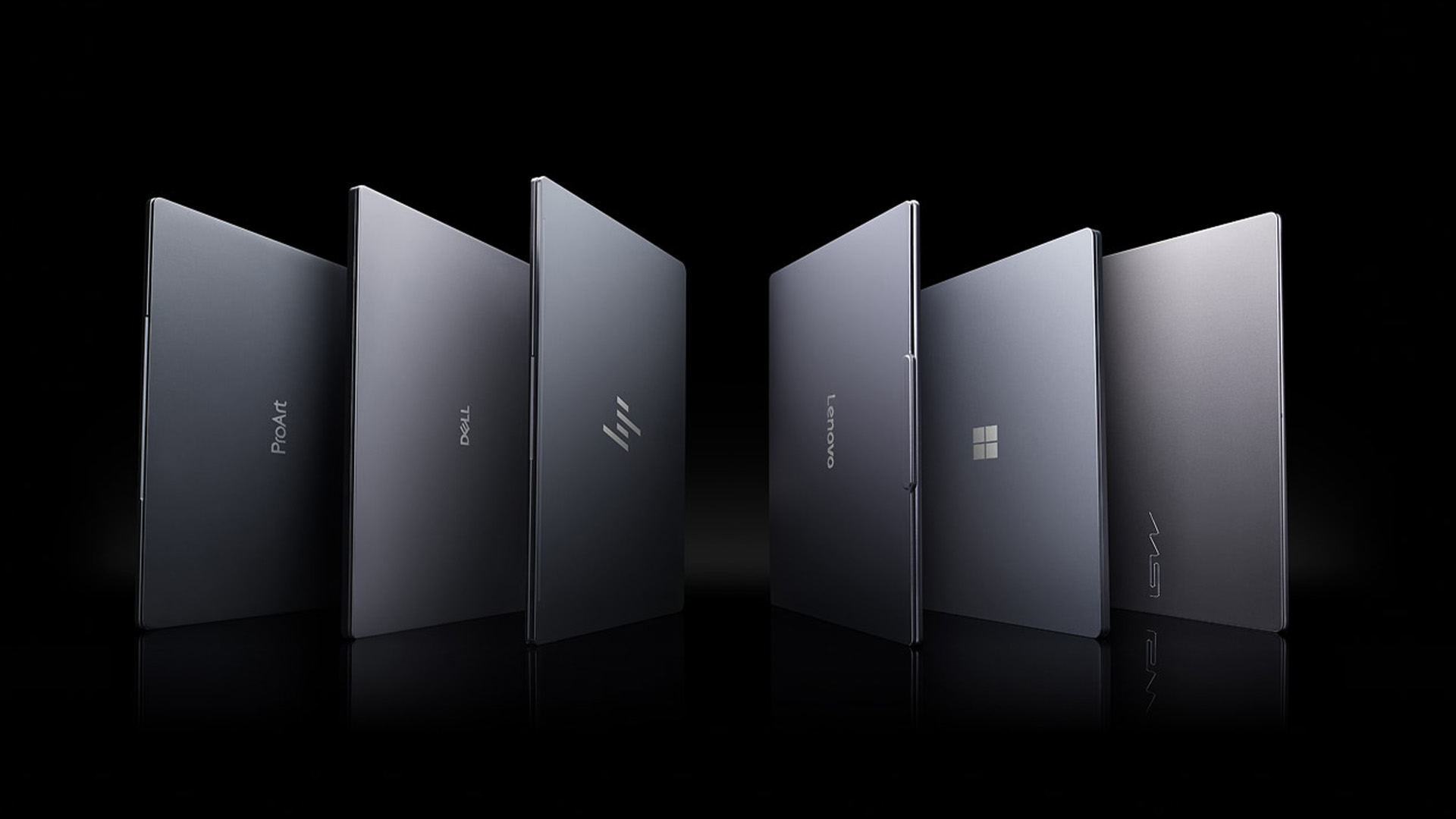
NVIDIA RTX Spark will not be limited to one experimental device. According to NVIDIA, RTX Spark-powered laptops and compact desktops are expected from major manufacturers, including ASUS, Dell, HP, Lenovo, Microsoft Surface and MSI, with Acer and GIGABYTE models expected to follow.
The first systems are expected to focus on premium users. That means creators, developers, engineers, gamers and power users will likely see RTX Spark before it becomes a mainstream budget option.
RTX Spark laptops are expected to come in 14-inch to 16-inch designs, with slim bodies, premium displays, and strong battery-life claims. Compact desktop PCs are also part of the plan, which could be useful for users who want local AI performance at a desk without a large tower PC.
The compact desktop angle is important. Not every AI developer or creator wants a huge workstation. Some want a small machine that sits beside a monitor and handles local AI, rendering, coding or content creation without taking over the workspace.
11. RTX Spark vs DGX Spark: What Is the Difference?
The names are similar, but NVIDIA RTX Spark and NVIDIA DGX Spark are not the same product.
- DGX Spark is a compact desktop AI supercomputer aimed at developers, researchers and data scientists who want to prototype, fine-tune and run large AI models locally. It uses NVIDIA’s Grace Blackwell architecture and is more focused on AI development as a dedicated desktop system.
- RTX Spark, on the other hand, is a Windows PC platform for laptops and compact desktops. It is designed for a wider audience, including AI developers, creators, and gamers.
The difference is easier to understand like this:
| PLATFORM | BEST FOR | MAIN FORM FACTOR |
|---|---|---|
| NVIDIA RTX Spark | AI PCs, creator laptops, gaming, local agents and development | Laptops and compact desktops |
| NVIDIA DGX Spark | AI research, model testing, fine-tuning and data science | Dedicated desktop AI supercomputer |
To avoid confusion, NVIDIA positions DGX Spark as a desktop AI supercomputer, while RTX Spark is aimed at Windows laptops and compact desktop PCs. Both are part of NVIDIA’s bigger push toward local AI computing, but they serve different buying needs.
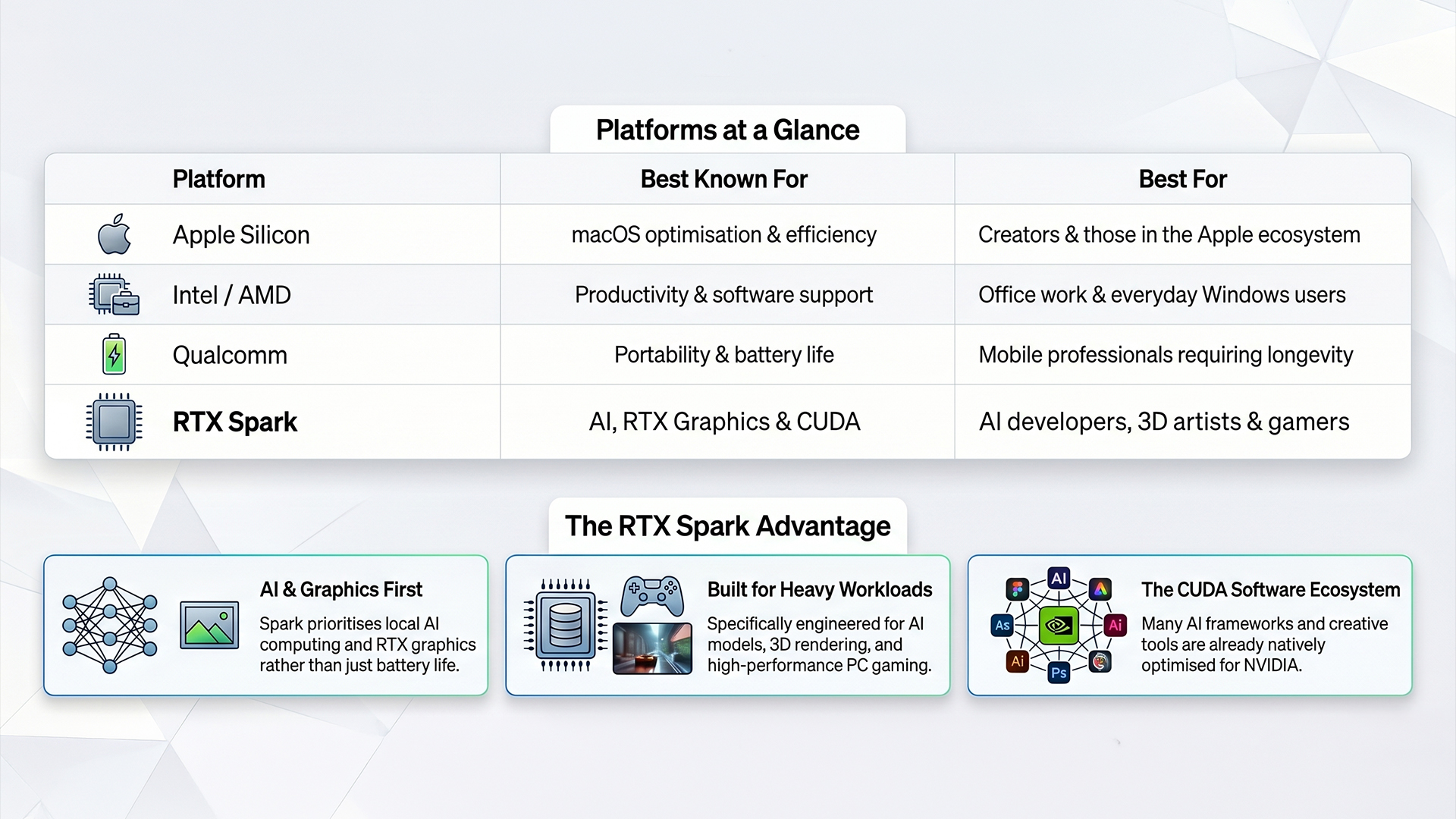
12. RTX Spark vs Apple Silicon, Intel, AMD and Qualcomm
One of the biggest questions people have is simple: how does RTX Spark compare to the platforms already on the market?
The answer depends on what you actually do with your computer.
13. What RTX Spark Means for Edge AI and On-Device Computing
RTX Spark is also important for edge AI. Edge AI means AI processing happens close to where data is created, rather than always being sent to a cloud server.
- For personal computers, this means your laptop or desktop can process more AI tasks locally. It can work with your files, creative projects, code, images, videos, and documents directly on the device.
- For businesses, edge AI can help keep data closer to the user and under stronger control. For creators, it can make large media workflows more practical. For developers, it can make local testing and agent development easier.
The Main Benefits of NVIDIA RTX Spark
NVIDIA RTX Spark brings several clear benefits for the next generation of PCs.
Strong local AI performance
RTX Spark is designed to run local AI agents, large language models, generative AI tools, and AI development workloads directly on the device.
Better privacy and control
As more work can happen locally, users may not need to send every file, prompt, or workflow to the cloud.
More useful for creators
RTX graphics, unified memory, and AI acceleration can help with editing, rendering, image generation, video effects and 3D work.
Stronger platform for developers
CUDA, TensorRT, and NVIDIA’s broader AI ecosystem make RTX Spark useful for AI development, local inference, and model testing.
Better gaming potential for Windows on Arm
RTX Spark brings NVIDIA gaming technologies, such as DLSS, ray tracing, Reflex, and G-SYNC, to a new class of Windows PCs.
Premium performance in smaller devices
RTX Spark is designed for slim laptops and compact desktops, which could reduce the gap between portable machines and workstation-class systems.
Challenges You Should Know Before Buying an RTX Spark PC
RTX Spark is exciting, but buyers should still be realistic. New platforms often need time to build trust.
Real benchmarks are still needed
Official claims are useful, but independent testing will show how RTX Spark performs in real laptops and desktops.
Cooling will matter
A thin laptop and a compact desktop may use the same platform but deliver different sustained performance. Power limits, fan design and chassis size will affect results.
App compatibility still matters
Windows on Arm is improving, but some software, drivers, plug-ins, and games may still perform differently than on x86 systems.
Pricing may be premium at launch
RTX Spark systems are expected to appear first in high-end laptops and compact desktops. Early models may not be budget-friendly.
Not every user needs it
If you mainly browse, stream, write documents and use basic apps, RTX Spark may be more power than you need.
Who Should Consider NVIDIA RTX Spark?
NVIDIA RTX Spark will make the most sense for users who need serious performance in a personal machine.
- AI developers should consider it if they want to run models locally, test agents, use CUDA tools and build AI applications without relying on the cloud for every task.
- Creators should consider it if they edit video, render 3D scenes, use AI design tools or work with large media files.
- Gamers should watch it if they want RTX features, ray tracing, DLSS and strong gaming performance in a slimmer Windows laptop.
- Engineers and technical users may benefit from GPU acceleration, local AI tools, simulation workflows and data-heavy applications.
- Business power users may find it useful for local AI agents, secure productivity workflows and private document processing.
- Everyday users do not need to rush. If your work is light, a standard laptop will still be enough.
Should You Wait for an RTX Spark Laptop?
You should wait for RTX Spark if you are planning to buy a premium Windows laptop for AI development, video editing, 3D rendering, gaming, coding or advanced creative work later in 2026.
You do not need to wait if your current needs are basic browsing, office work, studying, streaming, or light multitasking.
Before buying an RTX Spark PC, check 3 things:
- Independent performance benchmarks
- Battery life and cooling reviews
- Compatibility with the apps and games you use every day
RTX Spark has the potential to become a major platform for AI PCs, but the final buying decision should be based on real product reviews, not only launch claims.

Final Thoughts: Why NVIDIA RTX Spark Matters
NVIDIA RTX Spark matters because it points to where PCs are heading next: machines that do more than open apps quickly. The next generation of Windows PCs will be judged by how well they run AI locally, support personal agents, handle creative workloads and deliver serious performance in portable designs.
By combining AI computing, edge AI, GPU acceleration, unified memory, RTX graphics and Windows support, RTX Spark feels less like a routine chip launch and more like a step toward truly AI-ready personal computers.
For developers, it could make local model testing and agent building easier. For creators, it could bring heavier editing, rendering and AI workflows to slimmer machines. For gamers, it could push RTX performance into more portable Windows laptops. For businesses, it could support faster, more private on-device AI tasks.
Pricing, compatibility, battery life and real-world benchmarks still need to be proven. But if NVIDIA and Microsoft deliver on the promise, RTX Spark could become one of the most important Windows AI platforms of the next few years.
Ready to explore your next high-performance setup? Browse our latest AI laptops to compare the best options for work, creativity and next-generation AI computing.

Common questions about NVIDIA RTX Spark
What is NVIDIA RTX Spark?
NVIDIA RTX Spark is a new AI computing platform for Windows laptops and compact desktop PCs. It combines a Blackwell RTX GPU, a 20-core NVIDIA Grace CPU, up to 128GB of unified memory, and up to 1 petaflop of AI performance for local AI, creative work, development, and gaming.
Is NVIDIA RTX Spark a CPU or a GPU?
NVIDIA RTX Spark is not just a CPU or just a GPU. It is a superchip platform that combines CPU, GPU, and AI acceleration in a single integrated design.
What are the main NVIDIA RTX Spark features?
The main NVIDIA RTX Spark features include a Blackwell RTX GPU, up to 6,144 CUDA cores, fifth-generation Tensor Cores, FP4 support, a 20-core Grace CPU, up to 128GB unified memory, CUDA support, RTX graphics, AI acceleration and Windows optimisation.
Is RTX Spark good for AI development?
Yes, RTX Spark is designed for AI development, especially local AI agents, model testing, inference, AI-assisted coding and GPU-accelerated AI workflows. It is not a replacement for large cloud training clusters, but it can be a strong local AI development platform.
Can RTX Spark run AI models locally?
Yes, RTX Spark is designed to run large AI models locally. NVIDIA says the platform can support demanding workloads such as 120-billion-parameter large language models with long context windows, depending on the system and software.
Is RTX Spark good for gaming?
RTX Spark is designed to support RTX gaming technologies, including ray tracing, DLSS, Reflex, and G-SYNC. However, buyers should wait for independent gaming benchmarks before comparing RTX Spark directly with traditional gaming laptops.
When will RTX Spark laptops be available?
RTX Spark laptops and compact desktops are expected to arrive in fall 2026 from major manufacturers including ASUS, Dell, HP, Lenovo, Microsoft Surface and MSI, with Acer and GIGABYTE models expected later.
Is NVIDIA RTX Spark the same as DGX Spark?
No. NVIDIA RTX Spark is a Windows PC platform for laptops and compact desktops. NVIDIA DGX Spark is a dedicated desktop AI supercomputer aimed more directly at developers, researchers and data scientists.
Who should buy an RTX Spark PC?
An RTX Spark PC will make the most sense for AI developers, creators, engineers, gamers and power users who need strong local AI performance, RTX graphics, unified memory and GPU acceleration in a portable or compact system.
Should everyday users buy NVIDIA RTX Spark?
Everyday users may not need RTX Spark immediately. If you mainly browse, stream, write documents and use basic apps, a standard laptop may be enough. RTX Spark is better suited to demanding AI, creative, development and gaming workloads.
Related Articles

Last Updated: August 12, 2026
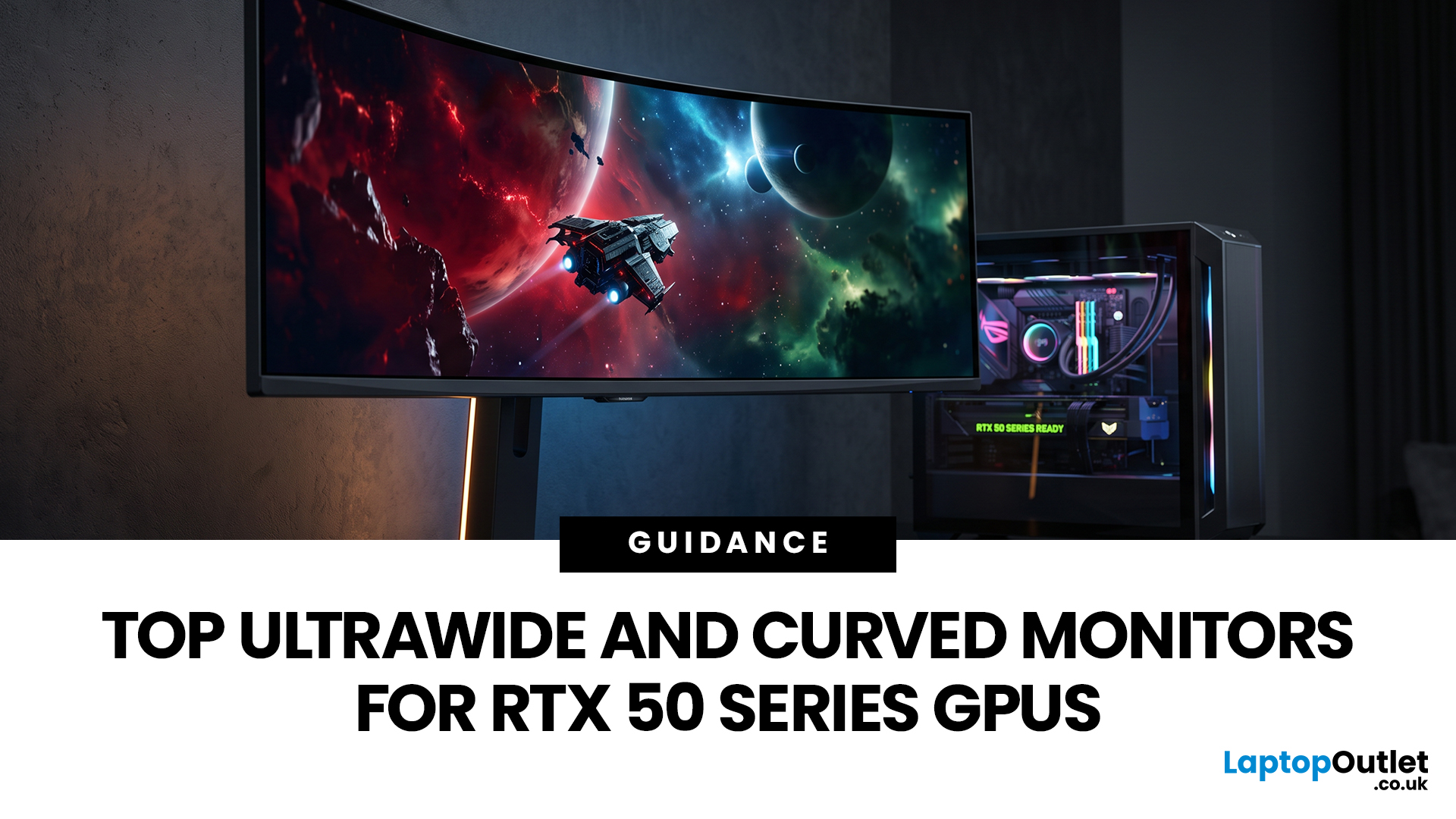
Picking a monitor for an RTX 50 Series GPU isn’t just about chasing the highest refresh rate, it’s about getting the right vibe for your setup. Think resolution, panel type and aspect ratio that actually match how you game, how powerful your RTX 5080 or RTX 5070 Ti is, and how much space you’ve got on your desk.
If you’re on an RTX 5080, a massive 49-inch 5120 × 1440 ultrawide hits different for immersive racing, sim and open-world gameplay. The RTX 5070 Ti feels right at home on a 34-inch 3440 × 1440 ultrawide, while a compact QHD curved monitor is perfect if you want smooth, high-refresh gaming on a budget.
Quick Comparison
| Best For | Monitor | Screen and Resolution | Refresh Rate | Panel | Main Strength | Consider Before Buying |
| RTX 5080 | Philips Evnia 49M2C8900 | 48.9-inch, 5120 × 1440, 32:9 | 240Hz | QD-OLED | Maximum immersion with OLED picture quality | Requires substantial desk space and strong GPU performance |
| RTX 5070 Ti | AOC G4 CU34G4Z | 34-inch, 3440 × 1440, 21:9 | 240Hz | Fast VA | Strong balance of speed, |
Last Updated: July 10, 2026
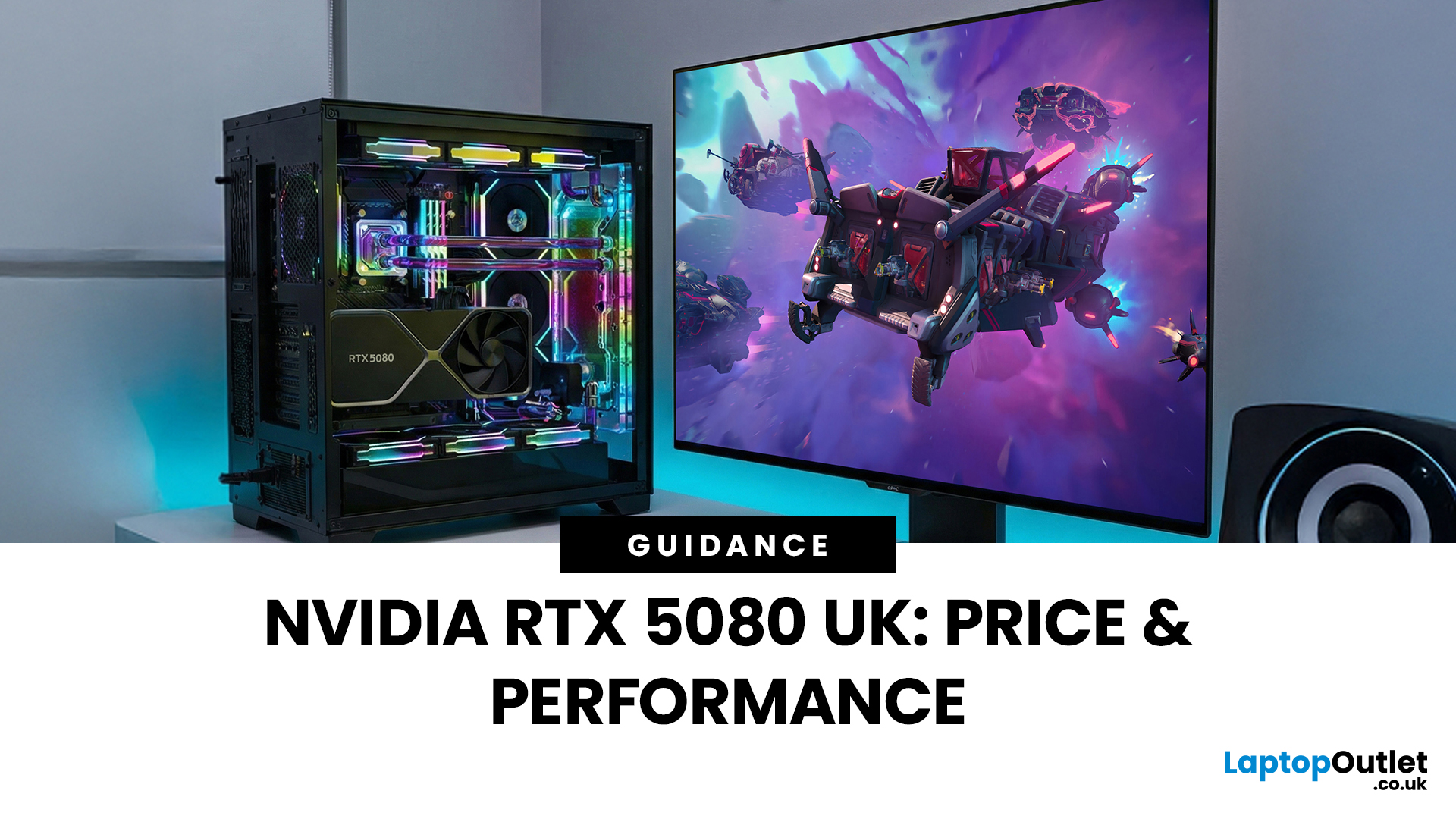
The arrival of a new flagship-tier graphics card always creates excitement, and the NVIDIA RTX 5080 UK is no exception. If you are a gamer or creator who wants to upgrade, understanding the price, performance, and real-world benefits of this card is essential. In this guide, we break down everything you need to know about the RTX 5080, from expected pricing in the UK to gaming performance, comparisons with other high-performance graphics cards, and whether it’s worth waiting for future variants.
How Does the GeForce RTX 5080 Compare to Previous NVIDIA GPUs?
Compared to previous-generation GPUs, the GeForce RTX 5080 delivers notable improvements in both raw performance and efficiency. NVIDIA has focused heavily on performance per watt, meaning users can expect more power without excessive heat or energy consumption. Key improvements include:
- Faster core architecture
- Improved ray tracing performance
- Enhanced AI and DLSS capabilities
- Better memory handling for high-resolution gaming
These

Last Updated: April 28, 2026
If you’re looking for the most powerful consumer GPU NVIDIA has ever produced, the RTX 5090 graphics card is designed with you in mind. Whether you’re building a no-compromise gaming PC, upgrading a professional workstation, or simply want the very best from the latest graphics technology, the RTX 5090 sits at the very top of NVIDIA’s graphics cards UK lineup. In this guide, we’ll walk you through everything you need to know as a UK buyer, from the RTX 5090 release date and expected pricing to real-world performance and whether this GPU actually makes sense for how you use your PC.
What Exactly is the RTX 5090 Graphics Card?
The RTX 5090 graphics card is NVIDIA’s flagship GPU, built for users who don’t want to make trade-offs. If you play at 4K, use ultra-wide monitors, or rely on your system for demanding creative work, this is the kind of hardware designed to keep up. As a true RTX 5090 high-end GPU, it’s aimed at:
- Gamers who want maximum frame rates at ultra settings
- Creators working
Last Updated: April 28, 2026
Finding the right graphics card at the right price has become one of the biggest challenges for PC gamers in the UK. With new GPU generations launching and stock levels fluctuating, buyers are looking for hardware that delivers strong performance without stretching their budget. In this guide, we explore everything you need to know about the NVIDIA RTX 5050 GPU, including expected gaming performance, anticipated UK pricing, and where it fits within today’s competitive graphics card market. We’ll also highlight the best alternatives available at Laptop Outlet, ensuring you have plenty of options if stock is limited.
What is the NVIDIA RTX 5050 GPU?
The NVIDIA RTX 5050 GPU is expected to sit at the entry-to-mid-level end of NVIDIA’s next-generation RTX lineup. Designed for gamers who want modern features without the premium price tag, the RTX 5050 PC graphics card is aimed at smooth 1080p gaming and entry-level 1440p performance. As part of NVIDIA’s latest architecture, the RTX 5050 graphics

Last Updated: January 13, 2026
NVIDIA used CES (Consumer Technology Association)2026 to outline what it believes is the next major shift in computing — a move away from general-purpose processors towards systems designed primarily for artificial intelligence.
Speaking in Las Vegas, CEO Jensen Huang positioned NVIDIA not just as a graphics company, but as a platform provider for what it calls the “AI era”, spanning data centres, gaming PCs, gaming laptops, robotics, autonomous vehicles and cloud services.
Rather than focusing on a single blockbuster product, NVIDIA announcements CES 2026 centred on a broad ecosystem update. Key themes included the next-generation Rubin compute platform, and advances in AI-driven graphics through DLSS 4.5, new RTX AI PCs.
The Rubin Platform: NVIDIA’s Next-Generation AI Architecture

The biggest news for businesses was the Rubin platform. It is the successor to the successful Blackwell architecture. This system is a team of six different chips working together.
NVIDIA designed this platform

Last Updated: January 27, 2026
The world of PC gaming has changed forever thanks to a massive leap in graphics innovation. If you have looked at modern gaming desktop PCs recently, you have likely seen the term "RTX" everywhere.
But what is NVIDIA RTX technology exactly? It is not just a fancy label on a box. It represents a total shift in how your computer creates the images you see on screen.
By combining clever artificial intelligence with raw power, NVIDIA has made games look like Hollywood films while keeping them running smoothly.
Introduction to NVIDIA RTX Technology
NVIDIA RTX (Ray Tracing Texel eXtreme) is more than just a brand name. it is a high-end computing platform. It combines specialized hardware cores with advanced software to create lifelike visuals.
A Brief History of NVIDIA Graphics Cards
Before RTX, we had the GTX (Giga Texel Shader eXtreme) series. These cards were powerful, but they relied on "rasterisation." This is a method where a 3D scene is squashed into 2D pixels on your screen. It worked

Last Updated: January 27, 2026
Building or buying a high-end gaming PC is an exciting journey for any enthusiast. The market moves fast, and staying updated on the latest hardware is essential for the best experience.
In this gaming desktop PC breakdown, we will explore the core parts that make a machine powerful. We will look at the latest processors from AMD and Intel, the incredible graphics power of NVIDIA RTX and Radeon RX, alongside other core components.
Whether you want to play the newest AAA titles or compete in esports, understanding these parts is vital. Let us dive into the modern world of gaming PC technologies.
Understanding Gaming Desktop PCs
A gaming desktop PC is a high-performance computer designed specifically to handle demanding video games. Unlike standard PCs, these machines focus on graphical power and fast processing speeds. They use specialised parts that can handle high heat and heavy workloads.
While gaming laptops and consoles are popular, the desktop remains the "gold standard" for several
Last Updated: July 20, 2026
Choosing between an RTX 5070 and RTX 5080 gaming PC is one of the biggest decisions you may face when buying or upgrading a gaming desktop. Although both GPUs support NVIDIA’s latest gaming technologies, they are designed for different resolutions, performance targets, system budgets, and types of players.
In this RTX 5070 vs RTX 5080 comparison, we examine gaming performance, ray tracing, power requirements, system specifications, overall value and the right graphics card for you. We will also briefly explain where the RTX 5070 Ti fits for buyers who want more performance than the RTX 5070 without moving to a premium RTX 5080 gaming PC.
Whether you are considering an RTX 5070 prebuilt PC or planning a high-end custom desktop, this guide will help you understand the difference between RTX 5070 and 5080 gaming systems.
Understanding the RTX 50 Series Line-Up
NVIDIA’s RTX 50 series GPUs are designed to push performance further while improving efficiency and AI-powered features. Across the

Published: March 10, 2026
Buying a graphics card is normally a matter of comparing the models you can actually purchase, checking performance, and deciding how much you want to spend. The current NVIDIA cycle is less straightforward because buyers are weighing a real product line against a possible refresh that has not been officially announced. That is why the question around RTX 50 SUPER vs RTX 50 has become so common.
The GeForce RTX 50 series is already established as NVIDIA’s current graphics cards range. In the UK, that line-up covers the RTX 5090, RTX 5080, RTX 5070 Ti, RTX 5070, RTX 5060 Ti and RTX 5060, with Blackwell architecture, DLSS 4, ray tracing, Reflex 2 and NVIDIA Studio forming the core platform story. RTX 50 SUPER is different. There is no official NVIDIA product page, release date, or confirmed desktop stack for a SUPER refresh at the time of writing.
That matters because this is not a normal side-by-side comparison. One option is official and available now. The other is a rumoured RTX 50 series

