



Laptop Security 2026: How to Protect Your Device from Modern Cyber Threats

Your laptop is no longer just a work tool. It is the central hub of your entire digital life — your online banking, work documents, personal photographs, saved passwords, and private messages all live on that one device.
Because laptops hold so much valuable information, they have become a prime target for cybercriminals. Threats are growing more sophisticated every year, and simply installing an antivirus and hoping for the best no longer cuts it.
This guide gives you a clear, practical look at how to protect your laptop in 2026 — covering the latest cybersecurity threats, the most important laptop security trends, and the everyday habits that genuinely make a difference.
Understanding Modern Laptop Security Threats
Before you can defend yourself, you need to understand what you are up against. Here is a breakdown of the biggest threats facing UK laptop users today.
|
Threat Category |
Core Description |
Impact on Users |
|
Phishing & Spear Phishing |
Deceptive emails or messages crafted to steal passwords and banking details. |
Leads to identity theft, account takeover, and financial loss. |
|
Ransomware |
Malicious software that encrypts your files and demands payment to restore them. |
Causes immediate data loss. Without a solid backup, recovery is extremely difficult. |
|
Infostealer Malware |
Silently harvests saved credentials, browser cookies, and personal data from your device. |
Your stolen digital identity is sold on the dark web and used for fraud. |
|
AI-Powered Attacks |
Criminals use generative AI to write flawless, hyper-personalised phishing messages and deepfake scams. |
Makes scams far harder to detect by eye alone, demanding stronger technical defences. |
|
Hybrid Working Risks |
Using personal devices or home Wi-Fi for work creates weak links between home and office environments. |
A single vulnerability at home can expose sensitive work data and trigger a corporate breach. |
|
Zero-Day Exploits |
Attacks that target newly discovered software vulnerabilities before a patch is available. |
Can bypass traditional antivirus tools, making fast patching and layered endpoint security essential. |
Understanding these threats is the essential first step. The rest of this guide shows you tips on how to build a strong, layered defence against every one of them.
1. Strong Passwords and Multi-Factor Authentication (MFA)
A weak or reused password is the digital equivalent of leaving your front door wide open. The majority of data breaches start here.
Use Passphrases and a Password Manager
Every account must have its own unique password. If you reuse passwords and one website is breached, criminals will try that same login on your email, bank, and social media — a widespread tactic called credential stuffing.
The best approach is a passphrase: a long, memorable string of words such as PurpleMonkey!EatsNoodles@1987. It is far stronger than a short, complicated one like P@ssw0rd.
Better still, use a dedicated password manager — such as Bitwarden (free), 1Password, or Dashlane. These tools generate, store, and auto-fill strong, unique passwords for every account, all protected behind one master password. This is one of the single most impactful steps you can take for your laptop security and personal data protection.
Enable Multi-Factor Authentication on Everything
Next, enable multi-factor authentication (MFA) — also called two-factor authentication (2FA) — on every important account, starting with your email, banking, and social media. Even if a criminal obtains your password, MFA stops them from logging in without a second verification step, such as a one-time code from an authenticator app.
The NCSC (National Cyber Security Centre) strongly recommends MFA for all critical accounts — it stops the vast majority of automated account takeover attacks outright.
Go Further with Passkeys and Security Keys
For the strongest protection available in 2026, consider a hardware security key (such as a YubiKey) or a passkey — a modern, passwordless login method tied to your biometrics that is virtually impossible to phish.
2. Keep Everything Updated — Why Patching Matters
Software updates are not just about new features. They deliver critical security patches that fix vulnerabilities cybercriminals actively hunt for and exploit. Unpatched software is one of the most common reasons devices get compromised.
Turn On Automatic Updates
Enable automatic updates for your operating system (Windows or macOS), your browser, all installed applications, and your antivirus software. When prompted to restart and install an update, do not postpone it — that window of delay is a genuine opportunity for attackers.
Replace Unsupported Software Immediately
The NCSC's Cyber Essentials framework, widely recommended for UK households and businesses, advises ensuring all software is still actively supported by its developer. Older systems such as Windows 7 — which no longer receive security patches — should be replaced immediately.
Running unsupported software is not just risky; in a professional context, it may also breach your employer's data security obligations under UK GDPR.
3. Antivirus, Anti-Malware, and Firewalls
Reputable security software works around the clock to detect, block, and remove threats before they can cause serious damage.
In 2026, the best options rely on AI-powered behavioural analysis to spot suspicious activity — not just recognised virus signatures. This matters because it catches brand-new malware strains that have never been seen before.
Which Antivirus Should UK Users Choose?
Well-regarded options for UK users include Bitdefender Total Security, Norton 360, and ESET NOD32. Windows users also benefit from Microsoft Defender, which is built in, has improved considerably, and is a solid no-cost baseline.
Keep Your Firewall Switched On
Always keep your device's built-in firewall switched on. It monitors and controls data flowing in and out of your laptop — particularly important on public or shared Wi-Fi networks, where cyber threats are far more common.
Add DNS Filtering for an Extra Layer
One often-overlooked addition is DNS filtering. Changing your laptop's DNS settings to a secure service such as Cloudflare's 1.1.1.1 for Families or Quad9 automatically blocks access to known malicious websites — even if you accidentally click a bad link. It is free and takes about five minutes to set up.
4. Protect Your Home Wi-Fi Network
Since hybrid working is now standard across many UK industries, your home network is effectively an extension of your workplace. It deserves the same level of care.

Secure Your Router Straight Away
Start by changing the default router name (SSID) and password — default credentials are publicly documented and easily exploited. Set your router to use WPA3 encryption (or at minimum WPA2), and check regularly for router firmware updates, which often contain security patches most users overlook entirely.
Isolate Smart Home Devices on a Guest Network
If you have smart home devices — a smart TV, voice assistant, or connected thermostat — put them on a separate guest Wi-Fi network, isolated from the laptop you use for work or banking. A compromised smart device should not become a gateway to your sensitive data.
Use a VPN on Public Wi-Fi
Use a VPN (Virtual Private Network) whenever you connect via a café, hotel, airport lounge, or any public Wi-Fi hotspot. A VPN encrypts all data between your laptop and the internet, making it unreadable to anyone on the same network. Reliable options for UK users include ExpressVPN, NordVPN, and ProtonVPN — look for a verified no-logs policy and servers based in the UK or Europe.
5. Spotting and Avoiding Phishing Scams
Phishing remains the number one entry point for cybercriminals targeting UK laptop users. As AI makes fake messages more convincing than ever, your ability to spot a scam is now a critical security skill.
Key Red Flags to Watch For
|
Check the sender's address carefully. |
|
Hover before you click. Move your mouse over any link before clicking. The actual destination URL appears at the bottom of your browser. If it looks suspicious, do not click. |
|
Beware of false urgency. Messages saying "Your account will be closed in 24 hours!" are designed to make you panic and act without thinking. HMRC, your bank, and most legitimate UK organisations will not contact you this way for critical matters. |
|
Verify via a separate channel. If you receive an unusual request from your bank or employer — especially involving money or sensitive data — call them directly on a number you already know. Never use contact details provided in the suspicious message itself. |
|
Never share passwords, PINs, or MFA codes by email. No UK bank, HMRC, or NHS service will ever ask for these. If a message does, it is a scam, without exception. |
6. Back Up Your Data — The 3-2-1 Rule
If the worst happens — ransomware, hardware failure, or theft — your ability to recover depends entirely on whether your data is properly backed up.
What Is the 3-2-1 Backup Rule?
One of the key elements of true laptop security trends is the 3-2-1 backup rule. It is used by IT professionals worldwide:
- 3 copies of your data (your working files plus two backups)
- 2 different types of storage media (your laptop and an external hard drive, for example)
- 1 copy stored off-site (a reputable cloud backup service)
How to Put It Into Practice
For UK home users, back up to a trusted cloud service such as OneDrive, iCloud, or Backblaze, and maintain a local backup on an encrypted external hard drive. Critically, disconnect the external drive when not in use — ransomware can encrypt connected drives just as readily as your laptop itself.
Always Test Your Backups
Every few months, try restoring a file to confirm the process actually works. A backup you have never tested is a backup you cannot trust when you need it most.
7. Enable Full-Disk Encryption
Full-disk encryption scrambles every piece of data on your laptop's drive. Without your login credentials, that data is entirely unreadable — even if someone removes the drive and connects it to another machine.
How to Enable It on Windows and macOS
Modern laptops make this straightforward:
- Windows: Enable BitLocker via Settings > Update & Security > Device Encryption. Save your recovery key to your Microsoft account, or print it and store it somewhere safe.
- macOS: Enable FileVault via System Settings > Privacy & Security > FileVault.
If your laptop is ever lost or stolen — a very real risk in busy UK cities — full-disk encryption ensures the data on it remains completely inaccessible. Combined with a strong login password, it is one of the most powerful and most underused endpoint security measures available to any UK laptop user.
8. AI Threats and AI-Powered Defences
AI is reshaping cybersecurity on both sides of the battlefield simultaneously.
How Criminals Are Using AI Against You
Cybercriminals now use generative AI to produce phishing emails that are grammatically flawless, contextually convincing, and highly personalised — a world apart from the obviously suspicious broken-English scam messages of the past.
AI also enables attacks to be automated at a scale and speed that was previously unachievable, making threats more frequent and more targeted.
How Security Software Is Fighting Back
Fortunately, leading security software is fighting back using AI of its own. Tools like Bitdefender and Microsoft Defender use machine learning to detect subtle, unusual patterns of behaviour on your device — flagging threats before a specific virus has even been formally catalogued.
When choosing anti-malware software, prioritise products that clearly offer AI-enhanced or behaviour-based threat detection. In 2026, this is a baseline expectation, not a premium feature.
9. Guard Against Infostealer Malware and Dark Web Exposure
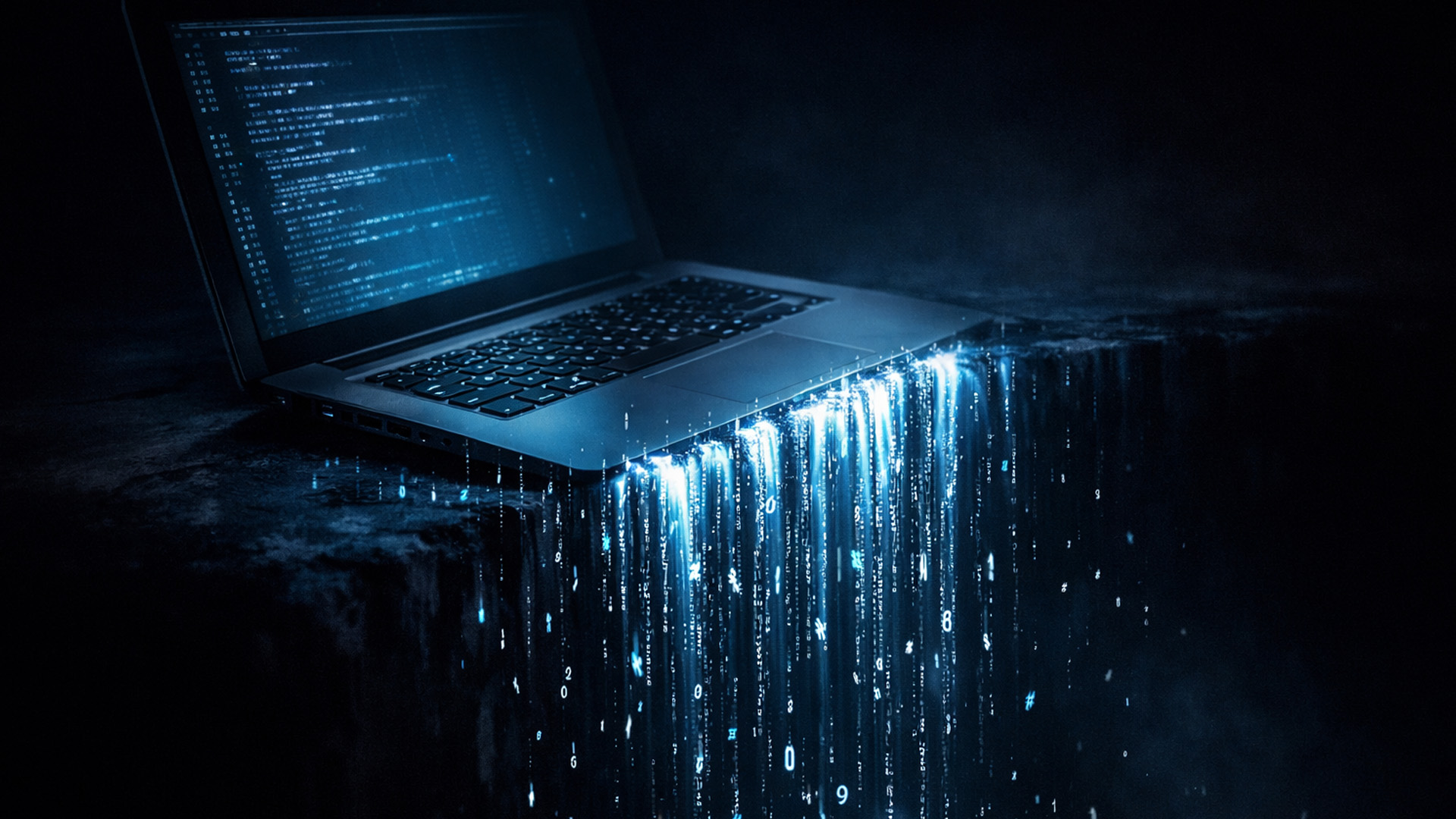
While ransomware is visible and dramatic, infostealer malware is quiet, patient, and increasingly prevalent across the UK. It silently harvests saved usernames, passwords, browser session cookies, and payment details — all of which are then bundled and sold on dark web marketplaces for just a few pounds per victim.
Stop Saving Passwords in Your Browser
Browser-stored credentials are a primary target for this malware. Migrate to a dedicated, encrypted password manager instead — it protects your credentials far more robustly, and criminals targeting infostealers simply cannot access it.
Monitor Whether Your Data Has Been Leaked
Set up a free account at haveibeenpwned.com — an NCSC-endorsed service — which alerts you if your email address appears in a known data breach, giving you the chance to act before criminals do. Many password managers, including 1Password and Bitwarden, include this dark web monitoring as a built-in feature.
10. Physical Security — The Basics Still Matter
Digital threats dominate the headlines, but a stolen or physically accessed laptop is an immediate and total breach of everything on it — regardless of how good your antivirus software is.
In Public Spaces
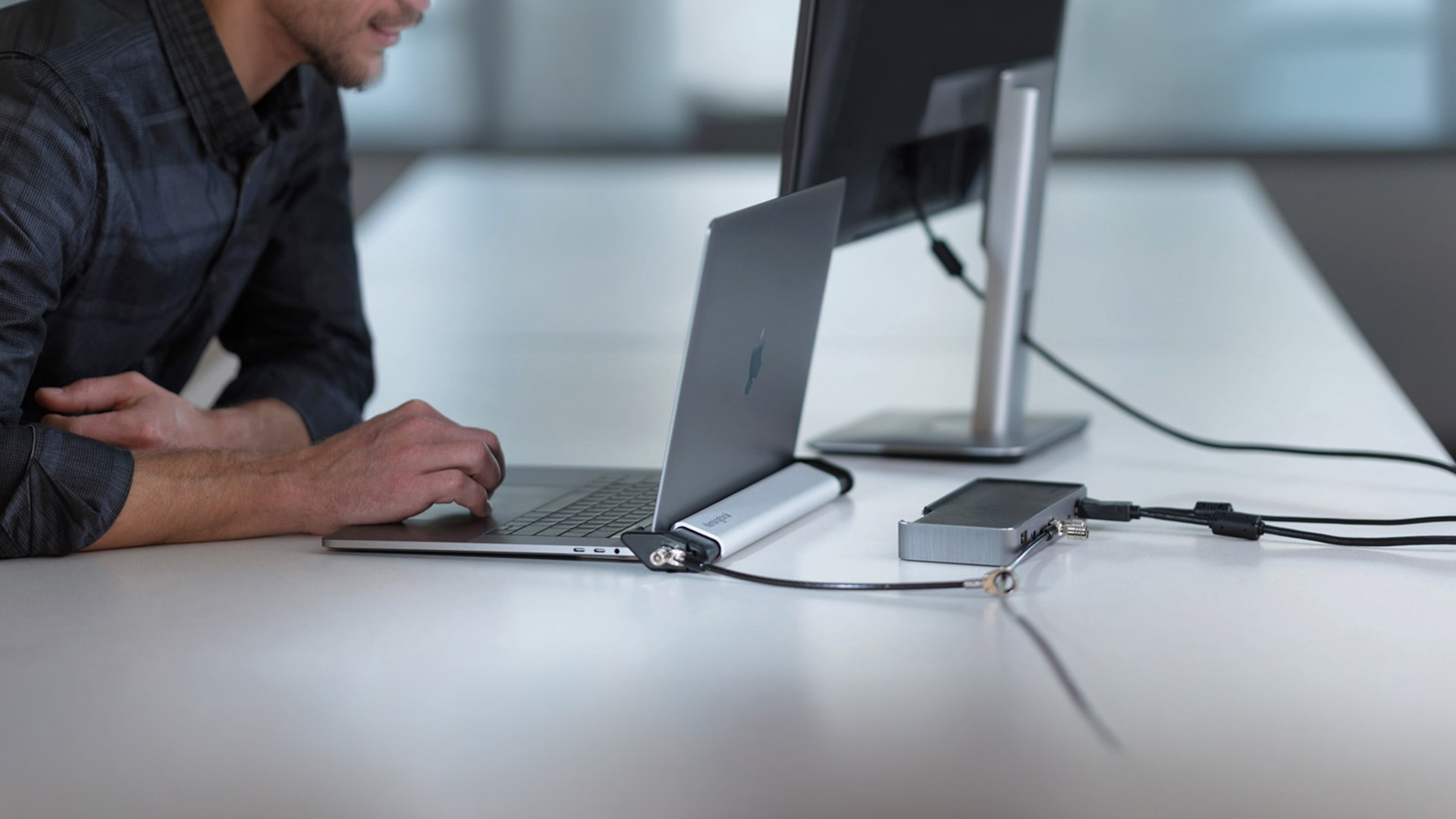
- Never leave your laptop unattended. In cafés, airport lounges, or shared offices, take it with you or secure it with a Kensington cable lock, which physically tethers it to a desk or fixture.
- Use a privacy screen filter. These inexpensive accessories make your display unreadable from the side, protecting you from shoulder surfing in busy spaces.
At Your Desk and On the Move
- Lock your screen the moment you step away. Press Windows + L on Windows or Command + Control + Q on macOS. Set your laptop to lock automatically after one to two minutes of inactivity.
- Never leave it visible in a vehicle. A bag on a back seat is an easy target for opportunistic thieves. Always put your laptop in the boot, even for a brief stop.
Webcam Privacy
- Cover your webcam when not in use. Certain malware — known as Remote Access Trojans (RATs) — can silently activate your camera. A physical sliding cover costs almost nothing and provides complete peace of mind.
11. Additional Habits Every UK User Should Build
To ensure your laptop security is truly robust, you need to consider a few more advanced practices that go beyond the everyday basics. These are the steps the experts are adopting.
Run a Standard User Account Day-to-Day
Most people operate as permanent administrators, meaning any malware that runs has full control of the device. Create a standard user account for everyday use and only switch to admin when actually installing software or changing critical settings. This one change significantly limits the damage any infection can cause.
Download Software Only from Official Sources
Use the developer's official website, the Microsoft Store, or the Apple Mac App Store. Avoid third-party download sites entirely. Periodically review your installed apps and remove anything you no longer use — unused, unupdated software is a permanent security liability.
Stay Informed — and Consider Cyber Insurance
The NCSC consistently identifies human error as a leading cause of UK data breaches. Their free Cyber Aware campaign is an excellent, practical resource for users at all confidence levels.
For the self-employed and small business owners, cyber insurance is increasingly worth exploring — policies can cover the cost of hiring experts to remove malware, restore systems, and manage any reporting obligations to the ICO (Information Commissioner's Office) following a breach.

Security Is a Practice, Not a Product
Laptop security in 2026 demands a proactive, layered approach. No single tool or setting will keep you safe on its own. Real protection comes from combining the right software — antivirus, full-disk encryption, a password manager, and a VPN — with consistent daily habits and genuine awareness of the threats you face.
The good news is that most of these steps are straightforward, low-cost, and accessible to any UK laptop user regardless of technical background. The best place to start is enabling MFA on your most important accounts and switching on BitLocker or FileVault today.
From there, work through this laptop security trends guide one section at a time — you genuinely do not need to do everything at once. Every layer you add makes you a meaningfully harder target. And in cybersecurity, consistently being a harder target than the next person is ultimately what keeps you safe.

Maybe You Were Thinking This...
Should I use a free anti-virus program on my laptop?
Free anti-virus offers basic defence but often lacks advanced features like anti-ransomware shields and live threat monitoring. A paid, reputable suite is recommended for better data protection.
What is Multi-Factor Authentication (MFA) and why is it essential?
MFA requires a second check (usually a code to your phone) after your password. It is essential because it stops criminals accessing your accounts even if they steal your password.
How do I secure my home Wi-Fi for remote work?
Change the router's default name and password immediately. Ensure the security setting is set to WPA2 or the stronger WPA3 to protect your home network connection.
What is the 3-2-1 backup rule for data protection?
The 3-2-1 rule means keeping 3 copies of your data on 2 different media types, with 1 copy stored securely off-site (like the cloud). This defeats ransomware.
Why shouldn't I save my passwords in my web browser?
Storing passwords in the browser makes them vulnerable to infostealer malware. Use a dedicated, encrypted password manager instead; it is much safer for identity protection.
How often should I update my laptop’s software?
You should install updates immediately when prompted. Updates contain vital security patches that close vulnerabilities before criminals can exploit them as modern threats.
| Read More: |
| Future Of Internet Security: How Norton Is Shaping Online Protection |
| AI for Business: How AI Laptops Improve Productivity & Security |
| Windows 11 Laptop Security Features for Business Users |
Related Articles

Last Updated: October 08, 2025
In today’s world of hybrid work, digital threats are more sophisticated than ever. That’s why businesses and professionals turn to HP EliteBook laptops security, a suite of features designed to keep sensitive data safe, reduce cyber risks, and ensure peace of mind. EliteBooks are not only built with premium materials and powerful processors, but also with security as a core principle.
This guide will break down the advanced protections that make HP EliteBook laptops some of the most secure devices on the market. From HP Wolf Security and Sure Click to advanced threat containment and credential protection, we’ll explain how these laptops safeguard your work, your data, and your identity.
Why Choose HP EliteBook Laptops for Security?
EliteBooks go beyond traditional antivirus software by building security into every layer,firmware, operating system, and even hardware. Unlike consumer-grade laptops, they offer enterprise-grade security tools that protect against malware, phishing, and firmware-level
Last Updated: March 27, 2026
Business laptops are not what they used to be. Forget those chunky grey bricks you dragged to meetings — 2026 is all about AI business laptops. And no, that’s not just another bit of marketing fluff. These machines are actually smart enough to protect your files, stretch your battery, and even take meeting notes while you’re busy zoning out. If you’re running a business, freelancing, or just want a laptop that makes your workday less painful, let’s break down why these AI-packed beasts are worth a look.
What Makes a Laptop “AI Business Ready”?
Right, so what’s all this on-device AI about? In plain English: the laptop’s got extra brains built into it (NPUs and fancy processors) that don’t need the cloud to work. That means:
- Security features happen locally — no faffing about with servers.
- Productivity boosts are instant — your laptop reacts in real time.
- Less reliance on dodgy Wi-Fi — AI features still work offline.
So instead of just being “fast,” these laptops are clever too.
Why On-Device

Last Updated: November 04, 2025
In today’s connected world, security is a top priority, especially for businesses handling sensitive data and remote workflows. Microsoft’s latest operating system brings advanced protection designed for the modern workforce. Windows 11 security features deliver multiple layers of defence, offering a robust shield against cyber threats, ransomware, and data breaches.
Compared to its predecessor, Windows 11 vs Windows 10 security shows clear improvements in encryption, authentication, and hardware-based protection. Whether you’re an enterprise leader or a small business owner, investing in Windows 11 laptops with advanced security ensures your data, devices, and users remain protected, wherever work happens.
What Makes Windows 11 the Most Secure OS Yet
Enhanced Hardware-Based Protection
Windows 11 is built for zero-trust security, meaning protection starts from the chip level. All certified Windows 11 business laptops include:
- Trusted Platform Module (TPM) 2.0 – A secure crypto-processor

Last Updated: March 06, 2026
The way we use laptops is changing fast. Not because screens got bigger or batteries got longer. But because the chips inside are now purpose-built to run artificial intelligence tasks directly on your device, no internet connection required.
Welcome to the age of the AI laptop.
In 2026, this is no longer a niche conversation for tech enthusiasts. It is a mainstream reality. Chipmakers, laptop brands, and software developers are all lining up to make on-device AI a standard feature. But the real question is: are everyday users actually ready for it?
Let us break it all down.
What Is an AI Laptop, Exactly?
Before exploring adoption, it helps to understand what separates an AI laptop from a standard one.
An AI laptop is a device equipped with a dedicated Neural Processing Unit (NPU), a chip specifically built to handle AI-related tasks locally. Unlike standard laptops that offload AI computations to the cloud, an AI laptop processes these tasks directly on the device. This is what the
Last Updated: March 05, 2026
Laptops remain one of the most essential tools for work, study, and entertainment. But as models evolve rapidly and sustainability takes centre stage, a big question arises - how often should you actually upgrade or refurbish your laptop?
The answer isn’t straightforward. In the UK, changing consumer habits, environmental awareness, and the rising cost of electronics are all influencing the laptop upgrade cycle. Some users still refresh their devices every two years, while others hold onto their machines for five years or more, often turning to refurbished laptops instead of buying brand new.
This article breaks down the 2025 UK laptop upgrade trends, showing how often people replace or refurbish their devices, what’s driving those decisions, and how to make the smartest upgrade choices for your needs and budget.
What Is a Laptop Upgrade Cycle?
The laptop upgrade cycle refers to the average period between when a consumer buys a laptop and when they replace or significantly update it -
Last Updated: October 22, 2026
When building a new PC in 2025, choosing the right motherboard is the best long-term decision you can make. It’s the backbone of your system, and opting for an upgrade-ready motherboard means focusing on key technologies like DDR5 memory, fast PCIe standards, and next-gen connectivity.
This guide explores the essential features that define future-proof motherboards and highlights some top models for both AMD and Intel platforms.
If you are just starting your PC build, you should read our guide on how to choose the right motherboard.
Key Future-Proofing Features for 2025
What exactly makes a motherboard “future-proof”? It comes down to technologies that won't become bottlenecks for your most powerful components over the next five years.
- DDR5 Memory Support: This is non-negotiable. DDR5 compatible motherboards offer significantly higher bandwidth and speed than their predecessors.
- PCIe 5.0 Connectivity: This is crucial for both the primary graphics slot (for next-gen GPUs) and at least
Last Updated: April 02, 2026
Technology powers nearly every part of our lives. Yet, with innovation comes responsibility. The question many ask today is: how sustainable are modern laptops and PCs?
In 2026, sustainability is no longer a marketing gimmick; it’s a design principle. Manufacturers, consumers, and policymakers are pushing for greener technology that reduces environmental impact while maintaining performance. From energy-efficient processors to recyclable materials, the computing industry is finally addressing its carbon footprint.
Let’s explore what makes laptops and desktop PCs truly sustainable, and what you can do to make smarter, greener tech choices.
What Makes a Laptop or PC “Sustainable”?
A sustainable laptop or PC minimises its environmental impact across its lifecycle, design, production, use, and disposal. Here are the key factors:
- Material sourcing: Using recycled aluminium, plastic, or even bio-based materials helps reduce raw resource extraction.
- Energy efficiency: Devices that consume less
Published: November 17, 2025
In 2025, Apple continues its dominance in professional laptops with the release of the MacBook Pro M5, the latest evolution of its in-house silicon revolution. Following the impressive M3 Pro and M4 generations, the Apple M5 chip marks a leap in raw performance, AI processing, and energy efficiency - and it’s already being hailed as the gold standard for creative professionals and demanding users.
But does the new M5 MacBook Pro really set a new benchmark in laptop performance? Or are Windows-based power machines like the Dell XPS 15 and Razer Blade 16 catching up?
In this Apple MacBook Pro M5 review, we dive into real-world performance, specs, benchmarks, battery life, display quality, and user experience to see if this is truly the best pro laptop of 2025.
Design and Build: Familiar Excellence, Refined Again
Apple hasn’t reinvented the MacBook’s look - and honestly, it didn’t need to. The M5 edition retains the precision-machined aluminium unibody, but now features a subtle refinement
Last Updated: November 18, 2025
Staying competitive means leveraging technology that works smarter, faster, and more securely. Artificial Intelligence (AI) is transforming industries worldwide, from streamlining workflows to enhancing cybersecurity. A particularly exciting innovation within this revolution is the AI laptop, a new class of computing devices designed to optimise productivity and protect sensitive data.
The Rise of AI for Business
AI has evolved from a futuristic concept into a core driver of efficiency across all sectors. Companies use it to analyse data, automate decisions, enhance customer experiences, and predict market trends. According to recent studies, organisations that integrate AI into their daily operations report higher productivity, lower operational costs, and improved employee satisfaction.
However, until recently, much of this innovation happened in the cloud. Now, with AI chips and neural processing units (NPUs) embedded in personal devices, AI is moving to the edge, directly onto the
Last Updated: February 27, 2026
In recent years, especially after the pandemic, as students across the UK depend more than ever on their laptops for studying, attending lectures, and writing essays, one question looms large: how long will their laptop batteries actually last? While manufacturers often claim many hours of “battery life,” real-world usage tends to tell a different story. Moreover, beyond a single charge, batteries degrade over time, meaning a laptop that once lasted a full day may barely survive a few hours by the time a student’s second- or third-year rolls around.
This article provides a survey of what academic research and UK-relevant policy studies actually tell us about lithium-ion laptop battery life. We explore the science of battery degradation, draw on UK-based research, and make evidence-based estimates for how long student laptops really last - both in terms of charge per session and overall battery lifespan. Finally, we discuss the implications for students and educational institutions.

