



How to Choose the Right Tablet Case for Your Device Size

Buy the wrong tablet case and you’ll know it within five minutes. The case may feel loose, block buttons, or misalign camera and charging ports.
Here’s what many buyers miss: tablet cases are not chosen by screen size alone.
A 10-inch case won’t fit every 10-inch tablet because dimensions, camera placement, and button layouts vary between models.
This guide explains how to choose the right tablet case for your device, including measuring your tablet, key tablet case features, material options, fitting tips, and the best cases for different screen sizes. By the end, you’ll know exactly what to check before buying.
What Is the Right Tablet Case for Your Device?
The right tablet case is one that matches your tablet’s exact model, physical dimensions, screen size, port layout, and usage needs.
That means a good tablet case should:
- Hold the tablet securely without wobbling.
- Leave the camera, buttons, speakers, and charging port accessible.
- Protect the corners and back from everyday knocks.
- Match how you use the tablet: work, school, travel, streaming, retail, or kids’ use.
- Add useful features without making the device awkward to hold.
Why Tablet Case Size Matters More Than Most Buyers Think
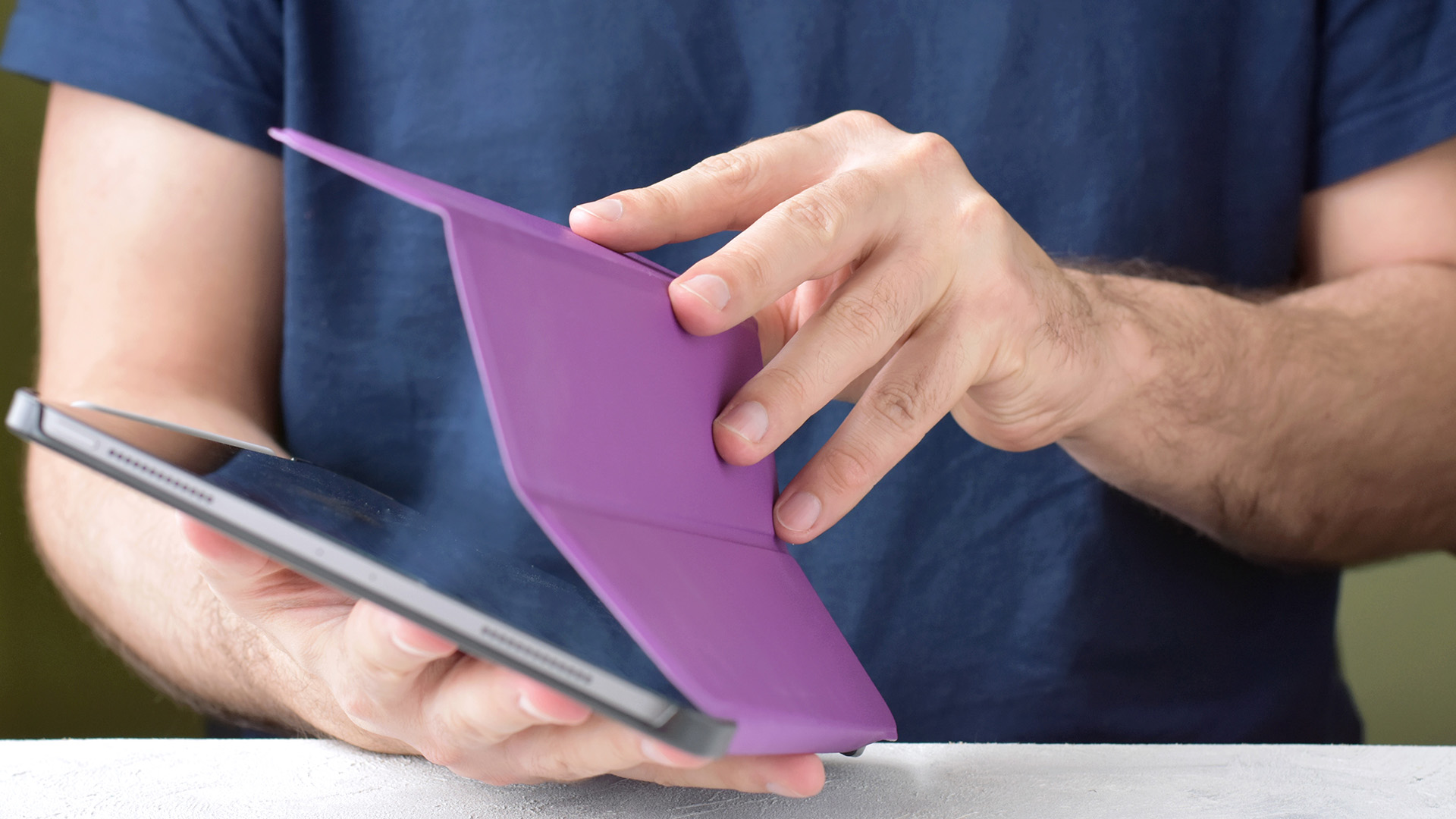
A poor-fitting case is not just inconvenient. It can reduce protection and make your tablet harder to use.
For example, if a case is too loose, the device can shift during a fall. If it is too tight, it may press against the power or volume buttons. If the camera cut-out is wrong, video calls, scanning, and photos become frustrating.
This matters even more for UK buyers using tablets every day for:
- Commuting and travel.
- Online learning.
- Retail point-of-sale systems.
- Warehouse stock checks.
- Client presentations.
- Streaming and browsing at home.
- Kids’ entertainment and homework.
- Business fieldwork.
A case is not just an accessory. It is part of how usable and durable your tablet becomes.
Need the device first? Explore affordable refurbished tablets or compare budget Android tablets before choosing a cover.
How to Measure Tablet Size for Case Fit
Here’s where many people go wrong: they search for “case for 10-inch tablet ” and buy the first one that looks decent.
Don’t do that.
A tablet’s advertised size usually refers to the diagonal screen measurement, not the full body size. Cases need to fit the whole device, not just the screen.
Step 1: Find Your Tablet Model Number
Before measuring, check the exact model.
You can usually find it:
- In Settings > About Tablet.
- On the back of the tablet.
- On the original box.
- In your order, confirmation.
- Under device information in your online account.
Examples include:
- Samsung Galaxy Tab A8 10.5 inch.
- Lenovo Tab M8 4th Gen.
- Lenovo Tab 4 10 Plus.
- iPad 10.9-inch.
- Linx 8 Tablet.
A case made for “Lenovo Tab M8” may not fit every Lenovo 8-inch tablet. Generations matter.
Step 2: Measure the Screen Diagonally
Use a ruler or tape to measure and measure from one corner of the visible screen to the opposite corner.
Do not include the bezel.
Common sizes include:
|
TABLET SCREEN SIZE |
TYPICAL USE CASE |
CASE TYPE TO CONSIDER |
|---|---|---|
|
7 inch |
Kids, reading, compact travel |
Folio or bumper case |
|
8 inch |
Browsing, field work, portable retail use |
Sleeve, folio, rugged case |
|
10.1 inch |
Streaming, school, everyday work |
Flip case or protective shell |
|
10.5 inch |
Productivity, family use |
Shock-resistant case |
|
10.9–11 inch |
iPad and premium tablets |
Rugged case with kickstand |
Step 3: Measure Height, Width, and Thickness
Measure the full tablet body:
- Height from top to bottom.
- Width from side to side.
- Thickness from front to back.
Then compare those measurements with case specifications.
This is especially important when choosing a tablet case for different screen sizes, because two tablets with the same screen size can have different body dimensions.
Step 4: Check Cut-Out Placement
A case is only useful if it gives you access to the essentials.
Check for:
- Charging port.
- Headphone jack, if your tablet has one.
- Speakers.
- Rear camera.
- Front camera.
- Microphones.
- Power button.
- Volume buttons.
- Stylus slot, if relevant.
Choosing the Right Tablet Cover by Usage
The “best” tablet case depends on who is using the device and where.
A student, shop assistant, warehouse worker, designer, parent, and casual Netflix viewer do not need the same level of protection. If you carry your tablet alongside a laptop, charger, keyboard, or work documents, pairing it with the right protective cover and laptop bag or case gives you better everyday protection without making your setup bulky.
For Everyday Home Use
For browsing, streaming, shopping, and light productivity, a folio or flip case is usually enough.
Look for:
- Magnetic closure.
- Stand function.
- Slim profile.
- Soft inner lining.
- Good grip.
A folio case is ideal if you want protection without turning your tablet into a brick.
For Kids
Kids need more than a smart-looking cover.
Look for:
- Thick corner protection.
- Shock-absorbing edges.
- Easy grip design.
- Screen film or eye filter.
- Stand support.
- Washable or wipe-clean material.
The case should survive drops, sofa slides, school bags, and mysterious sticky situations only children can create.
For Work and Retail
If the tablet is used in retail, warehousing, hospitality, or field sales, durability matters more than style.
Look for:
- Rugged corners.
- Anti-shock design.
- Secure grip.
- Kickstand.
- Screen protection compatibility.
- Easy charging access.
For business buyers, the right case can reduce replacement costs and downtime. That matters when tablets are part of daily operations.
Browse tablet cases if you already know your device model, or explore wider best accessories for chargers, keyboards, sleeves, and protection add-ons.
If you are still deciding on the device itself, it is worth comparing Windows tablet PCs and Android tablets for productivity first, because your operating system, app needs, keyboard use, and screen size can all influence the type of case you should buy.
Tablet Case Features That Actually Matter
Not every feature is worth paying extra for. Some are useful. Some are marketing fluff.
Here are the tablet case features that genuinely affect fit, protection, and daily comfort.
1. Corner Protection
Corners are usually the first point of impact when a tablet drops.
A case with reinforced corners gives better shock absorption than a thin shell with flat edges.
Best for:
- Kids.
- Travel.
- Retail staff.
- Commuters.
- Shared family tablets.
2. Raised Screen Edges
Raised bezels help keep the screen from touching a flat surface when placed face down.
They are not a replacement for a screen protector, but they add a useful protection layer.
3. Built-In Stand
A stand is underrated until you use one daily.
It helps with:
- Video calls.
- Watching the content.
- Typing with a Bluetooth keyboard.
- The following recipes.
- Presenting to customers.
- Using a tablet as a point-of-sale device.
4. Magnetic Closure

Magnetic closures keep folio covers neat and secure. They are especially useful when the tablet is carried in a bag.
5. Screen Film or Protector Compatibility
Some cases include films. Others are designed to work with separate tempered glass or screen protectors.
For tablets used by kids or in retail environments, screen protection is strongly recommended.
6. Grip and Weight Balance
A case can protect well but feel awful to hold.
Before buying, consider whether the case adds too much bulk. Rugged cases are great for protection, but a slim folio may be better for long reading sessions.
Best Materials for Tablet Cases
Material affects grip, protection, weight, feel, and lifespan.
Here’s a practical breakdown.
|
MATERIAL |
PROS |
CONS |
BEST FOR |
|
TPU |
Flexible, shock-absorbing, grippy |
Can yellow or stretch over time |
Everyday protection |
|
Silicone |
Soft, kid-friendly, easy to grip |
Can attract dust |
Children and home use |
|
Polycarbonate |
Hard, strong, lightweight |
Less flexible |
Rugged protection |
|
PU leather |
Smart look, affordable, folio-friendly |
Less durable than real leather |
Office and casual use |
|
Real leather |
Premium feel, long-lasting |
More expensive |
Professional use |
|
Fabric sleeve |
Lightweight, scratch protection |
Less drop protection |
Travel inside a bag |
So, Which Material Should You Choose?
- Choose TPU or silicone for grip and shock absorption.
- Choose polycarbonate for tougher structural protection.
- Choose PU leather for a smart, affordable folio case.
- Choose a sleeve if you only need scratch protection while carrying the tablet.
Pattern interrupt: don’t buy a leather-style case just because it looks premium. If the tablet is for a child or shop floor, impact protection beats aesthetics every time.
The same material logic applies to phones too, so if you are upgrading more than one device, comparing leather vs clear iPhone cases can help you decide whether style, grip, scratch resistance, or everyday protection matters most.
Tablet Case Fitting Tips Before You Buy
Use this quick checklist before adding anything to your basket.
Tablet Case Fit Checklist
- Confirm the exact tablet model.
- Check the screen size.
- Measure height, width, and thickness.
- Compare the dimensions with the case listing.
- Check camera and button cut-outs.
- Confirm charging port access.
- Decide whether you need a stand.
- Choose the protection level based on daily use.
- Check if a screen film is included.
- Avoid “universal” cases unless the dimensions are clearly compatible.
Universal tablet cases can work, but they are rarely the best option if you need a clean fit and full access to every feature.
Top Picks: Tablet Cases for Different Device Sizes
Below are practical product examples for different tablet sizes and use cases. The goal is not to pick the most expensive option. It is to match the case to the tablet and the user.
Best Rugged Pick for Samsung Galaxy Tab A8
Tech Air Rugged Anti-Shock Case for Samsung Galaxy Tab A8 10 Inch – Black
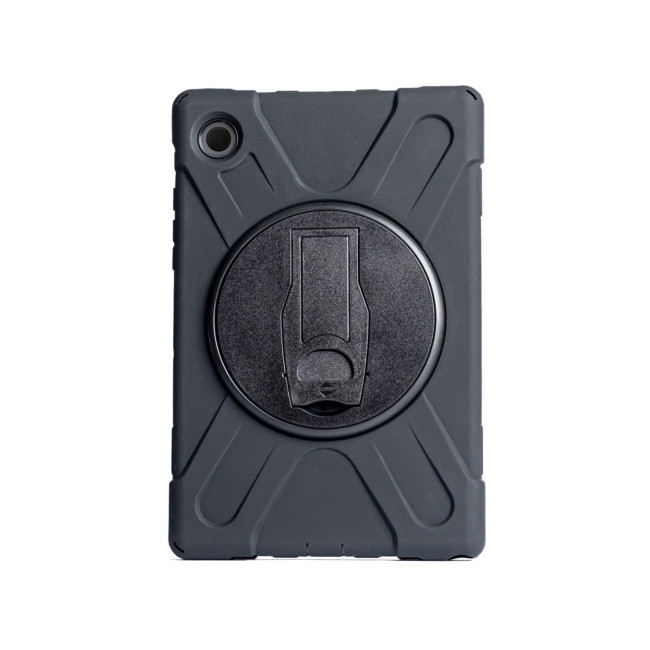
Tech Air Rugged Anti-Shock Case for Samsung Galaxy Tab
Highlights:
- Compatible with Samsung Galaxy Tab A8 10.5-inch 2022
- 360 degree rotating kick stand
- Shock absorbing silicone exterior
- Black Colour
This is a strong choice if you want a rugged case for everyday knocks, commuting, work use, or shared family tablets.
Why it stands out:
- Anti-shock protection.
- Rugged design.
- Good option for larger Samsung tablets.
- Practical black finish for daily use.
Best 8-Inch Lenovo Sleeve Option
Lenovo ZG38C00480 8-inch Protective Sleeve and Film Case for Yoga Tab 3
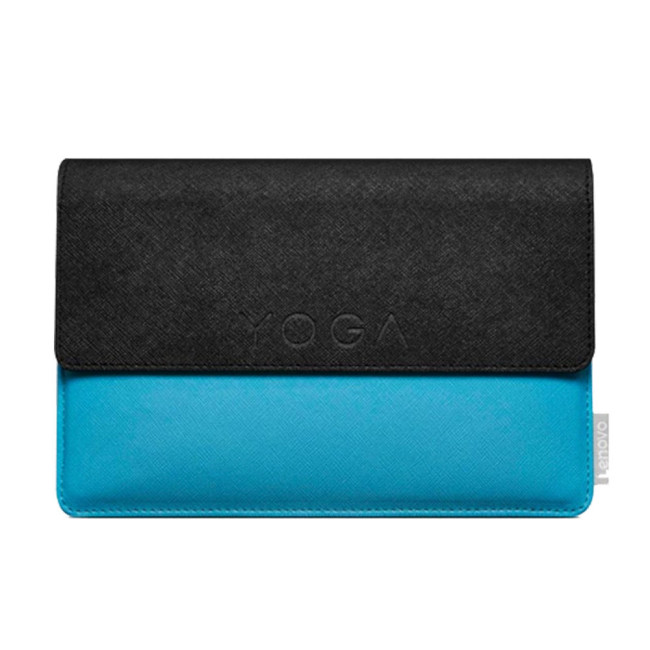
Lenovo ZG38C00480 Protective Sleeve
This is a tidy option for users who want lightweight protection rather than bulky rugged coverage.
Good for:
- Carrying in a backpack.
- Preventing scratches.
- Light everyday use.
- Lenovo Yoga Tab 3 users.
Best Kids’ Case for 10.1-Inch Tablets
Lenovo Protective Kids Case with Eye Filter and Rear Sticker for 10.1" TAB 4 10 Plus
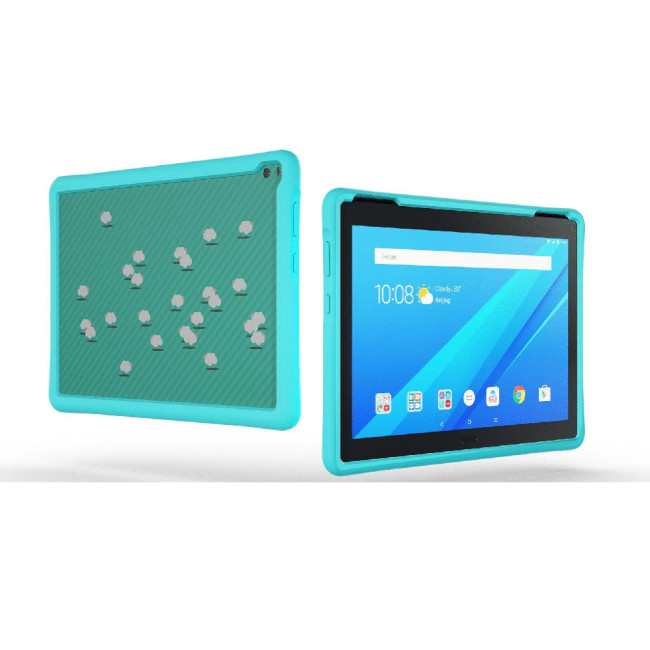
This is built for younger users who need more than a basic cover.
Useful features include:
- Kid-focused protection.
- Eye filter.
- Rear sticker.
- Practical fit for Lenovo Tab 4 10 Plus.
Best Folio Pick for 8-Inch Lenovo Tablets
Lenovo Folio Flip Case and Film for 8-inch TAB2 A8-50 – Blue
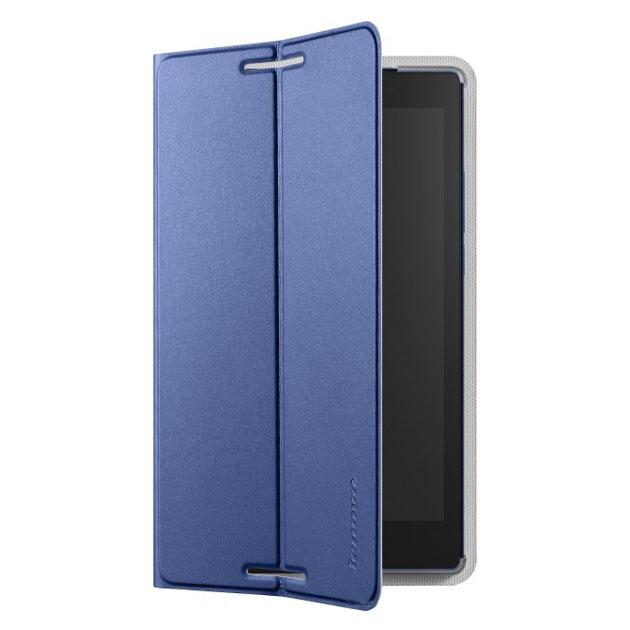
A good fit for users who want a simple folio design with added screen film.
Best for:
- Reading.
- Browsing.
- Light travel.
- Everyday protection.
Best Compact 7-Inch Folio Case
Original Lenovo Tab3 7" Folio Case & Film with Comfortable Stand, Crash Proof
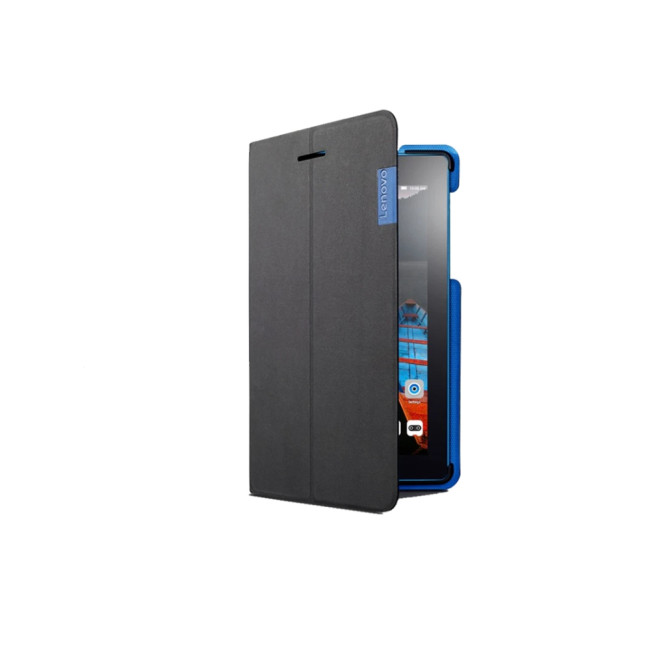
This is a smart pick for smaller tablets where portability matters.
Best for:
- Comfortable stand.
- Crash-proof design.
- Film included.
- Compact 7-inch fit.
Best 8-Inch Folio Case for Linx Tablets
Targus LINX810 Form Fit Folio Case for Linx 8 Tablet – Black
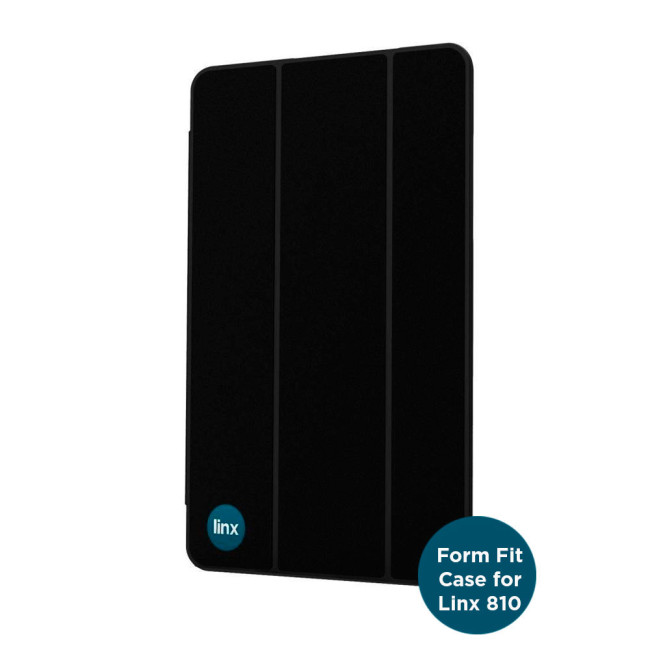
LINX810 Targus Form Fit Folio Case
Targus is a familiar name in tablet and laptop accessories, and this case suits users who want a form-fit folio for an 8-inch Linx tablet.
Best Heavy-Duty Pick for iPad 10.9-Inch and iPad 11-Inch
MAXCases Shield Extreme-X2 Case for iPad 10.9" & iPad 11" with Kickstand – Grey
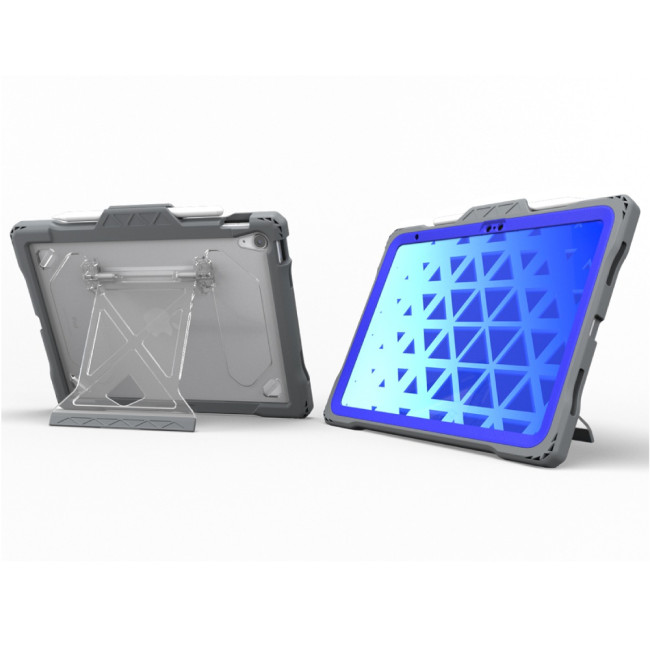
MAXCases Shield Extreme-X2 Case
This is one of the stronger options for iPad users who need serious protection and a practical stand.
Ideal for:
- Work.
- Education.
- Travel.
- Shared devices.
- Users who want a kickstand.
Best Case for Lenovo Tab M8 4th Gen
MAXCases Shield Tablet Case for Lenovo Tab M8 4th Gen

This is useful if you have the specific Lenovo Tab M8 4th Gen and want a case made for that device family.
Best Bumper Case for Lenovo 8-Inch Tablets
Lenovo Protective Bumper Case with Film for 8-inch Tab 4 Plus
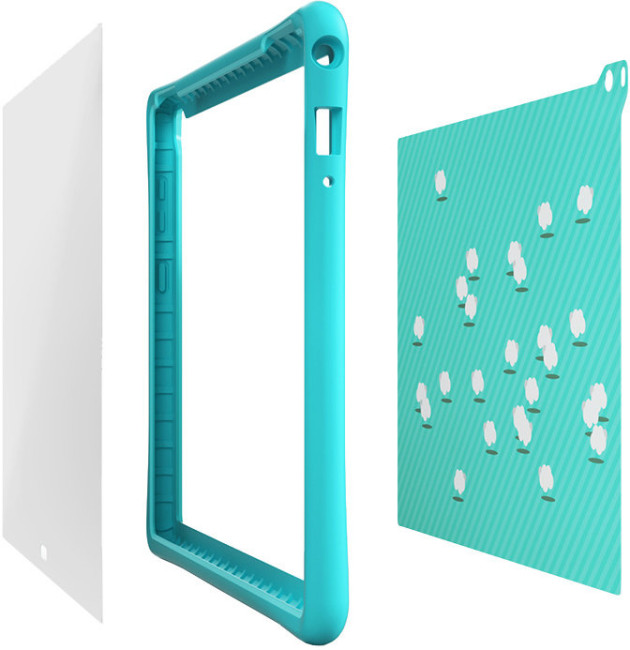
Best for:
- Kids.
- Light work use.
- Shared household tablets.
- Users who want included film protection.
Best Leather-Style Pick for Older iPads
iGo iPad Leather Case for Apple iPad 2 / 3 / 4
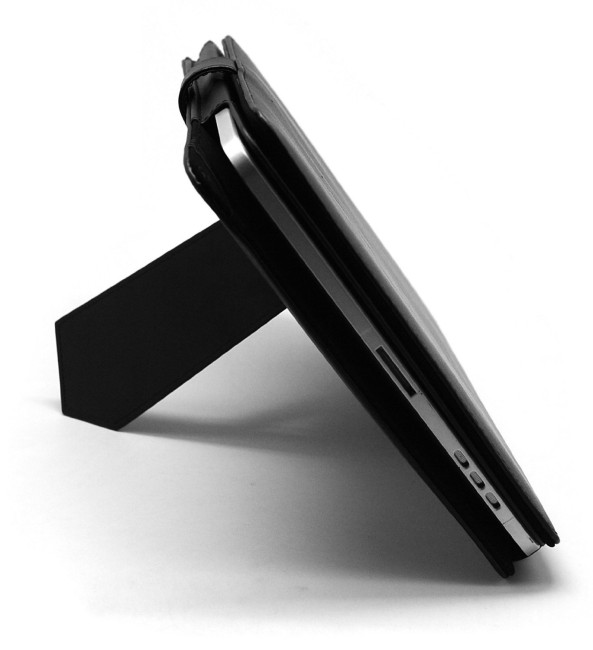
Best for: older iPad owners who want a classic folio-style cover for light daily use.
Common Mistakes When Choosing a Tablet Case

❌ Mistake 1: Buying by Screen Size Only
A 10-inch case does not always fit every 10-inch tablet. Always check model and dimensions.
❌ Mistake 2: Ignoring Tablet Generation
Tablet brands often release several versions with similar names. A case for one generation may not fit another.
❌ Mistake 3: Choosing Style Over Protection
Slim cases look great, but they may not be suitable for kids, travel, or retail environments.
❌ Mistake 4: Forgetting About Ports and Buttons
A bad cut-out can make charging annoying every single day. That is not a small issue.
❌ Mistake 5: Overbuying Rugged Protection
Not everyone needs a heavy-duty case. If you mostly read at home, a slim folio may be the better choice.
Quick Buying Guide: Which Tablet Case Should You Choose?
Use this simple decision guide.
|
YOUR SITUATION |
BEST CASE TYPE |
|---|---|
|
You travel often |
Rugged case or padded sleeve |
|
You use the tablet for work |
Rugged folio with stand |
|
Your child uses the tablet |
Kids’ bumper case with screen film |
|
You mostly watch videos |
Folio case with stand |
|
You carry it in a bag |
Sleeve or folio with magnetic closure |
|
You use an older tablet |
Model-specific folio case |
|
You use it in retail |
Anti-shock case with strong corner protection |
For most buyers, the safest choice is a model-specific case with reinforced edges, good port access, and a stand.

Final Verdict: Choose Fit First, Features Second
Choosing the right tablet case for your device is mostly about avoiding assumptions.
Do not buy based only on a “7-inch,” “8-inch,” or “10-inch” label. Start with the exact tablet model, check the dimensions, confirm the cut-outs, then choose the protection level that matches your daily use.
Here is the simple rule:
Fit comes first. Protection comes second. Style comes third.
That order saves money, prevents frustration, and keeps your tablet useful for longer.
Whether you need a slim folio for home, a bumper case for kids, or the best protective case for tablets used at work, Laptop Outlet has options for different screen sizes, brands, and budgets.

Common Questions for Choosing the Right Tablet Case
How do I know what size tablet case I need?
Check your tablet model first, then measure the screen diagonally and the full tablet body. Compare those details with the case listing. Do not rely on screen size alone.
Can a 10-inch tablet fit in any 10-inch case?
No. Two 10-inch tablets can have different dimensions, thickness, camera positions, and button layouts. A case should match the exact model or clearly listed dimensions.
Are universal tablet cases worth buying?
Universal cases can work for basic carrying or light protection, but they often compromise on camera access, button placement, and secure fit. Model-specific cases are usually better.
What is the best material for a tablet case?
TPU and silicone are good for grip and shock absorption. Polycarbonate is better for hard protection. PU leather works well for slim folio cases. The best material depends on how and where you use the tablet.
Should I buy a rugged tablet case?
Buy a rugged case if your tablet is used by children, carried outdoors, used at work, or often taken on the move. For light home use, a folio case may be enough.
Do I need a screen protector if my case has raised edges?
Yes, ideally. Raised edges help protect the screen from flat-surface contact, but a screen protector adds better scratch and impact resistance.
What tablet case features are most important?
The most important tablet case features are secure fit, corner protection, raised screen edges, correct cut-outs, charging access, grip, and a stand if you watch videos or use the tablet for work.
Related Articles


Published: April 13, 2026
Looking for a tablet that’s built more for watching, playing, and relaxing than working? You’re not alone, Android tablets have quietly become some of the best-value options for streaming and gaming in 2026.
- Big-screen Android tablets are now sharper, louder, and more immersive
- Mid-range processors comfortably handle streaming and casual gaming
- Battery life and audio quality now matter more than raw performance
Streaming, gaming, and genera l entertainment are now the main reasons people pick up tablets again. While flagship devices still exist, most buyers today are leaning toward practical, well-balanced options that deliver strong visuals, solid audio, and long battery life, without pushing into premium pricing.
What actually makes a tablet good for streaming and gaming?
Before jumping into specific models, it helps to understand what separates a good tablet from a great entertainment device.
A strong Android tablet for streaming and gaming isn’t just about specs, it’s about how everything

Last Updated: April 13, 2026
Trying to stay productive these days without the right device? Not happening.
Whether you’re switching between lectures, juggling work tasks, replying to emails, or just trying to organise your day without losing your mind… you need something that can actually keep up.
That’s where Android tablets come in.
They’re lighter than laptops, more powerful than you’d expect, and way more flexible for everyday productivity - whether you’re a student, a professional, or somewhere in between.
But here’s the catch: not all tablets are built for productivity. Some are great for Netflix… but struggle the moment you open 3 tabs. Others look powerful on paper but don’t deliver where it matters.
So, in this guide, we’re breaking down the best Android tablets for work and study, helping you find the right balance between performance, usability, and value, without overcomplicating things.
Quick Picks: Best Android Tablets for Work and Study (2026)
If you just want the highlights, here’s a quick look at
Published: April 14, 2026
Choosing a tablet sounds easy… until you actually start looking.
Suddenly, it turns into a full-on ecosystem debate. Do you go for the clean, premium Apple experience? Or do you choose the flexibility, variety and better-value world of Android?
That’s exactly why so many buyers end up stuck between Android tablets vs iPad.
On one side, iPads have the polished reputation, smooth performance and that classic Apple “it just works” appeal. On the other, Android tablets give you more choice, more price points, more freedom and a way easier entry into the tablet world without your bank account crying in the background.
And if you’re an everyday buyer, that choice matters even more.
Because you’re probably not buying a tablet to do one ultra-specific thing. You want something that fits into daily life. Something good for streaming, scrolling, studying, replying to emails, joining video calls, browsing, shopping, taking notes, maybe even getting a bit of work done when needed.
So in this guide,
Last Updated: June 10, 2026
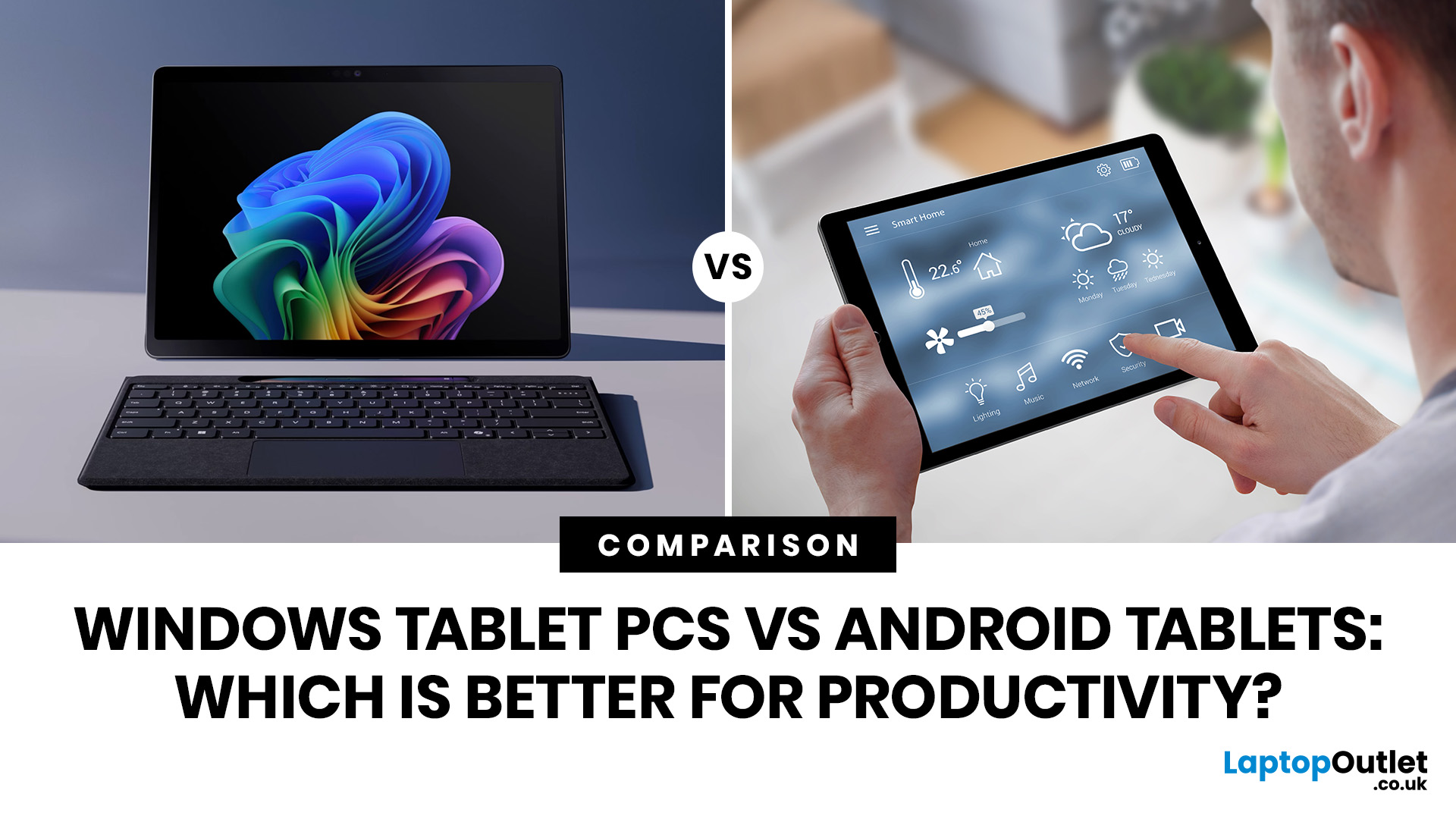
When comparing Windows tablet PCs vs Android tablets, Windows is usually better for productivity-heavy tasks like multitasking, office work and business use, while Android tablets are better for portability, value and lighter everyday productivity.
When comparing Windows tablet PCs vs Android tablets, the best choice depends on how you work. Some users need laptop-style performance for spreadsheets, email, browser tasks and multitasking, while others prefer a portable device for note-taking, research, video calls and everyday flexibility.
That is why the Android vs Windows tablets debate matters. Windows tablets offer a more PC-like experience with stronger multitasking, while Android tablets focus on portability, convenience and app-based productivity.
For buyers in the UK, the best option depends on whether you value desktop-style software, keyboard-led productivity and business features, or a lighter, more affordable system that is easy to carry and simple to use. If you are browsing
Last Updated: April 27, 2026
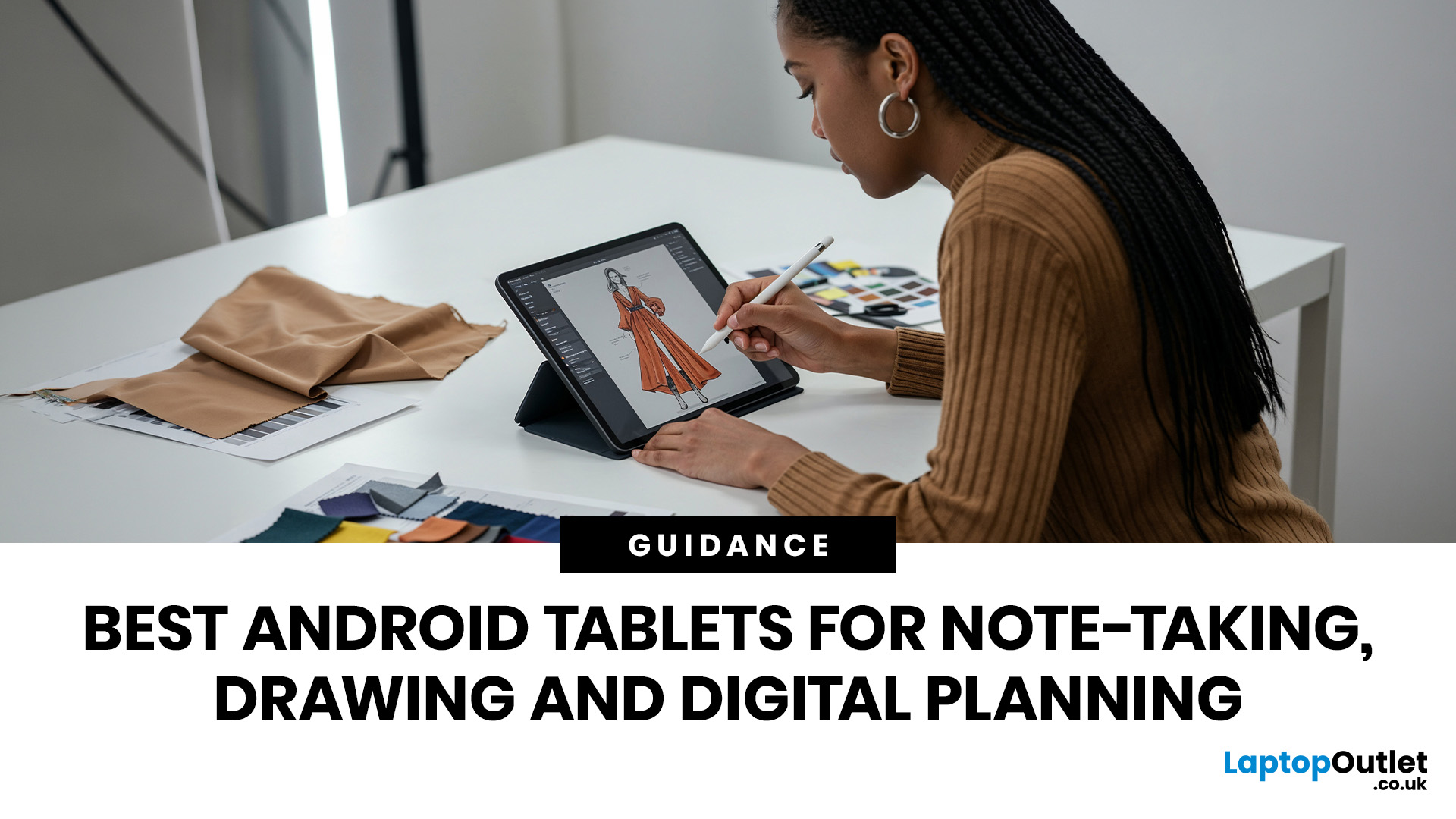
If you are looking for the best Android tablets for note taking and drawing, the key is finding a tablet that feels natural for writing, sketching and digital planning. The best options combine stylus support, a clear display, good portability and enough performance for everyday work, study and creative use.
Not every user needs the same thing. Some want a simple tablet for notes and journaling, while others need a more capable device for drawing, annotating PDFs, and multitasking. That is why choosing among today’s Android tablets with stylus support is really about finding the right fit for your routine.
Android stands out because it offers plenty of choice across features, pricing, and everyday usability. Whether you want a compact planner-friendly device or a more flexible all-rounder, there is a wide range of Android tablets to explore.
Quick answer: what should you look for?
Before going too deep, here is the short version. The best Android tablets for note taking and drawing usually

Last Updated: May 25, 2026
Big tablets are great until you actually have to carry one everywhere. A 12-inch screen looks dreamy on a desk, but on a packed train, budget flight, sofa armrest, or bedside table? Not always the vibe. That is exactly where 8 inch tablets still make sense in 2026. They sit in the sweet spot between a smartphone and a full-size tablet: bigger than your phone for reading, streaming and browsing, but still small enough to hold in one hand, throw in a bag and use without feeling like you are carrying a portable TV.
This 8 inch tablets buying guide is here to help you choose properly. We will compare compact tablets, explain the difference between the Apple iPad mini, Android small tablets and Amazon Fire options, and show which models make sense for reading, travel, streaming, kids, students, and everyday use.
And yes, compact tablets still matter. They are just not trying to be laptops. They are trying to be the device you actually take with you.
Are 8-inch Tablets Still Worth Buying in
Last Updated: June 10, 2026
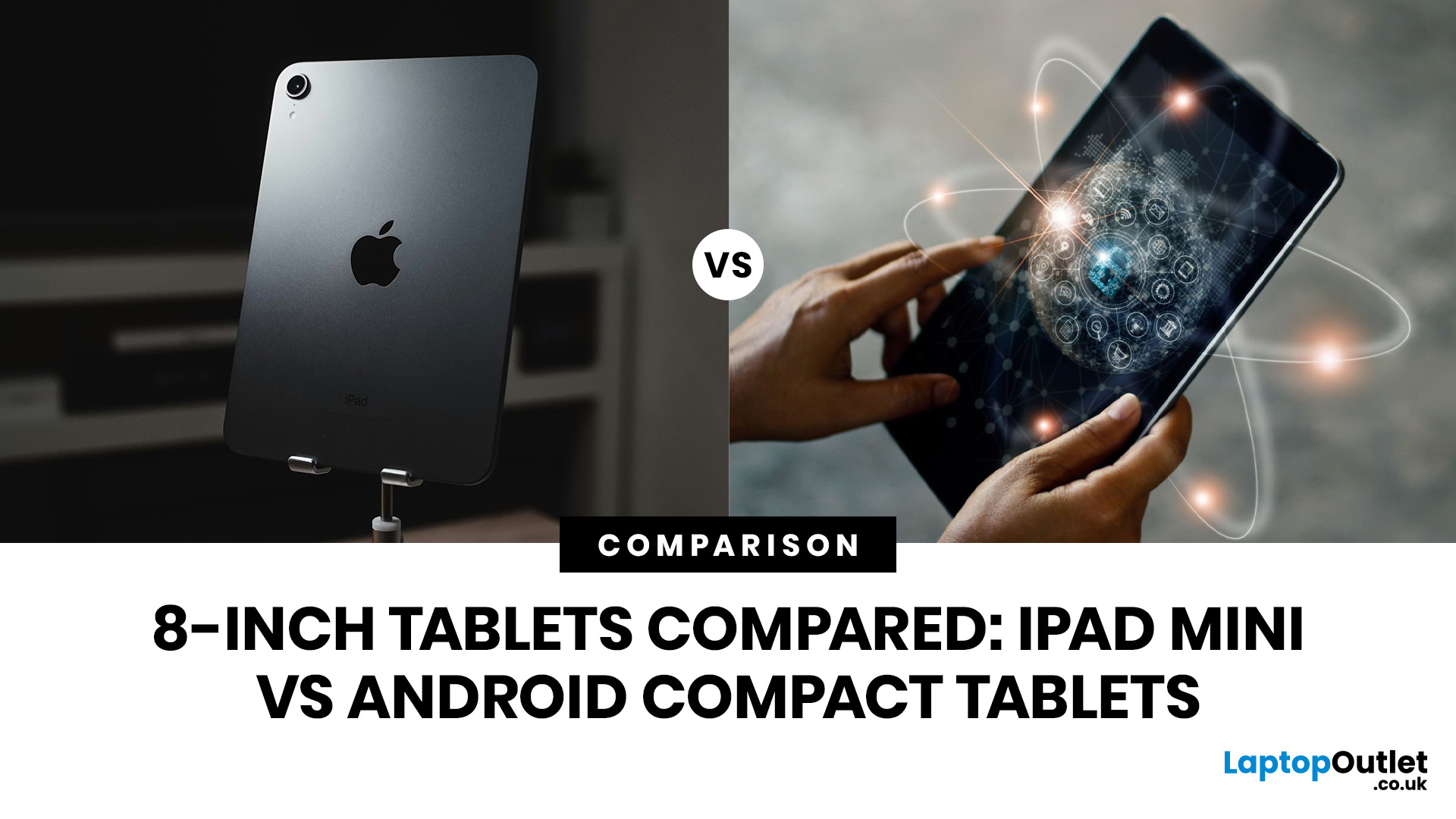
Quick Answer: The iPad mini is the better choice if you want premium performance, a sharper display, Apple Pencil support and long-term everyday speed. Android compact tablets are better if you want a more affordable small tablet for reading, browsing, streaming, video calls and casual use. For most buyers, the iPad mini wins on power and quality, while Android wins on value and budget-friendly practicality.
Small tablets are perfect when you want more screen than a phone but do not want to carry a 11-inch or 13-inch full size tablet everywhere. For reading, commuting, streaming, travelling and light everyday use, the real buying decision often comes down to iPad mini vs Android compact tablets.
In this guide, we compare both options across display quality, performance, software, battery, storage, connectivity, value and use cases so you can decide which compact tablet makes more sense for you.
Quick Comparison: iPad mini or Android Compact Tablet?
If you want the most powerful small tablet

Last Updated: July 13, 2026
Not every tablet needs to be huge. Sometimes, the best tablet is the one you can actually carry every day without it taking over your bag.
That is where the best 8-inch tablets for reading and travel come in. These compact tablets are built for people who want something bigger than a phone but lighter and easier to handle than a full-size 11-inch or 13-inch tablet. They are ideal for reading eBooks, checking emails, streaming on the train, browsing in bed, taking notes, keeping kids entertained, and travelling light. In this guide, we will help you choose the right compact tablet based on display quality, performance, battery, storage, connectivity, and real-world use.
Best 8-inch Tablets Currently Worth Considering at Laptop Outlet
| Model | Best for | Screen | Processor | Memory / storage | Battery |
| Premium reading, travel, notes and everyday use | 8.3-inch Liquid Retina, 2266×1488 | Apple A17 Pro | 128GB or 256GB options available in category | Up to 10 hours |
Last Updated: June 10, 2026
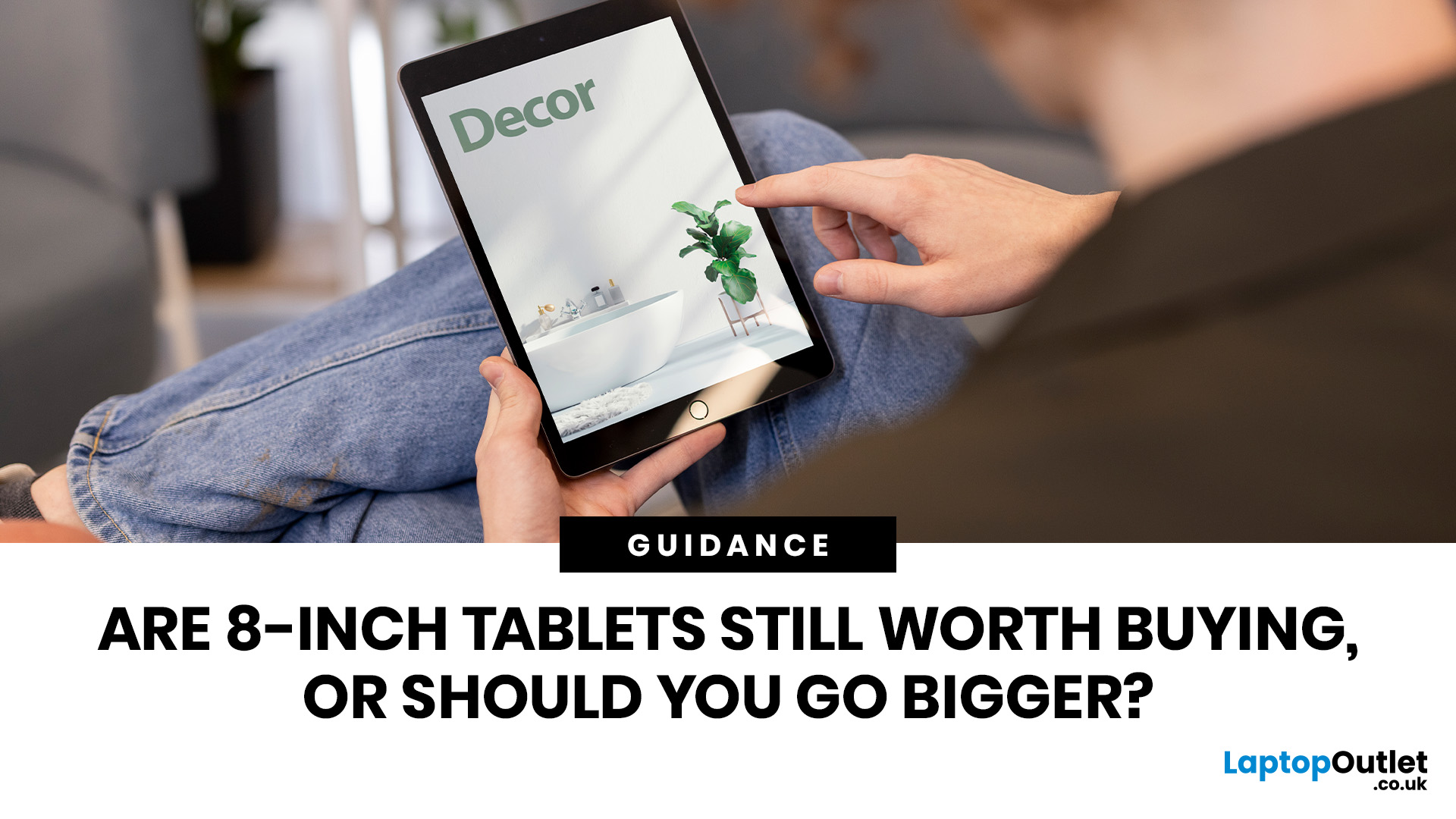
Quick answer: Yes, 8 inch tablets are still worth buying if you want a lightweight, portable tablet for reading, travel, commuting, browsing, streaming or kids’ use. They are easier to carry than 11-inch tablets and more comfortable than phones for longer sessions. However, if you need split-screen multitasking, keyboard work, digital drawing or laptop-style productivity, a larger tablet will usually make more sense.
Tablet screens keep getting bigger, but that does not mean everyone needs a bigger tablet. For some buyers, an 11-inch or 13-inch display is perfect. For others, it is just extra weight in the bag. That is why the question are 8-inch tablets still worth buying is still relevant. Compact tablets sit in a useful middle ground: bigger than your phone, lighter than a full-size tablet and easier to carry every day.
If you mainly want a tablet for reading eBooks, browsing online, watching videos, checking emails, travelling, commuting or keeping the kids entertained, an 8-inch tablet

Last Updated: June 10, 2026
Quick answer: The best 8-inch tablets for kids and travel are compact, lightweight models with strong storage, smooth everyday performance and a screen that feels comfortable for reading, streaming and browsing. From our current 8-inch tablet range, the Apple iPad Mini A17 Pro Chip 8.3" is the standout option, with Wi-Fi and Wi-Fi + Cellular versions available across 128GB, 256GB and 512GB storage choices.
Not every tablet needs to replace a laptop. Sometimes, the best tablet is the one you can actually carry, hold and use without thinking twice. That is exactly where 8-inch tablets fit. They are small enough for children to handle, light enough for commuting and still powerful enough for reading, browsing, streaming, video calls, casual gaming and everyday entertainment.
If you are shopping for compact tablets for kids, looking for the best small tablets for commuting, or comparing 8-inch tablets for entertainment, this guide will help you choose the right option from our current 8-inch

