



Best Android Tablets for Streaming, Gaming and Big-Screen Entertainment
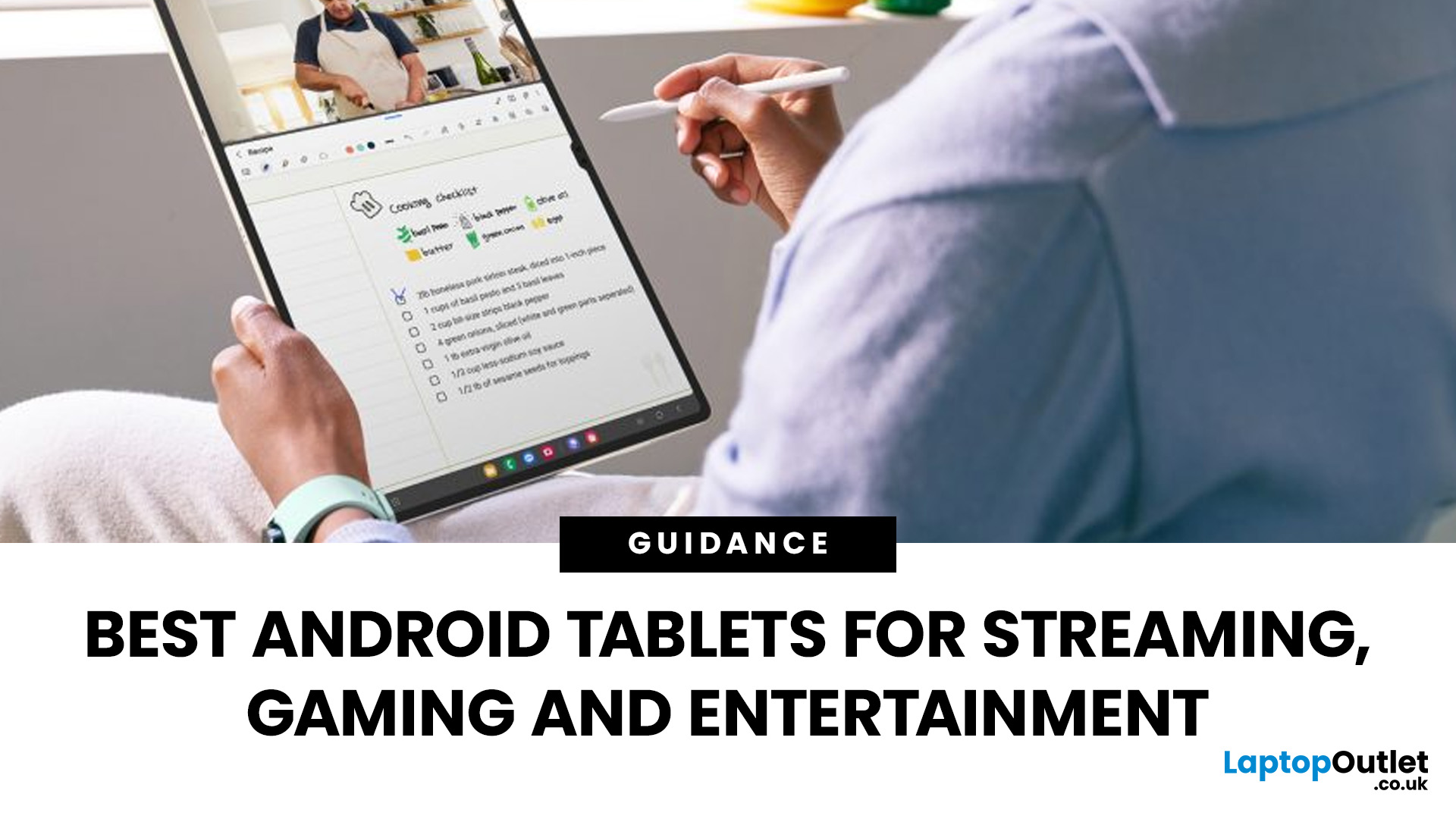
Looking for a tablet that’s built more for watching, playing, and relaxing than working? You’re not alone, Android tablets have quietly become some of the best-value options for streaming and gaming in 2026.
- Big-screen Android tablets are now sharper, louder, and more immersive
- Mid-range processors comfortably handle streaming and casual gaming
- Battery life and audio quality now matter more than raw performance
Streaming, gaming, and genera l entertainment are now the main reasons people pick up tablets again. While flagship devices still exist, most buyers today are leaning toward practical, well-balanced options that deliver strong visuals, solid audio, and long battery life, without pushing into premium pricing.
What actually makes a tablet good for streaming and gaming?
Before jumping into specific models, it helps to understand what separates a good tablet from a great entertainment device.
A strong Android tablet for streaming and gaming isn’t just about specs, it’s about how everything works together. Display, sound, performance, and battery all play a role in shaping the experience.
Display size and quality
For streaming, screen size matters more than almost anything else. Most users now prefer tablets between 11 inches and 13 inches, as they strike a balance between immersion and portability.
Resolution also plays a key role. While Full HD is acceptable, 2K or higher displays provide noticeably sharper visuals, especially when watching high-quality content on platforms like Netflix or YouTube.
Brightness and colour accuracy are also worth considering. A brighter screen ensures better visibility in different lighting conditions, while good colour reproduction makes content feel more vibrant and engaging.
Speakers and audio experience
Audio is often overlooked, but it shouldn’t be. Many modern Android tablets now include:
- Quad-speaker setups
- Dolby Atmos support
- Improved stereo separation
For streaming and gaming, this can make a huge difference. Watching movies or playing games without headphones becomes far more enjoyable when the sound feels immersive rather than flat.
Performance for gaming
You don’t need flagship-level performance for most mobile games.
Mid-range chipsets like:
- MediaTek Helio G-series
- Snapdragon 6 and 7 series
…are more than capable of handling:
- Call of Duty Mobile
- PUBG Mobile
- Asphalt series
- Even Genshin Impact on moderate settings
This makes Android tablets for gaming more accessible than ever, especially for casual players.
Battery life
Streaming content and gaming sessions can quickly drain battery life.
Ideally, look for tablets that offer:
- 8–12 hours of real-world usage
- Fast charging support
This ensures you can enjoy long sessions without constantly needing to recharge. If you’re planning to use your tablet beyond entertainment, it’s worth exploring more specialised options as well, particularly if you need tablets geared towards writing or creativity.
Best Android tablets for streaming and gaming in 2026
Now that we’ve covered what matters, let’s look at some of the best Android tablets for streaming and gaming available right now.
1. Lenovo Idea Tab Pro - Balanced performance and value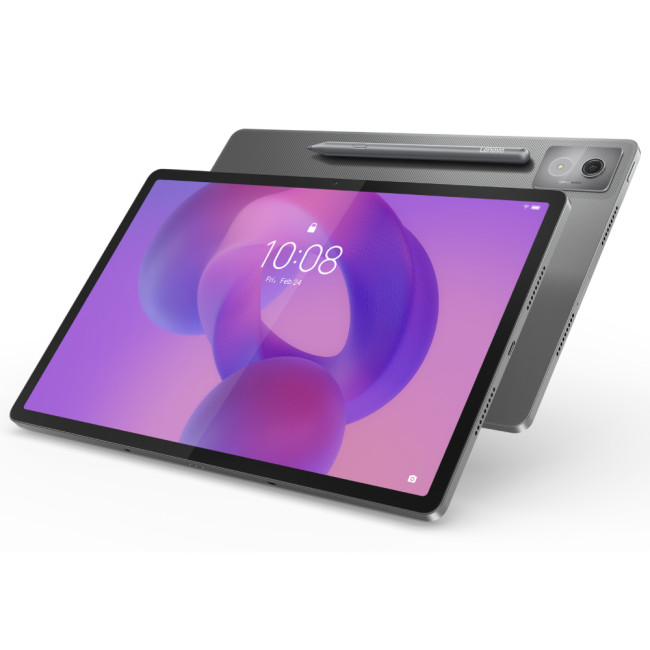
Highlights:
- LPDDR5X Memory
- 12.7" 3K Display, 2944 x 1840 Max. Resolution
- 8 GB RAM, 256 GB Storage
- 8 MP Front Camera
- 10200 mAh Battery Capacity
- USB-C
- Grey Colour
One of the most well-rounded options currently available is the Lenovo Idea Tab Pro
This tablet offers:
- A large, high-quality display ideal for streaming
- Reliable mid-range performance
- Solid battery life
It doesn’t try to be overly premium, but it delivers a consistent experience across all key areas. That makes it a strong choice for users who want a dependable entertainment device without overspending.
If you’re browsing more options in this category, you can explore a wider range of Lenovo Tablet PCs, which often focus on value-driven entertainment.
2. OPPO Pad SE - Budget-friendly option
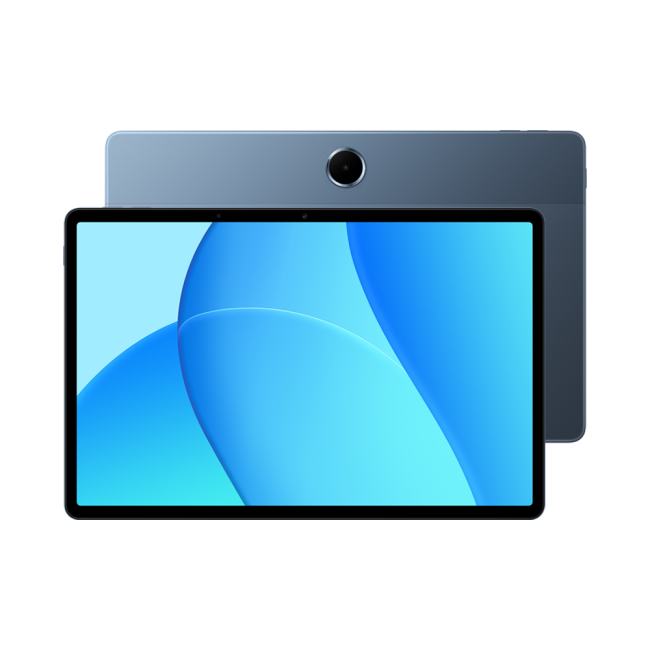
Highlights:
- 11" WUXGA Display, LCD, 1920 x 1200 Max. Resolution
- 4 GB RAM, 128 GB Storage
- 5 MP Front Camera
- ARM Mali-G52 MC2 Graphics
- 9340mAh Battery Capacity
- Wi-Fi 5 | USB-C
- Twilight Blue Colour
If affordability is a priority, the OPPO Pad SE is worth a look.
It offers:
- Reliable everyday performance
- Lightweight design
- Strong value for money
While it’s not built for heavy gaming, it handles streaming and casual gaming comfortably, making it ideal for everyday users.
3. HONOR Pad 10 12.1" - Bigger screen experience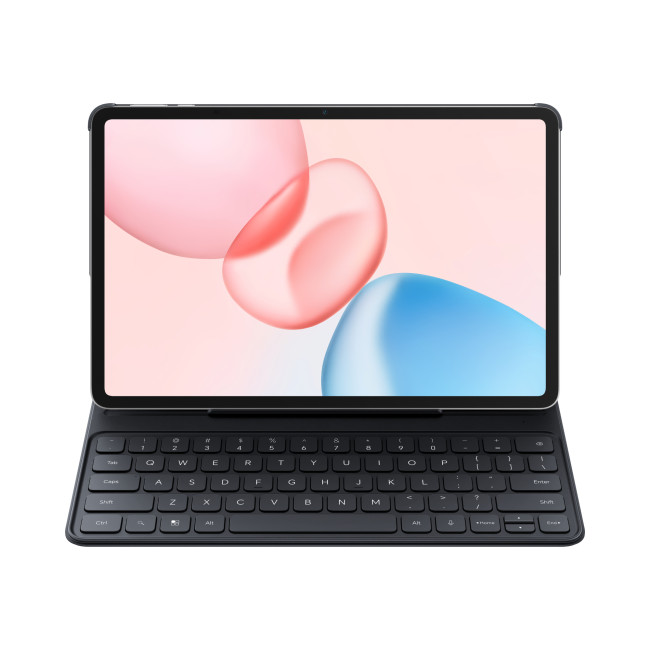
Highlights:
- Snapdragon Processor
- AI Nosie Reduction & Voice Amplification
- MagicOS 9.0 (Android 15)
- 12.1" TFT LCD Display, IPS, 2560 x 1600 Max. Resolution
- 8 GB RAM, 256 GB Storage
- 8 MP Front Camera
- 10100 mAh Battery Capacity
- USB-C | Bluetooth 5.3 | Wi-Fi 6 (802.11ax)
- Grey Colour
For those who want a more immersive experience, the HONOR Pad 10 12.1 delivers.
It features:
- A large 12.1-inch display
- Strong visual clarity
- Good performance for media use
If you’re specifically looking for big screen Android tablets, this is where you’ll notice the biggest difference.
Why Android tablets are ideal for entertainment
Android tablets have become increasingly popular for entertainment, and there are several reasons why.
More variety
Unlike Apple’s limited lineup, Android tablets come in a wide range of:
- Sizes
- Price points
- Performance levels
This means there’s something for almost every type of user.
Better value
Android tablets for streaming and gaming often offer better value compared to premium alternatives. You can get a solid entertainment experience without spending excessively.
Flexible usage
Android allows:
- More app freedom
- Easier file management
- Greater customisation
This makes it easier to tailor your tablet for entertainment.
Android tablets vs iPad for streaming and gaming
This comparison comes up often.
Android tablets vs iPad is less about which is “better” and more about what you need.
Android advantages:
- More affordable options
- Greater variety
- Better flexibility
iPad advantages:
- More polished apps
- Stronger ecosystem
- Better optimisation
For entertainment-focused users, Android tablets often provide the best balance of cost and performance. If you’re still comparing options across different categories, the Android tablets buying guide 2026 offers a broader overview of what’s available right now, covering everything from budget picks to more premium devices.
Where to find Android tablets for streaming
If you’re ready to explore options, you can browse a wide range of:
- Full collection of Lenovo Tablet PCs
Each category offers different strengths, so it’s worth comparing before making a decision.
Choosing the right tablet for your needs
Not every tablet suits every user.
Here’s a quick breakdown:
For streaming
Focus on:
- Display size
- Resolution
- Speaker quality
For gaming
Look for:
- Thermal performance
For balanced use
Choose:
- Good battery life
- Reliable display
Of course, not everyone is buying a tablet just for streaming or gaming. If productivity is a bigger priority, it’s worth taking a look at the best android tablets for work, study and everyday productivity, which focuses more on multitasking, apps, and performance.

Final thoughts
Android tablets have evolved into strong entertainment devices, offering excellent value for streaming, gaming, and everyday use.
Whether you’re watching content, playing games, or simply browsing on a larger screen, there are now plenty of options that deliver a great experience without requiring a premium budget.
The key is understanding what matters most to you and choosing a tablet that fits those needs.

Still Have Some Questions?
What are the best Android tablets for streaming and gaming?
The best Android tablets for streaming and gaming are typically mid-range to upper mid-range devices that balance display quality, performance, and battery life. Models with large 11–13 inch screens, 2K resolution, and quad speakers tend to offer the best viewing experience. Tablets powered by Snapdragon 6/7 series or MediaTek Helio G-series processors are usually more than capable of handling streaming apps and popular mobile games smoothly. Devices like Lenovo and HONOR tablets often stand out because they combine strong entertainment features with good value.
Are Android tablets good for entertainment?
Yes, Android tablets are excellent for entertainment. Modern models are designed with media consumption in mind, offering large high-resolution displays, improved speaker systems, and long battery life. They support all major streaming platforms like Netflix, YouTube, and Prime Video, and they handle casual to moderately demanding games without issues. Compared to other ecosystems, Android tablets also provide more flexibility and a wider range of price options.
What size tablet is best for streaming and big-screen viewing?
For the best streaming experience, tablets between 11 inches and 13 inches are ideal. This size range provides a more immersive viewing experience without making the device too bulky or difficult to handle. Larger screens are especially useful for watching movies, sports, and YouTube content, as well as for split-screen multitasking. If portability is a priority, an 11-inch tablet works well, while 12–13 inch models offer a more cinematic feel.
Do I need a high-end tablet for gaming?
No, a high-end tablet is not necessary for most gaming needs. Many Android tablets with mid-range processors can handle popular games like Call of Duty Mobile, PUBG Mobile, and Asphalt smoothly on medium to high settings. High-end tablets are only really needed if you plan to play more demanding titles at maximum settings or want the absolute best graphics performance. For casual and regular gaming, a well-optimised mid-range tablet is more than sufficient.
Which is better for entertainment: Android tablets or iPad?
It depends on your priorities. Android tablets generally offer better value, more variety in screen sizes, and greater flexibility for media consumption. They are often the preferred choice for streaming and casual gaming due to their affordability and features. iPads, on the other hand, provide a more polished app ecosystem and slightly better optimisation for certain games and apps. For most users focused on entertainment, Android tablets are often the more practical and cost-effective choice.
What features should I prioritise in an entertainment tablet?
When choosing an Android tablet for entertainment, focus on:
- Display size and resolution (preferably 2K or higher)
- Speaker quality (quad speakers with Dolby Atmos if possible)
- Battery life (at least 8–10 hours of usage)
- Processor performance for smooth gaming and app usage
These factors will have a much bigger impact on your overall experience than raw specifications alone.
Related Articles

Last Updated: January 21, 2026
In today’s fast-paced, digitally driven world, business professionals need technology that keeps up with their demanding schedules. Whether you’re running meetings, responding to emails on the train, managing spreadsheets from home, or presenting ideas to clients, having the best tablet for business can make a noticeable difference to productivity and flexibility.
Tablet PCs have evolved far beyond simple media consumption devices. Modern business-focused tablets now rival laptops, offering powerful processors, desktop-grade software support, long battery life, and seamless connectivity. For UK professionals who value portability without sacrificing performance, choosing the right device is crucial.
In this in-depth guide, we explore the best tablet for business use in the UK. We’ll cover what features matter most, compare leading brands, and help you decide which tablet PC suits your workflow, whether you’re a business owner, remote worker, or professional constantly on the move.
Why

Last Updated: May 25, 2026
Choosing the right tablet starts with understanding its screen size, yet many buyers misunderstand what tablet screen size actually means. If you’ve ever wondered how to measure tablet screen size properly, you’re not alone. Whether you’re comparing 7 inch tablets, 8 inch tablets, or larger 10, 11, and 12 inch tablets, knowing how screen sizes are measured will help you make a confident buying decision.
In this comprehensive UK guide, we’ll explain exactly how tablet screen size is measured, what the numbers really represent, how to measure your own tablet at home, and how different tablet sizes compare in real-world use. By the end, you’ll be able to choose the right tablet size for your needs, without confusion.
What Does Tablet Screen Size Actually Mean?
Tablet screen size refers to the diagonal measurement of the display, taken from one corner of the screen to the opposite corner. This measurement is always expressed in inches, which is why you’ll see categories such as 7 inch tablets,

Last Updated: January 21, 2026
Android tablets have evolved into powerful, versatile devices that can easily replace laptops for many users. You need to stream content, work on the go, game at high frame rates, or manage everyday tasks, so choosing the best Android tablet PC can significantly enhance your experience.
In this in-depth guide, we’ll explore the best android tablets in the UK, covering top rated Android tablets, productivity-focused models, and the best gaming tablet options available today. We’ll also help you understand what features matter most and how Android tablets compare with alternatives like convertibles and Windows-based devices.
Why Choose an Android Tablet PC?
Android tablet PCs are popular in the UK for several key reasons:
- User-friendly interface with access to millions of apps on Google Play
- Wide price range, from affordable everyday tablets to premium powerhouses
- Excellent battery life, ideal for travel and work
- Strong gaming performance with optimised mobile titles
- Flexible use cases
Last Updated: January 21, 2026
For years, Lenovo has quietly done something most tech brands struggle with:
making devices that actually make sense for real people.
- Not flashy-for-the-sake-of-it.
- Not overpriced because of a logo.
- Not confusing hybrids that don’t know what they want to be.
In 2026, Lenovo Tablet PCs feel more relevant than ever, especially if you care about value, flexibility, and devices that work just as well for studying, working, streaming, or light creativity.
This isn’t about hype.
It’s about what Lenovo tablets actually do well, where they fit best, and why they’re still one of the smartest tablet choices in the UK right now.
Why Lenovo Tablet PCs Still Matter in 2026
The tablet market has split into extremes. On one end, you’ve got ultra-premium devices that cost as much as laptops. On the other, budget tablets that struggle with basic multitasking.
Lenovo lives in the sweet spot.
Lenovo tablet PCs focus on:
- Practical performance
- Reliable build quality
- Sensible pricing
- Clear use cases
That’s

Last Updated: January 21, 2026
For a long time, tablets were seen as secondary devices. Great for Netflix, decent for browsing, but not serious enough for work or study.
That perception is officially outdated.
In 2026, Windows tablets have evolved into some of the most versatile devices you can buy. They’re no longer just tablets that can do work, they’re powerful, flexible computers that happen to be touch-first.
Whether you’re a student, a professional, or someone who wants one device that does everything, this guide breaks down the top Windows tablets in the UK 2026, how they perform in real life, and which models actually make sense to buy right now.
No hype. No spec-sheet dumping. Just clarity.
Why Windows Tablets Matter More Than Ever in 2026
The biggest reason Windows tablets have taken off again is simple: people want flexibility without compromise.
Windows tablets sit in a unique position between laptops and Android tablets. They give you:
- Full desktop software
- Proper multitasking
- Touch and pen support
- Detachable

Last Updated: January 21, 2026
Let’s be honest - most of us don’t work (or study, or relax) in just one way anymore. One minute you’re typing notes, the next you’re scrolling, watching something, sketching ideas, or replying to emails from the sofa.
That’s exactly why convertible tablets exist.
Also called 2-in-1 laptops, laptop tablets, or the very literal notebook two-in-one, these devices are designed to adapt to how you use tech throughout the day - not force you into one setup.
But choosing the right 2 in 1 laptop convertible isn’t always straightforward. Some lean more laptop. Some feel more like tablets. And some just… try to do everything and don’t quite nail it.
This guide breaks it all down in a way that actually makes sense.
What Is a Convertible Tablet (And Why Do People Buy Them)?
A convertible tablet is a hybrid device that combines:
- A laptop’s power (keyboard, trackpad, desktop software)
- A tablet’s flexibility (touchscreen, pen input, portability)
Most convertible tablets run Windows, which means you’re

Last Updated: January 21, 2026
There’s a reason people still say “Just get a Surface” when someone asks for a serious Windows tablet.
In a world full of Android slates, experimental hybrids, and ultra-cheap tablets that barely last a year, Microsoft Surface tablets have carved out a very specific reputation:
clean design, proper productivity, and devices that feel like Windows was made for touch - because, well, it was.
In 2026, Surface tablets aren’t trying to chase trends. They’re refining what they already do best: turning tablets into genuinely useful computers that flex between work, study, creativity, and everyday life.
Why Microsoft Surface Tablets Still Set the Standard
When Microsoft launched the first Surface, it wasn’t just another tablet. It was a statement:
Windows doesn’t belong to laptops only.
Fast forward to 2026, and Microsoft Surface 2-in-1 tablets are still the reference point for the entire category. Whether you’re looking at Detachable tablets, Surface 2-in-1 devices, or Windows touchscreen tablets,
Last Updated: January 21, 2026
Windows tablets have quietly become one of the most practical tech buys in the UK, especially if you want proper laptop features without paying laptop money. Whether you’re studying, working remotely, or just need a flexible everyday device, a Windows tablet (or budget 2 in 1 Windows tablet) can often do the job of both a tablet and a laptop.
In this 2026 guide, we’re breaking down the best Windows tablets in the UK by price, under £300, and £500 and explaining what you can realistically expect at each level. No hype, no spec overload, just clear advice to help you spend smart.
Why Choose a Windows Tablet Instead of Android or iPad?

Before diving into budgets, it’s worth understanding why people choose Windows tablets in the first place.
A Windows tablet gives you:
- A full desktop operating system
- Proper file management (folders, drives, downloads)
- Compatibility with Microsoft Office and desktop apps
- Keyboard and mouse support
- Often, a 2-in-1 experience with detachable or foldable keyboards

Last Updated: January 21, 2026
If you’re shopping for a tablet in 2026, you’ve probably hit the same question everyone else has:
Do I need a 4G tablet, or will a Wi-Fi tablet do the job?
With hybrid work, online study, and always-on lifestyles becoming the norm in the UK, tablets aren’t just Netflix machines anymore. They’re work tools, study partners, and portable productivity hubs.
In this guide, we’re breaking down 4G tablets vs Wi-Fi tablets in a way that actually makes sense, no tech jargon overload, no outdated advice. Just real talk, real use cases, and real buying advice for the UK market.
What Actually Is the Difference Between 4G Tablets and Wi-Fi Tablets?

Let’s start simple
What Are Wi-Fi Tablets?
Wi-Fi tablets connect to the internet only when a Wi-Fi network is available, think home broadband, office Wi-Fi, cafés, libraries, or hotspots.
They’re the most common type of tablet and usually the cheapest option.
Best for:
- Home and office use
- Streaming, browsing, and casual gaming
- Students studying mainly at

Last Updated: April 14, 2026
You need a tablet (well… that’s why you’re here), but figuring out which one actually suits you? That’s where things get tricky.
It’s all gone a bit pear-shaped - there are so many Android tablets out there, each packed with features that sound like they need a dictionary to understand (seriously, who casually says “Magnetoresistive Stylus Support”?). And don’t even get started on the prices.
Finding the right tablet with the right specs and a price that makes sense can quickly turn into a headache.
So, let’s make this easy.
We are going to break down exactly what you need to know, what to look for, what to ignore to choose the best Android tablet for your needs, all in simple, no-jargon language (because no one needs a tech lecture just to buy a tablet).
If you already know what you want, you can jump straight to our full range of android tablets and start browsing.
Otherwise, stick with me, by the end of this, you’ll know exactly which tablet deserves your money.

