



Best Android Tablets for Note-Taking, Drawing, and Digital Planning
If you are looking for the best Android tablets for note taking and drawing, the key is finding a tablet that feels natural for writing, sketching and digital planning. The best options combine stylus support, a clear display, good portability and enough performance for everyday work, study and creative use.
Not every user needs the same thing. Some want a simple tablet for notes and journaling, while others need a more capable device for drawing, annotating PDFs, and multitasking. That is why choosing among today’s Android tablets with stylus support is really about finding the right fit for your routine.
Android stands out because it offers plenty of choice across features, pricing, and everyday usability. Whether you want a compact planner-friendly device or a more flexible all-rounder, there is a wide range of Android tablets to explore.
Quick answer: what should you look for?
Before going too deep, here is the short version. The best Android tablets for note taking and drawing usually offer:
- reliable stylus support
- a clear and comfortable display
- enough screen space for writing and planning
- good battery life
- strong app support for notes, sketching and productivity
- enough performance for multitasking
If a tablet has those essentials, it is likely to work well for digital planning, handwritten notes and casual-to-serious sketching. If it lacks them, even impressive specs elsewhere may not matter much.
Why Android tablets are good for note-taking, drawing and planning
For years, many buyers assumed that Android tablets were mostly for entertainment, browsing and streaming. That is no longer the case. Modern note-taking tablets Android users consider today are often designed to support real productivity, with better displays, more refined software, smoother multitasking and improved pen compatibility.
This matters because note-taking and drawing are not isolated tasks anymore. A single tablet may be used to write meeting notes in the morning, annotate a document at lunch, sketch ideas in the afternoon and manage a weekly planner in the evening. That crossover is why Android tablets for digital planning have become more relevant. People are no longer shopping for one device just to draw and another to organise their day. They want one device that can do both.
Android also works well because the app ecosystem supports a wide range of habits. Whether you prefer structured notebooks, freehand brainstorming, planner templates, PDF markup or drawing apps, Android gives you enough choice to build a workflow that actually fits your style. That makes it especially appealing for people who want flexibility rather than a one-size-fits-all experience.
What makes a tablet good for handwritten notes?

Handwritten notes are one of the main reasons people search for best Android tablets for note taking and drawing, but not every tablet gives the same writing experience. A good note-taking tablet should feel comfortable for long sessions, not just quick scribbles. Screen size matters because cramped layouts can make notes harder to read and organise. Pen support matters because a generic stylus is not the same as a proper active writing experience. Software matters because the right note app can make organisation, conversion and search much easier.
The feel of writing on glass will never be identical to paper, but a better tablet gets closer by making the pen response feel quick, accurate and predictable. That is especially important for students taking lecture notes, professionals jotting down action points, and planners writing calendar blocks or daily priorities. If the tablet feels laggy, inconsistent or awkward, users are less likely to stick with digital notes in the long term.
This is why many buyers start by exploring the wider Lenovo tab and Samsung tablet ranges. These families often include models better suited to writing, planning and productivity than lower-end entry tablets that focus mainly on media consumption.
What makes a tablet good for drawing?
When buyers look for drawing tablets Android, they often fall into two categories. Some want a tablet for casual drawing, sketching, doodling, concept notes and visual planning. Others want something more serious for illustration, detailed line work and longer creative sessions. In both cases, the right display and the right pen support are the most important factors.
A sharp screen makes a visible difference. It helps lines look cleaner, text appear crisper and planner layouts feel easier on the eyes. A larger display also gives you more room to work, which is useful for sketching and annotating. Beyond that, the general fluidity of the device matters. A smooth tablet is more enjoyable for drawing than one that feels hesitant or cluttered.
For most buyers, the goal is not finding a specialist artist device. It is finding a tablet that can handle drawing well alongside notes, planning and general use. That is why the phrase best Android tablets for note taking and drawing matters so much. It reflects mixed-intent buying behaviour. People do not just want a drawing tool. They want a flexible digital workspace.
Why digital planning is driving more tablet sales
Digital planning has grown quickly because it combines the structure of a paper diary with the convenience of apps, cloud sync and reusable templates. People now use tablets for daily planning, weekly schedules, study timetables, meal planning, project tracking, goal setting and habit tracking. This has made Android tablets for digital planning a much stronger buying category than it used to be.
A good planning tablet should feel easy to pick up and use quickly. It should open apps without delay, give you enough room to view your planner clearly and support writing or highlighting without friction. Users who rely on digital planners often spend a surprising amount of time switching between layouts, notes, calendars, lists and annotations, so the device needs to handle that smoothly.
This is where Android works especially well. It lets users mix planning apps, note apps, file storage, widgets and media into one flexible environment. For someone balancing work, study and personal organisation, that can make a real difference. It is also why pages like Android tablets for work study and everyday productivity naturally connect with this topic. The same buyer who wants digital planning often also wants note-taking, reading, productivity and creative flexibility in the same device.
Best Android tablet types for different users
Not every user needs the same kind of tablet. One of the smartest ways to choose is to think about your primary use case first.
Best for students
Students usually benefit most from tablets that balance value, portability and note-friendly features. A tablet that is easy to carry, comfortable for long lectures and reliable for revising notes later is often the best choice. In this category, mid-range Android tablets usually make the most sense because they are practical without becoming expensive.
Best for remote workers
Remote workers often need more than just note-taking. They may need document review, video calls, to-do lists, browser tabs, planner use and occasional sketching. For them, a more capable Android tablet with better multitasking and a more refined display is often the better fit.
Best for casual artists and hobby sketchers
If drawing matters but the tablet is still an everyday device, then the best option is usually a balanced all-rounder rather than a niche art-first machine. This is where many Android tablets with stylus support shine. They let users sketch naturally while still serving as everyday devices for browsing, organising and working.
Best for planners and organisers
If your top priority is digital planning rather than art, you may not need the most powerful tablet on the market. You need one with a comfortable display, responsive pen input and good battery life. For many people, the ideal planning tablet is not the most expensive one. It is the one that feels easiest to use every single day.
What to look for in the best Android tablets for note taking and drawing
|
Feature |
Why it matters |
Best for |
|
Stylus support |
Makes handwriting, sketching and annotation much more natural |
Notes, planners, drawing |
|
Display size |
Gives more room for writing, split-screen use and sketching |
Planning, study, creative work |
|
Display quality |
Helps text, lines and templates look clearer |
Drawing, reading, digital planners |
|
Battery life |
Important for long classes, meetings or travel |
Students, remote workers |
|
Performance |
Helps apps open smoothly and supports multitasking |
Productivity, mixed use |
|
Portability |
Makes the tablet easier to carry every day |
Commuters, students, mobile users |
Lenovo or Samsung: which brand is better?
When browsing for the best Android tablets for note taking and drawing, many buyers end up choosing between Lenovo and Samsung because both brands offer strong options across productivity-focused categories.
Lenovo tab devices are often attractive for value-focused buyers who want good everyday usability, practical features and strong work-and-study appeal. They tend to suit users who want a reliable Android tablet for note-taking, reading, planning and casual creative use without automatically stepping into the most premium pricing bands.
Samsung tablet options often appeal to buyers who want a more premium-feeling ecosystem, stronger brand recognition in tablets and a range that includes business-ready and stylus-friendly devices. Samsung also has a strong reputation for display quality and productivity-focused tablet experiences, which can make it a natural fit for users who plan to draw, annotate and multitask frequently.
The right answer depends on budget and priorities. Lenovo can feel like the smarter value choice, while Samsung can feel like the stronger premium ecosystem choice. For many shoppers, either brand can be a great fit.
Which Android tablet type suits your workflow?
|
Your main use |
Best tablet type |
Why |
|
Lecture notes and revision |
Mid-range Android tablet with stylus support |
Good balance of writing comfort and value |
|
Sketching and idea work |
Larger-screen Android tablet |
More room for drawing and visual planning |
|
Digital journaling and planning |
Slim everyday Android tablet with pen support |
Easy to carry and use daily |
|
Work, study and mixed productivity |
More capable Android tablet |
Better for multitasking and long-term use |
|
General family or casual use |
Affordable Android tablet |
Covers notes, media and light drawing well |
Are Android tablets good enough to replace paper?
For many people, yes. A good Android tablet can replace notebooks, planners, sticky notes and printed markups surprisingly well. It lets users keep everything in one place, search notes more easily, reuse planner templates, sync across apps and reduce clutter. That alone makes it a compelling choice for students, home users and professionals.
The main difference is habit. People who move from paper to digital often need time to settle into the right apps and routine. Once that happens, many find digital note-taking more flexible because pages can be rearranged, copied, tagged and backed up. Digital drawing also makes experimentation easier because mistakes are less permanent and materials do not run out.
That is one reason note-taking tablets Android continue to grow in relevance. They are not just replacing one notebook. They are replacing several separate tools at once.
Top picks: Best Android tablets for note-taking, drawing and digital planning

To make choosing easier, here are the top Android tablets worth considering for note-taking, drawing and digital planning, from all-round everyday options to premium creative and rugged business picks.
1. Lenovo Tab K11 Plus– Best all-rounder for notes, planning and everyday creativity
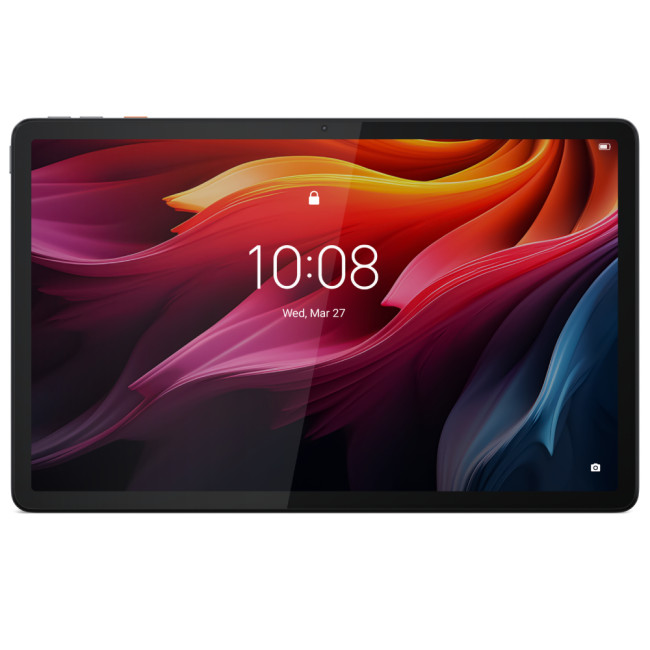
Highlights:
- Qualcomm Snapdragon Processor
- 11.4" 2K Display, 2000 x 1200 Max. Resolution
- 8 GB RAM, 256 GB Storage
- 8 MP Front Camera
- Qualcomm Adreno 610 Graphics
- 8600mAh Battery Capacity
- USB-C
- Grey Colour
The Lenovo Tab K11 Plus is the safest all-round recommendation for most readers. Laptop Outlet lists it with an 11.4-inch 2K display, 8GB RAM, 256GB storage, Wi-Fi 6, Android 14 and up to 15 hours of usage, which makes it a strong fit for handwritten notes, planner apps, reading, annotation and casual sketching.
Why it works so well in this blog:
- balanced size for note-taking and planning
- enough storage for apps, files and digital notebooks
- sharper display than entry-level options
- better long-term value for mixed work and study use
2. Samsung Galaxy Tab Active4 Pro– Best for rugged work, field notes and mobile professionals
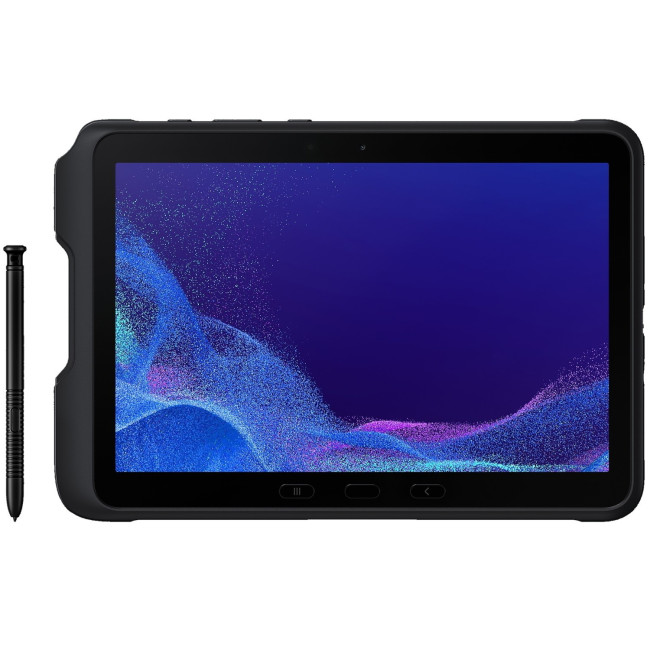
Highlights:
- Octa Core Processor
- 10.1" WUXGA Display, TFT, 1920 x 1200 Max. Resolution
- 6 GB RAM, 128 GB Storage
- 8 MP Front Camera
- 5000-7999 mAh Battery Capacity
- USB-C
- Black Colour
The Samsung Galaxy Tab Active4 Pro is the best choice for readers who need more than a standard everyday tablet. Laptop Outlet highlights its 10.1-inch display, IP68 rating, MIL-STD-810H compliance, and an IP68-rated S Pen included in the box, with Samsung positioning it for on-the-go work across environments such as logistics and healthcare.
Why it stands out:
- ideal for field teams and business users
- included S Pen makes note-taking more practical out of the box
- durable build for harsher working conditions
- better fit for work-first users than casual buyers
3. OPPO Pad 3 Pro– Best for premium performance and large-screen creative use
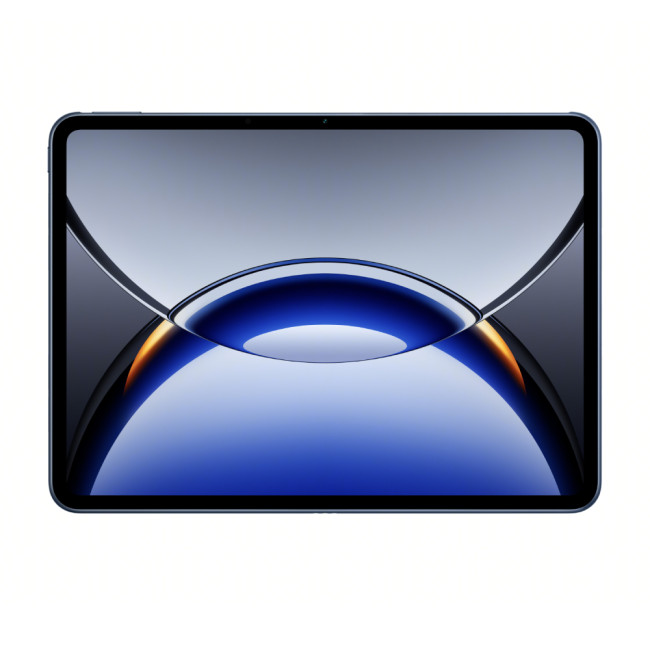
Highlights:
- Qualcomm Snapdragon Processor
- LPDDR5X Memory
- 12.1" LCD Display, 3K, 3000 x 2120 Max. Resolution
- 12 GB RAM, 256 GB Storage
- 8 MP Front Camera
- Adreno Graphics
- 9510mAh Battery Capacity
- USB-C | Wireless
- Starlit Blue Colour
The OPPO Pad 3 Pro is a strong premium pick if you want more power and screen space. Laptop Outlet lists a 12.1-inch 3K display, 12GB RAM, 256GB storage, LPDDR5X memory and a 9510mAh battery, which makes it one of the more powerful options here for heavier multitasking, large planner layouts and more demanding creative use.
Why readers may choose it:
- larger high-resolution display for drawing and digital planning
- more RAM for smoother multitasking
- stronger premium feel for power users
- good fit for users who want entertainment and productivity together
4. Lenovo Tab P12– Best for large-screen note-taking and study sessions
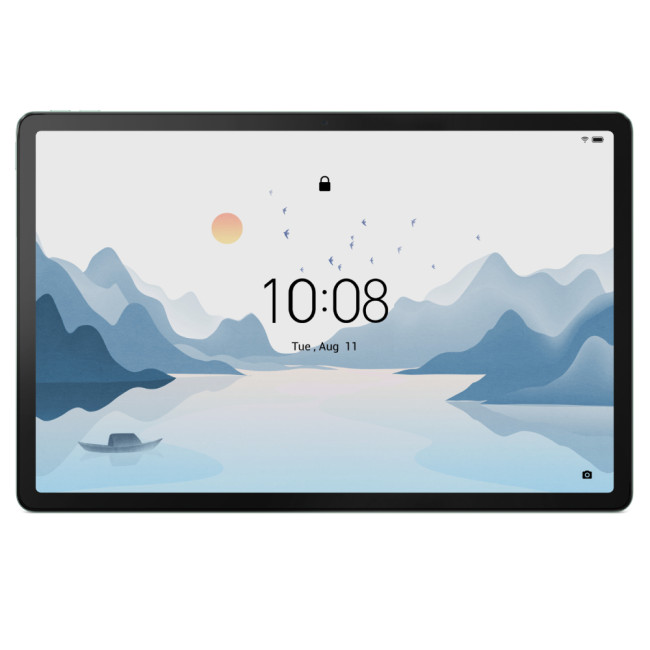
Highlights:
- Octa Core Processor
- LPDDR4 Memory
- 12.7" 3K Display, LTPS, 2944 x 1840 Max. Resolution
- 8 GB RAM, 128 GB Storage
- 13 MP Front Camera
- Mali-G68 Graphics
- Bluetooth | USB-C | Pogo pin connector for keyboard
- Green Colour
The Lenovo Tab P12 is a good choice for readers who want a bigger canvas for writing, reading and planning. Laptop Outlet lists a 12.7-inch 3K LTPS display, 8GB RAM, 128GB storage, Wi-Fi 6, and a pogo pin connector for keyboard, which makes it especially appealing for study, document work and long-form note-taking.
Why it deserves a place:
- extra screen space helps with notes and split-screen work
- better for PDF reading and digital planning layouts
- practical option for students and remote workers
- keyboard-ready design adds productivity appeal
5. Samsung Galaxy Tab S11– Best premium pick for drawing and polished creative work
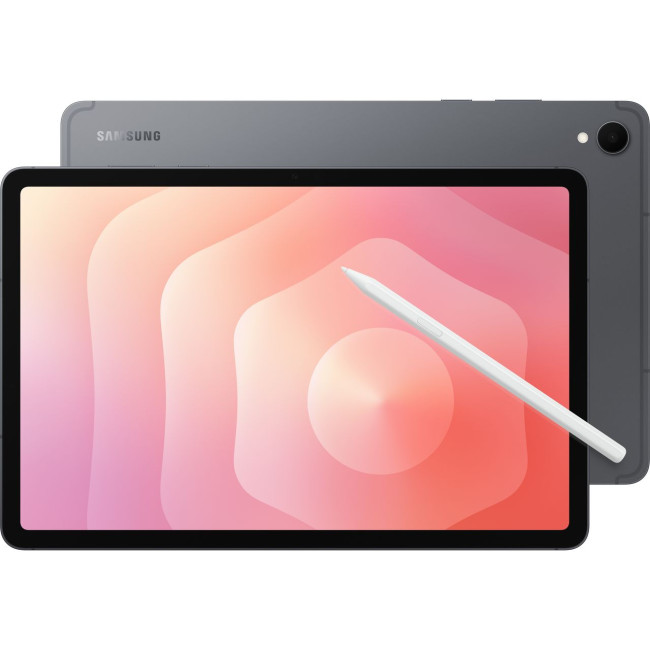
Highlights:
- Octa Core Processor
- Android 16
- WQXGA screen
- 128GB of storage
- 11" WQXGA Display, AMOLED, 2560 x 1600 Max. Resolution
- 12 GB RAM, UFS SSD, 128 GB Storage
- 12 MP Front Camera
- Qualcomm Adreno Graphics
- 8400 mAh Battery Capacity
- USB-C
- Grey Colour
The Samsung Galaxy Tab S11 is the premium creative-focused option in this group. Laptop Outlet describes it with 12GB RAM, 128GB storage, an 11-inch WQXGA OLED display, Android 16, a redesigned S Pen, and Drawing Assist, while also highlighting the MediaTek Dimensity 9400+ processor. Those details make it especially attractive for sketching, note-taking, signatures and more polished creative everyday use.
Why it is worth featuring:
- OLED display is a strong selling point for creative users
- S Pen support fits the note-taking and drawing angle perfectly
- premium positioning helps the article feel more aspirational
- strong option for readers who want a Samsung ecosystem tablet
Quick comparison table
|
Tablet |
Best for |
Key strength |
Buy Now |
|
Lenovo Tab K11 Plus |
Best overall |
Strong balance of display, storage and everyday productivity |
|
|
Samsung Galaxy Tab Active4 Pro |
Rugged business use |
Durable build with included S Pen |
|
|
OPPO Pad 3 Pro |
Power users |
12.1-inch 3K display with 12GB RAM |
|
|
Lenovo Tab P12 |
Study and planning |
Large 12.7-inch 3K display |
|
|
Samsung Galaxy Tab S11 |
Premium creative use |
OLED screen and S Pen-focused creativity |
|
How to choose the right Android tablet for your needs
If you are unsure where to start, focus on these three questions:
1. Are youmainly writing,drawing or planning?
If it is mostly writing and planning, prioritise comfort, battery life and pen support. If it is mostly drawing, prioritise display quality and responsiveness. If it is mixed use, aim for the best balance.
2. Will this be your main device or a secondary device?
If the tablet will support lots of daily work, it is worth investing in a more capable model. If it is mainly a companion device for notes and occasional creativity, a simpler model may be enough.
3. How often will you carry it?
A tablet that is too large or heavy for your routine may get used less. A model that feels easy to take everywhere usually becomes more useful over time.
These questions help narrow the field far better than comparing raw specs alone.

Final verdict
The best Android tablets for note taking and drawing are not defined by one single feature. The best ones combine practical stylus support, a comfortable display, smooth everyday performance and the flexibility to handle notes, digital planning and creative tasks in the same device.
Android is an excellent platform for this because it offers variety. Whether you want a student-friendly option, a work-ready all-rounder or a stylus-friendly tablet for mixed creative use, the wider Android tablets category offers strong options. If you are leaning toward value and everyday productivity, start with the Lenovo tab range. If you want a stronger premium ecosystem and productivity-focused design, browse the Samsung tablet range.
For most buyers, the smartest choice is the tablet that matches how they actually think, plan and work. The more naturally it fits your daily routine, the more useful it will become.

FAQs
What is the best Android tablet for note taking and drawing?
The best Android tablet for note-taking and drawing is the one that combines stylus support, a comfortable screen and enough performance for everyday productivity. For most buyers, a mid-range or premium Android tablet with pen support is the best balance.
Are Android tablets good for digital planning?
Yes, Android tablets are very good for digital planning. They work well for daily schedules, weekly planners, journals, to-do lists and annotated calendars, especially when paired with a responsive stylus.
Can you draw well on an Android tablet?
Yes, many modern Android tablets support drawing very well, especially for sketching, visual notes, concept work and creative everyday use. The experience depends on the screen, pen support and the apps you choose.
Are Android tablets with stylus support worth it?
Yes, if you take notes, annotate documents, sketch ideas or use digital planners regularly. Stylus support makes a tablet much more versatile and productive than touch alone.
Which is better for students: Lenovo Tab or Samsung Tablet?
Both can be good choices. Lenovo often offers strong value for study and productivity, while Samsung often appeals to buyers who want a more premium tablet ecosystem and polished display experience.
Related Articles


Last Updated: January 21, 2026
Android tablets have evolved into powerful, versatile devices that can easily replace laptops for many users. You need to stream content, work on the go, game at high frame rates, or manage everyday tasks, so choosing the best Android tablet PC can significantly enhance your experience.
In this in-depth guide, we’ll explore the best android tablets in the UK, covering top rated Android tablets, productivity-focused models, and the best gaming tablet options available today. We’ll also help you understand what features matter most and how Android tablets compare with alternatives like convertibles and Windows-based devices.
Why Choose an Android Tablet PC?
Android tablet PCs are popular in the UK for several key reasons:
- User-friendly interface with access to millions of apps on Google Play
- Wide price range, from affordable everyday tablets to premium powerhouses
- Excellent battery life, ideal for travel and work
- Strong gaming performance with optimised mobile titles
- Flexible use cases

Last Updated: January 21, 2026
For a long time, tablets were seen as secondary devices. Great for Netflix, decent for browsing, but not serious enough for work or study.
That perception is officially outdated.
In 2026, Windows tablets have evolved into some of the most versatile devices you can buy. They’re no longer just tablets that can do work, they’re powerful, flexible computers that happen to be touch-first.
Whether you’re a student, a professional, or someone who wants one device that does everything, this guide breaks down the top Windows tablets in the UK 2026, how they perform in real life, and which models actually make sense to buy right now.
No hype. No spec-sheet dumping. Just clarity.
Why Windows Tablets Matter More Than Ever in 2026
The biggest reason Windows tablets have taken off again is simple: people want flexibility without compromise.
Windows tablets sit in a unique position between laptops and Android tablets. They give you:
- Full desktop software
- Proper multitasking
- Touch and pen support
- Detachable

Last Updated: January 21, 2026
Let’s be honest - most of us don’t work (or study, or relax) in just one way anymore. One minute you’re typing notes, the next you’re scrolling, watching something, sketching ideas, or replying to emails from the sofa.
That’s exactly why convertible tablets exist.
Also called 2-in-1 laptops, laptop tablets, or the very literal notebook two-in-one, these devices are designed to adapt to how you use tech throughout the day - not force you into one setup.
But choosing the right 2 in 1 laptop convertible isn’t always straightforward. Some lean more laptop. Some feel more like tablets. And some just… try to do everything and don’t quite nail it.
This guide breaks it all down in a way that actually makes sense.
What Is a Convertible Tablet (And Why Do People Buy Them)?
A convertible tablet is a hybrid device that combines:
- A laptop’s power (keyboard, trackpad, desktop software)
- A tablet’s flexibility (touchscreen, pen input, portability)
Most convertible tablets run Windows, which means you’re

Last Updated: January 21, 2026
There’s a reason people still say “Just get a Surface” when someone asks for a serious Windows tablet.
In a world full of Android slates, experimental hybrids, and ultra-cheap tablets that barely last a year, Microsoft Surface tablets have carved out a very specific reputation:
clean design, proper productivity, and devices that feel like Windows was made for touch - because, well, it was.
In 2026, Surface tablets aren’t trying to chase trends. They’re refining what they already do best: turning tablets into genuinely useful computers that flex between work, study, creativity, and everyday life.
Why Microsoft Surface Tablets Still Set the Standard
When Microsoft launched the first Surface, it wasn’t just another tablet. It was a statement:
Windows doesn’t belong to laptops only.
Fast forward to 2026, and Microsoft Surface 2-in-1 tablets are still the reference point for the entire category. Whether you’re looking at Detachable tablets, Surface 2-in-1 devices, or Windows touchscreen tablets,

Last Updated: January 21, 2026
Windows tablets have quietly become one of the most practical tech buys in the UK, especially if you want proper laptop features without paying laptop money. Whether you’re studying, working remotely, or just need a flexible everyday device, a Windows tablet (or budget 2 in 1 Windows tablet) can often do the job of both a tablet and a laptop.
In this 2026 guide, we’re breaking down the best Windows tablets in the UK by price, under £300, and £500 and explaining what you can realistically expect at each level. No hype, no spec overload, just clear advice to help you spend smart.
Why Choose a Windows Tablet Instead of Android or iPad?

Before diving into budgets, it’s worth understanding why people choose Windows tablets in the first place.
A Windows tablet gives you:
- A full desktop operating system
- Proper file management (folders, drives, downloads)
- Compatibility with Microsoft Office and desktop apps
- Keyboard and mouse support
- Often, a 2-in-1 experience with detachable or foldable keyboards

Last Updated: January 21, 2026
If you’re shopping for a tablet in 2026, you’ve probably hit the same question everyone else has:
Do I need a 4G tablet, or will a Wi-Fi tablet do the job?
With hybrid work, online study, and always-on lifestyles becoming the norm in the UK, tablets aren’t just Netflix machines anymore. They’re work tools, study partners, and portable productivity hubs.
In this guide, we’re breaking down 4G tablets vs Wi-Fi tablets in a way that actually makes sense, no tech jargon overload, no outdated advice. Just real talk, real use cases, and real buying advice for the UK market.
What Actually Is the Difference Between 4G Tablets and Wi-Fi Tablets?

Let’s start simple
What Are Wi-Fi Tablets?
Wi-Fi tablets connect to the internet only when a Wi-Fi network is available, think home broadband, office Wi-Fi, cafés, libraries, or hotspots.
They’re the most common type of tablet and usually the cheapest option.
Best for:
- Home and office use
- Streaming, browsing, and casual gaming
- Students studying mainly at

Last Updated: April 14, 2026
You need a tablet (well… that’s why you’re here), but figuring out which one actually suits you? That’s where things get tricky.
It’s all gone a bit pear-shaped - there are so many Android tablets out there, each packed with features that sound like they need a dictionary to understand (seriously, who casually says “Magnetoresistive Stylus Support”?). And don’t even get started on the prices.
Finding the right tablet with the right specs and a price that makes sense can quickly turn into a headache.
So, let’s make this easy.
We are going to break down exactly what you need to know, what to look for, what to ignore to choose the best Android tablet for your needs, all in simple, no-jargon language (because no one needs a tech lecture just to buy a tablet).
If you already know what you want, you can jump straight to our full range of android tablets and start browsing.
Otherwise, stick with me, by the end of this, you’ll know exactly which tablet deserves your money.
Quick Picks: Best Android

Published: April 13, 2026
Looking for a tablet that’s built more for watching, playing, and relaxing than working? You’re not alone, Android tablets have quietly become some of the best-value options for streaming and gaming in 2026.
- Big-screen Android tablets are now sharper, louder, and more immersive
- Mid-range processors comfortably handle streaming and casual gaming
- Battery life and audio quality now matter more than raw performance
Streaming, gaming, and genera l entertainment are now the main reasons people pick up tablets again. While flagship devices still exist, most buyers today are leaning toward practical, well-balanced options that deliver strong visuals, solid audio, and long battery life, without pushing into premium pricing.
What actually makes a tablet good for streaming and gaming?
Before jumping into specific models, it helps to understand what separates a good tablet from a great entertainment device.
A strong Android tablet for streaming and gaming isn’t just about specs, it’s about how everything
Last Updated: April 13, 2026
Trying to stay productive these days without the right device? Not happening.
Whether you’re switching between lectures, juggling work tasks, replying to emails, or just trying to organise your day without losing your mind… you need something that can actually keep up.
That’s where Android tablets come in.
They’re lighter than laptops, more powerful than you’d expect, and way more flexible for everyday productivity - whether you’re a student, a professional, or somewhere in between.
But here’s the catch: not all tablets are built for productivity. Some are great for Netflix… but struggle the moment you open 3 tabs. Others look powerful on paper but don’t deliver where it matters.
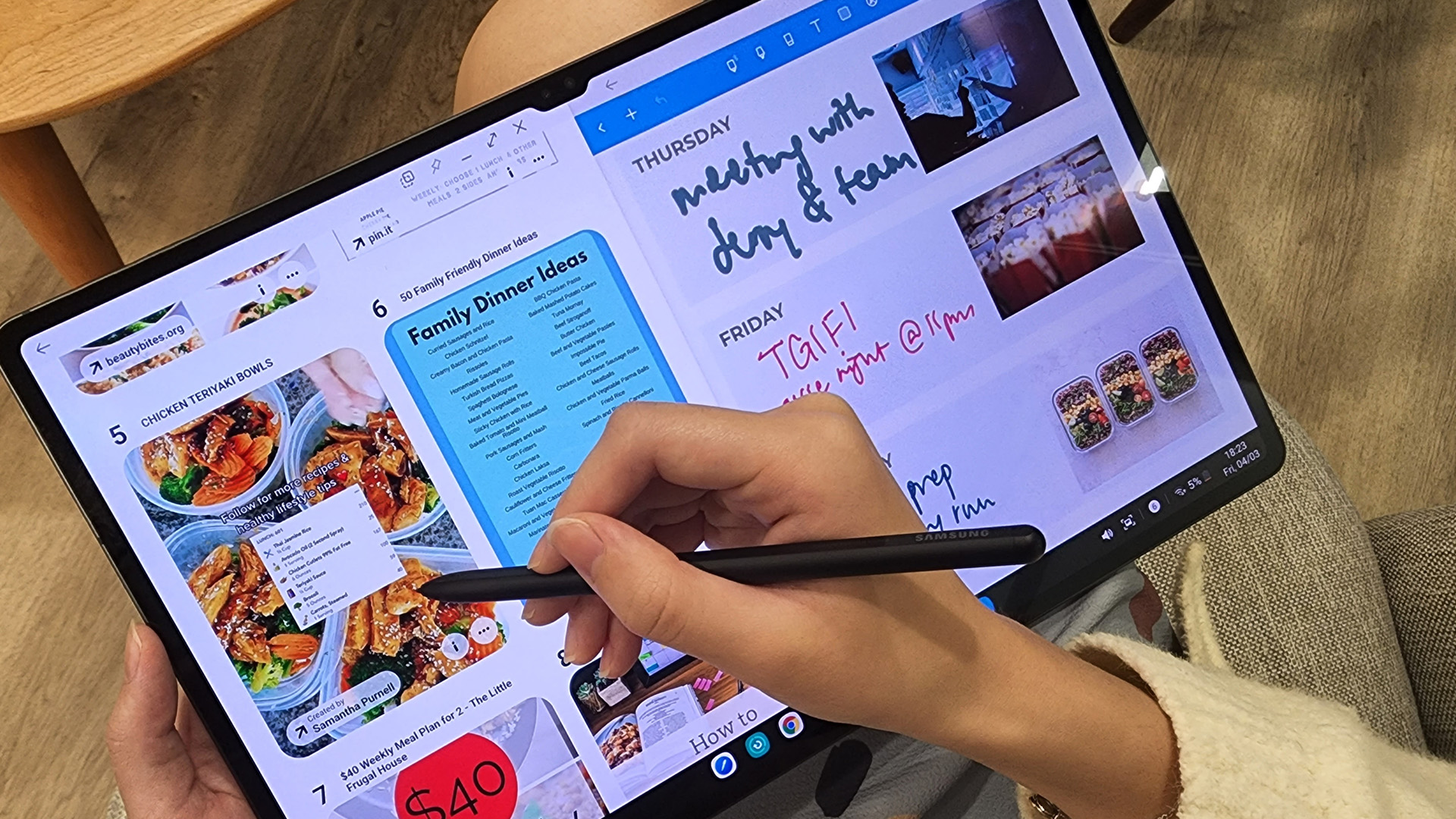
So, in this guide, we’re breaking down the best Android tablets for work and study, helping you find the right balance between performance, usability, and value, without overcomplicating things.
Quick Picks: Best Android Tablets for Work and Study (2026)
If you just want the highlights, here’s a quick look at
Published: April 14, 2026
Choosing a tablet sounds easy… until you actually start looking.
Suddenly, it turns into a full-on ecosystem debate. Do you go for the clean, premium Apple experience? Or do you choose the flexibility, variety and better-value world of Android?
That’s exactly why so many buyers end up stuck between Android tablets vs iPad.
On one side, iPads have the polished reputation, smooth performance and that classic Apple “it just works” appeal. On the other, Android tablets give you more choice, more price points, more freedom and a way easier entry into the tablet world without your bank account crying in the background.
And if you’re an everyday buyer, that choice matters even more.
Because you’re probably not buying a tablet to do one ultra-specific thing. You want something that fits into daily life. Something good for streaming, scrolling, studying, replying to emails, joining video calls, browsing, shopping, taking notes, maybe even getting a bit of work done when needed.
So in this guide,

