



Best Android Tablets for Work, Study and Everyday Productivity
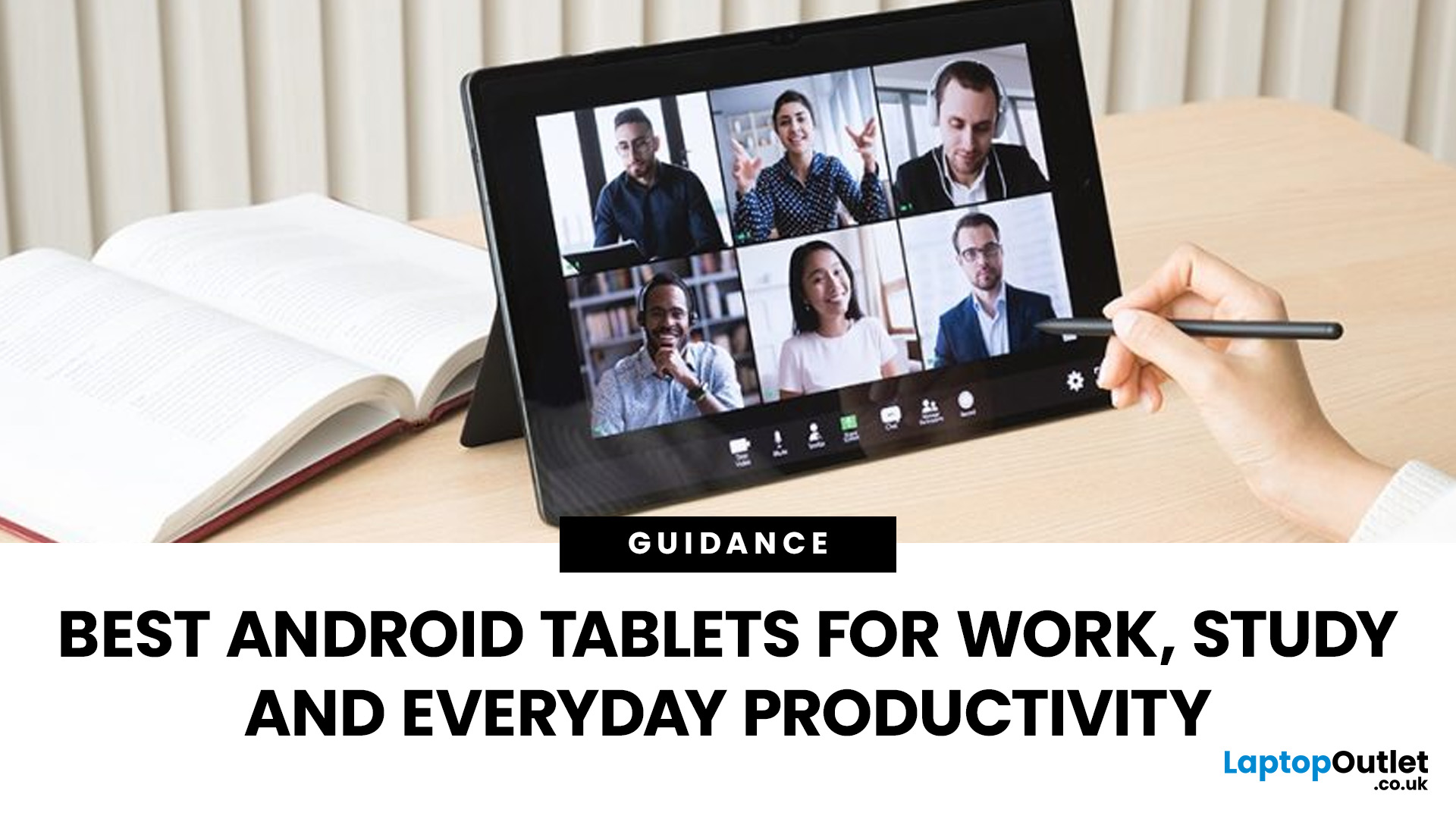
Trying to stay productive these days without the right device? Not happening.
Whether you’re switching between lectures, juggling work tasks, replying to emails, or just trying to organise your day without losing your mind… you need something that can actually keep up.
That’s where Android tablets come in.
They’re lighter than laptops, more powerful than you’d expect, and way more flexible for everyday productivity - whether you’re a student, a professional, or somewhere in between.
But here’s the catch: not all tablets are built for productivity. Some are great for Netflix… but struggle the moment you open 3 tabs. Others look powerful on paper but don’t deliver where it matters.
So, in this guide, we’re breaking down the best Android tablets for work and study, helping you find the right balance between performance, usability, and value, without overcomplicating things.
Quick Picks: Best Android Tablets for Work and Study (2026)
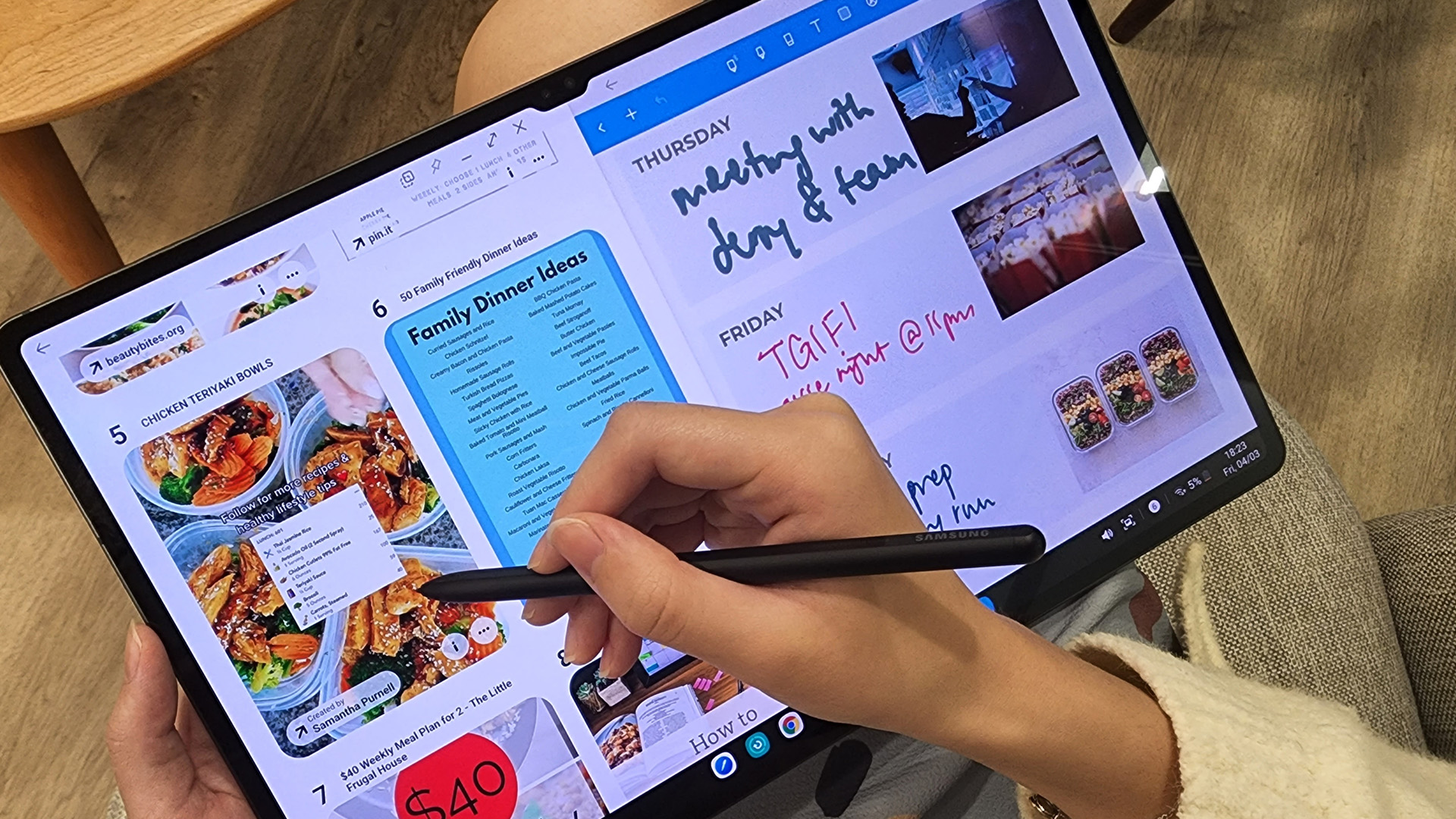
If you just want the highlights, here’s a quick look at some of the best productivity tablets Android users can get right now:
|
Tablet |
Best For |
Display |
Performance |
Key Feature |
|
Lenovo Tab K11 Plus |
Students & everyday productivity |
11" |
Smooth mid-range |
Great value |
|
Lenovo Idea Tab Pro |
Work & multitasking |
11"+ |
Strong performance |
Productivity-focused |
|
HONOR Pad 10 (12.1") |
Study & media balance |
12.1" |
Efficient & responsive |
Large display |
|
Samsung Galaxy Tab Active4 Pro |
Heavy-duty work |
10.1" |
High performance |
Rugged & business-ready |
If you’re also weighing up broader hardware options beyond GPUs, it’s worth checking out how different devices stack up in everyday use, including comparisons like Windows tablet PCs vs Android tablets.
Quick Breakdown
- Lenovo Tab K11 Plus → Perfect for students and everyday tasks without overspending
- Lenovo Idea Tab Pro → Built for multitasking, productivity apps, and serious work
- HONOR Pad 10 → Great balance between study, streaming, and daily use
- Samsung Galaxy Tab Active4 Pro → Designed for demanding work environments
Explore more Tablets PCs to find the right fit for your needs.
What Makes a Good Android Tablet for Work and Study?

Not every tablet is designed for productivity and that’s where most people go wrong.
Before jumping into specific models, it’s worth understanding what actually makes a tablet good for work and study.
Performance for Multitasking
If you’re switching between apps, attending video calls, taking notes, and browsing at the same time, performance matters.
Look for:
- At least 4GB–6GB RAM for smooth everyday use
- More RAM if you multitask heavily
- A reliable processor that doesn’t slow you down
If your tablet lags, your productivity does too - simple.
Display for Long Study & Work Sessions
You’ll be staring at your screen for hours, so don’t ignore this.
A good productivity tablet should have:
- A 10”–12” display for comfortable viewing
- Sharp resolution for reading and documents
- Good brightness (especially if you work on the go)
Battery Life That Lasts All Day
Productivity shouldn’t stop because your battery did.
Look for tablets that can handle:
- A full day of classes or meetings
- Mixed usage (apps, browsing, streaming)
Accessories That Boost Productivity
This is where tablets become serious work tools.
Features to look for:
- Stylus support (great for notes & planning)
- Keyboard compatibility (for typing tasks)
- Split-screen multitasking
Still unsure how Android compares to other ecosystems? Check out Android tablets vs iPad to see which works best for your workflow.
Best Android Tablets for Work and Study (Detailed Picks)
Now let’s get into the real stuff - the actual tablets worth your money.
1. Lenovo Tab K11 Plus – Best Value Productivity Tablet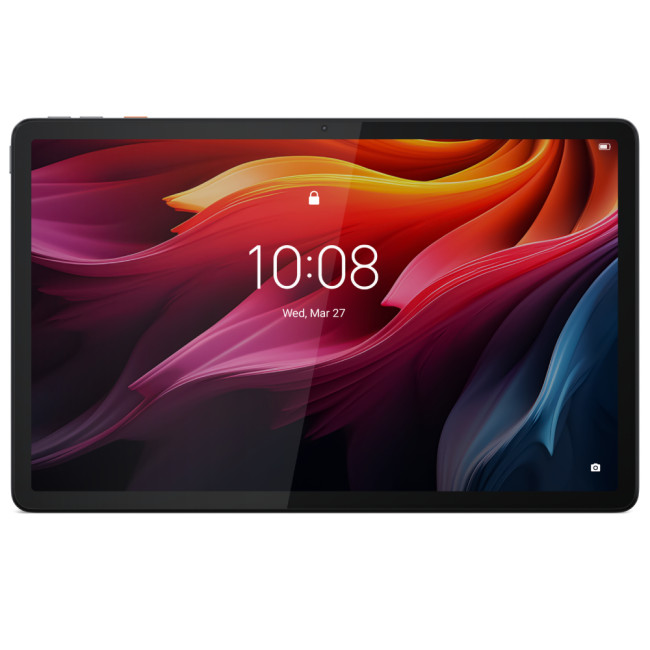
If you want something reliable without spending too much, the Lenovo Tab K11 Plus is a solid pick.
It’s built for:
- Students
- Light work tasks
- Everyday productivity
What makes it stand out is the balance, it’s not overpowered, but it’s smooth enough to handle:
- Note-taking
- Browsing
- Video calls
- Light multitasking
✔ Why it works:
- Great value for money
- Large, comfortable display
- Smooth everyday performance
2. Lenovo Idea Tab Pro – Best for Multitasking & Workflows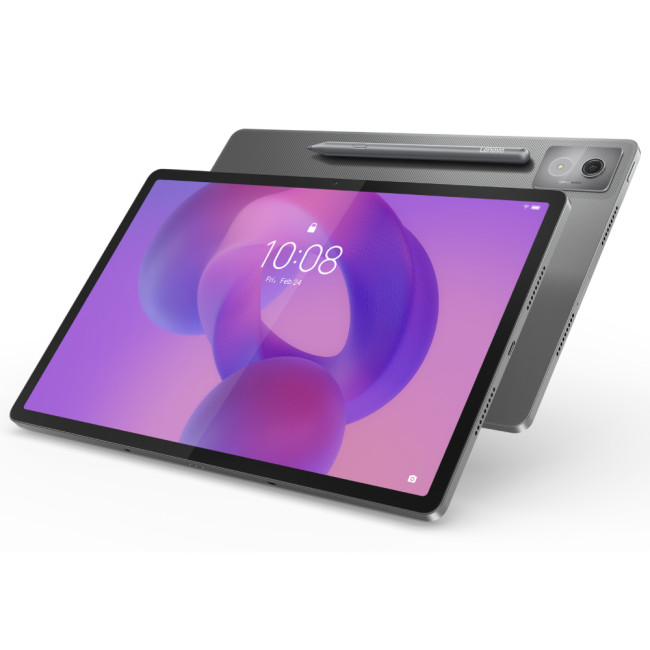
If your workload is heavier, you’ll want something more powerful and that’s where the Lenovo Idea Tab Pro comes in.
This tablet is designed for:
- Multitasking
- Productivity apps
- Work on the go
It handles multiple apps without slowing down and works well with accessories like keyboards and styluses.
✔ Why it stands out:
- Strong performance for demanding tasks
- Ideal for professionals
- Great for productivity setups
3. HONOR Pad 10 (12.1") – Best for Students & Everyday Productivity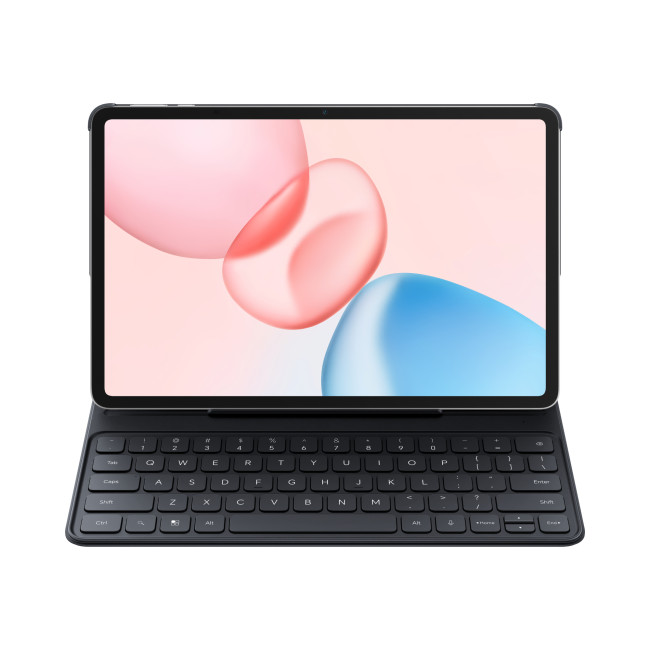
The HONOR Pad 10 is perfect if you want something that sits right in the middle, not too basic, not too expensive.
With its larger display, it’s great for:
- Reading
- Studying
- Watching lectures
- Light productivity tasks
Why students love it:
- Big, immersive screen
- Smooth performance for daily tasks
- Great balance of price and features
4. Samsung Galaxy Tab Active4 Pro – Best for Heavy Work & Business Use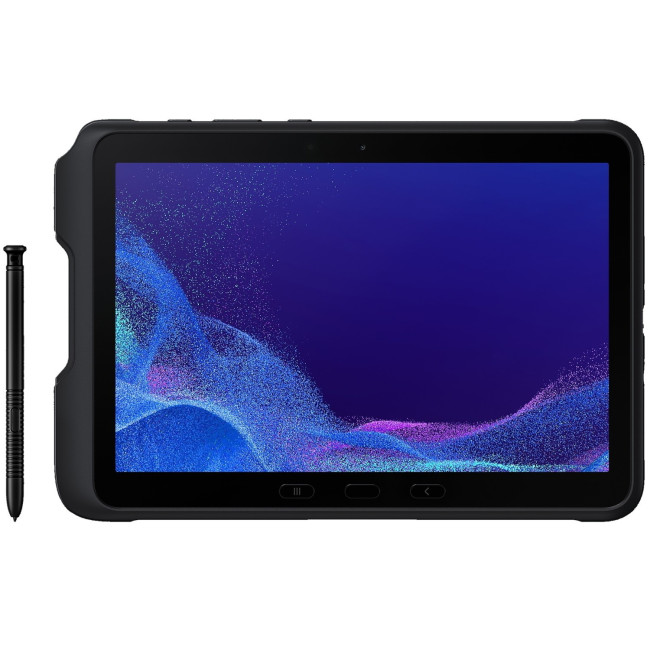
This isn’t your average tablet, the Samsung Galaxy Tab Active4 Pro is built for serious work.
We’re talking:
- Rugged design
- Business-ready features
- High durability
Perfect for:
- Field work
- Business environments
- Heavy-duty usage
✔ Why it’s different:
- Built to last in tough conditions
- Strong performance
- Reliable for professional use
Other Great Android Tablets for Productivity
While the options above are some of the strongest picks, there are plenty of other Android tablets for productivity worth exploring.
Brands like:
…offer a wide range of devices for different budgets and needs.
Best Android Tablets for Students vs Professionals

Not everyone uses a tablet the same way and that’s exactly why choosing the right one depends on how you plan to use it.
Here’s a quick breakdown to make things clearer:
|
Feature |
Students |
Professionals |
|
Main Use |
Notes, lectures, apps |
Emails, multitasking, meetings |
|
Performance |
Mid-range is enough |
Higher performance recommended |
|
Accessories |
Stylus (important) |
Keyboard + stylus |
|
Portability |
Lightweight preferred |
Balanced with power |
|
Budget |
Budget to mid-range |
Mid to premium |
For Students
If you’re studying, your tablet needs to handle:
- Note-taking
- Research
- Streaming lectures
- Light multitasking
Devices like the Lenovo Tab K11 Plus or HONOR Pad 10 are perfect here, affordable, reliable, and easy to use.
For Professionals
For work, things get a bit more demanding.
You’ll need:
- Better multitasking performance
- Smooth app switching
- Productivity features
That’s where tablets like the Lenovo Idea Tab Pro or Samsung Galaxy Tab Active4 Pro come in.
Quick takeaway:
Students → focus on value and usability
Professionals → prioritise performance and efficiency
If you’re still deciding where to invest overall, a broader look at current options, like Android tablets buying guide 2026, can help put things into perspective.
Android Tablets vs iPad: Which Is Better for Work and Study?
This is one of the most common questions and honestly, it depends on your workflow.
Here’s a simple comparison:
|
Feature |
Android Tablets |
iPad |
|
Flexibility |
Highly customisable |
More restricted |
|
App ecosystem |
Strong |
Very polished |
|
Price range |
Budget to premium |
Mostly premium |
|
Productivity |
Great with accessories |
Excellent |
|
Value for money |
Strong |
Higher cost |
Bottom line:
- Go Android if you want flexibility + better value
- Go iPad if you prefer a premium, tightly integrated experience
Windows Tablet PCs vs Android Tablets for Productivity
If productivity is your top priority, you might also be considering Windows tablets.
So how do they compare?
|
Feature |
Android Tablets |
Windows Tablets |
|
Ease of use |
Simple, intuitive |
More complex |
|
Software |
Mobile apps |
Full desktop apps |
|
Portability |
Lightweight |
Slightly heavier |
|
Productivity power |
Good |
Excellent |
|
Price |
More affordable |
Higher |
Quick takeaway:
- Android → better for everyday productivity and flexibility
- Windows → better for heavy, laptop-level tasks
Best Accessories for Productivity Tablets
A tablet on its own is great, but with the right accessories, it becomes a full productivity setup.
Stylus (Must-have for students & creatives)
Perfect for:
- Note-taking
- Drawing
- Digital planning
Keyboard (Game-changer for work)
If you type a lot, this is essential.
Great for:
- Emails
- Documents
- Reports
Protective Case
Because accidents happen and tablets aren’t cheap.
Pro tip:
If you’re buying a tablet mainly for work or study, always consider accessories as part of your setup, not an afterthought.
How Much Should You Spend on an Android Tablet for Productivity?
Let’s break this down simply.
- Basic tasks only
- Light browsing, apps, streaming
Good for casual users
- Best balance of performance and price
- Smooth multitasking
- Ideal for most students and professionals
This is the sweet spot for most users
- High performance
- Better displays
- Advanced productivity features
Best for heavy workloads and business use
If you’re serious about productivity, avoid going too cheap, performance matters more than saving a few pounds.
Where to Buy the Best Android Tablets for Work and Study
With so many options out there, choosing a reliable place to buy matters just as much as the tablet itself.
At Laptop Outlet, you’ll find:
- A wide range of Android tablets for work and study
- Options for every budget
- Trusted brands and competitive pricing
- Every type of Tablets PCs

Final Thoughts: Choosing the Right Android Tablet for Productivity
At the end of the day, the best tablet isn’t the most expensive one, it’s the one that fits how you work.
If you:
- want something affordable → go for value-focused tablets
- need performance → invest in a more powerful device
- want flexibility → Android gives you plenty of options
The good news? You don’t have to overthink it.

Common Questions for Android Tablets for Work, Study and Productivity
Are Android tablets good for work and study?
Yes - especially modern models with good performance and accessory support. They’re great for multitasking, note-taking, and everyday productivity.
Which Android tablet is best for students?
Tablets like the Lenovo Tab K11 Plus and HONOR Pad 10 are excellent choices due to their balance of price and performance.
Can Android tablets replace a laptop?
For light to moderate work, yes. But for heavy tasks, a laptop or Windows tablet may still be better.
What size tablet is best for studying?
A 10”–12” display is ideal for reading, note-taking, and multitasking.
Are cheap Android tablets good for productivity?
They can handle basic tasks, but for smoother performance, it’s better to invest in a mid-range device.
Related Articles

Last Updated: January 21, 2026
In today’s fast-paced, digitally driven world, business professionals need technology that keeps up with their demanding schedules. Whether you’re running meetings, responding to emails on the train, managing spreadsheets from home, or presenting ideas to clients, having the best tablet for business can make a noticeable difference to productivity and flexibility.
Tablet PCs have evolved far beyond simple media consumption devices. Modern business-focused tablets now rival laptops, offering powerful processors, desktop-grade software support, long battery life, and seamless connectivity. For UK professionals who value portability without sacrificing performance, choosing the right device is crucial.
In this in-depth guide, we explore the best tablet for business use in the UK. We’ll cover what features matter most, compare leading brands, and help you decide which tablet PC suits your workflow, whether you’re a business owner, remote worker, or professional constantly on the move.
Why

Last Updated: May 25, 2026
Choosing the right tablet starts with understanding its screen size, yet many buyers misunderstand what tablet screen size actually means. If you’ve ever wondered how to measure tablet screen size properly, you’re not alone. Whether you’re comparing 7 inch tablets, 8 inch tablets, or larger 10, 11, and 12 inch tablets, knowing how screen sizes are measured will help you make a confident buying decision.
In this comprehensive UK guide, we’ll explain exactly how tablet screen size is measured, what the numbers really represent, how to measure your own tablet at home, and how different tablet sizes compare in real-world use. By the end, you’ll be able to choose the right tablet size for your needs, without confusion.
What Does Tablet Screen Size Actually Mean?
Tablet screen size refers to the diagonal measurement of the display, taken from one corner of the screen to the opposite corner. This measurement is always expressed in inches, which is why you’ll see categories such as 7 inch tablets,

Last Updated: January 21, 2026
Android tablets have evolved into powerful, versatile devices that can easily replace laptops for many users. You need to stream content, work on the go, game at high frame rates, or manage everyday tasks, so choosing the best Android tablet PC can significantly enhance your experience.
In this in-depth guide, we’ll explore the best android tablets in the UK, covering top rated Android tablets, productivity-focused models, and the best gaming tablet options available today. We’ll also help you understand what features matter most and how Android tablets compare with alternatives like convertibles and Windows-based devices.
Why Choose an Android Tablet PC?
Android tablet PCs are popular in the UK for several key reasons:
- User-friendly interface with access to millions of apps on Google Play
- Wide price range, from affordable everyday tablets to premium powerhouses
- Excellent battery life, ideal for travel and work
- Strong gaming performance with optimised mobile titles
- Flexible use cases
Last Updated: January 21, 2026
For years, Lenovo has quietly done something most tech brands struggle with:
making devices that actually make sense for real people.
- Not flashy-for-the-sake-of-it.
- Not overpriced because of a logo.
- Not confusing hybrids that don’t know what they want to be.
In 2026, Lenovo Tablet PCs feel more relevant than ever, especially if you care about value, flexibility, and devices that work just as well for studying, working, streaming, or light creativity.
This isn’t about hype.
It’s about what Lenovo tablets actually do well, where they fit best, and why they’re still one of the smartest tablet choices in the UK right now.
Why Lenovo Tablet PCs Still Matter in 2026
The tablet market has split into extremes. On one end, you’ve got ultra-premium devices that cost as much as laptops. On the other, budget tablets that struggle with basic multitasking.
Lenovo lives in the sweet spot.
Lenovo tablet PCs focus on:
- Practical performance
- Reliable build quality
- Sensible pricing
- Clear use cases
That’s

Last Updated: January 21, 2026
For a long time, tablets were seen as secondary devices. Great for Netflix, decent for browsing, but not serious enough for work or study.
That perception is officially outdated.
In 2026, Windows tablets have evolved into some of the most versatile devices you can buy. They’re no longer just tablets that can do work, they’re powerful, flexible computers that happen to be touch-first.
Whether you’re a student, a professional, or someone who wants one device that does everything, this guide breaks down the top Windows tablets in the UK 2026, how they perform in real life, and which models actually make sense to buy right now.
No hype. No spec-sheet dumping. Just clarity.
Why Windows Tablets Matter More Than Ever in 2026

The biggest reason Windows tablets have taken off again is simple: people want flexibility without compromise.
Windows tablets sit in a unique position between laptops and Android tablets. They give you:
- Full desktop software
- Proper multitasking
- Touch and pen support
- Detachable

Last Updated: January 21, 2026
Let’s be honest - most of us don’t work (or study, or relax) in just one way anymore. One minute you’re typing notes, the next you’re scrolling, watching something, sketching ideas, or replying to emails from the sofa.
That’s exactly why convertible tablets exist.
Also called 2-in-1 laptops, laptop tablets, or the very literal notebook two-in-one, these devices are designed to adapt to how you use tech throughout the day - not force you into one setup.
But choosing the right 2 in 1 laptop convertible isn’t always straightforward. Some lean more laptop. Some feel more like tablets. And some just… try to do everything and don’t quite nail it.
This guide breaks it all down in a way that actually makes sense.
What Is a Convertible Tablet (And Why Do People Buy Them)?
A convertible tablet is a hybrid device that combines:
- A laptop’s power (keyboard, trackpad, desktop software)
- A tablet’s flexibility (touchscreen, pen input, portability)
Most convertible tablets run Windows, which means you’re

Last Updated: January 21, 2026
There’s a reason people still say “Just get a Surface” when someone asks for a serious Windows tablet.
In a world full of Android slates, experimental hybrids, and ultra-cheap tablets that barely last a year, Microsoft Surface tablets have carved out a very specific reputation:
clean design, proper productivity, and devices that feel like Windows was made for touch - because, well, it was.
In 2026, Surface tablets aren’t trying to chase trends. They’re refining what they already do best: turning tablets into genuinely useful computers that flex between work, study, creativity, and everyday life.
Why Microsoft Surface Tablets Still Set the Standard
When Microsoft launched the first Surface, it wasn’t just another tablet. It was a statement:
Windows doesn’t belong to laptops only.
Fast forward to 2026, and Microsoft Surface 2-in-1 tablets are still the reference point for the entire category. Whether you’re looking at Detachable tablets, Surface 2-in-1 devices, or Windows touchscreen tablets,

Last Updated: January 21, 2026
Windows tablets have quietly become one of the most practical tech buys in the UK, especially if you want proper laptop features without paying laptop money. Whether you’re studying, working remotely, or just need a flexible everyday device, a Windows tablet (or budget 2 in 1 Windows tablet) can often do the job of both a tablet and a laptop.
In this 2026 guide, we’re breaking down the best Windows tablets in the UK by price, under £300, and £500 and explaining what you can realistically expect at each level. No hype, no spec overload, just clear advice to help you spend smart.
Why Choose a Windows Tablet Instead of Android or iPad?

Before diving into budgets, it’s worth understanding why people choose Windows tablets in the first place.
A Windows tablet gives you:
- A full desktop operating system
- Proper file management (folders, drives, downloads)
- Compatibility with Microsoft Office and desktop apps
- Keyboard and mouse support
- Often, a 2-in-1 experience with detachable or foldable keyboards

Last Updated: January 21, 2026
If you’re shopping for a tablet in 2026, you’ve probably hit the same question everyone else has:
Do I need a 4G tablet, or will a Wi-Fi tablet do the job?
With hybrid work, online study, and always-on lifestyles becoming the norm in the UK, tablets aren’t just Netflix machines anymore. They’re work tools, study partners, and portable productivity hubs.
In this guide, we’re breaking down 4G tablets vs Wi-Fi tablets in a way that actually makes sense, no tech jargon overload, no outdated advice. Just real talk, real use cases, and real buying advice for the UK market.
What Actually Is the Difference Between 4G Tablets and Wi-Fi Tablets?

Let’s start simple
What Are Wi-Fi Tablets?
Wi-Fi tablets connect to the internet only when a Wi-Fi network is available, think home broadband, office Wi-Fi, cafés, libraries, or hotspots.
They’re the most common type of tablet and usually the cheapest option.
Best for:
- Home and office use
- Streaming, browsing, and casual gaming
- Students studying mainly at

Last Updated: April 14, 2026
You need a tablet (well… that’s why you’re here), but figuring out which one actually suits you? That’s where things get tricky.
It’s all gone a bit pear-shaped - there are so many Android tablets out there, each packed with features that sound like they need a dictionary to understand (seriously, who casually says “Magnetoresistive Stylus Support”?). And don’t even get started on the prices.
Finding the right tablet with the right specs and a price that makes sense can quickly turn into a headache.
So, let’s make this easy.
We are going to break down exactly what you need to know, what to look for, what to ignore to choose the best Android tablet for your needs, all in simple, no-jargon language (because no one needs a tech lecture just to buy a tablet).
If you already know what you want, you can jump straight to our full range of android tablets and start browsing.
Otherwise, stick with me, by the end of this, you’ll know exactly which tablet deserves your money.

