



Best Microphones for PC and Recording: Buyer’s Guide 2026

The best microphone for PC depends on how you use it. For work and meetings, choose a noise-reducing USB headset. For gaming and streaming, a headset with a clear boom mic is ideal. For recording vocals or content, prioritise audio clarity and a quiet environment.
|
Key features to look for include:
|
Story time: a colleague of mine had just been promoted and was joining one of her first important meetings with senior management. She was prepared, confident, and ready to prove why the decision was the right one. But instead of focusing on her presentation, she spent half the meeting repeating herself because no one could hear her properly.
The problem wasn’t her confidence. It wasn’t her ideas. It was her microphone.
That is exactly why choosing a good microphone for your PC matters. Whether you are attending an important Zoom meeting, streaming, recording content, or joining daily work calls, poor audio can quickly become a problem.
The good news is that you do not need a complicated studio setup to sound professional. From USB microphones for PC and gaming headsets to wireless microphone options, there is something for every budget and use case.
In this guide, we explore the best microphones for PC UK buyers in 2026, covering recording, streaming, gaming, meetings, and everyday use.
Best Microphones for PC and Recording in 2026: Top Picks

Below are the best PC microphone and headset options to consider, depending on how you plan to use your setup.
1. Logitech H390 Wired USB Headset
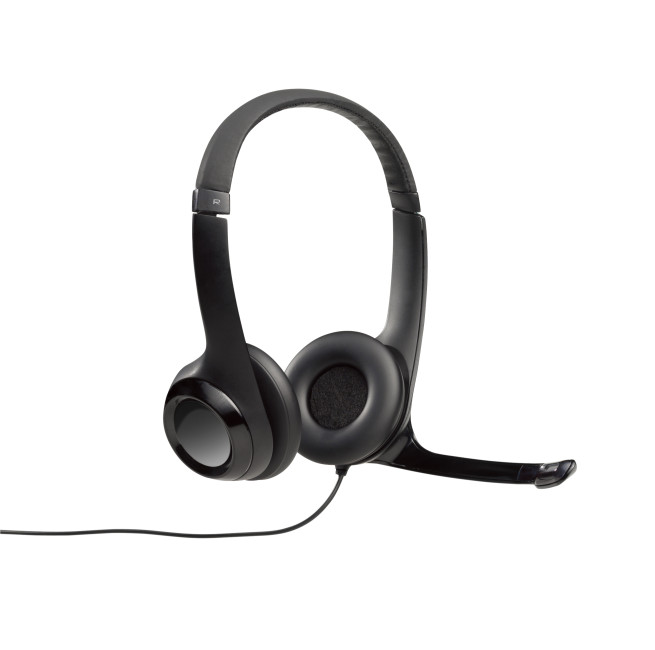
Best Budget USB Microphone for PC
Highlights:
- Connectivity: Wired
- Microphone frequency: 100 - 10000 Hz
- Headphone frequency: 20 - 20000 Hz
- Black Colour
The Logitech H390 is a strong everyday choice for users who want a simple microphone USB for PC without spending too much. It connects through USB, making it easy to use with desktop PCs and laptops. For remote work, study, online classes, light recording, and video calls, it offers a clean and practical upgrade over most built-in laptop microphones.
Best for: everyday PC calls, online learning, simple voice recording, budget microphone for PC users
Connection: USB
Why buy it: easy setup, affordable, suitable for daily voice use
2. Microsoft Modern USB-C Wired Headset

Best USB-C Microphone Headset for Work
Highlights:
- Certified for Microsoft Teams
- Superior sound
- USB-C
- Noise Cancellation
- Black Colour
The Microsoft Modern USB-C Wired Headset is ideal if you want a clean, professional mic for meetings, calls, and hybrid work. The boom microphone and USB-C connection make it especially useful for modern laptops and notebooks that no longer include older USB-A ports.
It is a sensible option for users who want a good quality mic for Microsoft Teams, Zoom, online training, client meetings, and everyday communication. If your workday involves hours of calls, a dedicated boom mic can sound more consistent than a laptop’s built-in microphone.
Best for: professional calls, business meetings, remote work, USB-C laptop users
Connection: USB-C
Why buy it: noise-reducing boom mic, professional look, smooth USB-C connectivity
For long work calls, webinars, or recording sessions, a clear microphone helps your voice, while a practical laptop stand helps keep your screen at a more comfortable height.
3. Poly Voyager Focus 2 UC USB Wireless Headset
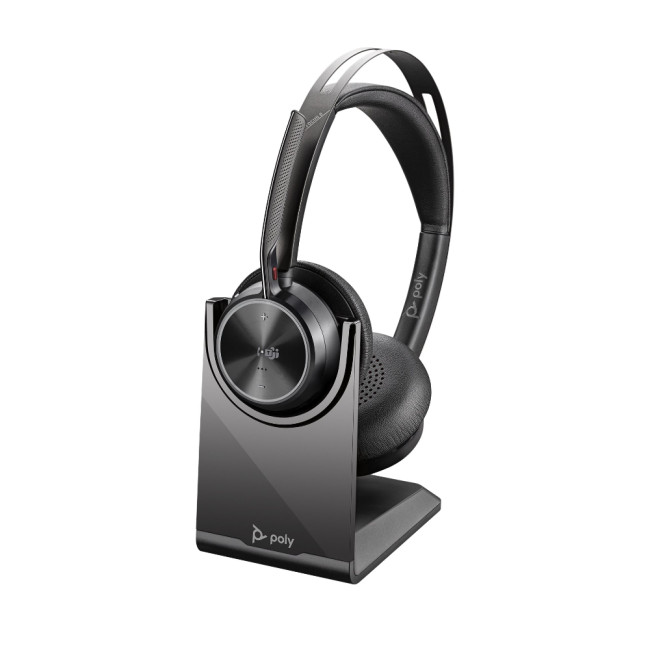
Best Premium Wireless Headset Microphone for PC
Highlights:
- Audio performance: Adjust the noise cancelling level for your personal preference with three options of Advanced Digital Hybrid active noise cancelling (ANC)-high, low and off.
- Poly Acoustic Fence technology: Advanced multi-microphone noise cancelling so callers hear you and not your surroundings.
- Smart technology: Dynamic Mute Alert tells you if you speak while muted.
- Wireless
- Black Colour
If you want wireless freedom without giving up call clarity, the Poly Voyager Focus 2 UC is one of the most polished options in this list. It is designed for users who move between calls, meetings, and focused work throughout the day.
This is a strong wireless headset microphone for PC users who care about comfort, voice clarity, and background noise reduction. It is especially useful for home offices, shared workspaces, and business users who want a more premium communication setup.
Best for: premium business calls, wireless working, hybrid offices, long meeting days
Connection: USB wireless/Bluetooth
Why buy it: strong voice isolation, comfortable design, premium professional feature set
4. Poly Voyager 4310 UC Wireless USB Headset
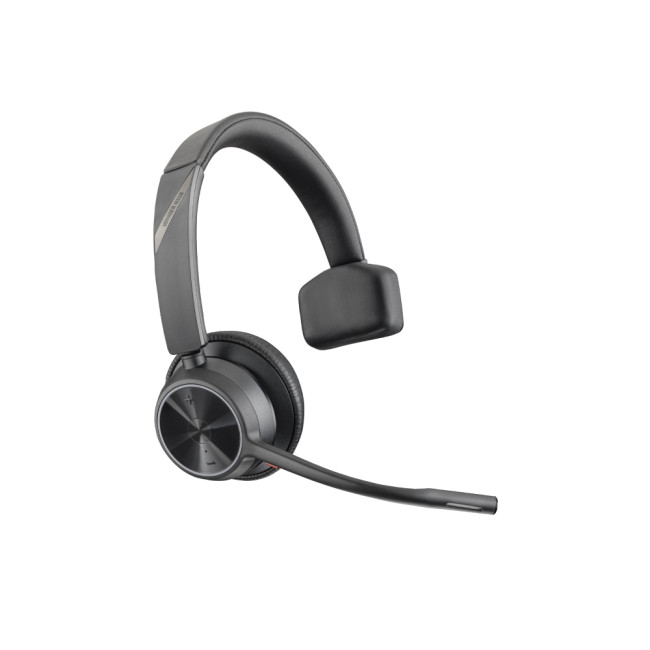
Best Wireless Mic for Flexible Work
Highlights:
- Wireless
- Black Colour
- 2 Years Warranty
The Poly Voyager 4310 UC is a practical choice for people who want a Bluetooth microphone for PC-style experience with business-friendly reliability. It gives users wireless movement while keeping the microphone close to the mouth, which is important for clear voice pickup.
This headset works well for users who split time between PC calls, mobile calls, and online collaboration. It is not trying to be a studio microphone; it is built for clean, dependable communication.
Best for: business users, remote workers, flexible workstations, wireless calls
Connection: Wireless USB/Bluetooth
Why buy it: wireless freedom, boom mic, professional communication focus
5. Refurbished Jabra Evolve2 40 USB Wired MS Mono Headset
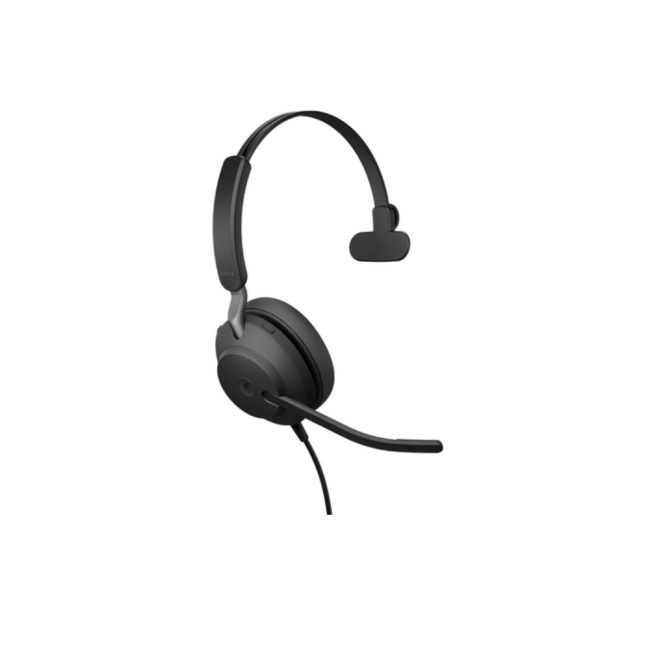
Best Value Professional Mic Headset
Highlights:
- Noise Isolation with Angled Earcup
- Optimized for Microsoft Teams
- Memory Foam Ear Cushion
- Wired
- Noise Cancellation
- Black Colour
The Jabra Evolve2 40 is a smart choice if you want professional-grade voice quality at a lower price point. Because this model is refurbished, it is especially appealing for buyers who want a strong office headset without paying full new-device pricing.
The mono design keeps one ear open, which is useful if you need to stay aware of your surroundings while taking calls. For business calls, voice chats, and online meetings, it offers a focused alternative to general-purpose headphones.
Best for: Teams calls, work-from-home setups, value buyers, office environments
Connection: USB
Why buy it: professional boom mic, Microsoft Teams focus, refurbished value
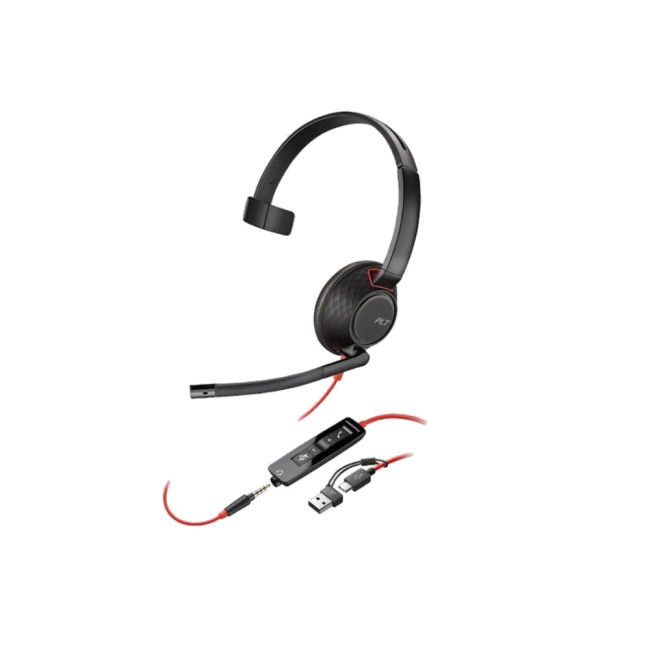
6. PolyBlackwire 5210 Monaural Wired USB-A Headset
Best Wired Business Microphone Headset
The Poly Blackwire 5210 is built for people who spend much of the day speaking on calls. Its mono style is practical for office and support environments, while the USB-A connection makes it easy to use with many desktop PCs.
If you need a dependable mic for recording short voice notes, joining meetings, or handling customer calls, this is a solid business-first option. It is not a singing microphone or studio condenser mic, but it is a reliable communication tool.
Best for: call-heavy roles, customer support, business desktops, office PCs
Connection: USB-A
Why buy it: business-ready design, boom mic, comfortable mono format
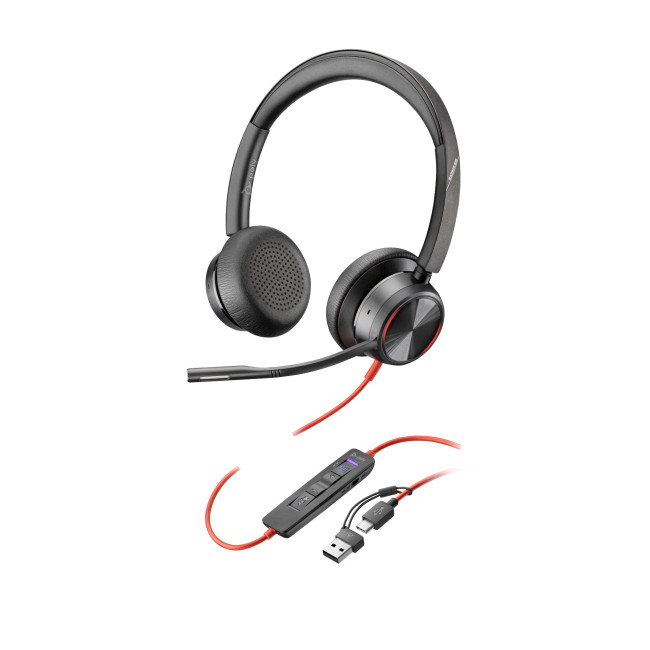
7. PolyBlackwire8225 Stereo USB-C/USB-A Headset
Best Dual-Connection Business Mic
The Poly Blackwire 8225 is a useful pick for users who want one headset that can work across both USB-C and USB-A setups. That flexibility matters if you move between newer laptops, older desktop PCs, docking stations, and shared workstations.
Its stereo design also makes it better for focus than a mono headset, especially if you want to listen to calls, webinars, training material, and multimedia content with both ears covered.
Best for: mixed USB-C and USB-A setups, business calls, conference calls, focused work
Connection: USB-C and USB-A
Why buy it: versatile connectivity, stereo listening, professional mic setup
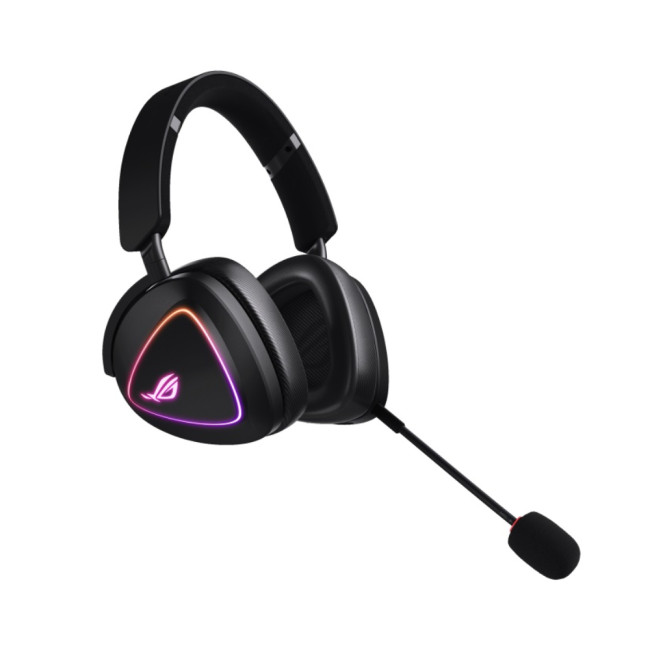
8. ASUS ROG Delta II Tri-Mode Wireless Gaming Headset
Best Premium Gaming Microphone for PC
Highlights:
- ROG SpeedNova Wireless Technology
- Versatile tri-mode connectivity
- ROG SpeedNova Wireless Technology
- Wireless
- No Noise Cancellation
- Black Colour
For gamers and streamers, the ASUS ROG Delta II is a premium option with tri-mode wireless connectivity. It is built for users who want one headset for gaming, chatting, streaming, and entertainment.
This is a strong gaming microphone for PC users who want wireless flexibility and a more immersive headset experience. It also fits streamers who want to keep their desk clean without relying on a separate desktop mic arm.
Best for: gaming, streaming, premium wireless setups, multi-device users
Connection: Tri-mode wireless
Why buy it: premium gaming design, wireless flexibility, strong all-round entertainment use
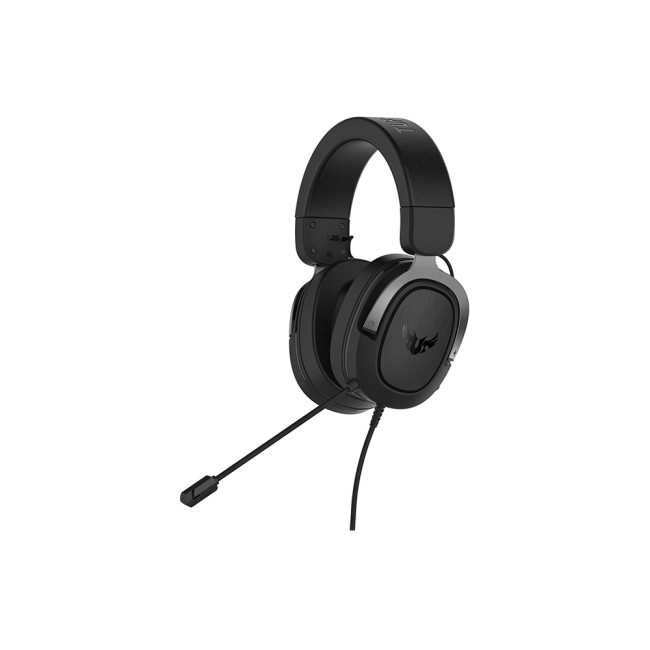
9. ASUS TUF Gaming H3 Wired Headset
Best Wired Gaming Microphone for PC
Highlights:
- Virtual 7.1 sound
- Lightweight design
- Wired
- No Noise Cancellation
- Gun Metal Colour
The ASUS TUF Gaming H3 is a good choice for PC gamers who want a wired headset with a microphone and immersive sound without stepping into premium pricing. Its gaming-first build makes it suitable for long sessions, team communication, and casual streaming.
Wired headsets remain popular because they avoid battery concerns and wireless latency. If you want microphones for PC gaming that are simple, stable, and easy to use, this model is worth considering.
Best for: PC gaming, casual streaming, wired setups, long gaming sessions
Connection: 3.5mm wired
Why buy it: gaming-focused sound, lightweight design, reliable wired connection
10. Razer Kraken V4 X Wired Gaming Headset
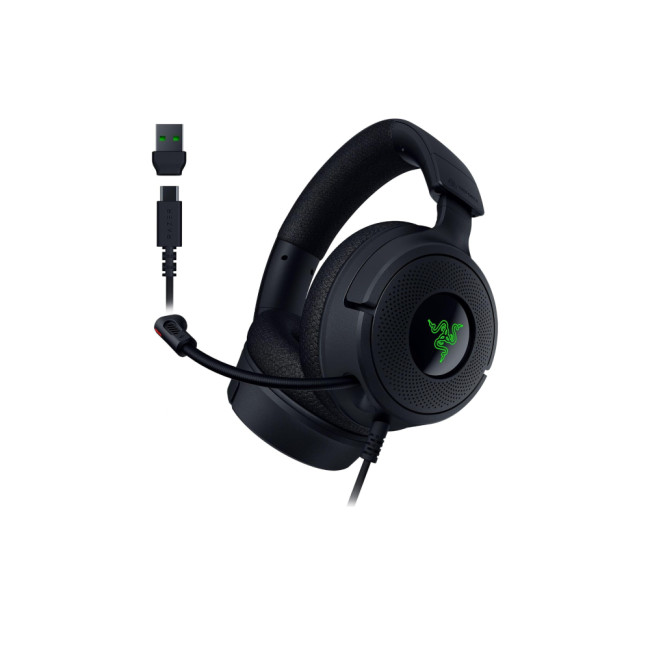
Best Streaming Mic Headset for Gamers
For users looking for streaming microphones that also work for gaming, this is a good middle ground. A dedicated studio mic may offer more control for advanced creators, but a headset like this is far easier for everyday streaming and team play.
Best for: gaming streams, team chat, creators, everyday entertainment
Connection: Wired
Why buy it: retractable mic, gaming design, useful for streaming and chat
11. MSI H991 Wired Over-Ear Gaming Headset
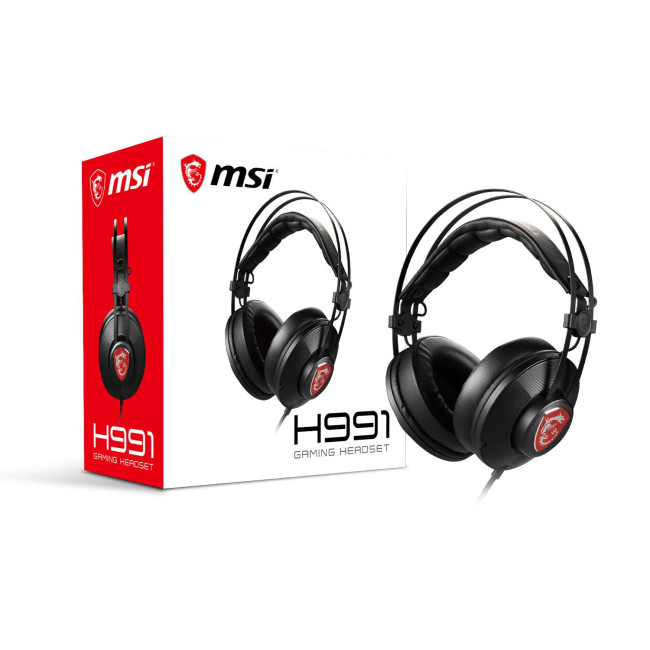
Best Budget Gaming Mic for PC
Highlights:
- Over-Ear Headphones
- Connection Type: 3.5 mm Headset Plug
- Wired
- No Noise Cancellation
- Black Colour
The MSI H991 is a budget-friendly gaming headset with a built-in microphone. It is best for users who want an affordable mic and headset combination for gaming, Discord, casual streaming, online classes, or everyday PC use.
It connects through a 3.5mm plug, so it is a good option for users with compatible PCs, laptops, and audio ports. If your goal is to get a usable budget microphone for PC gaming without overcomplicating the setup, this is one of the more accessible options.
Best for: budget gaming, casual calls, students, everyday PC users
Connection: 3.5mm wired
Why buy it: affordable, over-ear comfort, gaming-ready design
How to Choose the Best Microphone for PC

Before buying, think about where and how the microphone will be used. A quiet bedroom setup, a shared office, and a noisy gaming station all need different audio solutions.
For Recording Voiceovers and Podcasts
If you are recording voiceovers, tutorials, podcasts, or training content, clarity matters more than loudness. Look for a mic that keeps your voice close, reduces background noise, and avoids echo.
A headset microphone is convenient because it keeps the mic in a consistent position. That helps maintain stable volume, especially if you move while speaking. For more advanced recording, a standalone condenser microphone may offer richer tone, but it usually needs a quieter room and more desk space.
For Streaming
A good microphone for streaming should make your voice easy to understand even while game audio, keyboard clicks, or room noise are present. Streamers often choose either a dedicated USB microphone or a headset with a clear boom mic.
If you want a clean streaming setup, pair your microphone with reliable webcams for streaming, suitable lighting, and a stable PC. Clear visuals help, but strong voice quality keeps viewers listening.
For Gaming
For gaming, microphone quality is only one part of the experience. You also need comfortable earcups, low-latency audio, clear team chat, and reliable connectivity. Wired gaming microphones for PC are simple and stable, while wireless headsets are better if you want freedom from cables.
If you play multiplayer titles, choose a boom mic or retractable mic. It will usually pick up your voice better than a microphone hidden inside the earcup.
For Work and Meetings
For professional calls, choose a mic that prioritises speech clarity and background noise reduction. Business-focused models from Microsoft, Poly, Jabra, and Logitech are made for long meetings, remote work, and hybrid teams.
A dedicated headset also gives you better privacy than open speakers. However, if you are building a full desk environment, consider pairing your headset with speakers for PC setups for music, editing playback, and after-work entertainment.
For Singing and Music Recording
The best singing microphone for PC is usually a dedicated vocal microphone rather than a gaming headset. However, if you are only recording demos, online lessons, warm-ups, or casual vocals, a clean headset mic can still be useful.
For better singing results, record in a quiet room, reduce hard surface reflections, keep the mic at a consistent distance, and avoid clipping your input level. A high-quality microphone cannot fix a noisy room, but a controlled setup can make even simple mics sound much better.
USB vs USB-C vs 3.5mm vs Wireless: Which Microphone Type Is Best?
USB Microphones for PC
USB microphones for PC are popular because they are easy to install. Plug the mic into your computer, select it in Windows or your recording software, and start speaking. USB headsets such as the Logitech H390 and many Poly models are ideal for users who want simple setup and consistent quality.
USB-C Microphones and Headsets
USB-C is becoming more common on modern laptops and notebooks. If your device has fewer traditional USB-A ports, a USB-C headset like the Microsoft Modern USB-C Wired Headset is a cleaner option.
For mobile professionals, USB-C can reduce the need for extra adapters and dongles.
3.5mm Headset Microphones
A 3.5mm headset is simple and widely supported, but compatibility depends on your PC or laptop audio jack. Some devices use a single combo port, while others require separate headphone and microphone inputs.
Gaming headsets such as the ASUS TUF Gaming H3 and MSI H991 are good examples of practical 3.5mm headset options.
Wireless and Bluetooth Microphone for PC Options
A wireless or Bluetooth microphone for PC gives you freedom to move. This is useful for calls, presentations, training sessions, and long workdays. The trade-off is that wireless headsets need charging, and some Bluetooth connections may not match wired quality for recording.
For business users, premium wireless headsets such as the Poly Voyager Focus 2 UC are designed to balance comfort, battery life, and voice clarity.
A good microphone is only one part of a productive setup, so it is also worth upgrading your laptop accessories, including keyboards, monitors, webcams, and other essentials that make recording, streaming, and work calls feel smoother.
Best Microphone by Use Case
Best for Budget PC Calls
Choose the Logitech H390 if you want a budget microphone for PC calls, classes, and daily communication.
Best for USB-C Laptop Users
Choose the Microsoft Modern USB-C Wired Headset if you want a clean USB-C setup for meetings and professional calls.
Best for Wireless Business Use
Choose the Poly Voyager Focus 2 UC if you want premium wireless freedom, noise control, and long-session comfort.
Best for Gaming and Streaming
Choose the ASUS ROG Delta II for a premium wireless gaming setup, the Razer Kraken V4 X for a strong streaming-ready wired headset, or the ASUS TUF Gaming H3 for dependable wired gaming.
Best for Professional Teams Calls
Choose the Jabra Evolve2 40, Poly Blackwire 5210, or Poly Blackwire 8225 if you need a business-focused mic for regular meetings and calls.
Best for Budget Gaming
Choose the MSI H991 if you want an affordable gaming microphone headset for PC without spending heavily.
Build a Complete PC Recording and Streaming Setup

A microphone works best when the rest of your setup supports it. If your PC struggles with streaming software, recording apps, or browser-based meetings, even a good mic can feel frustrating to use.
For a fixed desk setup, explore PCs for recording and streaming with enough processing power for audio software, video calls, and multitasking. For portable creators and remote workers, laptops and notebooks make it easier to record, stream, or present from different locations.
For companies, schools, studios, and teams building multiple workstations, professional computing solutions can help create a more consistent setup across users.
Common Mistakes to Avoid When Buying a PC Microphone
Buying Only for Price
A cheap microphone can work well, but the lowest price is not always the best value. Comfort, connection type, warranty, and microphone position all matter.
Ignoring Your Room
Hard floors, bare walls, fans, mechanical keyboards, and open windows can all affect recording quality. A good mic helps, but your environment matters too.
Choosing Wireless When Wired Is Better
Wireless is convenient, but wired microphones are usually simpler for recording and gaming. If you never move from your desk, a wired option may be the smarter choice.
Forgetting About Compatibility
Before buying, check whether your PC supports USB-A, USB-C, Bluetooth, or 3.5mm audio. Also check whether your headset is designed for PC, Mac, mobile, or consoles.
Expecting a Gaming Headset to Replace a Studio Mic
Gaming headsets are excellent for communication, streaming, and convenience. For serious singing, music production, or studio vocals, you may eventually want a dedicated recording microphone.

Final Verdict: Which PC Microphone Should You Choose?
For most UK buyers in 2026, the best microphones for PC are not just about raw sound quality. The right choice depends on comfort, connection type, noise control, and how often you record, stream, game, or join calls.
Choose a USB microphone or USB headset if you want easy setup. Choose a wireless headset microphone for PC if you want freedom during meetings. Choose a gaming microphone for PC if you need team chat and immersive sound in one device. Choose a dedicated recording microphone if your focus is singing, podcasting, or professional voice production.
If you want one simple rule: buy for your main use first. A streamer, office worker, gamer, and vocalist all need different things from a mic. Once you know how you will use it, finding a high quality microphone becomes much easier.

FAQs
What is the best microphone for PC UK users in 2026?
The best microphone for PC UK users depends on the purpose. For everyday calls, a USB headset such as the Logitech H390 is practical. For business meetings, Microsoft, Poly, and Jabra headsets are strong choices. For gaming and streaming, ASUS, Razer, and MSI gaming headsets offer built-in mic options with immersive sound.
Are USB microphones for PC better than 3.5mm microphones?
USB microphones for PC are usually easier to set up and provide consistent digital audio. 3.5mm microphones can still work very well, especially for gaming headsets, but they depend more on the quality of your PC’s audio port.
What is a good microphone for streaming?
A good microphone for streaming should keep your voice clear, reduce background noise, and remain comfortable during long sessions. Gaming headsets with boom or retractable mics are convenient, while dedicated USB microphones may offer richer vocal quality for advanced streamers.
Can I use a gaming microphone for recording?
Yes, you can use a gaming microphone for basic recording, voice notes, tutorials, and casual content. For professional podcasts, music, or singing, a dedicated mic for recording may give better tone and control.
What is the best budget microphone for PC?
A budget microphone for PC should be easy to connect, clear enough for voice, and comfortable to wear. The Logitech H390 and MSI H991 are useful options depending on whether you need a work-focused USB headset or a budget gaming headset.
Are wireless headset microphones good for PC?
Yes, a wireless headset microphone for PC can be excellent for meetings, calls, and flexible work. Premium wireless models are especially useful if you move around during calls. For serious recording, a wired mic may still be more reliable.
Is a Bluetooth microphone for PC good for streaming?
A Bluetooth microphone for PC can work for casual streaming or calls, but many streamers prefer wired USB or dedicated wireless gaming headsets for lower latency and more stable audio.
What is the best singing microphone for PC?
For serious singing, a dedicated vocal microphone is usually better than a headset mic. However, for casual singing practice, demos, online lessons, or quick recordings, a clean headset mic can still be useful when used in a quiet room.
Do I need a separate microphone if my webcam has one?
A webcam microphone is useful for convenience, but a dedicated headset mic usually gives clearer speech because it sits closer to your mouth. For better streaming or professional calls, pair a webcam with a dedicated microphone or headset.
What should I look for in good quality mics?
Good quality mics should provide clear voice pickup, low background noise, reliable connectivity, comfortable positioning, and compatibility with your PC or laptop. For headsets, also check ear comfort, cable length, wireless battery life, and mute controls.
Related Articles


Last Updated: February 13, 2026
If you’ve ever fired up a video, joined a call, or cranked up your music only to be met with silence, you know how maddening laptop audio problems can be. One minute everything’s fine, the next you’re dealing with laptop sound not working, crackling speakers, or a laptop microphone not working that makes you sound like you’re in a tunnel. These issues pop up on all kinds of machines, whether it’s a budget Windows laptop, a high-spec gaming rig, or even a MacBook, and they rarely mean your hardware is dead.
Most laptop sound troubleshooting steps are straightforward and take just a few minutes. In this guide, we’ll walk you through the most common causes and fixes, from the obvious (yes, check the volume) to the slightly more technical (driver updates, audio services, Bluetooth quirks). Follow along in order, and you’ll have sound back in no time.
Common Laptop Audio & Sound Problems
Before diving into solutions, it helps to understand the most common laptop audio problems users face:
Published: March 04, 2026
If your remote setup still revolves around “a decent laptop and home Wi-Fi”, you’re behind. In 2026, remote work is judged by output and presence. Your audio quality affects how credible you sound. Your connectivity affects whether clients trust you. Your screen space affects how quickly you work. And your security setup determines whether your business data is actually protected.
Most people still treat home-office tech like: A chair. A webcam. A desk lamp. Useful, yes, but disconnected. What professionals need now is a deliberate tech stack. One that reduces friction, prevents small failures, and works the same way every single day.
That is Remote Work 2.0. It is not about owning more gear. It is about engineering reliability into your workday.
What Remote Work 2.0 Really Means in 2026
For professionals, four elements matter more than anything else:
1. Stable connectivity
If your connection drops mid-presentation, nothing else matters. Wi-Fi 7 and modern mesh systems are no longer

Published: March 05, 2026
AI laptop buying in 2026 is not a trend you have to imagine. It is already changing how people shortlist, compare, and commit to a purchase.
Two shifts are happening at once. The first is behavioural: more people are using AI tools to conduct early research, compress reviews into a few usable insights, and quickly turn a vague requirement into a shortlist. Adyen’s UK retail research finds that 35% of UK consumers use AI to shop, and 56% of those say it influences what they buy.
The second shift is product-led: laptops are now being sold as AI PCs, with new labels and performance claims built around NPUs and TOPS. The problem is that marketing language and real-world value do not always line up. A badge can inflate the price, while the things that make a laptop genuinely pleasant to own are still the basics: screen, keyboard, battery, cooling, ports, and RAM.
So, the practical question in 2026 is not “Should you buy AI?” It is “Where does AI genuinely save time or improve the experience,

Last Updated: March 06, 2026
If you’re trying to plan your backlog (or your annual leave), this is your 2026 upcoming games list in one place, with confirmed release dates and clearly labelled release windows where a specific day isn’t locked yet.
This guide is built for people who want a clean answer to: “What’s coming out in 2026, and when?” — including release dates on Switch/Switch 2, PS5, Xbox Series X|S, and PC.
Last Updated: Friday, 6 March 2026
How We Verify Release Dates (so you can trust the calendar)
We only list a game under a month when it has a confirmed date (day + month) from a reliable source (publisher/dev announcement, platform store listing, or established release calendar). For wider coverage, we cross-check against frequently updated release schedules.
Labels You’ll See:
- Confirmed date = the day is publicly announced/listed
- Release window = “Spring 2026 / Q3 2026 / 2026” (no day yet)
- Early Access = date refers to EA launch, not 1.0
Quick timezone note (important): some PC store pages show a

Published: March 16, 2026
Whether you're a dedicated gym-goer or just trying to stay a bit more active, technology is making it easier than ever to reach your health goals. The fitness tech trends 2026 landscape is packed with impressive innovations, from AI-driven coaching to next-generation health trackers. Here's a look at the seven trends worth keeping an eye on this year.
1. AI-Powered Personal Coaching
AI fitness apps and devices are no longer just logging your reps and steps. In 2026, they're acting more like personal trainers.
- AI analyses your movement patterns, heart rate, and recovery data in real time.
- Your training plan adapts daily based on how your body is actually responding.
- These apps work best when paired with capable hardware, such as AI-ready laptops or a modern smartphone, to process data quickly.
This is one of the most significant shifts in future fitness technology right now. You no longer need to pay for a personal trainer to receive genuinely tailored guidance.
2. Next-Level Smartwatches
Published: March 16, 2026
The Apple Studio Display XDR has finally arrived, and it is genuinely something special. Announced on 3rd March 2026 and available from 11th March 2026, this is Apple's answer to professionals who demand the very best from a desktop display.
It replaces the long-discontinued Pro Display XDR and sits at the top of Apple's new two-tier monitor lineup. Whether you are a video editor, 3D artist, or creative professional, this guide covers everything you need to know, from specs and performance to price and who it is actually for.
What Is the Apple Studio Display XDR?
The Apple Studio Display XDR is a 27-inch professional monitor with a 5K Retina XDR panel, mini-LED backlighting, and a 120Hz refresh rate. It is designed for workflows like HDR video editing, 3D rendering, colour grading, and even diagnostic radiology.
It replaces the older Pro Display XDR, which had been Apple's flagship monitor since 2019. The new model is smaller at 27 inches (down from 32 inches)

Last Updated: July 03, 2026
For most developers, the best machine is not necessarily the most expensive one. It is the one that keeps up with your workflow, feels comfortable to use for hours at a time, and still makes sense a few years down the line.
That matters even more in 2026. Modern development work is heavier than it used to be. A typical day might include an IDE, a browser with far too many tabs open, Docker, a local database, Slack, video calls, design files, and maybe a virtual machine or AI-assisted tools running in the background. A laptop that feels fine on paper can start to struggle surprisingly quickly once real work begins.
This guide is designed for a UK audience looking for a dependable laptop for software development, whether you are a student, a junior developer, a freelancer, or a full-time engineer replacing an ageing machine. Given below are top 10 laptops for programming and coding 2026:
1. ASUS Zenbook 14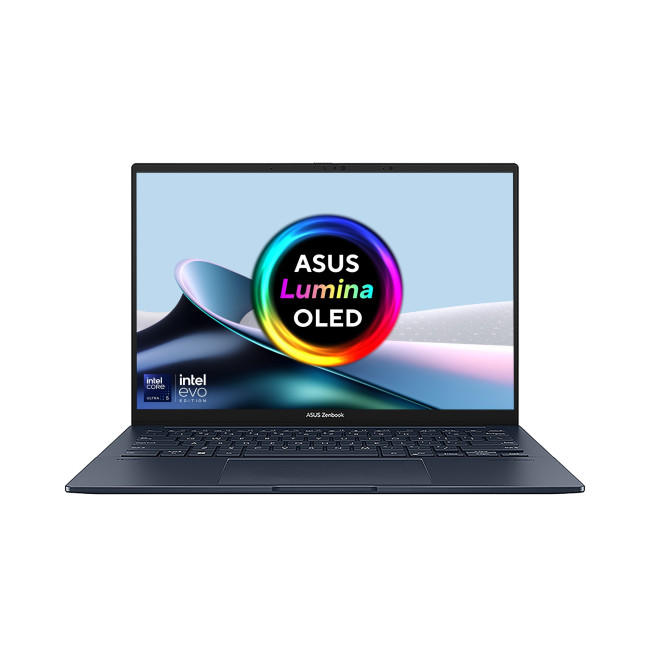
Technical Specs:
- Intel Core Ultra 5 225H 14-Core Processor
- AI Ready Laptop
Last Updated: May 01, 2026
Video editing has become one of the most demanding everyday laptop workloads. Even relatively simple projects can involve high-resolution footage, multiple layers, colour work, motion graphics, audio cleanup, and export-heavy timelines. That means the best laptop for video editing is not just the one with the biggest headline spec. It is the one that fits the kind of editing you do, whether that is short-form social content, YouTube videos, client work, documentary edits, or more advanced professional production.
This guide includes mainstream creator laptops, premium ASUS ProArt models, mobile workstations, and a few higher-powered gaming machines that are relevant because video editing often benefits from the same strengths: strong sustained performance, capable graphics, fast storage, and displays built for visual work.
What Makes a Good Video Editing Laptop in 2026?
A good video editing laptop needs to do three things well:
- Handle demanding timelines smoothly,
- Stay responsive under
Last Updated: June 10, 2026
The best work from home webcam in 2026 depends on how you use video calls. For premium business conferencing, the Poly Video Room Kit is a strong overall choice. For everyday Zoom meetings, the ViewSonic UMB202 Conferencing Camera is a practical pick, while the Logitech C925e Webcam is ideal for Teams and hybrid work. Streamers and content creators should consider the ASUS ROG Eye S Webcam for smooth Full HD video and AI-powered noise-cancelling microphones.
Working from home now demands clear video, sharp audio and a professional setup for Zoom, Teams, interviews and client calls. Choosing one of the best webcams UK 2026 buyers can get helps you look clearer, sound better and upgrade your home office. This guide compares top webcams for video calls, remote work, streaming and everyday meetings.
Quick Picks: Best Webcams for Working From Home in 2026
| Category | Best Webcam Pick | Best For |
| Best overall work from home webcam | Poly Video Room Kit | Premium business conferencing |
| Best webcam for Zoom |

