



How to Reboot a Samsung Tablet?

Tablet Frozen? It’s Time to Reboot
Your Samsung tablet acting up? Maybe it’s frozen, lagging, or just being plain weird? A reboot can fix a lot of issues fast. Whether you’re doing a quick restart or a hard reset, here’s how to reboot your Samsung tablet the right way—without losing your mind.
How to Do a Soft Reboot (Quick Restart)
This is the easiest and safest way to refresh your tablet without losing any data.
Steps:
- Press and hold the Power button (or Power + Volume Down, depending on model).
- When the Power menu appears, tap Restart.
- Wait for your tablet to turn off and reboot automatically.
Pro Tip: This method works when your screen is responsive and not frozen.
How to Force Restart a Samsung Tablet (If It’s Frozen)
If your tablet is completely unresponsive, try a force reboot:
Steps:
- Press and hold the Power + Volume Down buttons at the same time.
- Hold for around 10-15 seconds until the device vibrates or restarts.
- Release the buttons when you see the Samsung logo.
- Don’t worry—this won’t erase your data. It just forces a reboot.
How to Perform a Hard Reset (Factory Reset)
Only do this if you want to wipe everything and start fresh.
Steps:
- Go to Settings > General Management > Reset
- Tap Factory data reset
- Review what will be erased, then tap Reset
- Confirm with your PIN or password, then tap Delete All
- Warning: This erases everything. Back up your data first!
When to Reboot Your Samsung Tablet
- It's frozen or unresponsive
- Apps keep crashing
- It’s lagging or overheating
- You’re installing updates
Final Thoughts: Reset and Refresh with Ease
Sometimes, all your tablet needs is a good old restart. Whether it's a soft reboot or a full factory reset, now you know exactly what to do. And hey—if your tablet’s still struggling, maybe it’s time for an upgrade?
Explore Samsung tablet deals at Laptop Outlet—because fresh tech beats frozen screens any day.
FAQs: Rebooting a Samsung Tablet
1. What’s the easiest way to restart my Samsung tablet?
Hold the power button, then tap Restart from the menu.
2. How do I restart my tablet if the screen is frozen?
Hold Power + Volume Down for 10–15 seconds to force a restart.
3. Will I lose data if I reboot my tablet?
No—restarting or force restarting won’t delete anything.
4. How do I do a factory reset on a Samsung tablet?
Go to Settings > General Management > Reset > Factory Data Reset.
5. When should I consider a hard reset?
Only when troubleshooting hasn’t worked and you want a fresh start.
Watch our video: How to Reboot a Samsung Tablet?
Read More:
| What's the Difference Between an iPad and a Tablet? |
| How to Choose the Right Refurbished Tablet for You? |
| Best Refurbished Tablets for Budget-Conscious Buyers |
Related Articles

Last Updated: September 23, 2026
Last Updated: March 03, 2026
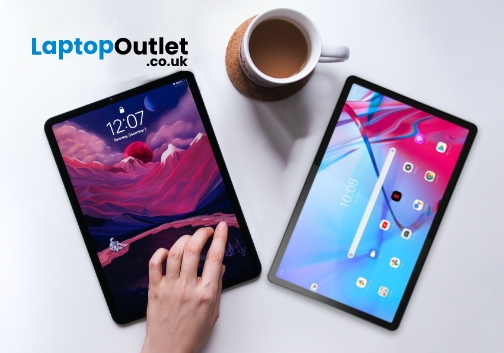
Portable computing devices such as tablets and laptops have been becoming increasingly popular day by day. These computers are well-designed to provide you with productivity on the go. The more you use them, the more they appeal to you. Tablets can serve you in a variety of situations such as preparing educational assignments, streaming movies, playing games, and more.
The good news is that these portable PCs are becoming more amazing with each passing day. Each tablet comes with its unique style and features like any other technology gadget. However, when it comes to choosing a tablet based on the operating system, there are two choices.
The two biggest technology rivals competing in the tablet market are Android and Windows tablets. Each of these devices has their own pros and cons. In this article, we will deliver with necessary knowledge you need to make the most suitable selection for yourself between Android tablets and Windows tablets in the UK.
Android Tablets
Android
Last Updated: May 27, 2025
Are you looking for a portable computing solution and don't know which one to choose – an Android tablet or an iPad? Luckily, you've landed at the right place!
The terms "tablets" and an "iPad" are often used interchangeably, but they are different. If you are an Apple user, you may get attracted to an iPad; however, tablet PCs also have matchless capabilities that you cannot simply neglect. On the other hand, as Android users, isn't it exciting to have an Apple device at your disposal?
Both tablets and iPad significantly differ in operating system, design, and performance. Both devices also possess unique pros and drawbacks. Considering all these scenarios, deciding which one will offer the best value for your money may be overwhelming. Luckily, we are here to solve this dilemma.
In this Tablet vs iPad guide, we will walk you through the features of both devices to help you decide on the suitable device that fits your needs and budget.
So, let's get started!
What are Tablet
Last Updated: May 27, 2025
Are you considering a tablet PC to handle daily computing tasks and don't know how it can help you to get the most out of your money? Luckily, you've landed at the right place!
Technology is evolving at an alarming rate, and more and more computing solutions are being introduced into the tech industry. Gone are the days of bulky desktop computers; now, you'll find sleek and compact form factors such as a tablet PC, which are adaptable alternatives to many advancements that have flourished in the tech market.
When the tablet PC was first launched, its durability and effectiveness were questioned because it was between a laptop and a typical desktop computer. Some folks thought it was an unneeded or naive acquisition. However, they gained significant fascination from users from various backgrounds, from education to business and artistic endeavours, because of their stylish designs, touch-based interfaces, and lightweight. Overall, tablet computers play a significant role in revamping
Last Updated: October 24, 2025
If you seek a new tablet but find the price tag too steep, a refurbished tablet is the next best thing. Buying a refurbished tablet can be a smart choice as it gives you the advantage of owning a fully functional tablet without breaking the bank.
The key is understanding what to look for and where to find a trustworthy option. To guide you through this process, we'll outline the essential information you need when buying a refurbished tablet.
What is a Refurbished Tablet?
First, let's discuss what a refurbished tablet is. The refurbished computer tablets refer to previously pre-owned tablets that have been restored to a like-new condition by either the manufacturer or a retailer before being resold at a reduced price. These devices come from various sources, such as customer returns, display models, or units with minor cosmetic flaws. What sets them apart is that they undergo a thorough inspection, necessary repairs, and testing to ensure they function just like a brand-new tablet.
Some
Last Updated: September 24, 2025
So, you've got yourself a refurbished tablet. Maybe it was a bargain deal, or you wanted to be more eco-friendly. Either way, buying refurbished is a smart choice! Refurbished tablets are durable and deliver the same functionality and excitement as new ones. However, as with other electronics, a refurbished device needs proper care and attention to operate smoothly for years.
Think of your tablet like a car. If you drive it recklessly and never service it, it won't last long. But if you take good care of it, it can keep going for decades. Let's talk about some simple ways to maintain refurbished tablets' performance, ensuring they remain as efficient and reliable as brand-new ones.
Keep It Clean
Tablets are magnets for fingerprints, dust, and bacteria. Over time, dirt can accumulate and affect the touchscreen's performance. Regular cleaning is essential for maintaining the longevity of your device.
- Use lint-free cloths to clean the screen and body when cleaning your tablet.
- Avoid harsh
Last Updated: October 02, 2025
New gadgets come out every year, and it's easy to get caught up in the excitement of using brand-new technology. However, behind each new device is a hefty price tag and an unspoken environmental cost. Manufacturing new electronics like phones, tablets, and laptops requires a lot of energy and raw materials, and discarded electronics, e-waste contributes to the ultimate global waste crisis.
One simple way to reduce this impact is to think reconditioned or used. More and more consumers are using refurbished devices. Although the word "refurbished" may sound concerning to some, these devices have several benefits that make them an excellent choice for those looking to save money while being environmentally conscious.
In this article, we'll discuss the key advantages of buying reconditioned tablets and why they are a worthwhile consideration over brand-new alternative.
1. Significant Cost Savings
One of the biggest reasons people choose reconditioned tablets is the price reduction. Brand-new

