



How to Extend the Life of Your Refurbished Tablet: Tips for Care and Maintenance
So, you've got yourself a refurbished tablet. Maybe it was a bargain deal, or you wanted to be more eco-friendly. Either way, buying refurbished is a smart choice! Refurbished tablets are durable and deliver the same functionality and excitement as new ones. However, as with other electronics, a refurbished device needs proper care and attention to operate smoothly for years.
Think of your tablet like a car. If you drive it recklessly and never service it, it won't last long. But if you take good care of it, it can keep going for decades. Let's talk about some simple ways to maintain refurbished tablets' performance, ensuring they remain as efficient and reliable as brand-new ones.
Keep It Clean
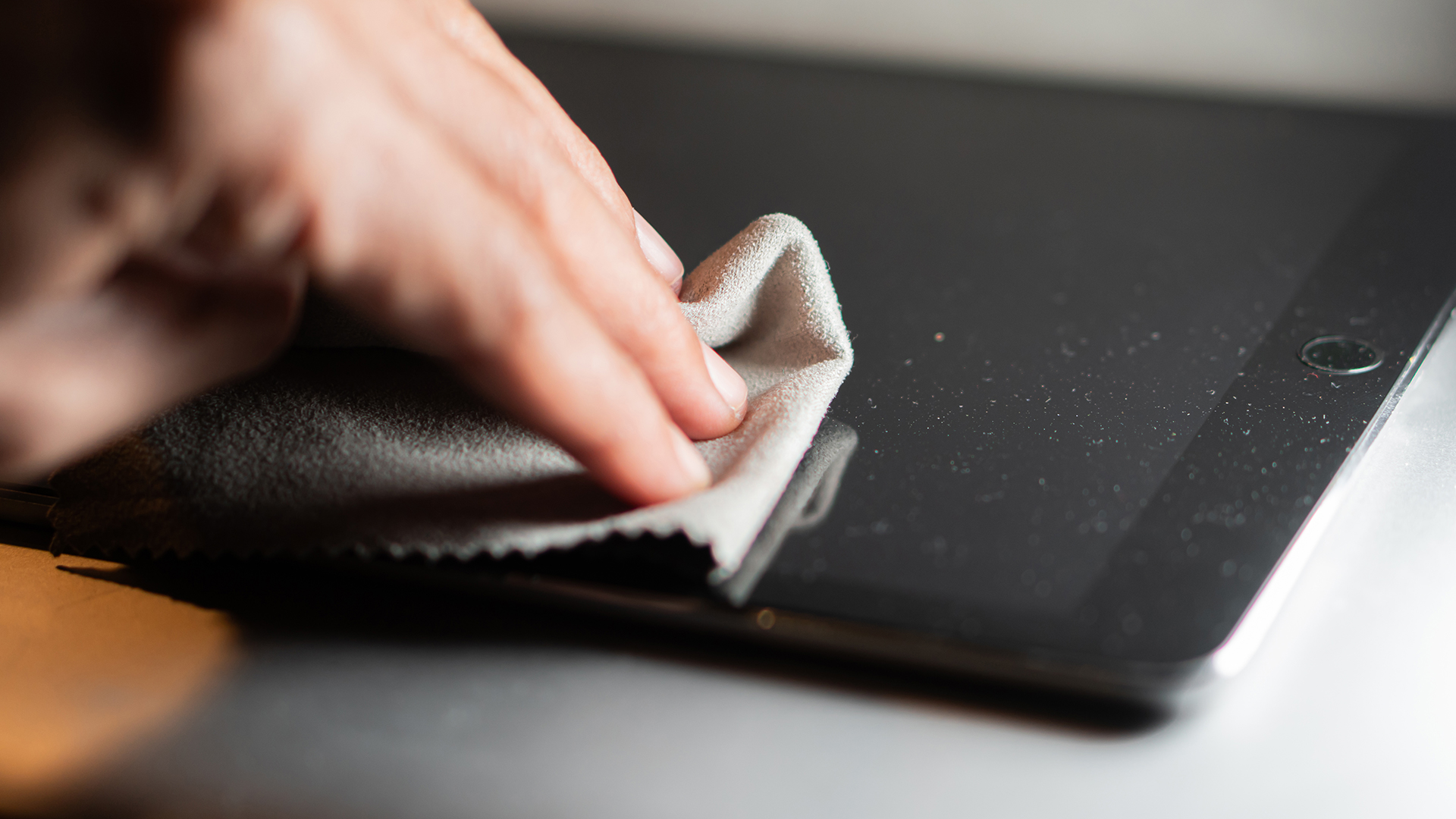
Tablets are magnets for fingerprints, dust, and bacteria. Over time, dirt can accumulate and affect the touchscreen's performance. Regular cleaning is essential for maintaining the longevity of your device.
- Use lint-free cloths to clean the screen and body when cleaning your tablet.
- Avoid harsh chemicals or abrasive materials that damage screens, protective coating, and other components.
- Dust and pocket lint can also clog charging ports and headphone jacks. Use a can of compressed air to gently blow out any debris from ports and keyboard crevices.
Power Management and Battery Health
We all are concerned about battery life, whether it's a smartphone, a laptop, or a tablet. One of the worst things users do is constantly let the battery drop to zero before charging it back up. Instead, try to keep it between 20% and 80%. Extreme battery levels, either too high or too low, can increase battery cycles and reduce battery life over time.
Another thing to avoid is using cheap or off-brand chargers. Always use the charger that came with the tablet or a certified alternative. Overheating during charging is a big issue, so ensure your tablet isn't covered with a blanket or left on a couch while plugged in.
Additionally, keep unplugging your tablet once it reaches full charge. Leaving it plugged in for long can cause heat buildup, which may wear down the battery faster. If you don't need a full charge, unplugging at around 80% can help prolong battery life. Under the hood, always close your apps, even the seldom-used ones. Background apps can drain battery power even when you're not actively using them, so you should periodically check and close them to save battery life.
Use Appropriate Chargers and Cables
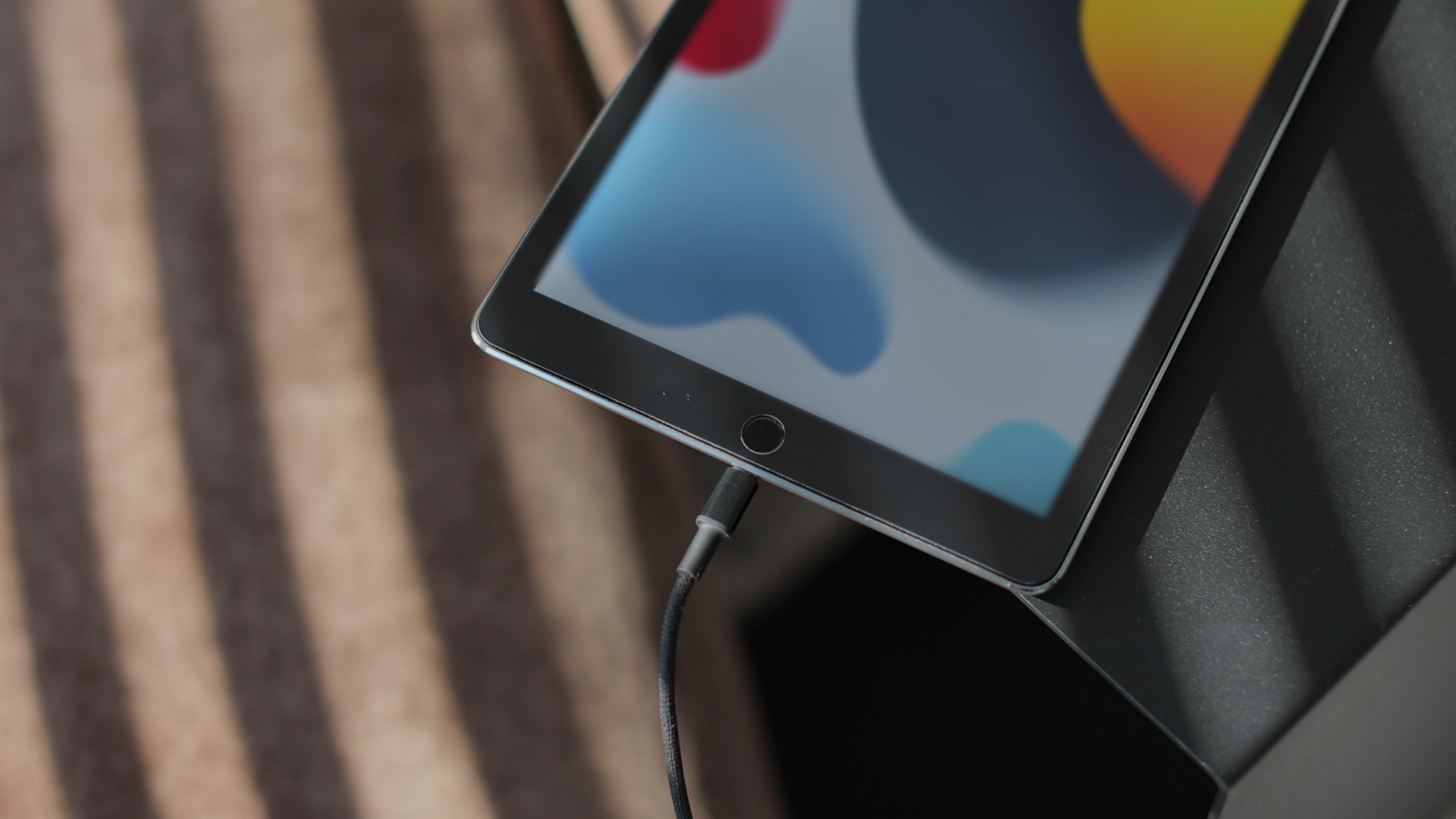
How you charge your tablet also makes a big difference in its battery lifespan. Using an incompatible charger or cable can harm your device and pose serious safety risks. If the tablet's battery voltage does not match the charger's voltage, it may overheat, potentially leading to fire hazards or electric shock.
Moreover, improper chargers or cables can reduce performance and even cause irreversible damage to your refurbished computer tablets. To protect both your device and yourself, always use the charger and cable that is compatible with your tablet's model. If you are uncertain about the right charger or cable, consult the user manual or contact the seller or manufacturer or visit our website to choose the best accessory for your tablet.
Avoid Overheating
Overheating can cause long-term damage to your tablet. Maintaining your tablet at a stable temperature is also crucial for preserving its battery health. If you notice it getting hot, stop using it for a while and let it cool down.
Avoid using it in direct sunlight or placing it on soft surfaces like a couch, which can block ventilation and trap heat. Ideally, use the tablet in environments where the temperature stays between 32°F (0°C) and 95°F (35°C).
Using a cooling stand or propping it up on a table for better airflow can help keep temperatures in check. If overheating is a frequent issue, check your battery settings to see if any apps consume excessive power.
Use a Protective Case and Screen Protector
The simplest yet most effective way to protect your device is to use a protective case and screen protector. A simple drop can crack the screen or damage the internal components.
Get your tablet a sturdy case and a tempered glass screen protector to prevent costly repairs. Even if you're extra careful, a little extra protection never hurts. Plus, a case can help keep dust and debris out of the ports.
If you use your tablet outdoors or while commuting, consider a rugged case for extra durability. Some tablet cases are designed with built-in stands, making it easier to watch videos or type on your tablet how you want.
Update Software Regularly
Software updates aren't new features but more about security patches and performance improvements. If you overlook updates, you leave your tablet vulnerable to security threats that will ultimately slow it down. Check for updates regularly and install them when they become available.
If your tablet starts feeling sluggish, a factory reset can sometimes work. It wipes out unnecessary data and gives your device a fresh start. Just be sure to back up important apps and files before doing so.
Uninstall Unnecessary Apps and Files
Over time, unnecessary apps and files can clutter your device with your tablet's storage. Regularly review your apps and uninstall the ones that are no longer needed.
Some apps also drain battery life faster than others, so check your battery settings to see which are the biggest consumers.
Clear out old files, photos, and cache data to improve performance. If you don't have enough storage space, opt for a cloud service to store your files instead of overloading your tablet's internal memory.
In addition, be mindful when installing new apps. Some apps contain malware or unnecessary bloatware that can slow down your tablet. Stick to trusted sources such as the Google Play Store or Apple App Store.
Use Security Software
Keeping your device safe from malware and security threats is vital. Install trusted antivirus or anti-malware software to defend against potential risks. Perform regular scans and update your security software frequently to maintain strong protection against online threats. Be cautious when downloading apps and avoid clicking on suspicious links or emails.
Performance Monitoring
Monitor key performance metrics like CPU usage, memory consumption, and response times to detect potential issues before they become major problems. Keeping track of these indicators allows you to proactively address concerns as they arise.
Maintain a comprehensive log of your tablet's performance over time, documenting any fluctuations or patterns you notice. This habit will enable you to identify recurring problems and resolve them effectively with appropriate updates or repairs.
Use It Wisely
Tablets can be used for various tasks, from watching videos to browsing the internet. However, running too many heavy apps at once can strain the processor.
If you're using it for gaming or streaming for longer periods, close any unnecessary background apps to free up resources.
Using Wi-Fi instead of mobile data, when possible, can also reduce battery strain.
Suitable Tablet Models For you
1. The Refurbished Geo GeoPad 220 is a lightweight 2-in-1 designed for portability and everyday tasks. Powered by an Intel Pentium Silver N5030 processor with 8GB RAM, it handles web browsing, Office applications, and streaming with ease. The 64GB SSD ensures fast boot times, while the 12.1-inch Full HD touchscreen offers responsive navigation and flexible use in laptop or tablet mode. Perfect for students or professionals on the go, it combines practicality with affordability.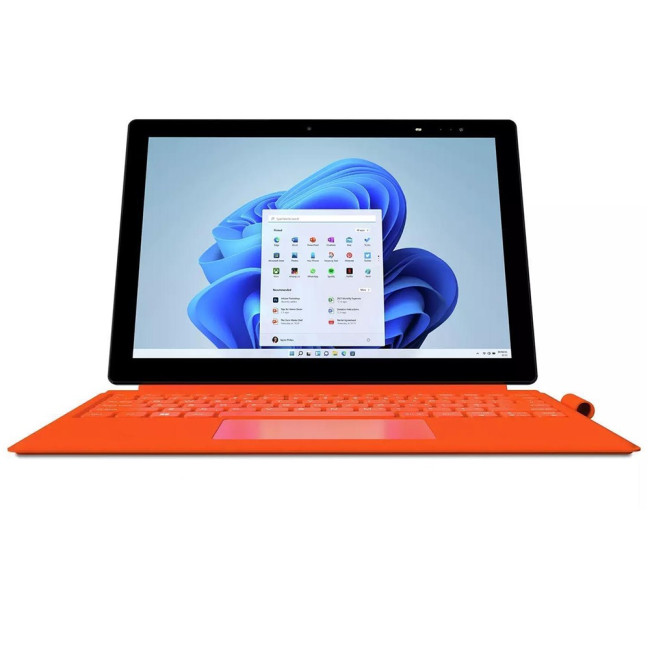
2. The Refurbished Microsoft Surface Pro 9 X1P-64-100 delivers laptop-class power in a sleek, portable form. Featuring 16GB RAM and a 256GB SSD, it handles multitasking, creative apps, and professional workloads effortlessly. Its 13-inch PixelSense touchscreen offers sharp visuals and responsive touch, making it ideal for design, note-taking, or presentations. With 5G connectivity, you stay connected anywhere without relying on Wi-Fi, while Windows 11 Pro ensures a seamless productivity experience. Finished in Platinum, this versatile 2-in-1 is perfect for remote professionals and business users.
3. The Refurbished Samsung Galaxy Tab A9+ combines style and practicality at an affordable price. Powered by a Qualcomm Snapdragon 695 processor with 4GB RAM, it offers smooth performance for browsing, streaming, and light productivity. The 64GB SSD (expandable via microSD) provides ample space for apps and media. Its 11-inch WUXGA display delivers crisp visuals, while the quad speakers with Dolby Atmos enhance entertainment. Slim and lightweight in a Navy finish, it’s perfect for students, families, or casual users.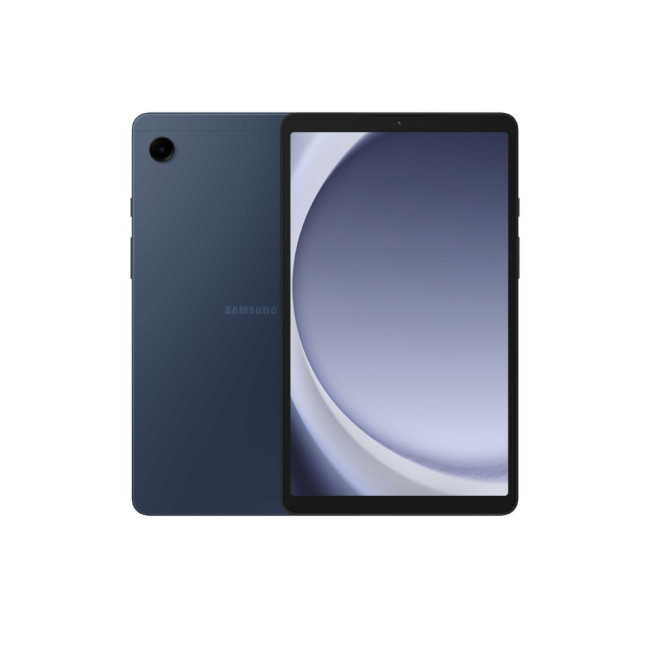
4. The Refurbished Microsoft Surface Pro 9 with 12th Gen Intel Core i5, 8GB RAM, and 256GB SSD delivers dependable performance for work, study, and entertainment. Its 13-inch PixelSense touchscreen offers sharp visuals and supports touch and stylus input for note-taking and design tasks. Running Windows 11 Pro, it ensures productivity with enhanced security features. Weighing under 1kg and finished in Platinum, this sleek 2-in-1 is ideal for professionals and students who need portability without sacrificing power.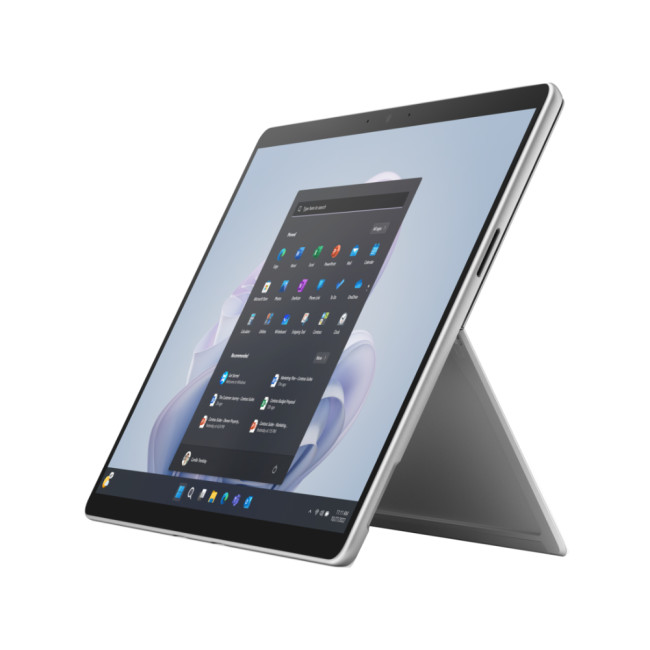
Additional Tips to Extend the Life of Your Refurbished Tablet
- If you notice any performance problems with your device, such as unusual slowdowns, crashes, or error messages¸, you should address these warning signs promptly, as delaying action could lead to potential problems later.
- Use cloud storage or an external device to keep a copy of your important files. If your tablet ever has an issue, you won't lose important documents or photos.
- Restart your tablet every once in a while, can clear system memory and directly impacts on how long does tablet battery last.
- When not in use, keep your tablet in a cool, dry place. Avoid areas with high humidity, such as the kitchen or bathroom.
- If your tablet has an OLED or AMOLED display, it enables dark mode to reduce power consumption.
- While keeping the battery between 20%-80% is a good idea, it's also an effective practice to fully drain and recharge it once a month.
- If you don't need an internet connection for a while, you can switch to Airplane Mode to conserve battery life and reduce unnecessary background activity.

Extending the Life of Your Refurbished Tablet
Are refurbished tablets durable enough for long-term use?
Yes. Refurbished tablets from trusted retailers like Laptop Outlet are thoroughly tested and certified before resale. With proper care, they can last as long as new devices.
What’s the best way to maintain battery health on a refurbished tablet?
Avoid overcharging, keep the battery level between 20–80%, and use the original or certified charger. Enabling battery saver mode during heavy use also helps extend lifespan.
How often should I update my refurbished tablet’s software?
Always install system updates as soon as they’re available. Updates improve security, fix bugs, and optimise performance, helping your refurbished tablet run smoothly.
Can a protective case and screen protector make a difference?
Absolutely. Using a durable case and tempered glass screen protector reduces the risk of physical damage from drops, scratches, or spills, significantly extending your tablet’s usability.
What habits can reduce wear and tear on refurbished tablets?
Keep your tablet dust-free, avoid exposing it to extreme temperatures, close unused apps to prevent overheating, and store it safely when not in use. Small habits make a big difference in longevity.
Read more about refurbished tablets:
Related Articles


Last Updated: April 06, 2026
Although refurbished tablets cannot be compared to their brand-new counterparts for eye-catching style and multitasking power, they offer vibrant displays and long-lasting battery life, arguably the two essential features to look for when buying a tablet without breaking the bank.
In this guide, we'll explore the best refurbished tablets available. We have curated a list of the best refurbished tablets that combine affordability with excellent features. Whether you need a tablet for streaming, gaming, or productivity, there's a refurbished option tailored to your needs. Let's dive in and help you find your ideal tablet while keeping your wallet happy!
Microsoft Surface Pro 8: The Best 2-in-1 Tablet!
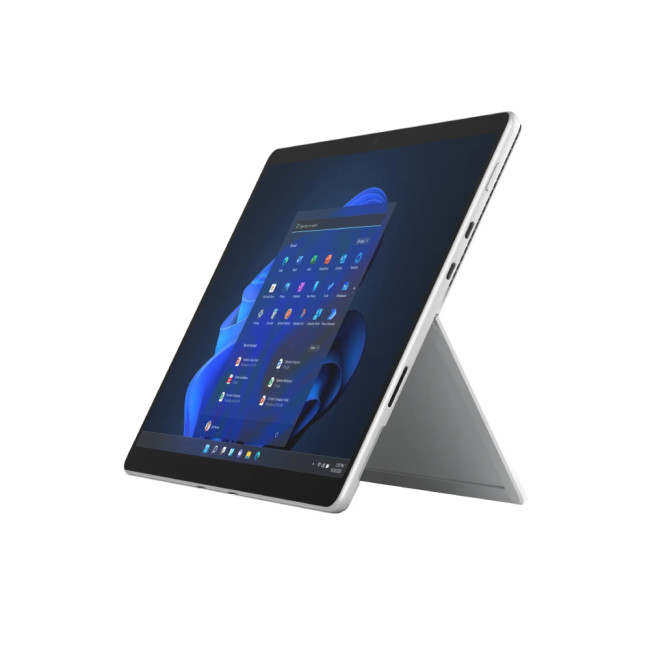
Specifications
- Intel Core i5 Processor
- LPDDR4x-SDRAM Memory
- 13 in Full HD Display, PixelSense, 2880 x 1920 Max. Resolution
- 8 GB RAM, 512 GB Storage
- 5 MP Front Camera
- Intel Iris Xe Graphics
- Windows 11 Home
- USB | Surface Connect
- Graphite Colour
- 1 Year Warranty

Last Updated: September 24, 2025
Buying a refurbished iPad can save you hundreds of pounds, but there can be some drawbacks. This guide will help you find out where to buy them, which retailers are worth considering, and everything else you need to consider before you spend your money.
You can purchase second-hand iPads directly from previous owners through platforms like eBay and local retailers. However, a refurbished iPad is different—it has been inspected and tested to ensure it functions like new, often with a warranty for added peace of mind.
Brand-new iPads can cost over £1,000, with even the most affordable models exceeding £300. Opting for a refurbished one can impressively cut costs. Stay with us as we help you through the benefits of a refurbished iPad, the best place to buy a refurbished iPad, and key factors to consider.
So, let's jump right in!
What Exactly Is a Refurbished iPad?
Before we dive into the where-to-buy reconditioned iPad details, it's worth discussing what "refurbished" really
Last Updated: October 24, 2025
If you seek a new tablet but find the price tag too steep, a refurbished tablet is the next best thing. Buying a refurbished tablet can be a smart choice as it gives you the advantage of owning a fully functional tablet without breaking the bank.
The key is understanding what to look for and where to find a trustworthy option. To guide you through this process, we'll outline the essential information you need when buying a refurbished tablet.
What is a Refurbished Tablet?
First, let's discuss what a refurbished tablet is. The refurbished computer tablets refer to previously pre-owned tablets that have been restored to a like-new condition by either the manufacturer or a retailer before being resold at a reduced price. These devices come from various sources, such as customer returns, display models, or units with minor cosmetic flaws. What sets them apart is that they undergo a thorough inspection, necessary repairs, and testing to ensure they function just like a brand-new tablet.
Some
Last Updated: October 02, 2025
A tablet is more portable than a laptop but has a larger screen than a smartphone, making it a worthwhile purchase for many individuals. However, you might be reluctant to spend much money on one unless it's your main productivity device. Opting for a refurbished tablet lets you enjoy premium features at a fraction of the cost. The key? Buying from a trusted retailer and knowing what to look for.
At Laptop Outlet, we've done the hard work for you by evaluating and enlisting the best refurbished tablets that offer performance, reliability, and value for money. Whether you need a budget-friendly device for streaming or a powerhouse for multitasking, we've something in these refurbished tablets review.
Why Choose Refurbished Tablets?
Before diving into specific models, it’s important to understand why refurbished tablets such a popular choice in 2025 is.
Cost Savings Without Compromise
Refurbished devices are priced significantly lower than brand-new counterparts. This makes it easier to

Last Updated: September 09, 2025
Introduction: Refurbished Tech Explained
You’ve probably seen laptops, phones, and tablets labelled as refurbished—often at lower prices than new models. But what does "refurbished" actually mean? And is it worth buying? Let’s break it down.
What Does Refurbished Mean?
A refurbished product is a pre-owned item that has been professionally inspected, repaired (if needed), and tested to ensure it works like new.
This could include:
- Customer returns
- Devices with cosmetic damage
- Products with minor faults repaired by technicians
After refurbishment, the item is often cleaned, repackaged, and sold at a discounted price.
Refurbished vs. Used: What’s the Difference?
Refurbished:
- Professionally checked and repaired
- Usually comes with a warranty
- Sold by reputable retailers
Used:
- Sold "as is" by individuals
- No guarantee of condition or warranty
- No professional testing or repairs
Pro Tip: Always buy refurbished tech from trusted sellers like Laptop Outlet to ensure

