



Laptops For Seniors Accessibility and Ease of Use Features
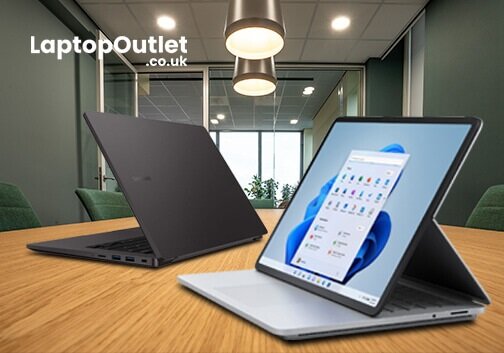
Do you need a laptop for work and personal use but need more time because you are older? Well, we have your back; let's find the best laptop.
In an age of advanced technology, laptops have become essential for staying connected, managing tasks, and accessing information. However, embracing the digital world can sometimes be challenging for seniors.
The good news is that laptops have evolved to meet the unique needs of older adults, with a focus on accessibility and ease of use. There are so many brands on the market these days, and it'll take a lot of work to know which suits your needs the best.
This article will cover some considerations that make laptops more senior-friendly and some of the best budget options for older adults. So, whether you're in the market for your first laptop or are just looking to upgrade, read on for our top picks!
Best Laptop for Senior Citizen's Needs - Things to Consider!
Buying a laptop for seniors helps them stay connected with the digital world. There can be many factors to consider when looking for a laptop for seniors and older adults. You must look for one with the correct screen size and performance, usability features, and portability to get the most out of the new laptop. However, when choosing the right laptop for seniors, it's essential to consider the individual's needs. Seniors have many health and mobility issues that require a specified use of computers.
- Laptops designed for seniors usually come with big screens and fonts, ensuring the text is easily readable and clear.
- Consider a laptop with a good battery life that stays on for a long time without charging.
- Consider choosing a laptop with the correct socket and wireless technology for using earphones.
- A touchscreen laptop may be more accessible for some seniors; however, it depends on the needs and preferences of the senior citizens.
- It is recommended to opt for something lightweight yet robust simultaneously.
- Also, looking for a laptop with security features like virus protection is essential to ensure that older individuals don't have to worry about anything when using a new laptop.
Benefits of Laptop for Seniors
Laptops can offer seniors a wide range of benefits, making their lives more convenient, enjoyable, and connected. Here are some of the advantages:
- Accessibility Features: Many laptops are designed with accessibility in mind, featuring larger screens and fonts, customisable settings, and other features to make them easier for seniors, including those with visual or hearing impairments.
- Staying Connected: Laptops enable seniors to stay in touch with family and friends through video calls, emails, and social media, making it easier to maintain social connections.
- Online Learning: Seniors can use laptops for learning and self-improvement with online courses, accessing educational resources, and engaging in lifelong learning. They can also access news, information, and resources to stay informed about the world.
- Entertainment: Laptops provide access to various entertainment options, from streaming movies and TV shows to enjoying hobbies like digital art or music.
- Convenience: Laptops are portable and versatile, allowing seniors to efficiently handle tasks like online banking, shopping, and managing appointments from the comfort of their homes.
- Remote Health Services: Seniors can benefit from online health services, consultations with healthcare providers, and access to health-related information, especially for those with mobility issues.
- Independence: Laptops can enhance seniors' sense of independence by allowing them to handle various tasks without relying on others.
Best Laptops for Seniors: Our Top Picks
We have carefully selected our top laptop picks designed to meet the demands and requirements of seniors. Whether you seek a laptop with enhanced accessibility features, larger screen sizes, or a user-friendly interface, we have covered you. Our choices are designed to make the digital journey of our senior citizens smooth and help them stay connected with the world around them.
Select the one that aligns with your needs and preferences to stay in touch with your loved ones, access information, and indulge in your favourite activities.
Samsung Galaxy Book Intel Core i5-1240P 8GB RAM 256GB SSD 14-inch Full HD Windows 11 Pro Laptop + Backpack
The Samsung Galaxy Book has a powerful processor, speedy 8 GB of RAM, and 256 GB of SSD capacity, making it ideal for both work and play. It is designed to meet everyday computing needs with ease and efficiency. This laptop combines performance, portability, and convenience in one sleek package.
The 14-inch screen size with the full HD display delivers stunning visuals with sharp clarity, making it the best choice for seniors to read, watch, and work on various tasks. This laptop has pre-built Windows 11 Pro, offering a streamlined and intuitive interface for seniors who could be more tech-savvy.
To make your life easier, we have sweetened the deal with a complementary backpack, making it easier for you to carry around wherever you go. Whether staying in touch with loved ones through video calls or enjoying movies, the Samsung Galaxy Book provides the performance and visuals needed for senior citizens.
Technical Specifications
| Category | Specifications |
| Processor | Intel Core i5 |
| Maximum Resolution | 1920 x 1080 Max. Resolution |
| Display | Full HD Display |
| RAM | 8 GB RAM |
| Screen Size | 14 inches |
| Storage Capacity | 256 GB SSD |
| GPU | Intel Iris Xe Graphics |
| Operating System | Windows 11 Pro |
| Ports | HDMI, USB 3.2, Thunderbolt 4 |
| Colour | Graphite |
| Warranty | 1 Year |
| Touchscreen | No |
| Item Weight | 1.5 kg |
| Optical Drive | No DVD Drive |
Pros and Cons
| Pros | Cons |
|
|
Why We Picked It?
We selected this Samsung laptop for its outstanding display, meeting the unique needs of older individuals. The screen on this laptop is exceptionally well-suited for seniors, as it provides excellent clarity.
The larger display and font size ensure that text is easily readable, allowing seniors to easily browse websites, read emails, and work on documents without straining their eyes.
With this laptop, older people with visual impairments can comfortably view and interact with content, making their digital experience more enjoyable and user-friendly.
Best Place to Buy:
To find the best deals on Samsung laptops, look no further than Laptop Outlet. They have a diverse selection of notebooks from renowned brands like Dell, Lenovo, ASUS, and many more.
At Laptop Outlet, you can get this laptop at a fantastic price of under £500, saving up to £300 off the original price. You won't want to miss this opportunity if you need a high-quality and affordable laptop. Shop smart and make Laptop Outlet your go-to destination for unbeatable deals on new and refurbished laptops!
Microsoft Surface Laptop Go Intel Core i5 4GB RAM 64GB eMMC 12.4" Touchscreen Fingerprint Reader Windows 10 Pro (Academic) - 21K-00004
The Microsoft Surface Laptop Go has an Intel Core i5 processor with 4GB of RAM and fast 64GB eMMC storage for multitasking and accessing files quickly. The 12.4-inch touchscreen display and a convenient fingerprint reader offer easy navigation and enhanced security, making it the best choice for senior citizens. The compact and stylish laptop is designed to focus on simplicity, portability, and ease of use. If you're a senior looking for a lightweight and user-friendly device, the Microsoft Surface Laptop Go is here to meet your needs.
Seniors who prefer the familiarity of Windows 10 will find this version comforting, with access to productivity tools, applications, and a user-friendly interface.
Key Specifications
| Category | Specifications |
| Processor | Intel Core i5 10th Gen. Processor |
| Processor Speed | 1.00 GHz |
| Maximum Resolution | 1536 x 1024 Max. Resolution |
| Storage Type | eMMC |
| RAM | 4 GB RAM |
| Screen Size | 12.4 inches |
| Storage Capacity | 64 GB SSD |
| GPU | Intel UHD Graphics |
| Operating System | Windows 10 Pro |
| Ports | USB 3.0, USB-C |
| Colour | Platinum |
| Warranty | 1 Year |
| Touchscreen | Yes |
| Item Weight | 1.11 kg |
| Optical Drive | No DVD Drive |
| Turbo Boost Speed | 3.6 GHz |
| Sound Device | Dolby Audio Premium |
| Speaker Type | OmniSonic |
Pros and Cons
| Pros | Cons |
|
|
Why We Picked It?
We've chosen this Microsoft laptop for its remarkable battery life and exceptional sound quality, both of which meet the needs of seniors, especially those with hearing impairments. The extended battery life ensures that this laptop can be relied upon for hours, allowing seniors to engage in tasks, communicate with loved ones, and enjoy entertainment without the constant worry of recharging.
The superior sound quality ensures that every audio experience, from video calls to watching videos, is clear and accessible. This laptop is the best choice for seniors seeking a dependable, long-lasting device that doesn't compromise on sound quality, ensuring they stay connected and entertained easily.
Best Place to Buy
If you want an affordable deal to buy this laptop, check out the Laptop Outlet. At Laptop Outlet, you'll find this laptop available at a fantastic price of under £300, saving up to £80 off the original price.
Take advantage of this opportunity, especially if you're looking for a high-quality, budget-friendly laptop. Make the wise choice and trust Laptop Outlet for an exceptional laptop destination!
Final Verdict!
In conclusion, technology has taken a remarkable turn, with laptops designed with accessibility and ease of use for seniors. These laptops go beyond traditional computing, providing features like larger and clearer displays, user-friendly interfaces, and enhanced accessibility options that empower seniors to stay connected, informed, and entertained.
Choosing the right laptop for seniors ultimately depends on their needs and preferences. So, whether you're a senior seeking the perfect device to match your lifestyle or someone assisting an elderly friend or relative in their tech journey, we hope this guide will help you make an informed choice.
With the right laptop, seniors can easily unlock the benefits of technology, making their digital adventures more accessible and enjoyable.
Remember to visit the Laptop Outlet to discover even better laptop deals. We have many laptops and other accessories that suit your needs and budget. So, why wait? Your next laptop deal might be just a click away!
Read more:
| Best First Phones for Your Child |
| What’s the Difference Between an iPad and a Tablet? |
| How to Connect Earbuds to Laptop: A Comprehensive Guide |
Related Articles

Last Updated: September 21, 2026
Buying a laptop for work is no longer simply about choosing a familiar processor and enough storage. Your software, workload, security requirements, portability needs, and even processor architecture can change which laptop makes sense.
For most everyday office work, 16GB RAM and a 512GB SSD provide a sensible starting point, while heavier creative, engineering, and data workloads may justify 32GB RAM, dedicated graphics or a more powerful processor.
Before buying your next work laptop, avoid these seven common mistakes.
Mistake 1: Not Checking Software Compatibility First
Start with the applications you actually use.
Microsoft 365, web-based business software, and mainstream communication apps will run comfortably on a wide range of modern laptops. Specialist accounting packages, CAD applications, development tools, company VPNs, and older peripherals can be more demanding.
This is particularly important when comparing traditional x86 Windows laptops with newer Arm-based machines. Windows
Last Updated: April 06, 2026
Whether you're hustling through coursework, balancing remote work, or just need a reliable laptop for everyday browsing and streaming, finding the best budget laptop can feel like a challenge. But in 2026, high performance doesn’t have to come with a high price tag. At Laptop Outlet, we’ve got a whole range of affordable laptops that don’t skimp on quality, style, or features.
From cheap laptops for students to affordable laptops for work and even a few gaming laptops under budget, there’s a perfect match for every need – and every budget. Below, we’ve rounded up the top HP models that prove you can get the best without blowing the bank.
Laptops for Students: Stay Productive on a Student Budget
Studying on the go? These HP laptops are light on the wallet but heavy on performance. They’re ideal for writing essays, streaming lectures, video calls and running essential apps like Microsoft Office or Google Docs.
1. Apple MacBook Air 13" (2020, M1) (MGN63B/A)
Highlights:
- 13.3" WQXGA
Last Updated: April 03, 2026
Finding a good laptop without breaking the bank is more achievable than ever.
Whether you're a student looking for something reliable, a professional needing a dependable work machine, or simply after an everyday laptop that won't slow you down, the sub-£500 market delivers solid options in 2026.
You don't have to sacrifice performance for price. From business-ready machines to budget-friendly options, this guide covers six of the best laptops under £500 currently in stock at Laptop Outlet, with real specs and honest guidance to help you choose right.
| Please note: All products featured in this article were priced under £500 at the time of writing. Prices are subject to change and may vary over time. |
6 Laptops That Deliver Brilliant Value Under £500
Each of these picks comes from a different corner of the market. So, whatever your needs, there's likely a match here for you.
1. Lenovo V15 G4 – AMD Ryzen 5 7520U, 16GB RAM, 256GB SSD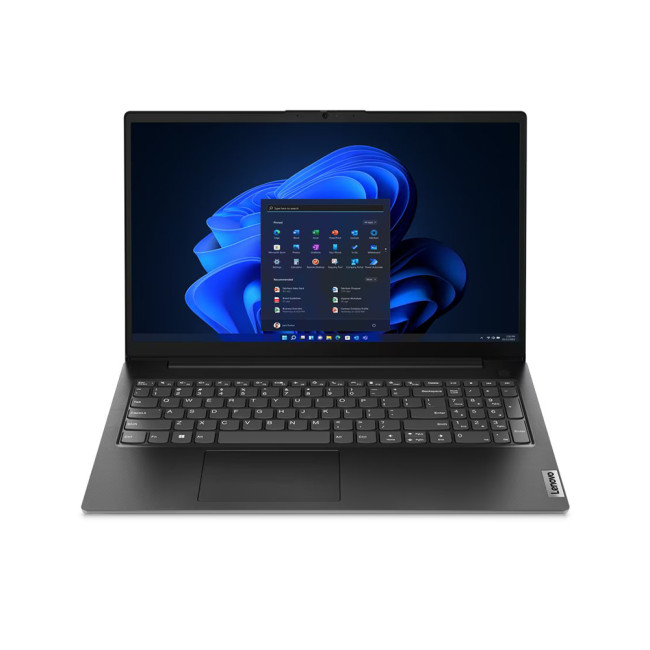
Key Specifications
- AMD Ryzen 5 7520U (4-core,

Last Updated: October 02, 2025
Slow Laptop? Let’s Fix That
If your laptop’s feeling more like a snail than a speed demon, don’t worry—we’ve got you. Whether it’s taking forever to start up or lagging when you open apps, these simple, effective tips will help speed up your laptop without needing to be a tech genius.
1. Restart Your Laptop (Seriously)
It sounds obvious, but a fresh reboot clears temporary files and resets your RAM. If you haven’t shut down in weeks—start here.
2. Disable Startup Programs
- Too many programs launching at startup = slower boot times.
- Windows: Ctrl + Shift + Esc > Startup tab > Disable unwanted apps
- Mac: System Settings > General > Login Items > Remove apps you don’t need
3. Uninstall Unused Software
- Old programs = wasted resources.
- Go through your installed apps and remove anything you no longer use.
4. Clean Up Your Hard Drive
- Free up space by deleting:
- Temp files
- Duplicate files
- Downloads folder clutter
Windows Tips: Use Disk Cleanup or Storage Sense
Mac
Last Updated: September 24, 2026
Quick Answer
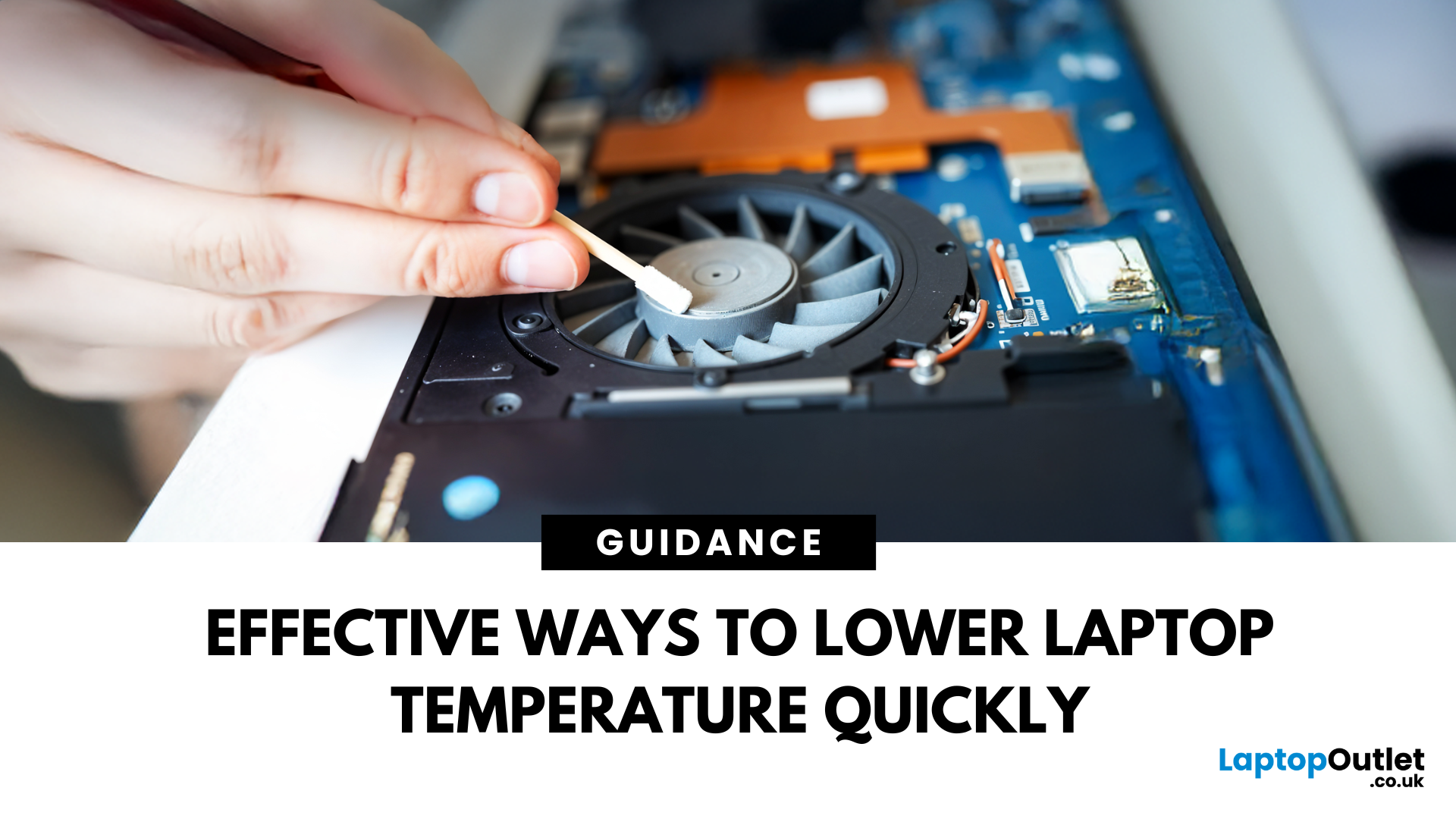
If your laptop is overheating, move it to a hard, flat surface, close heavy apps, switch Windows 11 to Balanced mode, clear dust from the vents, and let it cool if performance drops or it shuts down. Persistent overheating can point to blocked airflow, a failing fan, battery problems or ageing thermal paste, so repeated symptoms need proper diagnosis promptly.
A warm laptop is not automatically an overheating laptop. Gaming, video editing, charging and other demanding tasks can make the CPU and GPU run hotter, which can also make the fans louder.
The warning signs are more useful than surface warmth alone. Repeated slowdowns under load, sudden shutdowns, unusually loud or silent fans, heat during light use, or a battery that is swelling all deserve attention.
First, Is Your Laptop Actually Overheating?
Modern processors protect themselves when temperatures become too high by reducing performance, a behaviour known as thermal throttling. Some systems may eventually shut down

