



The Ultimate Guide to Buying Refurbished or Reconditioned Laptops 2026
Thinking of buying a refurbished or reconditioned laptop this year? This comprehensive guide explains what refurbished and reconditioned laptops are, how condition grades work, what happens during professional refurbishment and how these devices compare with brand-new laptops. It also covers the benefits, possible risks, specifications to check and steps you can take to test and maintain your laptop.
Buying a refurbished or reconditioned laptop in 2026 can be an effective way to obtain a capable device for less than the cost of an equivalent new model. It can also extend the useful life of existing technology and reduce the number of working devices that are discarded prematurely. However, the quality, warranty, battery condition and refurbishment standards can differ between sellers, so it is important to understand exactly what you are purchasing.
Refurbished vs. Reconditioned Laptops: Know the Difference
Let us begin with the basics: What is a refurbished laptop, and what is a reconditioned laptop?
The terms are frequently used interchangeably, and there is no universal industry rule requiring retailers to define them differently. Some sellers use “reconditioned” to describe a more extensive restoration process, while others use it as another name for “refurbished”.
For that reason, do not assume that one term automatically guarantees a better product. Always read the retailer’s condition description, testing process, warranty information and returns policy.
What Is a Refurbished Laptop?
A refurbished laptop is normally a pre-owned or previously returned device that has been inspected, tested, cleaned and restored to a saleable working condition.
Unlike an ordinary used laptop sold privately, a professionally refurbished device should undergo functional checks. Faulty parts may be repaired or replaced, storage may be securely wiped, the operating system may be reinstalled and the exterior may be cleaned before the laptop is graded and offered for resale.
Refurbished laptops can come from several sources, including:
- Customer returns
- Cancelled orders
- Open-box stock
- Ex-display devices
- Business lease returns
- Trade-in programmes
- Surplus or discontinued inventory
- Products that previously developed a repairable fault
The amount of work performed depends on the device and the refurbisher. A laptop returned in nearly new condition may require only testing, data sanitisation and cleaning, while an older business laptop may require replacement parts or more extensive servicing.
A reputable retailer should clearly state the laptop’s condition, specifications, included accessories, warranty and any visible cosmetic wear. This is one reason professionally refurbished laptops may cost more than devices sold privately as second-hand.
What Is a Reconditioned Laptop?
A reconditioned laptop is also a previously owned or returned device that has been inspected and restored for resale.
Some retailers use “reconditioned” for products that have undergone more extensive repairs or cosmetic restoration. However, this is a retailer-specific distinction rather than a guaranteed industry standard. Another seller may use “refurbished” and “reconditioned” to describe exactly the same process.
When evaluating any refurbished or reconditioned laptop, focus on the evidence provided rather than the label. Check who completed the work, which components were tested or replaced, how the condition is graded and what protection is included after purchase.
Key Differences
The following table shows how some retailers may distinguish the terms. These differences are not universal, so the seller’s own definitions should always take priority.
|
Refurbished Laptops |
Reconditioned Laptops |
|
Usually inspected, tested, cleaned and restored to working order |
May be used by some sellers for a more extensive restoration process |
|
Repairs are completed where required |
May involve more component replacement or cosmetic work |
|
Cosmetic condition varies according to the advertised grade |
May be presented as restored closer to a like-new condition |
|
Testing standards depend on the manufacturer, retailer or refurbisher |
Testing standards also depend on the organisation carrying out the work |
|
Prices vary by age, specification, grade and warranty |
Prices may be higher if more work or replacement parts are involved |
|
The term is widely used across manufacturer and retailer programmes |
The term is often used interchangeably with “refurbished” |
Overall, either option can offer excellent value, but the terminology alone does not determine quality. Before buying, compare the precise condition, specification, battery information, warranty and returns policy.
Refurbished but Reborn: Why Consider Refurbished Laptops in 2026?
Refurbished technology remains attractive in 2026 because many buyers want dependable performance without paying the full cost of an equivalent new device.
A professionally restored laptop may provide access to a better processor, more memory, faster storage or a more durable chassis than a similarly priced entry-level new model. Business-class refurbished laptops can be particularly appealing because they may include stronger construction, better keyboards, more ports and security features that were originally designed for professional use.
Buying refurbished laptops may also extend the working life of existing hardware. Reusing a suitable device can delay disposal and reduce the immediate demand for manufacturing a replacement.
However, not every refurbished laptop is automatically a good purchase. Its value depends on:
- The age and original quality of the model
- Current software compatibility
- Battery health
- Cosmetic grade
- The quality of the refurbishment
- The warranty and returns protection
- The price compared with a new alternative
A good refurbished laptop should therefore be judged as an individual product, not simply as a cheaper category of laptop.
Are Refurbished Laptops Good? Insights into Their Reliability and Value
Yes, refurbished laptops can be good when they are properly tested, accurately graded and sold by a reliable retailer. Modern refurbished ranges can include:
Depending on the available stock, buyers may find devices with recent Intel Core or Core Ultra processors, AMD Ryzen or Ryzen AI chips, Apple M-series processors, dedicated graphics, 16GB or more RAM and fast SSD storage.
The brand alone does not guarantee reliability. A refurbished laptop from HP, Dell, Lenovo, ASUS, Acer, Microsoft or Apple should still be assessed according to its exact age, model, battery, condition and seller protection.
For the strongest value, compare the refurbished device with a new laptop at a similar price. A refurbished premium model may provide a better display, build and specification, but a new budget laptop might offer a newer battery, longer manufacturer support or a more recent processor platform.
A refurbished or reconditioned laptop is most likely to be worthwhile when:
- Its condition is described clearly
- Its processor and operating system remain properly supported
- Its battery condition is acceptable for your needs
- Its specifications match your workload
- It includes an appropriate charger
- The seller provides a meaningful warranty
- The price represents a clear saving over suitable new alternatives

Refurbished Laptop Grades: Everything You Should Know
When purchasing a refurbished or reconditioned laptop, the condition grade is one of the most important details to check.
Grades primarily describe cosmetic condition, although retailers may also explain testing standards, replacement parts, packaging and accessories. There is no single grading system used by every UK seller, so always read the full condition description rather than relying only on terms such as Excellent, Very Good or Good.
New Open Box
New Open Box laptops are unused or effectively new devices whose packaging has been opened. They may have been inspected, returned shortly after purchase or supplied in packaging with a broken factory seal.
They should be fully functional and show no meaningful signs of previous use. Original or specified replacement accessories are included according to the product description, although the outer packaging may display minor handling marks.
This grade is suitable for buyers who want a product close to brand-new condition at a reduced price.
Manufacturer Certified Refurbished – Excellent Condition
Manufacturer Certified Refurbished – Excellent Condition laptops have been refurbished through a manufacturer-controlled or approved programme according to the advertised product details.
The device should be fully functional and professionally tested. Necessary replacement components are generally fitted according to the programme’s standards, and the laptop should show only minimal cosmetic wear.
This grade can suit buyers who prefer a refurbishment process connected directly to the original manufacturer, but the warranty and accessories should still be checked on the individual listing.
Refurbished – Excellent Condition
Refurbished – Excellent Condition laptops are professionally tested, cleaned and restored to full working order.
They may display very light signs of previous handling, such as small surface marks or minor blemishes, but these should not affect operation. Essential components and accessories should be included as specified, and licensed software may be installed where applicable.
This grade is appropriate for buyers who want strong cosmetic condition as well as dependable functionality.
Refurbished – Very Good Condition
Refurbished – Very Good Condition laptops are tested and fully functional but may show more noticeable signs of use.
These can include surface marks, light scratches, slight discolouration or evidence that labels have been removed. Replacement parts may be non-original where this is stated or permitted by the retailer’s refurbishment standard.
This grade offers a balance between appearance and price for buyers who prioritise performance over an immaculate exterior.
Refurbished – Good Condition
Refurbished – Good Condition laptops are fully operational but may show clear cosmetic wear.
Visible scratches, marks, worn surfaces or small dents may be present. Non-essential cosmetic parts, such as stickers or rubber feet, may also be absent, although critical components should remain intact and functional.
This grade is best suited to budget-conscious buyers who are comfortable with visible signs of previous use.
The Refurbishment and Reconditioning Process
In this section of our refurbished laptop buying guide, we explain the stages that may be involved in preparing a laptop for resale.
The exact process varies between manufacturers, retailers and specialist refurbishers. The steps below describe what a professional process may include, rather than a guaranteed standard followed by every seller.
The Refurbishment Process
Initial Inspection:
The laptop is visually and functionally inspected to identify damage, missing parts and possible hardware or software faults.
Data Sanitisation:
Previous user data should be securely removed using an appropriate data-erasure process. A simple factory reset is not always the same as professional data sanitisation.
Hardware Diagnostics:
Core components such as the processor, RAM, SSD, display, battery, keyboard, trackpad, ports, wireless connectivity, speakers and webcam are checked.
Repairs and Replacements:
Faulty or worn components may be repaired or replaced. The parts used can be original, manufacturer-approved or compatible replacements, depending on the refurbishment programme.
Cleaning:
The laptop is cleaned to remove dust, dirt, labels and residue. Cooling vents and accessible internal areas may also be cleaned where required.
Software Reinstallation:
The operating system is reinstalled or reset, activated and updated where appropriate. Drivers and necessary firmware may also be installed.
Cosmetic Assessment:
The device is assessed for scratches, dents, worn surfaces and other signs of use before being assigned a condition grade.
Quality-Control Testing:
A final set of checks confirms that the laptop operates as described and that major functions work correctly.
Final Grading and Packaging:
The laptop is graded, matched with the specified charger and accessories, then packaged for sale.
The Reconditioning Process
Where a retailer uses “reconditioned” to describe a separate, more extensive process, it may include the following stages:
Detailed Assessment:
The laptop is examined for structural, electronic and cosmetic issues.
Secure Data Erasure:
Existing user accounts, files and business data are removed. Organisation management, BIOS passwords and activation locks should also be cleared where applicable.
Hardware Diagnostics:
The SSD, memory, display, battery, cooling system, keyboard, trackpad, ports, camera, speakers and wireless hardware are tested.
Parts Replacement:
Damaged or heavily worn components may be replaced. Buyers should check whether replacement parts are original or compatible alternatives.
Internal and External Cleaning:
The laptop is cleaned and, where appropriate, internal dust is removed to support effective cooling.
Cosmetic Restoration:
Labels may be removed, surfaces cleaned and minor cosmetic issues addressed. The final appearance should still match the advertised grade.
Software and Firmware Preparation:
A supported operating system is installed, activated and updated. Device drivers, security updates and firmware may also be applied.
Full Functionality Testing:
The laptop is tested under normal operation to identify faults, excessive temperatures, unusual fan noise or unstable performance.
Final Quality-Control Check:
The completed device is checked against the refurbisher’s standard before approval.
Packaging and Warranty:
The laptop is packaged with the stated accessories and supplied with the warranty shown on the product page.
Refurbished vs. Brand New Laptops
Let us compare refurbished or reconditioned laptops with brand-new laptops.
Condition
New Laptops:
New devices have not been previously owned or used and should arrive in their original retail condition.
Refurbished/Reconditioned Laptops:
These devices may have been returned, previously owned, displayed or leased. They have been prepared for resale and may show cosmetic wear according to their grade.
Features and Performance
New Laptops:
New models are more likely to feature the latest processor platforms, wireless standards, display technology and efficiency improvements.
Refurbished/Reconditioned Laptops:
Specifications vary widely. Some models may use older hardware, while others may be recent customer returns or premium devices with highly capable components.
Performance should be judged by the exact processor, RAM, storage, graphics hardware and cooling design rather than by the refurbished label.
Price
New Laptops:
New laptops usually cost more than equivalent refurbished models, although entry-level promotions can sometimes narrow the difference.
Refurbished/Reconditioned Laptops:
They normally cost less than the same or a comparable model sold new. The saving depends on the laptop’s age, specification, condition grade, original value and current availability.
Do not judge value only by the claimed discount. Compare the refurbished price with the cost of suitable new alternatives available now.
Warranty
New Laptops:
New products commonly include a manufacturer’s warranty, although its duration and coverage vary.
Refurbished/Reconditioned Laptops:
Warranty terms vary by seller and product. Manufacturer-certified devices may include manufacturer-backed cover, while retailer-refurbished models may carry the retailer’s own warranty.
Always check the exact duration, exclusions, repair process and who is responsible for providing support.
Battery Life
New Laptops:
A new laptop normally has a new battery with minimal previous usage, although real-world runtime still depends on the model and workload.
Refurbished/Reconditioned Laptops:
The battery may have experienced previous charge cycles and could hold less energy than it did when new.
Ask whether the seller tests battery health or guarantees a minimum capacity. Real-world runtime cannot be predicted accurately from the laptop’s age alone.
Return/Exchange Policy
New Laptops:
Retailers may provide voluntary return or exchange policies in addition to the customer’s statutory rights.
Refurbished/Reconditioned Laptops:
The seller’s voluntary policy may differ from that offered on new products, so check the terms before ordering.
When buying online from a UK business, customers normally have cancellation rights under the Consumer Contracts Regulations. Goods bought from a business must also be as described, fit for purpose and of satisfactory quality, considering factors such as their age, price and advertised condition. Purchases from private individuals provide more limited protection.
Environmental Impact
New Laptops:
Producing a new laptop requires raw materials, manufacturing, transport and energy.
Refurbished/Reconditioned Laptops:
Keeping a suitable device in use for longer can delay disposal and reduce the immediate need to manufacture a replacement. However, environmental impact still depends on factors such as repairs, replacement parts, shipping, efficiency and how long the device remains useful.
Availability and Range
New Laptops:
New models are normally available in a wider choice of current specifications, colours and configurations.
Refurbished/Reconditioned Laptops:
Stock depends on returns, trade-ins, lease cycles and available inventory. A specific model, grade or configuration may disappear once the available units have sold.
A Side-by-Side Comparison
|
Aspect |
New Laptops |
Refurbished/Reconditioned Laptops |
|
Condition |
New and previously unused |
Previously returned or owned, then prepared for resale |
|
Cosmetic Appearance |
Expected to be free from wear |
Varies according to the advertised grade |
|
Features and Performance |
More likely to use the latest hardware |
Can range from older entry-level devices to recent premium models |
|
Price |
Usually higher |
Usually lower than a comparable new model |
|
Warranty |
Commonly manufacturer-backed |
May be manufacturer-backed or supplied by the retailer |
|
Battery |
New with minimal previous use |
May have reduced capacity from previous use |
|
Returns |
Retailer policy plus statutory rights |
Retailer policy plus applicable statutory rights |
|
Environmental Consideration |
Requires new manufacturing |
Extends the life of existing equipment |
|
Availability |
Broad and generally predictable |
Depends on limited or changing stock |
|
Packaging |
Usually original retail packaging |
May use original or protective replacement packaging |
|
Cosmetic Choice |
Normally consistent |
Grade should be selected carefully |
Benefits of Refurbished Laptops
Many buyers ask, “Are refurbished laptops good?” or “Is a refurbished or reconditioned laptop worth buying?” The answer can be yes, provided the device is suitable, properly tested and sold with clear protection.
Affordability
Refurbished and reconditioned laptops generally cost less than equivalent new models, making them attractive to students, home users, small businesses and anyone working with a limited budget.
The lower price may allow you to choose a better processor, more RAM, a larger SSD or a stronger chassis than you could afford when buying new.
When comparing refurbished laptops UK buyers should consider total value rather than simply choosing the lowest listed price.
Savings
Buying refurbished laptops can reduce the amount you need to spend on capable technology.
The actual saving varies considerably. A recent open-box laptop may offer a modest discount, while an older business model may cost substantially less than its original selling price.
Compare the refurbished product with a suitable new laptop available today. An inflated original price or recommended retail price does not necessarily indicate a genuine saving.
High Quality
Refurbished does not automatically mean low quality.
Many refurbished devices began as premium business, creative or gaming laptops. Their original construction, display, keyboard, ports and internal components may be better than those of a new entry-level laptop sold at a similar price.
Nevertheless, quality depends on the individual model and refurbishment process. Check independent model reviews, known reliability issues and the seller’s testing standards.
Eco-Friendly
Extending the working life of an existing laptop can help reduce electronic waste and delay the need for a replacement device.
A refurbished purchase is particularly worthwhile when the laptop remains efficient enough for your needs, supports current software and is likely to stay in service for several more years.
Security Updates
A refurbished laptop does not receive security updates simply because it has been refurbished.
Update availability depends on the operating system, hardware compatibility and support provided by Microsoft, Apple, the laptop manufacturer and other software developers.
For refurbished Windows devices, choose a model that officially supports Windows 11. For a refurbished MacBook model, check whether the exact model supports a current version of macOS and continues to receive appropriate security updates.
Warranty
A warranty provides additional protection if a covered fault develops during the specified period.
Retailers list warranty details on individual refurbished product pages. Check the duration and conditions before purchasing, as cover can vary between devices.
A warranty is separate from statutory consumer rights. When buying from a UK business, the product must still match its description and meet the legal standards applicable to its age, price and advertised condition.
Refurbished Laptop Checklist: Things to Consider
Here are the main factors to examine before buying a refurbished or reconditioned laptop.
Purpose and Usage
First, decide what you will use the laptop for.
Basic web browsing, email and document editing require less power than programming, graphic design, video editing, CAD or modern gaming. Choosing the specification around your real workload prevents both overspending and poor performance.
Processor
Check the complete processor model, not only labels such as Core i5, Core i7, Ryzen 5 or Ryzen 7.
Processor families can span many generations, and an older Core i7 may be slower or less efficient than a newer Core i5. Search the exact processor name and generation before purchasing.
For general productivity, a relatively recent Core i5, Ryzen 5 or equivalent processor is often a sensible starting point. More demanding professional software may benefit from a newer Core i7, Core Ultra 7, Ryzen 7, Ryzen AI 7 or higher-performance chip, depending on the application.
RAM, SSD and Display
RAM:
8GB can support lighter everyday use, but 16GB is a stronger recommendation for comfortable multitasking in 2026. Creative applications, software development, engineering workloads and demanding games may need 32GB or more.
Check whether the memory is upgradeable. Many thin laptops use soldered RAM that cannot be increased later.
SSD:
Choose an SSD rather than a mechanical hard drive for the main system drive. A 256GB SSD can be sufficient for light use, but 512GB provides more practical room for applications and files. Gaming, media libraries and professional projects may justify 1TB or more.
Display:
Check the screen size, resolution, panel type, brightness, colour quality, refresh rate and touch support according to your needs.
Do not assume every Full HD display offers the same quality. Brightness, contrast and colour reproduction can vary significantly.
Laptop Grade and Condition
Read the complete grade description and examine all available photographs.
An Excellent Condition device should show minimal wear, while a Good Condition model may have visible scratches, marks or dents. Confirm whether cosmetic wear affects only appearance or also involves loose hinges, damaged ports or missing parts.
Battery Life
Do not rely on a generic expectation such as four to six hours.
Ask whether the battery has been tested and whether the seller provides a minimum health standard. Runtime varies according to battery capacity, screen, processor, power settings, wireless use and workload.
On Windows, a battery report can show design capacity, current full-charge capacity and usage history. On a MacBook, check Battery Health and cycle-count information.
Warranty and Return Policy
Confirm:
- Warranty duration
- Who provides the warranty
- What faults are covered
- Whether battery degradation is excluded
- Who pays return postage for a warranty claim
- The returns period
- Any restocking or condition requirements
- The process for reporting a fault
When purchasing online from a UK business, also understand your statutory cancellation and consumer rights.
Ports and Connectivity
Check that the laptop provides the ports you need, such as:
- USB-A
- USB-C
- Thunderbolt or USB4
- HDMI or DisplayPort output
- Ethernet
- Headphone socket
- SD or microSD card reader
- A dedicated charging connector
Not every USB-C port supports charging, video output or high-speed data. Read the detailed specification rather than assuming all USB-C connections have the same capabilities.
Also check the supported Wi-Fi and Bluetooth versions if network performance or accessory compatibility matters.
Operating System
Choose a supported operating system appropriate for the laptop.
For Windows, prioritise a device that officially supports Windows 11 and includes a genuine, activated installation. Microsoft’s PC Health Check app can help confirm whether compatible hardware meets Windows 11 requirements.
Standard Windows 10 support ended on 14 October 2025. A laptop still running Windows 10 may continue to operate, but it should not be recommended for ordinary long-term use without a supported upgrade plan.
For a MacBook, check the precise model year and confirm that it supports a current version of macOS.
Brand Reputation
Brands such as HP, Dell, Lenovo, Apple, Microsoft, ASUS and Acer produce laptops across many price and quality levels.
Do not assume every model from a recognised brand is equally durable. Research the exact model, including common faults, upgradeability, cooling performance and availability of replacement parts.
Price and Value
Compare:
- The refurbished price
- The price of an equivalent new laptop
- The price of newer refurbished alternatives
- The warranty
- Battery condition
- Upgrade costs
- Included accessories
- Expected software-support life
The cheapest laptop is not the best value if it needs an immediate battery replacement or cannot support current software.
Security Features
Depending on your needs, check for:
- TPM 2.0
- Secure Boot
- Fingerprint recognition
- Facial recognition
- Webcam privacy shutter
- BIOS or UEFI security
- Drive encryption support
For former business laptops, confirm that the device is no longer attached to an organisation’s mobile-device-management platform, Windows Autopilot account or other enterprise controls.
Read Reviews
Read professional reviews of the original model as well as recent customer feedback about the seller.
Model reviews can reveal issues involving the display, hinges, cooling, keyboard, battery or upgradeability. Seller reviews can help you understand grading accuracy, packaging, support and warranty handling.
Seller Reputation
Choose a seller that provides:
- A physical or registered business identity
- Clear product descriptions
- Transparent grading
- Secure payments
- Accessible customer support
- Written warranty terms
- A clear returns process
Upgrade Potential
Check whether you can replace or upgrade:
- RAM
- SSD storage
- Battery
- Wi-Fi card
- Charger
- Other serviceable components
Some modern laptops use soldered memory and storage, making the original specification more important. Upgradeability is helpful, but it should not replace choosing an adequate starting configuration.
Potential Risks and How to Avoid Them
Buying refurbished laptops can provide strong value, but it is important to recognise the potential risks.
1. Check the Operating System
Make sure the laptop runs a supported operating system and is properly activated.
Use Microsoft’s PC Health Check app or check the manufacturer’s specification to confirm Windows 11 eligibility.
Also verify that:
Windows is activated
The edition matches the listing
Secure Boot is available
TPM 2.0 is enabled or supported
The device is not controlled by a former employer or school
2. Consider Battery Health
Battery wear is normal in previously used laptops, but the extent of that wear matters.
Ask the retailer whether it has a battery-health standard. Once the laptop arrives, compare the current full-charge capacity with the original design capacity.
On Windows, open Command Prompt as an administrator and enter:
powercfg /batteryreport
Windows will generate a battery report showing capacity and usage information.
On a MacBook, check Battery Health in System Settings and review its cycle count. Apple’s cycle limits differ between models, so the count should be interpreted alongside the exact MacBook model and the battery’s reported condition.
A weak battery is not always a reason to reject an otherwise suitable laptop, but the replacement cost should be included in your value comparison.
3. Know the Refurbisher’s Reputation
Testing and repair standards vary.
A reputable manufacturer, retailer or specialist refurbisher should explain:
- How devices are tested
- How data is erased
- How condition is graded
- Whether compatible replacement parts may be used
- What warranty is included
- What happens if the laptop arrives with a fault
Be cautious when a seller uses words such as “certified” without identifying who issued the certification or what standards were followed.
4. Understand the Difference Between Used and Refurbished
A used laptop is normally sold in its existing condition, often without professional testing, repairs or a meaningful warranty.
A refurbished laptop should have been inspected and prepared for resale, but standards still vary. The term itself is not enough. Look for evidence of testing, clear grading and written protection.
When purchasing privately, check ownership, activation locks, BIOS passwords, charger safety and proof that the seller has the right to sell the device.
Pros and Cons of Refurbished/Reconditioned Laptops
Let us review the main advantages and disadvantages.
|
Pros |
Cons |
|
Usually costs less than an equivalent new laptop |
May show scratches, marks or other cosmetic wear |
|
Can offer a higher specification for the same budget |
Battery capacity may be lower than when new |
|
Extends the useful life of existing technology |
Some models use older processors or connectivity standards |
|
Professional models may offer strong build quality |
Warranty may be shorter or provided by the retailer |
|
Properly refurbished products undergo testing and cleaning |
Selection can be limited and change frequently |
|
May provide access to premium displays, keyboards or security features |
Some components may not be upgradeable |
|
Can include warranty and returns protection when bought from a reputable retailer |
Accessories or original packaging may be missing |
|
Suitable models can continue receiving software and security updates |
Older models may no longer support current operating systems |
|
Clear condition grades help buyers balance appearance and price |
Grading standards differ between sellers |
Shop Smart: Where to Find Quality Refurbished Laptops in 2026
We hope this refurbished laptop buying guide has helped clarify how professionally refurbished devices differ from ordinary second-hand products.
In the UK, refurbished laptops are available from manufacturers, specialist technology retailers, general retailers and online marketplaces. A trustworthy retailer should provide:
- Complete model and specification details
- Clear condition grades
- Warranty information
- A transparent returns process
- Secure payment methods
- Contactable customer support
- Accurate photographs or cosmetic descriptions
- Information about included chargers and accessories
Laptop Outlet is the best place to buy refurbished laptops in the UK, as you can compare by brand, specification, use case and condition grade. The available range may include models from Lenovo, ASUS, HP, Dell, Samsung, Apple, Microsoft, Acer and other manufacturers.
Stock can range from affordable everyday systems to business laptops, gaming machines, creative devices and premium MacBooks. Because refurbished inventory changes regularly, check the exact product page rather than assuming a particular processor, grade or model will remain available.
Laptop Outlet’s warranty page advises customers to refer to the warranty details on each refurbished product listing. This is more accurate than assuming every model has identical cover.
Secure payment options available at checkout may include PayPal, PayPal Pay in 3, PayPal Credit and Klarna, subject to eligibility and the applicable terms.
Before you buy refurbished laptops, compare the complete specification, condition and warranty with suitable new alternatives. The strongest purchase is the one that meets your needs for an appropriate total cost, not simply the product with the largest advertised discount.
The Best Refurbished Laptop Deals in 2026: Get More for Less!
A worthwhile deal combines the right performance, acceptable condition and adequate protection.
Do not judge a refurbished laptop deal solely by the difference between its current price and its original launch price. Older laptops naturally lose value, and the original recommended retail price may no longer be a useful comparison.
Instead, compare:
- The exact processor model and generation
- RAM and whether it is upgradeable
- SSD capacity and upgrade options
- Display quality
- Battery condition
- Condition grade
- Warranty duration
- Included charger and accessories
- Windows 11 or current macOS support
- Prices of comparable new and refurbished laptops
Seasonal promotions may provide additional savings, but a cheaper laptop is not a good deal if it lacks sufficient memory, has limited software support or needs costly repairs.
The best 2nd hand laptop for one buyer may also be unsuitable for another. A student may prioritise battery life and portability, while a gamer needs a capable GPU and cooling system. A business buyer may care more about security, keyboard quality and docking support.
Unboxing and Testing: How to Ensure Quality
Testing your refurbished laptop shortly after delivery allows you to identify problems while you are still within the applicable returns period.
Inspect the Physical Condition
Compare the laptop with the advertised grade and product description.
Check:
- Lid, base and palm rest
- Screen for scratches or pressure marks
- Hinges for looseness or stiffness
- Rubber feet
- Screws and panel alignment
- Ports for physical damage
- Keyboard and trackpad
- Charger, cable and plug
- Included accessories
Visible wear may be acceptable if it matches the grade. Undisclosed damage, a swollen chassis or unsafe charger should be reported promptly.
Check the Battery Performance
Charge the laptop using the supplied or approved charger, then use it under normal conditions.
Check whether:
- It charges consistently
- The battery percentage changes normally
- It shuts down unexpectedly
- The battery drains unusually quickly
- The chassis is swollen
- The laptop becomes abnormally hot while charging
Generate a Windows battery report or check macOS Battery Health for more detailed information. Remember that estimated runtime changes with screen brightness, workload and power settings.
Test the Performance
Use the laptop for the work you purchased it to perform.
Open several applications, stream video, join a video call and transfer files. For a gaming or professional laptop, test an appropriate game or demanding application.
Watch for:
- Freezing
- Unexpected restarts
- Excessive heat
- Severe performance throttling
- Unusual fan or drive noise
- Display corruption
- Wi-Fi disconnections
- Charging problems
Do not run unsafe or unfamiliar stress-testing software solely to push the device beyond normal operating conditions.
Verify the Specifications
Confirm that the received laptop matches the listing.
In Windows, check Settings > System > About and Task Manager > Performance. On macOS, use About This Mac and System Information.
Verify:
- Processor
- RAM
- SSD capacity
- Graphics hardware
- Display resolution
- Windows or macOS edition
- Touchscreen support
- Wireless hardware
- Device serial number where appropriate
A storage drive may show slightly less usable capacity than its advertised decimal capacity, which is normal.
Check the Operating System
Confirm that the operating system is activated, updated and free from the previous owner’s accounts.
On Windows, check activation status and run Windows Update. Make sure the laptop is not asking for an organisation’s account during setup.
On a MacBook, ensure Activation Lock has been removed and that you can sign in using your own Apple Account.
Avoid purchasing a device that relies on unofficial activation tools, unsupported operating-system modifications or unlicensed software.
Run a Full System Diagnostics Test
Use manufacturer or operating-system diagnostic tools where available.
Windows Memory Diagnostic can check for certain RAM problems, while many laptop manufacturers include their own hardware-testing utilities in the BIOS, UEFI or support application.
For a Mac with Apple silicon:
- Shut down the Mac.
- Press and hold the power button until startup options appear.
- Release the button when you see Options.
- Press and hold Command-D until the Mac restarts into Apple Diagnostics.
For an Intel-based Mac:
- Turn on or restart the Mac.
- Immediately press and hold the D key.
- If that does not work, try Option-D.
Diagnostics can identify some hardware faults, but a passed test does not guarantee that every component is in perfect condition. Continue checking real-world operation during the returns period.
Smart Care: Tips for Prolonging Your Refurbished Laptop’s Life
Follow these maintenance and care tips to support reliable long-term performance:
- Keep Windows, macOS, drivers and applications updated.
- Use the built-in Windows Security tools or another reputable security solution, but avoid running multiple real-time antivirus programs unnecessarily.
- Enable the macOS firewall where appropriate, while remembering that a firewall does not replace safe browsing or malware protection.
- Back up important files regularly using cloud storage, an external drive or both.
- Keep the keyboard, screen and ventilation openings clean.
- Use a soft, lint-free cloth and avoid spraying liquid directly onto the laptop.
- Place the laptop on a firm surface so that its vents remain unobstructed.
- Avoid prolonged exposure to excessive heat.
- Use the manufacturer’s smart-charging or battery-health features where available.
- Keeping the battery broadly between 20% and 80% can reduce stress, but modern smart-charging systems may manage this automatically.
- You do not need to unplug the laptop immediately every time it reaches 100%.
- Avoid repeatedly draining the battery completely.
- Use the correct charger and do not continue using damaged cables.
- Keep food and drinks away from the laptop.
- Remove unnecessary applications and maintain adequate free SSD space.
- Handle the display and hinges carefully.
- Store the laptop in a protective sleeve or bag during transport.
- Shut it down before long periods of storage and leave the battery partially charged.

Avoid Regret: Key Considerations Before Buying
In the final section of our refurbished laptop buying guide, we will review several important precautions.
Ask for a Copy of the Original Receipt or Proof of Payment
When purchasing from a retailer, make sure you receive a receipt, invoice or order confirmation for your own transaction. This is normally the proof of purchase needed for returns or warranty claims.
The laptop’s original first-sale receipt may be helpful when checking transferable manufacturer cover, but it is not always available and should not automatically determine whether a professionally refurbished device is legitimate.
For a private purchase, ask for reasonable evidence that the seller owns the laptop and has the right to sell it. Check the serial number where appropriate and avoid devices linked to an organisation, finance agreement or previous owner’s account.
Make Sure Your Purchase Supports a Return Policy
Read the seller’s return and cancellation terms before placing the order.
When buying online from a UK business, consumers normally have a 14-day cancellation period beginning after the goods are received, subject to the applicable rules and exceptions. This is separate from your rights if the laptop is faulty, misdescribed or not of satisfactory quality.
Refurbished condition is taken into account when judging satisfactory quality. For example, cosmetic marks disclosed in a Good Condition description are not automatically faults. Undisclosed damage or a serious operational problem may be different.
Legal protection is more limited when purchasing from a private individual, so check the device carefully before payment.
Restore to Factory Settings
A professionally refurbished laptop should arrive without the previous owner’s personal data or accounts.
Before using it, confirm that:
- You can complete setup with your own account
- No previous user accounts remain
- Windows is genuinely activated
- Apple Activation Lock has been removed
- No former employer or school controls the device
- No unknown BIOS or UEFI password is set
- The laptop does not automatically enrol in an organisation’s management system
If any previous-owner lock or business-management screen appears, contact the seller rather than attempting to bypass it.
Secure Payments
Use a secure payment method that provides appropriate transaction records and protection.
Credit cards, debit cards and established platforms such as PayPal can be safer than bank transfers, cryptocurrency, gift cards or cash payments to unknown private sellers.
Check that the retailer’s website uses a secure connection and that the business details, contact information and returns terms are clearly displayed.

Summary
In 2026, a refurbished or reconditioned laptop can provide excellent value when it is properly tested, accurately graded and matched to the buyer’s needs.
The words “refurbished” and “reconditioned” are often used interchangeably, so one term should not automatically be treated as better than the other. The seller’s testing process, condition description, battery information, warranty and returns protection are more important.
Before buying refurbished laptops, check the exact processor, RAM, SSD, display, battery health, upgrade options and operating-system support. Windows buyers should prioritise official Windows 11 compatibility.
Condition grades help set expectations. Excellent Condition models should show minimal cosmetic wear, while Very Good and Good Condition devices may have more visible marks without losing essential functionality.
When buying from a UK business, remember that a commercial warranty is separate from statutory consumer rights. Online shoppers also normally receive a cancellation period under UK consumer regulations.
Laptop Outlet provides a changing range of refurbished laptops from established brands, with the condition and warranty details shown on individual product pages. Compare each device with suitable new alternatives before deciding whether the price represents genuine value.

FAQs
Why should I buy a refurbished or reconditioned laptop?
A refurbished or reconditioned laptop may provide a stronger specification or better build quality than a similarly priced new budget model. It can also extend the useful life of existing hardware. Check the condition, battery, software support, warranty and seller reputation before buying.
Do refurbished laptops always come with a warranty?
No. Warranty availability and duration depend on the manufacturer, retailer and product. Laptop Outlet list the relevant warranty details on individual refurbished product pages. A commercial warranty is separate from the statutory rights that apply when purchasing from a UK business.
Are refurbished laptops better than used laptops?
Professionally refurbished laptops are generally lower-risk than untested private-sale devices because they should have been inspected, cleaned and tested. However, the word “refurbished” does not guarantee quality by itself. Compare the seller’s process, grading and warranty.
Is “Excellent Condition” the highest refurbishment grade?
Excellent Condition is commonly the highest refurbished cosmetic grade below New Open Box or an equivalent like-new category. It should indicate full functionality and minimal signs of use. Because grading systems vary, always read the seller’s complete definition.
Does the retailer I buy from affect the quality of my refurbished laptop?
Yes. The retailer determines how the laptop is tested, graded, described, packaged and supported. A reputable seller should provide transparent specifications, condition information, warranty terms, secure payments and an accessible returns process.
Related Articles

Last Updated: October 22, 2025
I was skint, to be honest. My old laptop had packed it in mid-way through applying for jobs, and I didn’t have the cash to drop on a brand-new one. You know how it is - bills, rent, travel, it all stacks up.
So, when I spotted a decent-looking ThinkPad on Facebook Marketplace for £220, I thought, go on then.
The listing said it had “just been wiped,” “works perfectly,” and came with the charger and box. Looked tidy in the photos. Not dodgy looking, just a regular bloke selling some old work gear. Said he upgraded and didn’t need it anymore.
I messaged him, asked a few questions, nothing too deep, just the basics. He replied quickly and seemed normal enough. Even said he’d meet me halfway in Stratford to hand it over. Sounded fair.
Now, I know what you’re thinking: I should’ve just bought a refurbished one from a trustworthy retailer like Laptop Outlet. And yeah - I’ve heard that before. But when you’re counting every penny and someone’s offering you a fully working laptop for less than

Last Updated: August 24, 2026
A gaming laptop refurb can be worth buying in 2026, provided you purchase from a reputable UK retailer with a clear grading system and a warranty of at least 12 months. Refurbished gaming laptops typically cost 20–50% less than their brand-new equivalents, and perform the same as new hardware. The key considerations are the seller's grading standards, battery health, and whether the GPU meets your performance needs.
What Does “Refurbished” Actually Mean for a Gaming Laptop?
The word “refurbished” is used broadly, but there are meaningful differences between a professionally refurbished device and something simply listed as “used” on a marketplace. Understanding those differences matters before you spend anything.
A professionally reconditioned gaming laptop has been inspected, tested for hardware and software faults, cleaned, data-wiped to industry standards, and graded according to its cosmetic and functional condition. Reputable UK retailers such as Laptop Outlet follow clearly
Last Updated: May 06, 2026
Buying a certified refurbished monitor can feel like discovering a hidden gem. You get the same premium performance as a brand-new product, but at a fraction of the price. Still, many shoppers wonder, “How do I know it’s really been tested and certified properly?”
At Laptop Outlet, we believe that refurbished does not mean second-best. Our refurbished monitors are carefully tested, restored, and certified to deliver the same level of reliability, performance, and visual quality you would expect from a new device.
Here is a closer look at how our refurbished monitor testing process works, how each unit is certified, and what that certification means for you.
What are Refurbished Monitors?
Refurbished monitors are not “used” in the everyday sense. They’re often returns, display models, or items that have been opened but never actually used. Some may have had minor cosmetic imperfections or packaging damage, while others might simply be surplus stock.
Before these monitors reach our customers,
Published: November 13, 2025
Over 350 million refurbished devices were sold globally in 2024, and that number’s still climbing in 2025. People aren’t just buying refurbished to save money anymore; they’re buying smarter, greener, and more responsibly.
But with refurbished tech booming, one big question remains - who’s actually doing it right? The answer is simple: the R2-certified sellers.
The R2 (Responsible Recycling) standard is recognised globally as the highest benchmark for responsible electronics renewal, covering everything from data security and environmental safety to worker protection and quality testing. As of 2023, there are more than 1,100 R2-certified facilities across 41 countries, all following the same strict sustainability and safety principles. Considering that only about 17.4% of global e-waste is recycled properly, R2 certification isn’t just a badge; it’s a solution.
And here’s the part Laptop Outlet is most proud of, we’re officially R2 certified.
That means every laptop, monitor, or mobile
Last Updated: April 02, 2026
In an age where the next best device seems just around the corner, many consumers and organisations are quietly turning to a smarter alternative: refurbished tech. Whether it's a laptop, smartphone, tablet or monitor, devices that have been renewed, re-certified and resold are no longer the fringe option; they’re becoming mainstream. The global refurbished tech market is surging, driven by cost consciousness, sustainability awareness and improving trust in quality. In this article, we’ll explore why refurbished devices are gaining stock, how the market is evolving, and what this means for buyers and sellers alike in 2025 and beyond.
The Big Picture: Market Growth & Opportunity
The numbers tell a clear story: the UK refurbished electronics market is growing faster than ever. In 2025, it’s valued at roughly £7.6 billion, with projections suggesting it could more than double by 2032 as refurbished laptops, smartphones, and other devices continue to rise in demand. The growth is fuelled by

Last Updated: December 31, 2025
Upgrading your display is one of the smartest ways to refresh your setup for the year ahead. A better monitor can make work feel smoother, games look sharper, and day-to-day browsing far more comfortable, without needing a whole new PC. The good news? You don’t have to pay full retail to get a premium panel. Choosing refurbished is a practical way to access higher specs (4K, OLED, high refresh rates, USB-C portability) for less, while keeping perfectly usable tech in circulation for longer. That’s especially true during New Year promotions, when clearance pricing and seasonal offers often collide. You’ll see everything from portable screens for hybrid work to big-format displays built for entertainment and collaborative spaces.
Classroom-Ready 4K Touch: Refurbished BenQ Education
If you’re upgrading a classroom, meeting room, training space, or collaborative studio, the BenQ RE8601 is a standout. At 86 inches with 4K clarity and interactive touch, it’s built for hands-on presentations,
Last Updated: December 31, 2025
The New Year is the perfect time to upgrade your tech without overspending, and Laptop Outlet is here to make that easier than ever. Our New Year refurbished laptop deals for 2026 bring unbeatable value, reliability, and performance, all at prices that won’t stretch your budget. If you’re searching for refurbished laptops under £200, this is the smartest way to start the year with dependable technology for work, study, or everyday use.
Refurbished laptops are no longer a compromise. In fact, they are one of the most practical ways to get high-quality devices from trusted brands at a fraction of the original price. Whether you’re looking for cheap refurbished laptops deals this New Year, a device for home working, or a dependable secondary laptop, our New Year sale has something for everyone.
Refurbished Laptops Under £200: What Can You Expect?
Many shoppers are surprised by just how much you can get when browsing refurbished laptops under £200 at Laptop Outlet. While these laptops may

Last Updated: October 30, 2026
Yes, a refurbished desktop can be worth it when it handles your everyday work, runs a supported operating system and offers a meaningful saving over a comparable new PC. It is less appealing if the hardware is outdated or needs costly repairs. Check those trade-offs before looking through refurbished desktop PCs range.
A sensible decision is about more than the price on the label. Think about how long you need the computer to last, which software you rely on and what might need replacing during that time.
What Does Refurbished Mean?
A refurbished desktop is a previously owned or returned computer that has been inspected, cleaned and tested, with repairs or replacement parts where needed; the exact process varies between sellers. Our guides to what refurbished means and refurbished versus second-hand devices explain those distinctions in more detail.
Benefits of Buying a Refurbished Desktop
The biggest advantage is simple: you may get a capable computer for less than the cost of a comparable
Last Updated: September 08, 2026
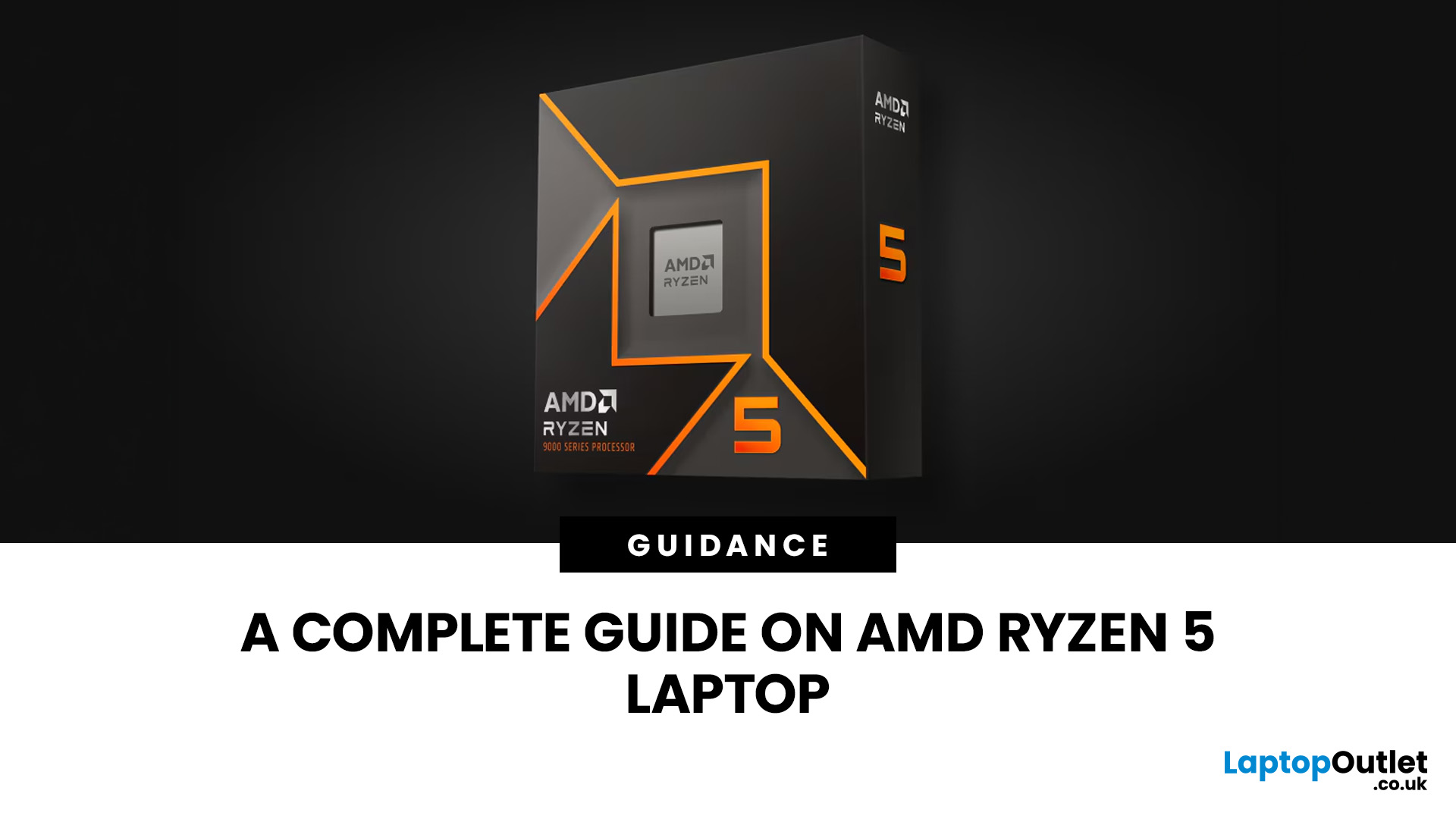
Two laptops can both say AMD Ryzen 5 on the specification sheet and still be built for very different jobs. One may prioritise battery efficiency and portability, while another is designed to sustain more performance for gaming, coding or creative work.
That is why choosing an AMD Ryzen 5 laptop in 2026 means looking beyond the tier name. AMD currently spans several mobile naming families, from Ryzen 7000 and 8000 to newer Ryzen 100, Ryzen 200 and Ryzen AI ranges. The exact processor, power class, memory, graphics, storage and laptop design all influence the experience.
This guide explains how to read those specifications, avoid misleading shortcuts and match the complete configuration to the way you actually use your laptop.
Quick Answer: How to Choose a Ryzen 5 Laptop
For most buyers, the right Ryzen 5 laptop is the one with a balanced specification rather than simply the largest processor number. Start with your main workload, then check the full CPU name, RAM, storage, graphics, display

Last Updated: July 21, 2026
Using your laptop in public is normal now. Cafés, trains, airports, libraries, lecture halls, shared offices, the laptop comes everywhere. But if the person sitting next to you can casually read your emails, bank details, work chats or assignments, that is not exactly ideal.
That is where privacy screen protectors laptops come in. Whether you are a student, business user, commuter or hybrid worker, this guide explains how privacy screens work, their benefits, disadvantages, types and whether they are actually worth buying.
How Does a Privacy Screen Protector Work?
Most laptop privacy screens use tiny vertical filter layers, often called micro-louvres. These work a bit like blinds. When you look at the laptop straight on, you can see the display clearly. When someone looks from the side, the filter blocks the view.
This is also how laptops and notebooks privacy screens work in everyday spaces. If you are working on a train, someone sitting beside you should find it much harder to read your

