



Essential Checklist Before Buying a Refurbished Laptop: Features, Budget, and More
Buying a refurbished laptop is an incredible way to get a high-quality device while keeping costs low. However, the refurbished laptop landscape can indeed be tricky to navigate, and the right decision can help you save hundreds or even thousands of pounds while still getting a sound and reliable device. In this refurbished laptops checklist guide, we will cover everything you need to know before buying a refurbished laptop, from features and grades to warranty coverage, budget, and more! By the end of it, we’re sure you’ll be able to avoid the common mistakes and identify the key features that matter most for your needs.
Even though buying a high-end laptop at a fraction of the retail price sounds compelling and is tempting, the refurbished market comes with its own set of challenges and considerations. While many shoppers have found exceptional value in refurbished laptops, others have learned valuable lessons from hasty decisions. With so many options, grades, and sellers to consider, navigating the market can seem like a maze, and doing your homework is key to making a successful purchase.
According to recent market trends, refurbished laptop sales have surged, with more and more customers realising they can get top-notch performance without the top-notch price tag. However, this growing market means more options and complexities, with various technical specifications, quality standards, and seller credentials to consider. The key lies not just in finding the lowest price, but in understanding exactly what you are getting and ensuring it meets your specific needs. It’s not really just about savings hundreds or thousands of pounds; it’s also about being smart with your purchase!
This detailed article on refurbished laptops checklist breaks down everything you need to know before you buy, including important features, refurbished grades, warranty coverage, budget, and more. With the information provided, you’ll be ready to make informed and confident buying decisions. No more second-guessing, just the ideal laptop at the ideal price!
Understanding Refurbished Laptops
Before we get to the refurbished laptops checklist, let’s first talk about what are refurbished laptops.
Refurbished laptops are pre-owned devices that the manufacturer or third-party retailer has restored to a proper working condition. Unlike used laptops, refurbished laptops undergo thorough testing, repair, and restoration by professionals to ensure they meet quality standards before they are sold.
When it comes to refurbished laptops, you’ll likely come across these two terms: Manufacturer refurbished and third-party refurbished.
‘Manufacturer Refurbished’ laptops are laptops that are refurbished by the original company/manufacturer (like Apple, Dell, or HP) using original parts and following strict quality guidelines. Manufacturer refurbished laptops come with warranties that match those of new devices, undergo rigorous inspection, testing, and repair, and offer the highest level of reliability and support.
On the other hand, ‘third-party refurbished’ laptops are refurbished by independent companies specialising in electronics refurbishment. The quality of these devices may vary depending on the refurbisher’s standards and expertise. These laptops tend to be less expensive than manufacturer refurbished laptops, but also often, lower in quality. However, if you buy from a reputable source with a proven track record and solid warranties, you can still get a reliable device.
Refurbished Laptops Checklist: Pre-Purchase Considerations
Before diving into the technical specifications, let’s talk about some important pre-purchase considerations first. Pre-purchase considerations are factors you need to keep in mind before buying a refurbished laptop. These include understanding the difference between authorised resellers and independent sellers, verifying the seller’s credibility, watching out for red flags, and looking for legitimate refurbisher certifications.
Authorised Resellers vs. Independent Sellers
Authorised Resellers: Authorised resellers work directly with manufacturers. Choosing them has many advantages, including genuine replacement parts, standarised refurbishment processes, factory-trained technicians, and manufacturer-backed warranties.
Independent Sellers: These sellers offer lower prices, but their products may have varying levels of reliability. As a result, you may often face issues such as different quality standards, inconsistent part sourcing, and limited warranty support with them.
Check the Seller Ratings and Reviews
Be sure to check the seller ratings and reviews. You can do this by looking for detailed reviews of your shortlisted laptops, checking multiple review platforms, considering recent reviews, and focusing on reviews mentioning after-sales support, warranty claims, and customer support.
Warning Signs to Be Aware Of
- Prices significantly below market average (30% less or more)
- Missing/vague product specifications
- Unclear information on the refurbishment process
- Unclear return policy
- Limited contact information
- Poor customer support
- No secure payment option
Legitimate Refurbisher Certifications
One of the other things to consider before buying a refurbished laptop are refurbisher certifications. These are the most trusted ones:
- Microsoft Authorised Refurbisher (MAR) certification
- ISO 9001 certification
- Manufacturer-specific certifications
- Industry-standard testing certifications
Performance Essentials and Features
It’s crucial to focus on core performance essentials and features to ensure you’re getting the best value. This section of our refurbished laptops checklist highlights the essential features that can make or break your experience.
Processor Requirements
- Focus on generation and age (aim for 9th Gen Intel or newer)
- Core count (minimum dual-core, preferably quad-core)
- Clock speed (seek base and turbo frequencies)
- Processer family (Core i3-i7 or Ryzen equivalents)
- Consider benchmark scores
RAM
- 8GB is recommended for everyday/general use
- 16GB or higher for heavier use
- Check maximum RAM capacity for future upgrades
- Verify RAM speed and type (preferred type is DDR4 or higher)
SSD Vs HDD
- Choose an SSD if you prioritise:
- Faster boot time and file access
- Greater reliability
- Better energy efficiency
- Quieter operation
Opt for an HDD if you want:
- Larger capacities at affordable prices
- Bulk storage
Graphics
A GPU handles the rendering of images, videos, and animations, as well as processing complex graphics for tasks like gaming, graphic design, and video editing.
Depending on your use case, you should choose an appropriate graphics card, as it will play a key role in improving your overall experience.
Whether you're looking for refurbished MacBooks or refurbished laptops for students, you’ll come across two main GPU options: Integrated graphics and dedicated graphics.
Integrated graphics offer sufficient performance for day-to-day tasks and power-efficient operation, while dedicated graphics are more powerful, offering better performance for demanding tasks and content creation.
For those with very high-end needs, it’s ideal to choose top-tier GPUs, such as the RTX 50 Series or other high-performance options.
Considerations for Additional Features
- Wi-Fi capabilities (look for the latest Wi-Fi standards e.g. Wi-Fi 6 or 6E)
- Bluetooth version
- Speaker condition
- Cooling system performance
- Upgradability
- Support for updates
Post-Purchase Verification and Hardware Check
Post-purchase verification is just as important as pre-purchase considerations. Once you receive your refurbished laptop, you should verify and check its hardware by:
- Running system diagnostics to ensure everything is functioning as expected.
- Checking the battery condition by evaluating the battery with its cycle count, conducting actual runtime tests, and comparing the original capacity vs the current capacity.
- Inspecting the screen quality by checking for dead pixels, dark spots, screen resolution, brightness, colour accuracy, hinge condition, and overall image stability.
- Testing port functionality to ensure all ports (USB ports, video outputs, audio jacks, Ethernet port, and power port) are working properly.
- Testing the keyboard and mouse by ensuring all keys respond properly, there are no sticking or mushy keys, and the trackpad is sensitive and responsive. Also, assess the condition of the palm rest area.
- Verifying that all specs match those listed in the product description.
- Taking screenshots of any issues or problems you encounter, as they can be useful for returns and warranty claims.
Understanding Refurbished Laptops Condition and Grades
Refurbished laptops are typically classified into categories such as New Open Box, Manufacturer Certified Refurbished – Excellent Condition, Refurbished – Excellent, Very Good, or Good Condition. These categories indicate the device’s condition; ranging from like-new and minimally used to those with more visible signs of wear, though still fully functional.
The condition you choose will depend on your specific needs and budget. However, always check detailed descriptions on the laptop’s cosmetic and functional state to make a more informed decision. Additionally, ensure the laptop has undergone a thorough refurbishment process, the components are of good quality, and the data has been wiped.
It's also important to assess the physical condition. You can do this by checking for cosmetic wear, inspecting the keyboard and touchpad (to ensure all keys are functional), and testing the ports and connectivity (to confirm all ports are working).
Warranty and Return Policies
A warranty act as a safeguard, offering repair or replacement in case the laptop malfunctions within a certain period of purchase. When it comes to warranties, its critical to check the length of the warranty period. Manufacturer-refurbished laptops offer a 6–12-month warranty, while third-party refurbished laptops typically have a 30–90-day warranty. Premium refurbished laptops may offer up to one year of warranty coverage.
Additionally, always buy from a retailer that offers a solid return policy. With a return policy, you can return or exchange the laptop if it doesn’t meet your expectations or has defects not covered by the warranty. It’s ideal to look for a return window of at least 14-30 days.
Budget
Budget considerations are equally important in a refurbished laptops checklist, as they help buyers make smarter choices and get the most value for their money.
Regarding budget considerations, here are things you should be mindful of:
- Price Range: Establish a clear price range and consider price ranges for different categories. Excellent condition laptops are typically the highest priced among all refurbished grades.
- Brand and Model: Higher-end brands’ refurbished laptops are typically expensive than lesser-known brands, but it's always better to choose a known brand than an unknown one for better quality and support.
- Don’t Focus on the Price Tag Alone: Assess the laptop’s value by comparing its specs to its prices, consider the condition (grade), and evaluate if it meets your specific needs.
- Hidden Costs: Look out for any hidden costs such as shipping fees and don’t forget to add them to your budget.
- Balance Performance and Affordability: Finding the right balance between performance and affordability is key.
- Upgradability: Consider upgradability to prolong your laptop’s lifespan.
- Battery and Software Compatibility: Ensure that the battery life and software meet your requirements.
- Resale Value: Though not a primary concern, it's still worth considering the laptop’s potential resale value. Popular models tend to have a better value than lesser-known ones.
Making the Decision
Now it's time to make a decision. After ticking off all the items on your refurbished laptops checklist, you’ll need to choose which laptop you are going to buy.
While it's only natural to feel overwhelmed by all this information, you can synthesise it to make the best selection.
In simpler words, to make the right decision, you should:
- Rank your priorities (what are the things that are must-haves, nice-to-haves, and dealbreakers).
- Score each potential laptop.
- Compare scores and weigh the trade-offs.
- Factor in seller reputation.
- Trust your ‘gut’ feeling.
- Make a decision.
- Double-check before buying and then proceed to purchase.
Be prepared for potential issues and test the laptop thoroughly as you receive it. If any issues arise, contact the seller immediately.
Benefits of Refurbished Laptops and Potential Risks
Refurbished laptops offer many benefits but also come with potential risks. Here’s a brief look at both:
Refurbished Laptops Pros and Cons
|
Pros (Benefits) |
Cons (Potential Risks) |
|
Significant cost-savings (save up to 15-60% of the retail price) |
Potential for hidden costs (e.g. repairs, shipping fees) |
|
Professionally tested |
Potential for earlier component wear (keyboard, battery life, etc.) |
|
Quality assurance |
Limited availability of specific models |
|
Environmentally friendly |
Varying quality standards among refurbishers |
|
Provide access to premium features at affordable prices |
May have outdated technology |
|
Often include a warranty |
Shorter warranty periods than new devices |
|
Less depreciation |
Older models may become obsolete |
Difference Between Refurbished and Other Laptops
Don’t get confused by these terms when shopping for refurbished laptops.
|
Used laptops |
|
|
Second-Hand laptops |
|
|
Open Box laptops |
|
|
Box Damaged laptops |
|
|
Reconditioned laptops |
|
Other confusing terms to look out for are pre-owned laptops (laptops used by someone else but may not have undergone any professional testing or refurbishment) and remanufactured laptops (fully disassembled laptops, repaired, and restored to like-new condition, often by the original manufacturer).
Conclusion
It can be difficult to navigate the world of refurbished laptops, but by following a well-defined refurbished laptops checklist, you can make an informed and confident purchase.
Refurbished laptops provide a unique opportunity to access high-performance devices at a fraction of the cost of new models, making them remarkable options for those on a budget. However, the key to a successful purchase lies in understanding the features, condition, and specifications that matter most for your specific use case.
The refurbished laptops checklist includes pre-purchase considerations, considering performance essentials and features (processor, RAM, storage, etc.), assessing the laptop condition, and looking for warranty and return policies.
Ultimately, the decision-making process involves balancing performance with affordability, carefully weighing trade-offs, and prioritising essential features over nice-to-have options. Once you have put them in consideration and assessed key factors, you’ll be better equipped to make a decision.
For those in search of reliable, quality refurbished laptops at affordable prices, Laptop Outlet offers a wide selection from top brands, including HP, Dell, Apple, Samsung, Microsoft, Lenovo, and Acer. With different grades available, clear warranties, and secure payment options, it's a fantastic place to start your search for your next laptop. Don’t forget to check out our refurbished laptop deals, which can help you save more while enjoying premium performance and reliability. Happy laptop hunting!

Everything You Wanted to Ask (But Didn’t)
1. Is it better to buy a manufacturer-refurbished laptop or one from a third-party seller?
Manufacturer-refurbished laptops usually offer higher reliability, original parts, and longer warranties. Third-party sellers may offer lower prices but can vary in quality. If you're not familiar with the refurbisher, it’s safer to stick with manufacturer-certified models or third-party sellers with verified credentials (e.g., Microsoft Authorised Refurbisher).
2. Can I return a refurbished laptop if I’m not satisfied?
Yes, most reputable sellers offer return policies - but the duration and conditions vary. Always check if the seller provides at least a 14–30-day return window and whether return shipping is covered. This gives you time to test the laptop thoroughly.
3. How do I know if a refurbished laptop is compatible with the latest software and updates?
Check the processor generation (e.g., Intel 9th Gen or newer), available RAM, and supported operating systems. Most laptops refurbished in recent years are compatible with current software, but ultra-budget models or those over 5 years old may struggle with the latest updates.
4. What if the refurbished laptop’s battery life is poor?
Battery performance can vary in refurbished models. Check for the battery’s health/cycle count upon receiving the device. Many sellers list estimated battery life or offer new or reconditioned batteries. If battery life is critical to your use, choose sellers that guarantee a minimum battery performance.
5. Are refurbished laptops safe to use for sensitive tasks like online banking or work?
Yes — provided the laptop is securely wiped, reset, and updated. Always install the latest OS updates, antivirus software, and change all login credentials. Refurbished laptops from certified sources are generally safe, but avoid logging into sensitive accounts until you’ve verified the device is secure and functioning properly.

Final Reflections
Navigating the refurbished laptop market can be tricky, but a clear checklist makes the process much easier. By focusing on performance essentials (like processor, RAM, and storage), checking the device's condition, and reviewing warranty and return policies, you can make a confident, informed purchase.
Refurbished laptops offer great value - high performance at a lower cost, especially for budget-conscious buyers. The key is to prioritise your needs and balance affordability with functionality. For reliable, affordable options, check out Laptop Outlet’s range from top brands like HP, Dell, Apple, and more. With multiple grades, secure payments, and regular deals, it’s a great place to find your next laptop. Happy laptop hunting!
Read More About Refurbished Laptops:
| Are Refurbished Laptops Good? A Comprehensive Guide to Reliability and Value |
| Where to Look for Refurbished Laptop Deals in 2025 |
| Refurbished Laptop Grades Decoded: What to Expect at Each Grade Level |
Related Articles

Last Updated: August 18, 2025
Are you looking for the latest laptops at affordable prices? If yes, you are in the right place! In this article, we’ll explain what a refurbished laptop is, and how you can purchase used laptops of the highest quality in the UK. Let’s get started!
What are refurb laptops?
A refurbished laptop is essentially a device that has been repaired or restored by its manufacturer for resale. Put simply, these laptops have been through a little journey of restoration and renewal before making their way back to the marketplace.
It is not necessary for a refurbished laptop to also be a used laptop. There are many cases in which customers return the laptops before even using them. This includes packages delivered with unsatisfactory packaging, laptops used for display purposes, wrong shipments, or not meeting the customer’s expectations.
You may be thinking that if a laptop is never used and is returned simply after the seal is opened, it may be resold as a new laptop. Thankfully, that’s not
Last Updated: July 01, 2025
In this digital era of technology laptops have become an essential device for everyone. Regardless of the nature of your work or profession, laptops have become indispensable for work, education, and recreation. Among the leading laptop manufacturers, Microsoft Surface laptops have occupied a considerable place in the market due to their sleek appearance and excellent performance. However, their premium features frequently come at a hefty price.
To cater for the needs of those who are low on budget, Laptop Outlet is here with high quality Refurbished Microsoft Surface laptops. All the budget conscious buyers can now enjoy the premium featured laptops without breaking the bank. Now you must be concerned about the quality of refurb laptops, if so then you really don’t need to worry at all! We have tried our best to address your concerns by comparing both pros and cons in this extensive blog post. Read the article and you will get to know if it is worth purchasing a used Microsoft surface
Last Updated: September 25, 2025
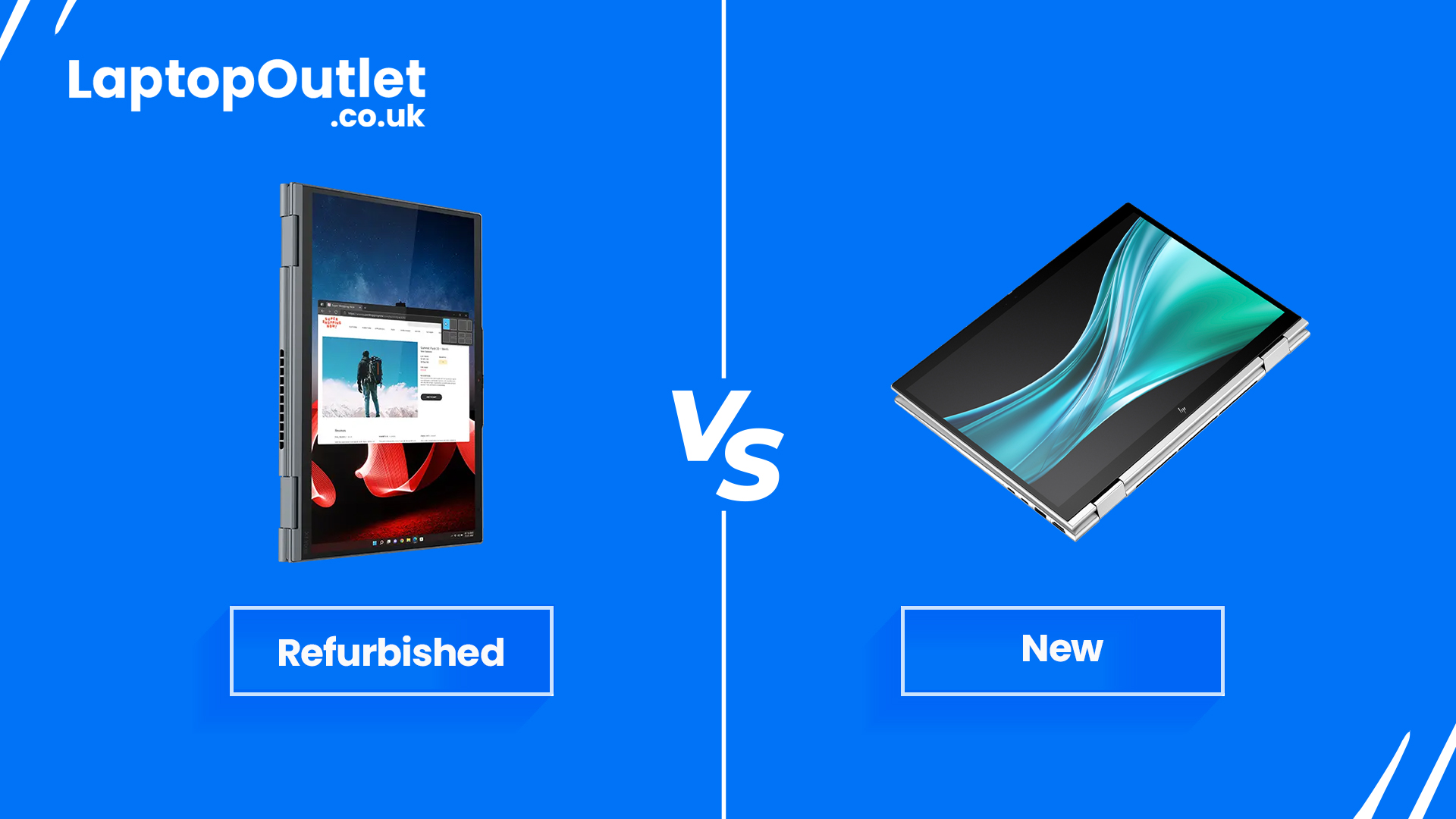
If you are unsure about the choice between refurbished and new touchscreen laptops or finding an accurate answer to refurbished vs. new touchscreen laptops UK, let us assure you that refurbished touchscreen laptops UK offer significant advantages. Read on to learn more about refurbished touchscreen laptops and their top models in 2025!
A refurbished touchscreen laptop offers a fantastic way to get a high-quality device at a lower cost. However, many people often find it challenging to distinguish between refurbished and new touchscreen laptops.
If you are unsure about the choice between refurbished and new touchscreen laptops or are finding the right answer to refurbished vs. new touchscreen laptops, rest assured that refurbished touchscreen laptops offer significant advantages over their newer counter parts, including lower cost, substantial savings, quality assurance, and environmental benefits.
Let’s dive deeper into refurbished touchscreen laptops below!
What is a Refurbished
Last Updated: July 30, 2026
Thinking of buying a refurbished or reconditioned laptop this year? This comprehensive guide explains what refurbished and reconditioned laptops are, how condition grades work, what happens during professional refurbishment and how these devices compare with brand-new laptops. It also covers the benefits, possible risks, specifications to check and steps you can take to test and maintain your laptop.
Buying a refurbished or reconditioned laptop in 2026 can be an effective way to obtain a capable device for less than the cost of an equivalent new model. It can also extend the useful life of existing technology and reduce the number of working devices that are discarded prematurely. However, the quality, warranty, battery condition and refurbishment standards can differ between sellers, so it is important to understand exactly what you are purchasing.
Refurbished vs. Reconditioned Laptops: Know the Difference
Let us begin with the basics: What is a refurbished laptop, and what is a reconditioned

Last Updated: August 19, 2026
Are refurbished laptops good? It's a common question with a simple, yet compelling answer. Refurbished laptops can be reliable and worthwhile, but the extent depends on their grade, brand, and where you purchase them. To ensure reliability, performance, and value, its recommended to choose top-tier brands like HP, Apple, ASUS, Lenovo, or similar, buy from a reputable and trusted retailer, opt for an Excellent condition laptop if your budget allows, and select one with high-end specs for unbeatable performance!
Considering refurbished laptops in 2026 but unsure if they are good, reliable, and offer value?
If the concern is to ask how reliable are refurbished laptops, you’re in the right place. This article dives into their performance, reliability, and value, helping you understand exactly what to expect.
The refurbished market is expected to experience major growth in the coming years, driven by consumers demand for budget-friendly and environmentally conscious options. If you’re thinking

Last Updated: March 02, 2026
Buying a new laptop can be expensive. Prices keep climbing, and it is easy to feel like you are always a step behind the latest model. But here is the good news: you do not need to pay full price to get a great machine. The refurbished laptop market in 2026 is bigger, better regulated, and more trustworthy than ever before.
Whether you are a student on a tight budget, a professional looking for a reliable workhorse, or someone who simply wants the best value for money, refurbished laptops are worth a serious look. This guide will walk you through the benefits, the best place to shop, and exactly how to choose the right device for your needs.
Why Choose a Refurbished Laptop in 2026?
The term "refurbished" used to put people off. Not anymore. Today, professionally refurbished laptops go through rigorous testing, cleaning, and grading before they reach the buyer. Here is why more people are choosing them.
Significant Cost Savings
Refurbished laptops typically cost 30 to 70 per

