



Google Fitbit Air vs. WHOOP: Which Screenless Tracker Is Worth Your Money
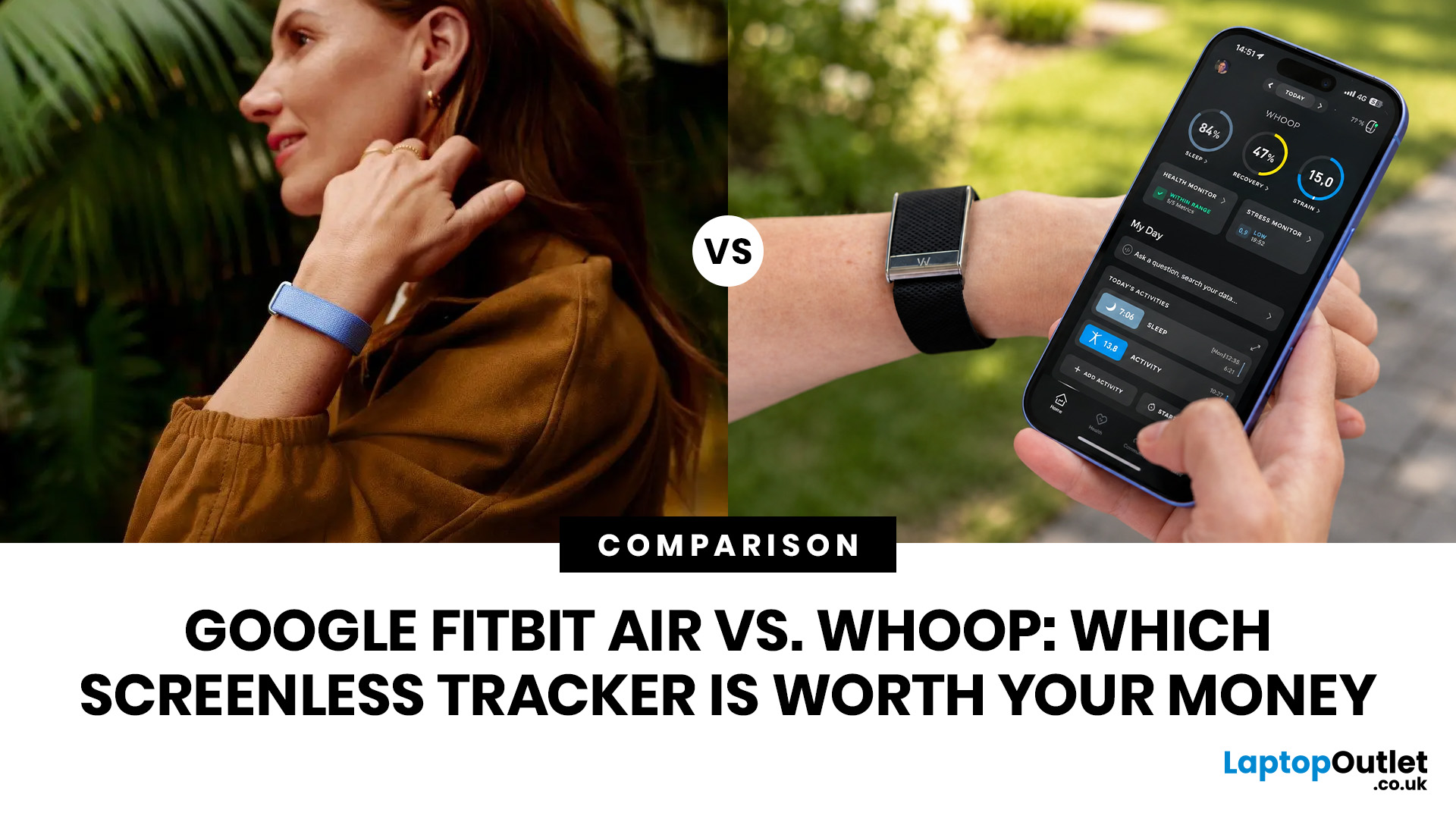
The Google Fitbit Air (£84.99 one-off) suits everyday health tracking without ongoing costs. WHOOP (from £169/year subscription) is designed for serious athletes who need deep recovery tracking and strain analysis. Both are screenless fitness bands, but they serve different users, budgets, and goals. The Fitbit Air vs WHOOP debate ultimately comes down to price model and how deep you want to go with your data.
If you are trying to decide between the two, this guide covers everything to help you make the right decision. Let’s get into it.
What Are the Google Fitbit Air and WHOOP 5.0, and Who Are They For?
Before getting into the detailed WHOOP vs Fitbit Air comparison, it helps to understand what each device is actually trying to do and who it is built for. Both are screenless health tracking wearables, but their philosophies are quite different.
Google Fitbit Air at a Glance
The Fitbit Air is Google's first screenless wearable and the smallest tracker in the current Fitbit lineup. It is a tiny pebble-shaped core that clips into a wrist band. Google describes it as "simple, affordable, and comfortable enough to wear 24/7," and at £84.99 with no compulsory subscription, it is clearly aimed at the mainstream fitness audience who wants health insights without complexity or ongoing cost.
Core tracking features are completely free after purchase. You do get a three-month trial of Google Health Premium, which adds AI-powered coaching, but you are never forced to pay more to access your own basic data. That is a significant difference from WHOOP.
WHOOP 5.0 and WHOOP MG at a Glance
WHOOP launched its latest hardware, the WHOOP 5.0 and the medical-grade WHOOP MG, in May 2025. The device hardware comes free with a subscription, and WHOOP operates entirely on a subscription-only model. There is no way to access any data without paying.
WHOOP is built around three core pillars: Strain (how hard you worked), Sleep (how well you recovered overnight), and Recovery (how ready your body is to perform). It is trusted by professional athletes, coaches, and performance-minded individuals who want depth and precision over simplicity.
Key Specs at a Glance
|
Specs |
Google Fitbit Air |
WHOOP 5.0 / MG |
|
UK Price |
£84.99 one-time |
From £169/year |
|
Subscription |
Optional (free tier available) |
Required (device included) |
|
Weight |
12g (with band) |
Lighter than 4.0 |
|
Battery |
Up to 7 days |
14+ days |
|
Water Resistance |
5ATM (50m) |
Yes (knit bands excluded) |
|
HR Sampling |
~0.5Hz |
26Hz |
|
App |
Google Health |
WHOOP App |
|
Launch Date |
26 May 2026 |
May 2025 |
How Do the Two Devices Compare on Design, Build, and Comfort?
Both trackers are built to be worn continuously day and night, so comfort and build quality really matter. A tracker you take off is a tracker that stops doing its job, and both brands understand this well.
Google Fitbit Air Design
The Fitbit Air is genuinely tiny. The pebble core measures 34.9mm long, 17mm wide, and 8.3mm thick, weighing just 5.2 grams on its own. With the band attached, the total weight sits at 12 grams, making it one of the lightest fitness bands available in 2026. Google claims it is 25% smaller than the Fitbit Luxe and 50% smaller than the Inspire 3.
The band options at launch include a Performance Loop band (textile, recycled materials, included in the box), an Active Band (silicone, sweat-resistant, sold separately), and an Elevated Modern Band that has a more watch-like aesthetic. There are four colour options: Obsidian, Fog, Lavender, and Berry. The housing is made from recycled polycarbonate and PBT plastics.
Water resistance is rated at 50 metres, so pool swimming and showering are no issue. The band uses a stainless steel buckle for a secure fit.
| Good to Know: If you already own a Pixel Watch, the Fitbit Air is designed to complement it neatly. You can wear Pixel Watch during the day and swap to Fitbit Air for sleep, with the Google Health app handling the transition without any data gaps. |
WHOOP 5.0 Design
The WHOOP 5.0 is 7% smaller than its predecessor, the WHOOP 4.0, and features a 60% faster processor inside. It uses a woven fabric strap with a hidden sensor pod, giving it a softer, more wearable feel than most silicone-band trackers. The absence of any screen or button means it is genuinely unobtrusive.
One practical advantage WHOOP has is flexibility of wear location. You can wear it on the wrist, bicep, or integrated into WHOOP-compatible apparel such as sports shorts, leggings, or a sports bra. This makes it particularly useful for strength athletes who find wrist-worn devices uncomfortable during barbell training. The Fitbit Air is wrist-only.
Water resistance is IP68 (up to 10 metres for 2 hours), which is less generous than the Fitbit Air's 50-metre rating.
| Worth Noting: WHOOP 5.0 accessories are not compatible with WHOOP 4.0 hardware. If you are upgrading from a previous generation, you will need to purchase new bands and accessories, which frustrated many long-term users at launch in 2025. |
What Sensors Does Each Tracker Have, and How Accurate Are They?
Sensor quality is where things get genuinely technical, and it is one of the most important factors to understand before choosing between these two screenless fitness trackers. The hardware underneath directly affects how useful your data will be.
Fitbit Air Sensor Suite
The Fitbit Air packs an optical heart rate sensor, red and infrared sensors for SpO2 blood oxygen monitoring, a 3-axis accelerometer, a gyroscope, a skin temperature sensor, and a vibration motor. The inclusion of a gyroscope is actually something WHOOP 5.0 does not feature, and it improves motion tracking accuracy for activities like swimming and certain strength movements.
The key limitation here is the heart rate sampling rate, which sits at approximately 0.5Hz. That means the device captures roughly one heart rate reading every two seconds. For resting metrics and sleep tracking, this is generally sufficient. During high-intensity interval training, however, fast heart rate changes may be smoothed over rather than precisely captured.
WHOOP 5.0 Sensor Suite
WHOOP 5.0 samples biometric data at 26Hz, meaning 26 data points per second. That is approximately 52 times more frequently than the Fitbit Air. This denser data capture is why WHOOP is considered the more precise tool for calculating HRV (heart rate variability), which is central to its recovery scoring system.
WHOOP also includes optical HR, SpO2, skin temperature, and a 3-axis accelerometer. The WHOOP MG, available on the Life subscription tier, adds on-demand ECG and patent-pending blood pressure insight technology. These are not available on the standard WHOOP 5.0 device, so they should not be treated as standard WHOOP features unless you are on the £349/year Life plan.
|
Sensor / Feature |
Google Fitbit Air |
WHOOP 5.0 |
WHOOP MG |
|
Optical Heart Rate |
✓ Yes |
✓ Yes (26Hz) |
✓ Yes (26Hz) |
|
SpO2 (Blood Oxygen) |
✓ Red + Infrared |
✓ Yes |
✓ Yes |
|
Skin Temperature |
✓ Yes |
✓ Yes |
✓ Yes |
|
Accelerometer |
✓ 3-axis |
✓ 3-axis |
✓ 3-axis |
|
Gyroscope |
✓ Yes |
✗ No |
✗ No |
|
ECG |
✗ PPG-based AFib only |
✗ No |
✓ On-demand ECG |
|
Blood Pressure |
✗ No |
✗ No |
✓ Trend insights |
|
HR Sampling Rate |
~0.5Hz |
26Hz |
26Hz |
|
HRV Tracking |
✓ Yes |
✓ Yes (more granular) |
✓ Yes |
| Important Distinction: The Fitbit Air has passive PPG-based AFib alerts, meaning it monitors heart rhythm continuously using optical sensing. The WHOOP MG uses on-demand ECG, which is clinically more precise but only captures data during the 30 or so seconds you actively take a reading. Both can flag irregular rhythms, but the approach and reliability differ significantly. |
Which Device Offers Better Sleep Tracking?
Sleep is arguably the most important metric for a health tracking wearable, and this is where both the Google Fitbit Air and WHOOP invest heavily. Here is how they stack up on sleep data quality and what you actually get from each platform.
Fitbit Air Sleep Tracking
Fitbit Air tracks sleep stages (light, deep, and REM), sleep duration, restlessness, and SpO2 fluctuations overnight. Google claims a 15% improvement in sleep accuracy over previous Fitbit hardware. The device also detects naps and uses Smart Wake to time your morning alarm during a lighter sleep phase, reducing that groggy feeling of being woken mid-deep-sleep.
With Google Health Premium, the Gemini-powered Google Health Coach adds a personalised sleep coaching layer. It can analyse your sleep patterns, suggest bedtime adjustments around your schedule, and help you understand disruptions like irregular SpO2 or elevated resting heart rate. This coaching is available for £7.99/month or £79.99/year after your three-month trial ends.
WHOOP Sleep Tracking
WHOOP's sleep tracking goes a step further by calculating how much sleep you need based on the strain you accumulated during the day. If you trained hard, WHOOP will tell you to sleep longer that night, not just show you how long you slept. It also tracks sleep debt over time, sleep consistency (going to bed and waking at similar times), and sets personalised bedtime targets to optimise your recovery score for the next day.
This integration between sleep, strain, and recovery is where WHOOP genuinely stands apart. Fitbit Air can tell you how you slept and fold that into a readiness-style insight. WHOOP creates a connected loop where training, sleep, and recovery are all part of one continuous conversation the device has with your physiology.
|
Sleep Feature |
Fitbit Air |
WHOOP 5.0 |
|
Sleep Stages |
✔ Light, Deep, REM |
✔ Light, Deep, REM |
|
Sleep Score |
✔ Yes |
✔ Yes |
|
Sleep Need Calculation |
Partial, through Google Health coaching |
✔ Based on daily strain |
|
Sleep Debt Tracking |
✘ No |
✔ Yes |
|
Sleep Consistency Score |
Sleep schedule and trends
|
✔ Yes |
|
Personalised Bedtime Target |
Partial (with Premium) |
✔ Built-in |
|
Smart Wake / Alarm |
✔ Yes |
✔ Yes |
|
Nap Detection |
✔ Improved in Air |
✔ Yes |
|
AI Coaching on Sleep |
✔ Premium (Gemini) |
✔ Built into app |
| If sleep tracking depth is your priority and you want respiratory rate data, WHOOP has the edge. If comfort, ease, and a clean morning summary via an AI coach are more important, the Fitbit Air is a very strong performer for its price. |
How Do Recovery and Fitness Coaching Compare Between the Two?
Recovery tracking is where WHOOP built its reputation, and it remains the most discussed aspect of the Fitbit Air vs WHOOP comparison. Both devices now offer recovery-style insights, but the depth and approach are quite different.
WHOOP Recovery and Strain Coaching
WHOOP's Recovery score (0 to 100%) is calculated nightly using HRV, resting heart rate, respiratory rate, and sleep performance relative to your personal baseline. A green score means your body is ready to push. Amber means moderate effort is wise. Red means rest or a gentle session.
The Strain Coach calculates cardiovascular and muscular load throughout the day using heart rate data and duration. WHOOP 5.0 also introduced Healthspan, which estimates your physiological age ("WHOOP Age") using nine health markers including resting heart rate and sleep quality. This longevity-focused feature is a meaningful addition for people thinking about long-term health rather than just day-to-day training.
The journal feature lets you log 160+ behaviours including alcohol consumption, caffeine intake, stress levels, and social activities, then correlates them with your HRV and recovery scores. Over time, this builds a genuinely personalised picture of what helps and hurts your recovery. WHOOP also supports 145+ tracked activities.
Fitbit Air Recovery and Cardio Coaching
Fitbit Air offers a Readiness-style score through the Google Health app, combining sleep quality, resting heart rate, and HRV trends. It also tracks Cardio Load, which is Fitbit's version of strain monitoring, and automatic workout detection improves and personalises over time. You can also log workouts manually, or simply show the Google Health Coach a photo of your gym equipment or a training plan on a whiteboard and it will generate guidance.
The Google Health Coach, powered by Gemini, creates adaptive fitness plans, adjusts recommendations around injury or travel, and answers health questions 24/7 with science-backed responses. However, this coaching layer requires the £7.99/month Google Health Premium subscription after the initial three-month trial. Without Premium, you get basic data but not the personalised coaching that truly elevates the experience.
| Heads Up: WHOOP's strength tracking relies on logging strength workouts within the WHOOP app and following a structured routine there. For activities like yoga, swimming, or low-HR strength work, strain calculations can be less accurate because WHOOP uses heart rate as its primary strain metric. Activities that do not significantly elevate heart rate may show deflated strain scores. |
What Is the Battery Life Difference, and Does It Matter Day-to-Day?
Battery life matters enormously for a 24/7 tracker. If you are taking it off to charge, you are missing data, which defeats the purpose. Both devices address this problem, but in quite different ways.
Fitbit Air Battery
Google rates the Fitbit Air at up to seven days of battery life on a full charge. The more impressive figure is the fast charge capability: just five minutes plugged in gives you a full day of tracking. A complete charge from flat takes around 90 minutes.
For most people, seven days is comfortably enough. You will charge it roughly weekly, similar to charging your phone. The risk area is if you are a heavy traveller or forget to charge regularly, in which case you could miss overnight data.
WHOOP 5.0 Battery
WHOOP 5.0 more than tripled the battery life of the 4.0 generation, now offering 14+ days on a single charge. The Peak and Life subscription tiers include the Wireless PowerPack, which attaches to the strap and charges the device while you are wearing it, meaning you never have to take it off to charge. This is a genuinely clever solution for those who take continuous data capture seriously.
With the PowerPack, WHOOP can theoretically achieve up to 30 days of charge on the wrist. For anyone who wants truly uninterrupted tracking, this is a real differentiator.
|
Battery Metric |
Fitbit Air |
WHOOP 5.0 |
|
Battery Life |
Up to 7 days |
14+ days |
|
Full Charge Time |
~90 minutes |
~2 hours (PowerPack) |
|
Fast Charge |
5 min = 1 full day |
N/A |
|
Charge While Wearing |
✘ No |
✔ Wireless PowerPack |
|
PowerPack Battery |
✘ N/A |
Up to ~30 days total |
| Practical Note: WHOOP's Wireless PowerPack is included with Peak (£229/year) and Life (£349/year) subscriptions. If you choose the entry-level WHOOP One plan at £169/year, you only receive a basic wired charger and will need to remove the device to charge it. |
How Do the Apps and AI Coaching Platforms Compare?
For a screenless wearable, the companion app is not just part of the product. It is the product. Both the Google Fitbit Air and WHOOP have invested significantly in their software platforms, and the difference in approach reflects each device's broader philosophy.
Google Health App and Health Coach
The Fitbit app became the Google Health app in May 2026, launching alongside the Fitbit Air. It brings together data from your wearable, Health Connect, Apple Health, and medical records into a single platform. The Google Health Coach, powered by Gemini AI, can answer health questions, generate adaptive fitness plans, analyse sleep disruptions, and adjust guidance around life events such as travel, injury, or illness.
You can interact with the coach via natural language, dictate workout logs, or even upload a photo of gym equipment or a training schedule for AI-assisted interpretation. For existing subscribers to Google AI Pro, Google Health Premium is already bundled at no extra cost, which in the UK is available as part of the £18.99/month Google One AI Pro plan. That is a meaningful saving if you already subscribe to that service.
WHOOP App and WHOOP Coach
The WHOOP fitness tracker app is entirely focused on the strain-recovery-sleep triad. The interface is clean and direct: your daily Recovery score is front and centre, with drill-down access to sleep data, journal entries, and historical trends. WHOOP Coach provides AI-generated recommendations based on your personalised data, suggesting when to push, when to rest, and how your behaviours are affecting your metrics over time.
The Healthspan section within the app shows your WHOOP Age and Pace of Ageing, updating weekly. Available on WHOOP Peak and Life tiers, this adds a longer-term dimension to the data beyond daily performance. The Stress Monitor feature, introduced with WHOOP 5.0, tracks physiological stress throughout the day rather than just during sleep, giving a more complete picture of your nervous system load.
What Does Each Tracker Actually Cost in the UK, and What Is the Long-Term Bill?
The pricing model is one of the most important things to understand in any fitness brand comparison. Both Fitbit Air and WHOOP operate on fundamentally different financial structures, which makes direct comparison tricky unless you look at total cost over time.
Google Fitbit Air Cost in the UK
The Fitbit Air is priced at £84.99 for the device, which includes a three-month Google Health Premium trial. After the trial, you can continue using core tracking features entirely free, or pay for Premium at £7.99/month or £79.99/year. Replacement and accessory bands start at approximately £29.99 depending on style.
WHOOP Cost in the UK
WHOOP operates on a subscription model with three tiers. The hardware device is included free with your chosen plan, and the plan automatically renews annually.
|
WHOOP Plan |
UK Price |
Device Included |
Key Features |
|
WHOOP One |
£169/year |
WHOOP 5.0 + CoreKnit band + basic charger |
Sleep, Strain, Recovery, HRV basics |
|
WHOOP Peak |
£229/year |
WHOOP 5.0 + SuperKnit band + Wireless PowerPack |
All One features + Healthspan, Stress Monitor, VO2 Max |
|
WHOOP Life (MG) |
£349/year |
WHOOP MG + SuperKnit Luxe band + Wireless PowerPack |
All Peak features + ECG, Blood Pressure insights |
Three-Year Total Cost Comparison
Over time, the financial difference between these devices becomes stark. The table below shows what you would actually spend over three years, assuming annual billing for all subscriptions.
|
Option |
Year 1 |
Year 2 |
Year 3 |
3-Year Total |
|
Fitbit Air (no Premium) |
£84.99 |
£0 |
£0 |
£84.99 |
|
Fitbit Air + Annual Premium |
£84.99 + £79.99* |
£79.99 |
£79.99 |
~£325 |
|
WHOOP One |
£169 |
£169 |
£169 |
£507 |
|
WHOOP Peak |
£229 |
£229 |
£229 |
£687 |
|
WHOOP Life (MG) |
£349 |
£349 |
£349 |
£1,047 |
*Fitbit Air includes 3 months Google Health Premium free, so year one Premium cost if paying monthly is approximately £71.91 (9 × £7.99). Annual billing used for simplicity.
| If you are already a Google AI Pro subscriber in the UK, Google Health Premium is included at no extra cost. That makes the Fitbit Air an even stronger value proposition for those already in the Google ecosystem. |
Compatibility: What Phones and Devices Do They Work With?
Both devices work with Android and iOS, which is good news. However, there are some ecosystem nuances worth knowing before you buy.
Google Fitbit Air Compatibility
- Compatible with Android 11 or higher and iOS 16.4 or higher
- Requires a Google Account and the Google Health app
- Works alongside a Pixel Watch simultaneously on the same Google Health account
- Google Health app integrates with Apple Health, Oura Ring, Garmin, and other third-party platforms
- Connects via Bluetooth 5.0
WHOOP Compatibility
- Works with iOS and Android
- No Google Account required
- WHOOP app integrates with Apple Health, Strava, and other fitness platforms
- Supports WHOOP Body apparel for non-wrist placement
- Available in 56 markets, including the UK
The Fitbit Air requires a Google Account, which may feel like a minor friction point for iOS users. However, the Google Health app is available on both iOS and Android, and the data it holds is controlled by your Google Account settings.
What Are the Real Pros and Cons of Each Device?
Before reaching any final conclusion on the screenless fitness tracker debate, here is an honest summary of the advantages and limitations of each device.
Google Fitbit Air
|
Pros |
Cons |
|
|
WHOOP 5.0 and WHOOP MG
|
Pros |
Cons |
|
|
Which Screenless Tracker Should You Actually Choose?

There is no single right answer in the Fitbit Air vs WHOOP debate because the two devices genuinely serve different needs. Here is a straightforward guide to help you work out which one fits your situation.
The Fitbit Air is likely a good fit if you:
- Want reliable 24/7 health tracking without paying a monthly fee forever
- Are new to wearable fitness trackers and want something that does not require a learning curve
- Already use Google services and want everything in one place
- Are interested in sleep tracking, AFib alerts, and daily readiness without needing professional-grade recovery tools
- Want to wear a tracker that is light enough to genuinely sleep in every night
- Are a casual to moderate exerciser who wants actionable tips rather than athlete-level data
- Are looking for a good value health monitoring wearable around the £85 mark
- Subscribe to Google AI Pro and want Google Health Premium included at no extra cost
WHOOP is likely a good fit if you:
- Train regularly (3 or more sessions per week) and want to avoid overtraining or chronic fatigue
- Want precise day-to-day guidance on how hard to push your training
- Value respiratory rate data alongside HRV for recovery scoring
- Want to wear the tracker on your bicep, torso, or elsewhere, not just the wrist
- Have a specific interest in longevity and want to track your WHOOP Age over time
- Want 14+ days of battery life and the option to charge without removing the device
- Are on the WHOOP Life plan and want an on-demand ECG and blood pressure insights
- Are comfortable paying £169 to £349 per year as an ongoing cost
- Are a healthcare professional or serious athlete who relies on recovery data to inform performance
Fitbit Air vs WHOOP: Full Specs Head-to-Head
If you want everything in one place, the table below covers every key specification for the WHOOP vs Google Fitbit Air comparison.
|
Specification |
Google Fitbit Air |
WHOOP 5.0 |
WHOOP MG (Life) |
|
Launch Date |
May 2026 |
May 2025 |
|
|
UK Price |
£84.99 (one-off) |
£169–£229/year |
£349/year |
|
Device Weight |
5.2g (no band), 12g (with band) |
Not disclosed; 7% lighter than Gen 4 |
|
|
Thickness |
8.3mm |
Low-profile |
|
|
Screen |
None |
None |
|
|
Battery Life |
Up to 7 days |
14+ days |
|
|
Charging |
Magnetic; 5 min = 1 day; 90 min full charge |
Basic wired (One); Wireless PowerPack (Peak/Life) |
Wireless PowerPack (on-wrist charging) |
|
Water Resistance |
50 metres |
IP68 (10m, 2hrs) |
|
|
Connectivity |
Bluetooth 5.0 |
Bluetooth |
|
|
Phone Compatibility |
Android 11+ / iOS 16.4+ |
Android / iOS |
|
|
App |
Google Health (free tier + Premium) |
WHOOP app (included in membership) |
|
|
AI Coach |
Google Health Coach (Premium subscription) |
WHOOP Coach (included) |
|
|
24/7 Heart Rate |
✔ |
✔ |
✔ |
|
HRV |
✔ |
✔ |
✔ |
|
SpO2 |
✔ |
✔ |
✔ |
|
Skin Temperature |
✔ |
✔ |
✔ |
|
Respiratory Rate |
✔ |
✔ |
✔ |
|
Sleep Stages |
✔ |
✔ |
✔ |
|
Smart Wake Alarm |
✔ |
Haptic alarm |
Haptic alarm |
|
Strain / Cardio Load |
Weekly Cardio Load |
Full Daily Strain Score |
Full Daily Strain Score |
|
Recovery Score |
Daily Readiness |
Full Recovery Score (0–100%) |
Full Recovery Score (0–100%) |
|
Irregular Heart Rhythm / AFib Alert |
✔ |
✘ |
✔ |
|
On-Demand ECG |
✘ |
✘ |
✔ (FDA-cleared) |
|
Blood Pressure Insights |
✘ |
✘ |
✔ Estimated insights |
|
VO2 Max |
✘ |
✔ |
✔ |
|
WHOOP Age / Healthspan |
✘ |
Peak+ |
✔ |
|
GPS |
✘ (phone-based) |
✘ |
✘ |
|
Placement Options |
Wrist only |
Wrist, bicep, torso, waist, calf |
|
|
Mandatory Subscription |
No |
Yes |
Yes |
|
Subscription Required to Use Device |
No |
Yes |
Yes |

Which Screenless Fitness Tracker Is Worth Your Money?
In the Fitbit Air vs WHOOP fitness tracker debate, there is no single right answer. The Google Fitbit Air at £84.99 is a genuinely impressive entry into the screenless fitness band space. It covers all the essentials, including sleep tracking, AFib alerts, HRV, and a Gemini-powered AI coach, without locking you into ongoing costs. For most everyday users, it is outstanding value.
WHOOP, on the other hand, remains the better tool for athletes and performance-focused users. Its recovery and strain framework, respiratory rate tracking, 14-day battery, and (on the MG) medical-grade cardiac features are hard to match. But you pay for that depth every year without stopping.
If you want capable 24/7 health monitoring at low long-term cost, the Fitbit Air is hard to beat. If you train seriously and want the most comprehensive recovery data available, WHOOP still earns its price for the right user.

Just a Few More Details...
Do you need a subscription for the Google Fitbit Air?
No. Core features including heart rate, sleep, HRV, SpO2, and AFib alerts are free. Google Health Premium is optional and unlocks the AI coach and advanced insights.
What happens to a WHOOP device if you cancel your subscription?
The WHOOP device stops functioning entirely once your membership ends. You cannot access any features without an active paid subscription.
Does the Google Fitbit Air have an ECG?
No. The Fitbit Air provides passive AFib and irregular heart rhythm notifications but does not offer an on-demand ECG. That feature is only on the WHOOP MG.
How accurate is the Fitbit Air compared to WHOOP for heart rate?
Both rely on optical wrist-based sensors. Accuracy can dip during high-intensity intervals on both devices; WHOOP's bicep placement option can improve accuracy during intense workouts.
Which is better for athletes, Fitbit Air or WHOOP 5.0?
WHOOP 5.0 is better for athletes due to its 26Hz sampling, sleep-debt tracking, strain coaching, and deeper recovery insights backed by sports science.
What is the difference between WHOOP One, Peak, and Life?
WHOOP One (£169/yr) covers core tracking. Peak (£229/yr) adds Healthspan and VO2 Max. Life (£349/yr) includes the WHOOP MG with ECG and blood pressure.
Which is cheaper long-term, the Fitbit Air or WHOOP?
The Fitbit Air is significantly cheaper long-term. You pay a one-off device cost of about £84.99. Whoop requires an ongoing subscription of £169 to £349 annually, rendering it much costlier over time.
| Read More |
| Google Officially Launches the Fitbit Air: Everything You Need to Know |
| Top 7 Fitness Tech Trends to Look Out for in 2026 |
| How to Pair Apple Watch to a New Phone? |
Related Articles


Last Updated: May 23, 2025
Looking to upgrade your setup without burning a hole in your wallet? With rising tech prices, finding tech under £300 might sound like a dream — but it’s possible!
Thanks to Tech Clearance Deals, you can grab powerful, certified gadgets that make work, study, and life easier, all while saving big.
Whether you need the best laptop for college, a reliable tablet for online learning, or cheap monitors for your dual-screen hustle, our clearance stock is packed with value-driven options. Plus, it's your last chance to buy before these deals vanish!
Why Clearance Tech Is a Smart Choice?
When you shop clearance, you’re not settling for less — you’re getting smart. Our Clearance Laptops and gadgets come from all rigorously tested and often backed by warranty products. That means you can access premium performance for a fraction of the price.
Still hesitant? Every product here is quality-inspected and ready to perform — without the brand-new markup.
What to Look for in Budget-Friendly

Last Updated: July 16, 2026
The start of a new academic year always brings a mix of excitement and pressure and sorting out your essential tech is a big part of getting ready. Whether you’re heading back to school, starting college, or preparing for university, having the right devices can make studying, organising, and staying connected so much easier.
But with costs adding up fast, how do you find reliable tech that fits a student budget? The answer is simple: shop smarter with our Back-to-School tech deals at Laptop Outlet.
We’ve handpicked the best value laptops, tablets, accessories, and tech bundles designed specifically for students, so you can gear up for success without breaking the bank.
Why Choose Laptop Outlet for Back to School Tech?
At Laptop Outlet, we understand student life, and we know that every pound counts. That’s why our Back-to-School tech deals aren’t just about slashing prices. They’re about giving students access to top-quality devices, backed by warranty, with meaningful extras that add

Last Updated: July 10, 2026
If you’re a student in 2025, chances are you’ve already heard about AI tools—ChatGPT, Gemini, Notion AI, and many more. But how do you pick the right ones for your studies, and more importantly: what kind of laptop will run them best? In this guide, we’ll explore a curated list of AI tools for students, and then deep dive into what AI laptop specs really matter for using those tools comfortably. Whether you’re writing essays, preparing presentations, doing research, or dabbling in machine learning, this post is for you.
Why Students Should Use AI Tools (But Wisely)

Before jumping into tools, let’s set the mindset:
- Save time on routine tasks. AI can help you create drafts, summarise articles, proofread, or generate study questions, freeing you to focus on understanding.
- Boost creativity & brainstorming. Stuck on how to start an essay or a project? AI can help you generate ideas or alternative angles.
- Personalised learning. Some AI platforms can adapt to your pace, identify weak spots,

Last Updated: November 07, 2025
Artificial intelligence is no longer something futuristic or far-fetched- it's here, quietly sitting inside your laptop, ready to help you work, create, and connect in smarter ways than ever before. The arrival of laptops with Google Gemini built in marks a turning point in personal technology. It's not just another upgrade; it's a complete rethink of how we use our computers.
Let's take a closer look at what makes these new machines so exciting, how they work, and why they're shaping the future of everyday computing.
Inside the New Laptops with Built-In Google Gemini AI
The phrase "built-in AI" might initially evoke visions of self-driving cars or robotics, but in the context of laptops, it means something more practical and immediate. You might have used Gemini through the web or mobile apps already, but what's new is that it's now built directly into laptops.
That means you don't need to open a browser tab or sign into a separate AI service. Gemini becomes an integral part of the

Last Updated: April 02, 2026
Technology powers nearly every part of our lives. Yet, with innovation comes responsibility. The question many ask today is: how sustainable are modern laptops and PCs?
In 2026, sustainability is no longer a marketing gimmick; it’s a design principle. Manufacturers, consumers, and policymakers are pushing for greener technology that reduces environmental impact while maintaining performance. From energy-efficient processors to recyclable materials, the computing industry is finally addressing its carbon footprint.
Let’s explore what makes laptops and desktop PCs truly sustainable, and what you can do to make smarter, greener tech choices.
What Makes a Laptop or PC “Sustainable”?
A sustainable laptop or PC minimises its environmental impact across its lifecycle, design, production, use, and disposal. Here are the key factors:
- Material sourcing: Using recycled aluminium, plastic, or even bio-based materials helps reduce raw resource extraction.
- Energy efficiency: Devices that consume less

Last Updated: December 24, 2025
Technology never stands still, and if the past few years have taught us anything, it’s that innovation moves fast. As we look ahead, tech trends 2026 are shaping up to be smarter, faster and more user-focused than ever before. From AI-powered laptops to next-level PCs and sustainable tech, the future is all about performance with purpose. So, whether you’re upgrading your setup, planning ahead, or just love staying in the know, here’s a breakdown of the biggest tech trends set to define 2026.
AI Everywhere: Smarter Devices, Smarter Decisions
Artificial Intelligence is no longer a “nice to have” by 2026, it’s expected to be built into almost every device we use. We’re talking about laptops that learn your preferences, PCs that optimise performance in real time, and software that adapts to how you work or play.
AI-driven features such as predictive battery management, real-time security monitoring and intelligent multitasking will become standard. For users, this means less time managing

Last Updated: April 03, 2026
New Year 2026 is finally here, and it’s the perfect time to upgrade your digital life. Whether you’re a student gearing up for the next term, a professional looking to boost productivity, or a gamer looking for that next-gen edge, getting the latest tech doesn't have to break the bank.
That is why Laptop Outlet is here to help you start the year right. We offer an incredible range of pay monthly tech 2026 deals that allow you to snag the latest devices without the upfront sting. With flexible finance and top-tier brands, your 2026 tech upgrade is just a few clicks away.
Affordable Devices with Monthly Plans
Shopping for tech should be exciting, not stressful. At Laptop Outlet, we provide several ways to spread the cost to suit your budget. Whether you are looking for a quick interest-free split or longer-term finance, we have a solution for you.
At checkout, you can choose any of these options:
- PayPal Pay in 3 lets you split your purchase into three interest-free payments.
- PayPal Credit

Published: March 04, 2026
If your remote setup still revolves around “a decent laptop and home Wi-Fi”, you’re behind. In 2026, remote work is judged by output and presence. Your audio quality affects how credible you sound. Your connectivity affects whether clients trust you. Your screen space affects how quickly you work. And your security setup determines whether your business data is actually protected.
Most people still treat home-office tech like: A chair. A webcam. A desk lamp. Useful, yes, but disconnected. What professionals need now is a deliberate tech stack. One that reduces friction, prevents small failures, and works the same way every single day.
That is Remote Work 2.0. It is not about owning more gear. It is about engineering reliability into your workday.
What Remote Work 2.0 Really Means in 2026
For professionals, four elements matter more than anything else:
1. Stable connectivity
If your connection drops mid-presentation, nothing else matters. Wi-Fi 7 and modern mesh systems are no longer

Last Updated: March 10, 2026
Every year, the back-to-school season brings a rush of shopping. But in 2026, it is not just about stationery and backpacks. Tech has become one of the biggest spending categories on every student's list.
Whether you are a parent, a student, or simply trying to stay informed, knowing the latest back-to-school tech trends can save you time, money, and a few headaches.
So, what are students actually buying this year? Let's break it down.
Why Tech Is Now a Back-to-School Essential
Learning has changed. Most schools and universities across the UK now expect students to have access to their own devices. Hybrid learning, digital coursework, and online collaboration tools have made tech a necessity rather than a luxury.
In fact, a growing number of UK schools have moved to fully digital classrooms. This means students need reliable, capable devices from day one.
Parents and students are also more tech-savvy than ever. They know what to look for. And they are not just buying cheap.

Published: March 16, 2026
Whether you're a dedicated gym-goer or just trying to stay a bit more active, technology is making it easier than ever to reach your health goals. The fitness tech trends 2026 landscape is packed with impressive innovations, from AI-driven coaching to next-generation health trackers. Here's a look at the seven trends worth keeping an eye on this year.
1. AI-Powered Personal Coaching
AI fitness apps and devices are no longer just logging your reps and steps. In 2026, they're acting more like personal trainers.
- AI analyses your movement patterns, heart rate, and recovery data in real time.
- Your training plan adapts daily based on how your body is actually responding.
- These apps work best when paired with capable hardware, such as AI-ready laptops or a modern smartphone, to process data quickly.
This is one of the most significant shifts in future fitness technology right now. You no longer need to pay for a personal trainer to receive genuinely tailored guidance.

