



Black Friday is here! Get an extra £10 off when you spend £200 with code: BF10LO. T&Cs apply*
Cyber Monday tech deals 2026: The upgrades worth your attention

That little pause while your laptop catches up on a video call. The game that still looks choppy on your monitor, even though your PC is doing its best. The crowded desk where another screen would make the working day easier. These are the everyday frustrations that make a tech upgrade worth thinking about.
Cyber Monday can be a good opportunity to put them right without spending more than you need to. And there is already plenty to look at: our current offers include a Samsung laptop below £400, a 180Hz gaming monitor below £100 and some more specialised displays for those ready to upgrade their setup. The interesting question isn't which has the biggest price cut. It's which one will actually make a difference to you.
Quick take: The best deal is the upgrade you will actually use. The Galaxy Book4 suits lighter everyday work, the LG UltraGear is a lower-cost route to smoother gaming, and the MSI OLED screens are for more demanding setups. The details below explain where each earns its price and where it may not.
Top tech offers worth a closer look
All six product pages displayed Add to Basket on 4 November 2026. Prices include VAT. The saving is the amount shown on our site, not proof of the lowest historical price.
|
Product |
Shown Up to |
Best suited to |
|
£305 |
Everyday work, home use and lighter study |
|
|
£130 |
Travel, business work and a sharper touchscreen |
|
|
£60 |
Smoother gaming on a tighter budget |
|
|
£200 |
Sharp images and fast gaming on a capable PC |
|
|
£200 |
Premium ultrawide gaming and a spacious desk |
Price note: These prices are confirmed by the time of writing, ahead of Cyber Monday on 30 November 2026. Our wider Cyber Week campaign dates are not yet confirmed. Prices, stock and promotions may change before then, so use the product links for the latest details.
Laptop deals: Do you need an everyday machine or something more capable?
A new laptop only feels like an upgrade when it deals with the things that slow you down. These 2 Samsung models are quite different, and that helps make the choice clearer.
Samsung Galaxy Book4: Enough laptop for the everyday jobs
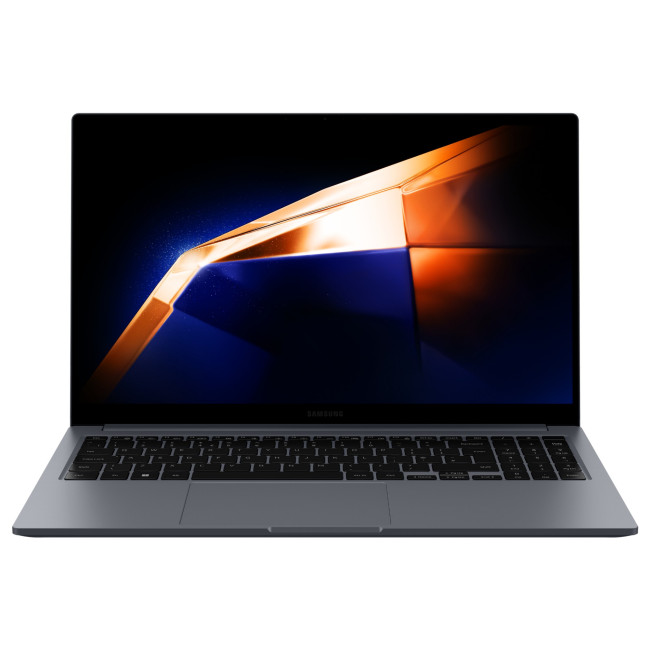
The Galaxy Book4 is the option to notice if you mainly need a dependable Windows laptop for browsing, writing documents, online shopping, streaming or joining calls. Its Intel Core 3 100U processor, 8GB of RAM and 256GB solid-state drive (SSD) are suited to lighter work, while the 15.6-inch Full HD screen gives you a useful amount of room for documents.
At its checked price of £394.99, it is an accessible starting point if your current laptop is ageing and you don't need specialist software or demanding games. You also get familiar connections such as USB-A, USB-C and HDMI.
What to think about: The 8GB memory may feel tight if you keep lots of programs open. The 256GB SSD could also fill up if you store many videos, photographs or large applications. It makes more sense for everyday tasks than heavy editing or modern high-end gaming.
Samsung Galaxy Book5 Pro: Worth the step up for the right routine

The Galaxy Book5 Pro is a better match for someone who carries a laptop between meetings, needs extra room for multitasking or really values a crisp screen. The model comes for around £780, has 16GB RAM, an Intel Core Ultra 5 226V processor and a 14-inch 3K AMOLED touchscreen. Windows 11 Pro also makes it relevant for some professional environments.
The smaller size is easier to accommodate on a crowded desk or in a bag, while the display offers a different experience from an ordinary Full HD panel. If you spend hours reading, presenting or switching between windows, these are practical reasons to spend more.
What to think about: This configuration still comes with a 256GB SSD. If you work with large media libraries or project folders, the storage could matter more to you than the premium screen. Paying extra is only worthwhile if you will make use of the differences.
If you are still deciding on memory, processor or screen size, start with your daily tasks rather than the processor badge.
Monitor deals: Which upgrade will you actually notice?
A monitor can make a surprisingly visible difference without replacing your PC. However, the right improvement depends on whether you're after smoother games, clearer detail or more space across your desk.
MSI MPG 272URX QD-OLED: If you want fine detail and fast action
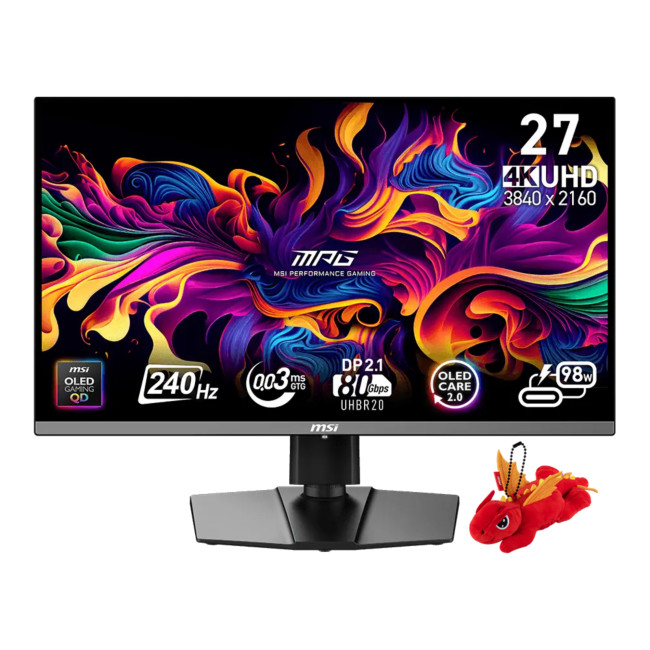
The 27-inch MSI MPG 272URX combines 4K resolution with a 240Hz refresh rate and QD-OLED technology. OLED panels control light at individual pixels, which helps produce deep blacks and strong contrast. Add the detailed 4K picture, and you get a display suited to visually rich games as well as quick movement.
At the listed £599, this is an upgrade for someone who already has a suitably powerful PC and cares about the experience on screen. It is not an automatic improvement for every gamer.
The catch: Running modern games at 4K and very high frame rates can put a serious load on the graphics card. As with other OLED displays, you should follow the manufacturer's care guidance for static images and read the exact warranty terms before buying.
MSI MPG 341CQR QD-OLED X36: More width for the right games and workspace
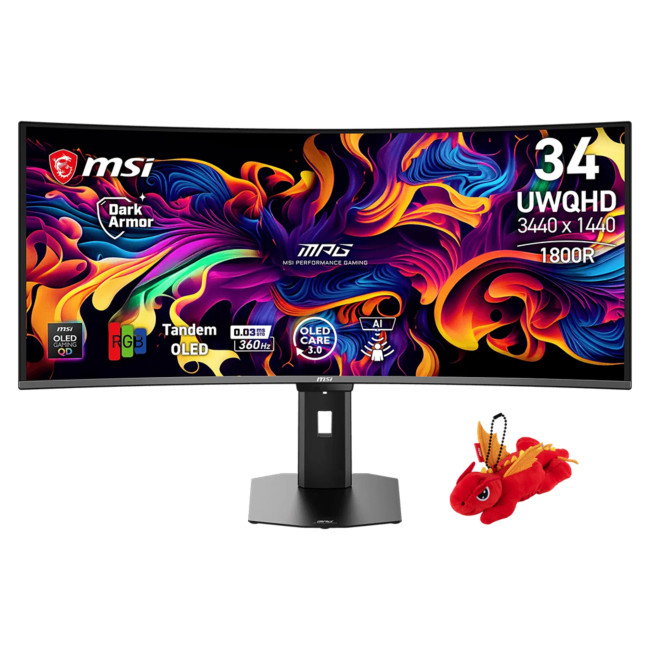
The 34-inch MSI MPG 341CQR uses a curved, 3440 x 1440 QD-OLED panel with up to 360Hz refresh rate. The wider 21:9 shape can make supported games feel more absorbing, and it gives you room to arrange applications side by side. Its USB-C connection with up to 98W power delivery may also suit a compatible laptop-based desk.
At approx. £800, it is a considered purchase rather than an everyday monitor replacement. It earns its place if you want the extra width, have suitable hardware and enough desk space to enjoy it.
The catch: Not every game handles ultrawide formats equally, and ordinary 16:9 videos may display with unused space at the sides. If you mostly work on a single document, a smaller, more affordable screen is likely to be the sensible choice.
What about refurbished tech and smaller upgrades?
Sometimes the best saving comes from keeping good equipment in use for longer. A suitable refurbished laptop can offer more memory or a better keyboard than a similarly priced entry-level new model, while a refurbished accessory may be enough to sort out a frustrating desk setup.
We look at refurbished as another sensible option. Check the grade, what has been tested, battery condition where relevant, supplied accessories and the warranty shown on the exact listing. An older device may also have a shorter remaining software-support life.
Looking to get more for your money? Explore our refurbished Cyber Week deals for offers on tested laptops, monitors and other tech. Find something that suits your needs and budget, and check the latest prices and availability before ordering.
How to spot a deal that will still feel good after the sale
You don't need a spreadsheet or a technical background. A few questions will usually tell you whether a tempting offer is a useful one.
- What problem will it solve? A better screen helps if you spend hours looking at documents; more RAM helps when multitasking slows you down. Buy the benefit, not the biggest number on the box.
- Is this the exact model you need? Look at the full model number, not just the brand. Small differences in screen, storage, processor or connectivity can change whether a purchase suits your setup.
- Is the reduced price really attractive? A crossed-out price is useful context, not proof of the lowest price of the year. Look at the recent selling price where you can, and think about the total cost after accessories or delivery.
- Will it work with what you own? For monitors, check the video connection and your PC's graphics performance. For components, check sockets, memory types and physical fit.
- What happens if it isn't right? Read the individual warranty and returns information before ordering. For refurbished items, the condition description and battery details matter too.
If the answers are clear, you are in a much better position to recognise an offer that's genuinely useful rather than one that's just loudly advertised.
Should you buy early or wait for Cyber Monday?
Cyber Monday falls on Monday 30 November 2026, after Black Friday on Friday 27 November. That doesn't mean every product will be cheapest on the Monday. A price could stay the same through the weekend, change before the event or disappear when a promotion ends.
If you've already found the exact model you need at a comfortable price, there is no guarantee that waiting will save more. If you haven't decided what to buy, a little research now is more useful than rushing later.
We'll use our Cyber Week hub for the latest offers and confirmed campaign information. That is the place to check live prices and availability, while this guide helps you work out which upgrade makes sense for you.
Eligible orders may offer PayPal Pay in 3, Klarna or PayPal Credit, subject to status and terms. Spreading a payment can be convenient, but it should not be a reason to stretch your budget for features you won't use.

Final verdict: One useful upgrade beats three unnecessary ones
For everyday work and study, the Samsung Galaxy Book4 is the straightforward option to consider. The Galaxy Book5 Pro makes more sense when you need 16GB memory, a more portable design and a high-resolution touchscreen. For gaming, the LG UltraGear offers a lower-cost route to smoother motion, while the two MSI QD-OLED screens reward people with more demanding setups and the hardware to match.
Choose that upgrade, check its latest listing and buy at a price that works for you. The rest can wait.

Frequently asked questions
When is Cyber Monday 2026 in the UK?
Cyber Monday is Monday 30 November 2026. Black Friday falls on Friday 27 November. Our broader Cyber Week promotion may follow different dates, so check the live campaign page for confirmed timings.
Are the prices in this article guaranteed for Cyber Monday?
No. The listed prices were checked on 4 November 2026 and can change before the event. They also depend on stock and the individual product listing at the time of purchase.
Which laptop deal is better for general home use?
For browsing, streaming, documents and video calls, the Galaxy Book4 is a sensible starting point. If you regularly multitask or care more about portability and screen quality, the Galaxy Book5 Pro offers advantages at a higher price.
Is an OLED gaming monitor worth the extra cost?
It can be if you value strong contrast, detailed images and fast response. It is less worthwhile if your PC cannot handle the resolution or you mainly use the screen for basic office tasks. Read the manufacturer's OLED-care guidance as well.
Are refurbished products a good option during Cyber Week?
They can be, provided the saving justifies the condition and remaining support. Check the listed grade, battery information, included accessories, warranty and returns details for the specific product.
Are Cyber Monday prices always better than Black Friday?
No. Some offers may continue at the same price, while others change or sell out. Judge the exact item against your budget and needs rather than assuming the later date automatically brings the better discount.
| Read More: |
| Laptop buying guide 2026: How to choose the right one |
| Monitor buying guide: How to choose the right resolution and refresh rate |
| Guide to buying refurbished or reconditioned laptops |
Related Articles


Last Updated: October 16, 2026
Looking for a laptop upgrade without spending more than you need to? The Halloween Sale 2026 at Laptop Outlet brings together laptops for work, university, home computing and entertainment, with options from Lenovo and ASUS.
Whether you're buying your first Windows laptop or replacing an older machine, it pays to check more than the price. Processor performance, RAM, SSD capacity, and screen size all affect how well a laptop suits your daily routine.
We've selected models from our Halloween laptop sale , including two options under £600 and higher-spec alternatives for shoppers who need extra performance.
Best Budget Laptops Under £600 This Halloween
You don't necessarily need an expensive laptop for browsing, coursework, spreadsheets, video calls or everyday productivity. The following options offer 16GB RAM and Windows 11, making them practical choices for typical home, office, and academic workloads.
1. Lenovo V15 G4: Best for Everyday Work and Home Use
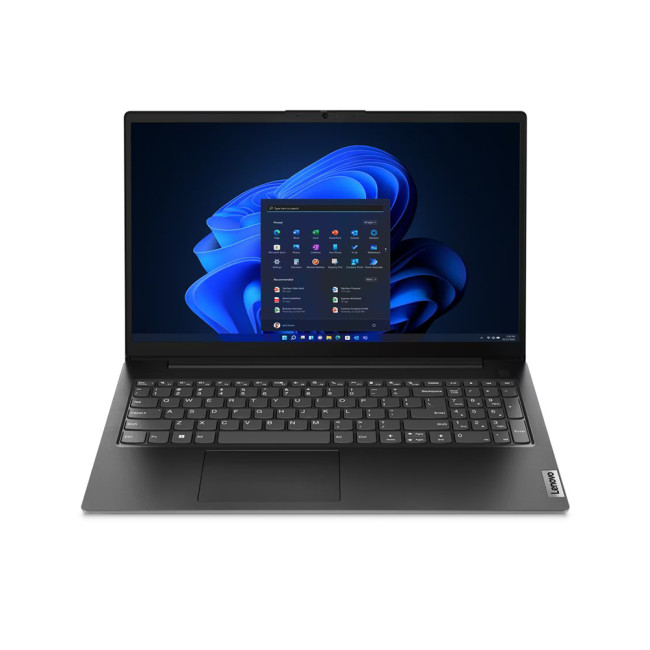
Halloween sale price:

Last Updated: October 02, 2026
Black Friday refurbished deals can appear throughout November, but the strongest refurbished stock is not tied to one guaranteed date. In 2026, Black Friday falls on 27 November, so buyers with specific requirements should start watching from early November rather than waiting for the final Friday.
Refurbished inventory can be limited to particular models, specifications and condition grades. Once suitable units sell, the same configuration may not return. The strongest buying window is therefore when the specification, condition and price you want are available together.
When Do Black Friday Refurbished Deals Start?
Black Friday officially falls on Friday 27 November 2026, but UK Black Friday activity usually extends beyond a single day. Pricing changes can begin earlier in November and continue through Black Friday weekend into Cyber Monday on 30 November.
Use the weeks beforehand to establish a price baseline and watch availability. Laptop Outlet's Black Friday refurbished deals page
Last Updated: November 09, 2026
Last Updated: November 06, 2026
Black Friday 2026 falls on Friday 27 November, followed by Cyber Monday on 30 November. For Apple buyers, the smartest approach is to track the exact MacBook, iPhone or iPad specification before November, then judge the sale price against its usual selling price. New releases will attract attention, but recent generations and refurbished Apple devices could prove just as worthwhile.
Apple has changed a lot of its hardware since last Black Friday. MacBook Neo has joined the laptop family, MacBook Air has moved to M5, MacBook Pro now stretches from M5 through to M5 Pro and M5 Max, while iPhone 18 Pro has arrived ahead of the first foldable iPhone, the iPhone Duo.
The iPad range has moved forward as well, with M4 powering the latest iPad Air and M5 inside iPad Pro. That makes Black Friday 2026 particularly interesting because shoppers are likely to see brand-new hardware sitting alongside capable previous-generation models.
This guide breaks down the Apple products worth watching, the specifications

Last Updated: November 05, 2026
Cyber Monday laptops are not one-size-fits-all. Students need practical study machines, gamers depend on graphics performance, and professionals require reliable tools for their work. A tempting discount means little if the laptop is wrong for its intended use.
This guide explains what each group should prioritise, which laptop families suit different needs and how to assess Cyber Week deals without being swayed by headline savings.
Cyber Monday Student Laptops: What to Prioritise
For lectures, research and assignments, portability, dependable battery life and a comfortable keyboard usually matter more than premium graphics. A lightweight 13-inch or 14-inch device is easier to carry between classes; 16GB RAM offers useful breathing room for multitasking on Windows, although lighter workloads can run on less.
Check your course's required software before choosing an operating system. Engineering, design and some science programmes may need Windows applications or dedicated graphics, while
Last Updated: November 09, 2026
Last Updated: November 03, 2026
Last Updated: October 15, 2026

Published: October 19, 2026
A spooky photo booth gives guests somewhere to show off costumes, try ridiculous poses and leave with photos from the night. Better still, you do not need professional photography equipment to build one.
A laptop, webcam, screen, a little lighting, and a suitably creepy backdrop can turn a spare corner into a working DIY Halloween photo booth. You can keep things simple with your laptop's built-in camera or create a more polished setup using an external webcam and separate monitor. Here is how to put everything together without turning your party into an IT project.
What Do You Need for a Halloween Photo Booth?
The key is making the setup reliable. Guests should be able to walk up, pose and take a picture without adjusting cables or camera settings every time. Start with equipment you may already have:
- Laptop or desktop computer
- Built-in or USB webcam
- Monitor or portable display
- Tripod, webcam mount or stable surface
- LED lamp, ring light or another soft light source
- Halloween backdrop
- Props
Published: October 20, 2026
Michael Myers is back, and this time, he's coming for your gaming setup!
Halloween: The Game brings the terror of Haddonfield to PCs and consoles. With eerie neighbourhoods, unsettling shadows, and a relentless masked killer, every second could mean the difference between escaping and becoming Michael's next victim.
But before you enter the nightmare, there's one thing to check: can your PC or laptop handle it?
We've broken down the official Halloween the game PC requirements, recommended hardware, graphics settings, and practical performance fixes. Whether you're playing on a desktop or gaming laptop, here's how to prepare your system for a night of scares.
Halloween: The Game: What is it About?
Developed by IllFonic, Halloween: The Game is an asymmetrical survival horror experience inspired by John Carpenter's original 1978 film. The game takes you back to Haddonfield, where the seemingly peaceful streets have become Michael Myers' hunting ground.
In its 1v4 multiplayer mode, one player

