



DIY Halloween Photo Booth: Laptop, Webcam and Monitor Setups
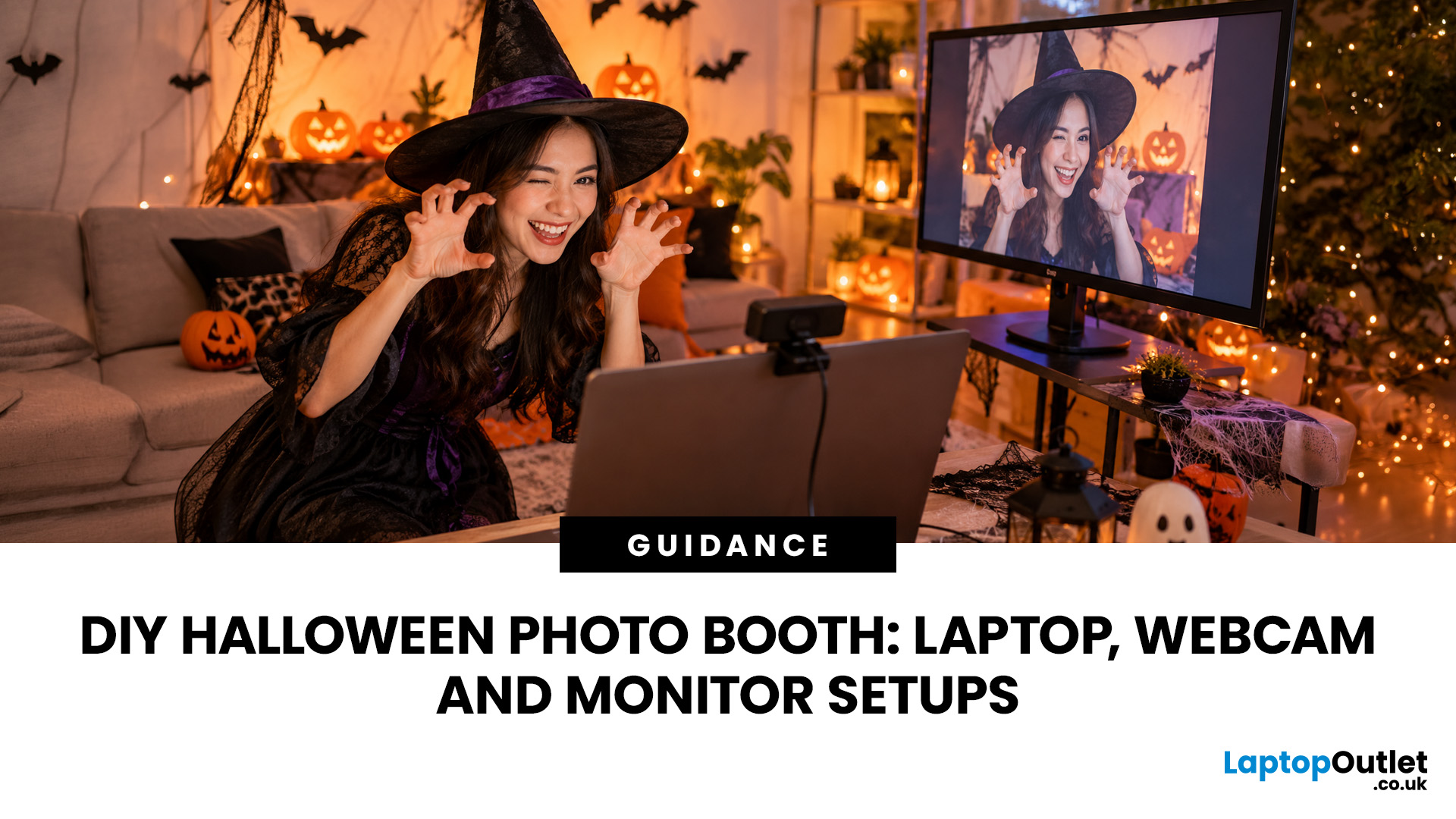
A spooky photo booth gives guests somewhere to show off costumes, try ridiculous poses and leave with photos from the night. Better still, you do not need professional photography equipment to build one.
A laptop, webcam, screen, a little lighting, and a suitably creepy backdrop can turn a spare corner into a working DIY Halloween photo booth. You can keep things simple with your laptop's built-in camera or create a more polished setup using an external webcam and separate monitor. Here is how to put everything together without turning your party into an IT project.
What Do You Need for a Halloween Photo Booth?
The key is making the setup reliable. Guests should be able to walk up, pose and take a picture without adjusting cables or camera settings every time. Start with equipment you may already have:
- Laptop or desktop computer
- Built-in or USB webcam
- Monitor or portable display
- Tripod, webcam mount or stable surface
- LED lamp, ring light or another soft light source
- Halloween backdrop
- Props
- Photo booth software or camera application
If you need to fill any gaps, our Halloween deals on photo booth equipment can be a useful place to look for tech that can serve a purpose beyond the party as well.
Choose a Laptop to Run Your Photo Booth
You do not need a high-end gaming or workstation laptop simply to capture party photos. A modern everyday machine should comfortably handle webcam input, browser-based photo booth tools and image storage. More important considerations include:
- Enough USB ports for your webcam and accessories
- Stable Wi-Fi if you are using an online photo booth platform
- Sufficient storage for saved photos
- A battery that can act as short-term backup if the charger is disconnected
- HDMI, USB-C or another suitable display output if you are adding a monitor
Keep the laptop close enough to control the setup but out of the main photo area. Placing it on a side table can stop guests accidentally knocking it while posing.
Anyone already planning an upgrade can also browse our seasonal offers on laptops and pick a system suited to everyday use after Halloween is over.
Set Up the Webcam at the Right Height
An external webcam usually gives you more freedom over framing than a camera built into the top of a laptop display.
Place the webcam roughly around eye level rather than pointing sharply upwards from a desk. A tripod, monitor mount or secure shelf can help. Then stand where guests will pose and check how much of the scene fits into the frame.
Allow enough space for groups, large costumes, witch hats and other accessories. A frame that looks perfect for one person may cut off half the costume when four friends step in.
For a dedicated station, USB webcams for capturing party photos can also let you position the camera independently while keeping the laptop somewhere safer.
Before guests arrive, clean the lens. Fingerprints on a webcam are surprisingly good at turning a sharp ghost costume into an unintentionally foggy apparition.
Make the Halloween Photo Booth Backdrop Part of the Scene
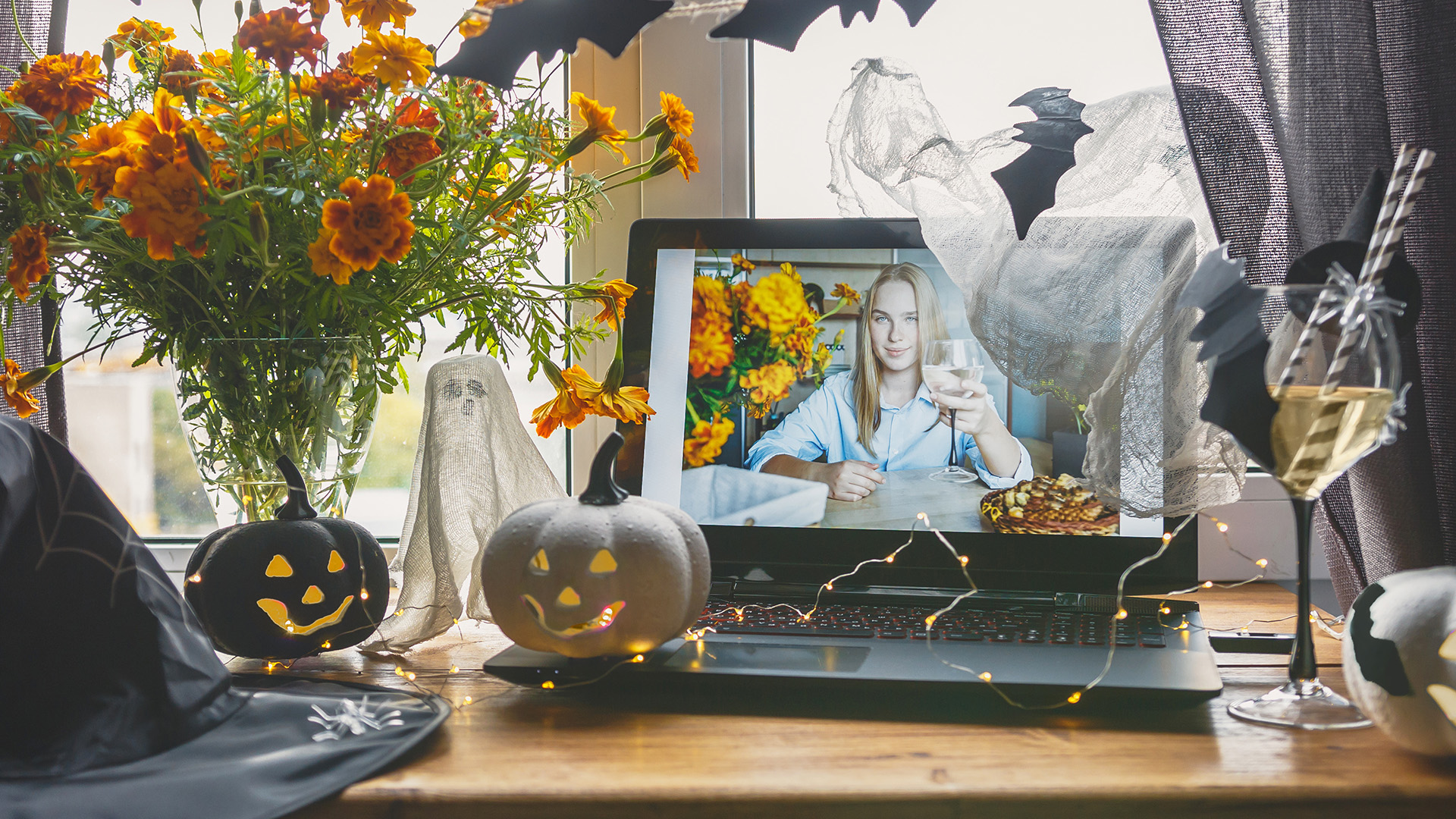
Your Halloween photo booth backdrop does much of the visual work.
Black fabric can create a simple base, while fake cobwebs, paper bats, pumpkins, warning tape, hanging ghosts and orange or purple decorations add character. You could create a haunted mansion wall, graveyard entrance, creepy laboratory or classic pumpkin-filled scene.
Keep your subjects separated from the backdrop by around a metre where space allows. This gives the scene more depth and reduces harsh shadows on the background.
You can also build a lightweight Halloween photo booth frame from decorated cardboard or foam board. Guests hold the frame around themselves while posing, making it especially useful if you cannot build a large permanent backdrop.
Get the Lighting Right Before Adding Filters
Darkness feels suitably Halloween-like in person. Cameras are less impressed.
When the room becomes too dim, webcams may increase image gain to compensate, which can produce visible noise and reduce fine detail. The result might be spooky, but probably not in the way you intended.
Put a soft light in front of guests and slightly above eye level. If possible, avoid relying on one harsh overhead bulb.
Coloured lights can then be used behind or beside the subject for atmosphere. Orange, red, purple or green illumination can make the background feel more sinister without sacrificing facial detail.
Once you have captured your favourite shots, our guide to Halloween photo editing in low light explains how to improve darker images and add suitably spooky finishing touches.
Expert Tip: set the main light for faces first. Add dramatic background lighting afterwards. Good exposure gives you far more flexibility when applying Halloween effects later.
Add a Monitor So Everyone Can See Their Photos
A second screen can make the booth much more entertaining.
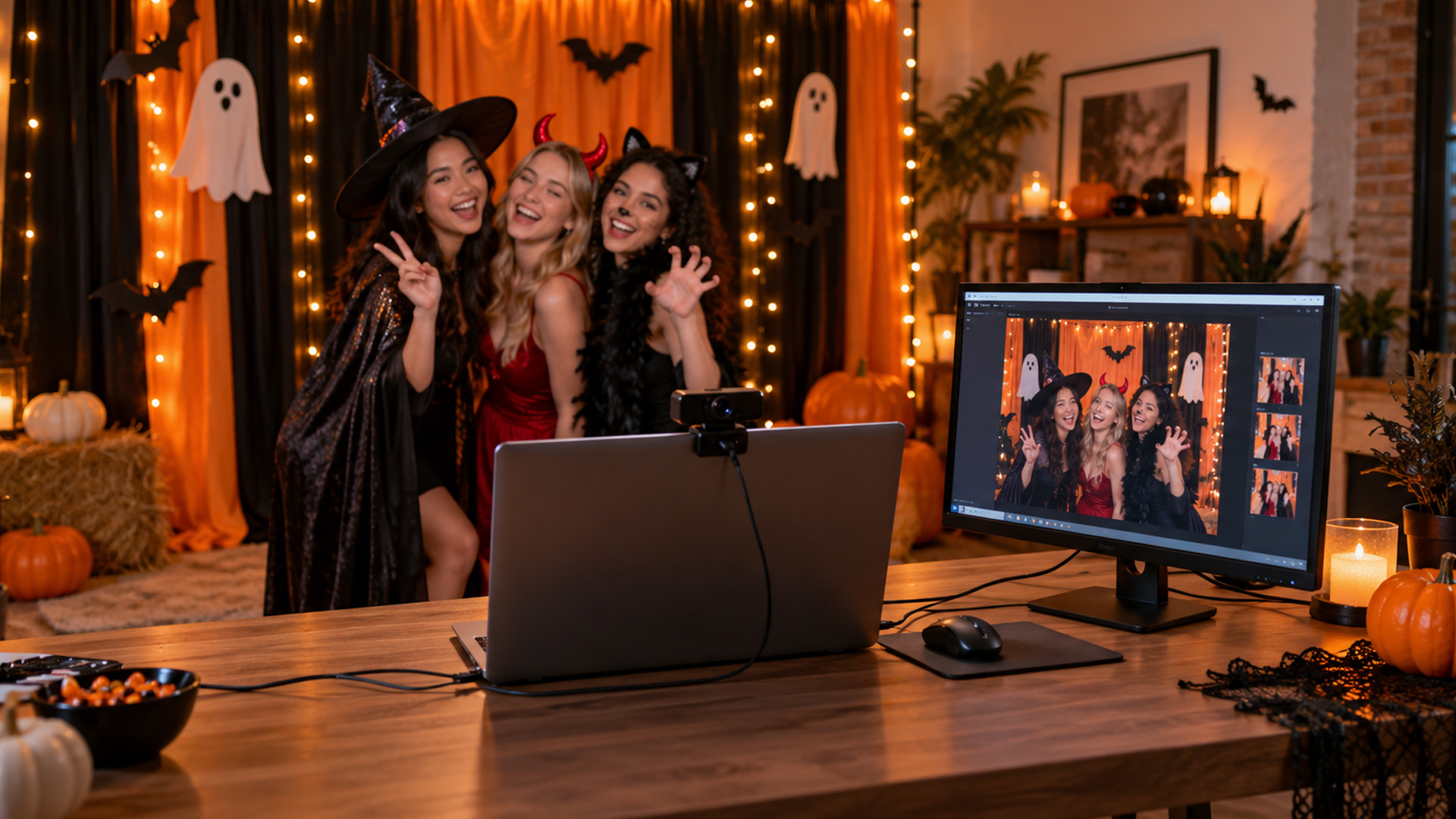
The laptop handles the camera and software while the monitor gives guests a larger live preview or lets them see the photograph immediately after it is taken.
Place the display near the camera rather than far to one side. Otherwise, everyone may end up looking towards the preview screen instead of the lens.
You can browse monitor offers for party setups if you also want a screen that will remain useful for work, gaming or entertainment once the decorations come down.
For smaller rooms, portable screens for flexible setups are easier to position without taking over a table. A Full HD display for photo previews is another practical option when you mainly need a clear view of images rather than an elaborate multi-screen arrangement.

Pick Your Halloween Photo Booth App
Your Halloween photo booth app can be as basic or elaborate as you want. For the simplest arrangement, use your computer's normal camera software and save photographs locally. This avoids depending on an internet connection during the party. Dedicated photo booth applications can add features such as:
- On-screen countdowns
- Automatic capture
- Digital overlays
- Photo strips
- Frames
- Filters
- GIF creation
- QR or sharing options
Test whichever software you choose before the event. Check that it recognises the correct camera, saves images to the expected folder and works properly with your display configuration.
It is also worth checking available storage before the party rather than discovering halfway through the night that hundreds of previous photos are occupying most of the drive. You can also turn the same laptop and display into part of a wider Halloween horror movie night setup once everyone has finished posing for photos.
Bring Out the Halloween Props
Good Halloween photo booth ideas do not have to involve expensive decorations.
Create or download Halloween photo booth props printable designs for masks, moustaches, vampire fangs, speech bubbles, witch hats and skeleton accessories. Print them on heavier paper or card and attach them securely to sticks.
You could also leave a Halloween photo booth sign beside the station with a simple instruction such as "Pick a Prop, Strike a Pose" or "Enter If You Dare".
Physical props work particularly well because guests can use them without learning an app or waiting for somebody to edit an image.
Keep spare chargers, USB cables, adapters and cable organisers nearby too. Our range of useful accessories for laptop setups can help if you need to tidy up the technical side of the booth.
Taking Your Halloween Photo Booth Outdoors
A Halloween outdoor photo booth can look brilliant on a patio or in the garden, especially when you can use trees, fences, pumpkins and garden decorations as part of the scene.
The technical side needs more care, though.
Keep laptops, webcams, displays and power connections somewhere dry and protected from rain, moisture and condensation. Secure lightweight decorations and stands so wind cannot send them across the garden.
Extension leads and cables should also stay away from walkways where guests could trip over them.
If the weather is uncertain, design the booth so the electronics can be moved indoors quickly while leaving most of the decorations outside.
Test the Whole Setup Before Guests Arrive
Do one complete trial rather than checking every component separately. Stand in front of the camera wearing something similar in size to a costume. Take photos alone and with several people. Check the framing, lighting, focus, preview screen and saved files. Then look for the details that are easy to miss:
- Are faces bright enough?
- Does the backdrop fill the frame?
- Can tall costumes fit?
- Is there space for groups?
- Are cables secured?
- Can guests see where to stand?
- Are photographs actually being saved?
We would always recommend testing the setup before the party gets busy. Five minutes spent checking everything beforehand is much easier than troubleshooting a webcam while a queue of vampires and zombies forms behind you.
If gaming is part of your Halloween plans too, check the system requirements for Halloween: The Game on PCs and laptops before adding it to the evening.

Make Your Halloween Photo Booth Frighteningly Memorable
The best Halloween photo booth is not necessarily the one with the most expensive equipment. It is the one guests can actually use without help.
Give your camera a clear view, light faces properly, create a backdrop worth posing in and make the controls simple. A laptop can handle the capture, a webcam gives you flexible positioning and a second screen lets everybody enjoy the results.
Add a few terrifying props and a touch of Halloween creativity, and that forgotten corner of the room can become one of the busiest spots at the party.

What do I need to make a Halloween photo booth at home?
You need a laptop, webcam, suitable lighting, a Halloween backdrop and photo booth software or a camera app. A monitor can also help guests preview photos, while props, signs and decorative frames make the setup more interactive.
Can I use a laptop webcam for a Halloween photo booth?
Yes. A built-in laptop webcam can work well for a simple Halloween photo booth, especially in a well-lit room. An external USB webcam gives you more flexibility with positioning, framing and camera height.
How do I make Halloween photo booth pictures look better?
Use soft lighting in front of your guests, keep the camera around eye level and leave enough space between people and the backdrop. Avoid making the room too dark, as low light can introduce image noise and reduce detail.
What are some easy Halloween photo booth ideas?
Popular ideas include haunted-house backdrops, graveyard scenes, pumpkin displays, cobweb decorations and cardboard photo frames. You can also add printable props such as vampire fangs, witch hats, masks and Halloween-themed speech bubbles.
Can I set up a Halloween photo booth outdoors?
Yes, but keep laptops, webcams, monitors and power connections protected from rain, moisture and condensation. Secure stands and decorations against wind, keep cables away from walkways and have an indoor backup area in case the weather changes.
| Read More: |
| Don't Miss Out on the Best Deals: Halloween Tech Sale |
| Why Halloween is the Best Time to Upgrade Your Tech |
| Best Budget Laptops to Grab During the Halloween Sale |
Related Articles


Last Updated: October 16, 2026
Halloween is bringing fresh opportunities to upgrade your tech, whether you need a laptop for work, a gaming PC, a new smartphone or a better monitor. At Laptop Outlet, you can explore discounted devices from ASUS, HP, Lenovo, Acer, MSI, Samsung and other leading brands, with options for different budgets and requirements.
Our Halloween tech deals UK guide brings together five featured offers, gaming upgrades, refurbished devices and practical buying advice. Compare specifications, prices and savings across laptops, PCs, phones, monitors and components to find an upgrade that suits you.
Best Halloween Laptop Deals for Gaming, Work and Everyday Use
A laptop is one of the most versatile upgrades you can make during October. Whether your priority is gaming performance, portability or professional productivity, comparing the hardware is more useful than looking at the discount percentage alone.
Gaming Laptops with NVIDIA RTX Graphics
Gaming laptops with dedicated NVIDIA graphics are worth exploring
Last Updated: October 16, 2026
Last Updated: October 15, 2026
October isn't just about costumes, pumpkins, and spooky films. It's also a good opportunity to refresh your tech before the busy end-of-year shopping season. Whether your laptop is slowing down, your gaming setup needs more power, or you're considering a new smartphone, Halloween tech offers are worth checking.
At Laptop Outlet, our Halloween Sale brings together selected laptops, monitors, PC components, and accessories from leading brands. You'll find options for work, university, gaming and everyday use, including new and refurbished devices.
Top Reasons to Upgrade Your Tech This Halloween
1. Early Access to Seasonal Discounts
You don't always need to wait until November to find reduced prices on electronics. Halloween falls on 31 October 2026, giving you an opportunity to check seasonal offers before the main Black Friday shopping period. Our Halloween tech sale features selected products across several categories, including:
- Laptops: Everyday Windows 11 notebooks, business machines
Last Updated: October 16, 2026
A better monitor can make a noticeable difference to your daily setup, whether you're working across several windows, editing detailed images or playing fast-paced games. With Halloween monitor deals available this October, there's an opportunity to upgrade your screen while spending less.
We've selected 12 brand-new monitors on sale, featuring ASUS, LG, Philips, AOC, Samsung, Acer and MSI. From compact 15.6-inch portable displays to expansive 49-inch ultrawides, our selection covers Full HD, QHD and 4K resolutions, with refresh rates ranging from 60Hz to 400Hz.
Below, we break down what each monitor offers, who it's best suited for and how much you could save, helping you find the right upgrade for your needs.
1. ASUS ZenScreen MB166C – 15.6-inch 60Hz Portable Monitor
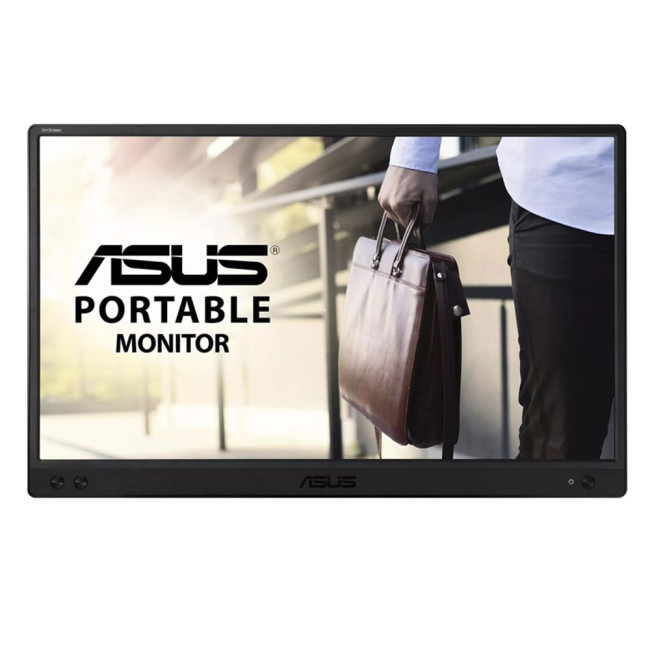
- Display: 15.6-inch IPS, Full HD (1920 × 1080)
- Refresh rate: 60Hz, 5ms response time
- Connectivity: USB-C
- Price:
£119£94 | Save £25
The ASUS ZenScreen MB166C adds a second workspace beside your laptop without needing

Last Updated: October 16, 2026
Looking for a laptop upgrade without spending more than you need to? The Halloween Sale 2026 at Laptop Outlet brings together laptops for work, university, home computing and entertainment, with options from Lenovo and ASUS.
Whether you're buying your first Windows laptop or replacing an older machine, it pays to check more than the price. Processor performance, RAM, SSD capacity, and screen size all affect how well a laptop suits your daily routine.
We've selected models from our Halloween laptop sale , including two options under £600 and higher-spec alternatives for shoppers who need extra performance.
Best Budget Laptops Under £600 This Halloween
You don't necessarily need an expensive laptop for browsing, coursework, spreadsheets, video calls or everyday productivity. The following options offer 16GB RAM and Windows 11, making them practical choices for typical home, office, and academic workloads.
1. Lenovo V15 G4: Best for Everyday Work and Home Use
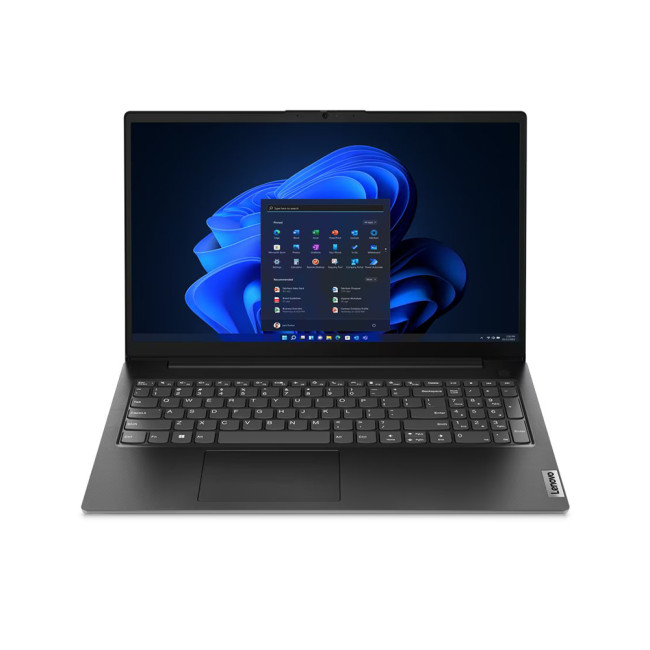
Halloween sale price:
Last Updated: November 06, 2025
The Big Question Every Gamer Asks
Every year, as November creeps closer, gamers across the UK start asking the same question:
“Should I wait for Black Friday gaming deals or buy now?”
The answer isn’t as simple as it used to be. The Black Friday 2025 gaming deals are shaping up to be bigger, earlier, and smarter, but that also means you’ll need a clear plan to avoid overpaying or missing out.
In this guide, we’ll break down everything you need to know:
- The right time to buy gaming PCs, laptops, consoles, and accessories
- How prices have changed year-on-year
- What early and late deals to expect in the UK
- How to prepare using Laptop Outlet’s dedicated Black Friday sale pages
Whether you’re after a PS5 or Xbox Black Friday 2025 UK bundle, or hunting PC gaming Black Friday deals UK-wide, this guide will help you time your purchase for maximum value.
The State of Black Friday 2025 - What’s Changing?

Black Friday has evolved far beyond a single day of chaos. In 2025, it’s a month-long event,

Published: October 24, 2025
As Black Friday 2025 approaches, tech enthusiasts and gamers alike are gearing up for the biggest savings of the year. Among the most exciting deals, Black Friday monitor deals 2025 stand out, especially for those upgrading their setups with faster refresh rate displays. Whether you’re looking for an immersive 144Hz display, a lightning-fast 240Hz screen, or an elite 360Hz competitive gaming monitor, this year’s offers deliver something for everyone.
In this guide, we’ll break down everything you need to know about 144Hz vs 240Hz vs 360Hz monitors, the benefits of each, and how to find the best gaming monitor Black Friday 2025. From budget-friendly options to premium esports-ready panels, here’s your complete buying roadmap for this Black Friday season.
Why Refresh Rate Matters in Gaming Monitors
Understanding Refresh Rate
The refresh rate, measured in hertz (Hz), defines how many frames per second a monitor can display. A higher refresh rate means smoother motion, reduced screen tearing,

Last Updated: October 02, 2026
Black Friday refurbished deals can appear throughout November, but the strongest refurbished stock is not tied to one guaranteed date. In 2026, Black Friday falls on 27 November, so buyers with specific requirements should start watching from early November rather than waiting for the final Friday.
Refurbished inventory can be limited to particular models, specifications and condition grades. Once suitable units sell, the same configuration may not return. The strongest buying window is therefore when the specification, condition and price you want are available together.
When Do Black Friday Refurbished Deals Start?
Black Friday officially falls on Friday 27 November 2026, but UK Black Friday activity usually extends beyond a single day. Pricing changes can begin earlier in November and continue through Black Friday weekend into Cyber Monday on 30 November.
Use the weeks beforehand to establish a price baseline and watch availability. Laptop Outlet's Black Friday refurbished deals page

Last Updated: April 02, 2026
Black Friday is nearly here, and if you’re hoping to pick up a reliable tablet without breaking the bank, this is the moment to start doing your homework. Every year, the market floods with “bargain” black Friday tablet deals under 250 pounds, and some are genuinely impressive, others barely worth unboxing. Knowing the difference can save you a lot of regret later.
This guide takes you through what to expect from a tablet in this price range, the standout models to look out for, and where Laptop Outlet fits into the picture with its Black Friday tablet deals.
What to Expect from a £250 Tablet in 2025

A few years ago, a £250 tablet meant a compromise on nearly every front. That’s no longer the case. Entry-level Android tablets have become much more capable, especially with MediaTek and Snapdragon mid-range chips powering smooth day-to-day use. At this price, you can expect decent performance for web browsing, streaming, social media, and light productivity tasks.
However, the specifications
Last Updated: October 02, 2026
Black Friday 2026 falls on Friday 27 November, followed by Cyber Monday on 30 November. For Apple buyers, the smartest approach is to track the exact MacBook, iPhone or iPad specification before November, then judge the sale price against its usual selling price. New releases will attract attention, but recent generations and refurbished Apple devices could prove just as worthwhile.
Apple has changed a lot of its hardware since last Black Friday. MacBook Neo has joined the laptop family, MacBook Air has moved to M5, MacBook Pro now stretches from M5 through to M5 Pro and M5 Max, while iPhone 18 Pro has arrived ahead of the first foldable iPhone, the iPhone Duo.
The iPad range has moved forward as well, with M4 powering the latest iPad Air and M5 inside iPad Pro. That makes Black Friday 2026 particularly interesting because shoppers are likely to see brand-new hardware sitting alongside capable previous-generation models.
This guide breaks down the Apple products worth watching, the specifications

