



Which Motherboard Brands are Best for Gaming?
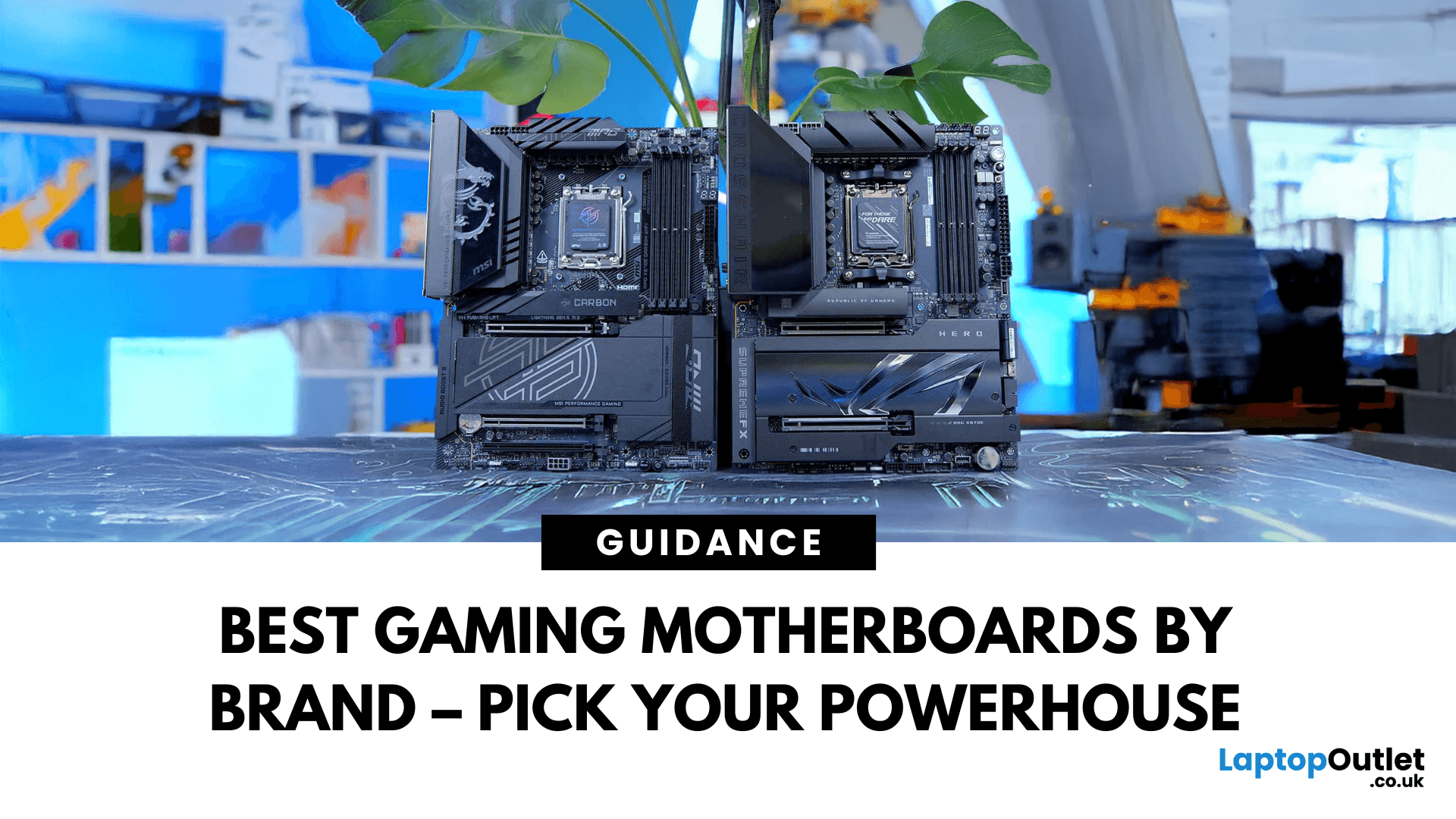
Building a solid gaming rig begins with choosing the right motherboard. It's the backbone - the component that connects everything: CPU, memory, GPU, storage, peripherals. Get it wrong, and you'll hinder performance or limit future upgrades. Pick it well, and you open the door to overclocking, lightning-fast connectivity, and seamless multitasking. Simply put, a good motherboard ensures your CPU, GPU, RAM, and storage all communicate seamlessly. It powers your connectivity, influences your upgrade path, and even impacts thermals and system stability. If you care about board performance, you should care about the brand which makes it all happen.
In this guide, we'll take a closer look at the best-known and most trusted gaming motherboards brands worldwide, including ASUS, MSI, Gigabyte, and ASRock. These manufacturers have built a reputation across global gaming and enthusiast communities for offering reliable, performance-driven hardware that caters to everyone from casual builders to elite overclockers.
We'll break down what makes each brand stand out, using real-world examples of their best motherboard for gaming built for serious gaming setups.
ASUS: A Great Choice for High-End AMD Builds
Founded in 1989, ASUS, the Taiwanese tech giant, quickly earned a reputation for pushing the limits in Gaming motherboards and beyond. Across its lineup, from entry-level PRIME series to the elite ROG (Republic of Gamers) range, ASUS boards are known for rock-solid build quality, polished BIOS tools, and forward-thinking tech.
Best ASUS Gaming Motherboard: ROG Crosshair X870E HERO
The ROG Crosshair X870E HERO is one of the best motherboard examples of what ASUS offers at the high end. Designed for AMD's latest lineup, it features the new AM5 socket and supports Ryzen 7000, 8000, and upcoming 9000 series processors. That makes it a future-ready platform for anyone building a long-term system.
Memory performance is a key strength here, with support for DDR5 RAM up to 192GB. This opens up serious potential for multitasking, live streaming, or any gaming scenario where responsiveness matters. Storage is another highlight. The board includes 5 M.2 slots and a SlimSAS connector, giving users plenty of room for ultra-fast SSDs and high-capacity configurations.
Whether you're loading massive game libraries or managing large project files, this setup has you covered. ASUS also doesn't hold back when it comes to connectivity. Including 2.5Gb and 5Gb Ethernet ports ensures fast, reliable network speeds whether you're gaming online or streaming to an audience. USB4 ports, HDMI, and a wide mix of USB 3.2 connections provide excellent flexibility for peripherals, displays, and accessories.
Overall, the Crosshair X870E HERO is built for serious gamers and advanced PC builders who want a rock-solid foundation that's fast, forward-looking, and loaded with premium features.
MSI: A Reliable Option for Everyday Gaming
MSI is a well-respected name among gamers. It is known for building motherboards that balance performance, ease of use, and sharp styling. Founded in 1986, MSI quickly grew into a gaming hardware powerhouse, offering boards that often include features like user-friendly BIOS, one-click overclocking tools, and bold aesthetics without the premium price tag seen in other motherboard brands.
MSI boards are typically praised for reliability and long lifespan, and they serve gamers across all tiers from mainstream rigs to serious builds designed for streaming or high frame-rate play.
Best MSI Gaming Motherboard: MSI X870E GAMING PLUS WIFI
Whether you're a first-time builder or a seasoned PC gamer, MSI's motherboards are known for being straightforward to work with, thanks to intuitive BIOS layouts and solid build quality. The X870E GAMING PLUS WIFI is a great example of that approach. It's built around AMD's AM5 socket and X870E chipset, which means it's compatible with Ryzen 7000, 8000, and 9000 series processors. Memory support is strong too, with capacity for up to 256GB of DDR5 RAM, which is more than enough even for demanding games, virtual machines, or creative workloads.
Storage needs can be met with three M.2 slots for fast NVMe drives and four SATA ports for additional storage. While the rear I/O setup leans on the simpler side, mostly USB 2.0 ports and a single HDMI, the board does include built-in Wi-Fi, which adds flexibility for gamers who don't want to be tied to ethernet cables. It also features a full-size ATX layout and a clean, all-black design that fits nicely into stealthy or RGB-heavy builds. Overall, the X870E GAMING PLUS WIFI hits the essentials well, offering solid specs and smart design choices without pushing the price into premium territory.
Gigabyte: Good Value for Money
Founded in 1986, Gigabyte is among the biggest global players in motherboard production. Under its AORUS gaming label, the company delivers boards aimed squarely at gamers. Its reputation rests on solid build quality, smart thermal engineering, and support for the latest connectivity standards, all without premium pricing.
What stands out about Gigabyte boards is their quality component choices like enhanced VRM, fast LAN options, and forward-looking storage flexibility, making them a favourite for both gamers and general performance users.
Best Gigabyte Gaming Motherboard: B760 GAMING X AX DDR5
If you plan to build an Intel-based PC, the B760 GAMING X AX DDR5 is one of the strongest mid-range options. This ATX board is built on the Intel B760 chipset and uses the LGA 1700 socket, meaning it fully supports Intel's 12th, 13th, and 14th generation processors from budget-friendly Core i3 chips to high-end Core i9 CPUs.
It also supports DDR5 memory with a maximum capacity of up to 256GB, making it ideal for future-proof builds and memory-intensive workloads like gaming, editing, or streaming. Storage is another highlight here: with three M.2 slots for ultra-fast NVMe SSDs and four SATA ports for traditional drives, you won't run out of room or speed anytime soon. Gigabyte also includes a generous spread of USB ports, including multiple high-speed 10Gbps and 5Gbps Type-A and Type-C options and HDMI and DisplayPort for integrated graphics users.
Networking is also covered, with built-in Wi-Fi and 2.5Gb Ethernet, making this board more than capable of lag-free online gaming or streaming. Overall, the B760 GAMING X AX DDR5 is a well-rounded gaming PC motherboard for gamers who want dependable Intel performance without diving into the ultra-premium price range.
ASRock: Best for Small Form Factor PC Builds
ASRock emerged in 2002 as a budget-friendly offshoot of ASUS but quickly turned heads by producing reliable boards with competitive specs. Today, ASRock is known for punchy designs, particularly in small form factor builds or mid-tier performance rigs. Their boards often offer surprising features like robust overclocking support or multiple M.2 slots - yet still tend to cost less than equivalent offerings from larger brands.
Best ASRock Gaming Motherboard: Phantom Gaming B850I Lightning Wi-Fi
ASRock might not be as widely recognised as ASUS or MSI, but it's carved out a solid reputation for offering great value and smart engineering, particularly when it comes to smaller form factor ITX motherboard options. If you're building a compact gaming PC, the Phantom Gaming B850I Lightning Wi-Fi is a strong option to consider. This Mini-ITX board runs on AMD's AM5 socket with the B850 chipset, making it compatible with Ryzen 7000, 8000, and 9000 series processors. Despite its small 170mm x 170mm footprint, it doesn't cut corners on performance. It supports up to 128GB of fast DDR5 memory, making it more than capable of handling demanding games and multitasking workloads.
Storage is well-covered too, with two M.2 slots for high-speed SSDs and two SATA III ports for additional drives. For connectivity, ASRock includes a mix of modern rear ports, such as USB 3.2 Gen 2, USB-C, HDMI, and older USB 2.0.
It also features integrated Wi-Fi and a Killer E3100G Ethernet port, offering flexible and reliable networking whether you're gaming online or just need a clean cable-free setup. Backed by a three-year warranty, the B850I Lightning Wi-Fi proves that you don't need a full-sized board to build a powerful, future-proof system. For gamers who value space-saving builds without giving up on performance or features, this ASRock board is a standout choice among the best AM4 motherboard alternatives for compact PCs.
How to Choose the Right Gaming Motherboard Brand?
Choosing a gaming motherboard brand isn't just about picking the most popular name or the board with the most ports. It's about finding the right fit for your specific build, performance goals, and budget. Here are a few things to keep in mind when deciding which brand and model works best for you:
-
Know your processor first
Your CPU will determine your motherboard platform. AMD and Intel processors each require different motherboard sockets, and within those platforms, not every chipset supports the same features. Always check compatibility before choosing a board.
-
Think about how you'll use your PC
Not every gaming setup is the same. Some users need maximum performance for competitive play or streaming, while others just want smooth gameplay at 1080p. High-end motherboards often come with advanced features like PCIe Gen 5, extensive cooling support, or robust power delivery, but you may not need all of that. Know what you actually plan to use.
-
Pay attention to futureproofing
If you're building a PC you plan to keep for several years, it's smart to look at boards that support the latest technologies, such as DDR5 RAM, faster M.2 storage, or newer USB standards. These give you more upgrade options down the road without needing to replace your entire setup.
-
Match the form factor to your case
Motherboards come in different sizes, such as ATX, Micro-ATX, and Mini-ITX. Make sure the board you choose fits your case, and also consider how much space you'll need for your graphics card, cooling system, and cable management. Smaller boards can save space but often have fewer ports or expansion options.
-
Review connectivity and expansion features
Consider how many USB ports you'll need, whether you plan to use Wi-Fi or wired Ethernet, and how many storage drives you want to install. Some motherboards offer extras like built-in Bluetooth, multiple display outputs, or premium audio chips. These little details can make a real difference in daily use.
-
Check reviews and warranty
Not all motherboards are created equal, even within the same price range. Look at user reviews, expert opinions, and technical breakdowns to see how a board holds up in real builds. Also, a decent warranty (typically around 3 years) offers peace of mind, especially if investing in a long-term gaming setup.
Conclusion
Choosing the right gaming motherboard brand doesn't have to be overwhelming. Whether you're aiming for a high-performance rig with all the latest features or building a compact system that saves space without sacrificing power, there's a perfect option out there for you. Brands like ASUS, MSI, Gigabyte, and ASRock each offer something unique, so it really comes down to your needs, budget, and the kind of gaming experience you want.
Take your time, do your research, and focus on what matters most for your build. With the right motherboard as your foundation, your gaming PC will not only run smoother but also stay ready for upgrades and future performance.
Explore a wide range of gaming motherboards and top PC components at Laptop Outlet and enjoy competitive prices.
Best Gaming Motherboards: FAQs
What brand of motherboard is best for gaming?
Most die-hard gamers agree that ASUS leads the market when it comes to high-performance gaming motherboards, especially with their ROG lineup built for enthusiasts and overclockers. However, they can be on the pricier side.
Which type of motherboard is good for gaming?
A good motherboard for gaming should support the latest processors (AMD or Intel), high-speed DDR5 RAM, and offer fast storage options like M.2 NVMe slots. Look for ATX or Micro-ATX form factors if you want expandability, or Mini-ITX for compact builds. Features like PCIe Gen 4 or Gen 5, good VRM cooling, Wi-Fi 6, and multiple USB ports enhance gaming performance. The best motherboard for gaming will depend on your overall build, budget, and performance goals.
Which is the No. 1 motherboard?
There's no single "No. 1" motherboard that fits everyone, but one of the most highly rated gaming boards right now is the ASUS ROG Crosshair X870E HERO. It's packed with advanced features like DDR5 support, AM5 socket, multiple M.2 slots, and top-tier connectivity. For Intel fans, boards like the Gigabyte Z790 AORUS Master or MSI MEG Z790 ACE are also considered among the best.
What are the top 3 motherboard brands in the world?
The top three motherboard brands in the world are ASUS, MSI, and Gigabyte. ASUS is often regarded as the most premium option, known for high-quality components, cutting-edge features, and excellent BIOS tools, especially in their ROG series designed for gamers and overclockers. MSI strikes a great balance between performance and ease of use, making their boards popular among both casual and experienced builders. Gigabyte is also a top contender, widely praised for its value-for-money offerings, reliable build quality, and forward-looking technologies.
How should I choose a motherboard?
To choose the right motherboard, start by confirming compatibility with your CPU - Intel and AMD processors require different socket types and chipsets. Next, consider the form factor: ATX boards offer the most expansion options, while Micro-ATX and Mini-ITX are ideal for compact builds. Look at RAM and storage support too, especially if you want DDR5 memory or multiple M.2 slots for fast SSDs. Check for the number of USB ports, availability of Wi-Fi or Bluetooth, and Ethernet speed. Lastly, match your choice to your budget and performance needs, and always review the warranty and customer feedback to ensure you're investing in a future-ready component.
Related Articles

Last Updated: February 24, 2026
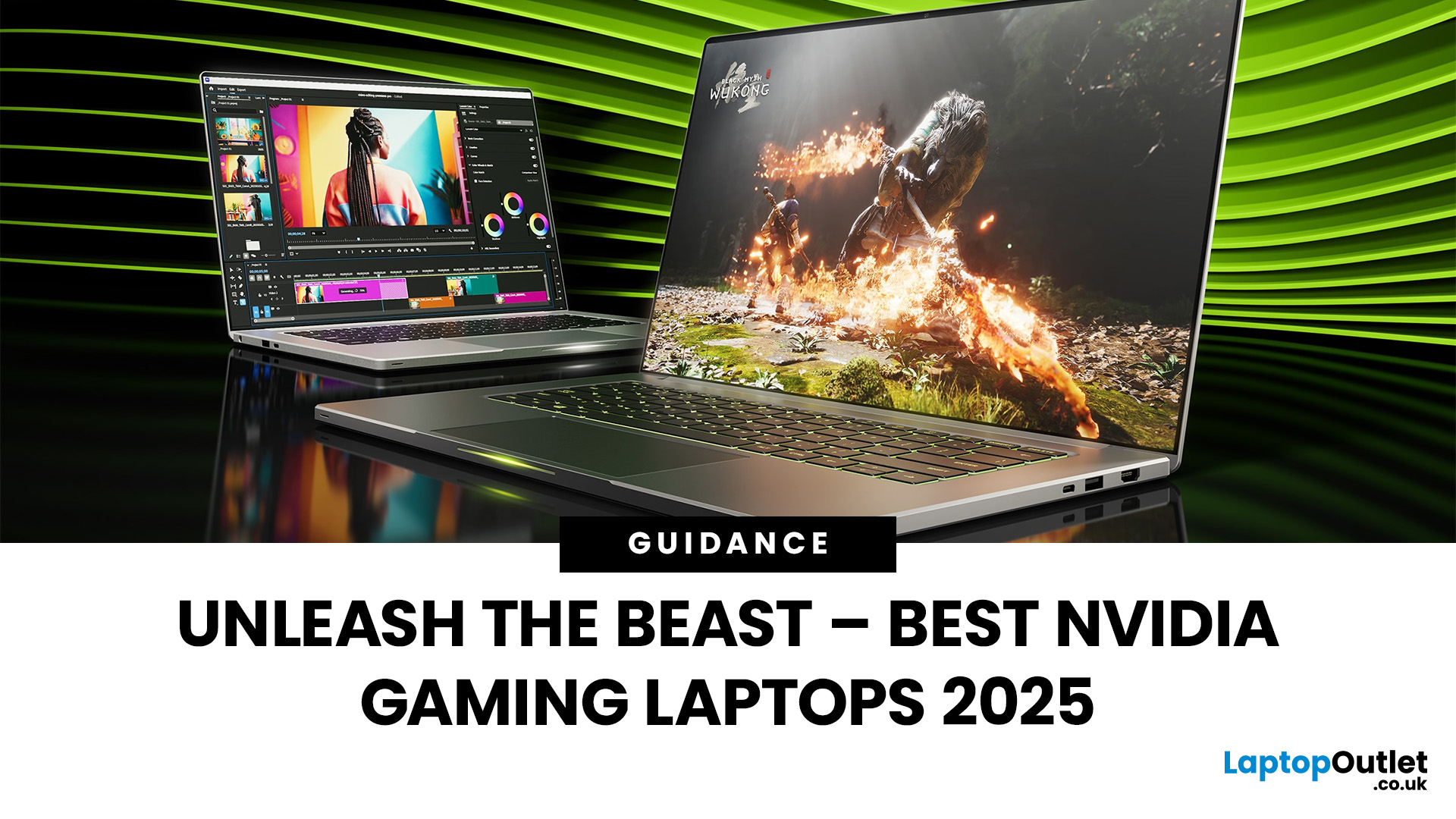
Among the top leading brands of high-end graphics cards, Nvidia stands out as a "powerhouse" in the world of gaming. Laptops with Nvidia graphics cards are known for their exceptional processing capabilities to handle resource-intensive gaming, 3D modelling, and video editing software without any stutters or lags. In this article, we will explore the benefits of Nvidia gaming laptops. Not only will we discuss the features of these gaming laptops, but you'll find our top 5 recommendations for the best gaming laptop on the market.
What are the Benefits of Laptops with Nvidia Cards?
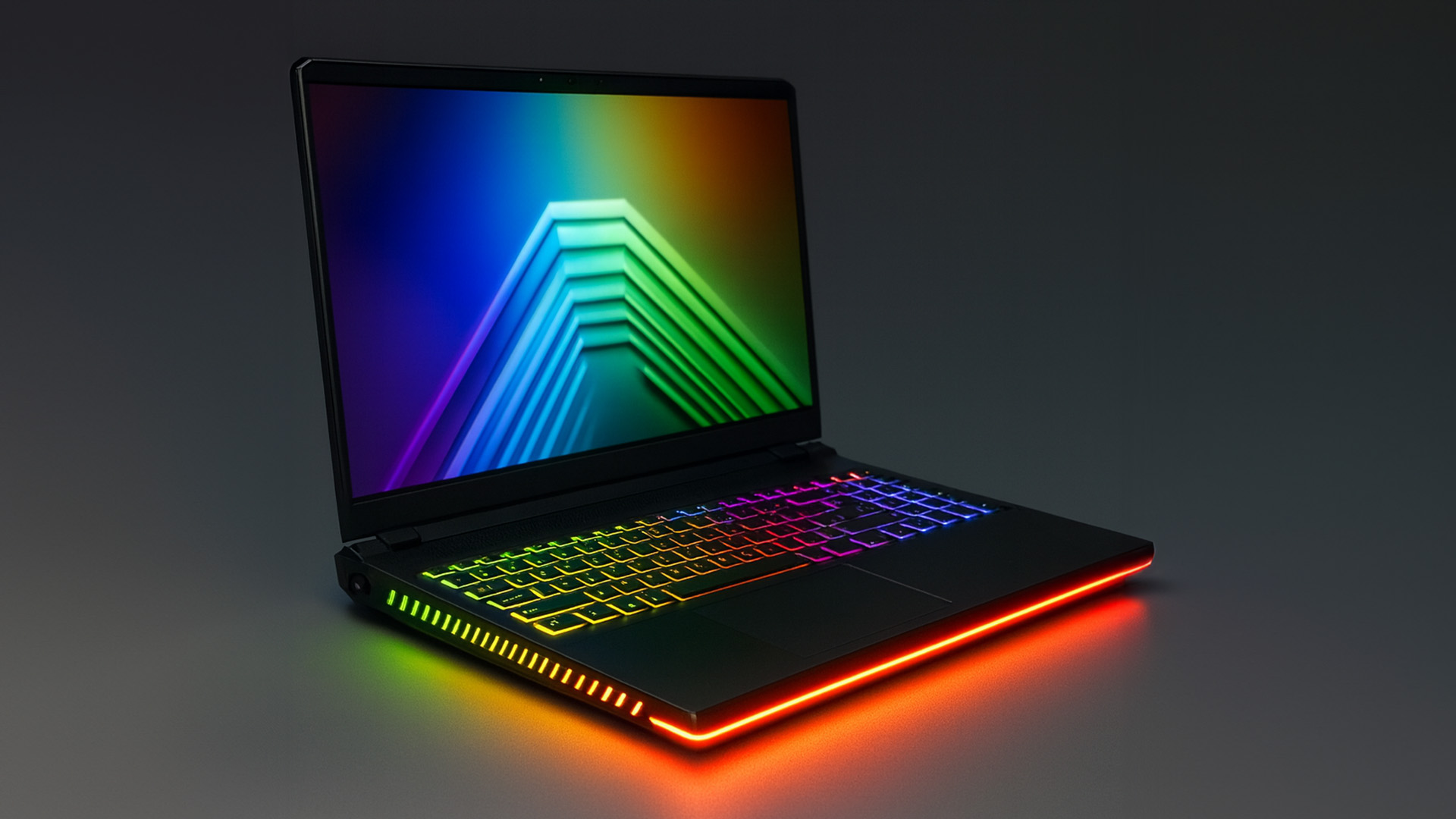
A gaming laptop with a Nivida Graphics card offers a range of advantages as compared to devices with other Graphics card brands. These high-performance devices offer excellent graphics rendering and processing power in video games, CAD/CAM, scientific computing, content creation, and other intensive computing applications.
Let’s explore their benefits in detail:
Unparalleled Graphics Performance
Nvidia graphics

Last Updated: September 19, 2025
The laptop market in 2025 has been completely transformed by NVIDIA GeForce RTX GPUs, offering unparalleled power, visuals, and versatility. With over 80% of high-performance laptops now featuring RTX GPUs, they’ve become the go-to choice for gamers, creators, and professionals alike. Whether you're chasing the cutting-edge performance of the latest RTX 50 series laptops or the proven reliability of RTX 40 series models, there’s an option for every need and budget.
NVIDIA's advancements in ray tracing, DLSS 3.5, and AI-powered acceleration make these laptops 50% faster than their predecessors, delivering lifelike graphics and exceptional efficiency. The gaming industry alone has seen a 35% rise in demand for RTX-powered laptops in 2025.
Ready to dive in and find the perfect RTX laptop? Read on as we explore the top models, including their specs, pricing, and unique features, so you can make an informed choice. Don’t miss the ultimate guide ahead!
What Makes NVIDIA GeForce RTX Laptops Stand
Last Updated: March 05, 2026
In 2026, gaming and content creation are more accessible than ever, thanks to Nvidia’s lineup of budget-friendly graphics cards. Whether you're a casual gamer, a competitive esports player, or a creative professional, finding the right GPU doesn’t have to drain your wallet. The market is filled with options that deliver exceptional performance without the premium price tag, ensuring you get the best value for your investment.
From the power-efficient GTX 1650 to the feature-rich RTX 3060, Nvidia continues to redefine budget gaming. These GPUs offer remarkable frame rates, smooth gameplay, and cutting-edge features like DLSS and ray tracing, bringing next-gen technology within reach for everyone. With the right choice, you can enjoy immersive visuals, faster rendering, and seamless multitasking without compromise.
With so many options available, it can be challenging to determine which budget Nvidia GPU is the best fit for your needs. Whether you’re looking for smooth 1080p gaming, entry-level

Last Updated: October 02, 2025
Want to Know Your GPU? Here's How
Whether you’re gaming, editing videos, or just curious—knowing what graphics card (GPU) you have matters. It affects performance, display quality, and what software your laptop can handle. Good news: it’s easy to check.
How to Find Out What Graphics Card You Have on Windows
1. Use Device Manager
- Press Windows + X, then select Device Manager
- Click the Display Adapters dropdown
- You’ll see the name of your graphics card listed
- This method works for both integrated (e.g. Intel HD) and dedicated GPUs (e.g. NVIDIA, AMD)
2. Use System Information
- Press Windows + R to open Run
- Type msinfo32 and press Enter
- Navigate to Components > Display
- Look for Adapter Type and Adapter Description
3. Use DirectX Diagnostic Tool (dxdiag)
- Press Windows + R, type dxdiag, and hit Enter
- Go to the Display tab
- Your GPU details will be listed under “Device”
4. Use Task Manager (Quick Check)
- Press Ctrl + Shift + Esc to open Task Manager
- Go to the

Last Updated: September 09, 2025
Exploring the Latest and Greatest in GPU Tech!
If you're wondering what makes a graphics card "good," you're not alone. Whether you're a gamer, a creator, or just love a snappy desktop experience, the right GPU (graphics processing unit) can completely redefine the way your system performs. With the release of Nvidia's 50 Series and AMD's latest GPUs, there's much to get excited about. But what actually makes a graphics card good? And which are the best graphics cards out there at the moment?
Let's break it down, human-style—no jargon overload, no fluffy nonsense, just real talk about real performance.
What Makes a Graphics Card 'Good'?
At its core, a good graphics card delivers consistent performance, reliable cooling, and future-ready features. Whether gaming at 4K, editing high-resolution video, or running AI software, a good GPU doesn't slow down when pushed.
The best graphics card should offer:
- Solid FPS (frames per second) across modern titles
- Support for ray tracing

