



Top 10 RAM Kits for Gaming PCs in 2025
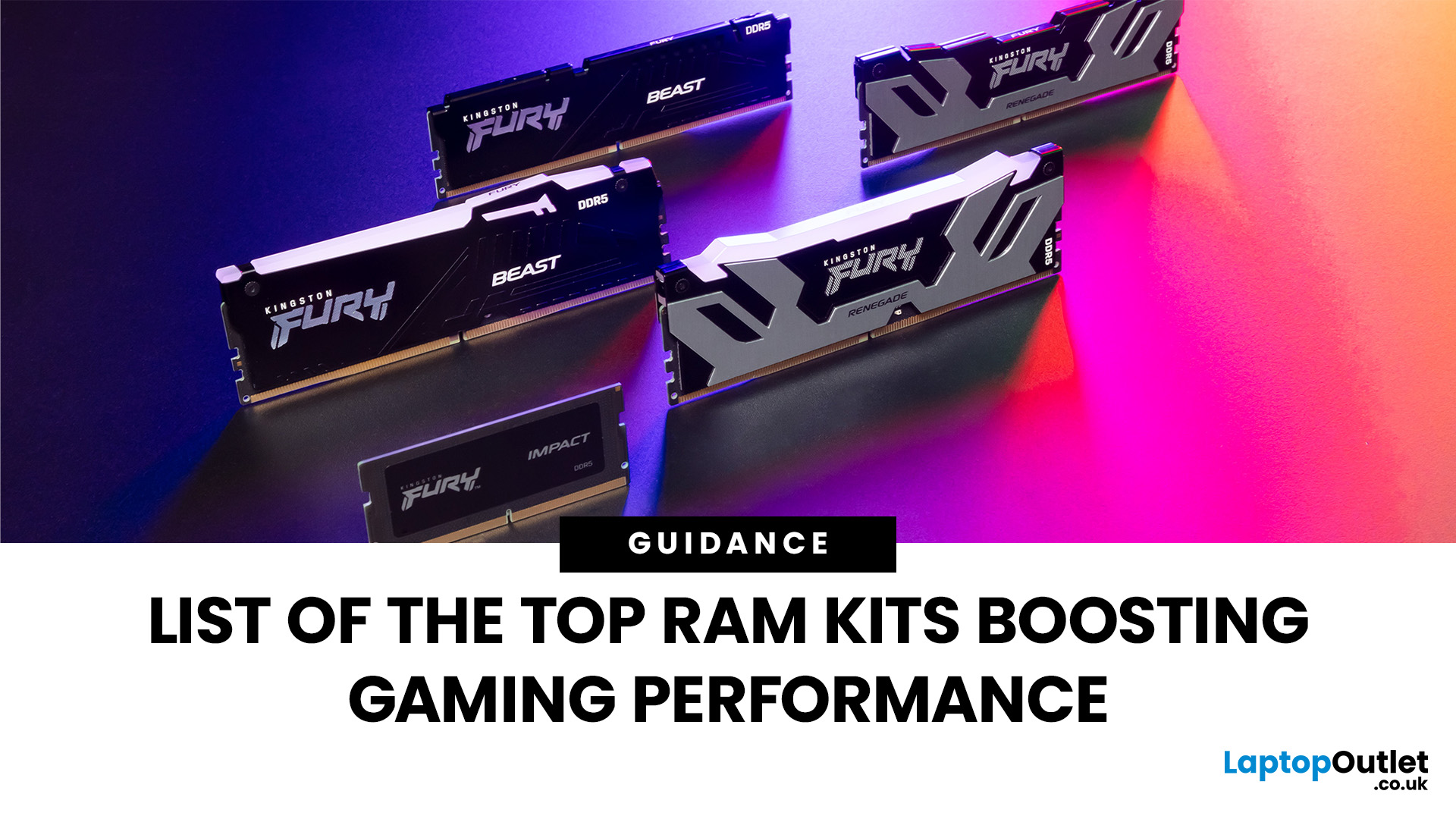
When building or upgrading a gaming PC in 2025, RAM is one of the most important components you’ll need to choose carefully. With DDR5 now mainstream and DDR4 still relevant for budget or older builds, there’s a wide variety of options on the market. But with so many choices, it’s easy to feel overwhelmed. Do you go for raw speed, bigger capacity, or flashy RGB? The truth is the best RAM kits for gaming in 2025 balance speed, latency, and capacity. Let’s highlight the top 10 RAM kits worth buying this year, from budget-friendly DDR4 sets to premium DDR5 kits designed for enthusiasts.
What Makes a RAM Kit Great for Gaming in 2025
The right kit can make the difference between smooth, responsive gameplay and frustrating stutters, especially in modern titles that demand more memory. Before the list, some essentials so you get RAM that actually improves your gaming:
- Capacity First: 32 GB is the new sweet spot. 16 GB still works for many (especially eSports, lighter titles) but headroom matters.
- Speed & Latency: Look for DDR5 kits between 5600-7200 MT/s with CAS Latency CL30-CL40. More speed helps, especially with Intel’s latest CPUs or AMD’s Ryzen, but gains flatten past certain points.
- Dual-Channel Setup: Always go for matched pairs (2× modules) to enable dual-channel operation. It boosts bandwidth and performance.
- Platform & Compatibility: Check what your CPU and motherboard support (Intel: XMP / AMD: EXPO), check the QVL list. If your system is DDR4-only, a high-quality DDR4 kit might be better.
Top 10 RAM Kits to Buy in 2025
These picks are all solid for gaming, some premium, some budget. I include specs so you can match them to your build.
Here are standout kits:
|
RAM Kit |
Specs & Strengths |
Best For / Notes |
|
DDR5-6000 MT/s, CL30 (or similarly tight), RGB + low-profile heatsinks |
Ideal all-round pick: excellent speed, great latency, works well on AMD EXPO and Intel setups. |
|
|
DDR5-6600, CL32/CL36, premium build, DHX cooling, strong overclock potential |
For enthusiasts who want top speed + premium look + room for overclocking. |
|
|
Solid DDR5-6000 CL36, reliable brand, some RGB / non-RGB options |
Good value pick when you want DDR5 speed without too much price premium. |
|
|
2×16 GB, EXPO support, sleek design, performance focus |
Especially good for AMD Ryzen 7000/8000 users; minimal RGB, more performance. |
|
|
2×32 GB, DDR5-6400, higher latency but excellent capacity |
For streamers, creators, or gamers who also do video editing. Big capacity. |
|
|
DDR5-6000, good heatsinks, flashy RGB |
Good for gaming rigs that double as show-pieces. |
|
|
Reliable DDR4-3200 kit, low profile, good latency |
Perfect for older motherboards; gets the job done on a lower budget. |
How I Picked These Kits
- Based on benchmark & reviews from credible sources like Tom’s Hardware, TechRadar, PC Gamer.
- Focused on capacity, speed, latency figures that match what gamers really need, balancing cost vs performance.
- Considered compatibility (XMP / EXPO profiles), cooling/heat spreaders, and design factors.
- Included both DDR5 & DDR4 for users who can’t (or don’t want to) move to DDR5 yet.
Key Specs to Know
- MT/s or Data Rate: Higher number = faster throughput. 5600-6400 is a sweet spot for DDR5. Lower for DDR4.
- CAS Latency (CL): Lower is better; CL30-CL36 is good for DDR5 gaming. Latency matters more when paired with high speed.
- Channels: Dual channel (2× modules) is essential. Don't mix unmatched kits.
- Heat Spreaders / Cooling: Helps maintain stability, especially in hot cases or when pushed hard.
- Profiles (XMP / EXPO): Ensure your motherboard supports them; these profiles make high speeds easy.
What to Choose Based on Your Build
|
Scenario |
Goal |
Recommended RAM Specs |
|
Budget build (1080p / eSports) |
Smooth FPS + lower cost |
16 GB DDR4-3200 or DDR5-4800-5200, CL16-CL40 |
|
Mid-range gaming (1440p) |
Future-proof w/ good visuals & multitasking |
32 GB DDR5-6000-6400, CL30-CL36 |
|
Streaming / content creation |
Big capacity + speed |
64 GB+ DDR5-6000+, matched low latency |
|
Top-end / enthusiast build |
Max FPS, overclocking, flashy components |
Premium kits 6600-7200 MT/s, CL30 or lower, good cooling & aesthetics |
Common Mistakes to Avoid
- Buying super high-speed RAM your motherboard doesn’t support.
- Prioritising speed over capacity: having loads of speed but only 8-16 GB can bottleneck modern games.
- Ignoring latency; two kits with same MT/s but different CL can perform noticeably differently.
- Choosing tall RAM modules that clash with your CPU cooler.

Pros & Cons of DDR5 vs DDR4 for Gaming
|
Feature |
DDR5 (2025) |
DDR4 |
|
Bandwidth & speed |
Much higher; ideal for latest CPUs / platforms |
More mature; still solid if your board supports it |
|
Latency |
Can be higher for some kits; but good CL kits are closing gap |
Often lower latency at certain speed ranges; good for older systems |
|
Cost |
Higher for premium kits; prices falling |
Usually cheaper; many budget/legacy builds still use it |
|
Upgrade path |
Future-proof; newer chipsets favour DDR5 |
Useful if you upgrade motherboard/CPU later; but limit for how future-ready |
Final Recommendation
If you’re building a gaming PC in 2025, my pick is:
- Go 32 GB DDR5, 6000-6400 MT/s with decent latency (CL30-CL36). That gives you excellent performance, future headroom, and solid value.
- If money is tight or you’re reusing an older board, a good DDR4-3600 kit can still hold its own, particularly for lighter gaming.
- Invest in capacity first, then speed. Overclocking and flashy RGB are nice extras, not essentials.
So, buy your RAM kits from Laptop Outlet today!

FAQs
How much RAM do I actually need for gaming in 2025?
Most gamers will want 32 GB for modern AAA titles, streaming and background tasks. 16 GB is bare minimum; 64 GB only if you also render video or run big multitasking workflows.
Does RAM speed matter a lot for gaming or just benchmark bragging rights?
Yes, it matters, but up to a point. Games that are CPU-bound benefit more from faster RAM. But past ~6400 MT/s and good latency, gains are smaller.
Should I stick with DDR4 or move to DDR5?
If your motherboard/CPU support DDR5, it’s worthwhile for future builds. But DDR4 is still viable if you can’t switch platforms yet.
Does more latency (higher CL) kill performance even if speed is high?
Higher latency can reduce the benefit of high speeds. A kit at 6000 MT/s with CL30 usually beats one at 6400 MT/s with CL50 in many gaming workloads. Balance is important.
When should I upgrade RAM?
When you notice stutters in modern games, background apps slowing you down, or when moving into 4K gaming / streaming. Also when your current kit is old, low capacity, or incompatible with newer DDR5-only platforms.

Summary
In 2025, the best RAM kits for gaming are DDR5, usually in 32 GB (2×16 GB) dual-channel kits with speeds in the 6000-6400 MT/s range and low CAS latency (~CL30-CL36). Premium kits like Corsair Dominator Platinum RGB and G.Skill Trident Z5 Neo offer both speed and style. Budget picks like Corsair Vengeance DDR5 give solid performance without overpaying. Capacity matters: 16 GB OK for light gaming; 32 GB is ideal; 64+ GB for multitasking, streaming or content creation.
| Read More: |
| The Memory Challenges Posed by Modern AI Workloads |
| How Much RAM Do You Really Need? |
| Kingston DDR4 vs DDR5 Performance: Which RAM Should You Buy? |
Related Articles

Last Updated: July 01, 2025
HP brand is one of the market leaders in providing feature-rich portable laptops with an affordable price tag. HP laptops often give serious competition to their competitors, thanks to their solid performance and affordability. HP’s lineup is so extensive that you can find anything ranging from a notebook, a 2-in-1 and a business laptop that are perfectly equipped to give you a robust performance just like other leading brands available in the market.
No matter how much budget you have, you can find exceptional quality HP laptops in almost every considerable budget range. They are particularly popular due to their portability and remarkable performance to maximise your productivity. Let’s explore some of the best HP laptops and notebooks that offer numerous features and come in a budget-friendly bracket as well.
The 5 Best HP 16GB RAM laptops and Notebooks 2023
HP ZBook Firefly G8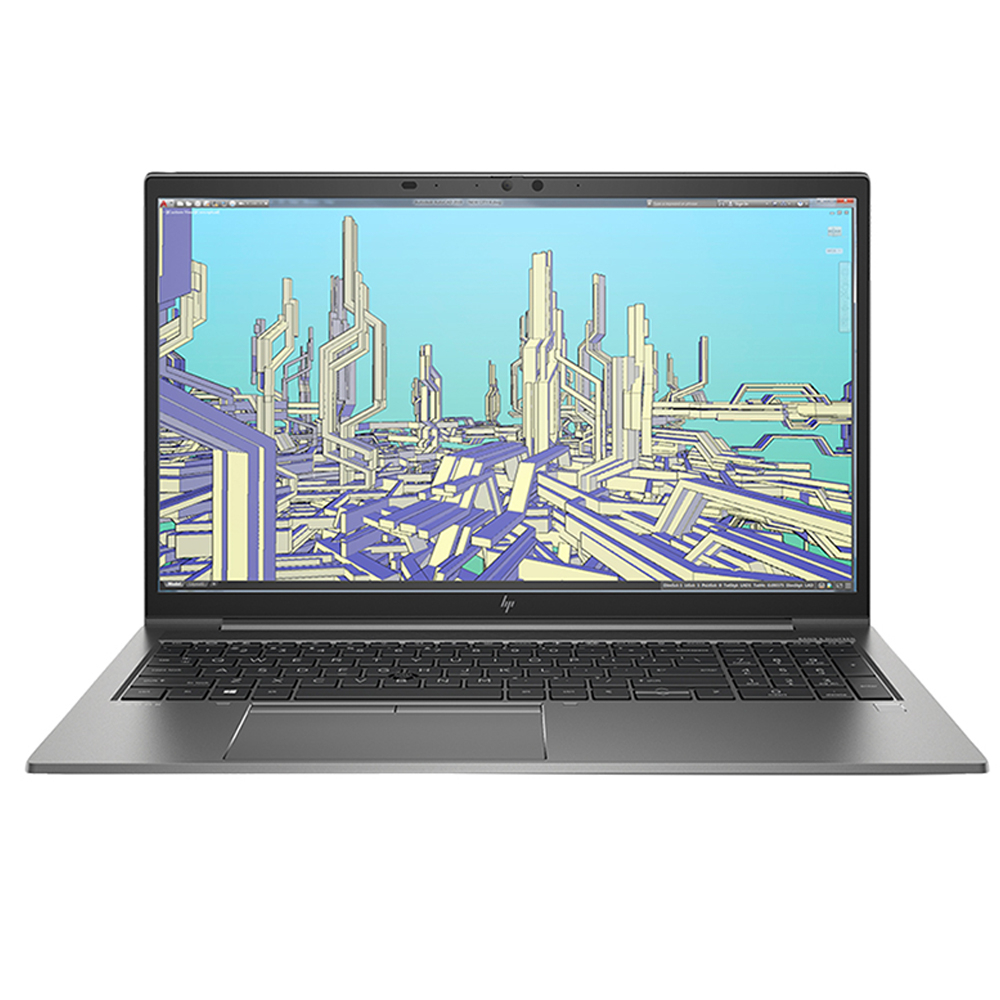
- Processor: Intel Core i7, 11th Generation
- GPU: NVIDIA Quadro T500
- RAM: 16GB
- Storage: 1TB SSD
Last Updated: March 30, 2026
Are you searching for a powerful laptop packed with ample RAM without breaking the bank? Look no further than our best picks of 32 GB RAM laptops!
Laptops have become indispensable tools in our daily lives. Whether you're a student working on complicated assignments, a hardcore gamer intending for an enthralling experience or creative professional looking for seamless multitasking, or a gaming enthusiast looking for lag-free experiences, the right laptop can excel or reduce your productivity.
Under the hood, the RAM capacity of a laptop plays an essential role in evaluating the computer's overall performance. You might be surprised that 32GB of RAM is adequate for fast data retrieval and improves the processor's rendering capabilities.
Tech users like dedicated gamers, graphic designers, computer scientists, Machine Learning enthusiasts, content creators, engineers, and even 3D modellers need this much RAM capacity to handle various applications, software, and memory-intensive
Last Updated: September 09, 2025
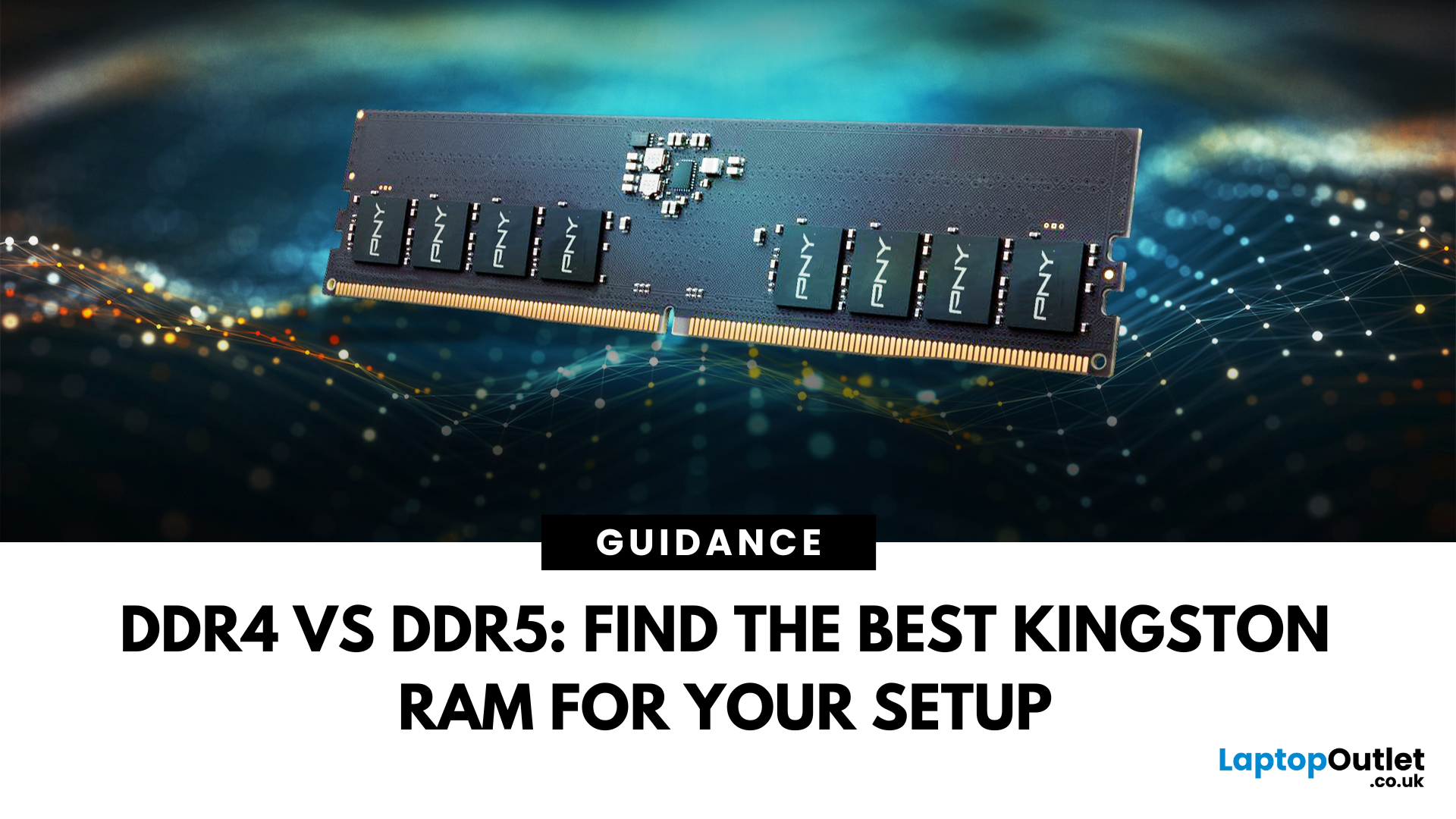
DDR4 vs DDR5 Explained: Find the Best Kingston RAM for Your Setup
Upgrading your computer memory is one of the smartest ways to boost system performance, but with the launch of next-gen memory modules, the debate of DDR4 vs DDR5 is more relevant than ever. Whether you’re a gamer, creator, or multitasker, choosing the right PC RAM can significantly impact how fast your system runs and how future-ready it is.
In this guide, we’ll dive into the differences between DDR4 vs DDR5 RAM, comparing their performance, price, compatibility, and use cases, especially for gaming. We’ll also look at why Kingston RAM remains a top-tier choice for both generations.
If you’re wondering which RAM is best for your setup in 2025, keep reading and don’t forget to check our handpicked selection at Laptop Outlet’s RAM & Memory section.
DDR4 vs DDR5: What’s the Real Performance Difference?
When it comes to the performance of RAM computer, DDR5 RAM undeniably leads the charge. It offers substantially higher bandwidth
Last Updated: June 09, 2026
Imagine your brain trying to juggle not just numbers, but thousands of entire books at once; that’s what modern AI workloads are asking from compute systems. The models keep growing larger and more complex: trillions of parameters, expanding context windows, and sparse activation models like “mixture of experts” that selectively wake up parts of the network, but still demand fast memory access everywhere.
Even the most powerful GPUs and AI accelerators, loaded with teraflops of compute, can sit idle if the memory subsystem lags. Memory bandwidth and latency have become the real choke points. This bottleneck is often referred to as the “memory wall”: compute capability (FLOPs) has been increasing at a far faster pace than DRAM and interconnect bandwidth.
And there’s more: power, cooling, and cost. High-performance memory like HBM isn’t just expensive; it’s energy-hungry. The energy required to move data around often exceeds the energy needed for actual computation. When you add in dataset

