



HP 16GB RAM Laptops & Notebooks in 2023
HP brand is one of the market leaders in providing feature-rich portable laptops with an affordable price tag. HP laptops often give serious competition to their competitors, thanks to their solid performance and affordability. HP’s lineup is so extensive that you can find anything ranging from a notebook, a 2-in-1 and a business laptop that are perfectly equipped to give you a robust performance just like other leading brands available in the market.
No matter how much budget you have, you can find exceptional quality HP laptops in almost every considerable budget range. They are particularly popular due to their portability and remarkable performance to maximise your productivity. Let’s explore some of the best HP laptops and notebooks that offer numerous features and come in a budget-friendly bracket as well.
The 5 Best HP 16GB RAM laptops and Notebooks 2023
HP ZBook Firefly G8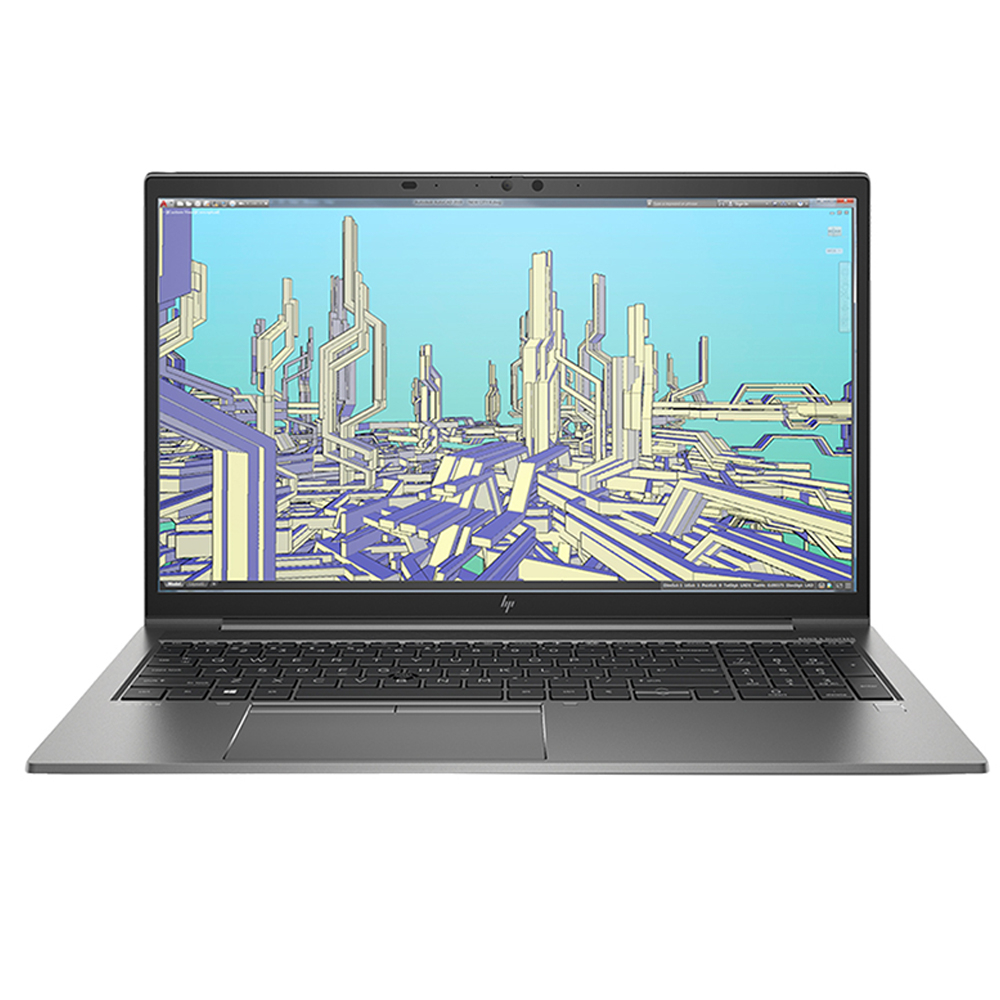
- Processor: Intel Core i7, 11th Generation
- GPU: NVIDIA Quadro T500
- RAM: 16GB
- Storage: 1TB SSD
- Operating System: Windows 10 Pro
Pros:
+ Convenient and Portable
+ Sleek but sturdy design
+ Super-fast Intel Core i7, 11th Generation processor
+ Extensive storage
Cons:
- No convertible design
Product Description
HP continues to name its ultra-slim and portable laptops after flying insects. HP ZBook Firefly G8 comes with a weight of only 1.4kg which justifies the word “firefly” in its name. The build quality of the laptop is also impressive and features a sturdy design with an aluminium casing.
The keyboard of the machine is firm, comfortable and contains a fingerprint sensor just below it. So, your data security is fully secured with the latest biometric authorization. Playing your favourite high-end games on your traditional laptop is no longer a hassle with Intel Core i7, the 11th Generation processor of Firefly G8.
HP has equipped the machine with the latest high-end NVIDIA Quadro T500 GPU to give you a wonderful visual in-game experience. 1TB extensive SSD storage is designed to store your precious data. Battery life of the laptop is good enough to give an on-screen experience of 7.5 hours.
HP Envy 13
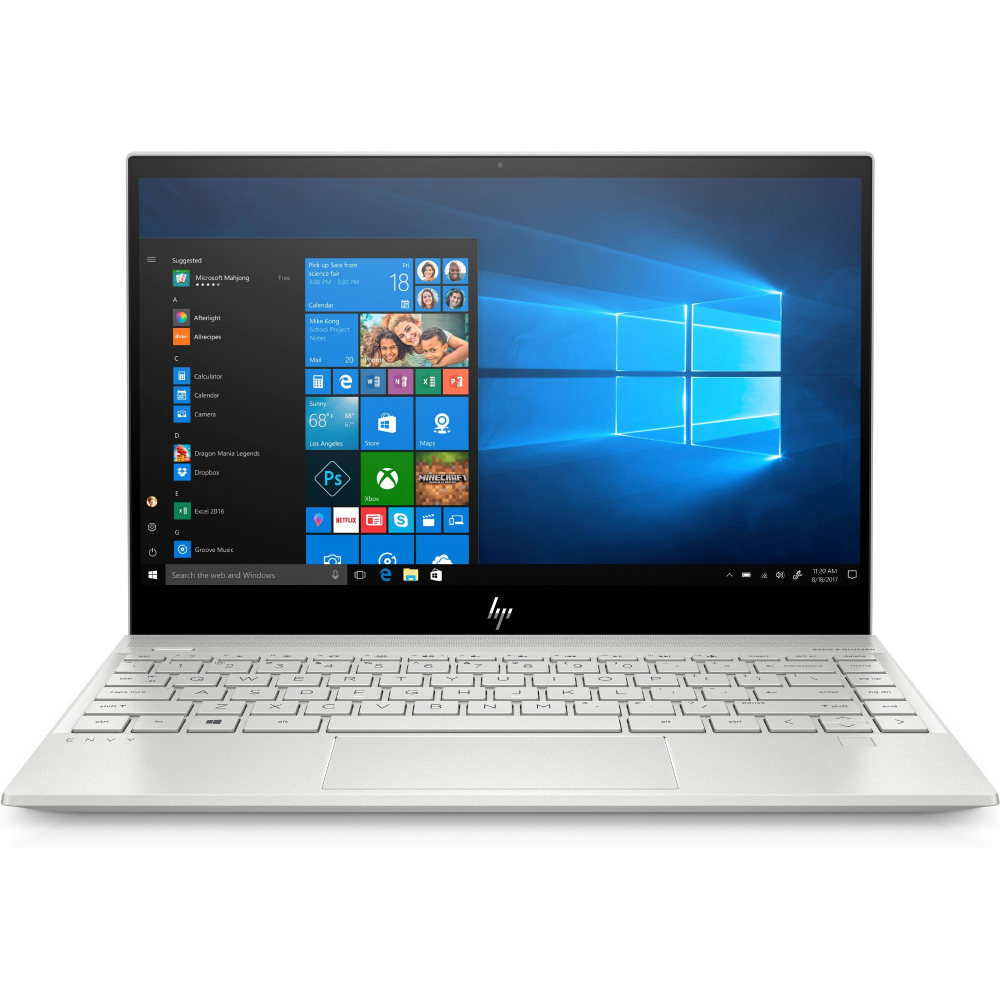
- Processor: Intel Core i7, 10th Generation
- GPU: NVIDIA GeForce MX350
- RAM: 16GB
- Storage: 1TB SSD
- Operating System: Windows 10 Home
Pros:
+ Powerful 10th Generation Intel Core i7 processor
+ Extensive RAM and ROM
+ Ultra Slim
+ Quite Affordable
Cons:
- Fans get noisy sometimes
Product Description:
HP Envy 13 is one the strong contender for the best HP laptops ever offered in the UK. HP Envy features an elegant and sleek design and is made up of a rigid plastic body. It is quite affordable laptop due to its compact size and design. HP Envy 13 is too easy to carry with a weight of only 1.3 kg.
Coming to the components, HP Envy is perfectly aligned to give you a solid performance with its Intel i7, 10th Generation processor. It comes with a NVIDIA GeForce MX350 graphic card, so you can enjoy your favourite games with vibrant graphics.
Storage drives that come in HP Envy 13 are also noteworthy. It comes with a 16GB RAM to allow speedy bootups and an extensive 1TB hard drive to store your favourite games and applications. The battery timing of the laptop is reasonably good and provides a power backup up to 10 hours.
HP Elite Dragonfly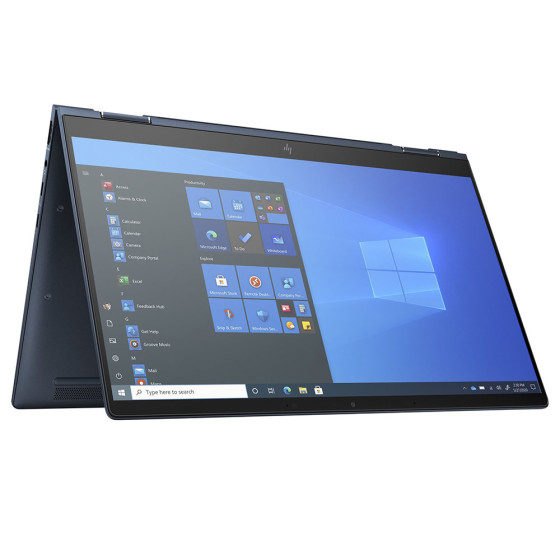
- Processor: Intel Core i5, 11th Generation
- GPU: Intel UHD Graphics
- RAM: 16GB
- Storage: 256GB SSD
- Operating System: Windows 10
Pros:
+ Speedy Intel Core i5, 11th Generation processor
+ Extensive RAM and ROM
+ Incredibly lightweight
+ Fingerprint sensor
Cons:
- A bit less battery life
Product Description
HP Elite Dragonfly is one of the best HP 16 GB RAM laptops that are available in the market. It comes with a 2-in-1 design featuring a 360-degree rotatable touch screen which allows you to use it both as a tablet and as a laptop. HP is touting Elite Dragonfly as “lighter than air” which is true with its weight of only 0.99kg.
Coming to the performance, HP Elite Dragonfly comes with a 10th Generation, Intel Core i7 processor which is able to provide you robust speed during heavy tasks. Intel UHD graphic card is also there to complement the CPU in speedily rendering the visuals.
16GB RAM allows speedy bootups and 512GB SSD storage gives you an ideal space to store your favourite games and regularly used applications. The battery life of the HP Elite Dragonfly laptop is quite remarkable and can give you a power backup of 12 hours.
HP ProBook 640 G8
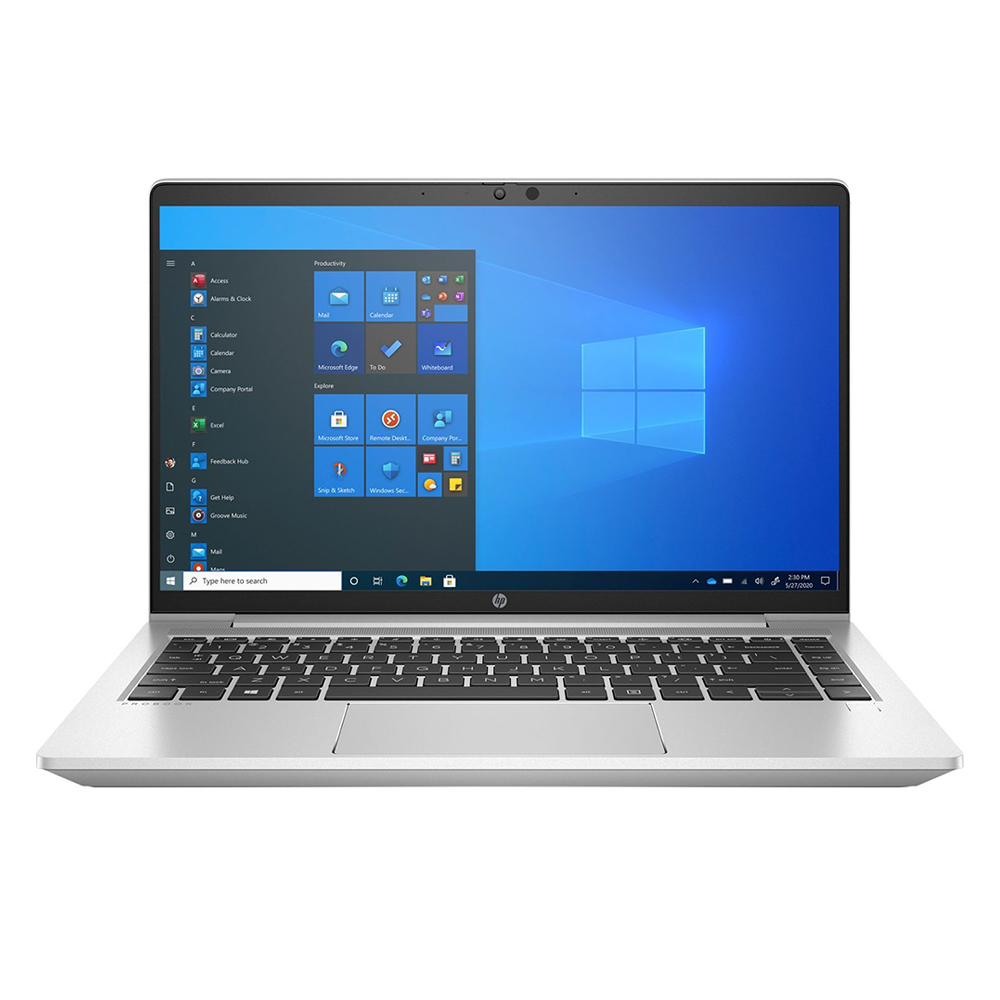
- Processor: Intel Core i5, 11th Generation
- GPU: Intel Iris Xe Graphics
- Ram: 16GB
- Storage: 256GB SSD
- Operating System: Windows 10 Pro
Pros:
+ Convenient and Portable
+ Spill-resistant keyboard
+ Fast Intel Core i7, 8th Generation processor
+ Thin bezel display
Cons:
- No HDR support
- No touchscreen
Product Description
HP Probook 640 G8 features a narrow bezel display that comes with an anti-glare screen. The body of this HP laptop is slim with a weight of only 1.37 kg. So, you can easily carry it with you while travelling.
Talking about CPU, Probook 640 G8 possess an Intel i5, 11th Generation processor that comes in combination with Intel Iris Xe Graphics GPU. This good enough duo enhances your user experience while you are dealing with your usual work tasks. While the keyboard of the machine is spill resistant.
HP Probook 640 G8 comes with a 16GB RAM and 256GB SSD extensive storage. The combo perfectly complements the CPU and GPU in the processing and storage of data. HP Probook 640 carries a 45mAh battery that charges to 50% in 30 minutes when the laptop is off.
HP EliteBook 840 G8
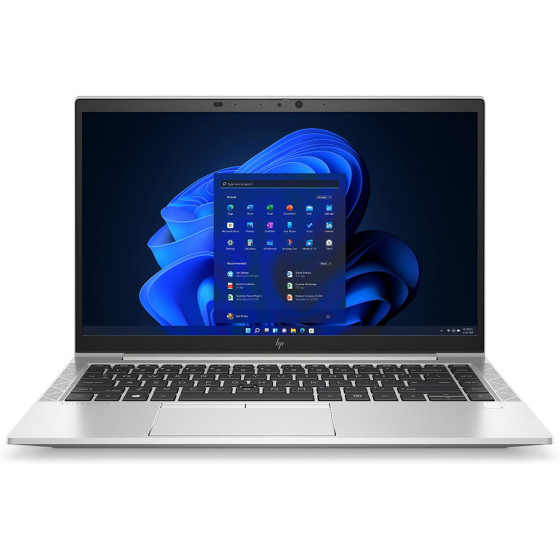
- Processor: Intel Core i5, 11th Generation
- GPU: Intel Iris Xe Graphics
- Ram: 16GB
- Storage: 256GB SSD
- Operating System: Windows 10 Pro
Pros:
+ Simple but attractive and sharper design
+ Thunderbolt 4 support
+ Wi-Fi 6 and Bluetooth 5.1 connectivity
+ Backlight keyboard
Cons:
- A bit pricey
Product Description
HP Elitebook 840 G8 is one of the best business notebooks ever built by HP. Starting with the design, EliteBook 840 G8 offers an attractive and sharper casing that comes is accompanied by a narrow bezel display. The IPS display of the HP Elitebook 840 G8 comes with an anti-glare feature.
The backlight keyboard of the laptop is smooth enough to complement longer typing tasks. Elitebook 840 G8 gives a robust speed with its Intel Core i5,11th Generation processor. Intel Iris Xe Graphics are also there to enhance your in-game visual experience.
HP Elitebook 840 G8 is a part of HP 16GB RAM laptops range and features a 16GB RAM that comes in a combination with 256GB SSD storage. `HP has loaded the laptop with a bunch of features including Thunderbolt 4 support, Wi-Fi 6 and Bluetooth 5.1 connectivity. The battery life of the machine is also amazing and gives a long-lasting battery backup up to 13 hours.
Conclusion
HP has an extensive range of 16GB RAM laptops in almost every budget bracket. You should consider your budget and preferred specs while going to buy the best HP laptop for you in the UK. This guide will certainly help you in making that decision.
FAQs:
1. Is 16GB RAM enough for multitasking and productivity?
Yes, 16GB RAM is ideal for smooth multitasking, running multiple browser tabs, and using demanding applications like Photoshop, Excel, and even light video editing or gaming.
2. Are HP laptops with 16GB RAM good for students or professionals?
Absolutely. Whether you're studying, working remotely, or doing creative work, 16GB RAM ensures fast and responsive performance without lag.
3. Can I upgrade the RAM in an HP laptop?
Many HP laptops allow RAM upgrades, but it depends on the model. Some ultrabooks have soldered RAM, so always check the product’s upgrade compatibility before purchase.
4. Do HP 16GB RAM laptops come with SSD storage?
Most HP laptops with 16GB RAM are paired with SSDs for faster boot times, quick file access, and overall enhanced system performance — especially on premium and business models.
Explore more HP laptops & reviews:
| Best Dell Laptops with Windows 10 |
| Lenovo ThinkPad Laptops for Business and Home Use |
| Best Refurbished Laptops for Budget-Conscious Buyers |
Related Articles

Last Updated: April 01, 2026
Last Updated: February 23, 2026
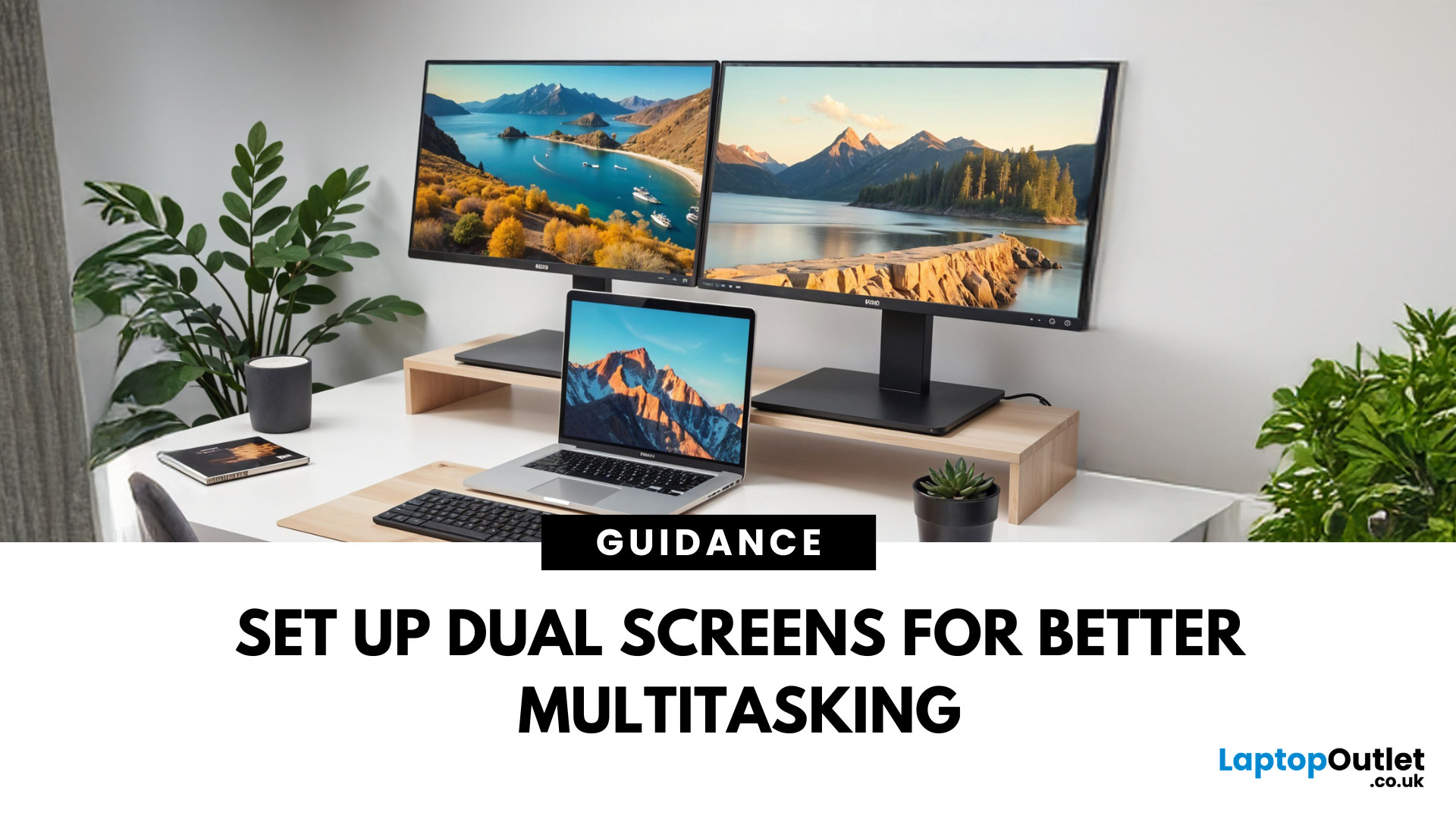
Feeling cramped on your laptop screen? Whether you’re a creative pro, a remote worker, or just need more screen real estate for multitasking—dual monitors are a total game-changer. Here’s how to connect two monitors to your laptop and level up your workspace.
What You’ll Need to Connect Two Monitors
Before you dive in, make sure you’ve got:
- A laptop with multiple display outputs (HDMI, USB-C, DisplayPort, Thunderbolt)
- Two external monitors
- Compatible cables or adapters (HDMI, VGA, USB-C, DisplayPort)
- Optional: Docking station for easier setup
Step-by-Step: How to Connect Two Monitors to a Laptop
1. Check Your Laptop’s Ports
Look at the sides of your laptop—do you have two separate video outputs (e.g., HDMI + USB-C)? If not, you might need a USB-C hub, docking station, or display splitter.
2. Plug in the First Monitor
- Connect your first monitor to the laptop using an HDMI, VGA, or DisplayPort cable.
- Turn on the monitor and make sure it’s set to the correct input source.
Last Updated: October 02, 2025
Capture Your Screen Like a Pro
Whether you’re saving receipts, capturing memes, or sending error messages to IT support—screenshots are super handy. But how you take one depends on your laptop. Don’t worry, we’ve got all the easy ways to screenshot on Windows and Mac laptops in one place.
How to Screenshot on a Windows Laptop
1. Use the Print Screen (PrtScn) Key
- Press PrtScn – Captures the whole screen to clipboard
- Open Paint or Word and press Ctrl + V to paste and save
2. Alt + Print Screen
- Press Alt + PrtScn – Captures the active window only
- Paste into your desired app (e.g., Paint, email, etc.)
3. Windows + Shift + S (Snip & Sketch Tool)
- Opens a selection tool
- Click and drag to capture a specific area
- Screenshot goes to clipboard—paste it anywhere or save via pop-up
4. Windows + Print Screen
- Captures the whole screen and saves it automatically
- Find it in Pictures > Screenshots folder
How to Screenshot on a MacBook or Mac Laptop
1. Command + Shift + 3

Last Updated: October 02, 2025
Time for a Fresh Start?
Whether you’re selling your device, fixing performance issues, or just want a clean slate—a factory reset gives your laptop a fresh start. We’ll walk you through how to factory reset both Windows and Mac laptops, with simple steps anyone can follow.
Before You Factory Reset: Back It Up
- A factory reset wipes everything—apps, files, and settings. So before you dive in:
- Back up files to an external hard drive or cloud (e.g., Google Drive, OneDrive, iCloud)
- Sign out of any accounts (Microsoft, Apple ID)
- Note down any licence keys or passwords you’ll need later
How to Factory Reset a Windows Laptop
- Using Windows Settings (Windows 10 & 11)
- Click Start > Settings > System > Recovery
- Under Reset this PC, click Reset PC
Choose:
- Keep my files – Removes apps/settings, keeps personal files
- Remove everything – Full factory reset
- Follow the prompts to complete the reset
Using Advanced Startup (If You Can’t Boot Normally)
- Force restart the laptop

Last Updated: September 25, 2026
Most laptops have a useful lifespan of roughly 3 to 6 years, although some remain reliable for much longer. How long a laptop lasts depends on build quality, workload, cooling, battery health, hardware, maintenance and software support.
A laptop used mainly for browsing, documents and video calls may stay useful longer than one regularly pushed through gaming, video editing or other demanding workloads. A laptop also does not necessarily need replacing simply because it reaches a certain age.
What Is the Average Laptop Lifespan?
There is no fixed expiry date for a laptop. For many users, the average laptop lifespan falls somewhere between three and six years before age starts to affect performance, portability, reliability or software support.
These ranges are a practical guide, not a guarantee:
| Laptop type or usage | General useful lifespan | What usually affects it |
| Everyday browsing and office use | About 4 to 6 years | Battery wear, software demands and hardware ageing |
| Light, well-maintained |

