



The Best Monitors with Webcam in 2026
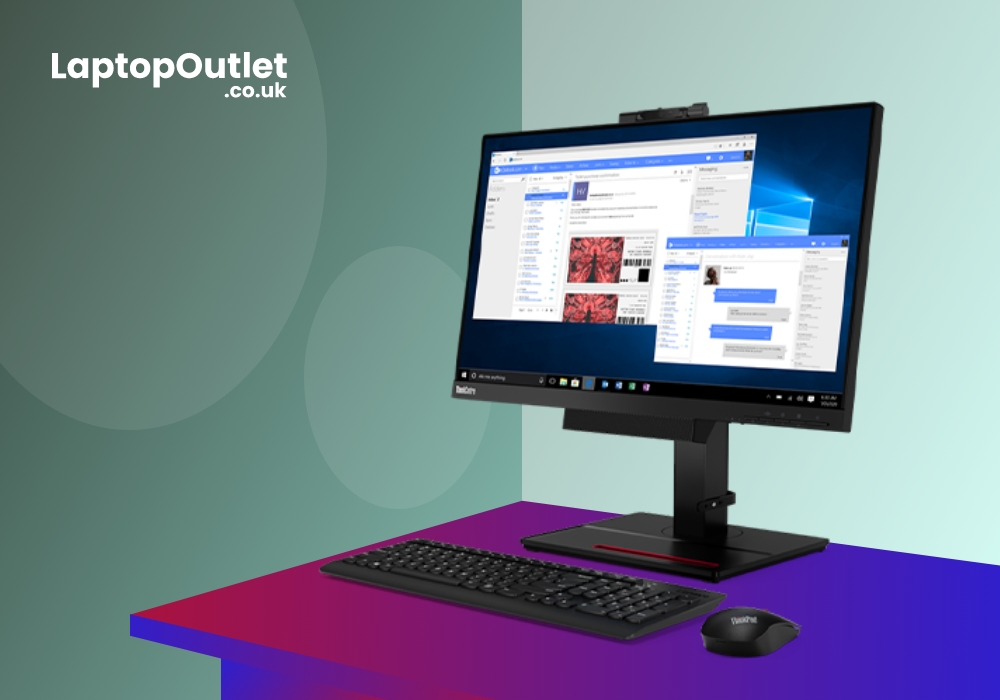
Whether you are a casual viewer or a frequent video meeting expert, you would need a monitor with a good webcam. Having the best monitors with webcam is now becoming common. Previously, there was more focus on a separate HD camera that was used to capture self-video for calling or conferences. But now monitors mostly come pre-installed with webcams. While most people ignore a web camera’s quality; for some, it needs to be real-good.
Working from home has not only become a trend but the need of the current era. With corporations and companies commonly allowing working from anywhere, it is vital to get a good-quality webcam. So, when choosing the right monitor, consider the resolution, refresh rate and connectivity alongside how well the built-in webcam performs.
If you are the one who often has to deal with formal video conferences, webinars, or meetings, you would need to place your hands on the right device. Fret not, we have got you covered with our precise list of best monitors with webcam.
ASUS Frameless Video Conferencing Monitor
|
Resolution: 1920 x 1080 |
|
Aspect Ratio: 16:9 |
|
Screen Size: 23.8 in |
|
Response Time: 5 ms |
|
Refresh Rate: 75 Hz |
ASUS Frameless monitor is possibly the best monitor to get for a webcam. Its 23.8-inch screen comes packed with a Full HD Resolution for clear pixels and immersive visuals. The web camera support provided through this monitor comes in the form of 2 Mega Pixel Full HD integration. For live streaming and web conferencing, this monitor is a practical option. When choosing a monitor for your workstation, features such as an integrated webcam, speakers and ergonomic adjustment can also help create a cleaner working setup. The camera also has an adjustable lens that is rotatable up to a certain 315Â degree So, you can locate the camera according to your angle and then use it. The even better news is that this webcam also has a privacy shutter that automatically shuts off after it gets used. This is the best feature for protection, and you don’t get any hacking risk.
Lenovo ThinkVision S24e-20
|
Screen Size: 23.8 in |
|
Aspect Ratio: 16:9 |
|
Refresh Rate: 60 Hz |
|
Resolution: 1920 x 1080 |
|
Response Time: 6ms |
The Lenovo ThinkVision has got an IR camera along with a flexible screen format. Its 23.8-inch screen comes with a 178-degree viewing angle which also facilitates the camera. The web camera included in this monitor also comes with 2 Mega pixels full HD Res. Through the adjustable camera and ergonomic stand, you can comfortably multitask with several windows open, while a dual-monitor setup can provide even more screen space if your workflow regularly involves multiple applications. The webcam also comes with Think Shutter privacy to make sure that users get a safe and sound video conferencing environment. There is also an auto-alarm feature that notifies if the microphone or camera is in the use. With the webcam, the dual-array microphones are attached with the crisp quality for amazing call sessions.
Lenovo ThinkCentre Full HD Monitor
|
Resolution: 1920 x 1080 |
|
21.5 in Screen Size |
|
Aspect Ratio: 16:9 |
|
Response Time: 6ms |
|
Refresh Rate: 60 Hz |
The Lenovo ThinkCentre is a full HD IPS monitor with more than average advantages. Its LED borderless design makes sure to give it a wide panel design with a great viewing angle. The 1080p Resolution complements the 6-millisecond response timing well with the aspect ratio of 16:9. The webcam and microphone are fitted perfectly for great video and audio call sessions. You can conduct video calls with the finest overall quality that matches the professionalism of international webinars. This Lenovo monitor also has an ergonomic stand that allows it to swivel, tilt, pivot and rotate. This also makes the functionality of the webcam easier as you can adjust angles at your convenience.
Bottom Line
It's not as hard as one might think. Exploring a vast variety of monitors is very convenient but the webcam part might be just a bit tricky. Alongside webcam quality, consider how you will use the display day to day. If you also want a monitor for work and entertainment, factors such as resolution, refresh rate and panel quality become more important. While most of the monitors may not be totally dedicated to the camera quality, there are some that pay equal attention. With our consolidated list of best monitors with webcams, it should get easier for you to find the one for you.
Explore more Monitor Guides:
| Top 3 HP Monitors 2023 |
| Best ASUS LED Monitor in 2023 |
| Lenovo ThinkVision T27h-20 27 Inch QHD Widescreen Monitor |
Related Articles

Last Updated: July 01, 2025
Last Updated: June 25, 2026

