



Android Tablets Buying Guide 2026: Best Picks for Work, Play, Streaming and Everyday Value

You need a tablet (well… that’s why you’re here), but figuring out which one actually suits you? That’s where things get tricky.
It’s all gone a bit pear-shaped - there are so many Android tablets out there, each packed with features that sound like they need a dictionary to understand (seriously, who casually says “Magnetoresistive Stylus Support”?). And don’t even get started on the prices.
Finding the right tablet with the right specs and a price that makes sense can quickly turn into a headache.
So, let’s make this easy.
We are going to break down exactly what you need to know, what to look for, what to ignore to choose the best Android tablet for your needs, all in simple, no-jargon language (because no one needs a tech lecture just to buy a tablet).
If you already know what you want, you can jump straight to our full range of android tablets and start browsing.
Otherwise, stick with me, by the end of this, you’ll know exactly which tablet deserves your money.
Quick Picks: Best Android Tablets in 2026 (At a Glance)
Short on time? No problem - here’s the no-fluff version. These are some of the best Android tablets in 2026, picked based on performance, value, and real-world use (not just fancy specs).
|
Tablet |
Best For |
Screen Size |
Key Feature |
|
Lenovo Tab K11 |
Students & everyday use |
11" |
Great value + balanced performance |
|
Lenovo Idea Tab Pro |
Work & multitasking |
11"+ |
Strong performance for productivity |
|
OPPO Pad SE |
Streaming & entertainment |
11" |
Smooth display + immersive experience |
|
Samsung Galaxy Tab Active4 Pro |
Work (rugged/business) |
10.1" |
Durable + enterprise-ready |
Quick Breakdown
- Lenovo Tab K11 → Perfect if you want something reliable without overspending
- Lenovo Idea Tab Pro → Great for work, multitasking, and getting things done
- OPPO Pad SE → Built for streaming, gaming, and chilling
- Samsung Galaxy Tab Active4 Pro → A serious work tablet (especially for demanding environments)
Want to explore more options? Check out the full collection of Android tablets.
Why Choose an Android Tablet in 2026?
If you’re wondering whether an Android tablet is still worth it in 2026 - short answer: yes, absolutely.
Long answer? It depends on what you need… but Android tablets have seriously levelled up.
Flexibility That Just Makes Sense
Android tablets give you way more freedom compared to other ecosystems.
You’re not locked into one way of doing things - you can:
- customise your home screen
- download apps from multiple sources
- use split-screen and multitasking features easily
Basically, it adapts to you, not the other way around.
Better Value for Money
This is where Android really shines.
You can find:
- cheap Android tablets for everyday tasks
- mid-range devices that balance performance and price
- premium tablets that still undercut competitors
So, whether your budget is tight or flexible, there’s something that fits.
Options for Every Type of User
Not all tablet users are the same and Android gets that.
You’ll find devices tailored for:
- students (note-taking, studying, light apps)
- professionals (productivity, multitasking, accessories)
- entertainment lovers (streaming, gaming, social media)
Looking for something work-focused? Explore Samsung Tablet PCs or check out versatile options from Lenovo Tablet PCs.
Constant Improvements (And They’re Actually Noticeable)
Android tablets in 2026 are:
- faster
- smoother
- better optimised for bigger screens
With improved app support and performance, they’re no longer “just big phones” - they’re legit productivity and entertainment devices.
Still deciding between Android and Apple? It’s a common dilemma. If you want a side-by-side comparison of features, pricing, and flexibility, take a look at our detailed guide on Android tablets vs iPad: which ecosystem is better for everyday buyers.
What to Look for When Buying an Android Tablet
Alright - this is where things actually matter. Specs can look impressive on paper, but not all of them will make a real difference in your day-to-day use. So instead of drowning you in tech jargon, here’s what you need to pay attention to when choosing the right Android tablet.
Performance (Processor & RAM)
If your tablet feels slow, everything else becomes irrelevant - simple as that.
For smooth performance:
- 4GB RAM → fine for basic tasks (browsing, YouTube, light apps)
- 6GB–8GB RAM → ideal for multitasking, work, and gaming
The processor (chipset) is what powers everything behind the scenes. You don’t need to memorise model names - just remember:
- Light users → don’t overspend
- Heavy users → invest in better performance
If you’re planning to use your tablet for work or study, don’t go too low-end - it’ll cost you more in frustration later.
Display & Screen Size
This is the part you’ll interact with the most, so it matters more than you think.
Here’s a quick way to choose:
- 8–10 inches → compact, portable, great for casual use
- 10–11 inches → sweet spot (work + entertainment)
- 11”+ → best for productivity, multitasking, and streaming
Also look for:
- Full HD or higher resolution (sharper visuals)
- Good brightness (especially for outdoor use)
If Netflix, YouTube, or gaming is your thing, don’t compromise on the display.
Battery Life
Nobody wants to carry a charger everywhere. Most modern Android tablets offer:
- 8–12 hours of usage on a full charge
But real-life usage matters:
- Streaming → drains faster
- Browsing → moderate
- Work apps → depends on intensity
If you’re always on the go, battery life should be a priority.
Storage & Expandability
Storage fills up faster than you think.
Here’s a quick guide:
- 64GB → basic use
- 128GB → recommended for most users
- Expandable storage (microSD) → huge bonus
If you download movies, apps, or files, go for more storage.
Operating System & Updates
Android has improved massively in recent years.
You’ll get:
- Better multitasking
- Cleaner interfaces
- More tablet-optimised apps
Still, not all tablets receive updates equally, premium and mid-range devices usually get better long-term support.
Accessories & Productivity Features
This is what can turn your tablet into a mini laptop.
Look out for:
- Stylus support (great for students & creatives)
- Keyboard compatibility
- Split-screen multitasking
If you’re serious about productivity, these features are a game-changer.
Best Android Tablets by Use Case

Not all tablets are built the same and honestly, that’s a good thing. Instead of chasing the “best overall” device, it’s smarter to choose based on how you’ll actually use it.
Best Android Tablets for Work and Study
If you need a tablet that can handle emails, documents, video calls, and multitasking, performance and accessories matter.
Look for:
- 6GB+ RAM
- Larger display (10”+)
- Stylus or keyboard support
Tablets like the Lenovo Idea Tab Pro are built for productivity and can easily handle work tasks on the go.
Best Android Tablets for Streaming and Gaming
If your tablet is basically your portable entertainment hub, focus on:
- High-quality display
- Smooth performance
The OPPO Pad SE is a great example of a tablet designed for immersive viewing and casual gaming.
Want a more detailed breakdown of entertainment-focused devices? Explore our guide to the best Android tablets for streaming, gaming and big-screen entertainment to find tablets built for immersive visuals, smooth performance, and all-day binge sessions.
Best Android Tablets for Everyday Use
For everyday tasks like:
- Browsing
- Social media
- Light apps
- Video calls
You don’t need to overspend. Devices like the Lenovo tab K11 offer excellent value while covering all the basics smoothly.
Best Cheap Android Tablets (Budget Picks)
If you’re working with a tighter budget, there are still solid options available.
Look for:
- Reliable performance
- Decent battery life
- Good display for the price
You can also explore refurbished tablets for even better value without compromising too much on quality.
If you’re looking to dive deeper into productivity-focused options, check out our full guide on best Android tablets for work, study and everyday productivity, where we break down the top picks for multitasking, note-taking, and getting things done efficiently.
Top Android Tablet Brands to Consider
When it comes to Android tablets, a few brands consistently deliver and knowing who does what best can save you a lot of time.
Samsung Tablet PCs
Samsung Tablet PCs is one of the biggest names in the Android space and for good reason.
They offer:
- Premium displays
- Strong performance
- Great software experience
Lenovo Tablet PCs
Lenovo Tablet PCs focuses heavily on value and versatility.
You’ll find:
- Budget-friendly options
- Solid mid-range devices
- Great tablets for students and everyday users
Other Android Tablet Brands (OPPO & More)
Brands like OPPO are stepping up with:
- Stylish designs
- Strong entertainment features
- Competitive pricing
Perfect if you want something a bit different without compromising on performance.
Should You Consider Refurbished Android Tablets?
If you’re looking to save money, refurbished tablets are seriously worth considering.
✔ Why go refurbished?
- Lower prices (sometimes significantly cheaper)
- Environmentally friendly
- Tested and certified devices
✔ When it makes sense
- You’re on a budget
- You don’t need the latest model
- You want better specs for less money
Android Tablets vs Windows Tablets: Which One Is Better?

This depends on what you need - there’s no one-size-fits-all answer.
|
Feature |
Android Tablets |
Windows Tablets |
|
Ease of use |
Very user-friendly |
More complex |
|
App ecosystem |
Strong mobile apps |
Full desktop apps |
|
Productivity |
Good (with accessories) |
Excellent |
|
Price |
More affordable |
Usually higher |
How Much Should You Spend on an Android Tablet?
Let’s talk money - because this is where decisions get real.
Under £150
- Basic use only
- Browsing, streaming, light apps
£150–£300
- Best value range
- Smooth performance for most users
£300+
- High performance
- Better displays
- Ideal for work and heavy use
For most people, the sweet spot is £150–£300.
Where to Buy the Best Android Tablets in the UK
With so many options out there, choosing where to buy matters just as much as what you buy.
At Laptop Outlet, you’ll find:
- A wide range of Android tablets
- Competitive pricing
- Options for every budget

Final Thoughts: Which Android Tablet Should You Choose?
At the end of the day, the “best” Android tablet is the one that fits your lifestyle.
If you:
- want value → go budget or mid-range
- need productivity → focus on performance + accessories
- love entertainment → prioritise display and sound

Common Questions About Android Tablets
What is the best Android tablet in 2026?
It depends on your needs - some are better for work, others for entertainment or budget use.
Are Android tablets good for students?
Yes - especially models with stylus support and good battery life.
Can Android tablets replace a laptop?
For light to moderate work, yes. For heavy tasks, a laptop is still better.
Which Android tablet is best for streaming?
Look for tablets with high-resolution displays and good speakers.
Are cheap Android tablets worth it?
Yes, as long as you choose reliable models and don’t expect high-end performance.
Related Articles

Last Updated: December 08, 2025
Cyber Monday is here! It’s the perfect time to grab a fantastic deal on a new tablet, whether you need a simple device for streaming or a powerful machine to replace your laptop.
This year, Cyber Monday tablet deals are bigger than ever. With more people using tablets for work, learning, and entertainment, manufacturers have stepped up their game. You'll find great discounts on everything from high-end professional models to super-affordable budget picks.
Why a Tablet is a Smart Purchase This Cyber Monday
Tablets have become essential tools, bridging the gap between a smartphone and a laptop. They are brilliant for entertainment, perfect for students, and highly capable when paired with the right accessories.
- For Entertainment: A large, vibrant screen is ideal for catching up on your favourite shows. They're much more comfortable for long reading sessions than a phone.
- For Productivity: Add a keyboard case and a stylus, and suddenly your tablet transforms into a highly portable workstation.

Last Updated: December 05, 2025
Tablets are one of the most versatile and well-loved tech gifts you can give at Christmas. Lightweight, portable, and easy to use, they’re perfect for all ages - from kids who love educational games to adults who enjoy streaming, sketching, reading, or working on the go. With this year’s Christmas Tablet Deals, high-quality devices are more affordable than ever, making tablets and iPads a brilliant choice for anyone on your festive gift list.
Whether you're searching for a practical family device, a powerful tablet for a creative friend, or a budget-friendly option for a student, this guide will highlight the best tablets and iPads to gift this year, along with tips to help you choose the right one for every recipient.
Why Tablets Make the Perfect Christmas Gift
Gifting a tablet means giving someone a device they’ll use every single day. With a wide range of apps, entertainment options and productivity tools, tablets are more than just portable screens, they’re digital notebooks, drawing

Last Updated: December 31, 2025
New year, new goals, and the perfect new tablet to help you reach them. Whether you want to be more productive at work, excel in your studies, or simply enjoy better entertainment, the New Year tablet deals at Laptop Outlet are officially live.
This season, our New Year tech sale brings a massive shift in value, where "budget" no longer means "basic." From the latest iPads at great prices and cheap tablets running Android to the best Microsoft Surface tablet PC deals, there has never been a better time to upgrade.
If you have been waiting for the right moment to grab a bargain, your wait ends here.
Top New Year Tablet Deals for 2026
We have curated a list of the top six tablets available right now. These devices represent the best balance of price, performance, and features.
1. TCL NXTPAPER 11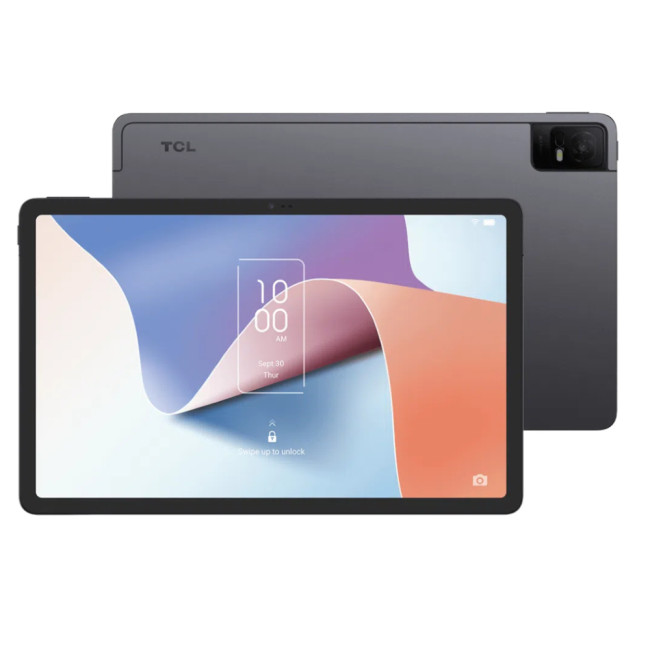
- Processor: MediaTek Helio P60T Octa-core
- Memory: 4GB RAM
- Storage: 128GB
- Display: 10.9-inch 2K (2000 x 1200) NXTPAPER 2.0 Technology
- Graphics: PowerVR GE8320
- Cameras: 8MP Rear, 8MP Front
Last Updated: January 21, 2026
In today’s fast-paced, digitally driven world, business professionals need technology that keeps up with their demanding schedules. Whether you’re running meetings, responding to emails on the train, managing spreadsheets from home, or presenting ideas to clients, having the best tablet for business can make a noticeable difference to productivity and flexibility.
Tablet PCs have evolved far beyond simple media consumption devices. Modern business-focused tablets now rival laptops, offering powerful processors, desktop-grade software support, long battery life, and seamless connectivity. For UK professionals who value portability without sacrificing performance, choosing the right device is crucial.
In this in-depth guide, we explore the best tablet for business use in the UK. We’ll cover what features matter most, compare leading brands, and help you decide which tablet PC suits your workflow, whether you’re a business owner, remote worker, or professional constantly on the move.
Why

Last Updated: May 25, 2026
Choosing the right tablet starts with understanding its screen size, yet many buyers misunderstand what tablet screen size actually means. If you’ve ever wondered how to measure tablet screen size properly, you’re not alone. Whether you’re comparing 7 inch tablets, 8 inch tablets, or larger 10, 11, and 12 inch tablets, knowing how screen sizes are measured will help you make a confident buying decision.
In this comprehensive UK guide, we’ll explain exactly how tablet screen size is measured, what the numbers really represent, how to measure your own tablet at home, and how different tablet sizes compare in real-world use. By the end, you’ll be able to choose the right tablet size for your needs, without confusion.
What Does Tablet Screen Size Actually Mean?
Tablet screen size refers to the diagonal measurement of the display, taken from one corner of the screen to the opposite corner. This measurement is always expressed in inches, which is why you’ll see categories such as 7 inch tablets,

Last Updated: January 21, 2026
Android tablets have evolved into powerful, versatile devices that can easily replace laptops for many users. You need to stream content, work on the go, game at high frame rates, or manage everyday tasks, so choosing the best Android tablet PC can significantly enhance your experience.
In this in-depth guide, we’ll explore the best android tablets in the UK, covering top rated Android tablets, productivity-focused models, and the best gaming tablet options available today. We’ll also help you understand what features matter most and how Android tablets compare with alternatives like convertibles and Windows-based devices.
Why Choose an Android Tablet PC?
Android tablet PCs are popular in the UK for several key reasons:
- User-friendly interface with access to millions of apps on Google Play
- Wide price range, from affordable everyday tablets to premium powerhouses
- Excellent battery life, ideal for travel and work
- Strong gaming performance with optimised mobile titles
- Flexible use cases
Last Updated: January 21, 2026
For years, Lenovo has quietly done something most tech brands struggle with:
making devices that actually make sense for real people.
- Not flashy-for-the-sake-of-it.
- Not overpriced because of a logo.
- Not confusing hybrids that don’t know what they want to be.
In 2026, Lenovo Tablet PCs feel more relevant than ever, especially if you care about value, flexibility, and devices that work just as well for studying, working, streaming, or light creativity.
This isn’t about hype.
It’s about what Lenovo tablets actually do well, where they fit best, and why they’re still one of the smartest tablet choices in the UK right now.
Why Lenovo Tablet PCs Still Matter in 2026
The tablet market has split into extremes. On one end, you’ve got ultra-premium devices that cost as much as laptops. On the other, budget tablets that struggle with basic multitasking.
Lenovo lives in the sweet spot.
Lenovo tablet PCs focus on:
- Practical performance
- Reliable build quality
- Sensible pricing
- Clear use cases
That’s

Last Updated: January 21, 2026
For a long time, tablets were seen as secondary devices. Great for Netflix, decent for browsing, but not serious enough for work or study.
That perception is officially outdated.
In 2026, Windows tablets have evolved into some of the most versatile devices you can buy. They’re no longer just tablets that can do work, they’re powerful, flexible computers that happen to be touch-first.
Whether you’re a student, a professional, or someone who wants one device that does everything, this guide breaks down the top Windows tablets in the UK 2026, how they perform in real life, and which models actually make sense to buy right now.
No hype. No spec-sheet dumping. Just clarity.
Why Windows Tablets Matter More Than Ever in 2026
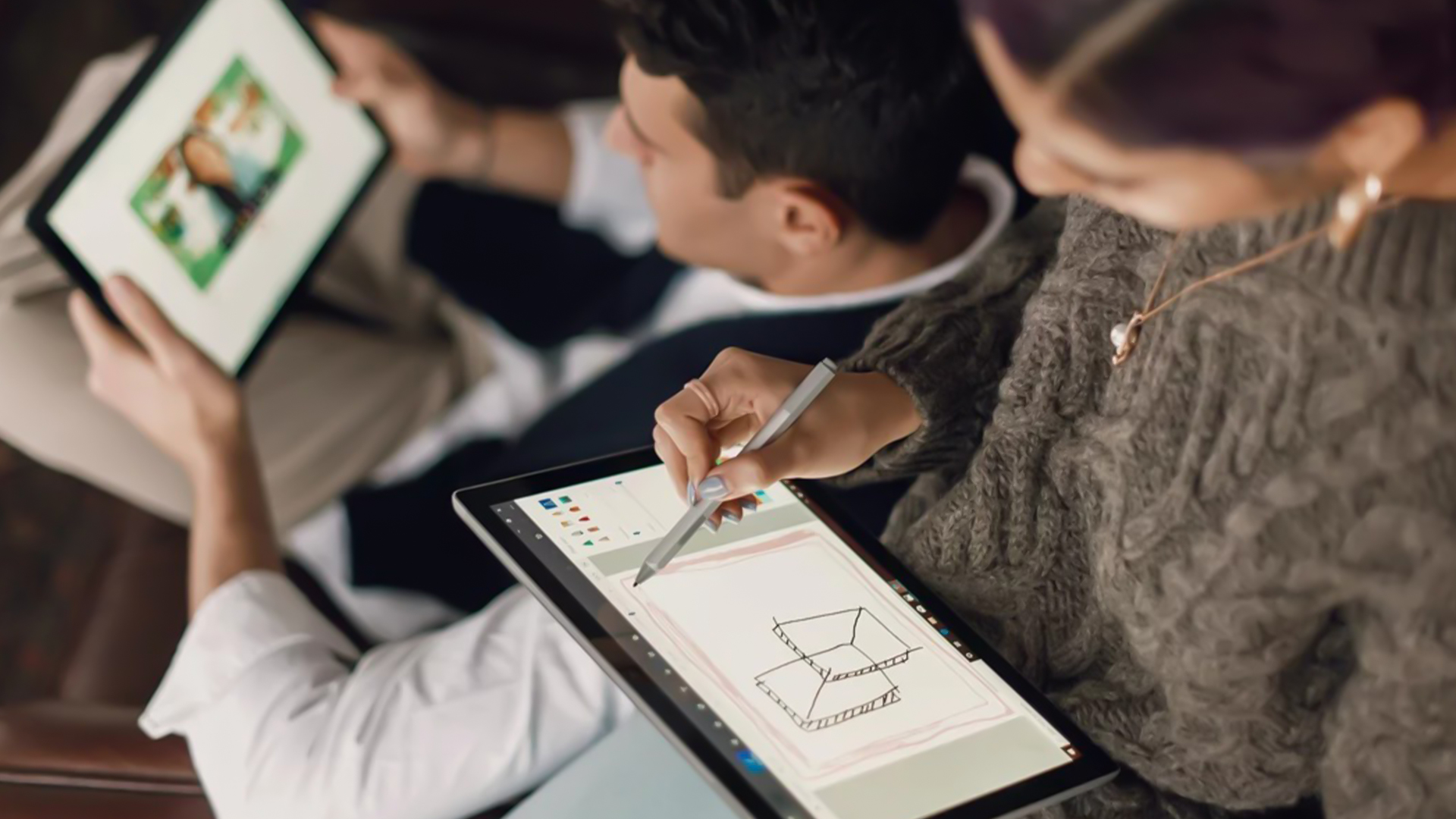
The biggest reason Windows tablets have taken off again is simple: people want flexibility without compromise.
Windows tablets sit in a unique position between laptops and Android tablets. They give you:
- Full desktop software
- Proper multitasking
- Touch and pen support
- Detachable

Last Updated: January 21, 2026
Let’s be honest - most of us don’t work (or study, or relax) in just one way anymore. One minute you’re typing notes, the next you’re scrolling, watching something, sketching ideas, or replying to emails from the sofa.
That’s exactly why convertible tablets exist.
Also called 2-in-1 laptops, laptop tablets, or the very literal notebook two-in-one, these devices are designed to adapt to how you use tech throughout the day - not force you into one setup.
But choosing the right 2 in 1 laptop convertible isn’t always straightforward. Some lean more laptop. Some feel more like tablets. And some just… try to do everything and don’t quite nail it.
This guide breaks it all down in a way that actually makes sense.
What Is a Convertible Tablet (And Why Do People Buy Them)?
A convertible tablet is a hybrid device that combines:
- A laptop’s power (keyboard, trackpad, desktop software)
- A tablet’s flexibility (touchscreen, pen input, portability)
Most convertible tablets run Windows, which means you’re

Last Updated: January 21, 2026
There’s a reason people still say “Just get a Surface” when someone asks for a serious Windows tablet.
In a world full of Android slates, experimental hybrids, and ultra-cheap tablets that barely last a year, Microsoft Surface tablets have carved out a very specific reputation:
clean design, proper productivity, and devices that feel like Windows was made for touch - because, well, it was.
In 2026, Surface tablets aren’t trying to chase trends. They’re refining what they already do best: turning tablets into genuinely useful computers that flex between work, study, creativity, and everyday life.
Why Microsoft Surface Tablets Still Set the Standard
When Microsoft launched the first Surface, it wasn’t just another tablet. It was a statement:
Windows doesn’t belong to laptops only.
Fast forward to 2026, and Microsoft Surface 2-in-1 tablets are still the reference point for the entire category. Whether you’re looking at Detachable tablets, Surface 2-in-1 devices, or Windows touchscreen tablets,

