



Why should you choose Lenovo IdeaPad?
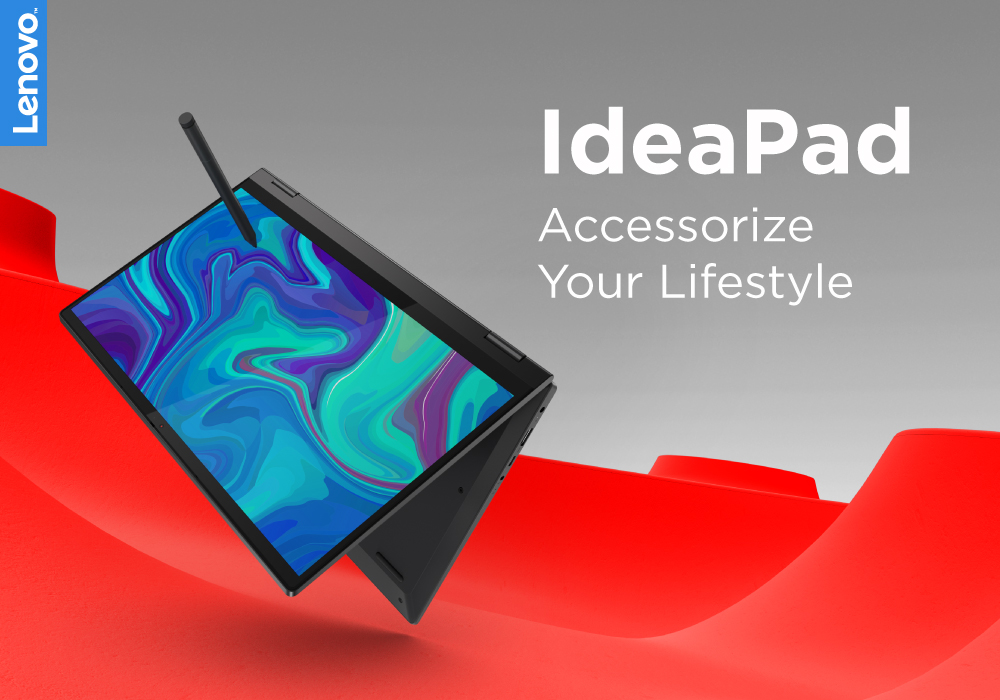
It's a big deal to get a new computer. Not only is it a significant financial expenditure, but there are so many possibilities that finding the correct one can be difficult. Do you want something suitable for the office, school, or something more enjoyable to play with? Which brand should you go with? Do you want a desktop computer, a ThinkPad, or an Ideapad, for example?
Lenovo laptops have lately improved significantly in key areas. With strong processors and graphics cards becoming the norm, their graphics are greater than ever. All of this is happening while computers have dropped in size, making them far more portable and convenient than ever before.
Now when you have chosen the Lenovo brand, the next step is to choose between the Thinkpad and Ideapad. Investing in Ideapad is a way better option as compared to the ThinkPad. The Ideapad is better for regular users who don't require all of the Thinkpad's features. If all you want to do is browse the internet, the inexpensive Ideapad is a better option.
Overview of Lenovo Ideapad:
While the Thinkpad series has deservedly received a lot of attention, the Ideapad is a fantastic laptop series in its way. The Thinkpad is aimed at corporate customers, whilst the Ideapad is aimed toward consumers. This makes it more comparable to the Acer Aspire, a consumer-oriented laptop.
The Ideapad is significantly less expensive than the bulk of Thinkpad variants. This is because it is not aimed at the same audience. However, it's still a terrific laptop in its own right.
Design:
Simply comparing the two models reveals the differences between the Thinkpad and the Ideapad. The Thinkpad sacrifices beauty for power, but the Ideapad is a far more attractive laptop. It's elegant, slim, and light enough to be carried for the entire day without feeling cumbersome.
Display:
The majority of IdeaPad displays have IPS screens and range in resolution from Full HD (1,920 x 1,080) to 4K UHD (4,840 x 2,160). There are no OLED alternatives available in an IdeaPad as far as we can discover. ThinkPad screens range from Full HD to UHD 4K, with a variety of resolutions in between, and OLED displays are available on several models. In general, the ThinkPad series has higher-quality displays, which is understandable considering their greater price, with features like Dolby Vision high dynamic range (HDR) support on some computers.
You can't merely look at the specifications to figure out which model has a display that will satisfy your needs. To ensure that your chosen machine will meet your expectations, read reviews that assess display quality.
Performance:
The Ideapad is lighter and more aesthetically beautiful than the ThinkPad, although it is less powerful and often comes with less RAM. Although this may appear to be a disadvantage, it is nevertheless powerful enough for 80% of people to utilize without difficulty. Only while working with larger files will you encounter issues with the Ideapad.
Processor:
Across the whole, the Ideapad series features a combination of Intel and AMD processors, with the AMD Ryzen 5 being the most popular in budget laptops. It's no wonder that these computers may be purchased for as little as a few hundred dollars.
Ideapad Audio and Display:
The Lenovo Ideapad display is generally good, however, it isn't as bright as the Thinkpad line and has a lower contrast ratio. They're not horrible, but they're not in the same category as the premium ThinkPad lineup.
Most of the Ideapad notebooks employ Lenovo's Dolby partnership to provide in-built Dolby quality speakers, which are far superior to many other inexpensive laptops on the market.
Keyboard and touchpads:
Like IdeaPad has a similar keyboard design. Except for the ThinkPad, all of the lines mentioned in the introduction have identical keyboards. The keycaps are contoured, the travel is generally shallower, and the switches range from sharp and precise to a little mushy on some of the less expensive versions. The layouts are generally typical (the left Ctrl and Fn buttons are in their usual placements), but the arrow and function keys vary. While the IdeaPad keyboards are generally good, they lag behind the ThinkPad keyboard and other premium laptop keyboards such as the HP Spectre and Dell XPS models.
Battery life:
Another area where the IdeaPad and ThinkPad series have a lot in common is battery life. While ThinkPads have larger batteries, they also have speedier components and higher-resolution displays, which offset the battery size advantage. Some ThinkPads, including the ThinkPad X1 Extreme Gen 4, have poor battery life, especially when equipped with 4K OLED displays and lightning-fast CPUs and GPUs. Others, like the Lenovo ThinkPad X1 Carbon Gen 9, have excellent battery life. The IdeaPad line is in the same boat. You should cut down your options and then research which devices will last as long as you require.
Best Lenovo Ideapad:
The best Lenovo Ideapad is as follows:
- Lenovo Ideapad Flex 5
- Lenovo Ideapad Duet 3
- Lenovo Ideapad 5
Bottom line:
Lenovo Ideapad is a perfect choice for you. It costs less and it will do all your work. The battery life is good, and so are the hardware and software. It is a good investment because the laptops will be durable and reliable.
FAQs:
1. Why should I choose a Lenovo IdeaPad laptop?
Lenovo IdeaPad laptops offer a great balance of performance, portability, and affordability. They're ideal for everyday tasks, study, light work, and even casual gaming — making them one of the most versatile ranges out there.
2. Are Lenovo IdeaPad laptops good for students?
Yes! With lightweight builds, long battery life, and solid specs at budget-friendly prices, Lenovo IdeaPads are perfect for students who need a dependable laptop for classes, assignments, and entertainment.
3. What makes the Lenovo IdeaPad series a good value?
You get powerful processors, Full HD displays, and generous storage options at competitive prices. It’s a smart choice for users who want solid performance without overspending.
4. Is Lenovo IdeaPad suitable for working from home or office use?
Definitely. Many IdeaPad models come with fast SSDs, modern connectivity options, and comfortable keyboards — making them reliable for daily productivity and remote work.
Read More:
| Lenovo IdeaPad 5 Laptop Ryzen 5 4500U Review |
| Why Lenovo is the Top Choice for PCs |
| Lenovo Gaming Laptop vs Gaming Desktop |
Related Articles

Last Updated: February 27, 2026
Last Updated: May 21, 2025
Last Updated: April 01, 2026
Last Updated: September 09, 2025

