



Which Is The Best External Hard Drive? Top Brands And Prices
Are you looking for an ultrafast hard drive for video editing or a rugged device to back up your photos? The best external hard drives are a convenient way to backup and store important data.
Let's face it. Cloud storage costs a mere pounds per month, and trim, slim external SSDs are extremely handy and cheaper. The latest portable SSDs are more stylish and more durable due to the absence of moving parts. While these would be great reasons to choose external SSD drives, the advantage of having efficient backup is the primary reason.
However, with the hundreds of hard drive options ranging from dirt cheap to super expensive—choosing which one is right for your needs is not a DIY job. The storage space is the most important factor; you can increase or decrease it per your preferences. Physical size, quality, connectivity and colour also make sense.
We have tested dozens of brands to find the best portable hard drives for your workflow. Below here, check out our favourite external hard drive brands and their best picks.
ASUS TUF Gaming AS1000 – Best for Gamers
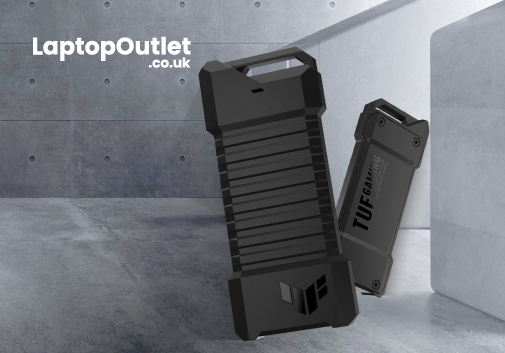
While ASUS isn't the first name that comes to mind in external hard drives, the brand offers premium options for gamers and those looking for a unique aesthetic. The ASUS TUF series is mainly known for its rugged designs and RGB lighting for a coordinated gaming setup. ASUS TUF Gaming AS1000 is a perfect example of this. It is a portable, high-performance M.2 NVMe SSD that uses a USB-C 3.2 Gen 2x1 connection to ensure compatibility with PCs and other devices.
As for the rigidity, this external SSD device has been subjected to stringent tests to ensure your precious data is well-protected from everyday spills and knocks. The NTI Backup Now EZ software support enables easy data backup and recovery.
Remember that this is a portable hard drive unit, so you can easily carry it around. Compared to other brands, this hard drive has various selling points such as blazing-fast M.2 NVMe PCIe SSD sequential read/write speeds of up to 10 Gbps, which is up to 10X faster than conventional external HDDs and up to 1 TB of storage.
Another good news is the aluminium-alloy chassis and internal thermal pad that effectively dissipates heat to optimise the data transfer and improve the durability of the hard drive. Lastly, the TUF Gaming AS1000 has a USB-C port and cable to ensure compatibility with laptops and PCs and the latest generation PlayStation and Xbox gaming consoles. Get the best prices on buying ASUS TUF Gaming AS1000 from the Laptop Outlet.
LaCie 2big RAID – Best for Creatives
For creative professionals and others who want to store and deal with massive amounts of data, the LaCie 2big RAID portable hard drive is a good bargain. It is designed exclusively with videographers, photographers, and other content creators in mind.
Looking at the design, you'll see that the handsome grey and black case houses two spinning-platter drives—4TB each. You can set up the 2big in various configurations: either as two distinct 4TB drives, a single 8TB drive for enhanced performance, or a 4TB drive with automatic mirroring or backup to the second drive.
Setting up the 2big RAID is a breeze. Simply plug it in, choose your RAID configuration, and you're all set. Your computer identifies it as one big (or fast) drive. LaCie's Toolkit software offers additional management options, which're unnecessary for primary use.
This external drive promises reliability and brings the exceptional performance benefit you'd expect from 7,200rpm platters, and the sturdy aluminium enclosure further adds to the package's longevity.
The only area where LaCie may fall short of impressing you is its premium price tag, especially compared to single-drive options with similar capacities. You're paying for the RAID functionality and the LaCie brand.
Samsung T7 Shield 4TB – Best High-Capacity Drive
Samsung is the major player in the external hard drive market, featuring top-of-the-line options like Samsung T7 Shield. The T7 Shield has a compact and rugged design. It's clad in a grippy, rubberised shell that feels reassuringly protective. Under the hood, the IP65 rating means it can withstand dust ingress and water splashes.
Samsung isn't messing around when it comes to performance and speed. You'll enjoy read speeds of up to 1050 MB/s and write speeds of up to 950 MB/s, thanks to its PCIe NVMe internal technology. More storage space generally means more NAND for caching and better-sustained throughput with larger datasets, and 4TB does wonders.
Are you going hiking with your sensitive information? The T7 Shield is a good choice, and it supports optional AES 256-bit hardware encryption, which helps keep your data safe from prying eyes. You can set a password to unlock the drive, and Samsun's Magician software makes it easy to configure your security measures.
With its top-tier performance and ample capacity, the Samsung T7 Shield can handle the largest end-user data sets at a decent price per terabyte.
Seagate Backup Plus – Best Among all Above
Seagate, the OG of storage solutions, has six hard drive lineups, and the Backup Plus truly shines among them all. This hard drive balances the strengths of Seagate's Basic range with cutting-edge features of its own. It is available in seven colours with a 1-year data recovery warranty.
The best part? Seagate Backup Plus is a portable and lightweight hard drive that allows you to carry it around. It is not as bulky as traditional hard drives and doesn't require an external power supply – Connect the drive to your computer via USB 3.0, and it's ready to use. No software installation is needed!
Compared to its contenders, the Seagate Backup Plus offers a free data recovery warranty (a 1-year photo cloud storage service) and a 4-month Adobe Creative Cloud photography subscription. In addition to that, it is compatible with Windows and macOS computers.
Best External Hard Drive Brands: Price Comparisons
| Brand | Best Model | Storage Range | Interface | Speed | Price |
| Samsung | Samsung T7 Shield | 250GB - 2TB | USB 3.1 Gen 2 (10 Gbps) | 540 MB/s | £60-£250 |
| Seagate | Backup Plus Portable | 1TB - 5TB | USB 3.0/3.1 | 50-100 MB/s | £40-£100 |
| LaCie | LaCie 2big RAID | 1TB - 5TB | USB 3.1 Gen 2 (10 Gbps) | 130 MB/s | £80-£200 |
| ASUS | ASUS TUF Gaming | 1TB-2TB | USB 3.2 Gen 1 | 540 MB/s | £50-£80 |
| SanDisk | Extreme Portable | 500GB - 4TB | USB 3.2 Gen 2 (20 Gbps) | 1050 MB/s | £80-£200 |
How do you choose the best external hard drive?
When it comes to choosing the right hard drive, you'll want to consider what you want to do with the drive, how fast it should be, and what you want to do with it. Every external hard drive can store files, but storage capacities, technologies, and connection options vary. Keep these critical factors in mind before purchasing an external drive.
Storage Capacity
This is the most essential specification to consider when buying an external. It means nothing to buy a high-speed device with high-end encryption if it doesn't have room to store all your data. Ideally, up to 1 terabyte (1TB), models offer a lot of room and are usually only a couple of pounds more than a smaller capacity drive. You're likely to invest in a larger drive if you want to store dozens of hours of 4K videos, millions of DSLR photos, and larger vector-based art files.
HDD vs. SSD
External storage devices come in a hard disk or a solid-state drive. Hard disks spin data when you need it to write or retrieve. These are often loud, larger, and fragile, as the smallest hard disks are 2.5 inches across. Hard drives are good options if you want to save money on the highest storage capacity.
On the other hand, solid-state drives have no moving parts, and they can store data with a silent operation. They are smaller than HDDs but are more expensive, so expect to pay more per gigabyte.
Connectivity
You'll see more than one USB connection on most hard drives available today. Ensure the hard drive you buy supports USB Type-C for quick data speeds. You can buy a USB-C to USB-A adapter if your device lacks USB-C, but the USB-A cannot power the drive. Thunderbolts are quicker than USB-C ports, with 40 gigabytes per second bandwidth. Most external drives are not compatible with Thunderbolt because USB is faster, but you can find Thunderbolt on premium hard drives and make sure your computer has this connection to make the most out of it.
Power Requirement
The latest external hard drives do not need external power; instead, they're powered by USB via your computer. However, a few old external hard disk drives need external power. A hard drive that requires power to boot up isn't portable to carry all around, so purchase one with a power brick if you want to use it on the go.
Price
In most cases, external hard disk drives don't cost you an arm and a leg for higher storage capacities. Buying a single hard drive with a spacious room is cost-effective instead of multiple smaller ones with little space. SSDs are more expensive than HDDs, and prices rise quickly with capacity: 16TB drives will cost you around £2500.
Conclusion
External hard drives are simple devices with multiple hidden features and benefits. To get you started in the right direction, we have highlighted some of the external hard drive top brands and their popular models at various prices and capacities. They're fine choices for your varying needs. Price comparisons of all the brands further assist you in purchasing portable hard drives based on your budget constraints.
Read More:
| Hard Drive Prices: Storage Capacity, Robustness and Reliability |
| Surface Copilot + PC: The Future of AI-Driven Computing |
| Best Printers for Home Use in 2025 |
Related Articles


Last Updated: May 05, 2026
The best external hard drives offer a convenient way to back up large amounts of data and keep them safe from malware attacks, hardware failures and theft.
The demand for storage capacity continues to grow rapidly as individuals and businesses accumulate vast amounts of data. Whether it's storing essential documents, multimedia files, or complex software applications, having sufficient storage space is crucial for maintaining productivity and efficiency.
However, the considerations extend beyond mere capacity regarding hard drives. Robustness and reliability are pivotal in ensuring that stored data remains safe and accessible over time.
This blog will explore the intricacies of hard drive prices and how storage capacity, robustness, and reliability influence purchasing decisions.
Whether you're a casual user needing extra storage for personal files or a business professional seeking dependable data storage solutions, understanding these factors is essential for making informed choices and

Last Updated: February 25, 2026
Buying a laptop and notebook on a deal is an incredible way to save money and get your designated device without breaking the bank. However, always explore laptop & notebook deals at reputable and trusted retailers like Laptop Outlet for quality assurance, warranty, competitive prices, vast selection, and secure transactions.
Are you looking for a compelling laptop on a budget? Do you want a top-of-the-line notebook while keeping costs low?
If so, explore laptop and notebook deals to get your desired laptop and notebook for much less!
Laptop and notebook deals are a remarkable way to save money. In addition to savings, they offer a wide range of laptops and notebooks, enabling you to choose the best device for your needs.
While deals can be alluring, exploring deals at trusted retailers like Laptop Outlet is essential, as they provide quality assurance, warranties, and the best prices.
Discover excellence with unparalleled deals at Laptop Outlet, innovating your
Last Updated: December 11, 2025
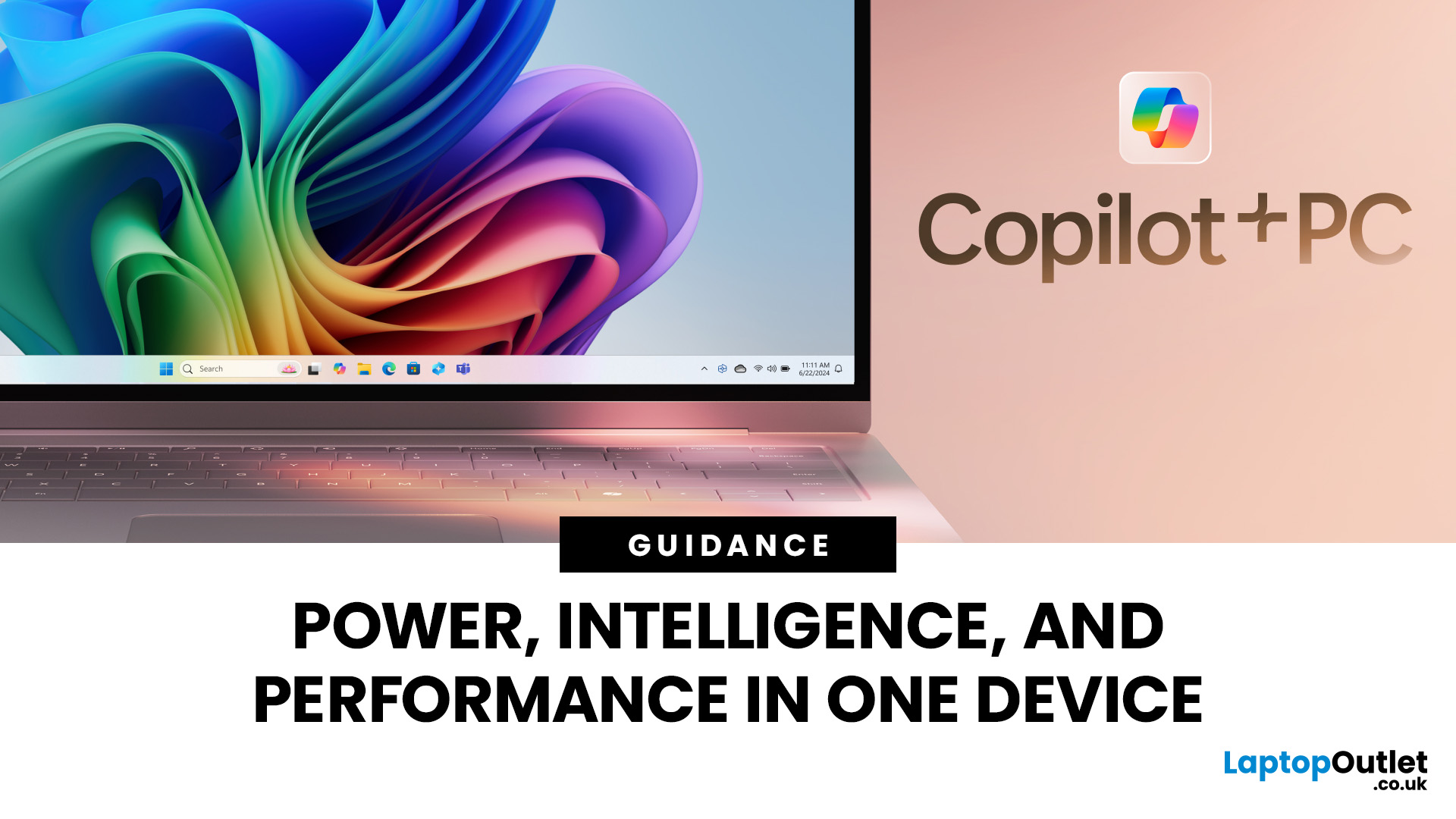
Microsoft introduced the world’s fastest and most powerful Windows PCs ever, Surface Copilot+ PCs. These are not just your run-of-the-mill updates to their previous models; instead, they are complete game changers. With the announcement of these AI-powered systems, Microsoft has again put itself at the vanguard of innovation.
Copilot+ PCs are powered by Qualcomm’s new Snapdragon X chips (or optionally Intel Core Ultra series in business variants), which feature an NPU (Neural Processing Unit) specially designed to handle complex AI (artificial intelligence) tasks that traditional PCs aren’t capable of.
Microsoft’s concept of AI is exciting (as is the technology behind Copilot+ PC), and the advantages are out-of-the-box. For instance, you don’t necessarily need a cloud connection for certain features (since some AI processing runs locally), and the security is top-notch as you’re not sharing all your information with third-party AI tool providers. All tools should be already embedded

Last Updated: September 25, 2026
Most laptops have a useful lifespan of roughly 3 to 6 years, although some remain reliable for much longer. How long a laptop lasts depends on build quality, workload, cooling, battery health, hardware, maintenance and software support.
A laptop used mainly for browsing, documents and video calls may stay useful longer than one regularly pushed through gaming, video editing or other demanding workloads. A laptop also does not necessarily need replacing simply because it reaches a certain age.
What Is the Average Laptop Lifespan?
There is no fixed expiry date for a laptop. For many users, the average laptop lifespan falls somewhere between three and six years before age starts to affect performance, portability, reliability or software support.
These ranges are a practical guide, not a guarantee:
| Laptop type or usage | General useful lifespan | What usually affects it |
| Everyday browsing and office use | About 4 to 6 years | Battery wear, software demands and hardware ageing |
| Light, well-maintained |

Last Updated: October 28, 2025
People who play games, stream live or create content must select the right GPU because it determines how seamlessly their system works. The quality of your streaming, games or video editing depends strongly on a dependable GPU system. In this blog, we will analyse the best GPUs for 1080p streaming, editing and gaming. We will highlight their standout features that will guide your purchasing decision.
The Best GPUs for 1080p Streaming, Editing, Gaming & Other Functions
Here are some best-in-their-class graphics cards for streaming and other activities.
GIGABYTE GeForce RTX 3060: Fantastic price-to-performance ratio
Users consistently rate the GIGABYTE GeForce RTX 3060 12GB as one of the most superior GPUs for streaming and other purposes. The GPU provides outstanding performance specifically for gamers and streamers while retaining affordability. Content creators and gamers will appreciate this RTX 3060 GPU because it uses Nvidia’s Ampere architecture to deliver high-quality ray tracing

