



Review: Lenovo V330-20ICB All-in-One PC
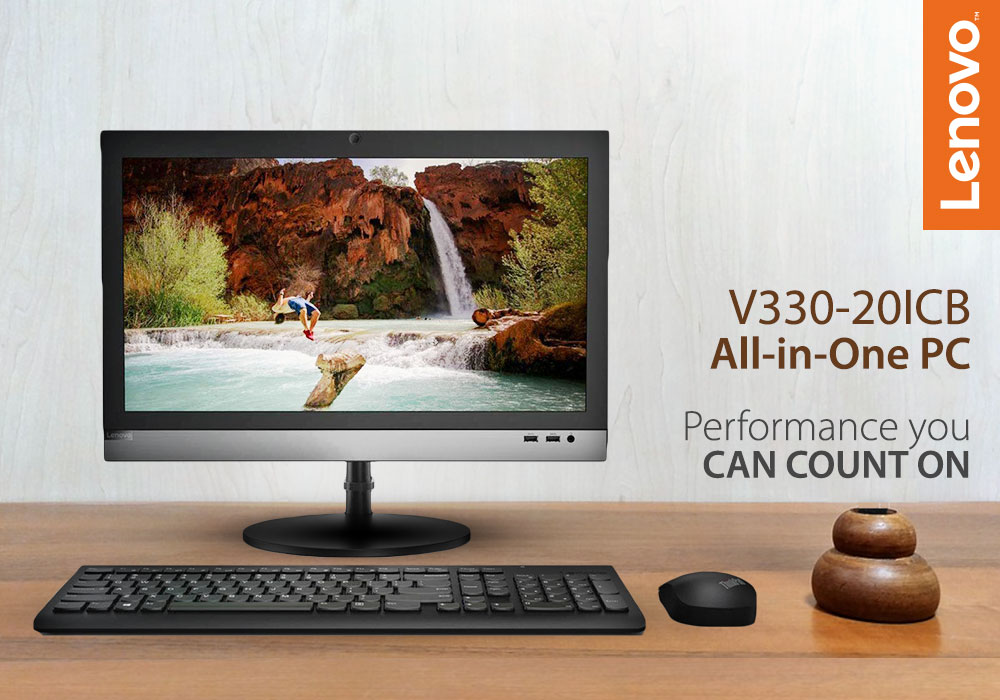
Today, we’ll be reviewing the Lenovo V330-20ICB All-in-One (AIO) PC. We usually review laptops, monitors, gaming PCs, etc on the tech side of things. Rarely do we review an all-in-one PC. So, before we get into the review, let’s give those readers who are not familiar with all-in-one PCs a 101 on this convenient machine.
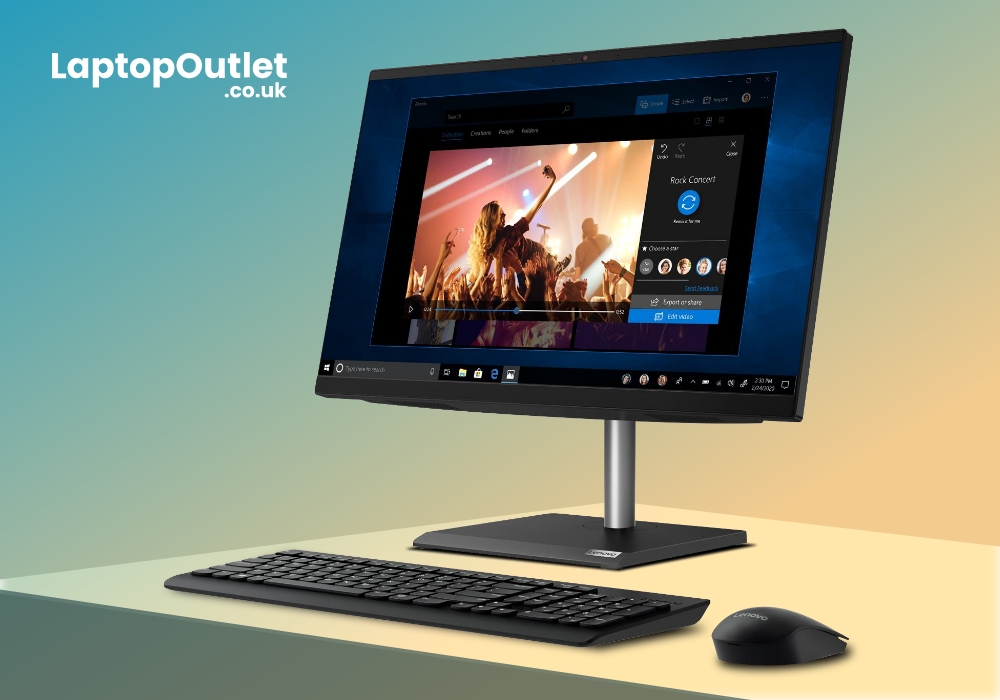
All-in-one PCs are the same as standard desktop computers, as far as features and functionality are concerned. The key difference lies in the total number of components. Desktops have a separate CPU case and monitor while all-in-one PCs merge the screen and CPU into one system. This combination lets all-in-one PCs take smaller space than a typical desktop computer.
Most all-in-one PCs consist of the same components as laptops. This means that their overall performance is also similar. However, the main advantage of an all-in-one PC over a laptop is in the screen size. While laptops are only limited to 17-inch displays at most, all-in-one PCs typically have screen sizes between 18 and 27 inches.
Now that we somewhat know what all-in-one PCs are all about, let’s start reviewing one of the best Lenovo AIO PCs in the market, the V330.
Specifications
|
Processor |
Intel Core i5-8400 / 2.8 GHz |
|
Display |
19.5-inch HD+ Display (1600x900) Resolution |
|
RAM |
8 GB |
|
Storage |
256 GB SSD |
|
Graphics |
Integrated/On-Board Graphics |
|
Operating System |
Windows 10 Pro |
Design
The Lenovo V330 AIO has a simple but elegant design that exudes professionalism. Like most AIOs, there’s a keyboard, monitor, and mouse. It’s got a cable management system that’ll reduce clutter caused by cords. We really dig the contemporary style and black colour that the V330 AIO has got going here. It’ll definitely leave a good impression on anyone that visits your office or home.
Plus, there’s no separate CPU case so you won’t have to worry about the V330 AIO taking up too much space.
Display
The V330 AIO has a 1600 x 900 TN, 16:9 display. The viewing experience might not be the best in the world, but it is certainly superior to other AIO PCs in the same price range. Its anti-glare panel scatters light emission and stops glare, preventing eye fatigue. This means that there’s no need to worry about eye strain as you work those long hours.
However, since the panel isn’t IPS, you won’t be able to comfortably see the screen from extreme angles.
Performance
It might not look much, but the V330 AIO has the 8th generation Core i5 clocked at 2.8 GHz, 8 GB RAM, and 256 GB SSD. This configuration is nothing to scoff at as it’ll deliver performance that can tackle almost all types of everyday tasks.
During our tests, we were easily able to open multiple Chrome tabs and play videos simultaneously for long periods of time. There was no noticeable stutter or lag, even though we were expecting some to be there.
As far as gaming is concerned, we would advise against playing any demanding games as there’s no dedicated graphics card. But that’s understandable because this system wasn’t built with gaming in mind.
Its overall performance gets the job done and is better than most of its rivals. What more can one ask for at this price range?
Software
The Lenovo V330 AIO comes with a pre-installed Windows 10 that is very easy to set up. To activate, you’ll just need to follow the instructions on the screen. They’ll safely guide you through the whole process. If you’re going to use this PC in your office then you’re in good hands because Windows 10 Pro has two key features you’ll need: BitLocker and Windows Defender Device Guard. These apps can help you encrypt data and protect files from malware.
It also has the always reliable Trusted Platform Module 2.0 to help secure your hardware. But you don’t have to start worrying about bloatware because Lenovo has refrained from installing any unnecessary pre-installed apps, keeping the system clean for the most part.
Verdict
If you don’t want huge towers taking up space on your desk, the Lenovo V330-20ICB AIO is an excellent alternative. It looks very futuristic and will complete most of your daily tasks. The price being asked by Lenovo isn’t extravagant as well. All in all, it’s good AIO PC that performs better than most of its competition.
Read more:
| Lenovo ThinkCentre M920z All-in-One Desktop PC V/S Lenovo IdeaCentre 3 Best All-in-One PC |
| Why Lenovo is the Top Choice for PCs: A Comprehensive Guide |
| How to Factory Reset a Laptop |
Related Articles

Last Updated: July 01, 2025
Last Updated: October 08, 2025
It's a big deal to get a new computer. Not only is it a significant financial expenditure, but there are so many possibilities that finding the correct one can be difficult. Do you want something suitable for the office, school, or something more enjoyable to play with? Which brand should you go with? Do you want a desktop computer, a ThinkPad, or an Ideapad, for example?
Lenovo laptops have lately improved significantly in key areas. With strong processors and graphics cards becoming the norm, their graphics are greater than ever. All of this is happening while computers have dropped in size, making them far more portable and convenient than ever before.
Now when you have chosen the Lenovo brand, the next step is to choose between the Thinkpad and Ideapad. Investing in Ideapad is a way better option as compared to the ThinkPad. The Ideapad is better for regular users who don't require all of the Thinkpad's features. If all you want to do is browse the internet, the inexpensive Ideapad
Last Updated: October 08, 2025
If you want to get the most out of a portable laptop, look no further than the best Lenovo laptops. Whatever type of device you are looking for, Lenovo has something for you, from an affordable Chromebook to a competitive gaming laptop. There are a variety of devices available to fit almost any budget, form factor, or type. Even when it comes to business laptops, there is a Lenovo laptop to consider for reliable performance. These laptops are full-featured, well-designed, and stunning devices that can compete in terms of performance with the competition.
Build and design:
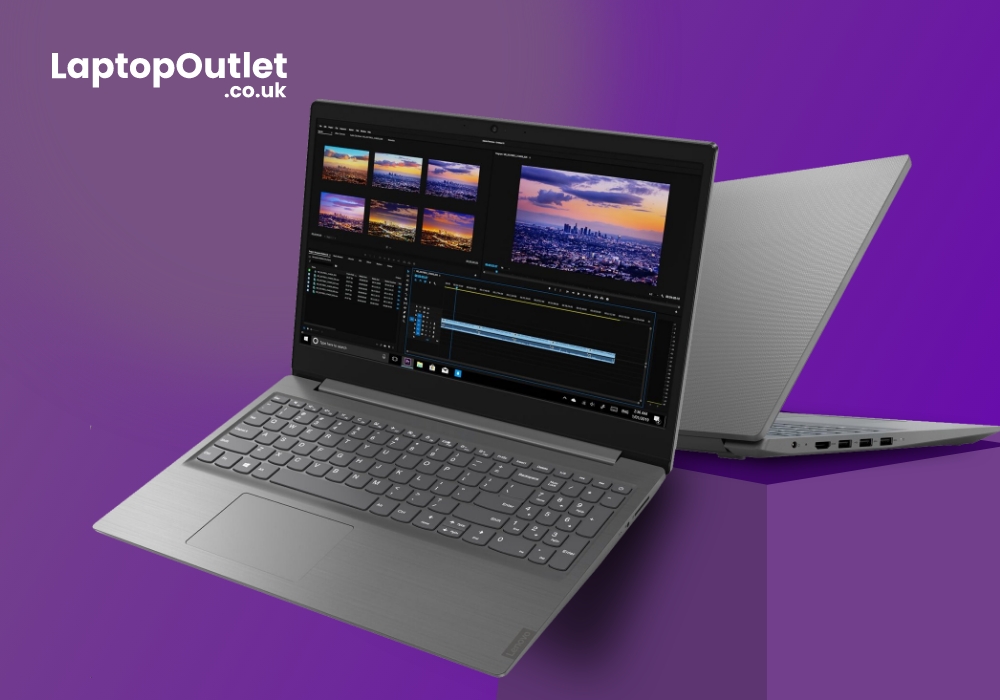
The Lenovo V15 laptop has a rigid body and a contemporary design. The Lenovo V15 is 19.9 mm thick and weighs around 1.85kg. It looks extra slim and comes in an Iron Gray colour. It is extremely portable and has a plastic body.
Display:
The screen size of the Lenovo V15 core i7 laptop is 15.6 inches. The screen resolution is 1366 x 768p. The screen ratio is 16:9, and the brightness is 255 nits. The colours are clear

Last Updated: September 03, 2026
There is no single Lenovo laptop that makes sense for every business user. Someone spending most of the day in Microsoft Teams and browser-based tools needs something very different from an analyst working with complex spreadsheets or an engineer running graphics-intensive applications.
If you are comparing the best Lenovo laptops for business, start with your workload rather than the series name. The current Laptop Outlet range includes everything from straightforward office systems to portable ThinkPads and professional mobile workstations, so this guide compares five options based on what you actually need them to do.
Lenovo Laptop Comparison: Which One Fits Your Work?
| Business Need | Lenovo Laptop to Consider | Why It Stands Out |
| Everyday admin and office work | 16GB RAM, Windows 11 Pro and practical 15.6-inch display | |
| Remote work and independent professionals | 24GB RAM, 1TB SSD and compact 14-inch design | |
| Hybrid and corporate working |
Last Updated: April 02, 2026
Having a reliable PC has become the need of the hour for all individuals, irrespective of their requirements and preferences. Nobody can afford recurring system crashes or frequent hardware and software failures, whether they are students, data engineers, or graphic illustrators. To ensure high productivity, seamless communication, non-stop entertainment, and uncompromised reliability, it is extremely important to invest in the right PC.
Lenovo is one of the most prominent names in the PC industry, highly distinguished for their innovative, high-quality, and budget-friendly products. The brand has received multiple awards and accolades for its top-notch hardware and software offerings, taking the customer experience to a whole other level. Moreover, the portfolio of the brand is highly diversified, so there is something for everyone available at the store!
In this article, we will have a brief look at why Lenovo stands out amongst others in the industry and why a Lenovo desktop PC is
Last Updated: September 09, 2025
Introduction
In this digital age, laptops and TVs have become essential to our daily lives. It allows users to stream their favourite shows and play video games either on the small screen of a laptop or on a large TV screen. Connecting your Lenovo laptop to a TV can open many possibilities, whether you want to enjoy your favourite movies on a larger screen, share presentations during a meeting, or enjoy gaming with a more expansive display.
Lenovo laptops have various connectivity options, allowing you to connect them to modern TVs easily. This guide will explore instructions and methods for establishing connections and making the most of your Lenovo laptop's capabilities.
Whether you're using HDMI, wireless technologies, or other interfaces, we'll provide comprehensive instructions to enhance your multimedia and productivity experiences.
So, let's get into it!
Methods to Connect the Lenovo Laptop to a TV
There are several methods to connect your Lenovo Laptop to a TV to enhance your viewing
Last Updated: April 02, 2026
Fun Fact about Lenovo: Did you know that Lenovo is at the forefront of groundbreaking technology, recently unveiling the world's first foldable PC, the ThinkPad X1 Fold?
Now, let's explore another aspect of Lenovo's technology prowess: ensuring the longevity and efficiency of your Lenovo laptop's battery.
In the fast-paced digital era, laptops have become indispensable companions, ensuring optimal performance is paramount. One key aspect that often takes a backseat in our tech-conscious minds is the health of the laptop's battery. For proud owners of Lenovo laptops, understanding how to check and maintain battery health is crucial for a seamless computing experience.
In this comprehensive guide, we will explore the various methods to check the battery health of your Lenovo laptop. Whether you're a seasoned tech enthusiast or a casual user, these insights will empower you to maximise your device's battery life and performance. Let's dive into the Lenovo laptop battery health world and

