



Which Category of Laptops is Ideal for Students?

Gone are the days of lugging backpacks stuffed with traditional books and notepads. Today, a reliable laptop improves your productivity and lets you organise all your essential study materials in one convenient place. Therefore, picking a laptop for students and college is an important decision. Whatever your study program is, the best laptop can be a simple notebook, a Chromebook, a 2-in-1 convertible machine, a mid-range Windows laptop, a premium MacBook, or a flagship workstation.
Check out our top laptop recommendations below and make an informed decision.
Laptop Categories for Students

Category 1 – Budget / Basic Use
Ideal for: Students whose course is essay-based, uses standard software (Word, Excel, web research), light streaming and general usage.
Specs to aim for: 8 GB RAM minimum, 256 GB SSD (or at least decent storage), modern processor (e.g., Intel Core i3 / Ryzen 5 or equivalent), decent battery. UK guides say many students are well served by this category.
Why choose this category? It keeps cost down while still fulfilling core study needs. You’ll avoid overspending on features you won’t use.
What you might sacrifice: Heavier use apps (video editing, CAD modelling), premium build or ultra-long battery life, top‐display or graphics specs.
Category 2 – Mid-Range / All-Rounder
Ideal for: Students who want more versatility, perhaps you’ll do multitasking, light creative work, want longer battery or portability, maybe take your laptop on trips.
Specs to aim for: 16 GB RAM, 512 GB SSD, good processor (Intel Core i5/i7 or Ryzen 7), lightweight chassis, good screen, battery life 10+ hours. UK buying guides highlight this as the sweet spot for many students.
Why choose this category? You get a laptop that can handle a wider range of tasks (including some creative work) and will last through several years of study.
What you might sacrifice: Highest performance graphics, ultra-premium build materials, or niche specialist features (e.g., discrete GPU, 4K display) unless paying extra.
Category 3 – Premium / Specialist Use
Ideal for: Students on creative, engineering, media, gaming or software-heavy courses, e.g., video editing, 3D modelling, game development. Also, ideal if you want to invest for post-study years.
Specs to aim for: Discrete GPU, high-end CPU, 1 TB+ SSD, high-resolution/colour-accurate display, premium build, excellent cooling. UK reviews state these are worth it only if your course demands such power.
Why choose this category? You’re future-proofing your laptop, and it becomes a tool for demanding workflows.
What you might sacrifice: Cost is much higher, battery life may be less than lighter machines, and it may be heavier/bulkier to carry.
How to Decide Which Category Fits You

Consider Your Course & Software Needs
Look at your course syllabus. If you’ll just use word-processing, spreadsheets and web research, a budget/basic laptop is likely sufficient. If you’ll use design software, CAD, video or audio editing you’ll lean toward mid-range or premium. UK guides emphasise software compatibility and course-specific needs.
Think About Your Budget & Duration
How many years will you use it? Will you upgrade later? If you’re in first year of a four-year degree your laptop should last. If your budget is tight now you might pick a budget model and plan for later upgrade but also factor in that a slightly higher spend can reduce the need for replacement.
How Mobile Are You?
If your university day involves multiple lecture halls, libraries, travel and you carry your laptop every day, then weight (<1.5 kg), build quality and battery life become very important. If you’ll mainly use it at home or in one place, you have more flexibility.
Resale Value & Longevity
Premium machines often retain value better. If you intend to sell/replace after graduation, choosing a brand/model with good resale value can be a smart move. Also check warranty options, upgradeability and whether the laptop can serve you post-study.
Top 5 Student Laptops for You
HP 15s-fq5021na

Specs & Features
- CPU: Intel Core i5-1235U (12th Gen) – 10-core (2 P-cores + 8 E-cores) as listed.
- RAM: 8 GB (likely DDR4)
- Storage: 256 GB SSD
- Display: 15.6″ Full HD (1920×1080) “IPS” (or at least FHD)
- Graphics: Integrated (Intel Iris Xe) typical with the i5-1235U.
- OS: Windows 11 Home.
- Colour/Design: Silver finish; weight approx 1.69 kg according to one spec sheet.
- Battery claim: Up to ~7.5 hours in one spec list.
How Students Can Use It & For What
- General use / All‐rounder: The 15.6″ size gives a full workspace for documents, spreadsheets, browsing, video lectures, etc. The Core i5 and 8 GB RAM allow decent multitasking (for e.g. browser + Word + Zoom) though 8 GB is modest.
- Good for note-taking + research: The large screen helps reading/presentations; the SSD means snappier boot and file loading vs older HDD.
- Less suited for heavy creative workloads or advanced gaming: The integrated graphics and 8GB RAM mean that if you’re doing video-editing, 3D modelling, lots of tabs + heavy apps, you might feel the limits.
- Battery / portability trade-off: At 15.6″ and ~1.7kg, HP 15s-fq5021na is portable enough but not ultra-light; if you’ll carry it around a lot between campuses, the size/weight matters.
- Budget-friendly, good value for general student tasks.
Lenovo IdeaPad Slim 3 14IAN8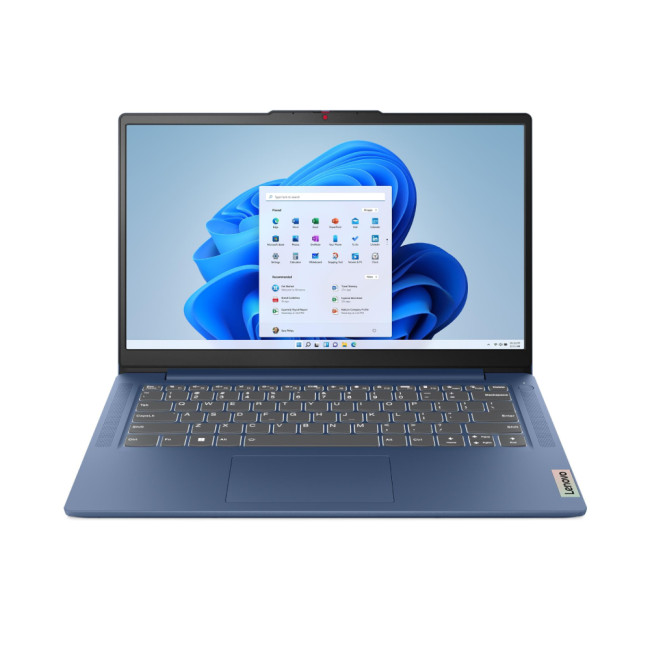
Specs & Features
- CPU: Intel Core i3-N305 (8-core? 8 threads) version listed in spec sheet.
- RAM: 8 GB LPDDR5 ((~4800 MHz) in one spec) for some configurations.
- Storage: 512 GB SSD (in certain variants) per spec sheet.
- Display: 14″ Full HD (1920×1080) IPS panel possible.
- Graphics: Integrated Intel UHD Graphics.
- Design: Thin & light form factor (given “Slim” naming) – good for portability. From review: “thin, light, quiet and competent at the basics”.
- Charging/Ports: In review, USB-C port supporting power delivery.
How Students Can Use It & For What
- Lightweight + portable: 14″ size means easier to carry around lecture halls, library, cafe. Great for campus use.
- Everyday tasks: Web browsing, Office suite (Word, Excel, PowerPoint), video streaming, note-taking.
- Long days away from plug: The portability helps when going between classes; if battery supports decent runtime.
- Budget/entry student laptop: If you’re not doing heavy tasks (e.g., video editing, large code bases, gaming) Lenovo IdeaPad Slim 3 14IAN8 is very viable.
- Consider RAM/upgrade potential: Since integrated graphics and an entry CPU, extending lifespan via RAM (if upgradable) and ensuring SSD size is sufficient will help. For students doing heavier workloads (data science, software dev, large VMs), might be limited.
- Great for lecture notes, assignments, research, streaming, portable.
ASUS BR1102F (Refurbished)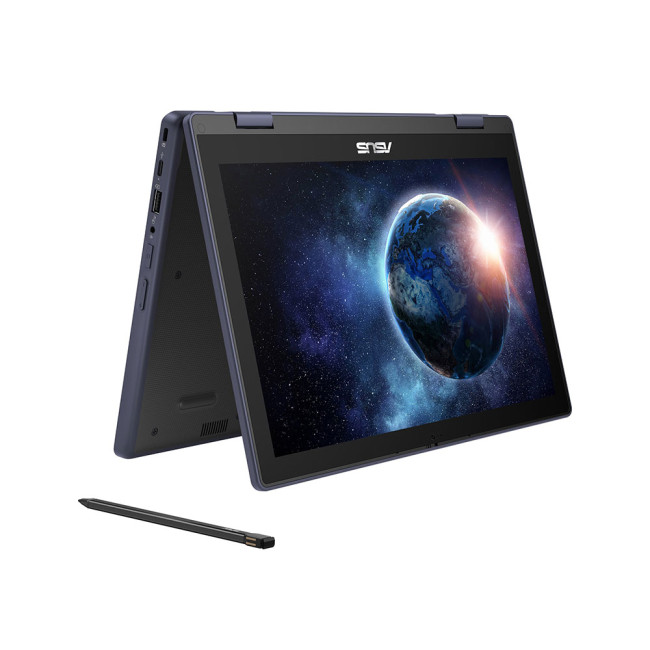
Specs & Features
- CPU: Intel N100 (a low-power “N-series” chip) in the mentioned configuration.
- RAM: 8 GB (in the listing) and Storage: 128 GB UFS/SSD.
- Display: 11.6″ Touchscreen (360° hinge convertible) in one listing.
- Features: Rugged design (rubber bumper), 360° hinge (convertible), stylus support, world-facing camera, WiFi 6 support.
- OS: Windows 11 Pro Education in some listings.
How Students Can Use It & For What
- Ultra-portable/hybrid use: 11.6″ size means extremely portable, good if you’ll use ASUS BR1102F mostly for note-taking in class, reading e-textbooks, web browsing.
- Convertible form factor: The 360° hinge & stylus support are useful for classes where you may want tablet mode, annotate slides, sketch diagrams, or do lighter creative tasks.
- Durable/rugged build: The bumper and hinge design mean it’s more resilient, good for classroom settings, shared use, maybe commuting.
- Low power tasks: Because the N100 is an entry-level chip, it’s fine for word processing, browsing, streaming, slides. But not for heavier workloads.
- Storage caution: 128 GB is modest; if you have many files/videos/apps you may want external storage or a larger SSD.
- Best for first-generation student laptop, travel/portable, hybrid learning scenarios.
Acer Swift 14 AI Copilot+
Specs & Features
- CPU: Intel Core Ultra 5 226V (in one configuration) – see spec list.
- Graphics: Intel Arc Graphics 130V in some reviews.
- Display: 14″ WUXGA (1920×1200) OLED panel in one listing.
- RAM: 16 GB in one config.
- Storage: 1 TB SSD in some config.
- Design: Ultraportable: 1.26 kg mentioned in spec list.
- Display quality: Review notes OLED display, good for colour and clarity.
How Students Can Use It & For What
- High-end student use / advanced tasks: With 16 GB RAM + large SSD + a good display, this is suited for more than basic tasks. You could do content creation, moderate photo/video editing, multitasking of many apps, maybe coding, etc.
- Portability + performance balance: 14″ size is easy to carry; performance is strong enough for future-proofing.
- Good display for creative work or media consumption: If you watch lectures, edit images, want higher quality screen, this works.
- Budget trade-off: Probably higher cost than entry-models, but the extra performance may pay off if you’ll do more demanding work.
- Acer Swift 14 AI Copilot+ is best for students who anticipate doing more than basic assignments (e.g., digital media, software dev, design) and want a machine that lasts.
ASUS ProArt P16 (H7606)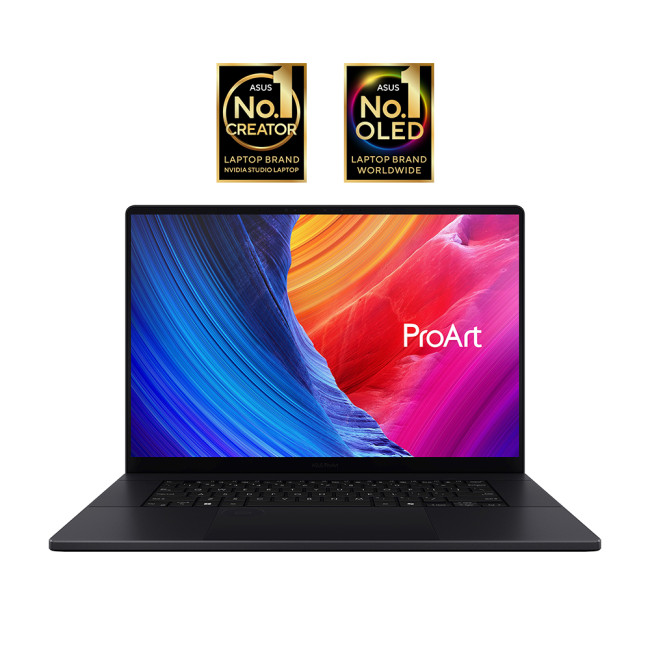
Specs & Features
- CPU: AMD Ryzen AI 9 HX 370 (12 cores / 24 threads) with AMD XDNA NPU up to ~50 TOPS.
- GPU: NVIDIA GeForce RTX 50-series (e.g., RTX 5070) in some models.
- RAM: Up to 64 GB LPDDR5X in some configs.
- Storage: Up to 2 TB (or dual SSD) in some configs.
- Display: 16″ 4K OLED or high-res options (3840×2400) in some models; high refresh. Pantone validated, 100% DCI-P3 colour.
- Connectivity / Ports: USB-C/USB-A, HDMI 2.1, SD card reader, etc.
- Purpose: Marketed for creators and professionals.
How Students Can Use It &
For What
- For advanced students/professional use: If you’re in media/film/animation/3D modelling/software dev, ASUS ProArt P16 gives “studio class” power in a laptop.
- Longevity: With high specs, this could serve for many years of study + maybe even early career.
- Large screen + high resolution: Useful if you’ll edit video/photos, design, colour-accurate work, large spreadsheets/data sets.
- Portability vs weight/cost trade-off: It is heavier/bigger and more expensive, so for basic coursework it may be overkill. But if your field demands high performance, it’s justified.
- Student budgeting caution: Ensure you really need these specs, and consider warranty, servicing, battery lifespan, etc.

Student Laptops Discounts at Laptop Outlet
As a student, finding a feature-packed laptop at an affordable price is not easy. We at Laptop Outlet understand the unique needs of students and offer plenty of deals to help them find the perfect device without breaking the bank. We have something for you whether you need a laptop for online classes, research, or entertainment.
Our selection includes the best models from leading brands like HP, Lenovo, Dell, and ASUS. Choose from the latest Intel and AMD processors, long-lasting battery life, and lightweight designs perfect for carrying around campus. With our special student discounts and seasonal deals, you can save even more on a variety of laptops, including Chromebooks, budget laptops, mid-range laptops, and 2-in-1 laptops.
You can also shop for refurbished laptops to get the most out of your investment. Refurbished laptops include the most advanced machines, which have passed a rigorous testing process to ensure they are in a decent restored condition and include a warranty.

FAQs
What type of laptop is best suited for students?
Lightweight and affordable ultrabooks or Chromebooks are ideal for students, offering portability, long battery life, and reliable performance for studying and online learning.
How much RAM and storage does a student laptop need?
For smooth multitasking, 8GB RAM and at least 256GB SSD storage are recommended, enough for research, assignments, and everyday use.
Are gaming laptops good for students too?
Yes, if you also enjoy gaming or use demanding software, a gaming laptop with a dedicated GPU like the NVIDIA RTX series can handle both study and play efficiently.
Which brands offer the best student laptops in 2025?
Top brands for students include ASUS, Lenovo, HP, Acer, and Apple, offering student-friendly designs, reliable performance, and exclusive student discounts.
Can students buy laptops on finance at Laptop Outlet?
Yes, Laptop Outlet UK offers easy finance and student discounts through Klarna, PayPal Credit, and Clearpay, making quality laptops more affordable for students.
| Read More: |
| Best Windows 11 Laptops for Students, Creators & Professionals in 2025 |
| Which Category of Laptops is Ideal for Students? |
| Budget Gaming Laptops – Entry-Level Gamers & Students |
Related Articles


Last Updated: August 13, 2026
For many students in the UK, a laptop is essential for essays, research, online lectures, presentations and entertainment. However, buying a brand-new device can put extra pressure on an already tight student budget.
This is where high-quality refurbished laptops can help. They offer a more affordable way to get the technology you need, often with better specifications than a similarly priced new entry-level model. But what does refurbished really mean, are these laptops suitable for education, and where should you buy one? This guide covers the key points.
What Is a Refurbished Laptop? Key Terms Explained
The word “refurbished” can cause uncertainty, but it does not simply mean an old laptop being resold without checks. The condition and protection you receive depend on the seller and its refurbishment process.
Refurbished vs Used vs Second-Hand
Refurbished laptop: A device that has been previously owned, used, returned or displayed. It is inspected, tested and cleaned before resale, with

Last Updated: May 06, 2026
Refurbished laptops let students access high-quality machines for far less. They’re available in many models and usually include a 1-year (or longer) warranty when bought from a trusted retailer.
Many students worry about buying refurbished laptops, questioning their condition and reliability. However, buying from a reputable seller such as Laptop Outlet ensures every laptop has been inspected, graded and comes with the warranty.
When you’re hunting for the best refurbished laptops in UK, these brands repeatedly offer the best mix of value and build-quality:
Top 8 Affordable & Top-Quality Refurbished Laptops for Students
Here are eight excellent refurbished options from Laptop Outlet (all in-stock at time of writing), each tailored for student life in 2025.
1. ASUS BR1102F-CS81XA
“Built tough so you don’t have to baby it.”
Specifications
- Intel N N100 Quad-Core Processor
- 11.6" HD Display, LCD, 1366 x 768 Max.
Last Updated: May 19, 2026
Looking for the perfect laptop that fits your student budget without compromising on performance? The Samsung Galaxy Book series offers the best of both worlds, powerful features at a price point that’s just right for university life.
However, finding a laptop that ticks all the boxes can be overwhelming, especially when balancing a limited student budget with the need for robust performance. This is where the Samsung Galaxy Book laptops step in. Samsung has a strong reputation for blending cutting-edge technology with sleek, functional designs, making its Galaxy Book line a standout option for students. These laptops offer powerful processing, great battery life, and essential features for academic and personal use; all at a price point that makes sense for students. From handling heavy workloads to offering portability and long-lasting battery life, the Galaxy Book range has something for every student.
So, let’s dive right into it!
How Do I Choose a Laptop for University Students?

Last Updated: October 08, 2025
Cheap Chromebook deals offer an outstanding opportunity for UK students on a budget to get a powerful, reliable, and secure device without overspending! These deals ensure robust performance and smooth use while keeping costs low! Explore a wide range of cheap Chromebook deals at Laptop Outlet and enjoy dependable, uninterrupted use without breaking the bank!
Chromebooks are sleek, streamlined, user-friendly, and cost-effective laptops, making them perfect for students on a budget. They offer solid performance and steady use at affordable prices. While these devices are already cost-effective, you can save even more on one with cheap Chromebook deals! Let’s explore more about Chromebooks and the best cheap Chromebook deals below!
What Are Cheap Chromebook Deals?
Cheap Chromebook deals refer to promotions and discounted prices on Chromebooks. These deals include sales, limited-time discounts, and special offers on new, used, and refurbished Chromebook devices. Due to their budget-friendly

Last Updated: May 20, 2025
Student Life Needs Smart Tech
Whether you're writing essays, attending virtual lectures, or creating presentations, having the right laptop can make or break your academic life. So, what’s the best laptop for students in 2025? We’ve handpicked the top models that balance performance, battery life, and value.
What Students Should Look for in a Laptop
- Long battery life (at least 8–10 hours)
- Lightweight and portable design
- Reliable performance for multitasking
- Good keyboard and webcam for assignments and video calls
- Affordable price to match student budgets
Best Overall Student Laptop: Apple MacBook Air M2
- Battery Life: Up to 18 hours
- Display: 13.6" Retina, great for reading and writing
- Performance: M2 chip delivers smooth multitasking
- Why Students Love It: Fast, quiet, premium build, and perfect for all student needs
Great for uni students, creative work, and note-taking
3. Best Budget Laptop for Students: Lenovo IdeaPad 3
- Battery Life: 9 hours
- Display: 15.6"

Last Updated: September 09, 2025
Finding a reliable laptop that fits both your student lifestyle and budget can be a real challenge in 2025. Whether you’re starting university, working through college, or studying from home, you need a device that can keep up with lectures, assignments, and daily digital tasks. The HP 15-fc0038na laptop stands out as a solid option, designed for students who want good performance without overspending.
With its AMD Ryzen 3 processor, Windows 11 Home, and lightweight build, this HP laptop promises everything a student needs: speed, portability, and value. But is it truly the best budget laptop for students this year?
In this blog, we’ll explore the key features of the HP 15-fc0038na, its suitability for student life, and why it might be your ideal choice in 2025.
HP 15-fc0038na: Quick Specs Overview
Wondering what the HP 15-fc0038na laptop offers straight out of the box? Here's a snapshot of its core features, designed to deliver solid everyday performance for students. From a responsive
Last Updated: December 18, 2025
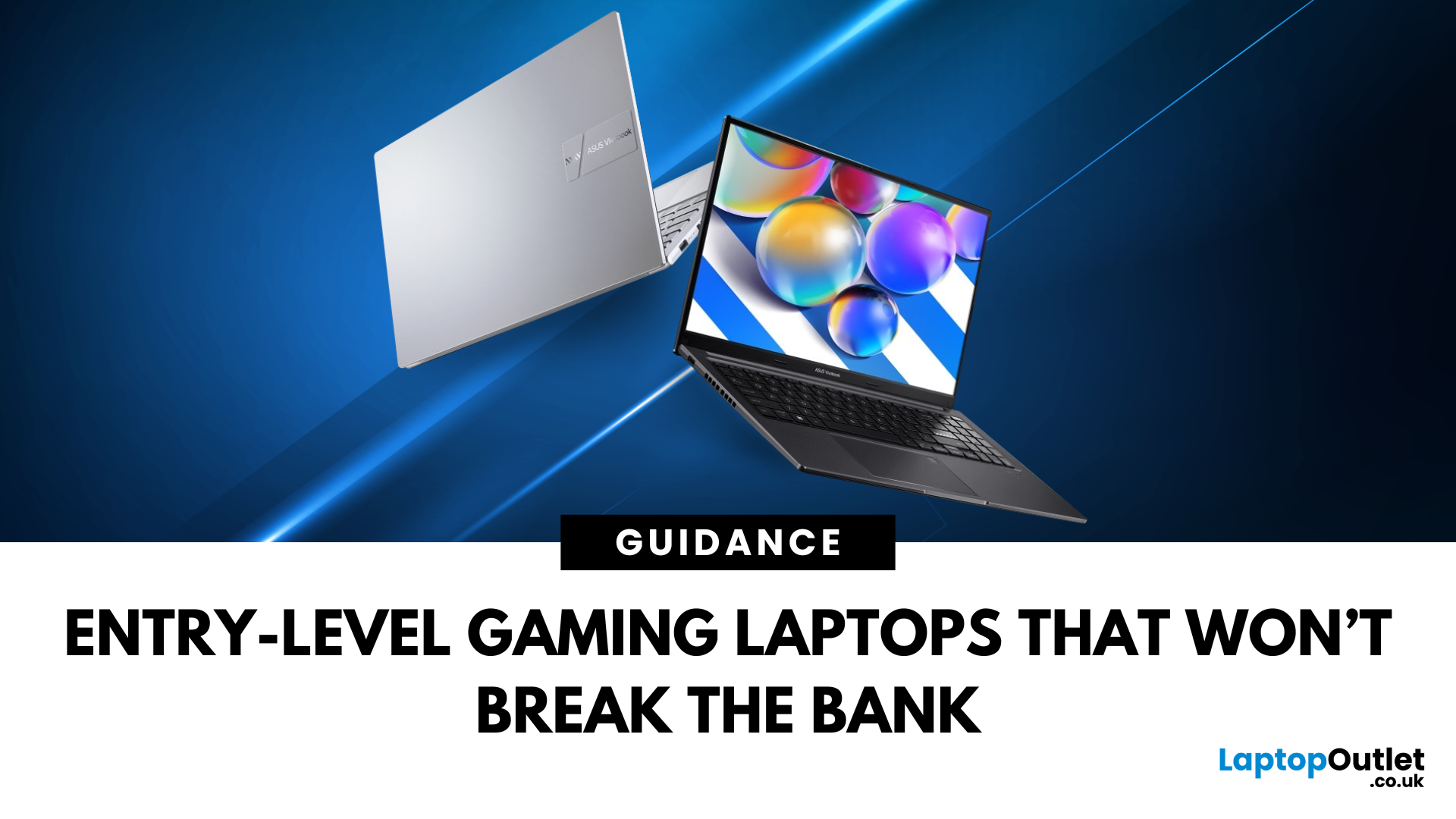
For many people in the UK, the idea of buying a gaming laptop often comes with the assumption of spending well over £ 1,000. While high-end machines certainly exist, not everyone needs them. If you’re an entry-level gamer or a student looking for an affordable option, the good news is that there are plenty of budget gaming laptops available today. These laptops are powerful enough to handle popular games, reliable enough for everyday study, and priced in a way that won’t break the bank.
This gaming laptop buying guide will take you through why cheap gaming laptops are a smart choice, what features to look out for, and some of the best options you can buy right now in the UK.
Why Choose a Budget Gaming Laptop?
If you’re just starting your gaming journey or need a laptop for both study and entertainment, a budget gaming laptop makes perfect sense. You don’t need to spend thousands to enjoy games like Fortnite, Minecraft, or League of Legends. Many modern entry-level machines can also manage

Last Updated: October 06, 2025
Lenovo vs Acer: What’s the Difference?
- Lenovo: Focuses on durability, productivity, and professional-grade performance. ThinkPad models are a global business staple, while Yoga and IdeaPad lines balance style and function.
- Acer: Known for affordability, Acer offers everything from ultra-cheap student laptops to high-performance gaming rigs under the Predator and Nitro brands.
Feature Comparison Table
| Feature | Lenovo Laptops | Acer Laptops |
| Build Quality | Rugged, business-tested (esp. ThinkPad) | Varies. Slim and lightweight but less rugged |
| Performance Range | From student models to enterprise workstations | From Chromebooks to powerful gaming rigs |
| Price Range (UK) | ~£350–£2,000+ | ~£250–£1,800+ |
| Best For | Professionals, students needing reliability | Students, gamers, budget buyers |
| Popular Series | ThinkPad, IdeaPad, Yoga, Legion | Aspire, Swift, Nitro, Predator |
| Battery Life | Often strong, especially ThinkPads (10–15 hrs) | Decent (6–10 hrs on most models) |
| Design | Sleek, minimalist, premium finishes | Flashy (gaming), |
Last Updated: June 15, 2026
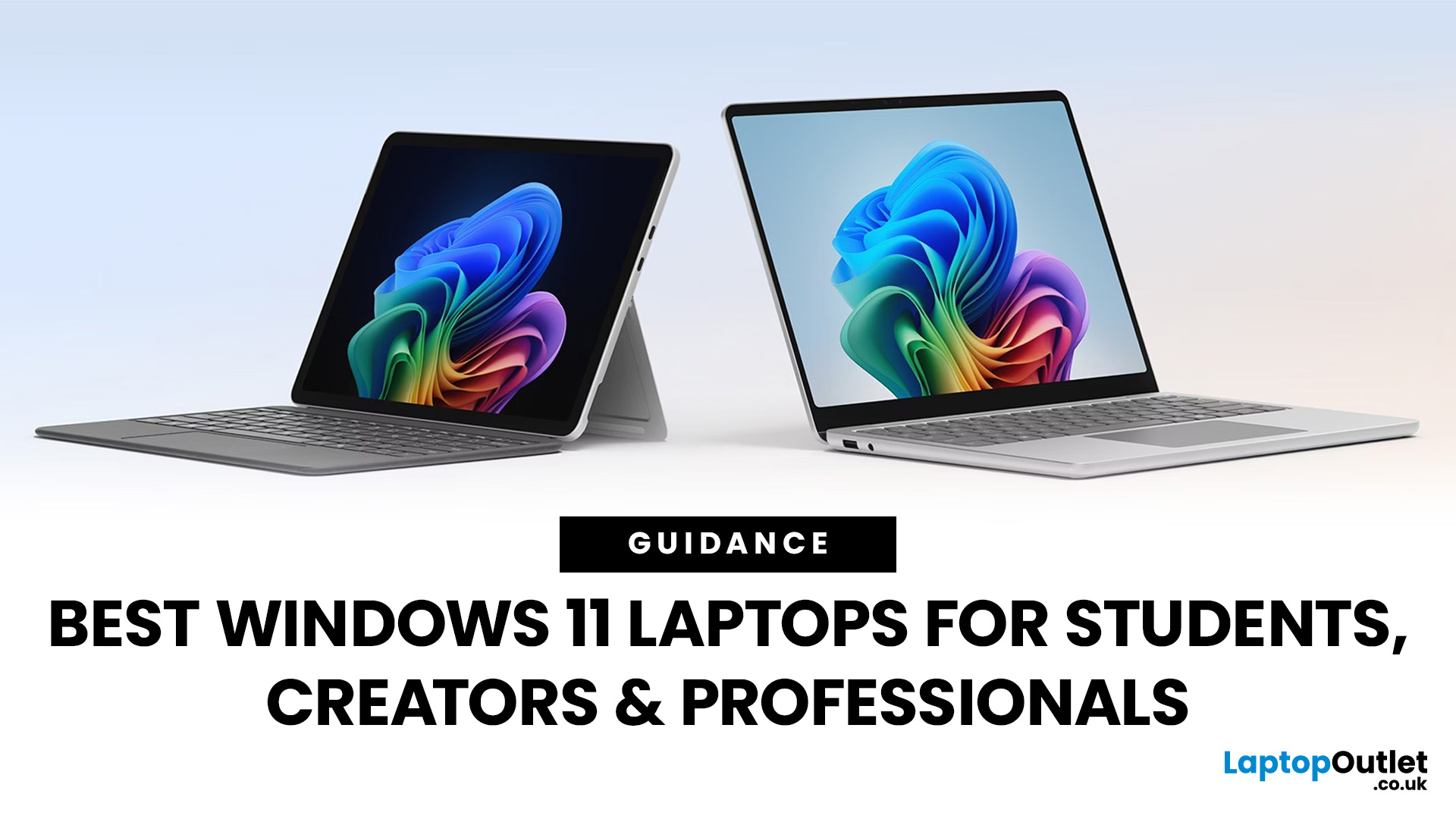
Choosing the right laptop has never been more important. Whether you are studying for exams, editing videos, or managing a full workload from home, the laptop you use makes a real difference. And right now, Windows 11 laptops are setting the standard for what a modern, capable machine should look and feel like.
Windows 11 brings a cleaner interface, better multitasking tools, improved security features, and built-in support for the latest AI-powered workflows. Add to that the wide range of hardware options available — from budget-friendly everyday machines to high-performance creative workstations — and it is clear why Windows 11 remains the go-to platform for most users in 2026.
But with so many options out there, knowing where to start can feel overwhelming. That is exactly why we put together this guide. We have split the best Windows 11 laptops into three clear categories — students, professionals, and creators — so you can find the right fit quickly.

