



Core i3 PCs
Shop Core i3 PCs for home, office and study, with responsive Intel performance for everyday computing. Choose compact, tower and all-in-one designs with SSD storage and practical memory options, then shop Intel PCs at Laptop Outlet for a wider range of desktop performance levels.
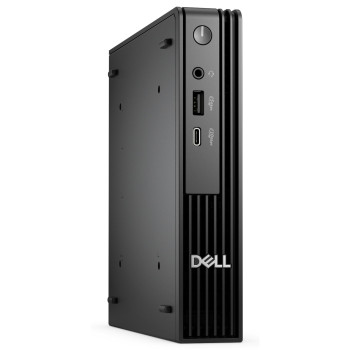
Finance available
Free Delivery *
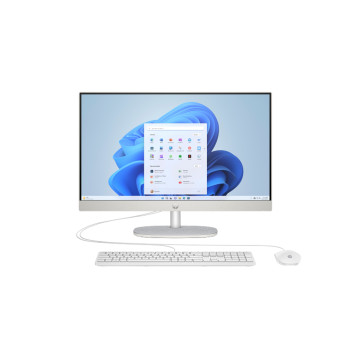
Finance available
Free Delivery *
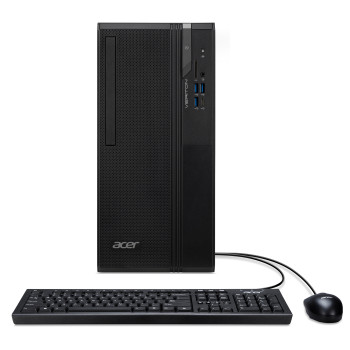
Finance available
Free Delivery *
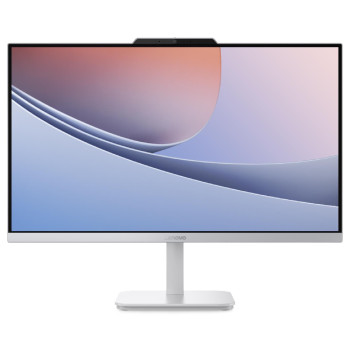
Finance available
Free Delivery *
Finance available
Free Delivery *
Showing 5 of 5 Items
Intel Core i3 PCs for Everyday Computing
Intel Core i3 PCs are well suited to everyday computing when you need reliable performance without stepping up to a higher processor tier. They can handle web browsing, documents, spreadsheets, emails, video calls, streaming, and other routine tasks comfortably when paired with suitable RAM and SSD storage.
At Laptop Outlet, you can choose a Core i3 computer in different desktop formats, including compact systems, traditional towers, and all-in-one designs. Look beyond the processor name alone and consider the complete specification, particularly memory, storage, graphics, connectivity, and Windows version.
Why Choose a Core i3 Desktop?
A modern Intel Core i3 desktop can provide the performance you need for common home, work, and education tasks while keeping the specification focused on what you will actually use.
- Home: Browse the web, manage household admin, stream entertainment, and stay connected through email and video calls.
- Office: Work across Microsoft 365 applications, web-based business software, spreadsheets, and everyday productivity tools.
- Study: Research online, write assignments, attend virtual classes, and work across common learning platforms.
- Everyday computing: Handle multiple lighter applications without paying for processing power intended for much heavier workloads.
For desks where space matters, mini desktop computers can provide everyday desktop functionality in a much smaller footprint.
What to Look for in a Core i3 PC
The processor is only one part of your desktop specification. A balanced Core i3 system should have enough memory and storage for the applications you expect to use.
RAM
For general browsing, office applications and studying, 8GB RAM can cover straightforward everyday use. Choosing 16GB gives you more headroom for keeping several applications, browser tabs and communication tools open together.
SSD Storage
An SSD helps Windows, applications and files load quickly. Consider both capacity and your storage habits: 256GB can work for lighter use, while 512GB or more gives you additional room for documents, photos, applications and locally stored media.
Processor Generation
Core i3 specifications vary between generations, so do not judge a PC by the i3 badge alone. Check the exact processor model and generation alongside its wider system specification before ordering.
Intel's 14th Gen desktop Core i3 family, for example, includes the Core i3-14100, i3-14100F and power-focused i3-14100T, but the processors differ in areas such as integrated graphics and operating characteristics.
Graphics
Integrated graphics are suitable for everyday desktop use, streaming, and lighter visual workloads. If you intend to play more demanding games or use graphics-heavy creative applications, pay close attention to whether the PC includes a dedicated graphics card.
Form Factor
Choose your desktop around both space and future requirements. Mini PCs prioritise a small footprint, towers generally provide more internal room, while affordable All-in-One PCs integrate the computer and display into one streamlined setup.
Windows
Check which version of Windows comes installed and whether it suits your requirements. For Windows 11 compatibility, the complete system must meet Microsoft's requirements, including supported hardware and required security features.
Core i3 vs Core i5: Which Desktop PC Should You Buy?
Your choice should reflect the work you expect the PC to handle.
A Core i3 desktop makes sense for browsing, email, Microsoft Office applications, online learning, streaming, and other everyday workloads. It can also suit businesses deploying PCs for straightforward administrative work.
Core i5 computers are worth considering when you regularly run more demanding applications, carry out heavier multitasking or want extra processing headroom for future workloads.
For substantially more demanding professional applications, content creation, or intensive computing, higher-tier options such as Intel Core i9 desktop PCs and professional workstations may be more appropriate.
Expert Tip: Choose the entire PC specification around your workload rather than moving to a higher processor tier automatically. More RAM, sufficient SSD capacity or the right graphics hardware can sometimes make a bigger practical difference than the CPU badge alone.
Core i3 Mini PCs vs Towers vs All-in-One PCs
Core i3 desktops are available in several formats, giving you flexibility over how your workspace is arranged.
Mini PCs
A mini PC is useful when desk space is limited or you want a tidy home, office or study setup. Their compact dimensions also make them easier to position behind or beside a monitor.
Tower and Small Form Factor PCs
Traditional desktop and small-form-factor systems can provide a wider selection of ports and, depending on the individual chassis, more scope for hardware changes or additional storage. Always check the exact upgrade options before buying.
All-in-One PCs
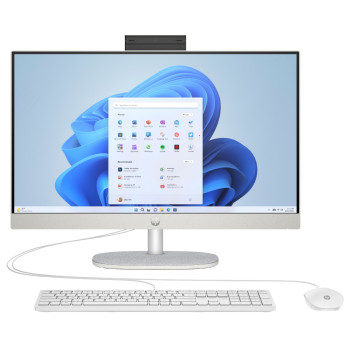
An all-in-one combines the display and computer hardware within one unit. It can be particularly convenient for family spaces, reception areas, home offices and desks where reducing cables and separate equipment is a priority.
Are Core i3 PCs Good for Gaming?
A Core i3 PC can run lighter games, esports titles and older releases when the rest of the system meets the game's requirements. Gaming capability depends heavily on the graphics hardware, RAM, processor model and the settings or resolution you intend to use.
An i3 gaming PC with a dedicated graphics card can therefore provide considerably greater gaming capability than a basic Core i3 office desktop using integrated graphics.
For newer AAA titles, high-refresh-rate gaming, or demanding graphics settings, look closely at the recommended specifications for the games you play. A stronger CPU and dedicated GPU may provide a more suitable long-term setup.
Choose Your Core i3 PC at Laptop Outlet
We bring together Core i3 desktops for home computing, studying, office work, and general productivity. You can assess each system by processor generation, RAM, SSD capacity, graphics, form factor, and operating system before choosing the configuration that suits your setup.
Whether you want a space-saving mini PC, a traditional desktop or an all-in-one system, use the product specification to match the hardware to the way you actually work. Finance options may also be available, including PayPal Credit, PayPal Pay in 3 and Klarna, alongside card payments, Apple Pay and Google Pay.
Read More:
Core i3 vs Core i5: Which Laptop is Right for You in 2026?
How Intel Core Ultra 5 Laptops Use AI Boost NPU to Improve Performance
Intel Core Ultra 7 vs Core Ultra 5: Which Laptop Is Best for You in 2026?
Read more