



Docking Stations
Docking Stations help turn laptops into complete workspaces. Explore USB-C and Thunderbolt options f...

Finance available
Finance available
Finance available
Free Delivery *
Finance available
Finance available
Finance available
Finance available
Finance available

Finance available
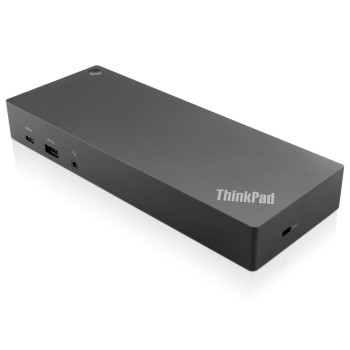
Finance available
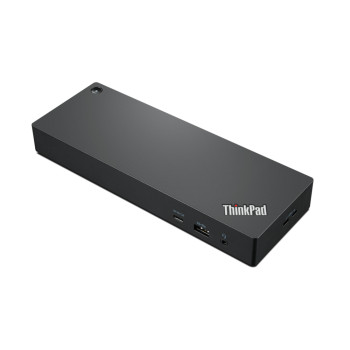
Finance available
Free Delivery *
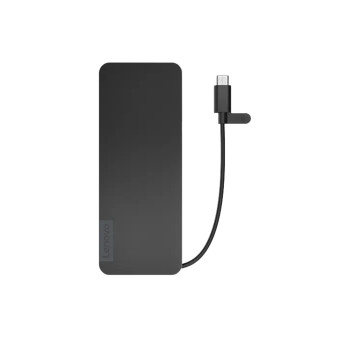
Finance available
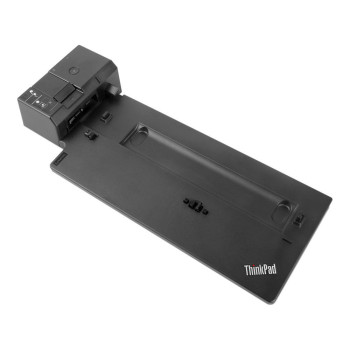
Finance available
Finance available
Showing 15 of 49 Items
Docking Stations for Laptops & USB-C Devices | Laptop Outlet
Modern laptops are powerful. But thin, port-limited designs mean one cable is rarely enough. A docking station solves that instantly. Plug in once and get access to monitors, keyboards, Ethernet, SD cards, and more — all from a single connection.
At Laptop Outlet, you can shop laptop docking stations for work, study, gaming and home office setups. Choose from USB-C docking stations, Thunderbolt docks, HDMI docking solutions and multi-port laptop accessories built for modern devices.
A Smarter Upgrade for Work, Study and Gaming
A docking station is one of the best accessories for laptops because it improves how you work, play and connect every day. Students can switch from lectures to assignments faster, while remote workers can build a proper desk setup at home.
Creatives can connect larger displays, storage drives and editing tools without juggling adapters. Gamers can add wired internet, external screens, headsets and peripherals for a smoother, more responsive setup.
USB-C or Thunderbolt: Pick the Dock That Matches Your Setup
An affordable USB-C docking station is best for everyday users who want charging, display output and extra ports through one compact solution. Depending on your laptop and dock, USB-C speeds can range from 5Gbps to 20Gbps, with USB4 models reaching up to 40Gbps.
Thunderbolt docking stations are built for heavier workloads, faster transfers and premium multi-screen setups. Thunderbolt 3 and Thunderbolt 4 support up to 40Gbps, making them a smart choice for 4K displays, external SSDs, video editing and high-performance desks.
What to Look Before You Buy Laptop Dock
Before buying a docking station, check your laptop's USB-C or Thunderbolt port, charging wattage, display support and operating system compatibility. This helps you avoid buying a dock that cannot power your laptop or run your screens properly.
Look for HDMI, DisplayPort, USB-A, USB-C, Ethernet, audio ports and power delivery if you want a complete desk solution. Laptop Outlet makes it easy to compare docking stations for modern laptops, including MacBook, Dell XPS, HP EliteBook, Lenovo ThinkPad, and Microsoft Surface.
Build the Full Workspace Around Your Dock
The best docking station for laptop works even harder when paired with the right extras. Add affordable Full HD monitors for everyday productivity or shop 4K monitors for sharper detail, creative projects and premium multitasking.
Complete your setup with keyboards, mice, USB-C cables, headsets, laptop chargers and storage drives. For stronger wired performance, explore router deals and create a faster, more dependable home or office network.
Why Buy from Laptop Outlet?
Laptop Outlet makes it simple to buy tech accessories online with confidence. You can find PC laptop docking station deals at competitive prices, from affordable USB-C docks to high-performance Thunderbolt options.
Flexible payment choices, including PayPal Pay in 3, PayPal Credit and Klarna, help you spread the cost of your purchase. With fast, secure UK delivery, your new setup can arrive quickly, so you can connect more and work better sooner.
Read More
What are the Benefits of Using a Docking Station?
Essential Features to Consider When Choosing a Laptop Docking Station in the UK
Read more