



What Is the Best Printer for Photos
Want to preserve precious memories or showcase creative work? Nothing quite matches the beauty of a beautifully printed photograph. Whether you’re an aspiring photographer, a creative hobbyist, or simply someone who values high-quality photo prints, choosing the right printers for photos can make all the difference.
But with so many options on the market, the big question remains: What is the best photo printer?
In this guide, we’ll explore some of the finest photo printers available today, comparing their features, print quality, and usability. Each photop/picture printer in our list caters to different needs, from everyday photo enthusiasts to professional creators seeking gallery-worthy prints.
Canon PIXMA G650: Best for High-Volume Printing
Who is it for?
For creative users who need bulk photo printing without sacrificing quality, the Canon PIXMA G650 is a smart and sustainable choice.
Top Features:
-
Refillable ink tanks drastically lower per-photo cost.
-
Massive yield of up to 3,800 4x6-inch photos per refill.
-
Borderless printing across multiple formats, including A4.
-
Cloud and Wi-Fi connectivity, ideal for mobile printing.
The Canon PIXMA G650 (4620C008) is a formidable printer for those who demand vibrant photo prints with exceptional cost efficiency. As Canon’s first refillable ink tank photo printer, it’s designed to deliver outstanding quality without breaking the bank.
With six dye-based inks, including red and grey, the G650 excels at reproducing rich tones and subtle gradients. The photo resolution reaches up to 4800 x 1200 dpi, ensuring fine detail and sharpness.
It prints borderless photos in multiple formats, including A4 and postcard sizes, with a 4x6-inch print ready in just 47 seconds. The refillable GI-53 ink bottles yield up to 8,000 colour pages or 3,800 photos, making this printer ideal for high-volume photo production. The rear tray supports various media types, from glossy photo paper to magnetic sheets and fine art media, with a maximum capacity of 100 sheets.
Additional conveniences include a 600 x 1200 dpi scanner, USB and Wi-Fi connectivity, and compatibility with popular apps like Canon printer PRINT Inkjet/SELPHY and Easy-PhotoPrint Editor.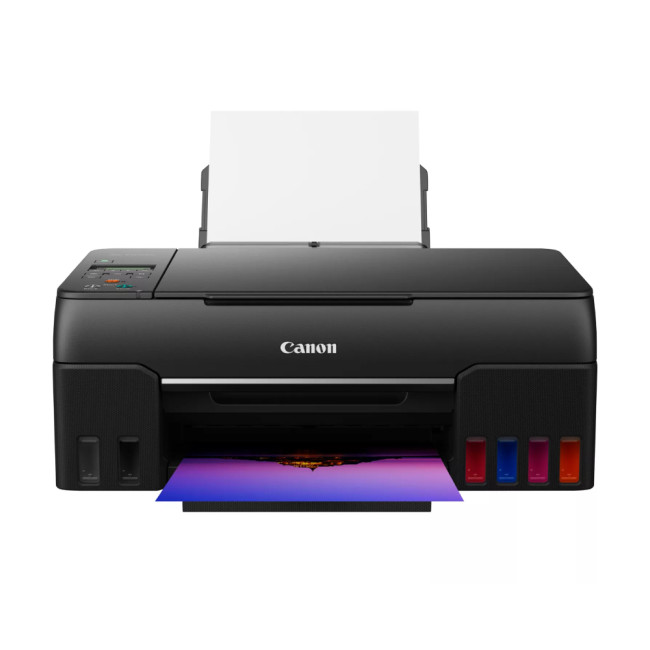
Canon PIXMA TS9550a: Best for A3 Creative Projects
Who is it for?
For creative professionals and craft enthusiasts who need A3 printing, the Canon PIXMA TS9550a is the ideal solution.
Top Features:
-
Prints A3 photos with crisp detail and vibrant colour.
-
Smart touchscreen interface for easy operation.
-
Dual paper feed and 20-sheet automatic document feeder.
-
Supports auto two-sided printing for documents.
Looking for an all-in-one photo printer that can handle A3 prints? The Canon PIXMA TS9550a (2988C038) offers exactly that, with a streamlined design that doesn’t dominate your workspace.
This model features five individual ink cartridges and can produce vivid photo prints with resolutions up to 4800 x 1200 dpi. It prints 4x6-inch borderless photos in as little as 21 seconds and supports auto-duplex printing for added efficiency.
Thanks to its large 10.8 cm touchscreen, it’s easy to navigate printing, scanning, and copying functions. It also has a two-way paper feed, an automatic document feeder, and even a unique nail sticker printing function for creative projects. Wireless and Ethernet connectivity are included, along with app support through Canon printer PRINT.
Canon PIXMA TS8750: Best for Home Photo Enthusiasts
Who is it for?
Home users looking for a balance of quality, convenience, and design will appreciate the Canon PIXMA TS8750.
Top Features:
-
Excellent photo print quality with six-ink system.
-
Two-way paper feed for flexible media handling.
-
SD card printing for quick photo projects.
The Canon PIXMA TS8750 (6152C008) proves that you don’t need a large machine to get impressive photo results. Its compact design makes it a great choice for home use while still packing premium features.
With a six-ink system that includes dedicated photo inks, this portable photo printer produces sharp, vibrant photos with remarkable detail. It also supports auto-duplex printing and offers a 200-sheet plain paper capacity through its dual paper feeds.
The 10.8 cm colour touchscreen simplifies operation, and SD card compatibility makes it easy to print directly from memory cards. The TS8750 also supports Wi-Fi and mobile printing via the Canon printer PRINT app, allowing convenient printing from smartphones and tablets.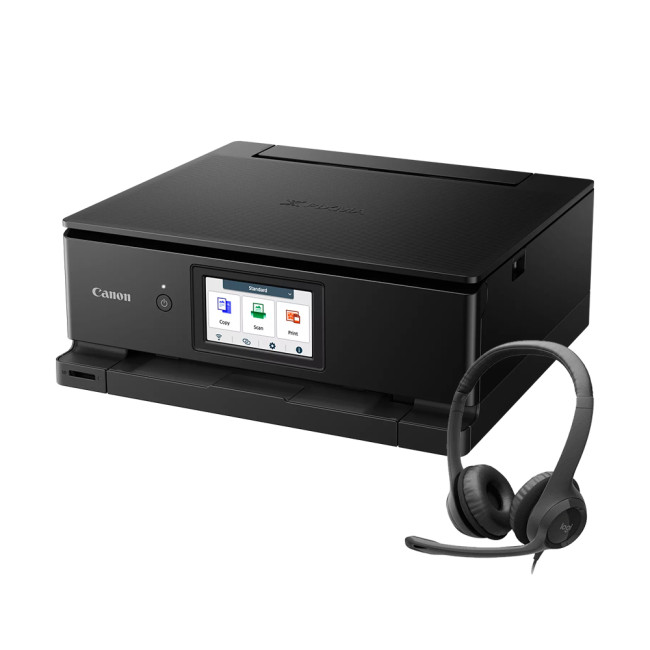
Epson Expression Premium XP-6100: Best for Quick, Compact Photo Printing
Who is it for?
Casual photographers and families seeking quick, hassle-free photo prints will find the Epson XP-6100 highly convenient.
Top Features:
-
Prints stunning photos in as little as 15 seconds.
-
Compact design with versatile paper handling.
-
Individual inks help minimise running costs.
-
Easy smartphone and tablet printing via Epson printer apps.
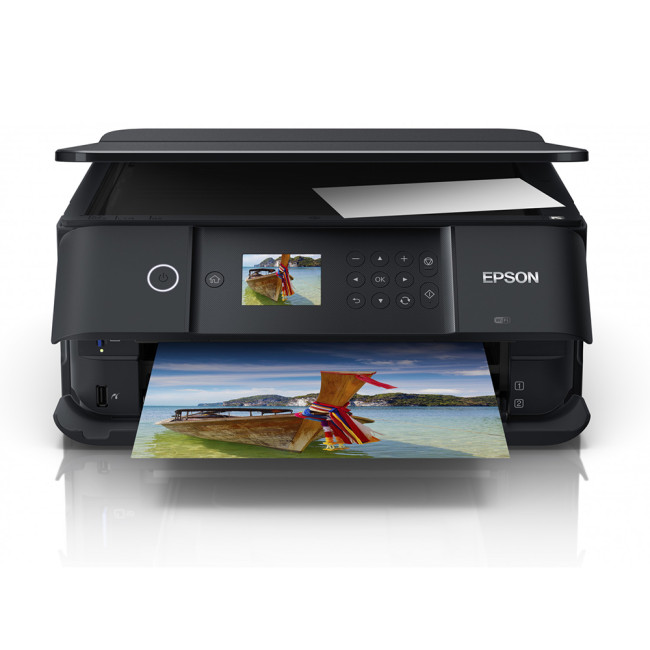
The Epson Expression Premium XP-6100 (C11CG97401) is a compact A4 mini photo printer designed for speed and convenience. Don’t let its small footprint fool you - this pocket printer is a powerhouse when it comes to producing bright, sharp prints.
Featuring Epson’s Micro Piezo print head technology and a five-colour ink system, it delivers quick and vibrant photo prints, producing a 10x15 cm photo in just 15 seconds. It also supports auto-duplex printing and offers front-loading paper trays alongside a rear feed for thicker media.
Connectivity is a strong point too, with Wi-Fi, USB, and Epson printer iPrint and Creative Print apps enabling printing from anywhere. Whether creating photo books or crafting personalised greeting cards, the XP-6100 makes the process seamless.
Epson Expression Photo XP-970: Best for Wide-Format A3 Photo Printing
Who is it for?
Photography enthusiasts who need A3 capability and superior colour accuracy will value the Epson XP-970.
Top Features:
-
Outstanding photo quality up to A3.
-
Fast print speeds and vibrant colours.
-
Versatile media support for creative projects.
-
Easy mobile and cloud-based printing.
The Epson Expression Photo XP-970 (C11CH45401) raises the bar with its exceptional photo output, making it a superb pick for creative users looking for wide-format printers for photos.
Epson’s six-colour Claria Photo HD inks create professional-looking images with smooth gradients and rich tones. It can produce borderless A3 photos and print a 10x15 cm photo in just 11 seconds.
The XP-970 features dual front-loading paper trays, a rear feed for special media up to A3, and a motorised output tray. Additional features include Wi-Fi, USB, mobile printing apps, and a touchscreen interface for ease of use, making it perfect for photographers seeking high-quality output and versatility.
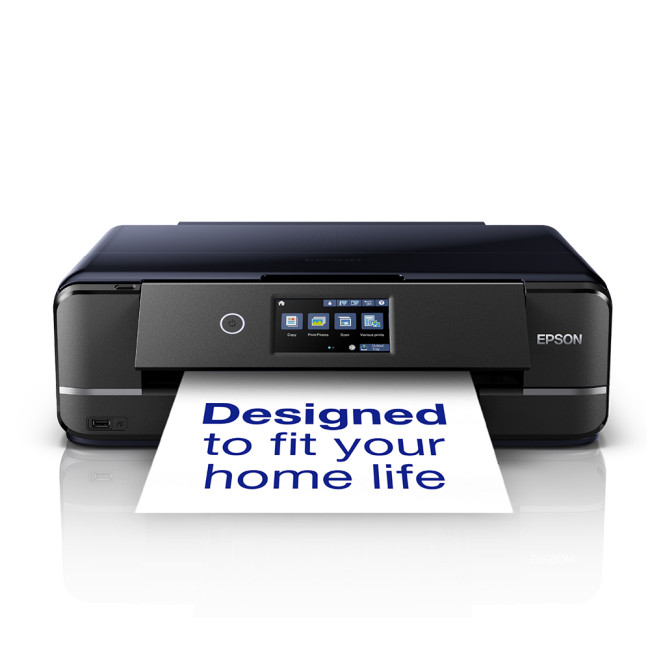
Epson Expression Photo HD XP-15000: Best for A3+ Professional Prints
Who is it for?
Advanced photographers and creatives seeking premium, professional-grade prints will find the Epson XP-15000 unmatched.
Top Features:
-
Professional-level photo quality up to A3+.
-
Wide colour gamut with red and grey inks.
-
Multiple paper trays and rear specialty media feed.
-
Advanced connectivity, including Wi-Fi Direct and Ethernet.
If your creative ambitions demand the highest levels of photo quality, the Epson Expression Photo HD XP-15000 (C11CG43401) is engineered to impress. This A3+ photo printer is ideal for producing gallery-quality prints at home or in a small studio.
It features a six-colour Claria Photo HD ink set, including red and grey, for expanded colour reproduction and stunning black-and-white prints. The XP-15000 offers professional-quality output up to A3+ resolution (5760 x 1440 dpi) and supports borderless printing.
Media handling is exceptionally versatile, with dual paper trays, rear specialty media feed, and support for thicker media and CDs/DVDs. Connectivity includes Wi-Fi, Wi-Fi Direct, Ethernet, and compatibility with Epson Printer Connect services like iPrint and Creative Print. Advanced print modes, duplex printing, and a quiet operation mode round out its impressive features.
Photo Printer Buying Guide: What Features to Look For
Now that we’ve explored some of the best photo printers available, you might be wondering how to choose the right model for your specific requirements. Selecting the right printer for photos involves more than simply picking the largest model or the one with the highest price tag. It’s all about focusing on the features that match your printing goals, whether you’re after professional-quality enlargements or everyday photo projects.
Print Quality and Resolution
The most important factor for photo printing is, naturally, the print quality. Look for printers that offer high resolution, typically measured in DPI (dots per inch). A higher resolution means sharper details and smoother gradients. Many photo-focused printers also use six or more inks, which help achieve a wider colour range and better tonal accuracy.
For anyone printing detailed photography or artwork, it is wise to choose a printer that can deliver at least 4800 x 1200 dpi to ensure excellent clarity and vibrant colour reproduction.
Ink Type & Colour Range
Photo printers either use dye-based or pigment-based inks. Dye-based inks are excellent for bright, glossy photos and are generally well-suited to everyday use. Pigment-based inks, on the other hand, provide more fade-resistant results, making them better for archival quality or professional photo work.
Also, pay attention to the number of inks. Printers with additional colours like grey or red often offer better shading and colour accuracy, particularly for black & white or detailed colour work.
Media Support & Print Size
Consider the types of paper and sizes the printer can handle. If you plan to print large photos or creative projects, make sure the printer supports formats beyond A4 such as A3 or even A3+. Some models also accommodate specialty papers, such as glossy, matte, fine art, or magnetic sheets.
Running Costs & Ink Yields
The cost of replacement inks can add up over time. Some printers use refillable ink tanks, which may cost more upfront but save a great deal in the long run, particularly if you print frequently.
Check the estimated photo yields provided by the manufacturer to understand how many pages or photos you can expect from each refill or cartridge.
Speed & Convenience Features
While quality should always come first, it’s also worth considering how quickly the printer can produce photos. Models that can print a high-quality 10x15 cm photo in under a minute are generally considered fast for home use.
Also, look for ease-of-use features such as:
-
Large colour touchscreens
-
Wireless connectivity (Wi-Fi, Wi-Fi Direct, or Ethernet)
-
Mobile printing via dedicated apps
-
SD card slots or USB ports for PC-free printing
Connectivity & Software Support
Modern photo printers often work seamlessly with smartphones, tablets, and cloud services. Compatibility with Apple AirPrint, Google Cloud Print alternatives, or brand-specific apps can make printing much simpler.
Additionally, some printers come with bundled software for editing or creating photo projects like calendars, greeting cards, or photo books.
Size and Design
Consider the physical size of the printer, especially if you have limited space at home or in your studio. Compact models are ideal for small spaces, while larger A3 or A3+ printers will naturally need more room.
Which Printer Suits You Best?
-
For high-volume, cost-effective printing: Look for refillable ink tank printers.
-
For casual home use: Compact A4 printers with basic photo features are ideal.
-
For creative professionals or wide-format projects: Prioritise A3 or A3+ models with advanced colour ink sets and media flexibility.
Final Advice:
Always consider both your current needs and potential future projects before committing. A slightly more versatile printer today could save you from needing an upgrade down the line.
Key Takeaways
Choosing the best photo printer doesn’t have to feel overwhelming. As you’ve seen, there’s a fantastic variety of options to suit every kind of photo enthusiast.
If you’re after exceptional value and high-volume output, models like the Canon PIXMA G650 are hard to beat. For creatives who need A3 capabilities and flexible media handling, the Canon PIXMA TS9550a and Epson Expression Photo XP-970 offer stunning versatility. And if your goal is to produce gallery-worthy, large-format prints with deep colour richness, the Epson Expression Photo HD XP-15000 is a serious contender.
The most important takeaway? Think about what you’ll actually use your printer for. Consider the print sizes you need, how often you’ll print, and whether you prefer the convenience of mobile printing and refillable ink tanks. Features such as multiple paper feeds, wide colour gamuts, and advanced connectivity can make a big difference in the long run.
Ultimately, the right photo printer is the one that brings your photos to life exactly as you envision them. No matter which model you choose, investing in a quality photo printer will ensure your favourite moments look their absolute best.
Ready to Print Like a Pro?
Discover the full range of photo printers at Laptop Outlet and find the perfect match for your creative needs. We’ve got the latest models from top brands at competitive prices, with fast delivery and expert support. Shop now!
Photo Printer FAQs
What is the best type of printer for photos?
Inkjet printers are generally considered the best for photos. They offer superior colour accuracy and detail, especially those with dedicated photo inks.
What type of printer produces the highest quality photos?
Printers that use six or more dye-based or pigment-based inks typically produce the highest quality photos, delivering rich colours and smooth tonal gradients.
What printers can print high quality photos?
High-quality photo prints can be achieved with specialised photo inkjet printers from brands like Canon and Epson, particularly models designed for photo printing.
What do professionals use to print photos?
Professional photographers often use high-end inkjet photo printers with pigment-based inks, as these provide excellent colour accuracy and long-lasting results.
Is matte or glossy better for photos?
Glossy paper offers vibrant colours and sharp details, making it ideal for most photos. Matte paper reduces glare and is better for soft tones or display under bright light.
| Read More: |
| Best Printers for Home Use in 2025 |
| How to Choose the Right Printer for Your Needs |
| What is the best printer for photos? |
Related Articles

Last Updated: April 03, 2026
From compact inkjet printers for home use to heavy-duty laser printers for businesses, each model is designed with specific users in mind. While buying a printer may feel challenging, one important thing to remember is that the features you value will greatly impact your long-term satisfaction. Knowing how to choose the right printer for your needs ensures you get value for money, efficiency, and the features that matter most.
Why Choosing the Right Printer Matters
A printer is more than just an accessory, it’s a productivity tool. Picking the wrong one could mean high running costs, slower performance, or features you never use. The right printer, on the other hand, will save time, reduce costs, and fit seamlessly into your lifestyle or workplace.
Things to Consider Before Buying a Printer
What Will You Be Printing?
Not all printers are created equal, and the type of documents you print most often should guide your choice. If you're only printing everyday documents like work reports,
Last Updated: June 18, 2026
Buying the best home printer can seem overwhelming; the market is flooded with multiple brands offering a host of features. You must determine which printer suits your needs by looking at their specifications, running a comparison among different models, and making the final selection. Remember, we have a wide variety of exceptional printer models, so set aside ample time for this task.
However, if you are short on time, which we assume you are, just read this blog. It provides a curated list of the best computer printers for home use. They are suitable for everyday printing, especially at home, delivering professional-standard results. So, let’s look at them.
Types of Printers: Inkjet vs. Laser
Before you choose the right printer, it helps to know about inkjet and laser printers, the two main printer types. The following comparison will assist you in choosing the right type for your needs:
| Feature | Inkjet Printers | Laser Printers |
| Usage | Colour printing (photos, graphics) | Fast, high-volume |
Last Updated: April 03, 2026
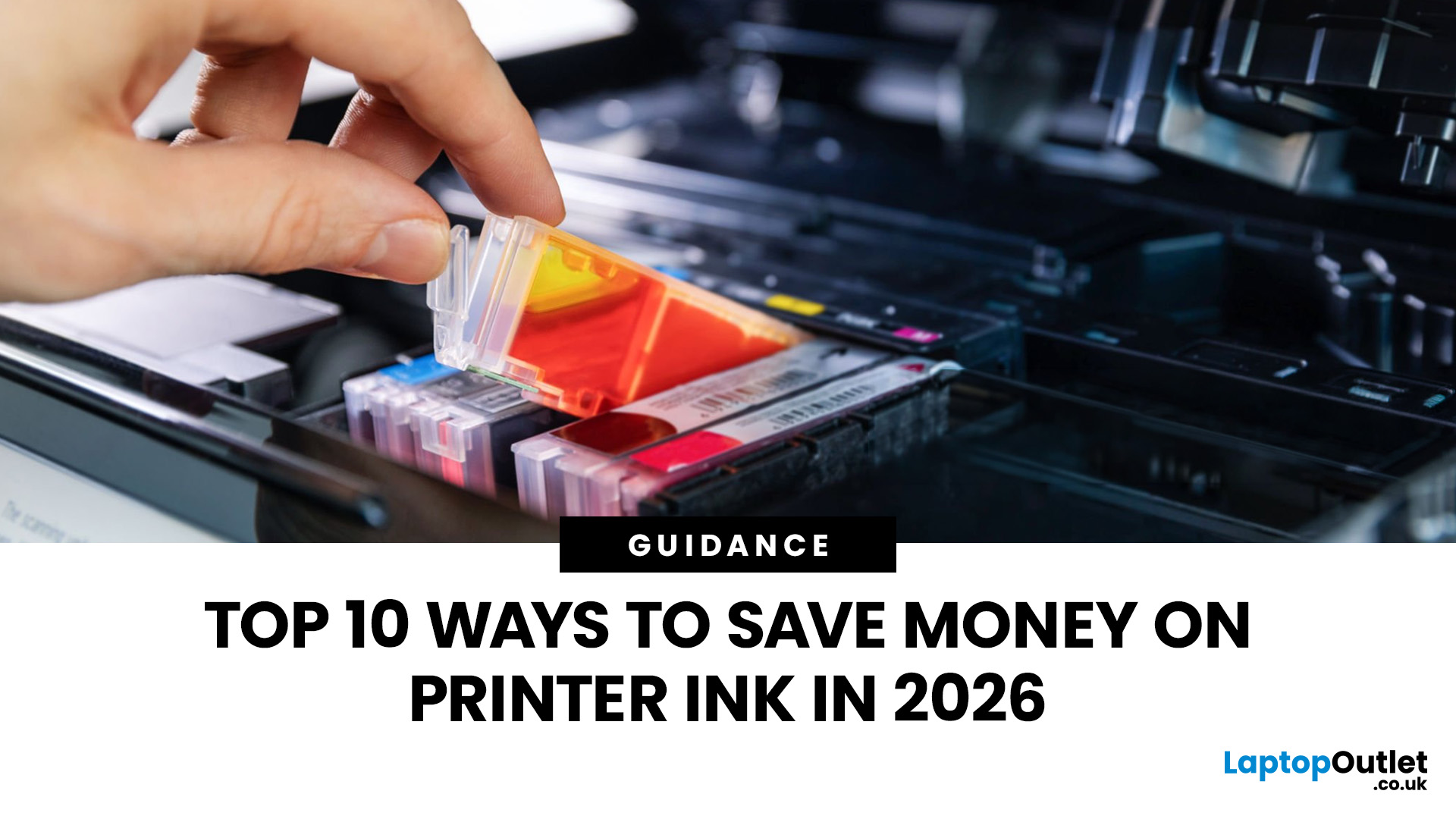
Printer ink is one of those costs that sneaks up on you. The printer itself can feel affordable, but the ongoing cartridge replacements are where the budget starts to hurt. If you print at home, for school, or for a small business, it can genuinely feel like you’re paying premium prices for something you go through far too quickly.
The good news is most people can cut printing costs without changing their whole setup. Small setting changes, smarter habits, and a couple of “do this once and forget it” tweaks can stretch cartridge life and reduce how often you’re buying replacements.
Here are 10 practical ways to reduce ink spend in 2026, without turning your prints into faint, unreadable pages.
1) Use Draft or Economy Mode for Everyday Printing

If you’re printing internal documents, rough drafts, return labels, school worksheets, or anything that doesn’t need to look perfect, switch to draft or economy mode. Many printers reduce ink density in this setting, so you use less ink per page
Last Updated: April 02, 2026
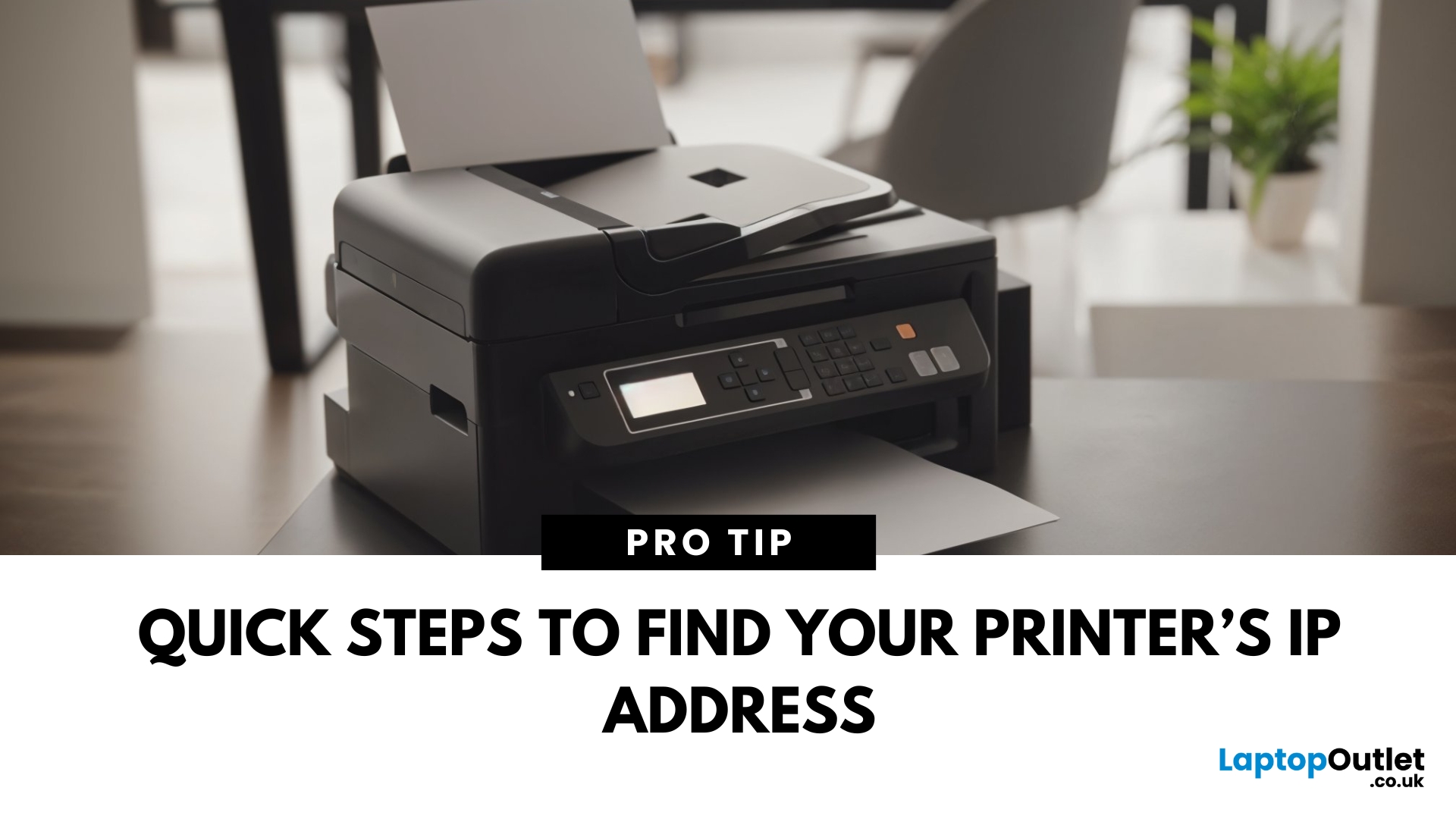
Why You Need Your Printer’s IP Address
Whether you’re setting up a new device, troubleshooting, or connecting wirelessly—knowing your printer’s IP address is essential. It’s how your laptop or phone finds and communicates with the printer over Wi-Fi. Here’s how to find it in a few simple steps.
How to Find a Printer’s IP Address
1. Check the Printer’s Display Screen (If Available)
- Most modern printers display their network settings.
- Press Menu or Settings on the printer
- Navigate to Network Settings > Wi-Fi Settings
- Look for IP Address
2. Print a Network Configuration Page
- Many printers allow you to print a page showing their network information.
- Go to Settings > Network > Print Network Configuration
- Look for the IPv4 Address or IP Address section on the printout
3. Find Printer IP Address on Windows
- Click Start > Settings > Devices > Printers & Scanners
- Select your printer > Manage > Printer Properties
- Go to the Ports tab and look for the IP address
Alternatively:
Last Updated: April 03, 2026
Printing Without Ink?
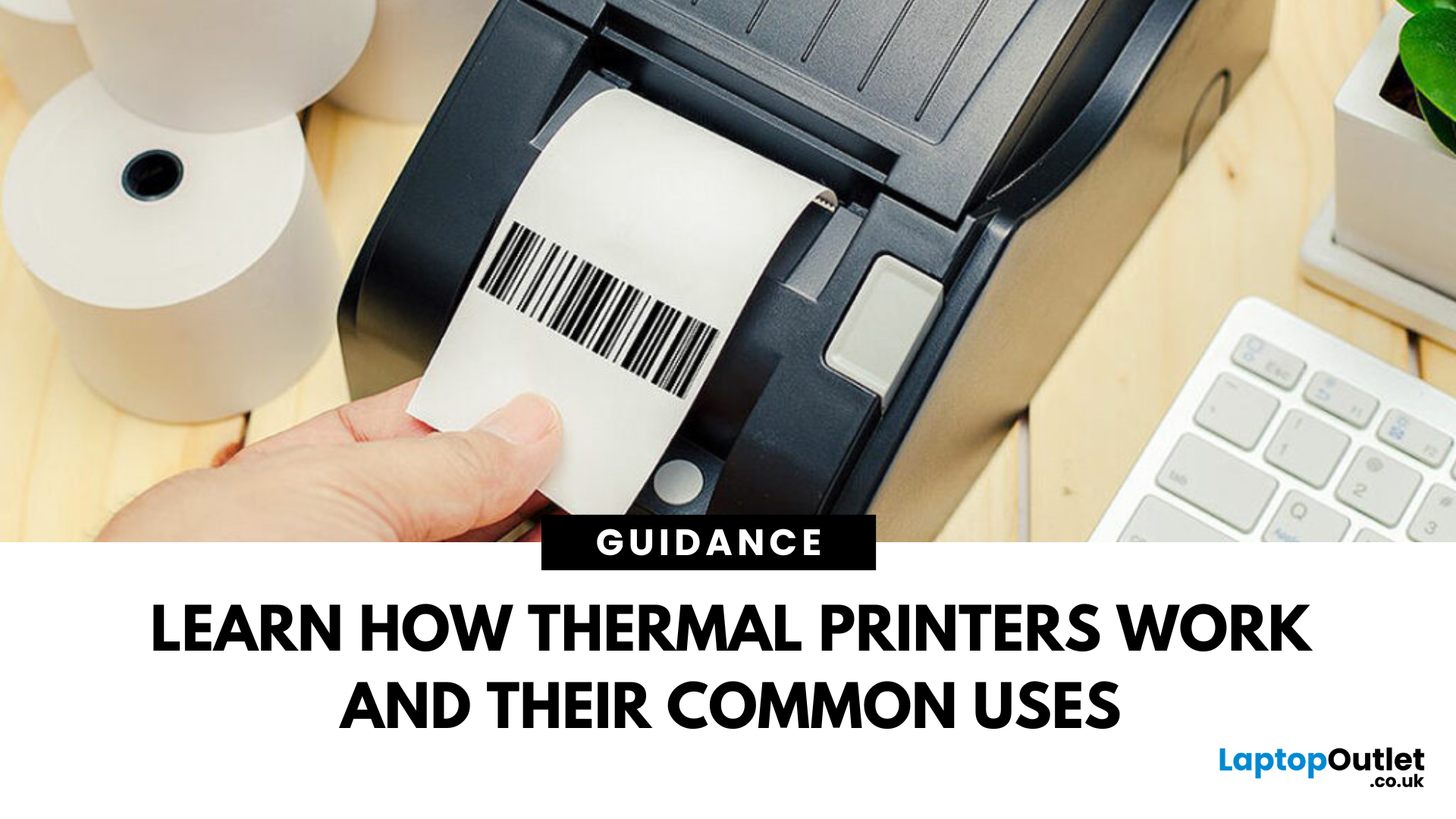
If you’ve ever received a receipt, shipping label, or wristband ticket, you’ve probably used a thermal printer—even if you didn’t know it. But what is a thermal printer, and how is it different from regular printers? Here’s a simple breakdown.
What Is a Thermal Printer?
A thermal printer creates images by applying heat directly to special heat-sensitive paper. Unlike inkjet or laser printers, it doesn’t use ink, toner, or ribbons (in most cases).
It’s fast, quiet, and ideal for high-volume printing environments like retail or logistics.
How Do Thermal Printers Work?
Direct Thermal (DT):
- Heat is applied to chemically treated paper
- The heat darkens the paper where applied
- No ink or ribbon required
Thermal Transfer (TT):
- Heat transfers ink from a ribbon onto the paper or label
- More durable than direct thermal printing
What Are Thermal Printers Used For?
- Retail: Receipts, price tags
- Logistics: Shipping labels, barcodes
- Healthcare: Wristbands,

