



Review: Apple MacBook Pro 13.3" Retina Display Laptop Intel Core i5
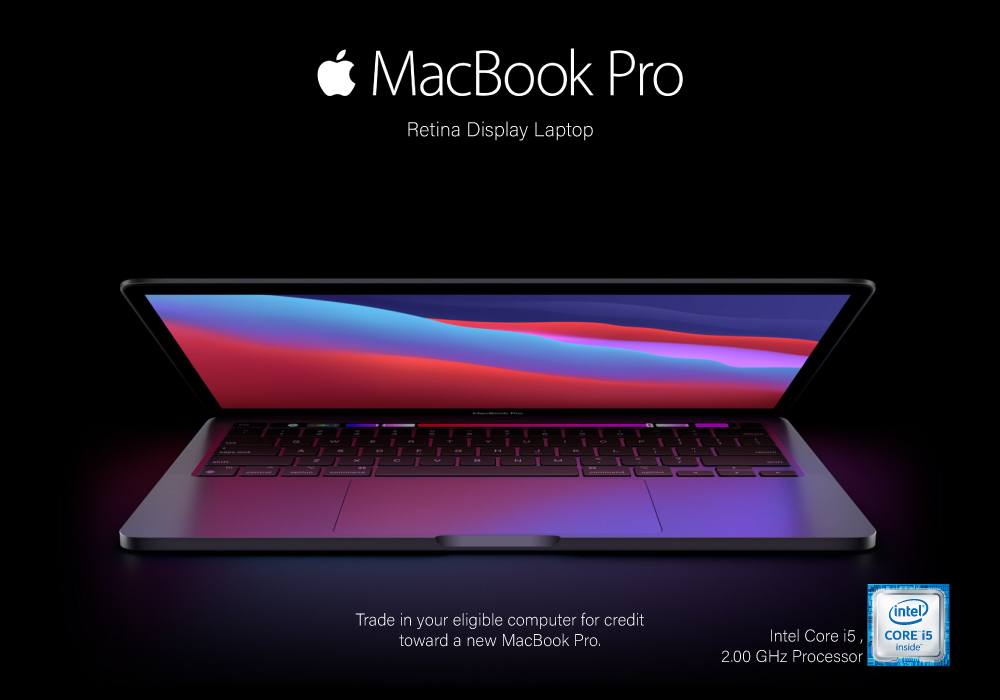
Need a quality product to take your productivity sky-high? Well, you know you can count on Apple for that. Apple MacBook Pro is a great series of laptops, with all the features and specs you desire. It is one of the most popular and most bought laptops on this planet. Which is the best one you ask? Well, stick around and find out.
Apple MacBook Pro 13.3" Review
This Apple laptop is one heck of a slim and lightweight laptop, which is loaded with great specs. It is powered by Intel Core i5 and 2.00GHz processor. It has a memory of 16GB RAM which is pretty cool. If we talk about the storage space, then it has a giant storage space of 1TB SSD. Yes, that’s right 1TB. This space is more than enough to store all your favourite movies, games, apps, software, and anything you want. It runs on MacOS which is quite fast-paced and smooth. The interface is great for all your operations, whether performing every-day tasks, doing multimedia editing, or just casual computing.
Display
This Apple laptop is equipped with a 13.3 inches display, which gives you the resolution of 2560x1600 pixels. The picture quality is just breathe-taking, and the colours are razor sharp. The Retina display lets you enjoy your visuals larger than life. Its display is a best fit for all your multimedia editing and development tasks. The colours are accurate, and every single detail can easily be seen. The LED backlit display gives you, life-like images and visuals for all your HD streaming. Even playing your favourite games on this laptop feels like a breeze.
Connectivity
MacBook Pro is equipped with plenty of ports to keep you connected, with your favourite devices. It has 2 ThunderBolt 3 USB-C ports which transfer data at a lightning-fast speed. Plus, it also helps you in charging your other android devices too. In addition to this there is also a headphone jack, to let you enjoy immersive sound on your headsets. You can connect to the internet in a jiffy, with the Wi-Fi 6 present in this laptop. The connection is strong, and it keeps you connected even when the signals are weak. In addition to this, there is also Bluetooth 5.0, to help you connect your Bluetooth compatible devices with it. Attach your wireless peripherals with this gaming laptop and take your productivity sky-high. It especially works best for gaming sessions.
Slim and Lightweight Design
Now let us talk a little about the slim and sleek design of this majestic creature. Apple MacBook Pro has the most sleek and thin body, with the weight of just 1.4kg. With being extremely light, it fits in your bag easily without taking up too much space. You can carry it around with you the whole day, and it never puts excessive stress or strain on your shoulders. The classy and bold appearance of this laptop surely grabs attention, wherever you take it.
Long-life Battery
What is the most important factor you look for in your portable mobile device? Of course, it is the battery. A long life battery means you can take your laptop with you anywhere you travel, without having to worry about constantly charging it or carrying a charger with you. This bad boy can give you up to 10 hours of battery time, which is quite remarkable and gives its rivals a run for their money.
Choose the Best Forget the Rest
This was the review and to put it simply, this is a great laptop for all kinds of users. It doesn’t matter for what purpose do you want to use it for. Whether for streaming, gaming, multimedia development, or editing, it seems to be the best option for your all needs. Style, power, durability, performance, you name it, MacBook Pro has it all.
FAQs: Apple MacBook Pro Retina Display Core i5 Review
Q: Is the Apple MacBook Pro Retina Display with Core i5 good for everyday use?
Yes, the MacBook Pro with Retina Display and Core i5 processor is excellent for everyday tasks like browsing, streaming, and office work. It also handles creative work like photo editing with ease.
Q: Can I use the MacBook Pro Retina Display for video editing?
The Core i5 MacBook Pro can handle light video editing and creative software, but for professional-level editing, a MacBook with a Core i7 or M-series chip and more RAM would perform better.
Q: How is the Retina Display different from a regular display?
Apple’s Retina Display offers higher resolution, vibrant colours, and sharper text compared to standard displays, making it ideal for design work and media consumption.
Q: Is the MacBook Pro Retina Display still worth buying in 2025?
If you’re looking for a reliable and affordable Apple laptop for productivity and light creative work, the Retina Display MacBook Pro remains a solid choice—especially refurbished models.
Q: What are the key specs of the MacBook Pro Retina Display Core i5?
Key specs include:
- Intel Core i5 processor
- Retina Display with high-resolution screen
- SSD storage for fast performance
- macOS for a seamless Apple ecosystem experience
Read More:
| Are MacBooks the go-to laptop for professionals? |
| Top MacBooks of 2024: Which Model is the Right Choice for You? |
| Which Laptop is Better for Playing Games, Samsung or Apple? |
Related Articles


Last Updated: November 12, 2025
Yes, MacBook is the go-to laptop for professionals. It’s no surprise that Macs were traditionally associated with creative industries like graphic design and marketing, but over time more businesses have started to adopt Apple technology. We now see them in so many industries i.e., association, retail, government, construction, transportation, etc.
There are many good reasons for this, but many businesses still regard Macs with suspicion and are hesitant to switch from PCs to Macs. The high cost of Macs is a common criticism leveled at them. While they are not cheap, they are generally comparable in price to high-end PCs and offer outstanding quality and longevity.
Businesses can easily stick with what they know and continue to rely on PCs, but there are numerous reasons to consider switching to Macs.
Let's look at a few of the more significant ones.
Security:
As compared to PCs, Macs are a safer option. Viruses for Apple are very less in number. Apple mostly does not get attacked by cybercriminals

Last Updated: December 02, 2025
Choose a MacBook for improved performance and ergonomics and experience improved operations, functionality, efficiency, and productivity compared to standard laptops.
MacBooks are among the most popular laptops because of their dynamic performance and incomparable functionality. However, Apple provides a range of MacBooks to cater to the diverse needs of various users.
If you are looking for a ‘MacBook laptop’ or apple laptop cost estimates, here are a few essential factors you should consider before making your decision and enjoying the ultimate computing experience.
How to Choose the Right MacBook Model?
Price
A MacBook can be expensive, but it provides users many benefits that other laptops don't, offering long-term use and value for offers users many benefits that other laptops don't, providing long-term value and a good return on investment with many benefits that other laptops don't, offering long-term use and value r money.
One way to choose the right MacBook is according to its

Last Updated: July 01, 2025
Rename Your Mac in Seconds
Whether you just got a new MacBook or want to keep your devices organised, changing your Mac’s name is quick and simple. It helps when using AirDrop, Bluetooth, iCloud, or sharing files on a network. Here's exactly how to do it.
How to Change MacBook Name – Step by Step
1. Open System Settings
- Click the Apple Menu in the top-left corner
- Select System Settings (or System Preferences on older macOS versions)
2. Go to General > About
- In the left-hand menu, click General
- Then choose About
3. Click the Current Name
- At the top, you’ll see your Mac’s current name
- Click the name field to edit it
4. Enter a New Name
- Type in your desired name (e.g. “John’s MacBook Pro”)
- Press Enter to save it
Your MacBook is now renamed! This will reflect across iCloud, AirDrop, and local network sharing.
Why Change Your MacBook’s Name?
- Makes it easier to identify on a shared network
- Keeps AirDrop clear when using multiple Apple devices
- Helps with iCloud

