



How to Choose the Right VR Accessories for Gaming and Entertainment
The right VR accessories depend on which headset you own and how you use it. For most users, the highest-impact upgrades are a comfort head strap with a battery pack, a silicone face cover for hygiene, and an audio solution. If you wear glasses, prescription lens inserts are well worth the investment.
The best approach is not to buy every accessory at once. Start with the one or two upgrades that fix your biggest pain points, then build your setup around how you actually play, watch, exercise or socialise in VR.
This guide explains how to choose VR accessories by headset type, play style, comfort needs and budget.
Why VR Accessories Make a Real Difference
Even the best VR headsets ship with compromises. Manufacturers keep costs down by including basic foam facial interfaces, lightweight straps that can feel unbalanced, and built-in audio that rarely matches a dedicated headset. The right virtual reality accessories address exactly those shortcomings without requiring you to buy an entirely new headset.
The difference between a 20-minute session cut short by headset pressure and a two-hour gaming marathon often comes down to a single comfort upgrade. Whether you own a Meta Quest 3, Meta Quest 3S, Sony PlayStation VR2, or HTC Vive Pro 2, the same principle applies: the headset gets you into virtual reality, but the accessories keep you there comfortably.
|
BENEFIT |
WHAT THE RIGHT ACCESSORY IMPROVES |
|---|---|
|
Comfort |
Redistributes weight, reduces facial pressure and helps you stay in VR for longer without fatigue. |
|
Immersion |
Improves spatial audio, controller feel, haptic feedback and physical presence. |
|
Battery life |
Extends standalone sessions with battery straps, docks or power banks. |
|
Hygiene |
Makes shared headsets easier to clean with wipeable or washable face covers. |
|
Convenience |
Keeps your headset, controllers, lenses and cables organised and ready to use. |
|
PC VR access |
Unlocks larger SteamVR and PC VR libraries through wired, wireless or adapter-based setups. |
Check Compatibility Before You Buy Anything
Not all VR accessories are universal. Buying a head strap designed for the Meta Quest 2 will not fit the Quest 3 or Quest 3S, and PlayStation VR2 accessories are built around Sony's halo-style design and Sense controllers rather than the Meta form factor. Before spending any money, confirm the product explicitly lists your headset generation.
Quick Compatibility Reference
|
ACCESORY TYPE |
META QUEST 3 / 3S |
PLAYSTATION VR2 |
HTC VIVE PRO 2 |
|---|---|---|---|
|
Third-party head straps |
Wide range available |
Limited, Sony-specific |
Some third-party, mostly OEM |
|
Prescription lens inserts |
Quest 3 and 3S specific (not interchangeable) |
Available from specialist lens brands |
Available from specialist lens brands |
|
Silicone face covers |
Wide range |
Available from VR accessory brands |
Available from OEM and third-party brands |
|
Controller grips/covers |
Wide range for Touch Plus |
Sense controller specific |
Vive Wand or Index controller specific |
|
Battery pack / power bank |
USB-C battery straps and power banks |
Sense controller charging docks; headset is powered by PS5 or PC connection |
Mains-powered headset; battery not applicable unless using wireless adapter |
|
PC VR connectivity |
Link Cable, Air Link, Steam Link or Virtual Desktop |
Official PS VR2 PC Adapter plus DisplayPort cable and Bluetooth |
Native wired PC VR; optional Vive Wireless Adapter |
|
Full-body tracking |
Possible through PC VR with Vive Trackers/base stations; limited standalone support |
No official consumer body tracking on PS5 |
Native SteamVR tracking support with Vive Trackers |
Head Straps and Comfort Upgrades
The stock straps on many headsets are functional but far from ideal for extended sessions. An ergonomic upgrade redistributes the headset's weight from your face to your forehead and the back of your skull, which can dramatically reduce eye socket pressure, forehead fatigue and neck strain. For many users, this is the single most impactful VR accessory.
There are two main styles to choose from: halo-style straps and elite-style straps. Halo straps create a ring around the head and usually reduce facial pressure. Elite-style straps use a rigid back shell and often feel more secure during active games.
Choose a halo-style strap if you mainly play seated games, watch films, wear glasses, or dislike pressure on your cheeks. Choose an elite-style strap if you play active titles such as Beat Saber, Pistol Whip, boxing games or fitness apps where the headset needs to stay firmly in place.
Meta Quest 3 and Quest 3S Head Straps
The Quest 3 and Quest 3S share many strap attachment designs, so many modern head straps support both models. Meta sells official Elite Strap options, but third-party brands such as Kiwi Design and BOBOVR are popular because they often combine comfort, better balancing and lower pricing.
- Kiwi Design K4 Head Strap: A halo-style option designed for comfort, padding and pressure reduction. The Boost variant adds a battery pack, making it a strong pick for longer gaming, fitness or media sessions.
- BOBOVR M3 Pro: A popular halo strap with a detachable magnetic battery pack. The weight redistribution is excellent for long sessions, and the battery adds extra playtime.
- BOBOVR S3 Pro: A premium option with an integrated fan and B100 hot-swappable 10,000mAh battery system. It is especially useful for fitness games, long standalone sessions and users who get warm during active VR.
- Meta Quest Elite Strap with Battery: The official option, with manufacturer-backed compatibility. Good choice if you want a first-party accessory, though third-party options often offer better value.
Helpful tip: If you play active games, prioritise a secure fit over maximum softness. If you mostly watch films, play seated adventures or use VR socially, prioritise facial pressure reduction and weight balance.
PlayStation VR2 Comfort Upgrades
The PS VR2 uses a halo-style design by default, which already offers reasonable comfort. The most common complaint from users is that the stock forehead padding can feel thin or slippery during longer sessions. Third-party comfort pads address this directly.
- Globular Cluster CMP2 Comfort Mod: Widely regarded by PS VR2 users as one of the best comfort upgrades available. It replaces the stock padding with a more substantial, grippy alternative that reduces slipping and pressure.
- VR Cover Facial Interface & Foam Replacement: Replaces or improves the standard facial padding with easier-cleaning materials and a more supportive fit.
For PS VR2 owners, comfort upgrades are less about replacing the whole strap and more about improving forehead grip, rear padding and face contact.
HTC Vive Pro 2 Comfort Upgrades
The Vive Pro 2 is heavier than many consumer standalone headsets and is mainly designed for extended PC VR sessions. Its design places more weight on the forehead, which some users find tiring over time.
- HTC PU Leather Face Cushion Replacement: The official OEM-style upgrade, easier to wipe clean than standard foam and suitable for shared or regular use.
- VR Cover Foam Replacements for Vive Pro: Third-party foam pads that can improve hygiene, comfort and, depending on thickness, perceived field of view.
Because the Vive Pro 2 is a PC VR headset, comfort should be considered alongside cable management, room setup and storage. A good fit is only part of a comfortable long-session setup.
Audio Accessories for VR
Audio plays a surprisingly important role in VR immersion. Spatial audio cues tell your brain where sounds are coming from in three-dimensional space, reinforcing the sense of presence. On most headsets, built-in speakers are convenient but do not always provide the isolation, bass or positional clarity you get from a dedicated audio accessory.
You have three main options: in-ear headphones, over-ear VR gaming headsets or clip-on headset-mounted speakers. In-ear headphones usually provide the best isolation and least bulk. Over-ear headsets can sound better, but they may interfere with some head straps. Clip-on solutions keep the setup tidy but depend heavily on headset compatibility.
Audio Options by Headset
|
HEADSET |
BUILT-IN AUDIO |
CONNECTION OPTIONS |
RECOMMENDED AUDIO APPROACH |
|---|---|---|---|
|
Meta Quest 3 |
Spatial speakers |
3.5mm headphone jack, USB-C audio and Bluetooth |
Wired 3.5mm earphones for lowest latency, or low-latency wireless earbuds |
|
Meta Quest 3S |
Spatial speakers |
USB-C audio and Bluetooth; no built-in 3.5mm headphone jack |
USB-C earphones, USB-C to 3.5mm adapter, or a strap/accessory that adds audio output |
|
PlayStation VR2 |
3D audio support through PS5 |
3.5mm jack on headset |
Quality wired in-ear headphones via 3.5mm; Sony gaming earbuds for premium wireless use |
|
HTC Vive Pro 2 |
Integrated high-resolution headphones |
Built-in headphones, 3.5mm and USB audio options |
Built-in headphones are strong; upgrade only if you want higher-end audio or different fit |
Note on Bluetooth latency: Standard Bluetooth audio can introduce noticeable delay, which is especially distracting in VR. For rhythm games, shooters, films and social VR, wired audio or low-latency wireless earbuds are usually better.
Audio Accessory Picks
- Logitech G333 VR Gaming Earphones: Compact wired earphones designed with VR cable lengths in mind. Useful if you want minimal cable clutter.
- Sony Inzone Buds: A premium wireless option that pairs well with PlayStation gaming setups and offers low-latency performance through a dongle-based connection.
- Low-latency USB-C earbuds: A practical choice for Quest 3S users who do not have a 3.5mm jack.
- Standard 3.5mm in-ear headphones: A cost-effective upgrade for Quest 3, PS VR2 and Vive Pro 2 users who want reliable audio without Bluetooth delay.
Controller Grips, Covers, and Add-ons
Controller accessories serve two purposes: protection and ergonomics. Unlike standard wireless gaming controllers, VR controllers are tracked in three-dimensional space, so grip, safety straps and sensor coverage matter much more.
Silicone grip covers prevent controllers from slipping during sweaty sessions and protect them from scratches or light impact. Knuckle straps allow you to relax your grip without risking a controller flying across the room. These are particularly useful for active games such as boxing, racket sports, rhythm games and fitness apps.
Beyond comfort and safety, there is a growing range of controller attachments that simulate real-world objects, from golf clubs and tennis rackets to gun stocks for shooter titles. These can noticeably improve immersion in compatible games, though quality varies significantly.
Meta Quest 3 and Quest 3S Controller Accessories
- AMVR Knuckle Grips: Silicone covers that wrap around the Touch Plus controllers with a built-in hand strap. They reduce grip fatigue and protect the controllers during active play.
- KIWI Design Controller Grips: A well-regarded option with textured silicone and adjustable knuckle straps. Available in multiple colours and compatible with Touch Plus controllers.
- Racket accessories: Brands such as AMVR and Syntech make plastic racket frames that clip onto Touch Plus controllers for games such as table tennis, tennis and golf-style experiences.
PlayStation VR2 Sense Controller Accessories
- Hand straps: These wrap around the controller and your hand, allowing you to relax your grip without dropping the Sense controller.
- Silicone grip covers for Sense controllers: Available from several accessory brands, these improve grip feel and protect the circular Sense controller design from scratches and sweat.
HTC Vive Pro 2 Controller Add-ons
- Vive Controller Grip Covers: HTC and third-party brands offer silicone covers for Vive Wand controllers.
- Valve Index Controllers: If your Vive Pro 2 setup uses SteamVR base stations, upgrading to Valve Index-style controllers can significantly improve hand presence and ergonomics.
- Gun stocks for SteamVR: Rifle stocks work across many SteamVR shooter titles and can improve two-handed aiming stability.
A word on specialist attachments: Always check game compatibility before buying. A golf club, gun stock or racket accessory only adds value if the games you play support that style of control.
Charging Solutions and Power Accessories
Battery life is one of the most common frustrations with standalone VR headsets. Meta lists the Quest 3 at around 2.2 hours of general use and the Quest 3S at around 2.5 hours, but real-world gaming battery life varies depending on brightness, mixed reality use, wireless PC streaming, refresh rate and the app being played. The PS VR2 headset is powered through the console or desktop PC connection, but its Sense controllers still need charging.
A good charging setup reduces friction. It means your headset and controllers are ready when you want to play rather than becoming another thing to remember.
Battery Pack Head Straps for Quest 3 and Quest 3S
The most practical power upgrade for Meta Quest users is a head strap with an integrated or detachable battery. These usually charge via USB-C, distribute weight more evenly and extend playtime.
- BOBOVR M3 Pro: Adds extra playtime with a detachable magnetic battery and helps balance the front-heavy Quest design.
- BOBOVR S3 Pro with B100 Battery System: Uses a hot-swappable 10,000mAh B100 battery pack. This is a strong choice for long sessions, fitness games and users who want to swap batteries without fully ending a session.
- Kiwi Design Boost-style straps: Combine better comfort with extra battery life and are a practical alternative to carrying a separate power bank.
Charging Docks and Stands
A dedicated charging dock keeps controllers and headsets charged and organised. This is especially useful for the PS VR2 and its Sense controllers.
- Official PlayStation VR2 Sense Controller Charging Station: Sony's official dock charges both Sense controllers using magnetic click-in connectors. It is simple, tidy and officially supported.
- All-in-one PS VR2 stands: These can hold the headset, Sense controllers and headphones in one place.
- AMVR or Kiwi-style Quest charging stands: Useful if you want your Quest headset and controllers displayed neatly rather than stored in a case.
Portable Power Banks for VR Sessions
If you do not want a battery head strap, a standard USB-C power bank can help extend Quest 3 or Quest 3S sessions. A 10,000mAh or 20,000mAh power bank can be clipped to a belt or placed in a pocket.
This is usually cheaper than a battery strap, but less elegant. The trailing cable can catch during active play, so use a short, high-quality USB-C cable and route it safely behind your back or through a strap clip.
Lens Inserts, Face Covers, and Hygiene Accessories
Two categories often overlooked by new VR users are lens inserts for glasses wearers and hygiene accessories for anyone sharing their headset. Both directly affect comfort, clarity and how long you can spend in VR without discomfort.
Prescription Lens Inserts
If you wear glasses, prescription lens inserts are one of the best VR accessories you can buy. They clip or magnetise directly onto the headset lenses, meaning you can leave your glasses off entirely. This removes pressure from the bridge of your nose and reduces the risk of scratching the headset lenses.
- Meta Quest 3: Prescription inserts are available from Meta’s official lens partners and third-party VR lens specialists. The Quest 3 also has depth adjustment to create more room between your face and the lenses.
- Meta Quest 3S: Quest 3S lens inserts are different from Quest 3 inserts. Buy a Quest 3S-specific or explicitly compatible insert set, and use the included glasses spacer if you continue wearing glasses.
- PlayStation VR2: Prescription inserts from specialist VR lens brands clip onto the headset lenses and can improve comfort for glasses wearers.
- HTC Vive Pro 2: VR prescription inserts protect the headset lenses and remove glasses-related pressure, which is particularly useful on a heavier PC VR headset.
Sun safety reminder: Never leave a VR headset facing a window or direct sunlight. The lenses can focus sunlight like a magnifying glass and permanently damage the internal display in minutes. Store headsets in a case or with lenses facing away from windows.
Face Covers and Hygiene Accessories
The foam facial interface that comes with many headsets absorbs sweat and is difficult to clean. Replacing it with a silicone, PU leather or washable fabric alternative makes hygiene maintenance far easier.
- Silicone face covers: Fully wipeable, non-porous and good for shared headsets. Some users find they increase fogging because airflow can be reduced.
- PU leather face covers: Easier to wipe down than foam and often more comfortable than silicone for longer sessions.
- Washable fabric covers: Useful for families, parties or shared headsets. They slip over the existing foam and can be machine washed.
- Lens cleaning kits: A microfibre cloth is essential. Avoid spraying liquids directly onto headset lenses; apply any approved cleaning solution to the cloth only, and follow the headset manufacturer’s guidance.
Connectivity and PC VR Accessories
Connecting a standalone or console VR headset to a PC opens access to larger VR libraries and more graphically demanding titles. For Meta Quest owners, this means PC VR through a wired Link Cable or wireless options such as Air Link, Steam Link or Virtual Desktop. PS VR2 owners can use Sony’s official PC Adapter to access SteamVR. The Vive Pro 2 is a PC-native headset and connects directly.
Meta Quest 3 and Quest 3S: PC VR Connectivity
- Meta Quest Link Cable: Meta's official 5m USB-C Link Cable connects a Quest headset to a compatible gaming PC. It is a premium fibre-optic cable designed for stable PC VR connectivity, but charging performance depends on the PC port and setup, so do not rely on unsupported wattage claims.
- Third-party Link cables: Brands such as Syntech offer more affordable USB 3 cables. Look for 5m length, USB 3 data support, good strain relief and reviews from VR users.
- Air Link / Steam Link / Virtual Desktop: Wireless PC VR can work very well with the right network. For best results, use a strong Wi-Fi 6 or Wi-Fi 6E router, keep the PC wired to the router via Ethernet, and play in the same room as the access point.
If you use gaming laptops for VR, check that the laptop has suitable USB, GPU and networking support before investing in Link cables or wireless PC VR upgrades.
PlayStation VR2: PC VR via the Official Adapter
Sony released the official PS VR2 PC Adapter in August 2024. It allows the PS VR2 headset to connect to a compatible Windows PC and access SteamVR titles. You also need a DisplayPort 1.4 cable, which is sold separately, and a compatible Bluetooth connection for the Sense controllers.
Important note on PS VR2 PC play: When using PS VR2 on PC, several PS5-specific features are not available, including HDR, headset feedback, eye tracking, adaptive triggers and advanced haptic feedback beyond basic rumble. You still get the headset display, controllers and SteamVR access, but not the full PS5 feature set.
HTC Vive Pro 2: Wired and Wireless Options
- DisplayPort wired connection: The Vive Pro 2 connects to a PC through its Link Box and DisplayPort connection. This is the main way to get the headset’s full visual performance.
- HTC Vive Wireless Adapter: Adds cable-free PC VR to the Vive Pro 2. Wireless use can reduce maximum resolution and refresh-rate options compared with wired mode, so it is best for users who value movement freedom over maximum image quality.
Tracking Upgrades and Full-Body Tracking
Most consumer VR headsets track the headset and controllers only, leaving the rest of the body untracked. Full-body tracking adds tracked representations of your feet, legs and torso in virtual reality. This can significantly improve immersion in social VR platforms, dance apps, fitness experiences and some PC VR games.
HTC Vive Pro 2: Full-Body Tracking with Vive Trackers
The Vive Pro 2's SteamVR Tracking system is one of the most capable consumer-grade tracking platforms available. Because base stations can track compatible devices, you can add Vive Trackers to body parts or physical props.
- HTC Vive Tracker 3.0: A compact tracking puck that can be attached to ankles, waist belts or props.
- SteamVR Base Station 2.0: HTC lists Base Station 2.0 as supporting wide-area tracking up to 1000 sq ft depending on setup, with larger areas requiring multiple base stations.
- Tracker straps and belts: Products from brands such as Rebuff Reality provide comfortable mounts for attaching trackers to ankles and hips.
Meta Quest 3 and Quest 3S: Body Tracking Options
The Quest 3 and Quest 3S do not offer the same native full-body tracking setup as a SteamVR base-station system. When connected to a PC, Quest users can combine SteamVR-compatible trackers and base stations for supported apps.
Standalone body tracking on Quest remains more limited than a dedicated PC VR tracking setup. For VRChat and serious full-body tracking, plan around PC VR compatibility, base stations and tracker support before buying.
PlayStation VR2 Tracking Add-ons
The PS VR2 uses inside-out camera tracking for the headset and Sense controllers. As of June 2026, Sony has not released a mainstream consumer full-body tracking system for PS VR2 on PS5. For most PS VR2 users, the most useful tracking-related accessories are controller grips, safer play-area setup and cable management rather than full-body tracking hardware.
Carrying Cases and Storage Accessories
A dedicated carrying case is a practical protective investment, especially if you transport your headset to a friend’s house, a gaming venue, university accommodation or the office. VR headset lenses are vulnerable to scratches and sunlight damage, and controllers can be knocked easily if left loose on a desk.
There are two main types: hard-shell cases and soft cases. Hard-shell cases are better for travel and protection. Soft cases are lighter and easier to store but less drop-resistant. For home use, a headset stand can be a tidier alternative to a case.
Carrying Case Recommendations
- Large hard case for Meta Quest 3 / 3S: Choose a case that explicitly fits your headset with your chosen strap attached. Many compact cases only fit the standard strap and will not close around a larger halo or battery strap.
- Compact Quest case: Good for travel if you use a standard or low-profile strap.
- PS VR2 case: Choose a case shaped for the PS VR2 halo design and Sense controllers.
- Vive Pro 2 storage case: Useful for keeping the headset, Link Box, cables and controllers together safely.
Headset Stands and Display Storage
- Universal VR headset stand: A budget-friendly way to keep your headset and controllers organised on a desk or media unit.
- Charging stand: Combines display storage with charging, useful for Quest users who want the headset ready at all times.
- Wall mounts: Good for dedicated VR rooms, but make sure the lenses face away from windows and direct light.
Lens safety reminder: Whether using a case, stand or wall mount, always ensure the headset’s lenses are protected from direct sunlight.
Haptics, Immersion Accessories, and Advanced Add-ons
Beyond comfort and connectivity, specialist PC gaming accessories such as haptic vests, gun stocks and body trackers can bring more physical feedback into VR. Most are optional enthusiast upgrades, but some can make specific games much more enjoyable.
Haptic Vests
Haptic vests deliver vibrotactile feedback to your torso, simulating impacts, explosions, music pulses or environmental effects in compatible games.
- bHaptics TactSuit X16: A lighter and more affordable haptic vest with multiple feedback points. Good for rhythm games, shooters and supported PC VR or Quest titles.
- bHaptics TactSuit X40: A higher-end option with more feedback points for more detailed sensations.
Haptic vests are most worthwhile if you regularly play supported games. Check compatibility lists before buying, because the experience varies heavily by title.
VR Mats and Floor Accessories
A non-slip VR mat defines your play area physically and gives tactile feedback when you approach the edge. This can reduce the likelihood of drifting into furniture, walls or TVs.
- VR floor mat: Useful for room-scale play, fitness games and beginners who are still building spatial awareness.
- Anti-fatigue mat: Useful for long standing sessions, especially in social VR or simulation games.
Gun Stocks and Sports Attachments
Gun stocks and sports attachments clip controllers into frames that resemble rifles, golf clubs, tennis rackets or table-tennis bats.
- Gun stocks: Improve two-handed aiming feel in shooters such as Pavlov, Contractors, Zero Caliber and similar titles.
- Sports attachments: Add immersion in table tennis, golf, tennis and fishing games.
- Fitness grips: Improve hold and reduce slipping during boxing, rhythm and workout apps.
These accessories are fun, but they are not universal upgrades. Buy them only for games you already play regularly.
Budgeting Your VR Accessories: What to Buy First
It is easy to spend a significant amount on VR accessories, but not all upgrades offer the same return on investment. The best approach is to start with the highest-impact, lowest-cost improvements first, then add further accessories based on the friction you actually experience.
|
BUDGET TIER |
APPROX. SPEND |
RECOMMENDED PRIORITIES |
BEST FOR |
|---|---|---|---|
|
Starter |
£20–£50 |
Silicone face cover, controller grips, microfibre lens cloth, headset stand |
New VR users and shared family headsets |
|
Comfort Upgrade |
£50–£100 |
Battery head strap, halo strap, PS VR2 comfort mod, USB-C audio adapter |
Anyone doing sessions longer than 45 minutes |
|
Enthusiast |
£100–£200 |
Prescription lens inserts, Link cable or PC adapter, quality earphones, hard carry case |
Regular users, glasses wearers and PC VR players |
|
Advanced |
£200–£500+ |
Haptic vest, Vive Wireless Adapter, Vive Trackers, specialist controller mounts |
SteamVR enthusiasts, VRChat users and fitness-focused players |
Recommended Starting Point: Top VR Accessories by Headset
Meta Quest 3: Start with a comfort or battery head strap. The Quest 3 already has a 3.5mm headphone jack, so wired audio is easy to add later. If you use PC VR, decide whether you prefer the consistency of a Link Cable or the freedom of wireless streaming.
Meta Quest 3S: Start with a battery head strap and an audio solution. The Quest 3S is excellent value, but because it lacks a 3.5mm headphone jack, you may want USB-C earphones, a USB-C to 3.5mm adapter or low-latency wireless earbuds.
PlayStation VR2: Start with the official Sense Controller Charging Station and a comfort pad. These two upgrades make the headset easier to live with day to day. If you have a gaming PC, the PS VR2 PC Adapter is worth considering, but remember that some PS5-specific features do not carry over to PC.
HTC Vive Pro 2: Start with hygiene, storage and cable comfort. A PU leather face cushion, lens protection, good cable routing and a safe storage case will usually improve the experience more than flashy add-ons. If you use social VR or VRChat, then Vive Trackers and base stations become much more relevant.
Common Mistakes to Avoid
- Buying accessories before checking exact headset compatibility
- Choosing the cheapest strap without considering comfort or balance
- Buying a compact case that does not fit a battery strap
- Using standard Bluetooth audio for rhythm games or films where latency matters
- Buying specialist controller attachments before checking game support
- Leaving headset lenses exposed to sunlight
- Assuming all Quest 3 accessories fit Quest 3S, or vice versa
- Assuming PS VR2 has the same features on PC as it does on PS5
- Buying body trackers without confirming whether your platform and apps support them

Gear Up, Dive In
As this VR accessories guide shows, choosing the right upgrades comes down to knowing your headset, your use case and your budget.
For most people, the smartest upgrade path is simple: fix comfort first, improve hygiene second, then add better audio, power and storage. After that, specialist accessories such as haptic vests, gun stocks and body trackers only make sense if they match the games and experiences you actually use.
Start with one or two upgrades that address your biggest pain points, play with them, then build your setup from there. Quality accessories extend how long and how comfortably you can stay in virtual reality, and that is ultimately what makes VR more enjoyable over the long term.
Upgrade your setup with the right VR accessories and make every gaming, fitness or entertainment session more comfortable, immersive and enjoyable.

Clear the Air Before You Buy...
What is the best VR accessories to buy?
For most users, the best first accessory is a better head strap or comfort upgrade. Comfort affects every VR session, whether you are gaming, watching films, exercising or using social VR.
Are Meta Quest 3 and Quest 3S accessories the same?
Some are, but not all. Many head straps and controller accessories support both Quest 3 and Quest 3S, but lens inserts, facial interfaces and some fitted cases may differ. Always check the exact model listing before buying.
Does Meta Quest 3S have a headphone jack?
No. The Quest 3S does not have a built-in 3.5mm headphone jack. Use USB-C audio, a USB-C to 3.5mm adapter, Bluetooth earbuds or an accessory that adds audio output. The Quest 3 does have a 3.5mm headphone jack.
Is a battery head strap worth it?
Yes, for most Quest 3 and Quest 3S owners. It improves balance and extends playtime, solving two common standalone VR problems at once.
Do I need prescription lens inserts for VR?
If you wear glasses regularly, prescription inserts are strongly recommended. They improve comfort, reduce pressure and protect the headset lenses from scratches.
Is wireless PC VR better than a Link Cable?
Wireless PC VR feels more natural because there is no cable, but it depends heavily on your router and network setup. A Link Cable is usually more consistent. Choose wireless for freedom and wired for reliability.
Can PS VR2 play PC VR games?
Yes, with Sony’s official PS VR2 PC Adapter and a compatible Windows PC. However, PS5-specific features such as HDR, eye tracking, adaptive triggers and advanced haptic feedback are not available on PC.
Are haptic vests worth buying?
Only if you regularly play supported games. Haptic vests can add a lot of immersion, but they are expensive and not every VR game uses them well.
| Read More |
| What is A VR Headset? Enhance Your Gaming Experience |
| VR-Ready Graphics Cards: Best Picks for 2026 |
| The Impact of Augmented Reality on Mobile and Laptop User Interfaces |
Related Articles

Last Updated: December 19, 2025
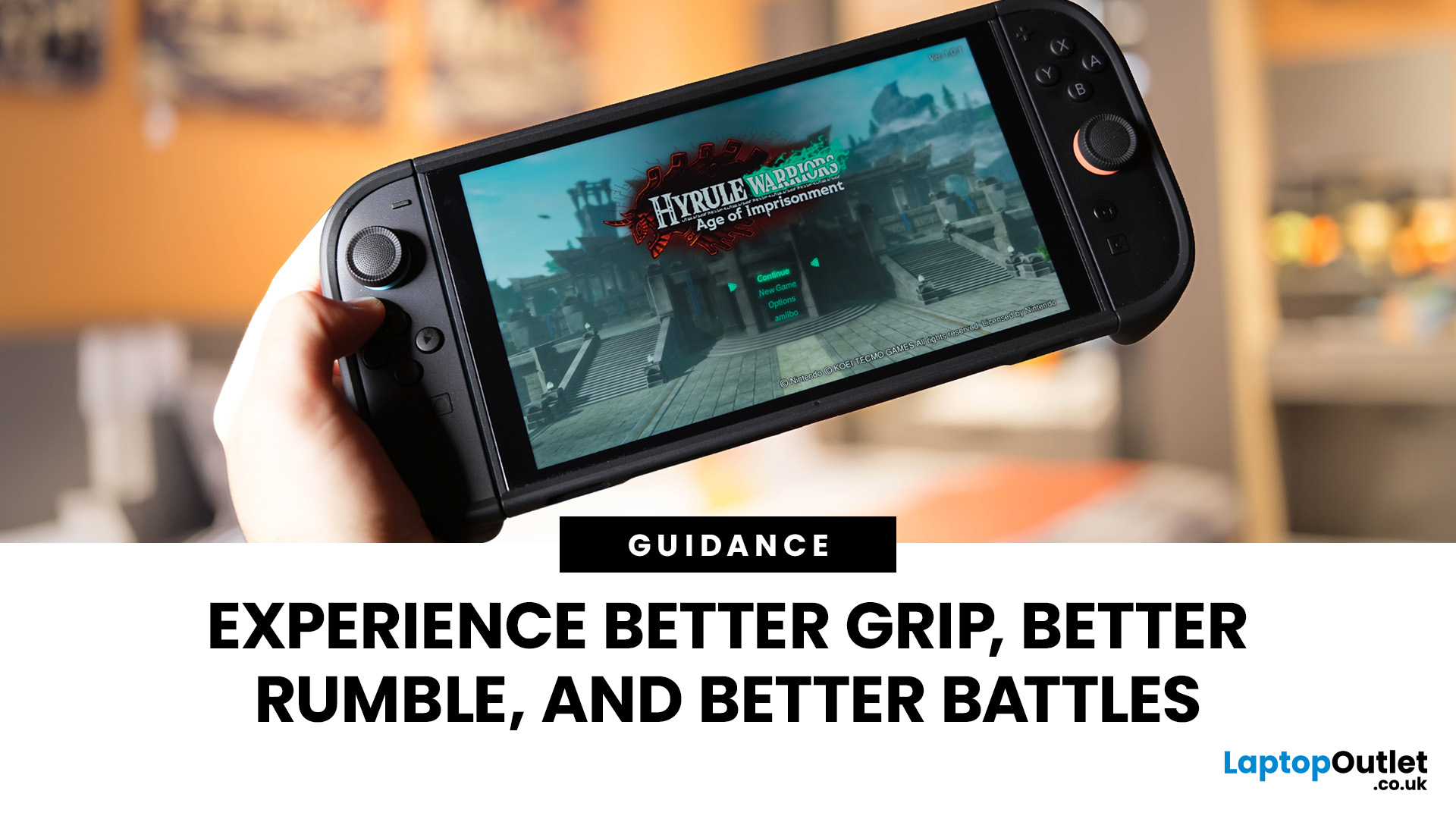
Since its launch on 5th June 2025, the new Nintendo Switch 2 has taken the gaming world by storm. This new console promises a substantial upgrade in power and features over its predecessor.
But what does this really mean for the games you love? The best way to find out is to put it through its paces with a demanding title. That is why we are focusing this Nintendo Switch 2 review on Hyrule Warriors: Age of Imprisonment.
This new entry in the action-packed Hyrule Warriors series is the perfect showcase. It features the massive, chaotic battles that pushed the original Switch to its limits. We will explore how the Switch 2 stacks up. Expect to see major improvements in visuals, frame rate, and overall gameplay.
If you are considering an upgrade or looking for the perfect platform for this epic hack-and-slash adventure, this is the guide you need.
Technical Specifications of the Nintendo Switch 2

Before diving into the gameplay, it helps to understand the hardware inside the Nintendo Switch
Last Updated: August 28, 2026
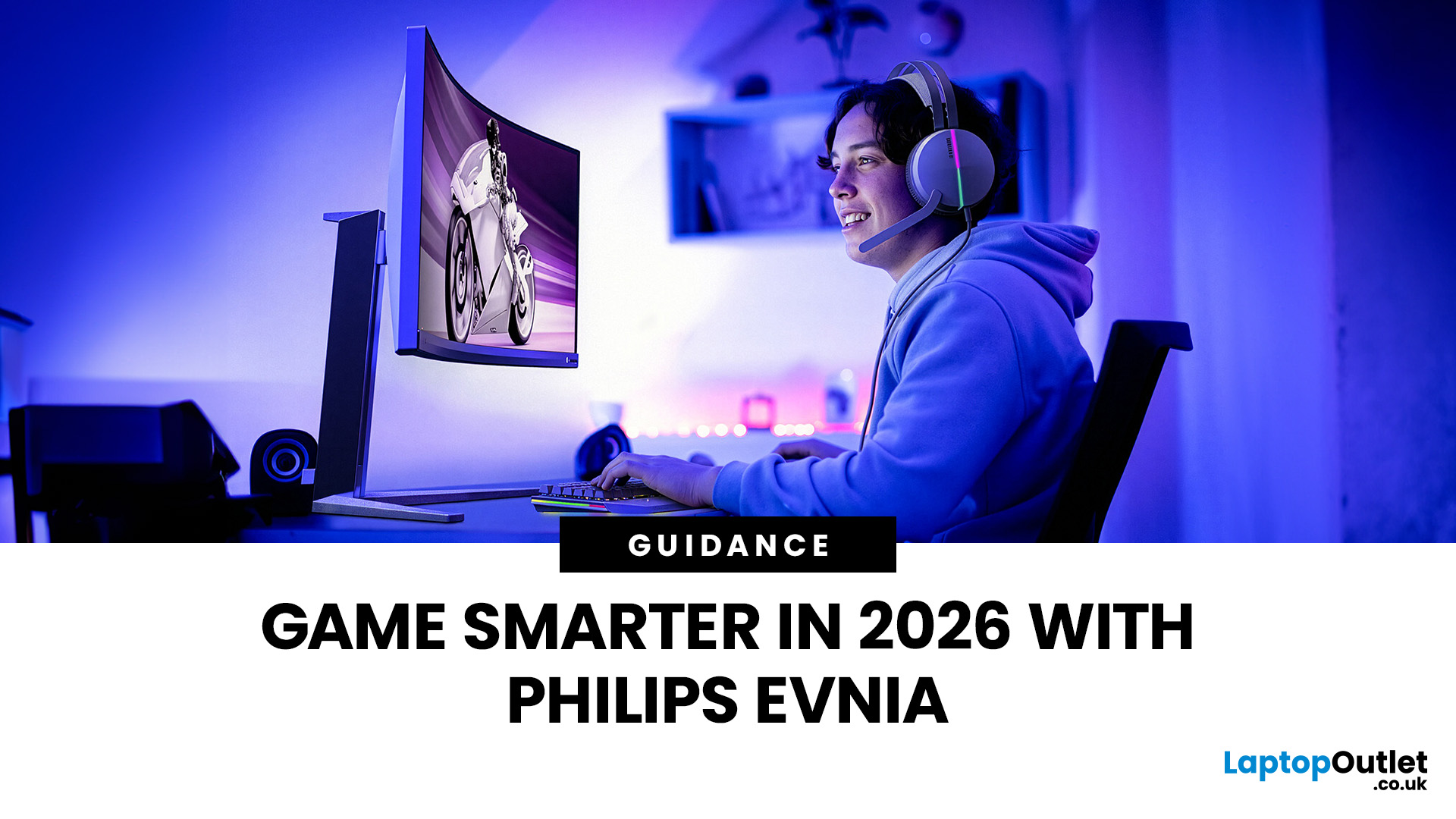
Gaming has changed rapidly over the last few years. In 2026, players demand more than just a clear picture. They want fluid movement, deep colours, and hardware that looks as good as the game itself. This is where Philips Evnia monitors come into play.
The Evnia range was designed to break the "typical gamer" stereotype. These screens combine high-end performance with a sleek, modern aesthetic. Whether you are a competitive esports player or a casual console gamer, there is a model tailored for you.
Finding the right display can be tricky. You have to balance refresh rates, resolution, and panel types. In this guide, we break down the five best Philips monitors for gaming to help you level up your setup.
1. Philips Evnia 24M2N3201A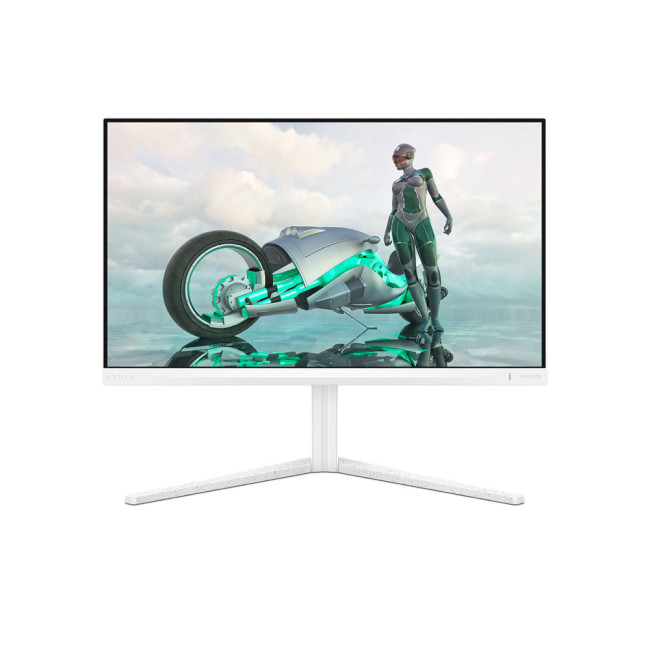
Key Specifications:
- Screen Size: 23.8 Inches
- Panel Type: Fast IPS
- Resolution: Full HD (1920 x 1080)
- Refresh Rate: 180Hz
- Response Time: 1ms (GtG)
- Aspect Ratio: 16:9
- Screen Shape: Flat
- Connectivity: 2x HDMI 2.0, 1x DisplayPort 1.4
- Features: Adaptive Sync,
Last Updated: May 19, 2026
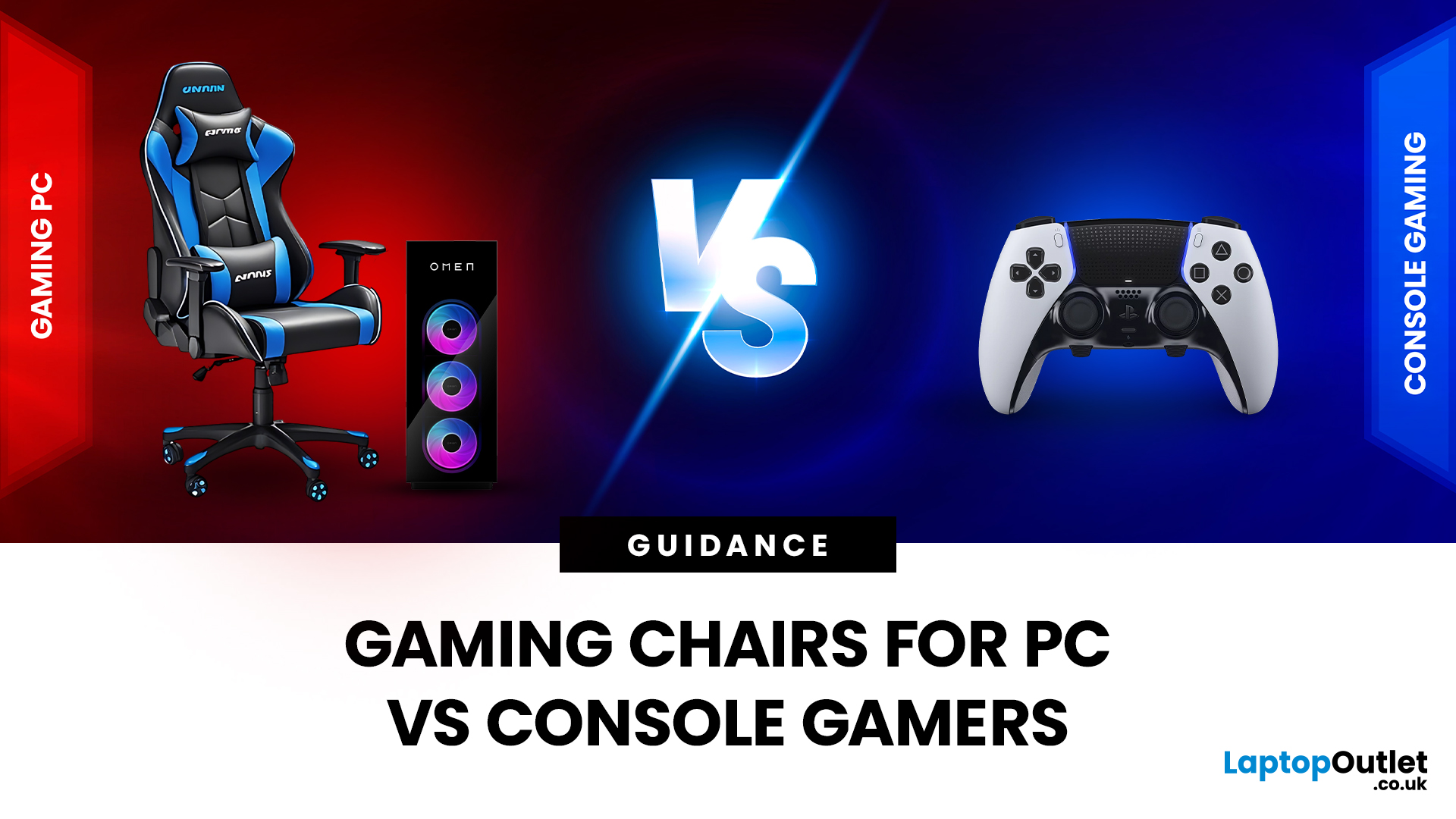
Choosing the right gaming chair is often treated as a cosmetic decision, colour, style, and whether it “looks gamer enough.” In reality, the chair you sit on has a far greater impact on your comfort, posture, and long-term health than many hardware upgrades.
For anyone deciding between gaming chairs for PC vs console, the choice is rarely straightforward. PC gamers and console gamers sit differently, play differently, and interact with their setups in completely different ways. A chair that works perfectly at a desk can feel awkward in a living room, while a recliner designed for console gaming can be unusable for mouse-and-keyboard play.
Why the Right Gaming Chair Matters More Than Ever
Modern gaming sessions are longer than they’ve ever been. Competitive multiplayer, open-world games, and live-service titles encourage extended playtimes, often lasting several hours at a stretch.
Sitting for long periods without proper support can lead to:
- Lower back pain
- Neck and shoulder tension
- Poor
Last Updated: May 19, 2026
Level up your gaming experience as we head into a brand-new year. If your current rig is struggling with frame drops or long loading times, the New Year gaming laptop deals 2026 at Laptop Outlet are exactly what you need.
2026 is set to be a massive year for the industry, with highly anticipated titles (like GTA VI) pushing the boundaries of realism. To enjoy these games the way developers intended, you need hardware that is built for the future.
We have curated a list of the eight best laptops available for gaming in 2026. These incredible machines offer the ideal blend of power, portability, and price for every type of gamer.
1. ASUS TUF Gaming A16 (FA607NUG-RL116W)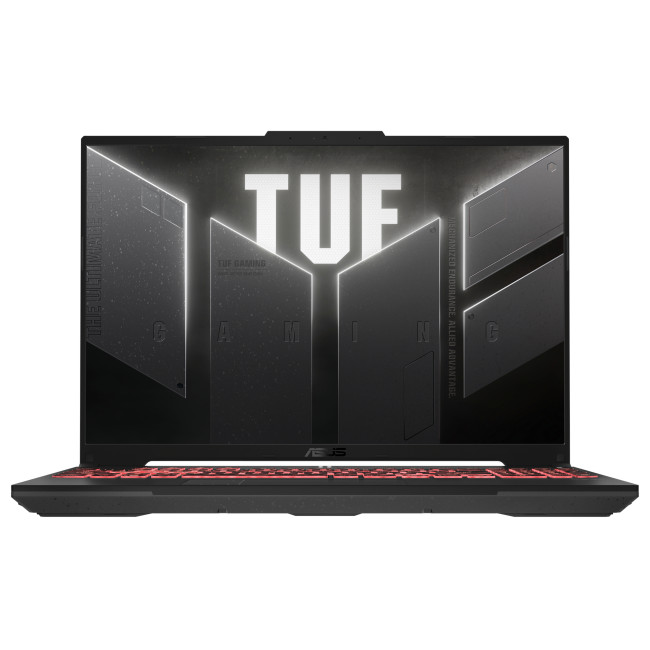
Key Specifications
- Display: 16" FHD+ (1920 x 1200), 144 Hz, IPS
- Processor: AMD Ryzen 7 7445HS Hexa-Core
- Graphics: Dedicated NVIDIA GeForce RTX 4050, 6 GB
- Memory: 16GB DDR5 RAM
- Storage: 512GB SSD
- Connectivity: USB Type-C | USB-A | HDMI | Wi-Fi | Bluetooth | Ethernet
- Battery: 54 Wh
Why You Will Love It
This ASUS TUF

Last Updated: January 13, 2026
NVIDIA has once again raised the bar for PC gaming performance and visual fidelity. At CES 2026, the company officially unveiled DLSS 4.5, the latest evolution of its industry-leading AI upscaling and frame generation solution. Built on years of refinement and powered by next-generation RTX hardware, DLSS 4.5 represents a major leap forward for gamers who want smoother gameplay, higher frame rates, and sharper visuals without compromise. In this article, we’ll break down DLSS 4.5 features, explore DLSS 4.5 vs DLSS 4, and explain how this new technology transforms real-world DLSS 4.5 gaming performance.
What is DLSS 4.5?
DLSS 4.5 is the newest update to NVIDIA’s AI rendering technology, designed to deliver major improvements in both performance and image quality. DLSS (Deep Learning Super Sampling) uses artificial intelligence to render games at a lower resolution and intelligently upscale them, producing images that look as good as, or better than, native resolution, while significantly
Last Updated: March 06, 2026
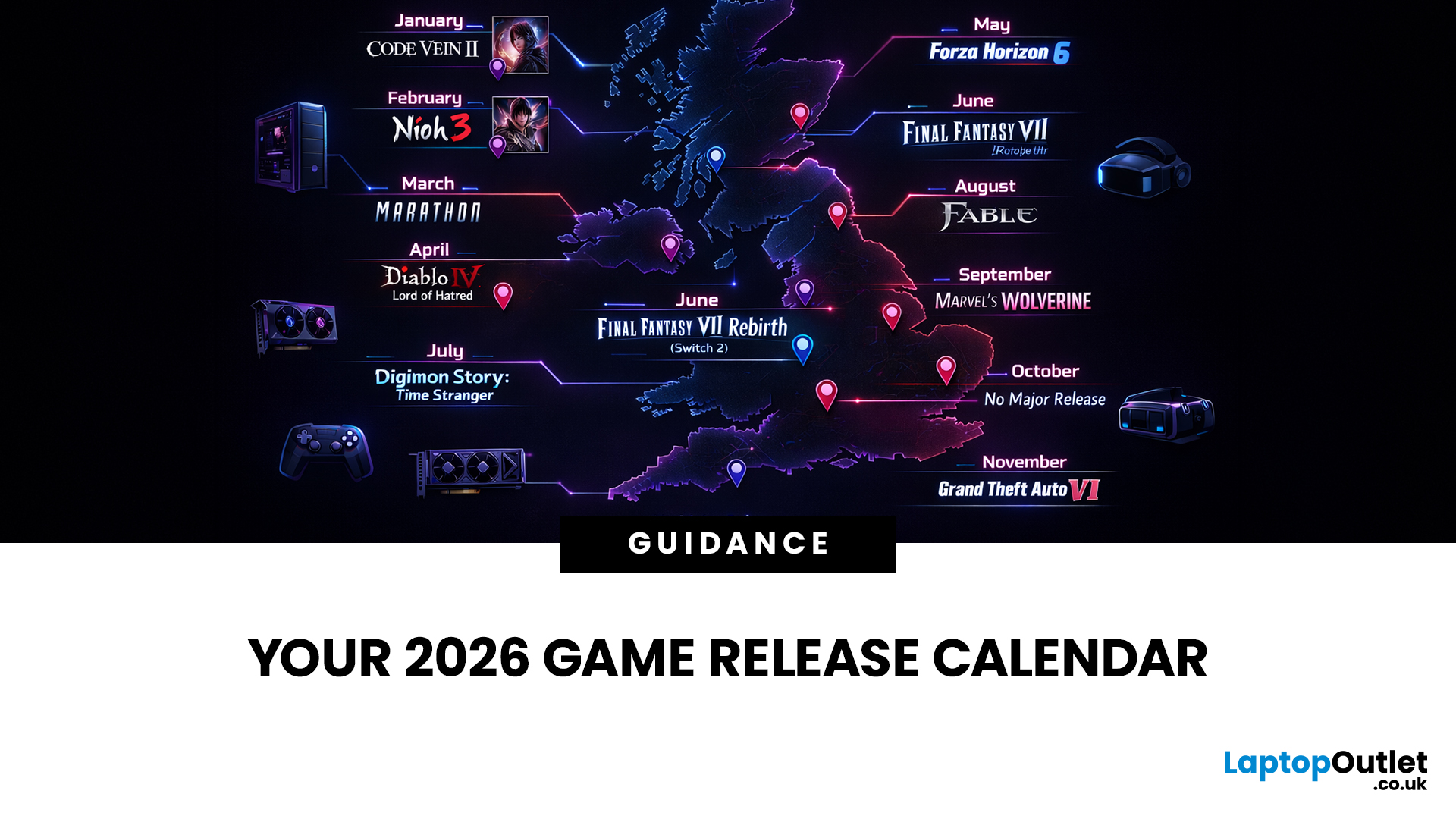
If you’re trying to plan your backlog (or your annual leave), this is your 2026 upcoming games list in one place, with confirmed release dates and clearly labelled release windows where a specific day isn’t locked yet.
This guide is built for people who want a clean answer to: “What’s coming out in 2026, and when?” — including release dates on Switch/Switch 2, PS5, Xbox Series X|S, and PC.
Last Updated: Friday, 6 March 2026
How We Verify Release Dates (so you can trust the calendar)
We only list a game under a month when it has a confirmed date (day + month) from a reliable source (publisher/dev announcement, platform store listing, or established release calendar). For wider coverage, we cross-check against frequently updated release schedules.
Labels You’ll See:
- Confirmed date = the day is publicly announced/listed
- Release window = “Spring 2026 / Q3 2026 / 2026” (no day yet)
- Early Access = date refers to EA launch, not 1.0
Quick timezone note (important): some PC store pages show a
Published: March 13, 2026
For many gamers, Pokémon isn’t just a game — it’s a childhood memory.
Maybe you remember trading Pokémon on the playground with a Game Boy link cable. Or staying up late trying to beat the Elite Four for the first time. Fast-forward to today, and Pokémon has evolved into a global phenomenon with nine generations of games and over 1,000 Pokémon.
The journey started in 1996 with Pokémon Red and Green on the Game Boy, and nearly three decades later, the franchise is still going strong with modern open-world adventures on Nintendo Switch. Today, many players also enjoy RPGs and modern titles on powerful gaming hardware such as best gaming laptops for modern games.
With 30 years of Pokémon history, one question always sparks debate among trainers: Which Pokémon games are the best of all time?
Let’s take a nostalgic trip through the franchise and rank the titles that defined generations of gamers.
The Evolution of Pokémon Games (1996–2026)
Pokémon games are typically grouped into generations,
Last Updated: March 16, 2026
March is shaping up to be a huge month for gamers, with major releases arriving across PlayStation, Xbox, PC, and the new Nintendo Switch 2. From massive open-world adventures to nostalgic remakes and competitive sports titles, there’s something for every type of player this month. In this guide, we’ve compiled the complete March 2026 video game calendar, highlighting all the biggest March 2026 game releases and what platforms you can play them on. Whether you’re looking for new games in March 2026, upcoming RPGs, or the latest multiplayer shooters, this list will help you plan your next gaming session.
Biggest Game Releases in March 2026

Monster Hunter Stories 3: Twisted Reflection
One of the most anticipated PC and console games for March 2026, this JRPG expands the Monster Hunter universe with turn-based combat and monster collecting. Players explore a rich fantasy world while building a team of monsters to battle and ride across the map.
WWE 2K26
The annual wrestling franchise returns
Published: March 23, 2026
2026 is looking stacked for Xbox. We’ve already got big names locked in like Fable, Forza Horizon 6, Beast of Reincarnation and Kiln, plus newer drops like Planet of Lana II and Crimson Desert, adding even more hype. For UK players, it’s a solid mix of huge adventures, racing, RPGs, co-op chaos, and Game Pass day-one wins. Best part? This isn’t just rumour season anymore. A bunch of these games already have confirmed dates or release windows, so the Xbox 2026 lineup is starting to look very real.
Why 2026 Looks Like a Major Year for Xbox
The headline reason 2026 feels big is simple: Xbox is balancing first-party prestige with broad genre coverage. Fable gives the platform its big fantasy action-RPG return, Forza Horizon 6 handles the open-world racing crowd, Beast of Reincarnation adds a fresh action-RPG from Game Freak, and Kiln brings a more playful multiplayer angle from Double Fine. Xbox Wire confirmed all four at Developer_Direct, and all four are planned for release in 2026.
There
Published: April 03, 2026
April is shaping up to be one of the most underrated months in the Aprilgaming calendar 2026. It’s not stacked with nonstop AAA blockbusters, but that’s exactly what makes it interesting. Instead, we’re getting a mix of experimental titles, long-awaited releases, and some genuinely fresh ideas across PC and consoles.
Full April 2026 Game Releases Schedule
Here’s a complete breakdown of confirmed April 2026 game releases across platforms:
| Release Date | Game | Platforms |
| 1 April | Goat Simulator 3 | Switch 2 |
| 2 April | I Am Jesus Christ | PC |
| 8 April | ChainStaff | PS5, Xbox Series X|S, PS4, Xbox One, Switch, PC |
| 10 April | Tiny Bookshop | PS5, Switch 2 |
| 13 April | Before I Go | PS5, Xbox Series X|S, Xbox One, Switch, PC |
| 14 April | Dosa Divas: One Last Meal | PS5, Xbox Series X|S, Switch 2, Switch, PC |
| 16 April | ShantyTown | PC |
| 16 April | Tomodachi Life: Living the Dream | Switch, Switch 2 |
| 16 April | Cthulhu: The Cosmic Abyss | PS5, Xbox Series X|S, PC |
| 22 April | Clockwork Ambrosia | PC |
| 22 April | Masters of Albion | PC |
| 22 April | Tides of |

