



Gaming Controllers
Shop gaming controllers for PC, Xbox, PS5 and mobile gaming, with wired, wireless and specialist options for competitive play, simulation and everyday gaming. Choose trusted brands, check compatibility and order the controller that fits your setup at Laptop Outlet.
Finance available
Finance available
Finance available
Finance available
Finance available
Finance available
Finance available
Showing 15 of 15 Items
Find the Right Gaming Controller for Your Setup
Upgrade the way you play with gaming controllers built for PC, Xbox, PS5 and compatible mobile devices. Choose from straightforward wired gamepads, feature-rich wireless controllers and specialist controls for competitive gaming, racing, flight simulation and more.
Laptop Outlet stocks game controllers from established gaming brands, giving you options for everything from everyday play to more advanced setups. Start with the platform you use, then choose the connection, control layout and features that suit the games you play most.
Shop Wired & Wireless Game Controllers
Choose the connection that works naturally with your setup.
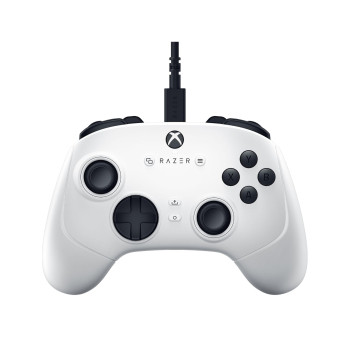
A wired gaming controller is a practical pick for desktop and console setups where you sit close to the screen. You get a direct connection, no battery charging and simple plug-in use on supported devices.
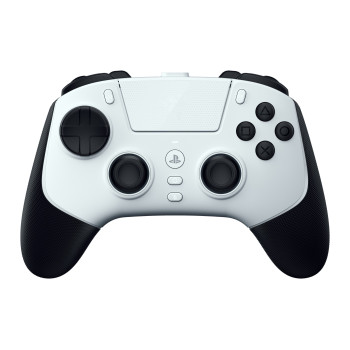
A wireless controller gives you more freedom around the desk or sofa. If you want a wireless controller for laptop gaming, check whether the model supports Windows through Bluetooth, 2.4GHz wireless or another compatible connection before ordering.
Look beyond wired versus wireless as well. Grip shape, stick design, trigger feel, remappable buttons and rear controls can all make a noticeable difference once you start playing.
Explore PC & Laptop Gaming Controllers
A PC gaming controller is a strong addition to games that benefit from analogue movement or trigger control, including racing, football, fighting games, platformers and third-person action titles.
For a laptop gaming controller, check Windows compatibility first, followed by the connection method. Wired USB can suit a permanent desk setup, while wireless models give you more flexibility if you move between a laptop, monitor or living-room display.
Some controllers also support both Windows and Xbox, making them useful if you play across more than one system. If you are building a complete desktop setup, pair your controller with one of our powerful gaming computers.
Choose a Controller for the Way You Play
Different games place different demands on a controller, so buy around your play style rather than simply choosing the model with the longest feature list.
- Competitive and FPS gaming: Look for responsive buttons, shorter trigger travel, rear controls and remapping options that keep important commands within easy reach.
- Racing and sports: Smooth analogue sticks and triggers give you finer control over steering, acceleration, braking and player movement.
- Action and adventure games: Comfort, reliable sticks and an intuitive button layout matter during longer sessions.
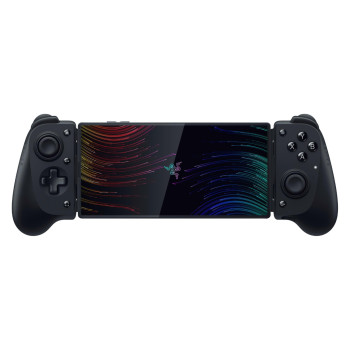
- Mobile gaming: Phone and tablet controllers can give supported mobile and cloud games a more console-like control layout without relying on touchscreen inputs.
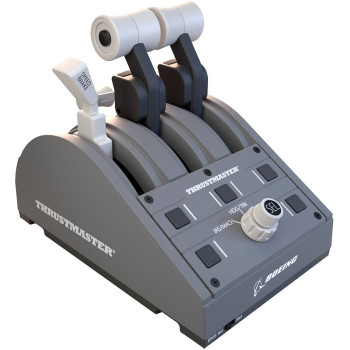
- Flight simulation: Dedicated throttles and simulation controls give supported titles more physical inputs than a standard gamepad.
If PlayStation is your main platform, always confirm PS5 support on the individual product. You can also shop PlayStation 5 consoles when putting together a compatible console setup.
Check Compatibility Before You Buy
Not every games controller works with every gaming system, so compatibility should be one of the first specifications you check.
Before ordering, look at:
- Platform support: Confirm compatibility with your exact PC, Xbox, PlayStation or mobile device.
- Connection: Check for USB, Bluetooth, 2.4GHz wireless or other supported connection methods.
- Controls: Programmable rear buttons, trigger stops and custom profiles can benefit competitive players.
- Thumbsticks: Some controllers use Hall Effect or other magnetic technologies designed to provide precise stick input.
- Audio: Check whether the controller includes a compatible headset connection if you want your headset connected directly to the pad.
- Power: Wireless controllers may use an internal rechargeable battery, replaceable batteries or another charging system.
Do not pay extra for features you are unlikely to use. A well-matched controller with the right compatibility can be a better purchase than a feature-heavy model that does not suit your games.
Complete Your Gaming Setup
A controller works best as part of a setup built around the way you play.
For multiplayer communication and private listening, pair your controller with headsets with a microphone. If longer sessions are part of your routine, comfortable chairs for gaming can help you build a more practical desk or console setup.
You can also shop our wider range of gaming products for gaming PCs, laptops, monitors, accessories and components in one place.
Buy Gaming Controllers from Laptop Outlet
Shop gaming controllers with clear compatibility and product specifications before you order, helping you choose the right controller for your platform and playing style.
- Controllers for different platforms: Choose from PC, Xbox, PS5-compatible and mobile gaming options.
- Wired and wireless choice: Pick the connection that works with your desk, console or portable setup.
- Leading gaming brands: Shop controllers and specialist controls from established names across PC and console gaming.
- Clear specifications: Check compatibility, connections, controller features and warranty information before buying.
- Flexible ways to pay: Use major credit and debit cards, PayPal, Klarna, Apple Pay or Google Pay at checkout.
Eligible purchases can also use PayPal Pay in 3, PayPal Credit or available Klarna payment options including Pay Now, Pay in 30 Days, Pay in 3 instalments and longer-term finance.
Choose the controller that fits your platform, games and setup, then order online from Laptop Outlet.
Read More:
Best Gaming Controllers for PC, PlayStation, and Xbox
Wired vs Wireless Gaming Accessories: Which Is Better for PC Gaming?
Read more