



What are the Advantages of an SD Card as Internal Storage?
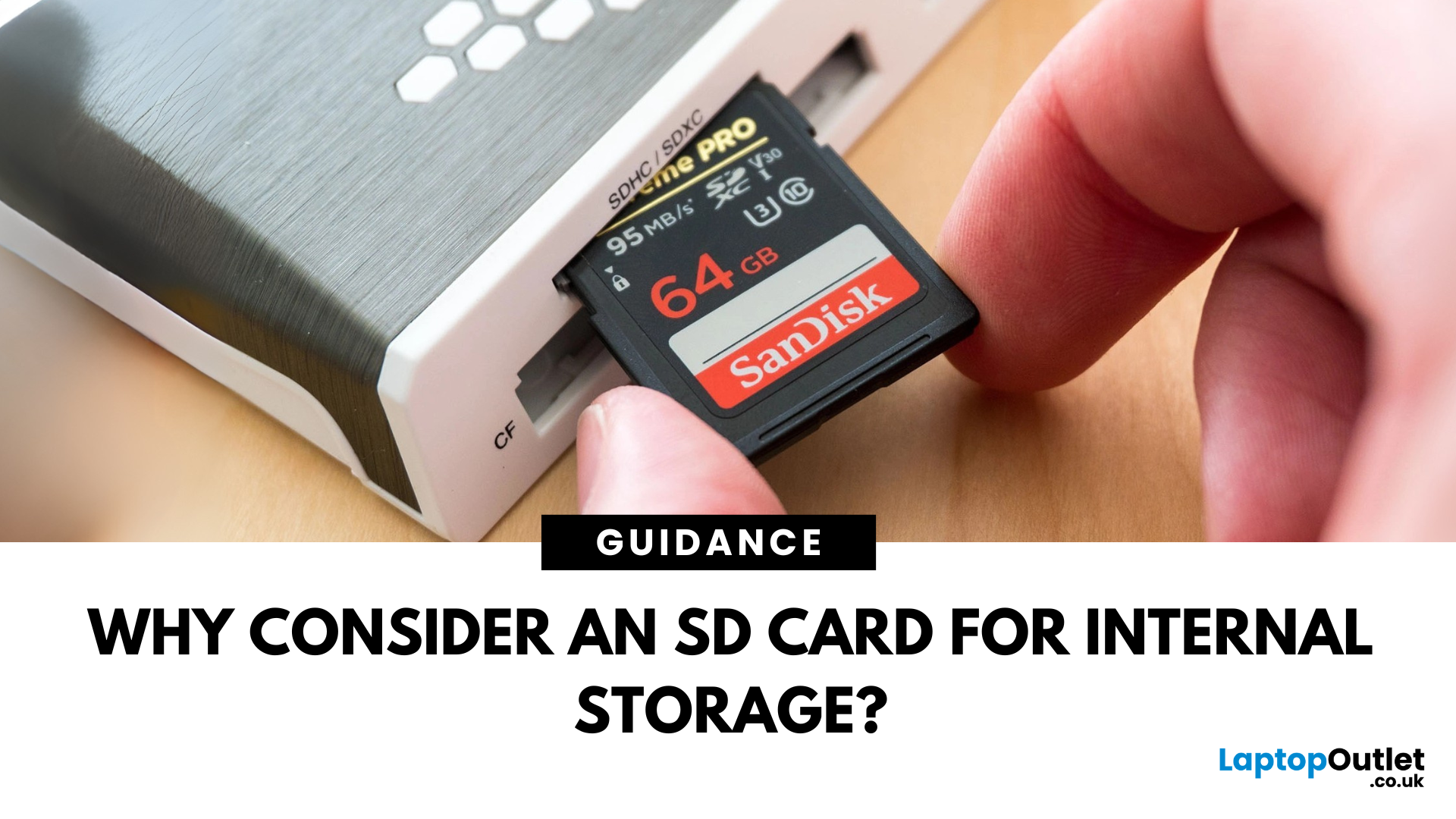
When most people think of internal storage, their minds leap to solid-state drives (SSDs) or embedded flash memory. Yet, there's a smaller, often overlooked storage solution in this space: the SD card. Traditionally used for photography, portable gaming, and mobile data transfer, SD cards have quietly evolved into powerful, reliable, and cost-effective internal storage solutions.
As devices become compact and users demand greater portability without sacrificing storage capacity, SD cards and their MicroSD variants are becoming popular. SD cards provide an expandable internal storage solution for affordable smartphones, compact PCs, tablets, and embedded systems.
In this blog, we explore the technical and practical reasons why SD and MicroSD cards have become viable internal storage alternatives. We'll discuss the advantages of SD cards, including their reliability, portability, energy efficiency, compatibility, and more.
Solid Reliability in a Small Package
Modern SD cards are built using NAND flash memory - the same fundamental technology used in solid-state drives. This design removes the mechanical vulnerabilities found in spinning hard drives, creating a compact storage solution that is fast, durable, and dependable.
-
No moving parts: Mechanical failures are a leading cause of data loss in traditional hard drives. Thanks to their static architecture, SD cards avoid this risk entirely. This feature makes them especially reliable in mobile or portable devices where shock or vibration is inevitable.
-
Resistant to environmental hazards: Exposure to dust, magnetic fields, or extreme vibrations won't compromise the data stored on SD cards. Many high-end models even come with waterproof and X-ray proof features, which further protect critical data in transit or in the field.
-
Built for endurance: High-quality SD cards are now manufactured with high-endurance NAND, capable of enduring thousands of program/erase cycles. This makes them perfectly suitable for use in dashcams, surveillance systems, or embedded computers that experience continuous data writing.
Reliability isn't just a benefit for individual users. In industrial environments where consistent performance is required, SD memory cards offer a reliable and low-maintenance storage medium that withstands harsh conditions.
Compact, Portable, and Easy to Integrate
The portability of MicroSD cards is one of their strongest advantages. Even cards with hundreds of gigabytes of storage are roughly the size of a postage stamp. This size efficiency makes them ideal for integration into increasingly compact and mobile devices.
-
Space-saving by design: Unlike SSDs or HDDs, SD cards require minimal real estate within a device. This makes them ideal for ultrathin laptops, microcontrollers, and even edge-computing devices. Manufacturers often choose SD card slots as a way to offer expandable storage without enlarging the chassis.
-
Plug-and-play expansion: In devices that support hot-swapping, users can upgrade storage instantly by swapping in a new card. This eliminates downtime and does not require technical tools or the removal of casing, as is often the case with internal drive replacements.
-
Zero-cable connectivity: SD cards slot directly into the motherboard or chassis, removing the need for data and power cables. This simplifies system architecture, lowers manufacturing costs, and improves airflow in compact or fanless enclosures.
The ease of integration also makes SD cards highly suitable for environments where users might need to expand or upgrade storage in the field, without access to tools or support.
Generous Storage Capacities
It's a myth that SD cards are limited to small files or single-purpose storage. Capacities have scaled dramatically over the years, meeting and in some cases surpassing older SSDs or mechanical drives.
-
Wide range of options: Entry-level users can opt for 16GB or 32GB cards for basic app storage or lightweight operating systems. In comparison, professionals and power users can make use of 512GB and 1TB SanDisk SD cards for high-resolution media, 3D models, or even video editing projects.
-
There is no trade-off between size and capacity: The physical size of an SD or MicroSDXC card remains the same regardless of its capacity. This uniformity allows manufacturers to design single-size slots without compromising flexibility.
-
Support for modern formats: With newer formats such as SDXC cards, cards can now theoretically support up to 128TB (though commercial products have not reached this limit yet). These futureproof devices are designed today for extended utility.
-
Performance scalability: Many modern SD cards come with enhanced speed classifications, including UHS-II and UHS-III, allowing them to handle 4K, 8K, and high-speed burst photography without lag or data loss.
Such scalability ensures that SD cards are a viable choice not just for casual storage, but for demanding applications that traditionally relied on more complex computer memory solutions.
Excellent Compatibility with Multiple Systems
SD cards are one of the most universally compatible storage formats in use today. Their integration into mobile, embedded, and industrial devices has made them a near-universal standard for compact digital storage.
-
Android OS support: Android users benefit from adoptable storage, a feature that allows MicroSD cards to be formatted and used as internal storage, expanding space for app installations, system files, and downloads.
-
Full desktop interoperability: Laptops and desktops equipped with card readers (or USB adapters) can instantly access, read, and write to SD cards without the need for additional drivers or configuration.
-
Bootable and multi-OS capable: Developers frequently use SD cards to install operating systems on Raspberry Pi, Arduino, and other embedded platforms. Cards can be partitioned or written with live environments for Linux, Android, and even Windows.
-
Camera and multimedia devices: Digital SLRs, drones, and action cameras rely on SD cards not only for media storage but also for firmware operations. Some professional setups allow in-camera editing or streaming directly from the card.
The breadth of compatibility allows users to move content between devices without hassles. It also simplifies IT workflows in education, enterprise, and research settings where diverse internal storage hardware environments are common.
Budget-Friendly Expansion
Buying an internal SSD or HDD can be expensive, particularly for laptops or mobile devices with proprietary parts or soldered memory. SD memory cards provide a low-cost alternative that delivers tangible storage increases without the overhead.
-
Cost-per-gigabyte advantage: While high-end NVMe drives offer exceptional performance, SD cards provide a better value for cost-conscious users looking for high-capacity solutions without the premium price tag.
-
No technician required: Adding or replacing an SD card is straightforward. Most users can manage it without professional support, reducing the total cost of ownership for businesses managing multiple devices.
-
Futureproofing on a budget: Instead of investing in a higher-tier device with more onboard storage, users can simply buy a compatible SD card and upgrade on demand, without having to buy an entirely new laptop or external hard drive.
In education, public sector deployments, or small businesses with limited IT budgets, SD card expansion can provide performance and scalability.
Lower Power Consumption
For mobile and embedded systems, power efficiency makes a difference. Devices often run on battery or renewable energy sources, and every watt saved can extend uptime and reduce thermal strain.
-
Low-power architecture: SD cards consume significantly less power than spinning hard drives and even many SSDs. This makes them ideal for use in tablets, handhelds, and solar-powered remote devices.
-
Improved battery life: In smartphones or tablets that support SD card storage, delegating large media files or cache data to the card can help reduce the workload on internal flash, thereby extending battery performance.
-
Reduced thermal output: Less power draw means less heat generated during read/write operations. This is particularly important in fanless systems or compact enclosures where thermal management is limited.
In data logging, environmental monitoring, and medical equipment, this energy efficiency is a decisive advantage of SD card use.
Easily Replaceable and Maintainable
Simplicity is one of the most overlooked virtues in storage design. SD cards offer unparalleled ease of maintenance, which is a key advantage in operational environments.
-
Hot-swappable: In devices that support it, SD cards can be swapped while the device remains operational. This minimises downtime and makes upgrades non-disruptive.
-
Cloneable and secure: Cards can be cloned easily for rapid deployment or backup. Encryption options and write-protection switches also add a layer of data security.
-
No specialised tools required: To replace or upgrade an SD card, there is no need to disassemble the chassis or void warranty stickers. This makes it ideal for educational institutions and public kiosks where accessibility is limited.
These benefits reduce support tickets, increase user autonomy, and simplify inventory management in enterprise environments.
Enhanced Durability for Harsh Environments
SD cards offer the kind of robustness for field deployments and industrial use that more fragile storage mediums simply can't match.
-
Extreme temperature resistance: Industrial SD cards are designed to operate in conditions ranging from -40°C to 85°C, making them suitable for outdoor and high-heat applications.
-
Environmental resistance: Waterproof, shockproof, and X-ray proof features protect data in rugged settings such as construction, automotive, aerospace, and military applications.
-
Longer operational lifespan: SD cards designed for industrial and surveillance use offer improved wear levelling, bad block management, and error correction.
These capabilities make Micro SD cards an essential component in mission-critical systems where equipment must perform flawlessly despite harsh or variable conditions.
Flexible for Developers and Tinkerers
Due to their versatility and openness, SD cards are a favourite among developers, hobbyists, and makers.
-
Bootable operating systems: SD cards can host entire OS environments, making them ideal for use in Raspberry Pi and similar platforms. Developers can experiment with multiple distributions and configurations without affecting host systems.
-
Multi-partition support: Users can divide a card into logical segments, store OS and user data, or enable dual-boot configurations.
-
Low-risk experimentation: SD cards are ideal for testing software, firmware, and automation scripts in isolated environments because they are low-cost and easy to replace.
SD cards offer the flexibility and control needed to build, test, and deploy projects rapidly in DIY, robotics, and edge computing scenarios.
Conclusion:
By now, it should be clear that SD cards offer far more than basic storage for media files or digital cameras. They've evolved into powerful, adaptable, and genuinely practical solutions for internal storage across a wide range of devices, from smartphones to cameras, laptops to tablets, and computers.
What makes SD cards especially useful is how easily they integrate into modern digital workflows. They're compact enough to fit anywhere, powerful enough to handle intensive daily tasks, and versatile enough to serve developers, students, creatives, and field technicians.
So, next time you look at storage options, don't just follow the rest. Consider what an SD memory card can do inside your system—you might be surprised by how capable it really is.
Explore our full range of MicroSD and SD cards at Laptop Outlet.
Frequently Asked Questions
Is it okay to use an SD card as internal storage?
Yes, it is generally acceptable to use an SD card as internal storage, particularly on Android devices that support this feature. When formatted as internal storage, the SD card becomes part of your device's primary memory, allowing apps and data to be stored directly on it.
Is an SD card good for long-term storage?
SD cards are not ideal for long-term storage. While convenient and portable, they are more prone to data corruption and physical wear than hard drives or SSDs. Over time, data can become unreadable if the card isn't stored properly or is subjected to repeated write cycles. For archival purposes, external hard drives or cloud storage are more reliable options.
What are the disadvantages of an SD card?
SD cards have several drawbacks. Firstly, they possess a limited lifespan due to the nature of flash memory, which wears down with repeated use. Secondly, many lower-cost SD cards offer slower data transfer speeds, which can affect the performance of applications or media playback. Another significant concern is data loss, as SD cards are more vulnerable to corruption, especially if removed without proper unmounting. Lastly, they are physically fragile and easily misplaced or damaged due to their small size. For important or long-term data, more robust storage options are recommended.
Which memory stores data permanently in a computer?
Permanent data in a computer is stored using either non-volatile memory, such as Read-Only Memory (ROM), or storage devices like hard disk drives (HDDs) and solid-state drives (SSDs). ROM contains the essential firmware needed to start and operate the system and retains this information even when power is switched off. Meanwhile, SSDs and HDDs serve as long-term storage for files, software, and the operating system, preserving data until it is intentionally deleted or replaced.
Does removing the SD card from the phone delete everything?
No, removing an SD card from a phone does not delete the data stored on it. The contents of the card remain intact unless it is physically damaged or corrupted during removal. However, if the SD card was set up as internal storage, removing it can cause apps and files stored on it to become inaccessible or malfunction. To prevent any issues, it's best to unmount the SD card through the device settings before physically removing it.
| Read More: |
| Hard Drive Prices: Storage Capacity, Robustness and Reliability |
| What is a Cloud Storage? |
| what does usb stand for, what is a type c micro usb, what is usb c |
Related Articles


Last Updated: May 05, 2026
The best external hard drives offer a convenient way to back up large amounts of data and keep them safe from malware attacks, hardware failures and theft.
The demand for storage capacity continues to grow rapidly as individuals and businesses accumulate vast amounts of data. Whether it's storing essential documents, multimedia files, or complex software applications, having sufficient storage space is crucial for maintaining productivity and efficiency.
However, the considerations extend beyond mere capacity regarding hard drives. Robustness and reliability are pivotal in ensuring that stored data remains safe and accessible over time.
This blog will explore the intricacies of hard drive prices and how storage capacity, robustness, and reliability influence purchasing decisions.
Whether you're a casual user needing extra storage for personal files or a business professional seeking dependable data storage solutions, understanding these factors is essential for making informed choices and
Last Updated: June 27, 2025
What Is Cloud Storage
Imagine accessing your photos, documents, and videos from any device—without carrying a USB stick. That’s the power of cloud storage. It’s fast, secure, and essential for both personal and professional life in 2025.
1. What Is Cloud Storage?
Cloud storage is a way to store digital data online—on remote servers managed by companies like Google, Apple, Microsoft, and Dropbox.
Instead of saving files on a device, you upload them to a virtual server (aka the cloud), making them accessible anywhere with an internet connection.
2. How Does Cloud Storage Work?
- You upload files using an app or web browser
- Files are encrypted and stored on secure servers
- Access them from any synced device—PC, phone, or tablet
- Changes sync in real-time across devices
3. Benefits of Cloud Storage
- Access anywhere – no need to carry drives
- Automatic backups – never lose a file again
- Share files easily – with friends, family, or co-workers
- Saves space – on your local device

Last Updated: July 02, 2025
From lightning-fast load times in your favourite games to managing massive project files at work, the right PC storage matters a lot. Whether you're a gamer building a high-performance rig or a professional balancing multiple workloads, your storage setup directly impacts speed, efficiency, and overall productivity.
But with so many storage options available, including SSDs, HDDs, external drives, and more, how do you know which one is best for your needs? Each type of storage brings its own strengths, weaknesses, and ideal use cases.
So, to make things easier for you, we’ll break down everything you need to know about choosing the best computer data storage for both gaming and work in this guide. From understanding the different types of storage to picking the right combination for your budget and goals, we’ll help you make a smart, future-ready decision for your setup.
Types of PC Storage:
Understanding the different types of PC storage is the first step toward building a system that

