



MacBook Pro 14 vs 16: Size and Performance Comparison
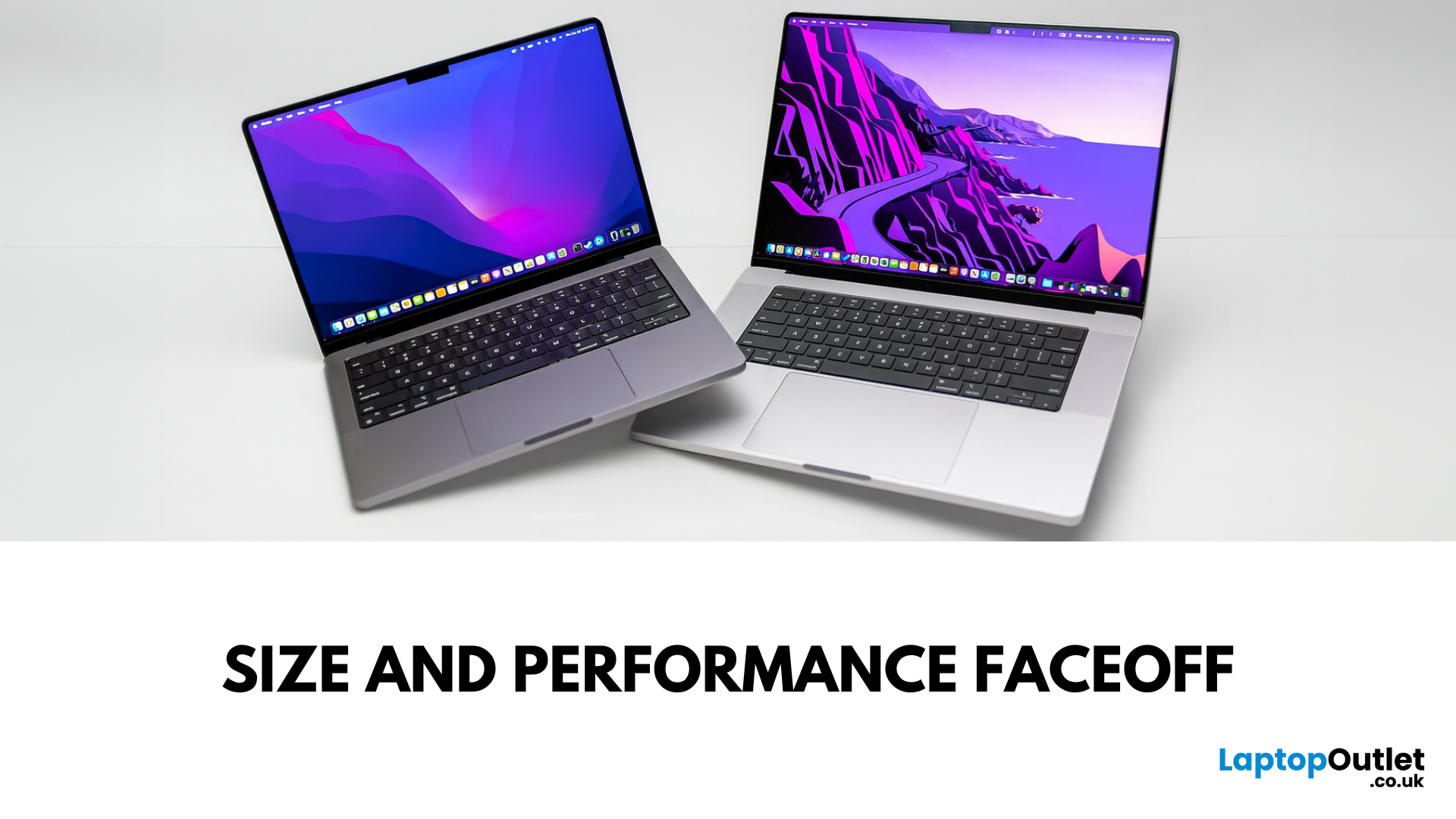
Main Difference Between MacBook Pro 14 and 16
Both laptops share the same Liquid Retina XDR display tech, Apple Silicon (M4/M4 Pro/M4 Max), and near-identical I/O. The real split is portability versus scale: the 14-inch weighs as little as 1.55 kg and fits in almost any bag, while the 16-inch stretches to 2.14–2.15 kg and pairs that larger chassis with a 100-watt-hour battery and better sustained cooling. In short: 14-inch = go-anywhere pro power; 16-inch = bigger canvas and longer runtime.
Feature Comparison Table
|
Feature |
MacBook Pro 14-inch |
MacBook Pro 16-inch |
|
Display |
14.2″ Liquid Retina XDR, 3024×1964, ProMotion 120 Hz |
16.2″ Liquid Retina XDR, 3456×2234, ProMotion 120 Hz |
|
Size & Weight |
31.26 × 22.12 × 1.55 cm; 1.55–1.62 kg (by chip) |
35.57 × 24.81 × 1.68 cm; 2.14–2.15 kg |
|
Chips |
M4, M4 Pro, M4 Max (up to 16-core CPU/40-core GPU on Max) |
M4 Pro or M4 Max (same top options) |
|
Battery & Capacity |
Up to 24 hrs (M4), 22 hrs (M4 Pro), 18 hrs (M4 Max); 72.4 Wh |
Up to 24 hrs (M4 Pro), 21 hrs (M4 Max); 100 Wh |
|
Ports |
3× USB-C (Thunderbolt 4 on M4; 5 on Pro/Max), HDMI, SDXC, MagSafe 3, 3.5 mm |
Same layout; Thunderbolt 5 on Pro/Max |
|
Memory (max) |
Up to 128 GB (M4 Max) |
Up to 128 GB (M4 Max) |
|
Storage (max) |
Up to 8 TB SSD (M4 Max) |
Up to 8 TB SSD (M4 Max) |
|
UK Starting Price |
From £1,599 (M4, 16 GB/512 GB) |
From £2,499 (M4 Pro, 24 GB/512 GB) |
1) Size, Weight & Portability
- 14-inch: 1.55 kg (M4) up to ~1.62 kg (M4 Max). Ultra-portable.
- 16-inch: 2.14–2.15 kg depending on chip. Noticeably larger footprint.
If you need a lighter laptop you can carry daily, the 14-inch MacBook Pro is the better choice for commuters, students, and mobile creators. However, if you value a bigger chassis that’s more comfortable on a desk and gives you a roomier keyboard/trackpad feel, the 16-inch MacBook Pro could be the right fit.
2) Display & Audio
Both models use mini-LED (Liquid Retina XDR) with 1000 nits sustained / 1600 nits HDR peak, P3, and ProMotion 120 Hz. The 16-inch simply gives you more canvas (3456×2234 vs 3024×1964) and the same excellent six-speaker audio with Spatial Audio support.
If you need a studio-quality screen in a smaller footprint, the 14-inch is the better choice for on-the-go edits and colour work. However, if you value maximum screen real estate for timelines, code, and multi-window workflows, the 16-inch could be the right fit for editors and designers.
3) Performance & Thermals
Both sizes can be configured with M4 Pro or M4 Max, so peak performance can be identical when chips match. The 16-inch benefits from a larger thermal envelope, which helps sustain turbo clocks and keep fan noise lower during long renders. The 14-inch still punches well above its size, especially with M4 Pro/Max.
If you need desktop-class speed in a backpack-friendly machine, the 14-inch is the better choice for developers and creators who move a lot. However, if you value sustained performance for heavy 3D, long video exports, or compiling for hours, the 16-inch could be the right fit.
4) Battery Life
- 14-inch: up to 24 hrs (M4), 22 hrs (M4 Pro), 18 hrs (M4 Max) on Apple’s tests; 72.4 Wh battery.
- 16-inch: up to 24 hrs (M4 Pro) or 21 hrs (M4 Max); 100 Wh battery.
If you need the best balance of runtime and portability, the 14-inch is the better choice for frequent travel days. However, if you value the longest possible endurance plus fast-charge with the 140 W adapter, the 16-inch could be the right fit for all-day unplugged work.
5) Ports & Connectivity
Every MacBook Pro includes HDMI, SDXC, 3.5 mm, MagSafe 3, and three USB-C ports. The difference is bandwidth: base M4 machines use Thunderbolt 4, while M4 Pro/Max step up to Thunderbolt 5 with up to 120 Gb/s and broader external-display support (up to four displays on M4 Max). Wi-Fi 6E and Bluetooth 5.3 are standard.
If you need a modern port mix without dongle drama, the 14-inch (M4) is the better choice for value hunters. However, if you value the absolute fastest I/O and multiple external displays, the 16-inch with M4 Pro/Max could be the right fit.
6) Price & Value
- MacBook Pro 14-inch (M4, 16 GB/512 GB): from £1,599.
- MacBook Pro 16-inch (M4 Pro, 24 GB/512 GB): from £2,499. Higher-end M4 Max configs start from £3,499 (16-inch) and £3,199 (14-inch).
If you need the lowest entry price for a Pro-grade Mac, the 14-inch is the better choice for budget-minded professionals. However, if you value a bigger screen, larger battery, and more thermal headroom—and you’re happy to invest more—the 16-inch could be the right fit.
Pros & Cons
|
Model |
Pros |
Cons |
|
MacBook Pro 14-inch |
Light and compact Same XDR panel tech as the 16 Configurable up to M4 Max Lower starting price |
Smaller screen Smaller 72.4 Wh battery Can run warmer/noisier under sustained heavy loads |
|
MacBook Pro 16-inch |
Bigger 16.2″ canvas 100 Wh battery with longer runtime Better sustained thermals Same high-end configs |
Heavier (≈2.15 kg) Higher starting price |
Final Verdict
Choose MacBook Pro 14-inch if you want elite performance in a travel-friendly frame. Choose MacBook Pro 16-inch if your workflow thrives on a bigger display, longer battery life, and the best sustained performance. If you’re ready to upgrade, explore the 14-inch and 16-inch MacBook Pro ranges and shop now to find the perfect setup for your workflow.
FAQs
Is the 16-inch actually more powerful than the 14-inch?
At the same chip tier (M4 Pro or M4 Max), peak performance is comparable, but the 16-inch sustains high performance longer thanks to its larger chassis and cooling system.
How much heavier is the 16-inch model?
Roughly 2.14–2.15 kg vs 1.55–1.62 kg for the 14-inch, depending on configuration.
Do both sizes have the same ports?
Yes—three USB-C, HDMI, SDXC, MagSafe 3, and a headphone jack. The difference is speed: Thunderbolt 4 on base M4 vs Thunderbolt 5 on M4 Pro/Max.
What about battery life on long flights?
Expect up to 24 hrs on the 16-inch (M4 Pro) and up to 22–24 hrs on the 14-inch depending on chip; M4 Max trims those figures slightly. Real-world results vary by workload.
What are the UK starting prices right now?
£1,599 for the 14-inch M4 and £2,499 for the 16-inch M4 Pro on Apple UK at the time of writing. Higher-end M4 Max configurations cost more.
Summary
The MacBook Pro 14-inch is the lighter, more portable Pro laptop that still runs Apple’s latest M4 family chips. The MacBook Pro 16-inch adds a bigger 16.2″ XDR display, a larger 100 Wh battery, and extra thermal headroom for sustained workloads. Pick the 14-inch for power on the go; pick the 16-inch for maximum screen space and endurance.
| Read More: |
| Are MacBooks the go-to laptop for professionals? |
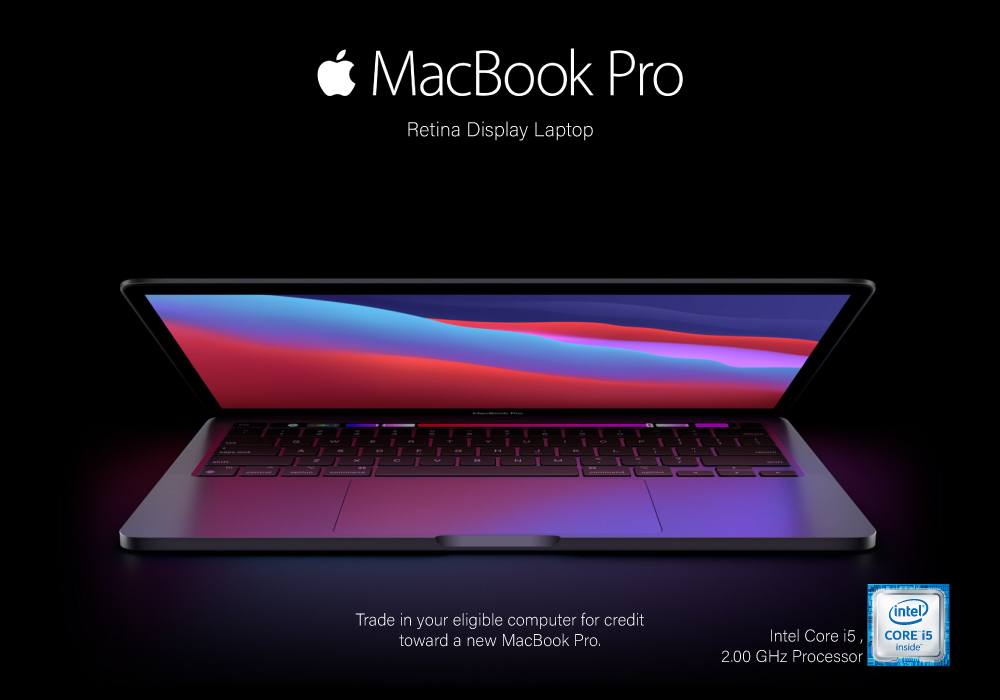
| Review: Apple MacBook Pro 13.3" Retina Display Laptop Intel Core i5 |
| are refurbished macbooks good |
Related Articles

Last Updated: July 16, 2025

Last Updated: November 12, 2025
Yes, MacBook is the go-to laptop for professionals. It’s no surprise that Macs were traditionally associated with creative industries like graphic design and marketing, but over time more businesses have started to adopt Apple technology. We now see them in so many industries i.e., association, retail, government, construction, transportation, etc.
There are many good reasons for this, but many businesses still regard Macs with suspicion and are hesitant to switch from PCs to Macs. The high cost of Macs is a common criticism leveled at them. While they are not cheap, they are generally comparable in price to high-end PCs and offer outstanding quality and longevity.
Businesses can easily stick with what they know and continue to rely on PCs, but there are numerous reasons to consider switching to Macs.
Let's look at a few of the more significant ones.
Security:
As compared to PCs, Macs are a safer option. Viruses for Apple are very less in number. Apple mostly does not get attacked by cybercriminals

Last Updated: July 01, 2025
Mac Performance Without the Mac Price
Apple fans love the sleek design, power, and ecosystem of MacBooks—but the price can be a deal-breaker. If you’re eyeing a cheaper alternative, you’re probably wondering: are refurbished MacBooks good? The answer is yes, but only if you buy smart. Here’s what you need to know.
1. What Is a Refurbished MacBook?
A refurbished MacBook is a previously owned Apple laptop that’s been returned, restored to working order, tested, cleaned, and resold.
It’s not “used” in the traditional sense. Refurbished models go through inspection and come with warranties.
2. Benefits of Buying a Refurbished MacBook
- Save up to 40% compared to buying new
- Same macOS experience and Apple ecosystem integration
- Eco-friendly – reduces electronic waste
- Comes with warranty – usually 6–12 months
- Tested for performance and reliability
3. Downsides to Consider
- Slight cosmetic wear (depends on grade)
- Older models may lack the newest features
- May not come in original
Last Updated: May 07, 2026
Why pay full price for Apple performance when you can get the same sleek, powerful machine for hundreds less?
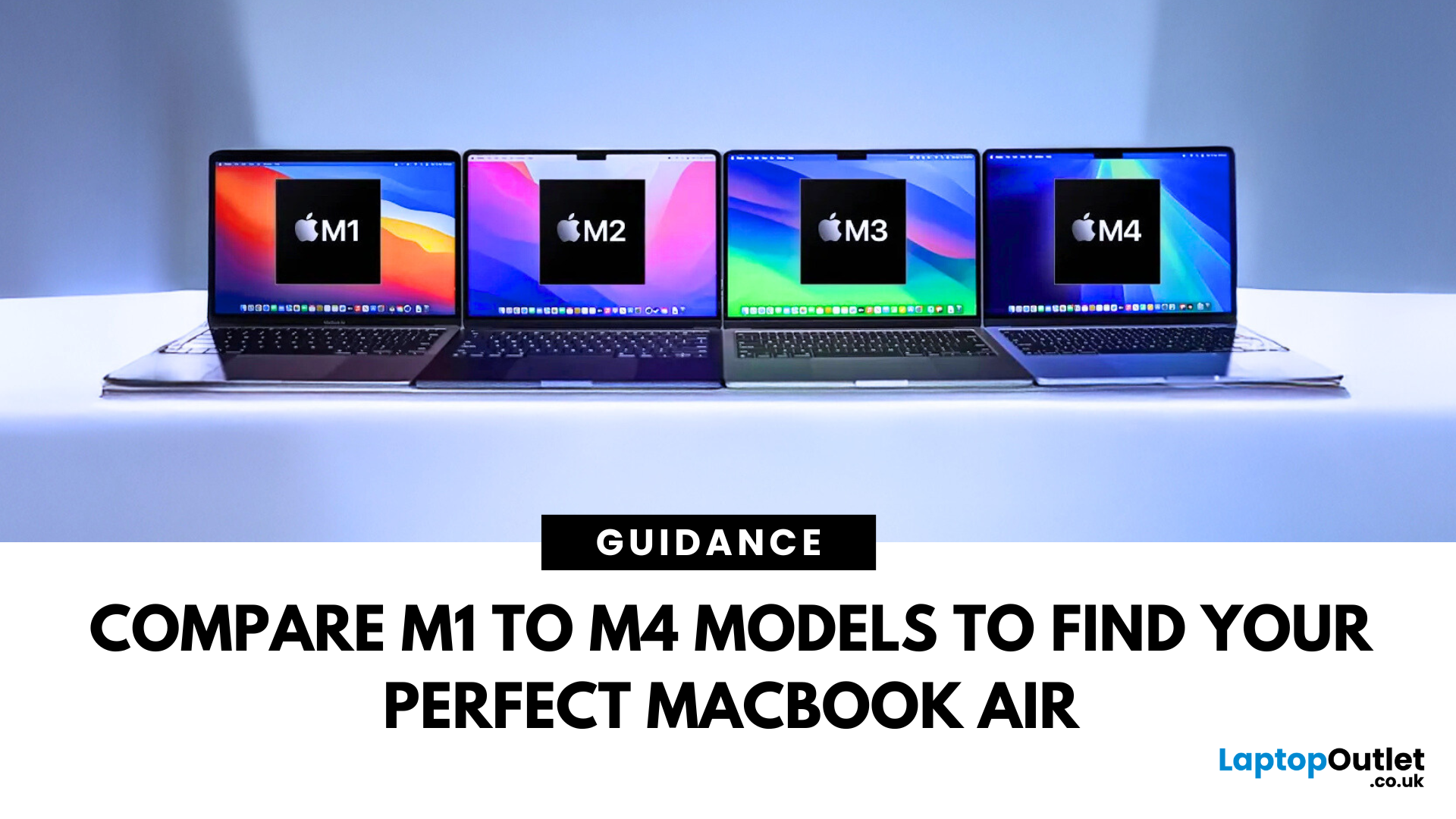
Refurbished MacBook Air have become a go-to option for students, professionals, creatives, and casual users alike. These ultra-thin laptops deliver top-tier performance and battery life, with M1 to M4 chips offering seamless multitasking and future-ready computing.
In this guide, we’ll explore the differences between M1, M2, M3, and M4 MacBook Air’s and help you choose the perfect refurbished laptop for your lifestyle and budget.
Refurbished vs. Used vs. Second Hand: Know the Difference
Not all pre-owned MacBooks are created equal. A refurbished MacBook Air goes through rigorous testing, cleaning, and quality checks before resale. It comes with a warranty and professional refurbishment often indistinguishable from new.
Compare that to a used or second hand MacBook Air, which is typically sold as-is, with no guarantee of condition or long-term performance. Choosing a professionally
Last Updated: July 06, 2026
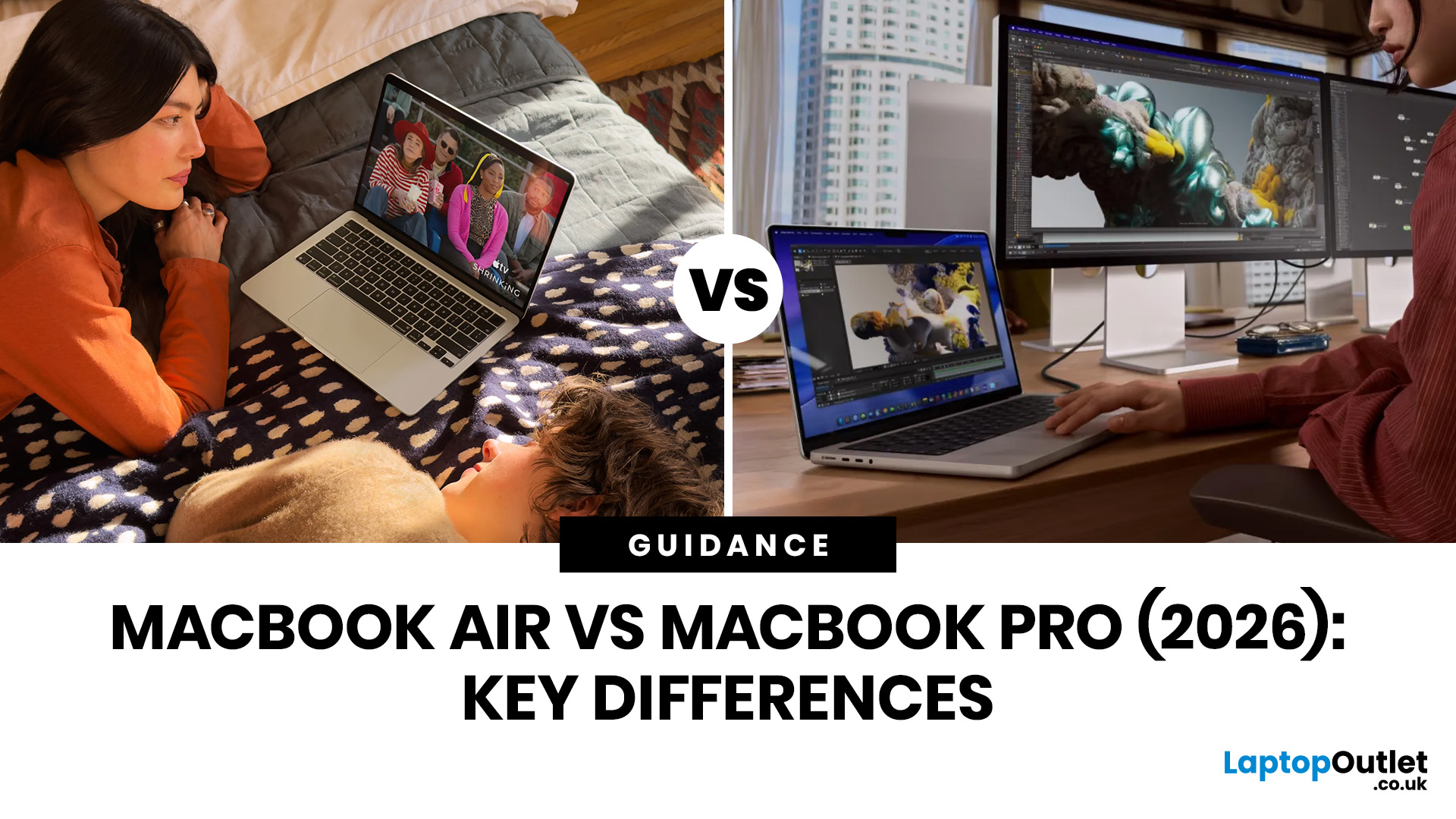
Choosing between the MacBook Air vs MacBook Pro in 2026 isn’t as straightforward as it used to be. With Apple’s latest M-series chips delivering impressive performance across both models, the gap has narrowed, yet key differences still matter depending on how you use your laptop.
Whether you’re a student, creative professional, or everyday user, this guide breaks down the difference between MacBook Air and Pro, including performance, battery life, price in the UK, and which one is right for you.
MacBook Air vs MacBook Pro: Quick Comparison (2026)
| Feature | MacBook Air | MacBook Pro |
|---|---|---|
| Performance | Great for everyday tasks | Excellent for heavy workloads |
| Battery Life | Outstanding (light use) | Excellent (even under load) |
| Portability | Ultra-light & thin | Heavier but still portable |
| Display | Liquid Retina | Liquid Retina XDR (better brightness & refresh rate) |
| Cooling | Fanless | Active cooling (fans) |
| Price (UK) | From ~£999+ | From ~£1,599+ |
| Best For | Students, casual users | Creatives, professionals |
This MacBook Air

