



An Ultimate Guide to Choosing the Right Label Printer
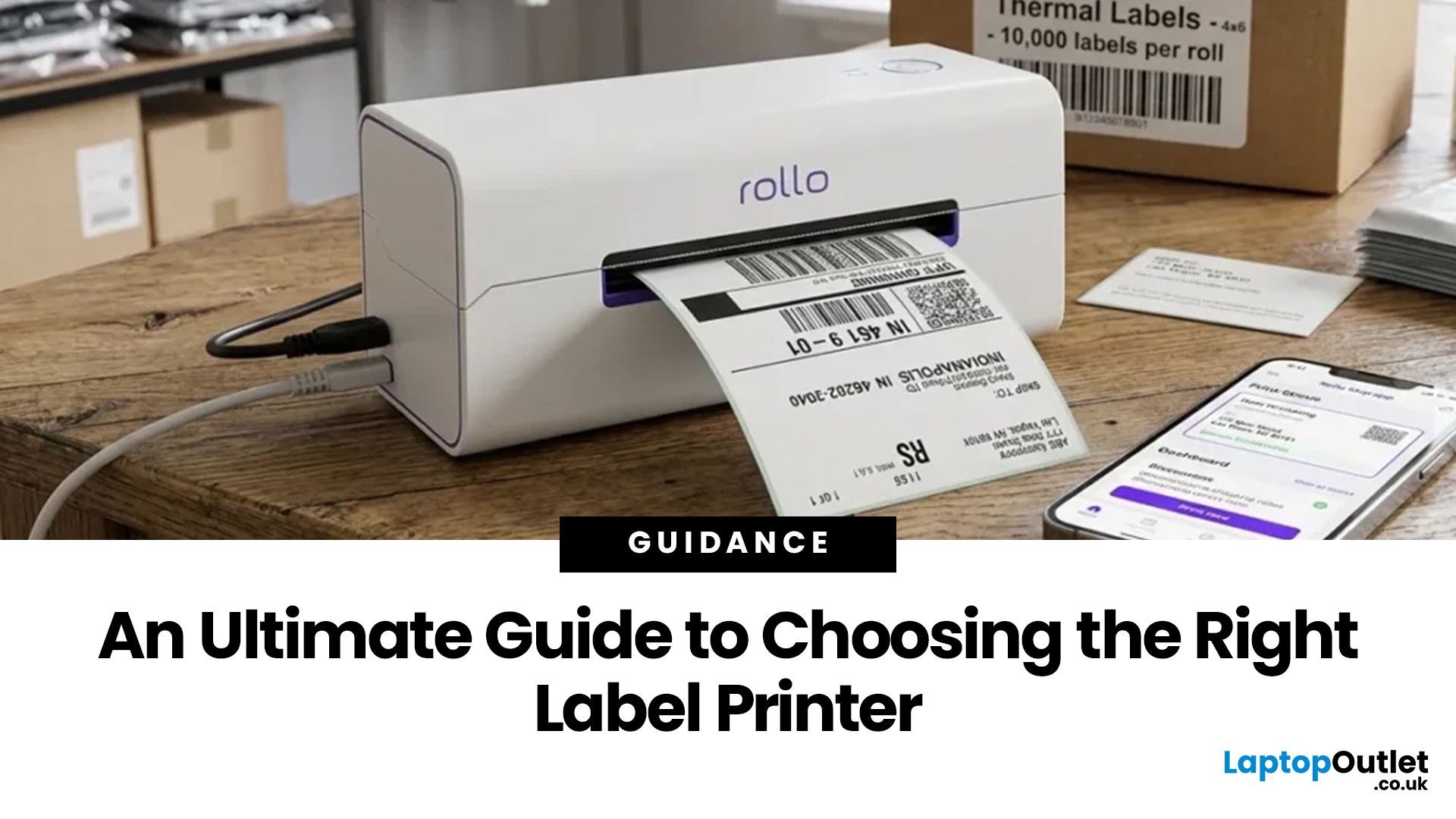
Choosing the right label printer doesn’t have to be complicated. This label printers guide makes it easy to understand the main features, costs, label printer types, and how to choose a label printer that fits your home, office, or business needs.
Whether you’re organising your home office, printing parcel labels, managing stock, creating barcodes, or simply keeping things neat, the right label printer can save time and make everything look more professional.
In this label printer buying guide, we’ll cover how to choose a label printer, how label printers work, key features, costs, common uses, and some top picks from Laptop Outlet
What Is a Label Printer?
A label printer is a dedicated printer designed to print labels, tags, barcodes, address stickers, shipping labels, name badges, file labels, product labels, and more. Unlike standard inkjet or laser printers, label printers are usually built to handle adhesive label rolls or pre-cut label tapes.
That makes them much more convenient when you need consistent, professional-looking labels without cutting paper manually or wasting full A4 sheets.
Most label printers are compact enough to sit on a desk, counter, stockroom shelf, or packing station. Some are wired and connect through USB, while others offer Wi-Fi, Bluetooth, or network connectivity. There are also portable models for people who need labelling on the move.
In short, a label printer is ideal when regular labels are part of your day-to-day workflow or your you need office printer where labelling is a task.
How Label Printers Work
Before choosing a label printer, it helps to understand how label printers work.
Most modern label printers use thermal printing technology. This means they use heat rather than liquid ink or toner. There are two common thermal printing methods:
Direct Thermal Printing
Direct thermal printers print by applying heat directly to special heat-sensitive label paper. They do not need ink cartridges, toner, or ribbons. This makes them low-maintenance and cost-effective for everyday labels.
Direct thermal printing is especially popular for address labels, shipping labels, barcode labels, folder labels, food labels, and short-term product labelling.
The only thing to remember is that direct thermal labels can fade over time, especially if exposed to heat, sunlight, or moisture. So, they are best for labels that do not need to last for years.
Thermal Transfer Printing
Thermal transfer printers use a heated ribbon to transfer ink onto the label surface. These labels are usually more durable and can resist heat, chemicals, moisture, and handling better than direct thermal labels.
This type is often used in warehouses, manufacturing, healthcare, logistics, and industrial environments.
For most home users, small offices, and ecommerce sellers, direct thermal label printers are usually more than enough. However, for long-lasting product or industrial labels, thermal transfer may be the better choice.
Why Buy a Label Printer Instead of Using a Normal Printer?
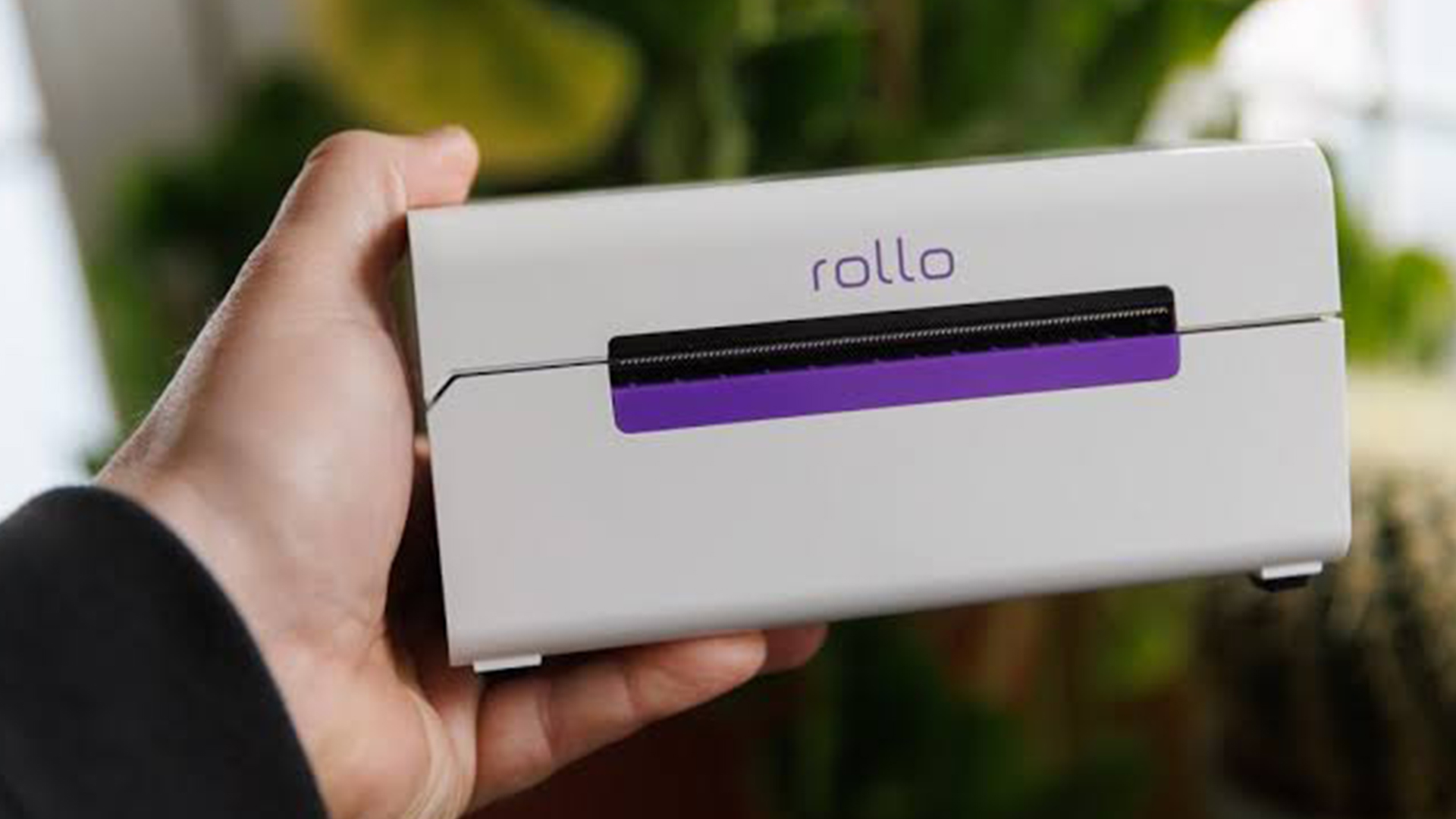
You can print labels using a normal inkjet or laser printer, but it is not always the most practical option. A dedicated label printer is faster, neater, and usually more efficient.
For example, if you run a small online store, printing one shipping label at a time on an A4 printer can feel slow and wasteful. You may need to line up label sheets correctly, trim paper, or deal with formatting problems. A dedicated label printer removes most of that hassle.
It also gives you consistent label sizes, cleaner results, and quicker output. Over time, that can make a big difference.
If you only print the occasional document and label, then multifunctional printers may still make sense. But if labels are a regular part of your routine, a dedicated model is often the smarter buy.
Common Uses of Label Printers
The uses of label printers go far beyond basic address stickers. A good label printer can help at home, in the office, in retail, and across busy business environments.
1. Home Organisation
At home, label printers are great for organising storage boxes, kitchen jars, school supplies, cables, folders, craft materials, medicine boxes, and personal documents. If you like things tidy and easy to find, a label printer quickly becomes one of those gadgets you use more than expected.
For occasional household printing, you may also want to compare home printers, especially if you need document and photo printing as well.
2. Office Filing
In offices, label printers help with file folders, cabinets, visitor badges, equipment labels, mailroom labels, desk labels, archive boxes, and asset tracking. They make organisation more consistent and reduce the chances of misplaced paperwork.
3. Ecommerce and Shipping
For online sellers, a label printer can be a serious time-saver. You can print shipping labels, return labels, barcode labels, SKU labels, and packaging labels quickly. This is especially useful if you send parcels through couriers, marketplaces, or fulfilment services.
4. Retail and Stock Management
Retailers use label printers for product labels, barcode stickers, shelf labels, sale tags, inventory labels, and price labels. Clear labelling helps staff find items faster and gives customers a better shopping experience.
5. Warehouses and Logistics
Warehouses rely heavily on label printers for barcode tracking, stock locations, pallet labels, picking labels, shipping labels, and inventory control. In these settings, speed, durability, and label width matter a lot.
6. Healthcare, Education, and Hospitality
Schools, clinics, cafés, hotels, and event teams also use label printers for name badges, storage labels, sample labels, room labels, food prep labels, and visitor passes.
So, whether you are buying for personal use or business use, choosing a label printer that matches your daily tasks is the key.
Label Printer Types: Which One Do You Need?
Understanding label printer types makes the buying decision much easier. Here are the main categories to consider.
Desktop Label Printers
Desktop label printers are compact, practical, and ideal for everyday use. They usually sit on a desk or packing counter and connect through USB, Wi-Fi, or network options.
They are perfect for offices, small businesses, ecommerce sellers, and home organisation.
Shipping Label Printers
Shipping label printers are designed for larger labels, often around 4 inches wide. They are best for courier labels, parcel labels, warehouse labels, and ecommerce dispatch stations.
If you post items regularly, this type is worth considering.
Portable Label Printers
Portable models are smaller and easier to carry. They are useful for electricians, IT teams, warehouse staff, maintenance workers, and anyone who needs to print labels away from a desk.
The portable label printer benefits include flexibility, compact size, and the ability to label items exactly where they are located. This is useful when labelling cables, shelves, tools, equipment, or storage areas on-site.
Barcode Label Printers
Barcode label printers are designed to create scannable codes for products, stock, assets, and shipping. These are especially important for retail, inventory control, and logistics.
Industrial Label Printers
Industrial label printers are built for heavy-duty environments. They are usually larger, faster, and more durable. They may support stronger materials and bigger label rolls.
Most small businesses do not need an industrial model, but warehouses and manufacturing teams may benefit from one.
You can explore more label printer types directly on Laptop Outlet’s label printer category page.
How to Choose a Label Printer
Now let’s get into the most important part: how to choose a label printer that actually fits your needs.
1. Start With Your Main Use
Before looking at specs, ask yourself what you will print most often.
Are you printing address labels? Shipping labels? File labels? Barcode labels? Product labels? Kitchen labels? Cable labels? Visitor badges?
For home organisation, a simple compact label printer may be enough. For an online business, you may need a faster model with wider label support. For an office, a reliable desktop model with USB or wireless connectivity is usually ideal.
This first step matters because choosing a label printer based only on price can lead to frustration later.
2. Check Label Width
Label width is one of the most important label printer features.
Small labels are fine for folders, jars, envelopes, and name tags. Wider labels are better for shipping, barcodes, large storage boxes, and warehouse use.
For example, a model such as the Brother QL-1100c or QL-1110NWB is better suited to wider shipping labels, while a QL-700 or QL-800 is excellent for everyday office and address labels.
3. Think About Connectivity
USB label printers are simple and reliable. You plug them into a computer and print directly.
Wireless label printers offer more flexibility. They are useful if multiple people need to print from different devices, or if you want to place the printer somewhere more convenient than beside your laptop.
For small offices and teams, wireless printing is often worth the extra cost. Before buying, it helps to understand the main label printer types so you can choose a model that matches your everyday printing needs.
4. Look at Print Speed
If you only print a few labels a week, speed may not matter much. But if you print dozens or hundreds of labels daily, faster output can save a lot of time.
A printer that produces labels quickly is especially useful for ecommerce packing, office mailrooms, and stockrooms.
5. Consider Print Resolution
Print resolution is usually measured in DPI. Higher DPI can make text, small graphics, and barcodes look sharper.
For most address labels and basic office labels, 300 DPI is enough. If you need very detailed graphics, tiny text, or crisp branding, you may want to pay more attention to resolution.
6. Review Running Costs
The initial price is only one part of the overall label printer cost. You also need to think about label rolls, tapes, replacement parts, and whether the printer needs ribbons, ink, or toner.
Direct thermal printers usually keep running costs lower because they do not need ink or toner. However, you still need compatible label rolls.
Before buying, check that replacement labels are easy to find and available in the sizes you need.
7. Choose the Right Software Support
Good software can make label design much easier. Look for options that let you create barcodes, import addresses, adjust label sizes, add logos, and print batches.
This is especially useful for businesses that need professional-looking labels every day.
8. Match the Printer to Your Space
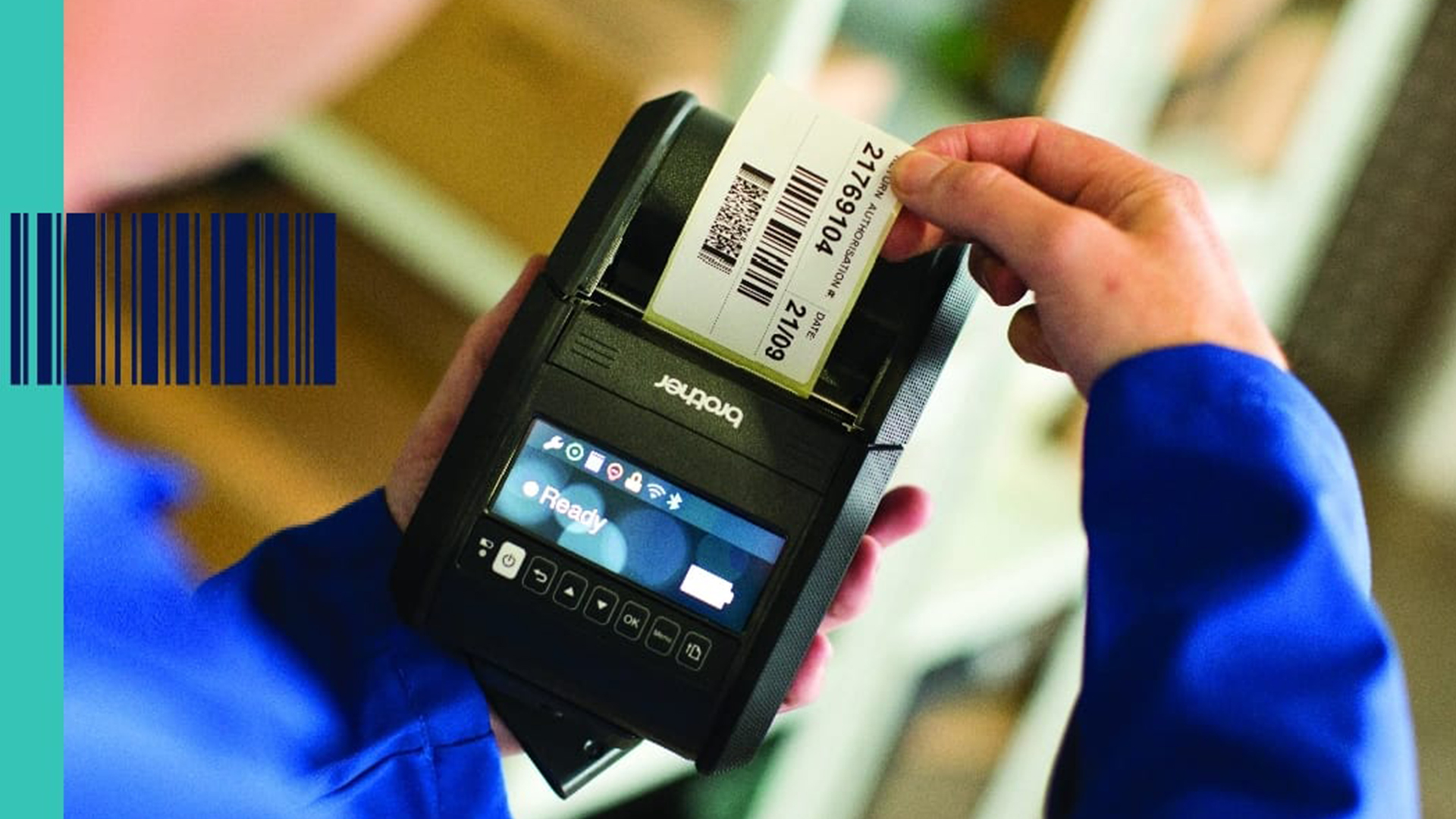
Some printers are tiny and desk-friendly. Others are larger and better suited to a packing station or stockroom.
If your workspace is small, check the printer’s size before ordering. A compact desktop printer is usually enough for everyday office and home use.
Like any printer, label printers can sometimes face small issues such as misaligned labels, faded prints, or connection problems. Understanding common label printer problems can help you avoid delays, wasted labels, and frustrating print errors.
Top Label Printer Picks from Laptop Outlet
To make this label printers guide even more practical, here are some strong in-stock options from Laptop Outlet’s selected range. These cover different budgets and use cases, from basic home organisation to business shipping labels.
1. Best Overall: Brother QL-800 Direct Thermal Colour Label Printer
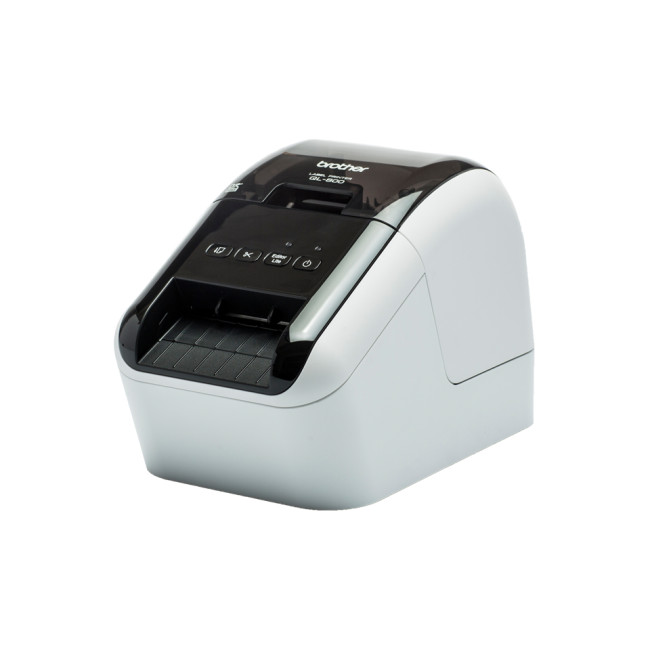
Highlights:
- Thermal
- Label Printer
- Colour Print Type
- USB
- Black Colour
The Brother QL-800 direct thermal colour pabel printer is a great all-round choice for home offices, small businesses, and general label printing.
It offers fast label printing, USB connectivity, and colour print capability using compatible labels. It is ideal for address labels, file labels, folder labels, name badges, and general organisation.
Because it offers a strong balance of price, speed, and features, this is the model I would recommend to most people who want a dependable desktop label printer.
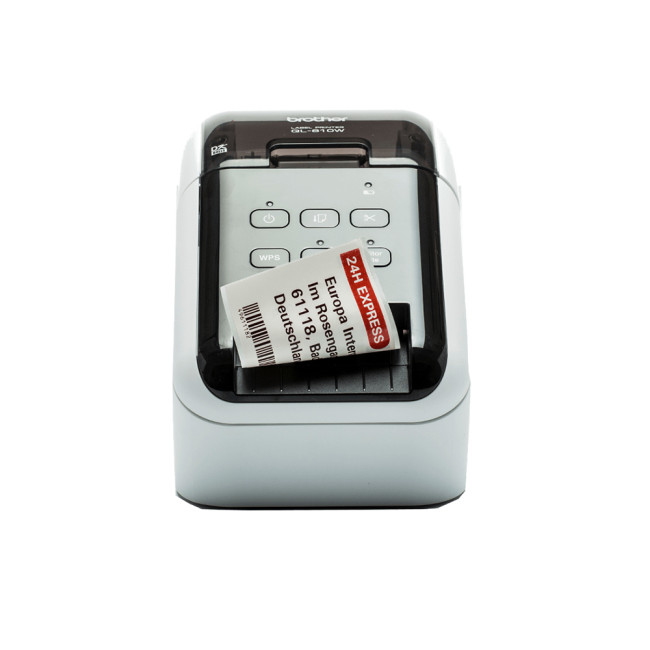
2. Best Wireless Option: Brother QL-810Wc Wireless Thermal Label Printer
Highlights:
- Thermal
- Thermal Label Printer
- USB
- Black Colour
If you want more flexibility, the Brother QL-810Wc wireless thermal label printer is a better fit. It gives you wireless printing, which is ideal for shared spaces, small teams, and busy desks where cable clutter is not welcome.
This model is especially useful if several people need access to the same printer. It is also a good choice if your printer needs to sit in a practical spot, not necessarily right next to your computer.
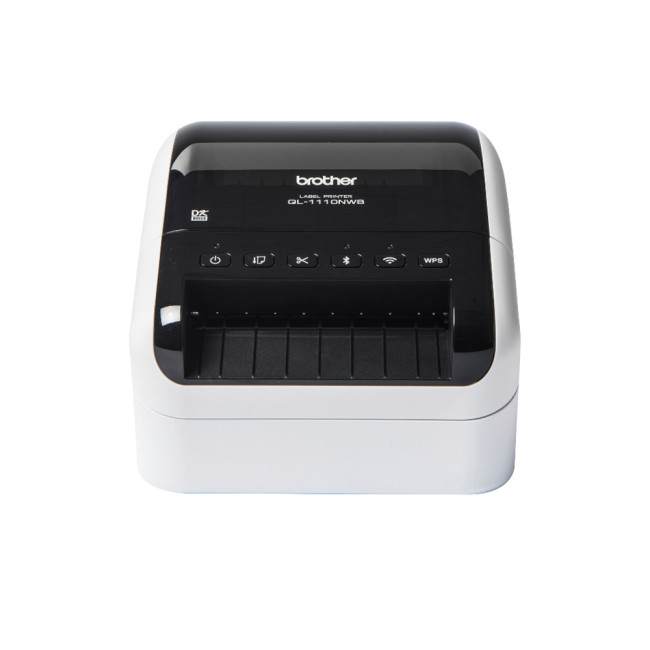
3. Best for Shipping and Barcodes: Brother QL-1110NWB Wireless Shipping & Thermal Barcode Label Printer
Highlights:
- Thermal
- Thermal Label Printer
- Wi-Fi
- Black Colour
The Brother QL-1110NWB wireless shipping & thermal barcode label printer is the strongest choice for serious ecommerce, shipping, and barcode label needs.
It supports wider labels, which makes it better suited to parcel labels and courier labels. It also offers wireless connectivity, making it a practical option for packing stations and business environments.
If you run an online store or print shipping labels regularly, this is the one to look at first.
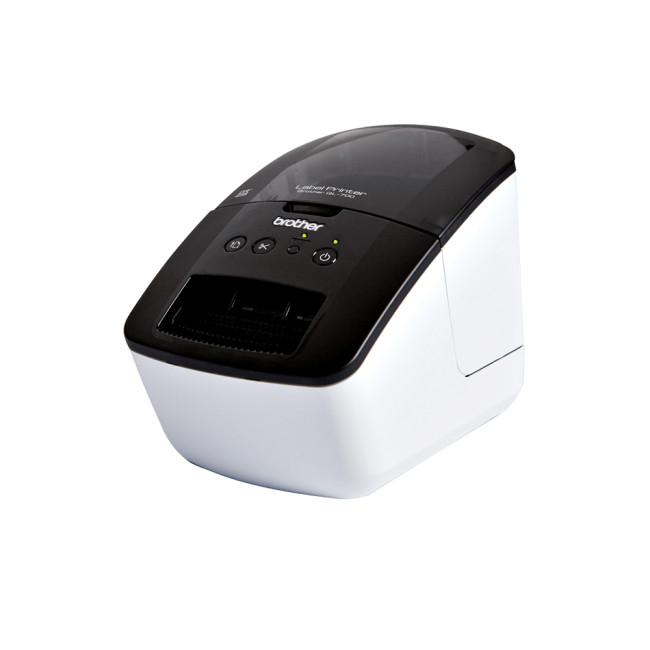
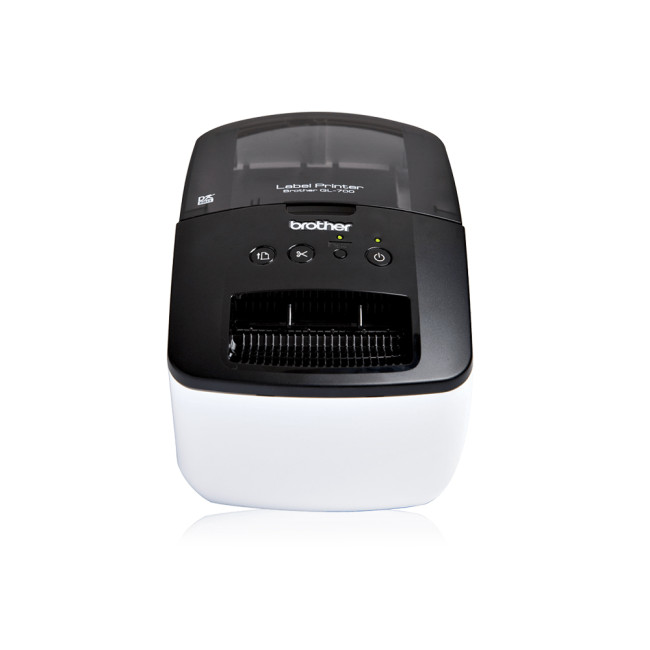
4. Best Budget New Model: Brother QL-700 Mono Thermal USB Label Printer
Highlights:
- Thermal
- Thermal Label Printer
- USB
- Black White Colour
The Brother QL-700 300x600 DPI mono thermal USB label printer is a smart choice if you want something affordable, reliable, and simple.
It is a wired USB model, so it is best for one-person setups, home offices, and desks where the printer will stay connected to a computer. It is not the most advanced option, but it does the basics very well.
For everyday labels, files, envelopes, and organisation, it offers excellent value.
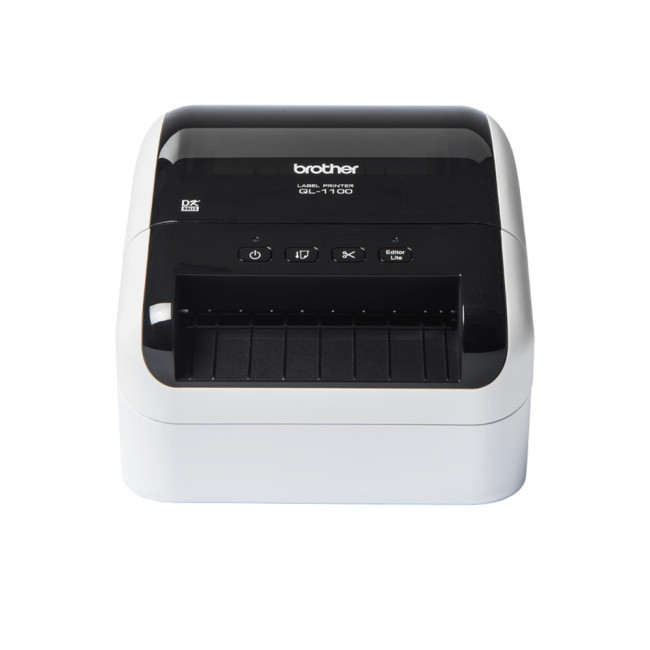
5. Best Wide-Label Wired Option: Brother QL-1100c Thermal Label Printer
Highlights
- Wired
- 300 x 300 dpi
- Max Print Width : 10.2 cm
- Thermal
- Label Printer
- Colour Print Type
- USB
- White Colour
The Brother QL-1100c 300×300 DPI thermal label printer is ideal if you need wider labels but do not necessarily need wireless connectivity.
It is a good middle-ground choice for users who print shipping labels, large address labels, and business labels from a fixed workstation.
If you need something more capable than a basic desktop model but do not want to pay for premium wireless features, this one is worth considering.
6. Best Low-Cost Option: Refurbished Brother QL700ZU1 Desktop Thermal Label Printer
Highlights
- Thermal
- Thermal Label Printer
- USB
- Black, White Colour
If your main priority is saving money, the refurbished Brother QL700ZU1 desktop thermal label printer is the most affordable option from the selected picks.
Because it is refurbished, it may not suit buyers who want a brand-new product. However, for basic label printing at a lower upfront price, it can still be a practical choice.
It is best for light home use, occasional office labels, and users who want to keep costs down.
For more options, you can browse Laptop Outlet’s full range of affordable label printers.
Label Printer Cost: What Should You Expect?
The label printer cost depends on the model, features, connectivity, print width, and whether the product is new or refurbished.
Entry-level wired models are usually the most affordable. These are great for home users, students, and small offices that only need basic labels.
Mid-range models often add better speed, sharper resolution, or wireless connectivity. These are a good choice for small businesses and busy home offices.
Higher-end models usually support wider labels, barcode printing, network features, and stronger business use. They cost more upfront but can be worth it if they save time every day.
However, do not only look at the printer price. Think about the total cost of ownership, including:
- Replacement label rolls
- Special label sizes
- Compatible tapes
- Shipping label stock
- Maintenance requirements
- Software needs
- Printing volume
A cheaper printer may be perfect if you print occasionally. But if you print shipping labels every day, paying more for speed, width, and wireless features can be a better long-term decision.
Important Label Printer Features to Look For
The right label printer features will depend on your use case, but there are a few things worth checking before you buy.
Print Width
This decides how large your labels can be. For shipping labels, wider support is important. For folders and address labels, a smaller width may be fine.
Connectivity
USB is reliable and affordable. Wi-Fi or network connectivity is better for shared use. Bluetooth may be useful for mobile and portable label printers.
Print Speed
High-speed printing is useful for businesses, warehouses, ecommerce sellers, and offices with large mail volumes.
Resolution
A higher DPI gives sharper text, logos, and barcodes. For standard labels, 300 DPI is often enough.
Label Compatibility
Check the label sizes and roll types supported by the printer. This avoids problems later when buying replacement labels.
Software
Good label software makes it easier to design, save, and print professional labels. Look for support for barcodes, templates, address imports, and custom branding.
Size and Portability
A compact printer is better for small desks. A portable label printer is better for mobile workers and on-site labelling.
Running Costs
Look at the price of replacement labels before you buy. A printer is only a good deal if the ongoing costs make sense too.
Common Label Printer Issues and How to Avoid Them
Even good printers can run into problems if they are not set up or maintained properly. Here are some common label printer issues and what to do about them.
Labels Not Aligning Correctly
This usually happens when the wrong label size is selected in the software. Always match the label template to the roll loaded in the printer.
Poor Print Quality
If text or barcodes look faint, check the label roll, print settings, and thermal print head. Using compatible labels usually helps avoid this issue.
Labels Jamming
Jams can happen if the roll is loaded incorrectly or if labels are peeling inside the printer. Make sure the roll feeds smoothly and the printer path is clean.
Printer Not Connecting
For USB models, try another port or cable. For wireless models, check your Wi-Fi connection and printer settings.
Barcodes Not Scanning
This can happen if the label is too small, the resolution is too low, or the barcode is distorted. Use the correct barcode format and print size.
Most problems are easy to avoid by following the setup instructions and using the right label supplies.
A Simple Guide to Setting Up Your Label Printer
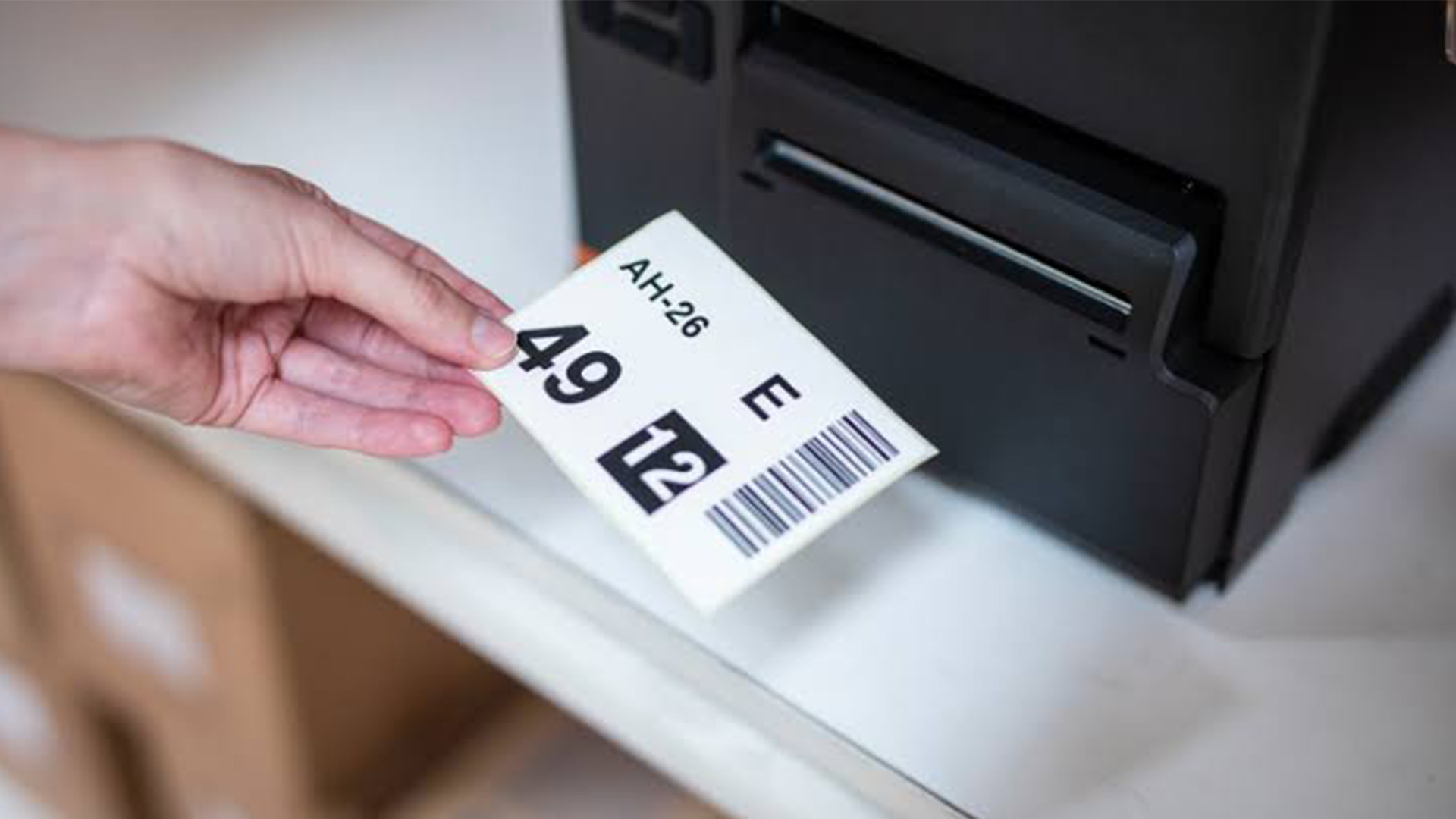
Here is a quick guide to setting up your label printer once it arrives.
First, unbox the printer and place it on a stable surface. If it is a desktop model, keep it near your computer or packing area. Next, install the label roll correctly, making sure it feeds in the right direction.
Then connect the printer using USB, Wi-Fi, or the available connection method. After that, install the required drivers or label software from the manufacturer’s official support page.
Once installed, choose the correct label size in the software. This step is important because the wrong template can cause misaligned printing.
Before printing a full batch, run one test label. Check the text, barcode, alignment, and spacing. If everything looks right, you are ready to print.
For users who are still comparing different print setups, it may also be useful to explore business printers if your office needs document printing alongside label printing.

Final Thoughts
A good label printer is one of those devices that quietly makes life easier. It helps you stay organised, speeds up repetitive tasks, and makes your labels look clean and professional.
The best choice depends on how you plan to use it. For home organisation and simple office tasks, a compact USB label printer may be perfect. For ecommerce and shipping, a wider label printer will make more sense. For shared workspaces, wireless connectivity is worth considering.
Hopefully, this label printers guide has made the decision clearer. Instead of choosing based only on price, think about your label size, print volume, connectivity needs, running costs, and the type of labels you print most often.
And when you are ready to compare options, Laptop Outlet has a strong selection of affordable label printers, along with best printers, home printers, business printers, and multifunctional printers for every setup.

Some Common Questions Everyone Ask
What is a label printer used for?
A label printer is used to print stickers, shipping labels, barcode labels, file labels, product labels, name badges, and home organisation labels. It is useful for homes, offices, ecommerce businesses, retail stores, and warehouses.
How do I choose the right label printer?
To choose the right label printer, consider what you’ll print, how often you’ll use it, the label size you need, print speed, connectivity, resolution, and running costs. For shipping labels, choose a wider model; for basic labels, a compact USB printer is usually enough.
Are thermal label printers better than ink printers?
Yes, thermal label printers are often better for labels because they do not need ink or toner. They are faster, cleaner, and cheaper to maintain, especially for shipping labels, barcodes, and everyday office labels.
How much does a label printer cost?
Label printer cost depends on the model and features. Basic USB label printers are usually more affordable, while wireless, wide-format, and business label printers cost more. You should also consider the price of replacement label rolls.
What is the best label printer for small businesses?
The best label printer for small businesses depends on daily use. For general office labels, a compact Brother QL model works well. For ecommerce or parcel labels, a wider wireless label printer is a better choice because it saves time and handles shipping labels more easily.

