



Lenovo Desktop PC V530S SFF Intel Core i5-8400 8GB RAM – Review
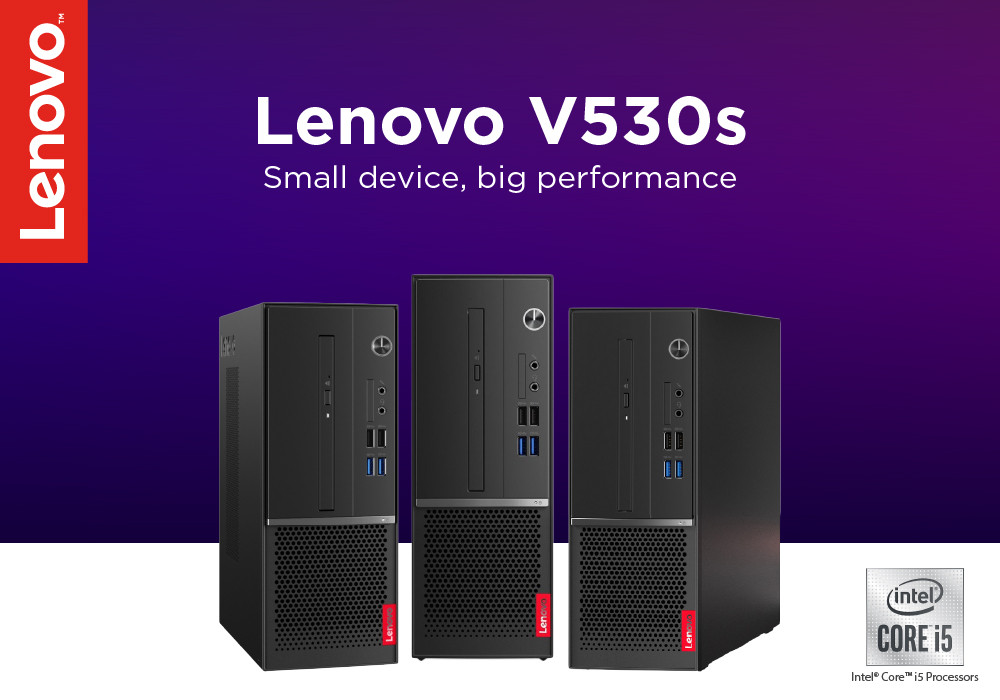
Lenovo’s upsurge in the technology has been elevating not only in terms of laptops, but Lenovo has a formidable range of Lenovo Desktop PCs. The Lenovo V530S is a Core i5 PC with loads of features to settle for everyday work routine or usual digital chores. While many of us struggle to find PCs in economical range and durable factors, The Lenovo V530S helps greatly.
Aside from having a sturdy build, an equable amount of ports, a consistent performance, this Lenovo PC packs added security features. You are also allowed upgradability like most of these PCs, but this one easily accommodates much higher options.
The Lenovo Desktop PC V530S SFF review, we are grinding in today should highlight some major facts and figures about this PC.
Specs List
- Intel Core i5 8th Gen | 2.80GHz Processor
- 9in size
- GPU: Integrated/On-Board Graphics
- 256GB SSD, 256 GB HDD
- OS: Windows 10 Professional
- 8GB RAM
Performance – Fitting to the Power
The main consideration we held in our minds was related to the performance of this Lenovo Desktop PC. And we are pleasantly surprised to have known the powerful speed and overall performance of the V530S. While many users constantly juggle between the high and low-speed factor of most PCs, this one has a dire consistency. The core i5 processor by Intel packed in this PC come with a brilliant combo of 8GB memory. This RAM is more than enough to boost hard drive, load several applications at once, and support the usage of heavy software.
Getting to the storage capacity of Lenovo V530S there are two solid options for storing data. This PC has two storage facilities including the solid-state drive storage of 256 GB and an HDD storage of 256GB. You can make the hefty usage of files, documents, or programs quite convenient without worrying on extra time for storage.
The graphics side has the integrated graphics inserted, relating to the Intel Ultra HD graphics. In our opinion, the UHD graphics pairs quite well with the core i5 and Windows 10 professional. If you are fond of watching movies every now and then, the graphics will be fine enough. The budget has the best GPU setting for you and in case you need to upgrade it to the dedicated graphics, there’s no problem in that too.
The Build – Rigid & Robust
The external appearance of the Lenovo PC V530S leads to the SFF design element. If you already don’t know the small form factor which is called SFF, is included to keep the sizing compact. So, this Lenovo PC has a minimal existence that is ideal for business professionals and office users to set it on their desk. It consumes lesser space and is much easier to handle. Now, this PC precisely has a dimension of 12 x 10.8 x 3.9 inches. This allows moving it much easily around from one location to the other.
The bottom space of the PC is designed with an intake grill to help the cooling system while heavy processing becomes more secure. From first glance, the PC exhibits a professional and friendly look. Weighing at 9.3 pounds, this PC isn’t too heavy compared with its other PCS. And that is the reason you can move this PC quite easily around offices and desks.
Ports & Upgradability
Lenovo PC V530S houses modest ports to be found good enough for connectivity. The regular HDMI, USB Type-A and B ports are adjusted on the rear side along with the Ethernet port and VGA port. The RJ-45 connector is also attached on the front side of the PC. The headphone jack, microphone slot and SD card reader can be seen on the other side.
Final Word
For those who need a reliable, user-friendly, and a potent PC on their desk without having the difficulty of moving, the V530S is the one. The Lenovo Desktop PC V530S prepares to be the best competitor in the market with its efficient quadcore processing and contemporary design.
Read more:
| Why Lenovo is the Top Choice for PCs: A Comprehensive Guide |
| Lenovo Desktop Computer for Business |
| A Comprehensive Guide to Choosing the Right MSI Gaming PC for Your Needs |
Related Articles

Last Updated: April 01, 2026
Last Updated: July 01, 2025
Last Updated: September 22, 2026
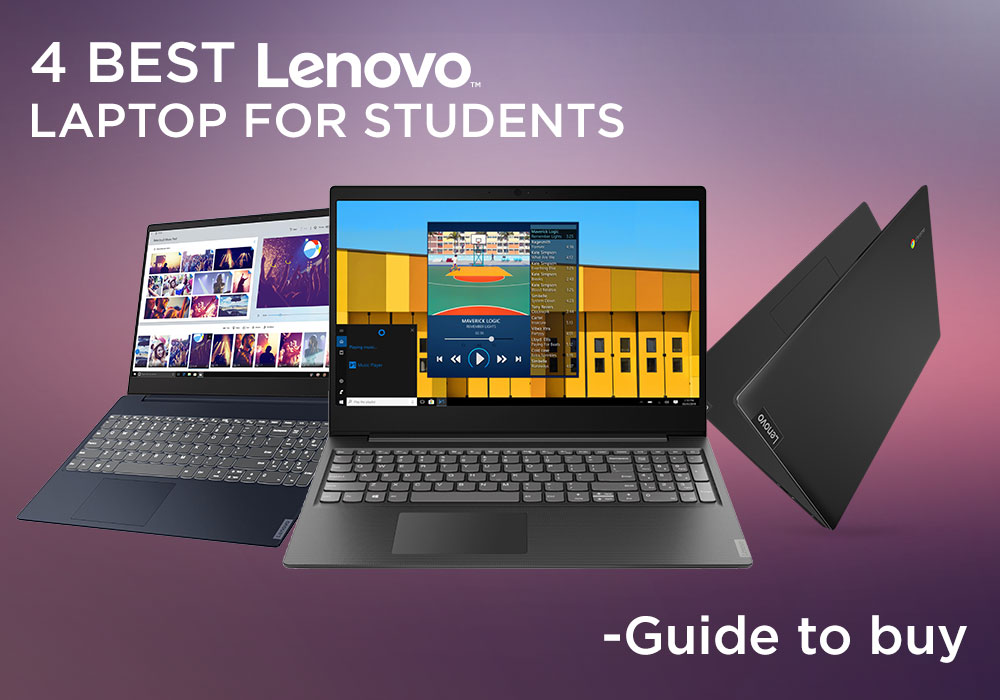
In the present world, laptops have become our go-to devices to tackle all our day-to-day computing tasks. These intelligently crafted portable computing machines come packed with certain avant-garde features to provide you with the best user experience.
When talking about laptops, Lenovo and HP are two of the leading manufacturers. Both market-best technology companies hold worthy expertise in the manufacturing of best-of-the-best laptops. Both Lenovo laptops and HP laptops bring certain advanced specs on the table.
With the sheer number of choices available in the market for the best laptop by both brands, one can easily confuse in choosing the best option. However, you don’t need to worry. Our experts have prepared this detailed guide that will certainly help you to decide whether you should buy a Lenovo laptop, or an HP laptop to best cope with your needs. So, let’s get started!
Lenovo Laptops
Lenovo is a Chinese multinational company specialising in manufacturing market-best
Last Updated: September 09, 2025
Have you ever wondered how a Lenovo laptop transforms from a 30-pound portable computer to a sleek powerhouse, standing the test of time? Let's explore the evolution of Lenovo's resilience, innovation, and cutting-edge design.
In the ever-evolving landscape of technology, where sleek designs meet powerful performance, one brand has consistently stood at the forefront: Lenovo. From the inception of the iconic ThinkPad series to the Yoga and Legion lineups, Lenovo's laptops have not merely adapted to change; they've forged a path of their own, manufacturing a perfect fusion of sophistication and strength. Lenovo has managed to redefine what it means for a laptop to be both slim and mighty.
This blog will explore how Lenovo has redefined the standards of portable computing.
So, let's get into it!
Origin of ThinkPad Series
The roots of the ThinkPad series trace back to the early 1900s, when IBM, an American multinational company, sought to revolutionise the landscape of portable
Last Updated: September 09, 2025
Introduction
In this digital age, laptops and TVs have become essential to our daily lives. It allows users to stream their favourite shows and play video games either on the small screen of a laptop or on a large TV screen. Connecting your Lenovo laptop to a TV can open many possibilities, whether you want to enjoy your favourite movies on a larger screen, share presentations during a meeting, or enjoy gaming with a more expansive display.
Lenovo laptops have various connectivity options, allowing you to connect them to modern TVs easily. This guide will explore instructions and methods for establishing connections and making the most of your Lenovo laptop's capabilities.
Whether you're using HDMI, wireless technologies, or other interfaces, we'll provide comprehensive instructions to enhance your multimedia and productivity experiences.
So, let's get into it!
Methods to Connect the Lenovo Laptop to a TV
There are several methods to connect your Lenovo Laptop to a TV to enhance your viewing
Last Updated: April 02, 2026
Fun Fact about Lenovo: Did you know that Lenovo is at the forefront of groundbreaking technology, recently unveiling the world's first foldable PC, the ThinkPad X1 Fold?
Now, let's explore another aspect of Lenovo's technology prowess: ensuring the longevity and efficiency of your Lenovo laptop's battery.
In the fast-paced digital era, laptops have become indispensable companions, ensuring optimal performance is paramount. One key aspect that often takes a backseat in our tech-conscious minds is the health of the laptop's battery. For proud owners of Lenovo laptops, understanding how to check and maintain battery health is crucial for a seamless computing experience.
In this comprehensive guide, we will explore the various methods to check the battery health of your Lenovo laptop. Whether you're a seasoned tech enthusiast or a casual user, these insights will empower you to maximise your device's battery life and performance. Let's dive into the Lenovo laptop battery health world and
Last Updated: February 25, 2026
Modern architecture relies on far more than sketches and site notes; it depends on powerful digital tools capable of handling detailed models, complex BIM files, and high-quality visualisations. In 2025, a dependable laptop has become an essential part of every architect’s workflow.
Lenovo remains a trusted choice for professionals, offering machines built for performance, accuracy, and durability. For architects, the right laptop must deliver strong processing power, workstation-grade graphics, generous RAM, fast storage, and a clear, colour-accurate display; especially when running demanding software such as Revit, AutoCAD, SketchUp, Lumion, and 3ds Max.
With so many Lenovo models available, finding the perfect balance of power, portability, and value can be challenging. That’s why our experts have tested and compared leading devices to identify the very best options for both practising architects and students.
Here are the best Lenovo laptops for architects in 2025; ideal for creating,

