



Claim Your Free Norton 360 Deluxe with Your New Laptop Over £400 from Laptop Outlet
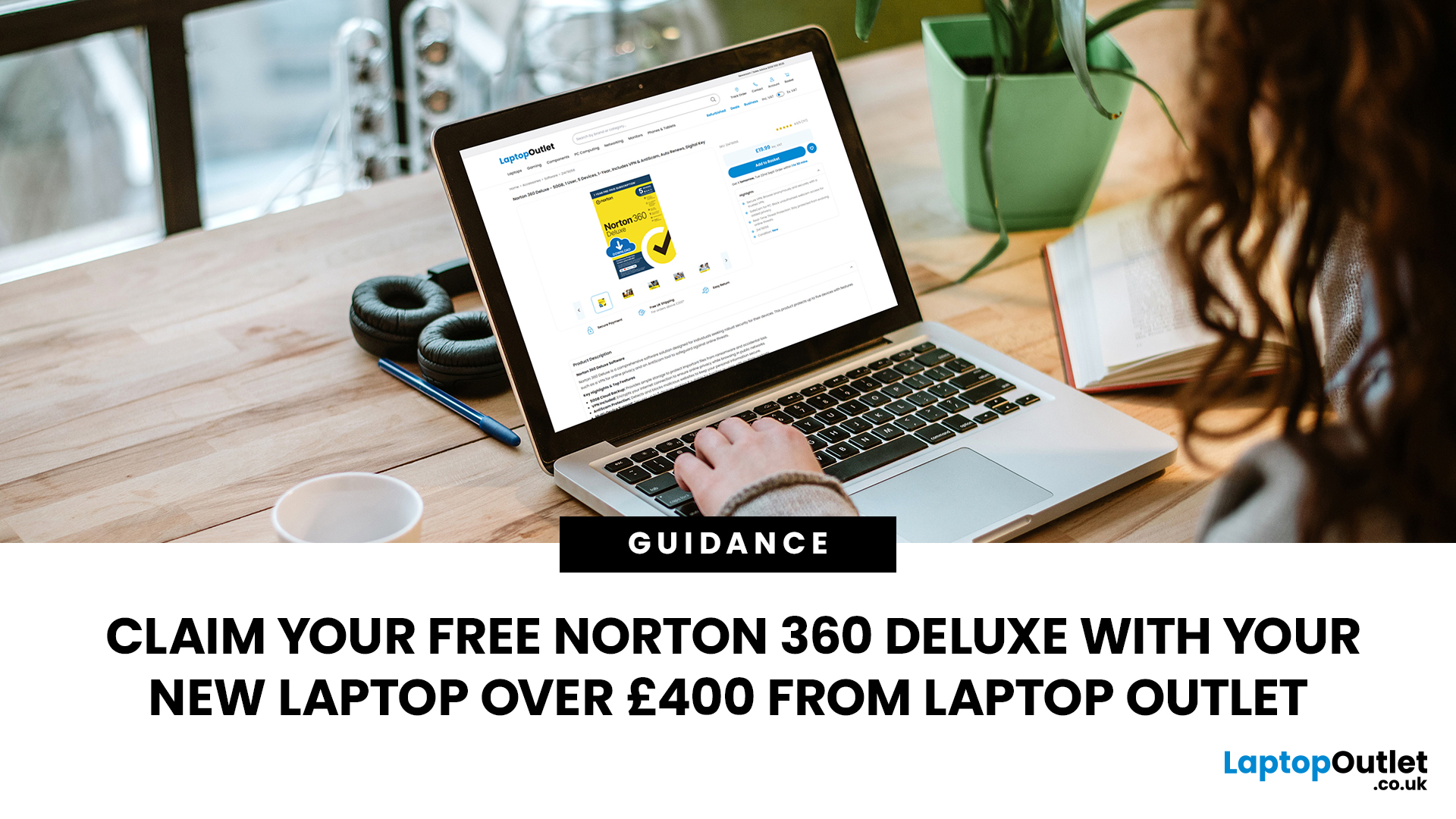
Choose an eligible new laptop priced at £400 or above from Laptop Outlet, and you can claim Norton 360 Deluxe free with your purchase. It gives you a useful set of security, privacy and account-protection tools to help you get your new laptop set up with added protection from the start.
Below, we explain what Norton 360 Deluxe includes, how to activate it and where to look for a qualifying new laptop.
What Do You Get with Norton 360 Deluxe?
Norton 360 Deluxe combines device security with privacy and account-protection tools. The current plan supports up to five PCs, Macs, smartphones or tablets, although the availability of individual features varies by operating system.
Protection Against Malware and Online Scams
Norton provides real-time protection designed to help defend your device against existing and emerging online threats, including malware and ransomware. Its current Norton 360 Deluxe package also includes Scam Protection, which uses AI-powered tools to help identify online scams and suspicious content.
This gives you protection that works in the background while you use your laptop for everyday browsing, work, study, gaming or entertainment.
VPN, Passwords and Dark Web Monitoring
Norton 360 Deluxe includes a VPN for more private internet use, alongside Password Manager for generating, storing and managing passwords and other login credentials.
You also get Dark Web Monitoring. Norton monitors supported personal information and can notify you if it finds that information on the dark web, allowing you to respond to a potential exposure more quickly.
Backup, Firewall and Family Features
On compatible Windows PCs, Norton 360 Deluxe includes 50GB PC Cloud Backup, which can be used to store important files as an additional safeguard against problems such as drive failure, theft or ransomware. Smart Firewall monitors network communications and helps block unauthorised traffic.
Other features include SafeCam for PC, which can warn you about attempts to access your webcam, and Parental Control for managing supported online activities on a child's devices. Some functions are platform-specific: Norton states that Cloud Backup, Parental Control and SafeCam are not supported on macOS, while certain functions also have restrictions on Windows in S mode.

How to Claim Your Free Norton 360 Deluxe
The offer applies to eligible new laptops priced at £400 or above.
Once you have your qualifying laptop and the Norton product key supplied with the offer, the current Norton retail activation process is straightforward:
- Visit the Norton setup page.
- Enter the Norton product key supplied with your qualifying purchase. Norton product keys contain 25 alphanumeric characters, normally shown as five groups of five characters.
- Enter your email address and sign in to your Norton account. If you do not already have one, follow the instructions to create an account.
- If Norton prompts you for payment details in connection with automatic renewal, review the subscription and renewal information shown before continuing.
- Accept the applicable licence terms and download Norton.
- Run the installer and follow the on-screen instructions to complete installation and activation.
Norton's current instructions confirm that a retail or third-party purchase can be added to an existing Norton account or registered to a new one through this process.
Keep your product key secure after activation. Once the subscription has been registered to your Norton account, the account can be used to manage your protection and reinstall Norton where supported.
Find a New Laptop That Qualifies
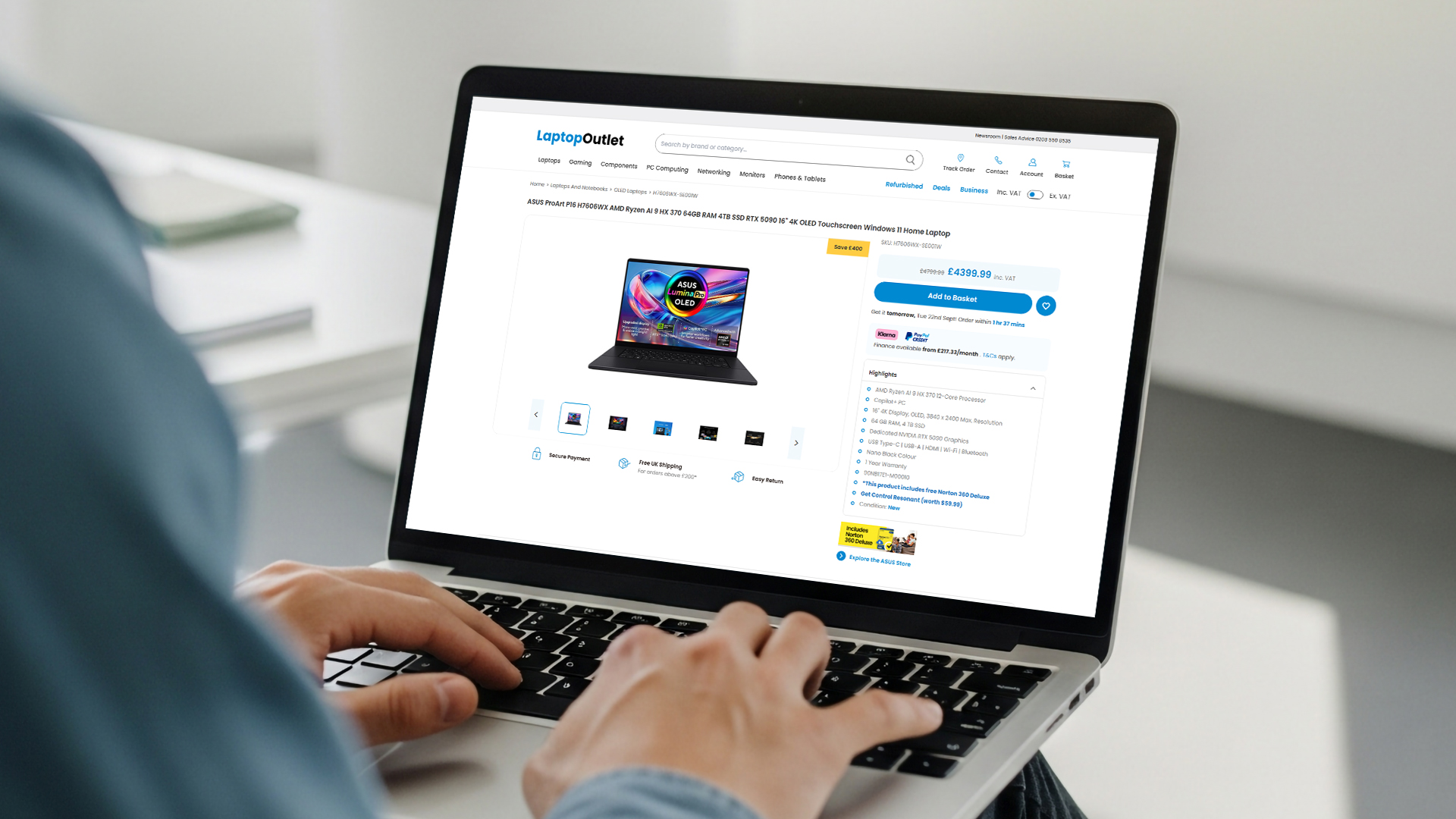
The Norton offer gives you another reason to consider what you actually need from your next laptop rather than choosing purely by price. Start with Laptop Outlet's laptops range and check that the individual model is new, eligible and priced at £400 or above before ordering.
Laptops for Work and Study
For office work, remote working and professional software, business-focused laptops include options across different processors, screen sizes, RAM capacities and storage configurations.
Students can also compare student laptops for coursework, research, online classes and everyday university use.
If you are shopping around the eligibility threshold, the laptops under £500 range can help narrow your search. However, this category contains products at different prices and conditions, so check that the particular laptop is new and costs at least £400 rather than assuming every model shown qualifies.
Gaming and Creative Laptops
More demanding workloads may call for stronger processors, dedicated graphics or higher-resolution displays. The laptops for gaming range includes systems designed for modern PC games and other GPU-intensive applications.
For photography, graphic design, video editing and similar workloads, creator laptops provide another route to systems built around demanding visual and creative applications.
Whatever your use case, check the product's current price and condition before ordering so you know it meets the Norton offer requirements.

Start Your New Laptop with Norton 360 Deluxe
An eligible new laptop priced at £400 or above from Laptop Outlet gives you access to Norton 360 Deluxe alongside your new device. With tools covering malware protection, online privacy, passwords, dark web monitoring and more, it can add useful security features from the beginning.
Find a qualifying new laptop from Laptop Outlet, choose the specification that suits how you work, study or play, and use your supplied product key to claim your free Norton 360 Deluxe.

A Few Things to Know...
Does every Laptop Outlet laptop come with free Norton 360 Deluxe?
No. The offer applies to eligible new laptops priced at £400 or above. You should check the product's condition, current price and offer eligibility before ordering.
Does a laptop priced at exactly £400 qualify?
Yes. The stated threshold is £400 or above, so an eligible new laptop priced at exactly £400 meets the price requirement. Other products or laptops below £400 should not be assumed to qualify.
What does Norton 360 Deluxe include?
Current Norton 360 Deluxe features include protection for up to five devices, malware and scam protection, VPN, Password Manager, Dark Web Monitoring and 50GB PC Cloud Backup, with additional features depending on your device and operating system.
What do I need to activate my free Norton 360 Deluxe?
You will need the Norton product key supplied with your qualifying purchase and a Norton account. During setup, Norton may also ask for additional information or payment details if you are prompted to enrol in automatic renewal.
What should I do if my Norton product key does not work?
Check that you have entered all 25 characters correctly and that there are no typing errors. If a retailer-supplied key has not been validated or continues to be rejected, Norton's guidance recommends contacting the retailer with your purchase details for assistance.
Related Articles

Last Updated: December 24, 2025
Finding a high-quality seat for your gaming setup doesn’t have to break the bank. If you spend hours at your desk, you know that comfort is just as important as your GPU or monitor. However, the market is flooded with options, making it hard to find a durable budget gaming chair that actually lasts.
The good news is that you can get premium features like adjustable armrests, high-quality material, and deep recline functions without spending a fortune. In this guide, we have rounded up the top value gaming chair picks 2026 that will keep your back happy and your setup looking sharp.
Below, we dive into the best gaming chairs under £250 available right now.
Why Invest in a Gaming Chair?
A high-quality chair is more than just a seat; it is an essential tool for your health. Standard office chairs often lack the necessary support for your spine. A dedicated gaming chair provides targeted lumbar and neck support to prevent long-term aches and pains.
Beyond physical health, the right chair
Last Updated: December 31, 2025
The New Year is the perfect time to upgrade your tech without overspending, and Laptop Outlet is here to make that easier than ever. Our New Year refurbished laptop deals for 2026 bring unbeatable value, reliability, and performance, all at prices that won’t stretch your budget. If you’re searching for refurbished laptops under £200, this is the smartest way to start the year with dependable technology for work, study, or everyday use.
Refurbished laptops are no longer a compromise. In fact, they are one of the most practical ways to get high-quality devices from trusted brands at a fraction of the original price. Whether you’re looking for cheap refurbished laptops deals this New Year, a device for home working, or a dependable secondary laptop, our New Year sale has something for everyone.
Refurbished Laptops Under £200: What Can You Expect?
Many shoppers are surprised by just how much you can get when browsing refurbished laptops under £200 at Laptop Outlet. While these laptops may

Last Updated: April 21, 2026
A new year, a fresh scroll, and maybe… a phone that doesn’t need charging twice a day. If that sounds like a goal, you’re in the right place. New Year smartphone deals in 2026 are shaping up to be one of the best times to upgrade without blowing past the £500 mark.
Thanks to rapid tech upgrades and fierce competition, smartphones under £500 in 2026 are no longer “budget compromises.” We’re talking flagship-style cameras, 5G speeds, premium displays, and batteries that actually last a full day (and then some). Whether you’re hunting for Android phone New Year discounts, eyeing iPhone deals, or comparing specs like a pro, this guide breaks it all down, minus the boring bits.
Why New Year Is the Sweet Spot for Smartphone Deals
New Year sales are kind of the underrated MVP of tech shopping. While Black Friday grabs the headlines, January is when retailers quietly drop serious discounts—especially on last year’s premium and mid-range models.
Here’s why New Year Smartphone Deals hit different:

Last Updated: January 15, 2026
In an age where our lives are lived almost entirely online, digital security is no longer just an option—it is a necessity. From online banking to shopping, every click opens a door. Cybercriminals are always looking for ways to slip through those doors using malware, ransomware, and phishing scams.
This is where Norton Antivirus steps in. As one of the most trusted names in the industry, Norton provides a multi-layered shield designed to stop threats before they even touch your files. But how does it actually work?
In this guide, we will break down the advanced technology behind Norton’s real time threat protection.
What is Real Time Threat Protection?
Real time threat protection is a security feature that stays active in the background of your device. Unlike manual scans that you start yourself, this protection is "always on."
Every time you open an email, download a file, or browse a website, Norton malware protection feature is working. It checks every piece of data coming in. If

Last Updated: January 15, 2026
Life in the UK is now deeply digital. We shop online, manage our online banking on the move, book travel, and stay connected through emails and apps. Our laptops, tablets, and smartphones are almost always connected to the internet.
That constant connection brings convenience, but it also brings risk. The UK has one of the highest internet usage rates in Europe, which makes everyday users a prime target for cybercrime. Phishing emails, fake websites, SMS scams, and data theft are becoming more common.
So, it is natural to ask: what is Norton Internet Security, and do you really need it?
This guide explains everything. We will break down the essential Norton Antivirus features, and how they provide robust protection against the unique threats facing UK users today.
What is Norton?
Norton is one of the most trusted names in global cybersecurity. While it started as a simple antivirus program, it has evolved into a comprehensive security suite now often referred to as Norton 360.
Today,

Last Updated: January 21, 2026
Windows tablets have quietly become one of the most practical tech buys in the UK, especially if you want proper laptop features without paying laptop money. Whether you’re studying, working remotely, or just need a flexible everyday device, a Windows tablet (or budget 2 in 1 Windows tablet) can often do the job of both a tablet and a laptop.
In this 2026 guide, we’re breaking down the best Windows tablets in the UK by price, under £300, and £500 and explaining what you can realistically expect at each level. No hype, no spec overload, just clear advice to help you spend smart.
Why Choose a Windows Tablet Instead of Android or iPad?

Before diving into budgets, it’s worth understanding why people choose Windows tablets in the first place.
A Windows tablet gives you:
- A full desktop operating system
- Proper file management (folders, drives, downloads)
- Compatibility with Microsoft Office and desktop apps
- Keyboard and mouse support
- Often, a 2-in-1 experience with detachable or foldable keyboards
Last Updated: January 15, 2026
You aren’t alone feeling that the internet is as safe as it used to be, everyone else feeling the same.
One minute you’re scrolling, shopping, or replying to an email, the next, there’s a data breach headline, a scam link that almost looked real, or a deepfake that makes you question everything. Cyber threats aren’t just more common now; they’re smarter, faster, and way more convincing.
That’s why the future of internet security isn’t about installing an antivirus and forgetting it exists. It’s about building protection that thinks, learns, and evolves in real time, the same way threats do.
And this is exactly where Norton cybersecurity has been quietly (and sometimes loudly) changing the game.
So… What Exactly Is Norton?
If you’ve been online for more than five minutes, chances are you’ve heard of Norton. And no, it didn’t just appear out of nowhere.
Norton has been in the cybersecurity game since the early days of the internet, back when “going online” meant dial-up noises and viruses

Published: January 15, 2026
For years, owning a Mac felt like locking your front door and throwing away the key. No pop-ups. No panic. No antivirus reminders. Until one day… winter came. But here’s the truth: cybercriminals noticed that confidence too. And they’ve been aiming straight at it. macOS is now a prime target, not because it’s broken, but because users trust it. Today’s threats don’t scream for attention; they blend in, hide in plain sight, and wait for a single click.
Which brings us to the question more Mac users are quietly asking: Does Norton actually work on Mac?Yes, it does. And not as a recycled Windows tool, but as a security solution built for macOS.
The Truth About Mac Security (No Sugar-Coating)
macOS is secure. Apple deserves credit for that. Built-in tools like Gatekeeper, XProtect, and Sandboxing do a solid job of keeping obvious threats out. That’s why Macs feel safer than a lot of other devices. But feeling safe isn’t the same as being fully protected.
Today’s cyber threats aren’t always
Last Updated: April 28, 2026
Struggling to find HP laptop deals that don’t feel overpriced, outdated, or just not worth it? Yeah — scrolling through endless specs, inflated prices, and “fake” discounts can be frustrating, especially when you just need a laptop that actually works for study, work, or everyday life.
The problem? Too many laptops either cost way too much or cut corners where it matters. Slow performance, tiny storage, poor screens, not the vibe. And when you’re on a budget, finding reliable HP laptops UK shoppers can trust shouldn’t feel like a gamble.
That’s where Laptop Outlet comes in. We’ve rounded up some of the best HP laptops on sale in the UK, with prices starting from just £149.99. From cheap HP laptops for everyday use to powerful business-ready machines, our handpicked HP laptop offers give you serious value without compromising on quality.
HP 15-fc0045na – Everyday Power for You
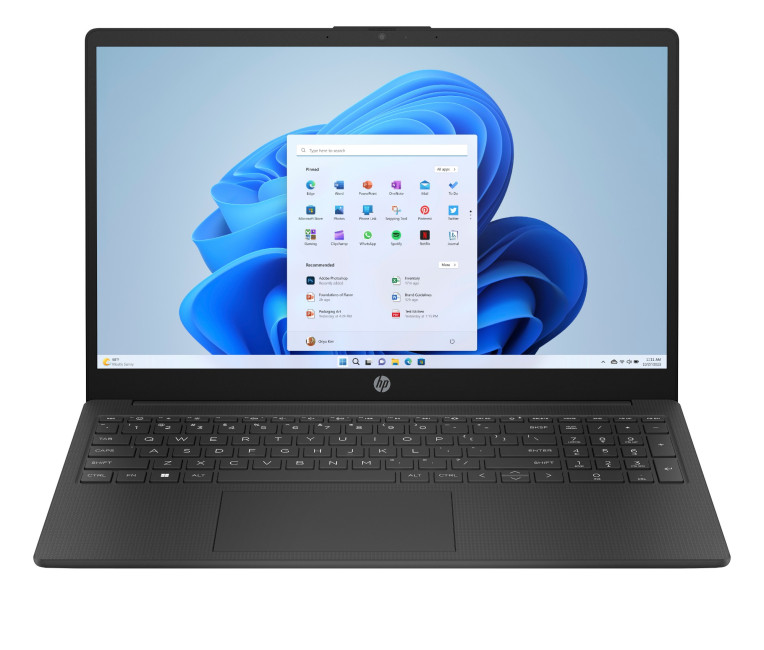
- The HP 15-fc0045na is a well-balanced 15.6-inch laptop that perfectly blends performance with everyday

Last Updated: February 10, 2026
Buying a desktop PC is a big decision, especially when prices can range from a few hundred pounds to several thousand. The right choice depends not just on your budget, but on how you plan to use your PC now and in the future.
Let us help you understand exactly what you get at different price points, what specifications really matter, and how to avoid common mistakes. Whether you’re buying your first desktop or upgrading an older system, this guide will walk you through everything you need to know.
Why Choose a Desktop PC Instead of a Laptop?

Before diving into budgets, it’s worth understanding why many UK buyers still choose desktops:
- Better performance for the price
- Easier and cheaper upgrades
- Longer lifespan
- Improved cooling and sustained performance
- More connectivity options
For home offices, gaming setups, and creative work, desktops almost always offer better long-term value.
Understanding Desktop PC Specifications (Quick Primer)
If you’re not technical, these are the core components

