



How to Set Up a Halloween Horror Movie Night at Home in 2026
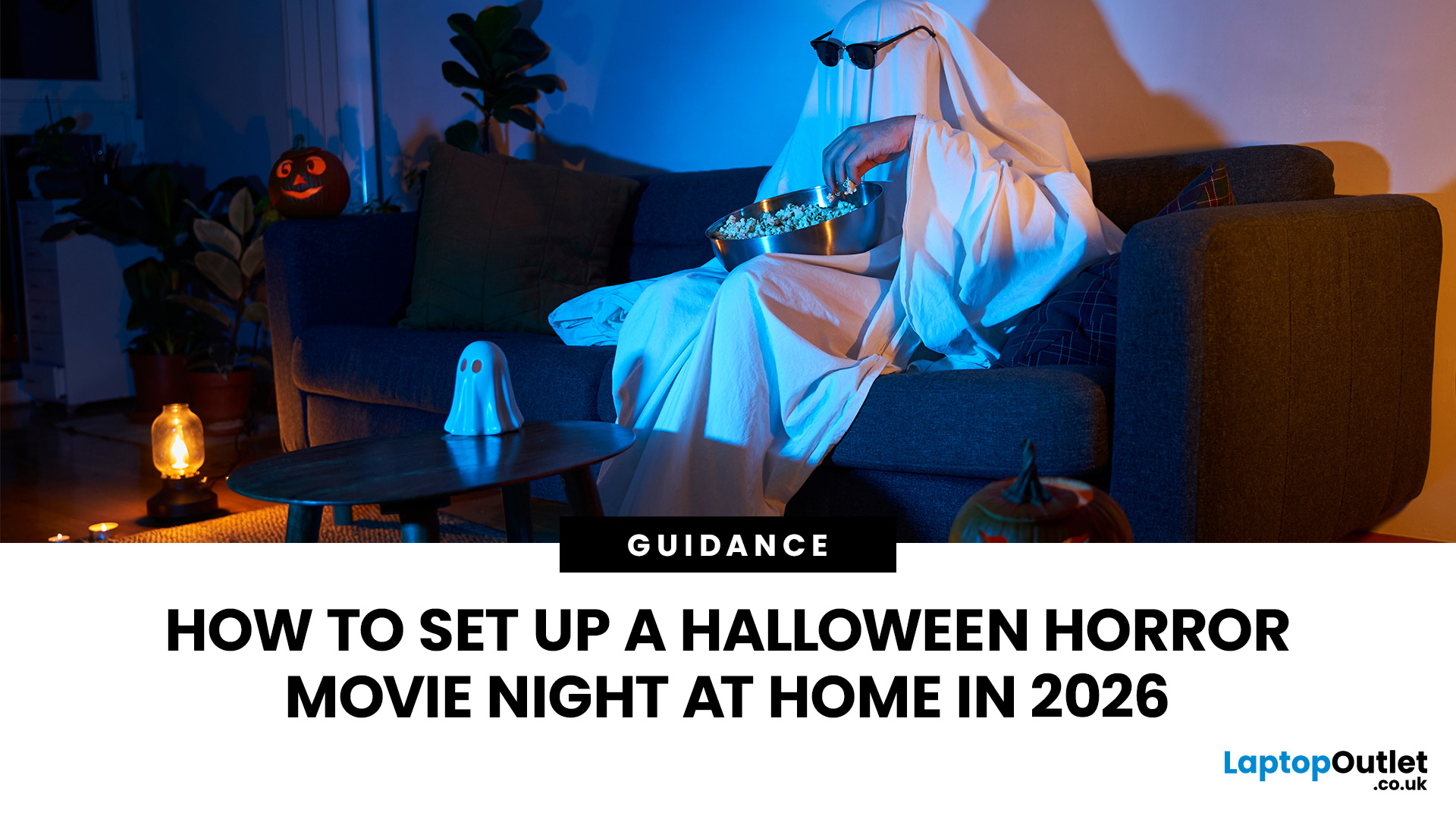
The lights flicker. A floorboard creaks. Someone screams from the screen, and suddenly, nobody wants to sit closest to the door. That's the magic of a Halloween horror movie night!
Quick Answer
For the perfect Halloween movie night setup, choose a dark, comfortable room and position your laptop or monitor where everyone can see. Use a 4K or OLED display for detailed horror scenes, add external speakers for atmospheric sound and decorate with dim orange or purple lighting. Finish with spooky snacks, comfortable seating and a terrifying film playlist.
This Halloween 2026, forget crowded cinemas and expensive tickets. Turn your living room, bedroom or even your garden into a haunted screening room. With the right screen, chilling sound effects, eerie lighting and a few devilishly good snacks, you can create a night your guests won't forget. And no, you don't need a massive TV or an expensive home cinema system to pull it off.
1. Turn Your Living Room into a Haunted Cinema
Before worrying about screens or speakers, set the scene. A good Halloween movie night cinema experience starts with the room itself. You want guests to feel they've stepped into an abandoned cinema, a haunted mansion or the setting of their favourite horror film. Fortunately, a few simple changes can transform your usual living room.
Arrange Your Seating for Maximum Suspense
Start by choosing where everyone will sit. Move your sofa or chairs so guests face the screen without twisting their necks.
For a cosy movie night living room setup:
- Place cushions and blankets across the sofa for comfortable viewing.
- Add beanbags or floor cushions for extra guests.
- Keep the centre of the screen near seated eye level.
- Move reflective decorations away from the display.
- Leave enough room for people to reach snacks without blocking the picture.
If you're watching on a monitor rather than a large television, keep the gathering small enough for everyone to see the screen comfortably. Spooky idea: Give the person who gets scared most easily the seat closest to the mysterious dark corner. Just don't tell them why!
Make the Decorations Part of the Experience
Think cobwebs, carved pumpkins, plastic spiders and shadowy corners. Drape artificial cobwebs across shelves, place battery-operated candles around the room and hang a few paper bats near the screen.
Keep decorations away from ventilation openings, electrical connections and hot equipment. For an extra chilling touch, use a Halloween-themed desktop wallpaper or display an animated haunted-house scene before the film starts. Your room should feel unsettling before the opening credits even appear.
2. Choose a Screen That Makes Every Shadow Count
Horror films depend heavily on visual atmosphere. Dim corridors, shadowy figures and sudden flashes of light create tension long before anything frightening happens.
A suitable display makes those details easier to appreciate. You don't necessarily need the largest screen available. Picture quality, viewing distance and room lighting matter just as much.
OLED Monitors: Perfect for Those Pitch-Black Scenes
Imagine watching a horror film where the screen fades completely to black. Then, out of nowhere, a pale face appears in the darkness. That's where OLED displays have a particular advantage.
Unlike conventional LCD monitors, OLED panels can switch individual pixels off to produce extremely deep blacks. This helps dark scenes retain their atmosphere without the greyish glow that some LCD screens produce.
OLED can offer:
- Deep black levels for dark horror sequences.
- High contrast between shadows and bright objects.
- Wide viewing angles for group screenings.
- Fast pixel response times for clear motion.
If cinematic contrast matters to you, our range of OLED displays with deep black levels is worth browsing.
Horror-night tip: OLED is excellent for dark scenes, but use a sensible brightness setting and avoid leaving static menus displayed for extended periods.
4K Monitors: Catch Every Creepy Detail
Sometimes the scariest thing isn't the monster. It's the movement you almost miss behind the main character. A 4K UHD display provides a resolution of 3840 × 2160 pixels, offering greater image detail than Full HD when the screen size, viewing distance and source quality allow you to see the difference.
This can make textures, facial expressions and detailed film environments look sharper. For a bedroom or small-group screening, a 27-inch or 32-inch 4K monitor can be a practical choice.
At Laptop Outlet, we offer sharp 4K screens for movie viewing , including options suited to entertainment, gaming and everyday desktop use. Remember that a 4K monitor cannot create genuine 4K detail from a low-resolution stream. Your film source, streaming plan and connected hardware must support the required resolution.
What If You're Working with a Smaller Budget?
Don't worry. A brilliant horror night isn't reserved for expensive screens. A good Full HD or QHD monitor can still deliver an enjoyable viewing experience, particularly in a smaller room. Focus on a display with reasonable contrast, suitable brightness and good viewing angles.
If you're planning a Halloween upgrade, browse our discounted monitors for home viewing to find options suited to your space.
Our verdict: Choose OLED if dark-scene contrast is your priority, 4K for fine visual detail and a good Full HD or QHD display for a simpler setup.
3. Use Your Laptop as the Heart of the Horror Night
You don't need a dedicated home cinema PC to host a Halloween marathon. Your laptop can handle the film playback, streaming services and connection to an external screen.
For a straightforward setup, place your laptop on a stable surface and connect it to your monitor using a compatible HDMI, DisplayPort or USB-C video connection. Check the laptop's actual video-output capabilities, as not every USB-C port carries a display signal.
How to Connect Your Laptop to a Monitor
- Connect your laptop to the monitor using a suitable cable.
- Switch the monitor to the correct input source.
- Press Windows + P and select Second screen only or Duplicate.
- Open Settings > System > Display to confirm the resolution.
- Select the appropriate audio output before starting your film.
Using Second screen only can keep your laptop display from illuminating the room unnecessarily.
For supported streaming services, use their official apps or websites. Some services restrict external display playback or high-resolution streaming depending on content protection, subscription plans and connected hardware.
If your ageing laptop struggles with everyday entertainment, our seasonal laptop savings include options for browsing, streaming, studying and working.
Quick tip: Connect your laptop charger before the film starts, switch on Do Not Disturb and disable sleep during playback. Nothing ruins a jump scare quite like a low-battery warning.
4. Make Every Footstep, Whisper and Scream Sound Terrifying
Picture this: the character slowly opens a creaking door. You hear distant footsteps, a low rumble and something breathing just beyond the frame. Then the soundtrack suddenly goes silent. Good horror sound design makes you dread what happens next.
While built-in laptop speakers can handle casual viewing, external speakers often deliver fuller sound and clearer dialogue.
Choose the Right Movie Theater Speaker Setup
You have several options depending on your room and available space.
|
Speaker setup |
Best suited to |
What to expect |
|
Monitor built-in speakers |
Small rooms and simple setups |
Convenient audio without extra speakers |
|
2.0 stereo speakers |
Bedrooms and desktop viewing |
Separate left and right sound channels |
|
2.1 speaker system |
Small living rooms |
Stereo speakers with additional bass |
|
Compatible surround system |
Dedicated viewing rooms |
More directional effects and immersive sound |
A basic stereo arrangement is often enough for a laptop-and-monitor movie night. Place the speakers on opposite sides of the screen and angle them towards your main seating position. For a larger home cinema system, speaker placement becomes more important. Dolby recommends positioning speakers around the primary listening area to create a balanced sound field.
At Laptop Outlet, you can browse speakers for immersive movie sound , including compact options for home entertainment.
Can You Use a Monitor with Built-In Speakers?
Absolutely. If your space is limited, choosing a monitor with integrated speakers can help keep the setup tidy. Our selection of monitors featuring built-in speakers offers a straightforward option for everyday video playback without separate desktop speakers.
Just remember that built-in monitor speakers usually have limited bass compared with larger dedicated audio systems.
Spooky idea: Test your sound using a scene with quiet footsteps followed by a sudden burst of music. If the dialogue is clear and the effects are convincing without being painfully loud, you're ready.
5. Create the Perfect Halloween Movie Lighting Setup
Lighting can make or break a horror film. Too much light washes out dark scenes. Too little can make it awkward for guests to move around or find their popcorn. The trick is creating enough darkness for suspense while keeping the room comfortable.
Try These Halloween Lighting Ideas
- Orange LED strips: Add a warm pumpkin-like glow around shelves or behind furniture.
- Purple accent lights: Give the room a supernatural, haunted-house appearance.
- Battery-operated candles: Create flickering effects without open flames.
- Dim lighting behind the screen: Add subtle bias lighting to reduce the contrast between a bright display and a dark wall.
- Decorative lanterns: Provide enough light for snack breaks without illuminating the entire room.
Avoid pointing lights directly at the screen. Reflections can make dark horror scenes difficult to see, particularly on glossy displays. For the most immersive viewing, reduce the room's main lighting once the film begins.
Our tip: Start with orange and purple lighting while guests arrive, then dim the lights to a subtle glow when the movie starts. Save the dramatic lighting effects for breaks between films.
6. Pick the Right Halloween Night Films for Your Guests
Now comes the most important decision. What are you brave enough to watch?
A Halloween marathon works best when the films suit your guests. A group of horror enthusiasts might enjoy psychological thrillers and supernatural scares, while families may prefer lighter spooky adventures. Here are some Halloween night films to consider for your 2026 watchlist.
For Serious Horror Fans
The Conjuring (2013), The Exorcist (1973) and Hereditary (2018).
Ideal for a late-night screening when everyone wants unsettling atmosphere, supernatural tension and frightening moments.
For Classic Slasher Fans
Halloween (1978), Scream (1996) and A Nightmare on Elm Street (1984).
Great for a marathon full of iconic villains, familiar horror tropes and plenty of jump scares.
For a Family-Friendly Halloween
Hocus Pocus (1993), The Nightmare Before Christmas (1993) and Coraline (2009).
Perfect for guests who prefer magical, spooky storytelling over intense horror. Check age ratings, especially for younger children.
For Psychological Suspense
The Shining (1980), The Others (2001) and The Babadook (2014).
Choose these when you want slow-building dread, disturbing imagery and stories that stay with you after the credits. For something more recent, Sinners has also featured in the BFI's 2026 Halloween cinema programme.
Halloween challenge: Let everyone vote for the first film, then keep the scariest choice for last. Check UK age classifications and streaming availability before the event. A film's availability can change between services, so avoid leaving your playlist preparation until the evening itself.
7. Set Up an Outdoor Halloween Movie Night
Want to make things even creepier? Take your horror screening outside. An outdoor movie setup can turn your garden or patio into a haunted drive-in-style cinema. Rustling leaves and distant nighttime sounds add an atmosphere that indoor screenings cannot quite recreate.
However, UK Halloween weather can be unpredictable, so prepare for cold temperatures and possible rain.
What You'll Need
- A projector and suitable outdoor projection surface, or a protected display arrangement.
- A laptop or another compatible playback device.
- Speakers suitable for your connection and viewing space.
- Comfortable seating, blankets and warm clothing.
- Safe outdoor-rated lighting and electrical connections.
- A sheltered, dry area with a clear route back indoors.
A projector is generally better suited to a larger outdoor audience than a desktop monitor. Set up after sunset and keep unwanted light away from the projection surface to improve image visibility.
Use outdoor-rated equipment where necessary and keep ordinary indoor electronics away from moisture, condensation and rain. Never leave powered equipment outside unattended in unsuitable conditions.
Spooky idea: Decorate the route to the garden cinema with glowing pumpkin lanterns and paper bats. Just make sure guests can walk safely, even when the lights are dim.
8. Add Halloween Snacks, Games and Surprise Scares
Technology creates the picture and sound, but the little extras make the night memorable. Set up a dedicated snack table so nobody has to leave the film halfway through an important scene.
Try some horror-inspired treats:
- Monster popcorn: Popcorn mixed with Halloween-coloured sweets.
- Vampire punch: A dark red fruit drink served in themed cups.
- Mummy hot dogs: Sausages wrapped in pastry strips.
- Ghost biscuits: Simple iced biscuits decorated with spooky faces.
- Pumpkin cupcakes: Orange-frosted cakes for the autumn theme.
Keep drinks away from your laptop, monitor and electrical connections. If your guests fancy something more interactive between films, a multiplayer horror game could keep the scares going. Just check whether your laptop can handle the game before everyone arrives.
Make Your Halloween Night Interactive
A few activities can make the evening feel like a proper Halloween event rather than an ordinary film marathon. Try a horror-film trivia round before the first screening, or ask guests to arrive dressed as a character from their favourite scary movie.
You could even create a simple horror bingo card featuring familiar moments such as a flickering light, a mysterious phone call or someone investigating a strange noise. Give small prizes for the best costume or the bravest guest.
Just avoid unexpected physical jump scares or anything that could cause someone to trip, fall or damage the equipment. Another fun addition is a spooky photo booth where guests can capture their Halloween costumes. With a laptop, webcam and a few creepy props, you can create a photo corner without needing a professional camera.
9. Final Halloween Movie Night Setup Checklist
Before your first film begins, run through this checklist.
Ready for the first scare?
- Choose your horror film playlist and confirm availability
- Position the screen where everyone can see comfortably
- Connect and test the laptop, monitor and speakers
- Set the correct picture resolution and audio output
- Dim the lights and add Halloween decorations
- Arrange seating, blankets and refreshments
- Connect chargers and activate Do Not Disturb
- Test a film scene for picture, dialogue and sound
- Make sure cables and walkways are safe
- Reset checklist
One last tip: Begin your setup at least half an hour before guests arrive. Testing the screen, audio and streaming access beforehand helps avoid technical interruptions when everyone is ready for the first scare.

Final Thoughts: Let the Halloween Screams Begin!
A memorable Halloween movie night doesn't require a professional cinema. The right screen, convincing sound, creepy decorations and a properly darkened room can make even a familiar horror classic feel frightening again.
Whether you're hosting a small gathering in your bedroom, transforming the living room into a haunted theatre or planning an outdoor screening, focus on creating an atmosphere that keeps everyone watching, listening and occasionally hiding behind a cushion.
If your setup could use an upgrade, browse our Halloween offers on home entertainment tech at Laptop Outlet. From laptops and monitors to speakers and accessories, our collection offers options for different spaces and entertainment needs.
Get the popcorn ready, turn down the lights and press play. Just remember: if you hear footsteps behind you, it's probably only someone coming back for more snacks.
Probably.

FAQs About Halloween Movie Night Setups
How Do I Set Up a Halloween Movie Night at Home?
Choose a suitable screen, connect your laptop or streaming device, arrange comfortable seating and add speakers for clearer sound. Dim the lights, decorate with Halloween props and prepare your films and snacks before guests arrive.
What Is the Best Lighting for a Horror Movie Night?
Dim, indirect orange or purple lighting creates a Halloween atmosphere without distracting from the film. Avoid bright overhead lighting or reflections on the screen. Battery-operated candles and adjustable LED strips are practical choices.
Is a Monitor Good for a Halloween Movie Night?
Yes. A monitor works particularly well for individual viewing or small gatherings in bedrooms and compact living rooms. OLED panels offer excellent dark-scene contrast, while 4K models can provide greater detail with suitable video sources.
Do I Need External Speakers for a Home Movie Theatre?
Not necessarily. Laptop or monitor speakers may be sufficient for a small setup. However, external stereo speakers generally offer fuller sound and better separation, which can make horror dialogue, background effects and suspenseful soundtracks more engaging.
Can I Use a Laptop for an Outdoor Halloween Movie Night?
Yes. A laptop can provide film playback when connected to a compatible projector or display. Ensure your equipment has suitable power, protect indoor-rated electronics from moisture and use secure connections. Download films legally beforehand where your streaming service permits it.
Related Articles


Last Updated: October 16, 2026
Halloween is bringing fresh opportunities to upgrade your tech, whether you need a laptop for work, a gaming PC, a new smartphone or a better monitor. At Laptop Outlet, you can explore discounted devices from ASUS, HP, Lenovo, Acer, MSI, Samsung and other leading brands, with options for different budgets and requirements.
Our Halloween tech deals UK guide brings together five featured offers, gaming upgrades, refurbished devices and practical buying advice. Compare specifications, prices and savings across laptops, PCs, phones, monitors and components to find an upgrade that suits you.
Best Halloween Laptop Deals for Gaming, Work and Everyday Use
A laptop is one of the most versatile upgrades you can make during October. Whether your priority is gaming performance, portability or professional productivity, comparing the hardware is more useful than looking at the discount percentage alone.
Gaming Laptops with NVIDIA RTX Graphics
Gaming laptops with dedicated NVIDIA graphics are worth exploring
Last Updated: October 16, 2026
Last Updated: October 15, 2026
October isn't just about costumes, pumpkins, and spooky films. It's also a good opportunity to refresh your tech before the busy end-of-year shopping season. Whether your laptop is slowing down, your gaming setup needs more power, or you're considering a new smartphone, Halloween tech offers are worth checking.
At Laptop Outlet, our Halloween Sale brings together selected laptops, monitors, PC components, and accessories from leading brands. You'll find options for work, university, gaming and everyday use, including new and refurbished devices.
Top Reasons to Upgrade Your Tech This Halloween
1. Early Access to Seasonal Discounts
You don't always need to wait until November to find reduced prices on electronics. Halloween falls on 31 October 2026, giving you an opportunity to check seasonal offers before the main Black Friday shopping period. Our Halloween tech sale features selected products across several categories, including:
- Laptops: Everyday Windows 11 notebooks, business machines
Last Updated: October 16, 2026
A better monitor can make a noticeable difference to your daily setup, whether you're working across several windows, editing detailed images or playing fast-paced games. With Halloween monitor deals available this October, there's an opportunity to upgrade your screen while spending less.
We've selected 12 brand-new monitors on sale, featuring ASUS, LG, Philips, AOC, Samsung, Acer and MSI. From compact 15.6-inch portable displays to expansive 49-inch ultrawides, our selection covers Full HD, QHD and 4K resolutions, with refresh rates ranging from 60Hz to 400Hz.
Below, we break down what each monitor offers, who it's best suited for and how much you could save, helping you find the right upgrade for your needs.
1. ASUS ZenScreen MB166C – 15.6-inch 60Hz Portable Monitor
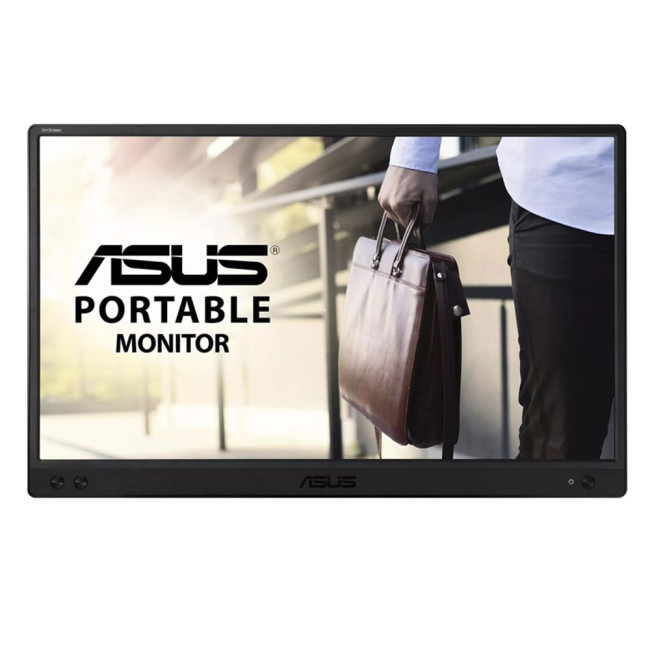
- Display: 15.6-inch IPS, Full HD (1920 × 1080)
- Refresh rate: 60Hz, 5ms response time
- Connectivity: USB-C
- Price:
£119£94 | Save £25
The ASUS ZenScreen MB166C adds a second workspace beside your laptop without needing
Last Updated: October 16, 2026
Looking for a laptop upgrade without spending more than you need to? The Halloween Sale 2026 at Laptop Outlet brings together laptops for work, university, home computing and entertainment, with options from Lenovo and ASUS.
Whether you're buying your first Windows laptop or replacing an older machine, it pays to check more than the price. Processor performance, RAM, SSD capacity, and screen size all affect how well a laptop suits your daily routine.
We've selected models from our Halloween laptop sale , including two options under £600 and higher-spec alternatives for shoppers who need extra performance.
Best Budget Laptops Under £600 This Halloween
You don't necessarily need an expensive laptop for browsing, coursework, spreadsheets, video calls or everyday productivity. The following options offer 16GB RAM and Windows 11, making them practical choices for typical home, office, and academic workloads.
1. Lenovo V15 G4: Best for Everyday Work and Home Use
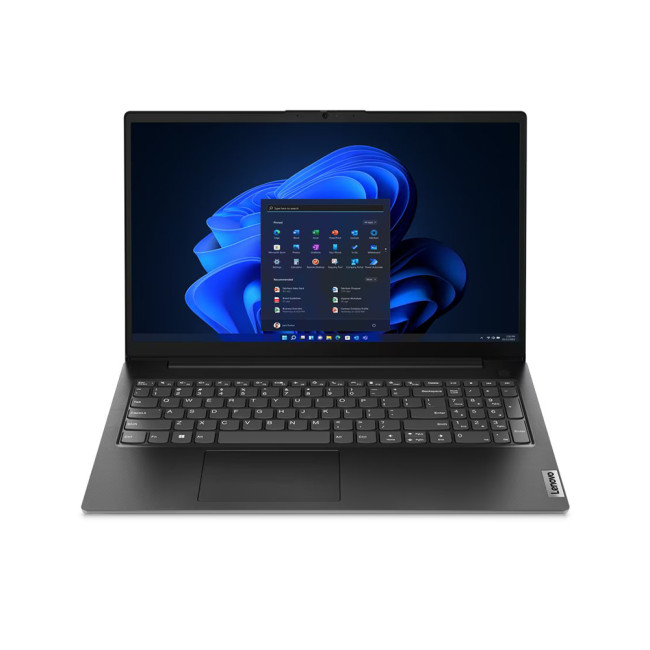
Halloween sale price:

Last Updated: October 02, 2026
Black Friday refurbished deals can appear throughout November, but the strongest refurbished stock is not tied to one guaranteed date. In 2026, Black Friday falls on 27 November, so buyers with specific requirements should start watching from early November rather than waiting for the final Friday.
Refurbished inventory can be limited to particular models, specifications and condition grades. Once suitable units sell, the same configuration may not return. The strongest buying window is therefore when the specification, condition and price you want are available together.
When Do Black Friday Refurbished Deals Start?
Black Friday officially falls on Friday 27 November 2026, but UK Black Friday activity usually extends beyond a single day. Pricing changes can begin earlier in November and continue through Black Friday weekend into Cyber Monday on 30 November.
Use the weeks beforehand to establish a price baseline and watch availability. Laptop Outlet's Black Friday refurbished deals page

Last Updated: April 02, 2026
Black Friday is nearly here, and if you’re hoping to pick up a reliable tablet without breaking the bank, this is the moment to start doing your homework. Every year, the market floods with “bargain” black Friday tablet deals under 250 pounds, and some are genuinely impressive, others barely worth unboxing. Knowing the difference can save you a lot of regret later.
This guide takes you through what to expect from a tablet in this price range, the standout models to look out for, and where Laptop Outlet fits into the picture with its Black Friday tablet deals.
What to Expect from a £250 Tablet in 2025

A few years ago, a £250 tablet meant a compromise on nearly every front. That’s no longer the case. Entry-level Android tablets have become much more capable, especially with MediaTek and Snapdragon mid-range chips powering smooth day-to-day use. At this price, you can expect decent performance for web browsing, streaming, social media, and light productivity tasks.
However, the specifications
Last Updated: October 02, 2026
Black Friday 2026 falls on Friday 27 November, followed by Cyber Monday on 30 November. For Apple buyers, the smartest approach is to track the exact MacBook, iPhone or iPad specification before November, then judge the sale price against its usual selling price. New releases will attract attention, but recent generations and refurbished Apple devices could prove just as worthwhile.
Apple has changed a lot of its hardware since last Black Friday. MacBook Neo has joined the laptop family, MacBook Air has moved to M5, MacBook Pro now stretches from M5 through to M5 Pro and M5 Max, while iPhone 18 Pro has arrived ahead of the first foldable iPhone, the iPhone Duo.
The iPad range has moved forward as well, with M4 powering the latest iPad Air and M5 inside iPad Pro. That makes Black Friday 2026 particularly interesting because shoppers are likely to see brand-new hardware sitting alongside capable previous-generation models.
This guide breaks down the Apple products worth watching, the specifications

Last Updated: October 15, 2026
Published: October 19, 2026
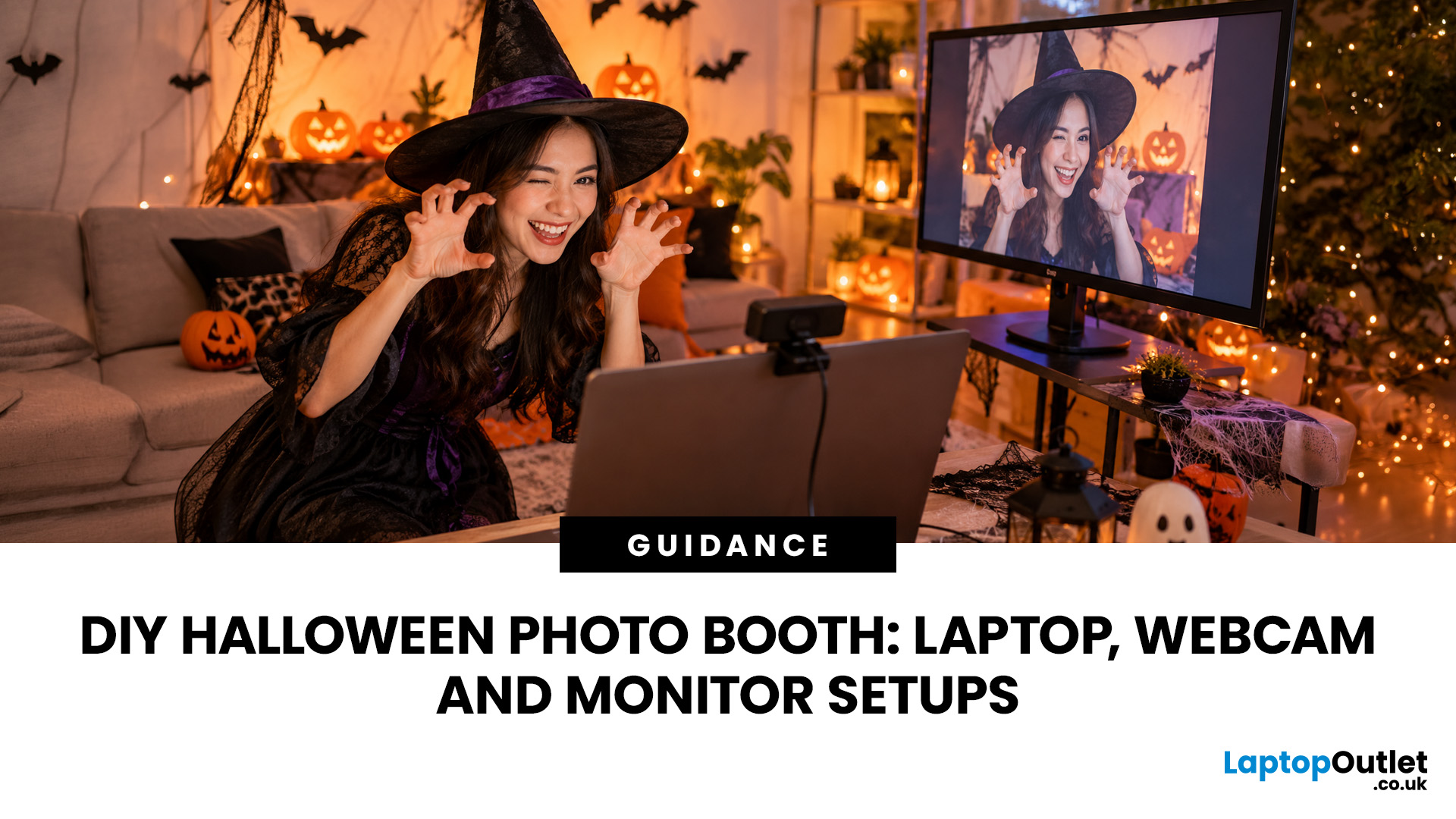
A spooky photo booth gives guests somewhere to show off costumes, try ridiculous poses and leave with photos from the night. Better still, you do not need professional photography equipment to build one.
A laptop, webcam, screen, a little lighting, and a suitably creepy backdrop can turn a spare corner into a working DIY Halloween photo booth. You can keep things simple with your laptop's built-in camera or create a more polished setup using an external webcam and separate monitor. Here is how to put everything together without turning your party into an IT project.
What Do You Need for a Halloween Photo Booth?
The key is making the setup reliable. Guests should be able to walk up, pose and take a picture without adjusting cables or camera settings every time. Start with equipment you may already have:
- Laptop or desktop computer
- Built-in or USB webcam
- Monitor or portable display
- Tripod, webcam mount or stable surface
- LED lamp, ring light or another soft light source
- Halloween backdrop
- Props

