



Which is best processor for gaming and productivity?
Choosing the right processor can transform your computing experience, whether you're building a high-performance gaming rig or crafting a workstation for creative projects and demanding tasks. With so many options available, selecting the best processor for both gaming and productivity can be overwhelming.
Our picks below will show you the best processor for gaming and other resource-demanding tasks. From AMD's latest Ryzen 9000 Series to Intel's groundbreaking Core Ultra 5, this guide will help you confidently navigate your next processor upgrade.
Let's explore these processors to discover which perfectly balances gaming brilliance and productivity prowess.
AMD Ryzen 9 7900: The Multitasking Powerhouse
The AMD Ryzen 9 7900 is a superb choice for users seeking a harmonious blend of high gaming CPU performance and productivity capabilities. With 12 cores and 24 threads, this processor for gaming is built to handle everything from fast-paced games to complex multitasking workloads.
-
Max Boost Clock: Up to 5.4 GHz
-
Base Clock: 3.7 GHz
-
TDP: 65W
-
L3 Cache: 64MB
Thanks to its Zen 4 architecture and advanced 5nm technology, the Ryzen 9 7900 excels at rendering, video editing, and multitasking, making it ideal for creators and professionals who also enjoy immersive gaming sessions. The processor is accompanied by the AMD Wraith Prism Cooler, which features RGB lighting and excellent thermal performance, ensuring your system stays cool even under pressure.
Best For:
-
Gamers seeking high FPS at 1080p and 1440p
-
Video editing and 3D rendering
-
Overclocking enthusiasts
-
Power-efficient systems

Intel Core i9-13900F: Peak Performance Unleashed
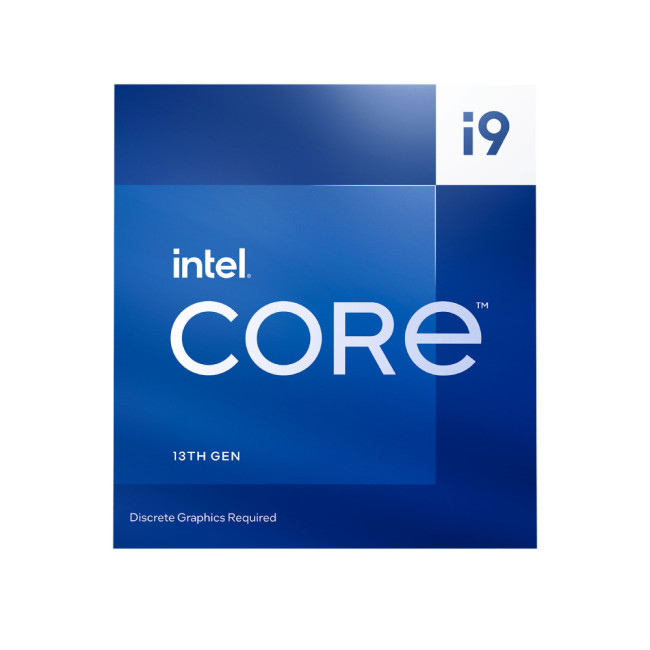
The Intel Core i9-13900F is a performance juggernaut, equipped with an impressive 24 cores (8 performance cores and 16 efficient cores) and 32 threads. This chip is crafted for gamers and professionals who crave extreme speeds and unrivalled multitasking with their PC processors.
-
Max Turbo Frequency: 5.6 GHz
-
Base Power: 65W
-
Maximum Turbo Power: 219W
-
L3 Cache: 36MB
Its hybrid architecture, enhanced with Intel Thread Director, ensures efficient task management, whether you're gaming, streaming, or creating content simultaneously. Support for both DDR5 and DDR4 memory adds flexibility, making it future-ready and highly adaptable.
Best For:
-
High-end gaming at 4K resolutions
-
Streaming and gaming simultaneously
-
3D rendering and AI-powered workflows
AMD Ryzen 9 9900X: High-end Gaming & Creation
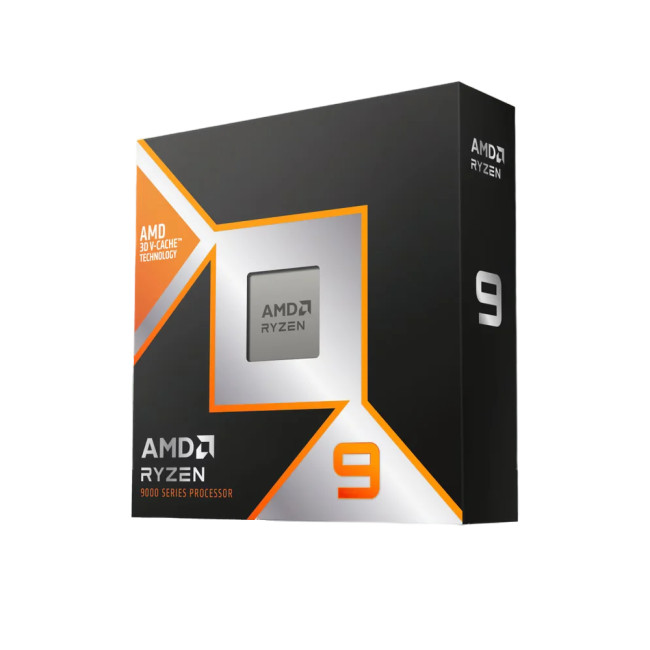
The AMD Ryzen 9 9900X represents the pinnacle of AMD's latest Zen 5 architecture. With 12 cores and 24 threads, it combines ultra-high clock speeds with exceptional efficiency, giving you the power to conquer demanding applications and high-fidelity games.
-
Max Boost Clock: Up to 5.6 GHz
-
Base Clock: 4.4 GHz
-
TDP: 120W
-
L3 Cache: 64MB
Manufactured on a cutting-edge 4nm process, this gaming processor achieves unprecedented performance-per-watt ratios. While it doesn't include a cooler, AMD recommends liquid cooling to maximise its capabilities - perfect for advanced builders aiming for peak performance.
Best For:
-
Hardcore gamers seeking the ultimate experience
-
Creative professionals using demanding software
-
AI-assisted design tasks and simulations
Intel Core i7-12700F: Balanced Brilliance
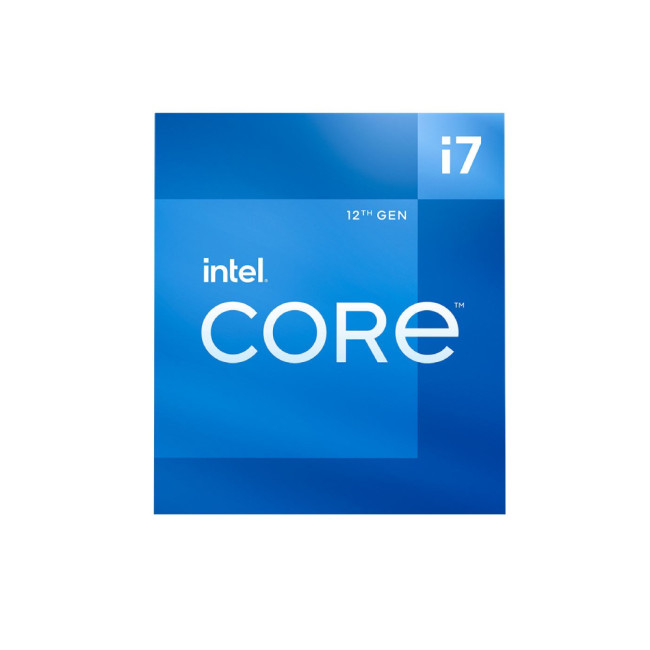
The Intel Core i7-12700F strikes a compelling balance between gaming CPU performance and multitasking productivity. Featuring 12 cores (8 performance cores and 4 efficient cores) and 20 threads, it's ideal for those who need consistent performance across various tasks.
-
Max Turbo Frequency: 4.9 GHz
-
Base Power: 65W
-
Maximum Turbo Power: 180W
-
L3 Cache: 25MB
With support for both DDR5 and DDR4 memory, PCIe 5.0, and advanced AI acceleration technologies, this gaming processor is an excellent choice for gamers, designers, and productivity-focused users seeking great value.
Best For:
-
Mid-range gaming builds
-
Multitasking across productivity apps and entertainment
-
Students and remote workers are building powerful desktops
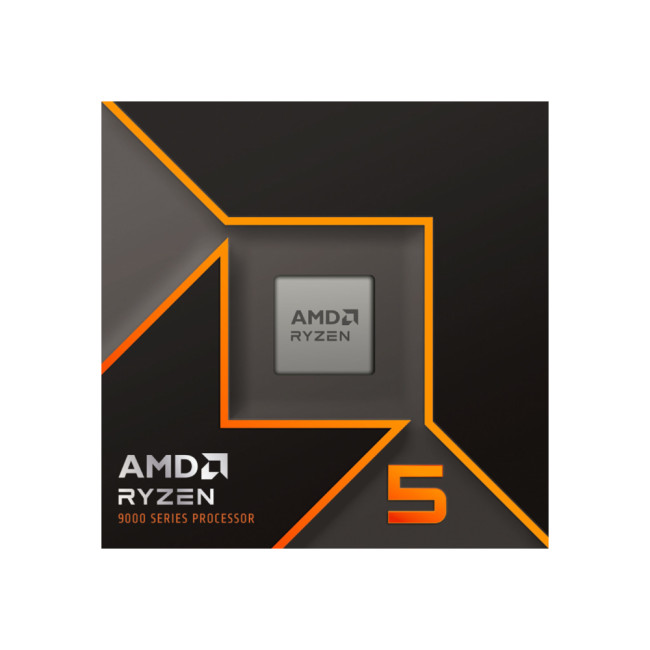
AMD Ryzen 5 9600: Affordable Zen 5 Performance
For gamers and users on a budget, the AMD Ryzen 5 9600 offers serious value without compromising features. Featuring 6 cores and 12 threads, it delivers reliable performance for everyday tasks and mainstream gaming.
-
Max Boost Clock: Up to 5.2 GHz
-
Base Clock: 3.8 GHz
-
TDP: 65W
-
L3 Cache: 32MB
Thanks to the Zen 5 architecture and the included Wraith Stealth Cooler, this processor delivers efficient thermal performance while maintaining strong gaming credentials. It's also unlocked for overclocking, giving enthusiasts room for tweaking.
Best For:
-
Entry-level gaming PCs
-
Basic content creation and streaming
-
Office work and multitasking
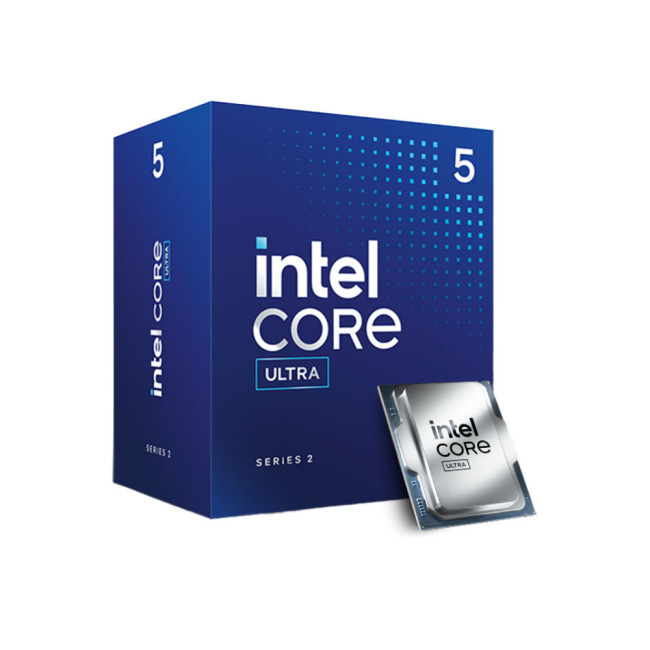
Intel Core Ultra 5 235: AI-Enhanced Performance
The Intel Core Ultra 5 235 represents a major leap forward with AI acceleration at its core. Featuring 14 cores (6 performance cores and 8 efficient cores) and AI-boosted capabilities, this computer processor unit is designed for gamers, creators, and professionals looking for next-generation performance.
-
Max Turbo Frequency: 5 GHz
-
Base Power: 65W
-
Max Turbo Power: 121W
-
L3 Cache: 24MB
Equipped with Intel AI Boost and a Neural Processing Unit (NPU), it accelerates AI workloads, making it ideal for creative projects, video editing, and AI-assisted tasks. Built on the latest Intel 3nm process, it also integrates Xe Graphics with support for up to four displays.
Best For:
-
AI-assisted creative workloads and design
-
Gaming at high settings
-
High-resolution video editing and rendering
Choosing the Right Processor: Gaming vs. Productivity
The processor is often referred to as a computer's " brain, " and with good reason. It influences everything from how swiftly your favourite games run to how efficiently demanding creative tasks are handled. Yet, picking the right CPU is more about understanding your specific needs, the technologies that make a difference, and how all these factors tie together.
If you're building or upgrading a PC for gaming and productivity, here's what you need to know before making your choice.
Understanding Cores and Threads:
At the heart of every processor are its cores and threads. Simply put, cores allow your CPU to handle multiple tasks simultaneously. Modern processors also use virtual cores to improve multitasking even further through technologies like Simultaneous Multithreading (SMT) or Hyper-Threading.
For gaming, core speed and efficiency generally matter more than sheer quantity. Many popular games still rely heavily on single-threaded performance, although this is slowly shifting as developers optimise for multiple cores.
On the other hand, productivity tasks such as video editing, 3D rendering, and compiling large codebases benefit tremendously from higher core and thread counts. Here, CPUs with 12 or more cores can make a substantial difference, completing tasks much faster than mainstream chips.
Clock Speed:
Clock speed, measured in gigahertz (GHz), represents how fast a processor operates. Two key values are typically quoted: base clock and boost clock. The base clock is the minimum speed your processor will run under light loads, while the boost clock is the peak speed achieved during demanding tasks.
Gamers generally benefit from higher boost clocks, particularly when playing titles that favour single-threaded performance. However, it's important not to focus solely on clock speed. Factors like thermal efficiency and sustained performance under heavy load also play significant roles, especially for longer gaming sessions or intensive rendering projects.
Cache Memory:
A processor's cache acts as high-speed memory, storing frequently accessed data to speed up operations. CPUs include several cache layers, such as L1, L2, and L3, with each layer designed for different levels of speed and capacity.
Larger caches are particularly beneficial for both gaming and productivity, reducing latency and improving overall system responsiveness. For tasks like compiling large datasets or running complex simulations, ample cache can mean noticeable gains.
Processor Architecture and Manufacturing Process:
Processor architecture refers to the design framework that dictates how the CPU functions. At the same time, the manufacturing process, expressed in nanometres (nm), relates to how small the transistors are on the chip.
Smaller process nodes, such as 4nm or 5nm, enable better power efficiency and allow for more transistors in the same physical space, resulting in faster, more efficient chips. Architectures like AMD's Zen 5 or Intel's Ultra series not only improve performance but also enhance compatibility with cutting-edge technologies such as PCIe 5.0 and DDR5 memory.
For buyers, newer architectures usually mean better performance-per-watt, improved gaming capabilities, and more future-proofing.
Power Consumption and Cooling:
Thermal Design Power (TDP) indicates how much heat a processor generates under standard workloads. A lower TDP can suggest better efficiency and simpler cooling requirements, but it's not the full picture. Some high-performance processors operate within modest TDP ranges under normal conditions but spike significantly during heavy loads.
For high-end processors, particularly those with unlocked overclocking capabilities, advanced cooling solutions such as liquid cooling are often recommended. If you're building a gaming or productivity-focused machine, factoring in cooling requirements is essential, not just for performance but also for long-term reliability.
Memory Compatibility:
The type of memory your CPU supports can drastically affect performance. DDR5 is the current frontier in memory technology, offering higher bandwidth and improved power efficiency over DDR4. However, DDR4 remains a cost-effective option for many builders, with plenty of performance for gaming and everyday tasks.
If you're looking to future-proof your system, opting for a processor that supports DDR5 memory is a wise move. Just be sure your chosen motherboard also supports your desired memory type.
Expansion Support:
Your processor also dictates how many PCIe lanes you can use to connect components like graphics cards and NVMe SSDs. More lanes provide better flexibility, especially if you're using multiple GPUs or high-speed storage devices.
Current processors support PCIe 4.0 or PCIe 5.0, with the latter doubling bandwidth and opening doors for faster graphics and storage performance. This matters to gamers who want to extract every frame from their GPUs, as well as creators working with high-resolution video and large datasets.
AI Acceleration and Integrated Intelligence:
Many modern processors come with built-in AI acceleration, capable of handling complex tasks like neural network inference, video upscaling, and even background noise reduction.
Intel's newer Core Ultra processors, for instance, integrate dedicated Neural Processing Units (NPUs) that offload AI tasks from the CPU, speeding up AI-assisted apps and improving power efficiency. While this may not directly impact gaming, it's a game-changer for professionals working with AI tools, video editing, and advanced imaging software.
Overclocking:
Some processors allow overclocking – a process that manually increases the clock speed beyond factory settings for enhanced performance. For this reason, AMD's Ryzen series and Intel's unlocked 'K' models are especially popular among enthusiasts.
However, overclocking isn't without risks. It generates more heat and may reduce the lifespan of components if not managed correctly. Robust cooling, quality motherboards, and a willingness to fine-tune settings are required to safely push your system beyond its stock limits.
How to Decide: Gaming, Productivity, or Both?
In essence, your decision comes down to your primary usage:
-
For gaming, you'll want a processor that delivers high clock speeds and strong single-core performance, along with good memory and PCIe support.
-
For productivity tasks like video editing, 3D rendering, or software development, you should prioritise high core and thread counts, large cache sizes, and advanced multitasking features.
It's worth remembering that the CPU is just one part of the equation. Your graphics card, storage, memory, and cooling also play crucial roles in determining the final system performance.
Conclusion
Choosing the best processor for gaming or productivity doesn't have to feel like a daunting task. It all comes down to understanding what you want from your system. Whether you're chasing the highest possible frame rates in your favourite games or need a processor that can breeze through creative workloads like video editing, rendering, or AI-assisted tasks, there's an ideal option for every user.
Explore our expert picks above and take the next step with confidence. Ready to build your dream system? Shop the latest processors from trusted brands like AMD and Intel at Laptop Outlet and unlock the power of your next gaming or productivity machine.
| Read More: |
| What processor is right for you? |
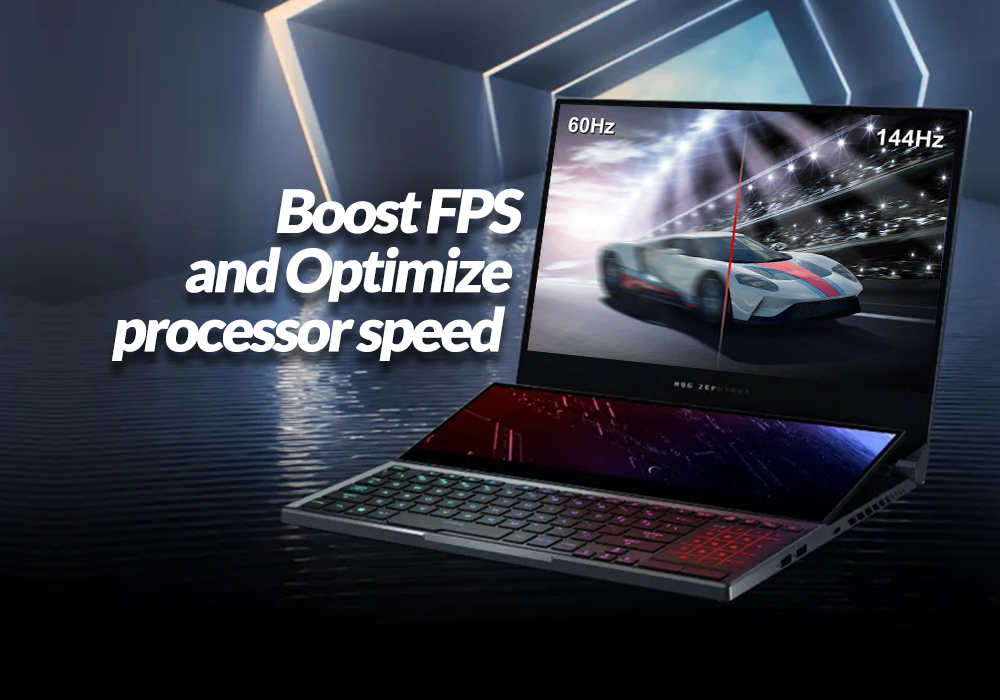
| How to boost FPS and Optimize processor speed for gaming |
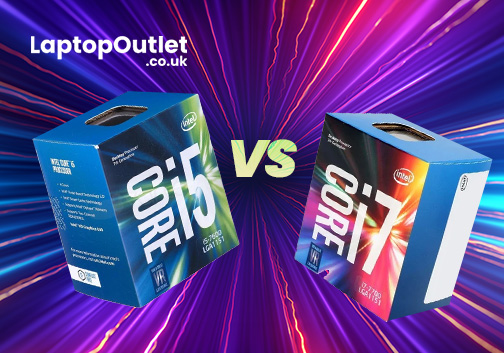
| Core i5 vs Core i7 Intel Processors: From Everyday Tasks to High-End Computing |
Related Articles

Last Updated: September 09, 2025
Last Updated: April 08, 2026
Last Updated: July 01, 2025
The Intel Core i5 and Core i7 processors are highly efficient and high-performance laptops found on most laptops and personal computers in the present era. Initially, the i5 held the title of the fastest processor for an extended period until the introduction of the i7, which then took the lead. Subsequently, the i9 emerged as the new frontrunner. The processor market is characterised by its dynamic nature, constantly evolving and presenting recent advancements.
i5 are dual or quad-core processors, optimal for gaming and productivity. A few notches up from its predecessor, the Core i3, the i5 lacks hyper-threading but does better in most other domains. Contrarily, the Core i7 is a high-end CPU with eight cores and higher clock speeds compared to the Core i5 processor. It is perfect for resource-intensive tasks such as CAD, gaming, running other high-end software, and video editing. Better in memory, speed, clock speed, and cache, it provides a whole new experience compared to its predecessor,

Last Updated: September 09, 2025
When selecting a suitable PC processor, finding the sweet spot between price and performance can be tricky. An ideal scenario would be a processor that fulfils your requirements while remaining within your budget.
In this comprehensive guide, we’ll walk you through some of the best budget processors available today for office work and everyday use. This blog will examine different AMD and Intel processors to identify which ones deliver maximum performance at affordable prices.
So, let’s get into it. Your search for a low-cost processor concludes here. Whether you want to build a new system or are going for an upgrade, here’s what you need to know.
What Makes a Processor "Budget-Friendly"?
Understanding the criteria which define a budget-friendly processor necessitates an initial discussion regarding processor attributes. A processor is considered budget-friendly when it provides excellent performance at competitive costs. Budget processors need to strike a sensible balance between price
Last Updated: September 09, 2025
The Brain Behind Your Computer
Every laptop, PC, tablet, or smartphone relies on one powerful chip to function smoothly—the processor. But what is a processor, exactly? Here’s a beginner-friendly guide to understanding what a CPU does and why it’s critical for your device’s performance.
What Is a Processor? (CPU)
A processor, also known as a CPU (Central Processing Unit), is the main chip in your device that handles all instructions from software and apps.
Think of it as the brain of your computer—it interprets, calculates, and executes commands to keep everything running.
What Does a Processor Do?
- Executes program instructions (open apps, load files, browse the web)
- Performs millions of calculations per second
- Coordinates tasks between memory, storage, and graphics
Processor Specs to Know
Cores:
- More cores = better multitasking
- Dual-core, quad-core, hexa-core, octa-core, etc.
Threads:
- Virtual cores that boost efficiency
- More threads improve performance in multitasking

