



Everything You Need to Know About Gaming Laptops: Buying Guide & Expert Tips
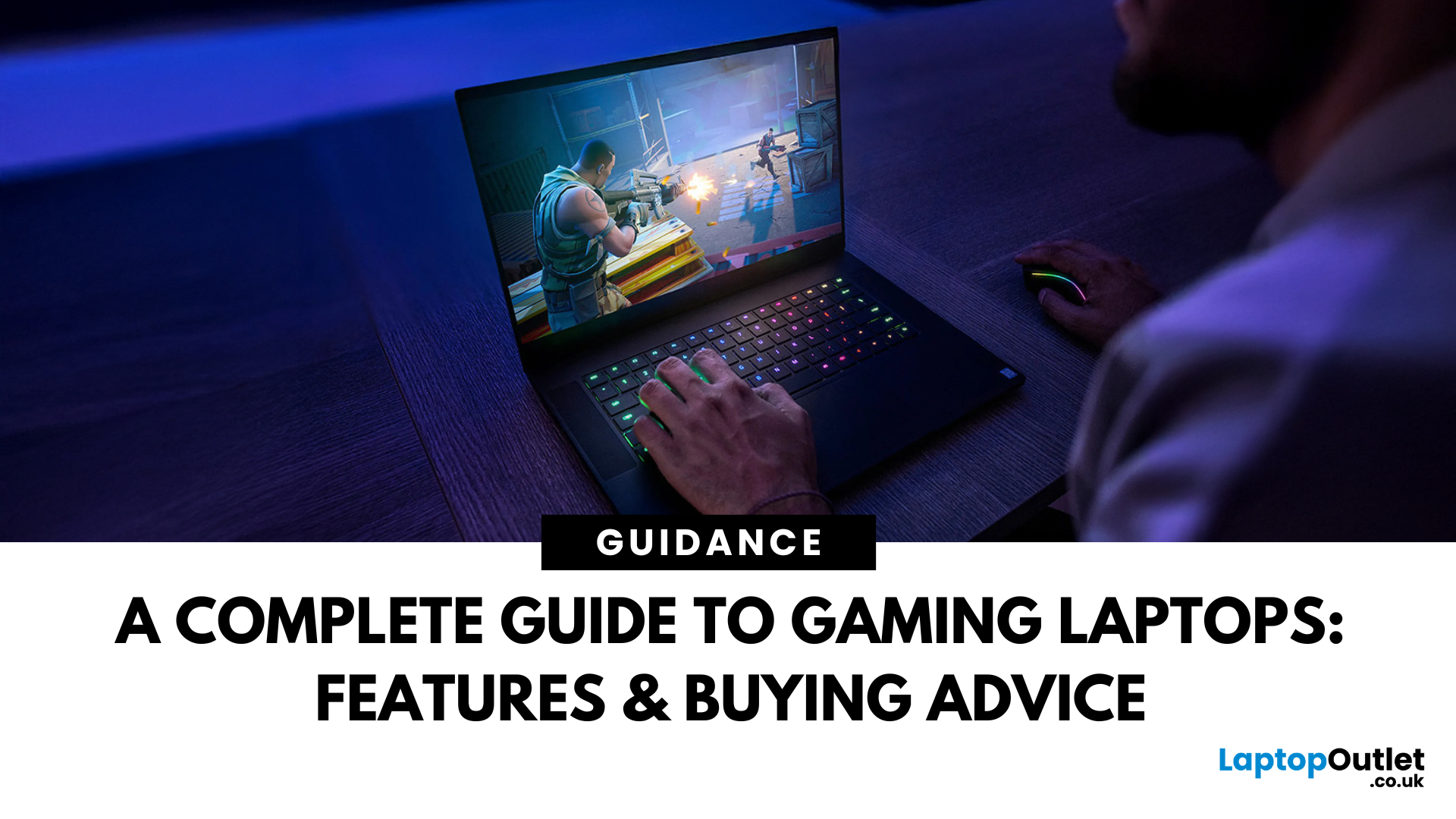
The gaming laptop has gone from niche curiosity to mainstream must-have. What used to be a heavy, noisy substitute for a desktop is now a versatile machine capable of running AAA titles, handling content creation, and serving as an everyday workhorse. In 2025, the choice of gaming laptops is wider than ever: slim ultrabooks with RTX graphics, desktop-replacement giants with mechanical keyboards, and AI-ready systems designed for creators and gamers alike.
For buyers, this abundance is both exciting and confusing. Should you invest in the new RTX 50-series GPUs? Is a 14-inch model powerful enough, or should you go for an 18-inch powerhouse? What about cooling, display refresh rates, or upgrade paths? This gaming laptop buying guide will help you make an informed decision. By combining industry research, market insights, and practical tips from reviewers and experts, we’ll help you understand how to choose the right gaming laptop, what features matter, and where to find the best value.
1. Introduction to Gaming Laptops: Evolution, Market Trends & Key Innovations
From Bulky Giants to Sleek Powerhouses
The first wave of gaming laptops in the mid-2000s was unapologetically large. They borrowed desktop components, drained batteries in under an hour, and weighed upwards of 4–5 kg. Portability was theoretical, but they proved something important: gamers wanted performance they could take anywhere.
Fast-forward to today, and the market tells a very different story. Modern models prove that powerful hardware can be fitted into elegant designs under 2 kg. Improvements in thermal design, component miniaturisation, and software optimisation have changed expectations. Portability no longer means compromising on flagship performance.
Market Growth & Consumer Trends
According to industry analysts, the gaming laptop market was valued at around USD 16 billion in 2024 and is expected to grow steadily through 2025 and beyond. Driving factors include the rise of esports, streaming culture, and demand for multi-purpose laptops that handle gaming, creative workloads, and AI applications. A recent survey suggests that over 60% of former desktop gamers have switched to gaming laptops for convenience and space-saving.
Three big gaming laptop market trends are pillars behind this revolution:
- AI Acceleration: New Intel Core Ultra and AMD Ryzen AI processors bring neural processing units (NPUs) that offload AI tasks, improving both performance and efficiency. NVIDIA’s DLSS 4 adds multi-frame generation for higher frame rates at lower energy cost.
- Next-Gen GPUs: The arrival of the RTX 50-series brings up to 40% better performance per watt. Early models like the RTX 5060 and 5070 have already appeared in thin-and-light laptops, while flagship machines boast RTX 5090 chips.
- Premium Displays: Mini-LED and OLED panels with refresh rates of 240–300 Hz are becoming standard on high-end models, offering better brightness, HDR support, and faster response times.
What This Means for Buyers
For you, the consumer, this evolution means choice. You no longer have to accept the old trade-off of “big and powerful” versus “light but weak.” Instead, you can choose a laptop that balances performance, portability, and price to fit your lifestyle.
2. How Gaming Laptops Differ from Standard Laptops
At first glance, gaming laptops look like ordinary notebooks - until you lift the lid. Here are the defining differences that separate them from traditional consumer models:
Dedicated Graphics Power
The most important distinction is the dedicated GPU. Regular laptops rely on integrated graphics, which are fine for browsing, media, and office apps, but collapse under the demands of modern games. A gaming laptop uses a discrete NVIDIA or AMD GPU to handle ray tracing, AI upscaling, and high-frame-rate rendering.
Cooling Systems
Gaming hardware produces more heat. To cope with this, these laptops are built with advanced cooling: vapour chamber designs, dual or triple fans, and multiple heat pipes. In contrast, normal laptops prioritise thinness and silence, often at the cost of sustained performance.
Displays Built for Speed
Most business laptops still run at 60 Hz refresh rates. On the other hand, gaming laptops typically start at 120 Hz or 144 Hz and scale to 240 Hz or even 300 Hz on competitive models. Higher refresh rates make fast-paced titles smoother and more responsive.
Build & Aesthetics
Gaming laptops often feature bold designs: RGB lighting, aggressive chassis lines, or translucent panels. Standard laptops stick to minimalist aluminium or plastic builds aimed at professionals. That said, premium gaming machines like the Razer Blade keep things sleek and understated - suitable for work and play.
Cost & Trade-Offs
The extra power comes with costs: shorter battery life, higher weight, and bigger chargers. Gaming laptops also carry a price premium. A regular £800 laptop can handle office work easily, but the same budget may only get you an entry-level gaming model capable of running games at moderate settings.
3. What Features to Look for in a Gaming Laptop?
Buying a gaming laptop isn’t just about grabbing the most expensive model you can afford. It’s about knowing which components matter most for your needs.
Here’s a breakdown of the essentials - think of it as a gaming laptop specs guide, with all the gaming laptop features explained in simple terms so you can compare models confidently.
GPU (Graphics Processing Unit)
The GPU is the single most important component in a gaming laptop. In 2025, you’ll find both NVIDIA and AMD options worth considering:
- NVIDIA RTX 40-series (4060, 4070, 4080, 4090): Still the most common choice in gaming laptops. They’re widely available, well-supported by software, and include DLSS 3/4 for AI upscaling, ray tracing, and frame generation.
- NVIDIA RTX 50-series (5060–5090): The newest generation, launched in 2025, offering better efficiency per watt, DLSS 4, and improved ray-tracing cores. High-end laptops (like MSI Titan 18 HX AI) already use RTX 5080/5090, while thinner models carry RTX 5060/5070 chips.
- AMD Radeon RX 7000M & 7000S series: AMD’s RDNA 3 mobile GPUs compete closely with NVIDIA’s mid-range and high-end offerings, often with better efficiency and lower prices. AMD’s FSR 3.1 (FidelityFX Super Resolution) provides open-source upscaling, a strong alternative to DLSS.
- AMD RX 9000 Series (RDNA 4): Launched in early 2025 for desktops, the RX 9000 family (e.g. RX 9070 XT, RX 9060 XT) introduces FSR 4, AI-driven upscaling, and better ray tracing. If AMD brings them to laptops later in 2025, they could challenge NVIDIA’s RTX 50-series head-on, offering buyers more competitive choices.
CPU (Processor)
Modern games demand multi-threaded performance, but CPUs are less critical than GPUs. Look for at least an Intel Core i7/i9 (13th gen or later) or AMD Ryzen 7/9. The newer Intel Core Ultra and Ryzen AI series add NPUs for AI tasks, improving performance in upcoming software.
RAM
Today’s minimum is 16 GB. If you stream, create content, or run many apps, aim for 32 GB. Some high-end machines offer 64 GB or more, but that’s usually overkill for pure gaming.
Storage
Games are demanding: a single AAA title can exceed 100 GB. Choose at least a 512 GB NVMe SSD, with 1 TB recommended. Many laptops allow adding a second drive later.
Cooling & Thermal Design
Without proper cooling, performance throttles.
Look for:
- Vapour chamber or liquid metal thermal solutions
- Multiple exhaust vents
- Tool-free access for cleaning
A laptop that runs cool will last longer and perform better.
Display
Key factors include:
- Resolution: 1080p for budget, 1440p (QHD) for balance, 4K for visuals (but heavy on GPU).
- Refresh rate: 120 Hz minimum, 240 Hz+ for esports.
- Panel tech: IPS is standard, OLED and Mini-LED deliver stunning colours and HDR.
Connectivity
Don’t overlook ports. Thunderbolt 4, HDMI 2.1, Wi-Fi 6E/7, and multiple USB-C slots make a laptop versatile for monitors, VR, and peripherals.
4. Gaming Laptop Comparisons: Entry-Level, Mid-Range & High-End Options
Entry-Level (Under £1,000)
These laptops prioritise affordability while still handling modern games.
- HP Victus Gaming 15: Often found under £900 with RTX 4060, suitable for 1080p gaming at medium settings.
- Lenovo LOQ Essential 15: Competitive value, offering strong cooling and upgradable RAM.
- Acer Nitro V 15: A frequent recommendation for budget buyers, pairing Intel CPUs with RTX 4050/4060 GPUs.
Mid-Range (£1,000–£1,500)
Balanced machines with higher refresh displays and better GPUs.
- Lenovo Legion 5: Best known for pairing RTX 5060 graphics with a reasonable price.
- ASUS TUF Gaming A16 (2025): Rugged build, strong cooling, and QHD display.
- Acer Nitro V 17: RTX 5070 graphics card, 17.3-inch wide display, and competitive thermals, often discounted.
Premium (£1,500+)
Designed for gaming enthusiasts who want portability without compromise.
- Asus ROG Zephyrus G14: Compact 14-inch design, RTX 4070/4080 options, praised for efficiency.
- Lenovo Legion Pro 7: High-end performance in a 16-inch chassis, excellent keyboard and cooling.
- Razer Blade 14: Elegant, professional look with RTX 50 Series GPUs, Mini-LED display.
Flagship / Desktop Replacement
These are unapologetically large and expensive, but unmatched in performance.
- ASUS ROG Strix SCAR G635LX: RTX 5090, Intel Core Ultra 9 275HX 24-Core Processor, up to 64 GB RAM and 6 TB SSD. A monster for those with no budget constraints.
- Lenovo Legion Pro 7 16IAX10H: Another behemoth with high refresh QHD+ displays, top-tier internals, and premium cooling.
5. Expert Gaming Laptop Buying Tips & Mistakes to Avoid
Buying a gaming laptop is an investment. Here are gaming laptop expert tips drawn from reviewers and long-time users to help you avoid common mistakes:
- Don't overspend on CPU: A powerful GPU matters more. An RTX 5070 with a Core i7 will often beat a weaker GPU paired with a Core i9.
- Plan for storage expansion: Many models offer a second NVMe slot. Don't pay a premium for 2 TB upfront if you can add later.
- Beware of Thin Designs Without Cooling: Sleek laptops look good, but if cooling is inadequate, performance will throttle. Always check reviews for thermal tests.
- Battery Expectations: Even the best gaming laptops rarely last beyond 5–6 hours of mixed use. For long trips, carry a power bank or charger.
- Ignoring Upgrade Options: Some laptops let you easily upgrade RAM and storage, while others solder everything down. Choosing a model with accessible slots can extend the lifespan and save money in the long term.
- Overlooking the Keyboard & Trackpad: If gaming without an external keyboard, ensure the built-in one has good travel, anti-ghosting, and a comfortable layout. Many people regret skipping this detail after purchase.
- Not Checking the Display Quality Beyond Refresh Rate: A 240 Hz screen sounds great, but poor colour accuracy or low brightness can ruin the experience. Aim for at least 300 nits brightness and decent colour coverage (sRGB 100% or DCI-P3)
- Forgetting About Port Selection: HDMI 2.1, USB-C/Thunderbolt, and Ethernet ports matter if you plan to connect to external monitors, VR headsets, or wired networks. Some slim laptops sacrifice ports, forcing you to rely on dongles.
- Buying Too Much Laptop for Your Needs: It's easy to be tempted by an RTX 5090 monster, but if you mainly play esports titles like CS2, Valorant, or Fortnite, a mid-tier GPU may already deliver more than you need, at half the cost and weight.
- Watch for Gaming Laptop Deals: Seasonal discounts (Back to School, Black Friday, Prime Day) often slash prices by £300–£600. Buying just before new GPU releases can also secure bargains.
Final Thoughts
The gaming laptop has finally come of age. Whether you want a portable esports machine, a balanced all-rounder, or a desktop replacement, there's a model in 2025 that fits your needs. The key is understanding your priorities: portability, performance, or price. Focus on the GPU, ensure adequate cooling, and pick a display that matches your style of gaming.
What makes today's market exciting is the sheer amount of choice. NVIDIA's RTX 40 and 50 series continue to set performance benchmarks, while AMD's Radeon 7000M series and the upcoming 9000 series are pushing competition further, offering real value and new features like FSR 4. Add in innovations such as OLED panels, AI-driven power management, and thinner chassis designs, and it's clear that gaming laptops are no longer compromises—they're the future of portable performance.
If you're ready to upgrade, use this gaming laptop buying guide as your roadmap. Decide where you fall on the spectrum, budget, mid-range, or premium—and shop smart by keeping an eye on seasonal deals and verified expert reviews. The right laptop will transform the way you work, create, and connect.
Ready to take the next step? Explore our full collection of the best gaming laptops at Laptop Outlet and get your hands on a laptop that suits your gaming passion. Your next level of performance is just one choice away.
Frequently Asked Questions (FAQs)
What should you know before buying a gaming laptop?
Before buying a gaming laptop, focus on what truly matters: GPU performance, thermal efficiency, and your portability needs. Laptops are now faster and much sleeker—expected features include AI-driven cooling, ultra-fast SSDs, and high-refresh-rate displays.
How do you decide which gaming laptop to buy?
Begin by assessing your gaming style and budget. If you're into competitive esports, a mid-tier GPU like RTX 4080 or Radeon RX 7900M may suffice. For high-detail AAA gaming, aim for GPUs such as RTX 5080/5090 or Radeon RX 9060/9070.
Is 8 GB or 16 GB RAM better for a gaming laptop?
16GB RAM is the emerging standard in 2025. 8 GB may still work for light gaming or older titles, but it lacks the headroom for modern games, multitasking, or background apps. Across multiple recent analyses, 16 GB is noted as essential to avoid stuttering and enjoy smoother gameplay.
Is £1,000 a good budget for a gaming laptop?
Yes, £1,000 is a solid budget in 2025. In the UK, this range often features laptops with GPUs like RTX 4060/4070 and some Radeon alternatives, delivering excellent 1080p to 1440p performance. Just ensure the model also offers decent thermals, screen refresh rates, and overall build quality.
How do you recognise a good gaming laptop?
A dependable laptop blends strong GPU performance with effective cooling, fast storage, and a high-refresh display. Expert reviews consistently highlight models with well-engineered thermal systems (like the Zephyrus G14) and reliable performance. These reviews are crucial—they reveal real-world performance under sustained gaming load.
What's the best way to buy a gaming laptop?
The smartest strategy is to compare models across retailers and time your purchase around major sales like Prime Day, Black Friday, or back‑to‑school events. Buying slightly earlier GPU generations (e.g., RTX 4060 over 5060) often results in sizable savings without sacrificing much performance.
Which laptop can play GTA V?
GTA V is well-optimised and runs smoothly even on entry-level gaming hardware. Laptops with GTX 1650, RTX 3050, or RTX 4050 will comfortably handle it at 1080p on medium settings. For higher detail, modded gameplay, or extended sessions, hardware like RTX 4060 or 4070 is recommended for smoother, more immersive play.
| Read More: |
| Top gaming laptops for esports based on performance and features |
| Key Benefits of RTX Gaming Laptops |
| Cheap Gaming Laptops Under £750 in the UK |
Related Articles


Last Updated: June 17, 2025

Last Updated: June 19, 2025
Are you an e-sports enthusiast looking to take your gaming experience to another level? If yes, you are in the right place! With thousands of options available on the market, choosing the right gaming laptop can be a daunting task for anyone.
In this article, we have listed the top 5 gaming laptops for e-sports in 2023, all while considering factors such as refresh rate, response time, and screen size. Whether you are a professional esports player or a casual gamer, this guide will help you make an informed decision.
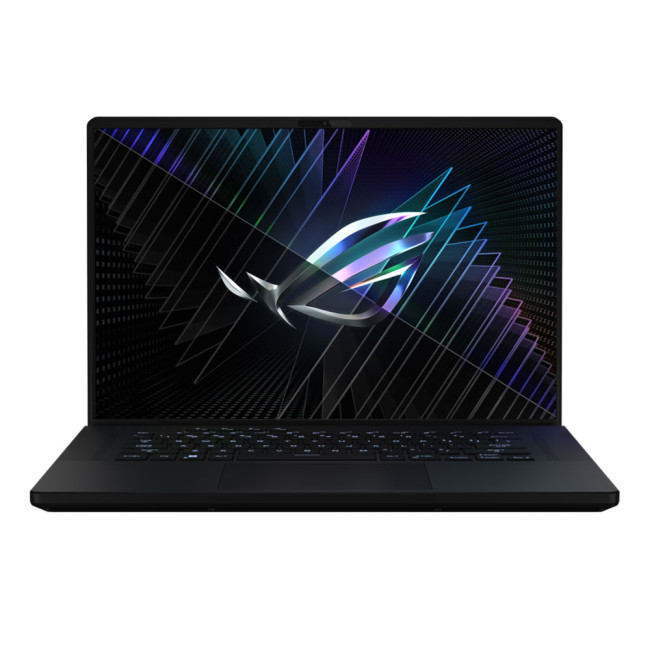
ASUS ROG Zephyrus M16 (2023)(GU604VY-NM001W)
- Intel® Core™ i9 Processor
- 16-inch screen size, 2560 x 1600
- 32 GB RAM, 2 TB SSD
- NVIDIA GeForce RTX 4090 GDDR6 16GB GPU
- Windows 11 Home
The ASUS ROG Zephyrus M16 is a true gaming beast, designed specifically for esports enthusiasts. With its Intel Core i9 processor and 32 GB of DDR5 RAM, it delivers exceptional performance, ensuring smooth gameplay even in demanding esports titles.
As compared to last year’s model,
Last Updated: February 24, 2026
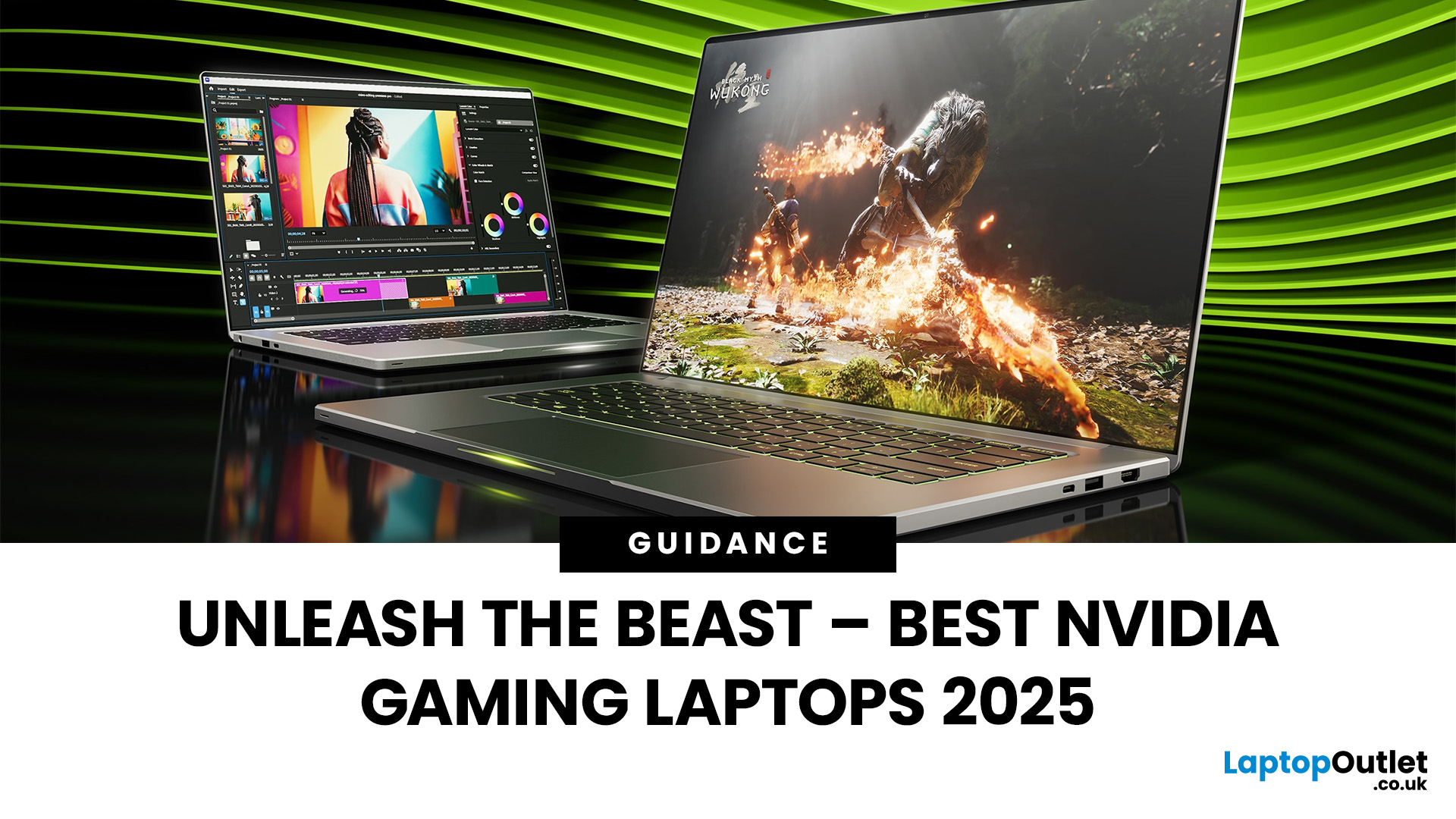
Among the top leading brands of high-end graphics cards, Nvidia stands out as a "powerhouse" in the world of gaming. Laptops with Nvidia graphics cards are known for their exceptional processing capabilities to handle resource-intensive gaming, 3D modelling, and video editing software without any stutters or lags. In this article, we will explore the benefits of Nvidia gaming laptops. Not only will we discuss the features of these gaming laptops, but you'll find our top 5 recommendations for the best gaming laptop on the market.
What are the Benefits of Laptops with Nvidia Cards?
A gaming laptop with a Nivida Graphics card offers a range of advantages as compared to devices with other Graphics card brands. These high-performance devices offer excellent graphics rendering and processing power in video games, CAD/CAM, scientific computing, content creation, and other intensive computing applications.
Let’s explore their benefits in detail:
Unparalleled Graphics Performance
Nvidia graphics
Last Updated: July 01, 2025
Did you know that gaming laptops have seen a remarkable change in processor speed from 1.5 GHz to 5 GHz in the present year? It's not just about power anymore; it's about the need for speed in gaming!
Back in 2010, gaming was confined to bulky desktops at home or on consoles connected to the TVs. Several years later, the debut of the gaming laptop Razer revolutionised the gaming experience. These laptops brought top-notch performance and portability together in a sleek and compact design, reshaping how users enjoy gaming.
Even though it had an excellent i7 processor and GT 555M graphics card, the approximate £2400 price tag was a bit much. In the modern era, manufacturers, including ASUS with its ROG series and MSI with the GT series, began introducing gaming laptops for high-end experience. These gaming laptops were incorporated with features like high-refresh-rate displays and energy-efficient graphic processing units.
The evolution of these gaming laptops got people thinking about
Last Updated: February 24, 2026
We are calling all the gamers around! Playing your favourite games with maxed-out settings doesn't cost you the earth . We have got you covered with top-of-the-line gaming laptops.
Most people will say that you need a high-end desktop rig, especially if you're a fan of pushing the graphical capabilities beyond the limits of handheld gaming consoles. Undoubtedly, the desktop PC is still king in terms of fancy hardware and power-packed performance. But a gaming laptop offers the best bang for your buck if you need something you can carry around the house or a coffee shop.
However, when shopping for the gaming laptop refurbished, you may have to pay attention to CPU and GPU performance, cooling solution, the display's refresh rate, VRR support, and build. A good keyboard is also necessary for a tactile and customised experience and won't cause strain over long gaming sessions.
To help you choose the perfect laptop for eSports, we have tested and reviewed over 100 laptops. So, whether

